
Diese Seite ist keine offizielle Seite der App oder ihres Entwicklers, sondern eine unabhängige redaktionelle Veröffentlichung, die zu Informations- und Kommentarzwecken erstellt wurde. Sofern nicht ausdrücklich anders angegeben, sind weder die App noch ihr Entwickler mit MWM, Apple, Google Play, dem App-Herausgeber oder dem Entwickler der App verbunden, von ihnen unterstützt, gesponsert, autorisiert oder anderweitig offiziell verbunden, und nichts auf dieser Seite impliziert, dass die App unter Verwendung der Dienste von MWM entwickelt wurde. Alle Marken, Logos, Screenshots und andere Inhalte bleiben Eigentum ihrer jeweiligen Inhaber.

Microsoft SharePoint
Mobiles Arbeiten ist eine Illusion ohne Kontext. Die App liefert die Superkraft, das Wesentliche zu erkennen, bevor man danach sucht.
Downloads
12.5M+Bewertung
Bewertungen gesamt
426.2KHerausgeber
Kategorie
ProductivitySprachen
31Neueste Version
5.0.0Größe
76.0 MBErstveröffentlichung
20. Juni 2016Analyse der Kernfunktionen von Microsoft SharePoint Mobile
Eine Bewertung der mobilen Leistungsmerkmale für moderne Arbeitsumgebungen
KI-gesteuerte Personalisierung
Die App bietet personalisierten Zugriff auf relevante Informationen, indem sie Inhalte auf Basis individueller Arbeitsweise und Teamzusammenarbeit priorisiert.
Umfassende Suchfunktion
Dieses Tool verfügt über eine leistungsstarke Suchfunktion, die es Nutzern ermöglicht, schnell und effizient wichtige Dokumente, Sites oder Personen innerhalb des Unternehmens zu finden.
Mobiler Zugriff auf Inhalte und Sites
Es ermöglicht Nutzern den mobilen Zugriff auf Team-Sites, wichtige Dokumente und Unternehmensneuigkeiten, um auch unterwegs stets informiert und produktiv zu bleiben.
Flexible Anmeldemöglichkeiten und Kontenverwaltung
Die App unterstützt die Anmeldung bei SharePoint in der Cloud (SharePoint Online) sowie bei lokalen SharePoint Servern und ermöglicht die einfache Verwaltung mehrerer Konten.
Erstellung und Teilen von Neuigkeiten unterwegs
Die Anwendung gestattet die Erstellung und das Teilen von Neuigkeiten und Updates direkt vom Mobilgerät aus, wodurch die interne Kommunikation unterwegs vereinfacht wird.
Einfacher Zugriff auf Kollegenprofile
Sie bietet die Möglichkeit, schnell auf Kollegenprofile zuzugreifen, um deren Kontaktdaten, Arbeitszusammenhänge und aktuelle Projekte einzusehen.
Häufig gestellte Fragen
Alles, was Sie über wissen müssen Microsoft SharePoint
What is the Microsoft SharePoint mobile app?
The Microsoft SharePoint mobile app personalizes finding files, news, sites, and people across your organization. It uses AI to keep you productive by understanding your work and colleagues' connections.
Can I search for content within the Microsoft SharePoint app?
Yes, the Microsoft SharePoint app includes a search function to find and discover important content. You can search across sites, files, people, and news.
Does the Microsoft SharePoint app support on-premises servers?
Yes, the Microsoft SharePoint app works with both SharePoint Online (cloud) and on-premises SharePoint Server versions 2013 and higher. Users sign in to their respective SharePoint sites.
Can I create news posts using the Microsoft SharePoint app?
Yes, you can create news posts on the go using the Microsoft SharePoint app. This allows you to share updates, reports, status, and experiences with your team.
What are the requirements to sign in to the Microsoft SharePoint app?
To sign in to the Microsoft SharePoint app, your organization requires an Office 365 subscription that includes SharePoint Online or an on-premises SharePoint Server.
Can I manage multiple SharePoint accounts in the app?
Yes, the Microsoft SharePoint app allows you to add multiple accounts and easily switch between them. This feature supports various organizational needs.
How does the Microsoft SharePoint app personalize content?
The Microsoft SharePoint app infuses AI into the mobile experience. It builds an understanding of your work, how you work, and how colleagues' work relates to you to personalize content.
Can I view my recent and saved content in the Microsoft SharePoint app?
Yes, the Microsoft SharePoint app provides a personalized view of your content. You can access sections for "Recent" and "Saved" items within the app.
Does the Microsoft SharePoint app allow me to view colleagues' contact information?
Yes, you can tap on a user within the Microsoft SharePoint app to access their contact card. This also shows who they work with and what they are working on.
Is data processed outside the United States by the Microsoft SharePoint app?
Yes, data provided through the use of the Microsoft SharePoint app may be accessible to Microsoft and transferred, stored, and processed in the United States or any other country where Microsoft or its affiliates maintain facilities.
Die folgenden Screenshots und die Beschreibung stammen direkt aus dem offiziellen Store-Eintrag der App und sind Eigentum des Entwicklers.
App Store
Screenshots
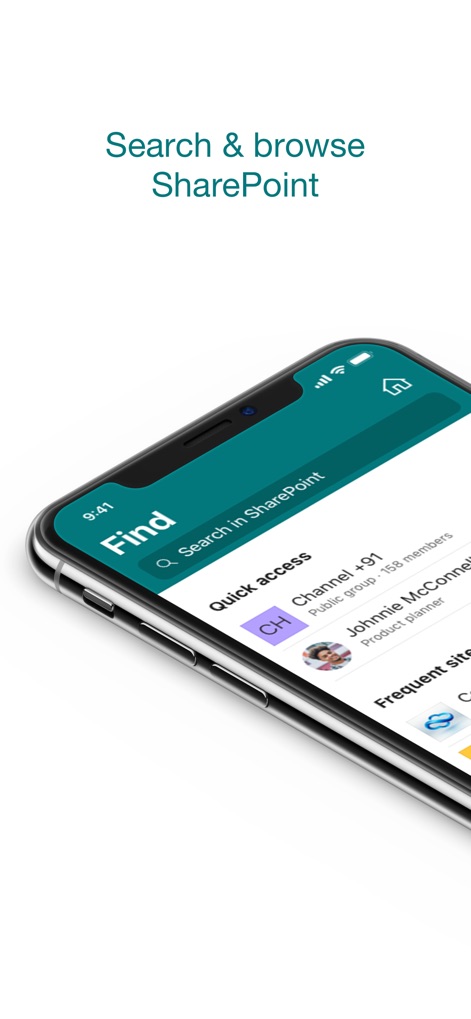
Intuitiver Suchzugriff
Die App ermöglicht Nutzern einen intuitiven Suchzugriff über die zentrale Suchleiste und zeigt häufig genutzte Inhalte wie den "Channel +91" und persönliche Kontakte für "Johnnie McConnell" im Schnellzugriff an.
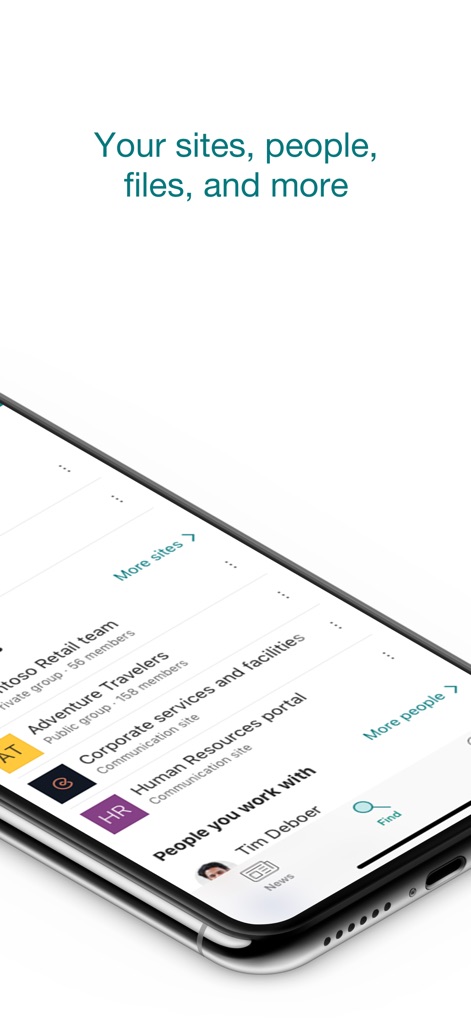
Vielfältige Unternehmensressourcen
Dieses Tool präsentiert eine organisierte Übersicht relevanter Inhalte, wobei Nutzer leicht auf verschiedene Team-Sites wie das "Contoso Retail team" und individuelle Kontakte wie "Tim Deboer" zugreifen können.
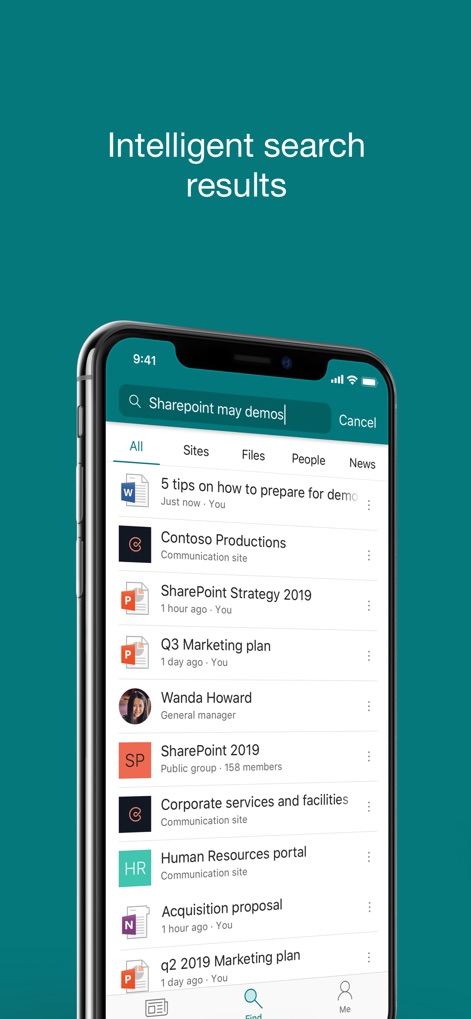
Präzise Suchfilterung
Die App zeigt präzise Suchergebnisse mit spezifischen Filtern für "All", "Sites" und "Files", wodurch Nutzer schnell relevante Inhalte wie "5 tips on how to prepare for demo" und Websites wie "Contoso Productions" finden.
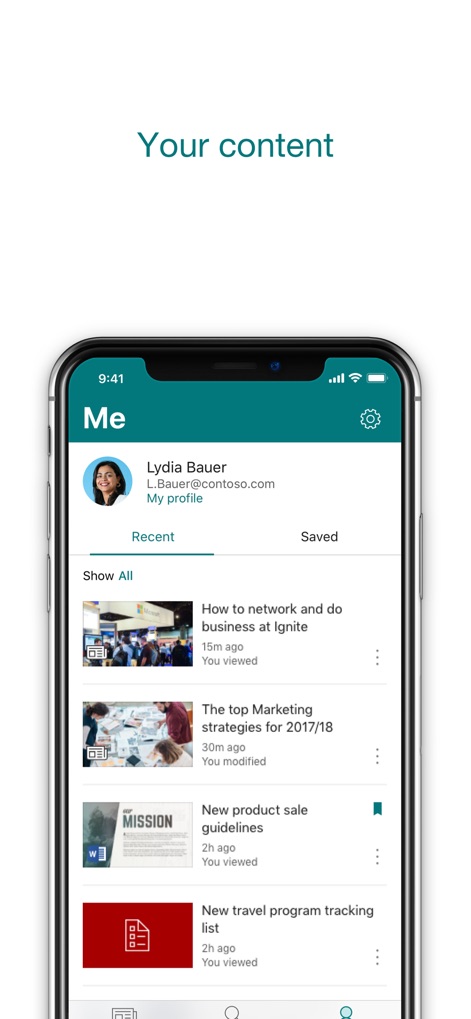
Ihr persönlicher Bereich
Nutzer finden in diesem personalisierten Bereich eine Übersicht über kürzlich aufgerufene Inhalte, darunter Artikel wie "How to network and do business at Ignite" und Dokumente wie die "New product sale guidelines".
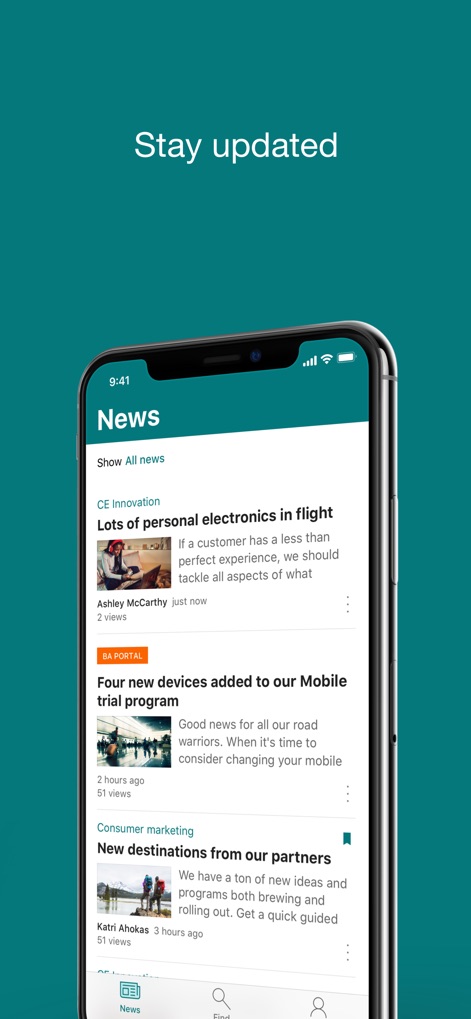
Aktuelle Unternehmensnachrichten
Die App liefert aktuelle Unternehmensnachrichten in einem übersichtlichen Feed, wo Nutzer wichtige Meldungen wie "Lots of personal electronics in flight" und Updates zum "Mobile trial program" abrufen können.
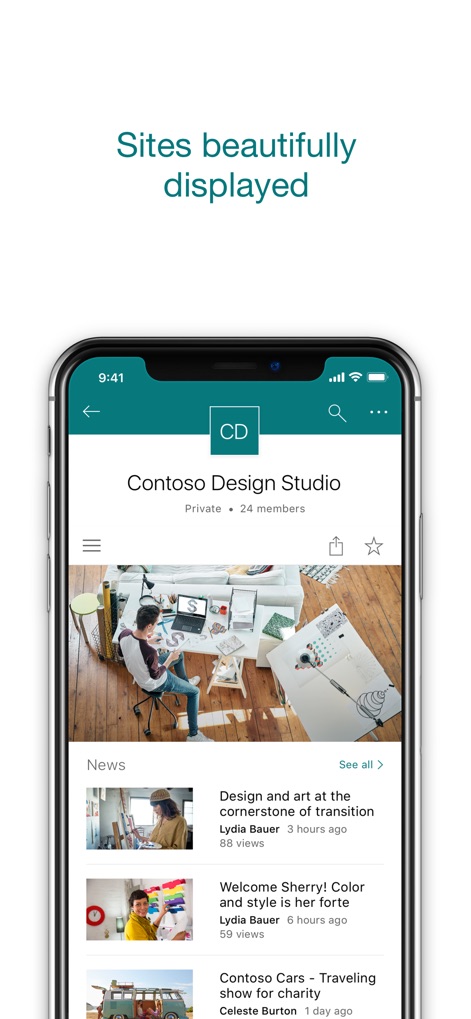
Visuelle Site-Präsentation
Dieses Tool präsentiert SharePoint-Sites wie das "Contoso Design Studio" ansprechend mit visuell hervorgehobenen Nachrichten, darunter Artikel wie "Design and art at the cornerstone of transition" und Willkommensgrüße für "Sherry!".
Beschreibung
Download
Ähnliche Apps
Apps mit ähnlichen Funktionen und Nutzererfahrung

MEGA
Mega Limited

Box: The power of Content + AI
Box, Inc.

Zoho WorkDrive
Zoho Corporation

阿里邮箱
Alibaba Cloud Computing Ltd.

Dropbox EMM
Dropbox, Inc.

Syncer
ARCTERA AM, LLC

SeaTalk
SEATALK PRIVATE LIMITED

Signet
SIGNET TECHNOLOGY PLATFORM COMPANY LIMITED

WPS会议
Zhuhai Kingsoft Office Software Co.,Ltd
Diese Seite ist keine offizielle Seite der App oder ihres Entwicklers, sondern eine unabhängige redaktionelle Veröffentlichung, die zu Informations- und Kommentarzwecken erstellt wurde. Sofern nicht ausdrücklich anders angegeben, sind weder die App noch ihr Entwickler mit MWM, Apple, Google Play, dem App-Herausgeber oder dem Entwickler der App verbunden, von ihnen unterstützt, gesponsert, autorisiert oder anderweitig offiziell verbunden, und nichts auf dieser Seite impliziert, dass die App unter Verwendung der Dienste von MWM entwickelt wurde. Alle Marken, Logos, Screenshots und andere Inhalte bleiben Eigentum ihrer jeweiligen Inhaber.