Miracast + Screen Mirror

Miracast + Screen Mirror

Herunterladen auf App Store
Logo von Miracast + Screen Mirror

Miracast + Bildschirmspiegelung: Teilen Sie Ihren Bildschirm in Sekundenschnelle mit jedem Gerät

Brechen Sie die Ökosystemgrenze. Spiegeln Sie mühelos Ihr iPhone oder iPad auf Windows-PCs, Smart TVs und mehrere Browser gleichzeitig mit nahezu null Verzögerung – keine Kabel oder zusätzliche Hardware erforderlich.

Herausgeber

枭波 王

Kategorie

Photo & Video

Downloads

116K+

Bewertung

4.0/5

Bewertungen gesamt

1K+

Sprachen

1

Ihr Bildschirm, überall

Entdecken Sie die Oberfläche, die von 116K+ Nutzern verwendet wird.
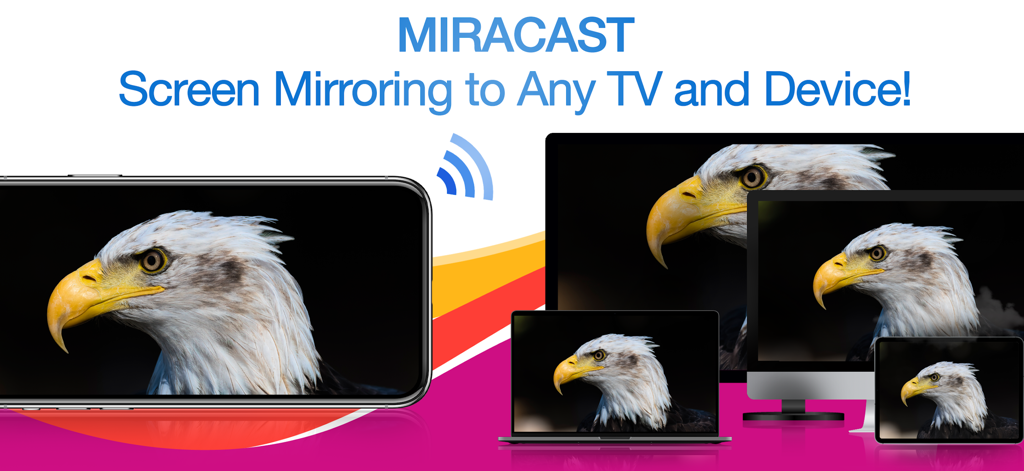
Ein iPhone, das drahtlos ein Bild eines Adlers auf einen Laptop, einen Desktop-Monitor und ein Tablet gleichzeitig spiegelt

Ein iPhone, das drahtlos ein Bild eines Adlers auf einen Laptop, einen Desktop-Monitor und ein Tablet gleichzeitig spiegelt

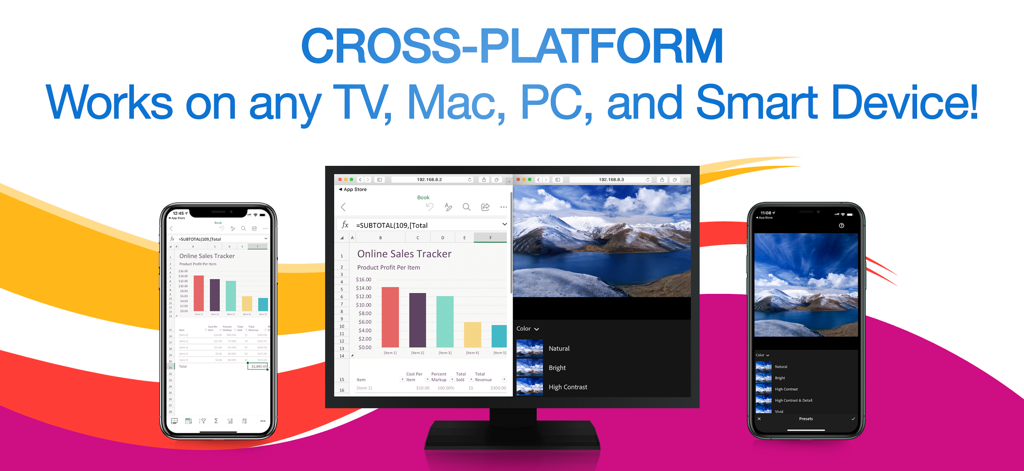
Miracast-App, die mehrere iPhones zeigt, die gleichzeitig eine Tabelle und ein Foto auf einen Computermonitor spiegeln

Miracast-App, die mehrere iPhones zeigt, die gleichzeitig eine Tabelle und ein Foto auf einen Computermonitor spiegeln

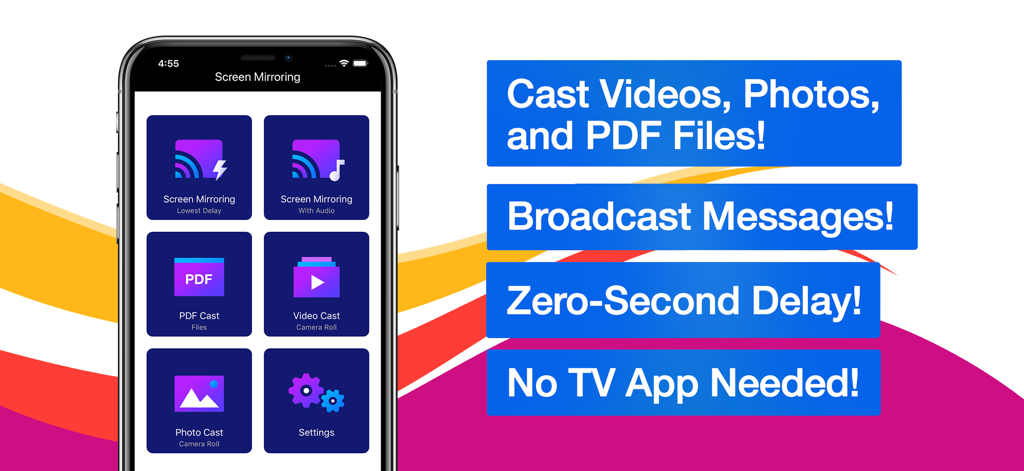
Miracast und Bildschirmspiegelungs-App-Oberfläche mit Optionen zum Übertragen von Videos, Fotos und PDF-Dateien

Miracast und Bildschirmspiegelungs-App-Oberfläche mit Optionen zum Übertragen von Videos, Fotos und PDF-Dateien

Nahtlose Spiegelung für Ihre gemischte Welt

Die Tools, die diese App auszeichnen, gewählt von 116K+ Nutzern.

💻

Universelle plattformübergreifende Unterstützung

Keine Kompatibilitätsprobleme mehr. Spiegeln Sie Ihr iPhone direkt auf Windows-PCs, Macs und Nicht-Apple-Fernseher, indem Sie einfach einen Webbrowser verwenden – keine Kabel oder zusätzliche Hardware erforderlich.

📡

Gleichzeitiges Casting auf mehrere Geräte

Perfekt für Präsentationen oder Klassenzimmer. Übertragen Sie Ihren Bildschirm gleichzeitig an mehrere Empfänger, um sicherzustellen, dass jeder im Raum auf dem gleichen Stand ist.

Ultra-geringe Latenzleistung

Erleben Sie Echtzeitgeschwindigkeit. Egal, ob Sie eine App vorführen oder ein Video teilen, genießen Sie nahezu sofortige Spiegelung, die jeden Ihrer Schritte ohne unangenehme Verzögerungen verfolgt.

Bewertungsanalyse

Erkenntnisse aus Nutzerbewertungen.

Stimmungswert

5%
Negativ

Zusammenfassung

Users express strong dissatisfaction with the app, primarily due to its aggressive and often misleading subscription model, where many features are locked behind paywalls even after supposed "free trials." Many reviewers report that the app simply "doesn't work" or fails to perform basic screen mirroring functions as advertised, with common issues including lack of video or audio. Furthermore, users frequently highlight problems with device compatibility, such as non-functionality with Samsung devices, iPads, or specific dongles like Anycast, and difficulty obtaining refunds for non-working purchases.

Häufige Themen

Subscription Model(35)
App Functionality(20)
Screen Mirroring Issues(10)
Misleading Practices(9)
Refund Process(3)
General Satisfaction(1)

Über die App

Alles, was Sie über wissen müssen Miracast + Screen Mirror.

Beschreibung

** Instantly mirror your iPhone or iPad's screen and media to multiple devices simultaneously – quickly, easily & nearly no delays! Mirror your iPhone/iPad screen to multiple computers or devices in near real time. Your iPhone/iPad screen can be viewed on a web browser on any computer or device with zero interruptions or uncomfortable delays. Everything you do on your iPhone/iPad is wirelessly mirrored without cables or adapters. Stay connected on the go, wherever you are. You can wirelessly mirror your iPhone/iPad's screen or stream files to receivers such as Smart TVs, PCs, Macs, Smartphones, Tablets, Laptops, Game Consoles, etc. Exclusive Features: • Multi-Screen Mirroring - Mirror your iPhone/iPad's screen and audio to a number of computers and devices, even simultaneously. • Cross-Platform - Never worry about compatibility issues again – any computer or device with a web browser is supported. • Virtually No Delays - Enjoy quick and easy screen mirroring and media casting with almost no delays at all. • Multi-Media Support - Beside your iPhone or iPad's screen, you can also cast videos, photos, or PDFs to multiple digital devices simultaneously. • Broadcast Messages - While mirroring your screen, you can broadcast text messages or images to your viewers at the same time. • Mirror Multiple Screens - You can view multiple mirrored screens on the same device simultaneously. • Simple and Intuitive UI - Beautiful, modern icons and other interface design elements make this app a brand new experience on iOS and iPadOS. NOTES: • Please make sure all of your computers and devices are connected to the same network. This app is unavailable on complex network environments, such as Firewall on Private Network, VLANs, Subnets, VPN, or Proxy. It only work on simple network environment, such as ordinary home networks (home use wireless router or switch). • Mirroring performance and quality depends on your network health and hardware devices. *** Upgrade to Premium to unlock all the great features *** Information about the auto-renewable subscription: • Payment will be charged to iTunes Account at confirmation of purchase. • Subscription automatically renews unless auto-renew is turned off at least 24-hours before the end of the current period. • Account will be charged for renewal within 24-hours prior to the end of the current period. The cost depends on the selected plan. • Subscriptions may be managed by the user and auto-renewal may be turned off by going to the user's Account Settings after purchase. • Any unused portion of the free trial will be forfeited when the user purchases a subscription. Privacy Policy: https://appsupport11.blogspot.com/2020/07/privacy-policy.html Terms of Use: https://appsupport11.blogspot.com/2020/10/terms.html

Neueste Version

4.5

Größe

13.8 MB

Erstveröffentlichung

4. Sept. 2020

Bereit, Ihr iPhone auf jeden Bildschirm zu spiegeln?

Brechen Sie aus dem Apple-Ökosystem aus. Streamen Sie Ihren Bildschirm, Videos und PDFs gleichzeitig auf Windows, Smart TVs oder mehrere Browser mit null Verzögerung und ohne Kabel.

Herunterladen auf App Store

App information, icons, screenshots, and descriptions displayed on this page are sourced from the Apple App Store and are the property of their respective developers. Download estimates and rankings are based on MWM's proprietary models and may not reflect actual figures. This page is provided for informational and analytical purposes only.

Believe this page infringes your intellectual property? File a dispute