
Diese Seite ist keine offizielle Seite der App oder ihres Entwicklers, sondern eine unabhängige redaktionelle Veröffentlichung, die zu Informations- und Kommentarzwecken erstellt wurde. Sofern nicht ausdrücklich anders angegeben, sind weder die App noch ihr Entwickler mit MWM, Apple, Google Play, dem App-Herausgeber oder dem Entwickler der App verbunden, von ihnen unterstützt, gesponsert, autorisiert oder anderweitig offiziell verbunden, und nichts auf dieser Seite impliziert, dass die App unter Verwendung der Dienste von MWM entwickelt wurde. Alle Marken, Logos, Screenshots und andere Inhalte bleiben Eigentum ihrer jeweiligen Inhaber.

MixCaptions: Video Captions
Schließe dich über 1 Million Creatorn und Unternehmern an, die KI-gestützte Transkription nutzen, um das Engagement zu steigern, Barrierefreiheit zu gewährleisten und deine Videos mit professionellen, benutzerdefinierten Schriftarten zu gestalten.
Downloads
1M+Bewertung
Bewertungen gesamt
12K+Herausgeber
Kategorie
Photo & VideoSprachen
32Neueste Version
1.82Größe
179.3 MBErstveröffentlichung
23. Aug. 2019Mache Views zu Ergebnissen
Das essenzielle Toolkit für Creator und Gründer, um barrierefreie Videos in professioneller Qualität zu erstellen, die zum Scrollen stoppen.
Sofortige KI-Transkription
Sag Tschüss zum manuellen Tippen. Unsere KI generiert automatisch präzise Untertitel in Minuten, damit du dich auf die Erstellung weiterer Inhalte konzentrieren kannst.
Deine Marke, Dein Stil
Lade benutzerdefinierte Schriftarten hoch, passe Farben an und füge dein Logo hinzu. Stelle sicher, dass jedes Video zu deiner Ästhetik passt und die Markenbekanntheit stärkt.
Die folgenden Screenshots und die Beschreibung stammen direkt aus dem offiziellen Store-Eintrag der App und sind Eigentum des Entwicklers.
App Store
Screenshots
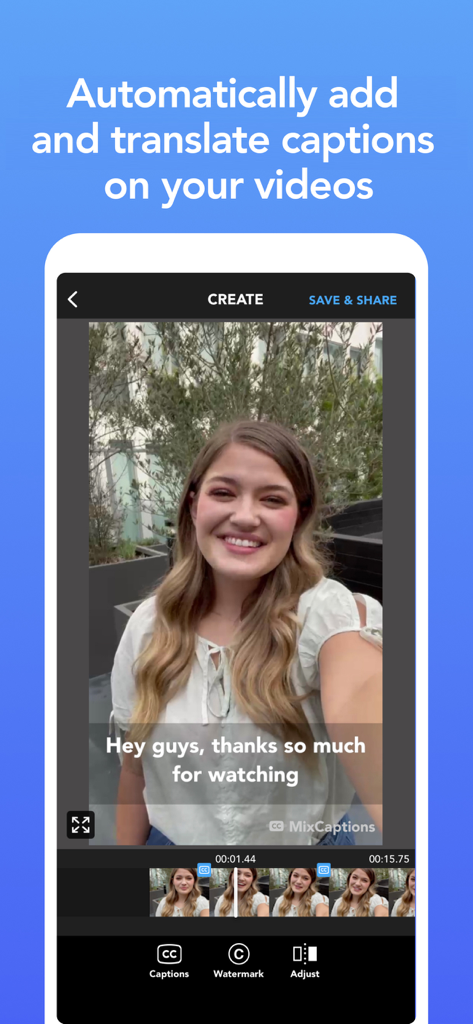
MixCaptions App-Oberfläche, die ein Video mit automatisch generierten Textunterschriften auf einem Smartphone-Bildschirm zeigt.
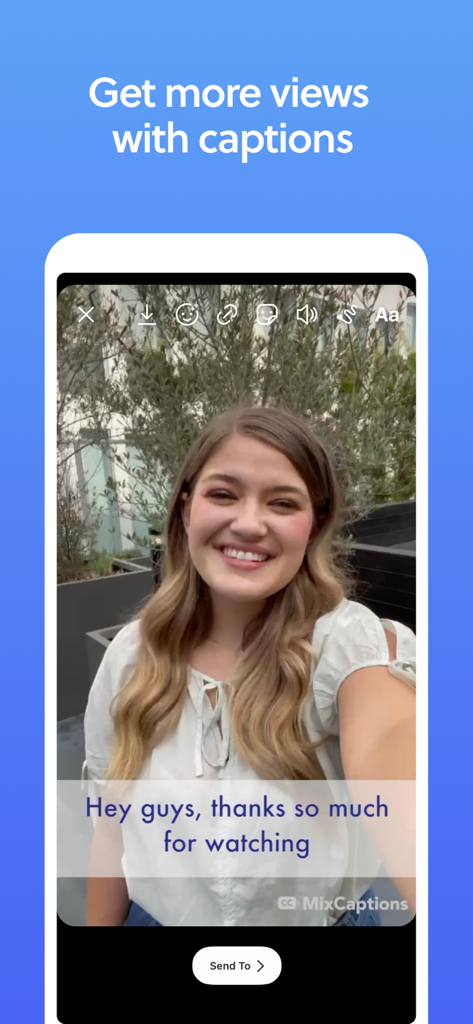
Smartphone-Bildschirm, der die MixCaptions App-Oberfläche mit einer Creatorin und automatisch generierten Video-Untertitel zeigt.
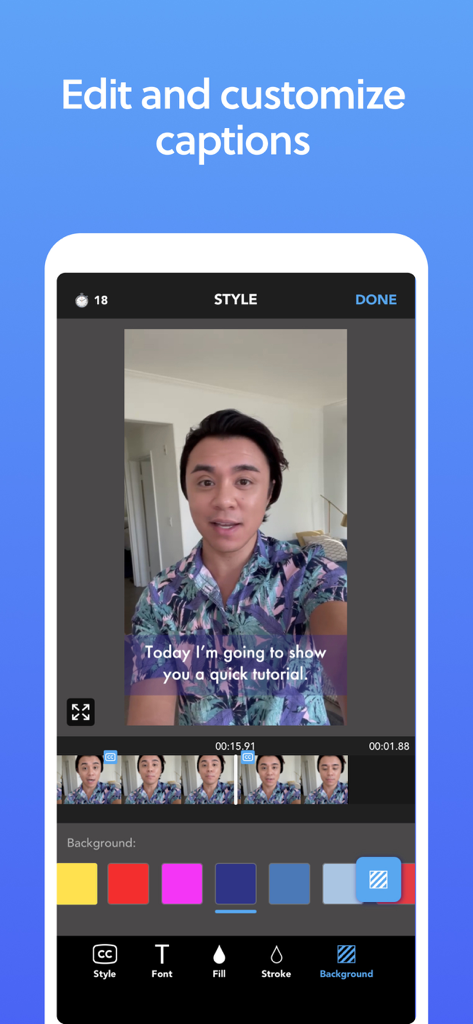
Mobile App-Oberfläche, die zeigt, wie Video-Untertitel mit Farbdesign-Optionen bearbeitet und angepasst werden können
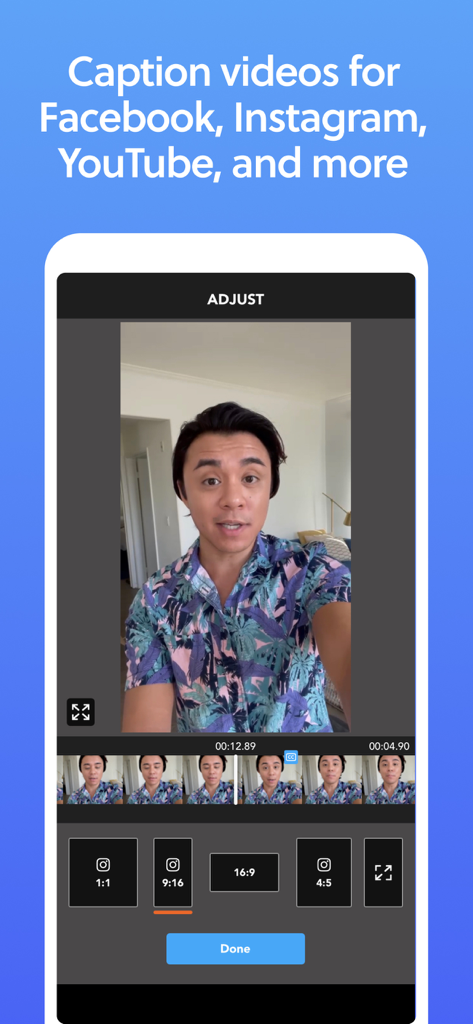
MixCaptions App-Oberfläche, die Optionen zur Anpassung des Video-Seitenverhältnisses für Social-Media-Plattformen wie Instagram und YouTube zeigt
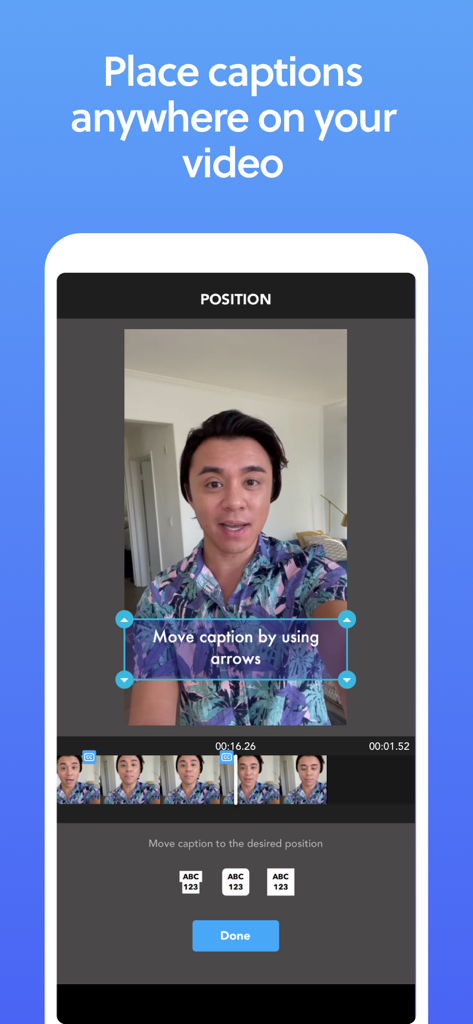
Ein Handybildschirm, der die MixCaptions App-Oberfläche zur Anpassung der Platzierung von Untertiteln in einem Video mit Pfeilen zeigt
Beschreibung
Download
Ähnliche Apps
Apps mit ähnlichen Funktionen und Nutzererfahrung

Vrew
VoyagerX, Inc.

Captions for Videos - SubMe AI
Polina Kravchenko

Capzy: AI Caption
unitedreams inc.

Auto Caption Video Subtitles
Take Agency, LLC
AI Captions for Videos: VidCap
Fadel.io OU

Subcap: Captions AI, Subtitles
RATEL BILISIM HIZMETLERI LTD STI

Captions & Filters – GARMASH
Top G Team FZ-LLC

Capti AI. Captions for videos.
Capti AI FZ-LLC

Subtitles: Captions For Video
Mariia Abolnik
Diese Seite ist keine offizielle Seite der App oder ihres Entwicklers, sondern eine unabhängige redaktionelle Veröffentlichung, die zu Informations- und Kommentarzwecken erstellt wurde. Sofern nicht ausdrücklich anders angegeben, sind weder die App noch ihr Entwickler mit MWM, Apple, Google Play, dem App-Herausgeber oder dem Entwickler der App verbunden, von ihnen unterstützt, gesponsert, autorisiert oder anderweitig offiziell verbunden, und nichts auf dieser Seite impliziert, dass die App unter Verwendung der Dienste von MWM entwickelt wurde. Alle Marken, Logos, Screenshots und andere Inhalte bleiben Eigentum ihrer jeweiligen Inhaber.