
Diese Seite ist keine offizielle Seite der App oder ihres Entwicklers, sondern eine unabhängige redaktionelle Veröffentlichung, die zu Informations- und Kommentarzwecken erstellt wurde. Sofern nicht ausdrücklich anders angegeben, sind weder die App noch ihr Entwickler mit MWM, Apple, Google Play, dem App-Herausgeber oder dem Entwickler der App verbunden, von ihnen unterstützt, gesponsert, autorisiert oder anderweitig offiziell verbunden, und nichts auf dieser Seite impliziert, dass die App unter Verwendung der Dienste von MWM entwickelt wurde. Alle Marken, Logos, Screenshots und andere Inhalte bleiben Eigentum ihrer jeweiligen Inhaber.

MixEffect (Trial & Pro Unlock)
Entfesseln Sie Ihre Live-Produktion mit animierten SuperSource-Übergängen, Video Follows Audio und leistungsstarker Shortcuts-Automatisierung – alles von einer mobilen Oberfläche, die für Profis entwickelt wurde.
Downloads
19K+Bewertung
Bewertungen gesamt
200Herausgeber
Kategorie
Photo & VideoSprachen
5Neueste Version
2.3.0Größe
108.2 MBErstveröffentlichung
6. Mai 2021Erweiterte Produktionskontrolle
Verbessern Sie Ihre Live-Übertragungen mit der leistungsstärksten, abonnementfreien Oberfläche für Blackmagic ATEM-Mischer, entwickelt für mobile Profis.
Totale Studio-Mobilität
Befreien Sie sich von Ihrem Schreibtisch. Steuern Sie Ihren Mischer, Ihre Audiopegel und Ihren Medienpool von Ihrem iPad oder iPhone aus mit Touch-optimierten Layouts, die für Hochdruck-Live-Umgebungen entwickelt wurden.
SuperSource auf Profi-Niveau
Meistern Sie komplexe Layouts mühelos. Animieren Sie Übergänge automatisch und verwenden Sie intuitive Drag-and-Drop-Tools, um hochwertige visuelle Kompositionen zu erstellen, die mit großen TV-Sendern mithalten können.
Die folgenden Screenshots und die Beschreibung stammen direkt aus dem offiziellen Store-Eintrag der App und sind Eigentum des Entwicklers.
App Store
Screenshots
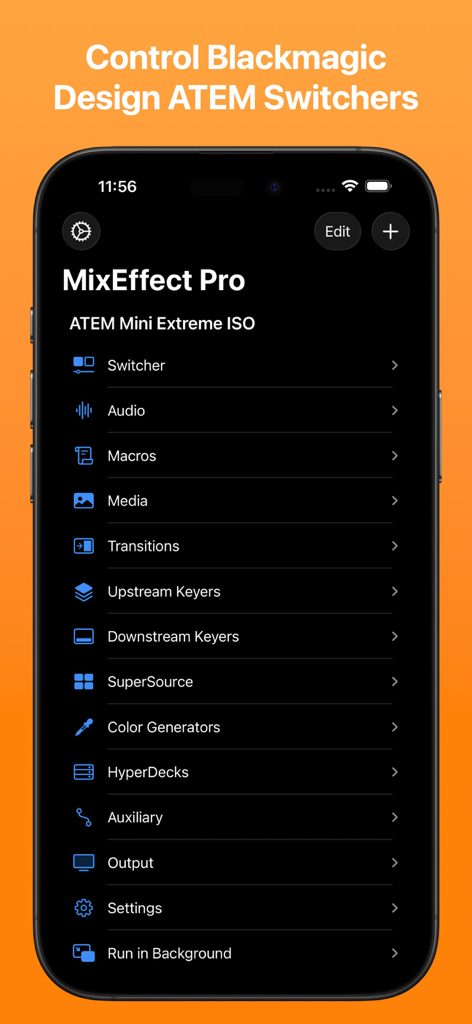
MixEffect Pro mobile App-Menü mit Steuerungsoptionen für Blackmagic Design ATEM-Mischer
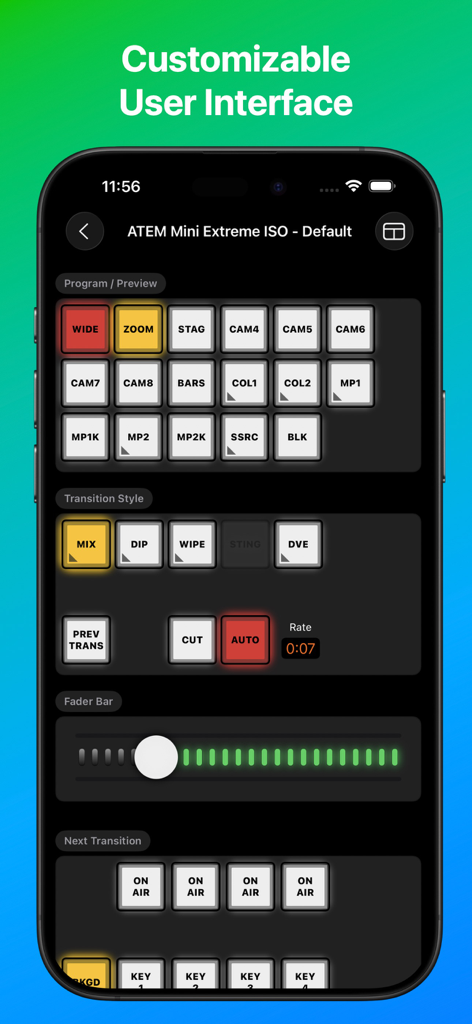
MixEffect App-Oberfläche auf einem Smartphone mit professionellen Video-Mischer-Steuerungen für ATEM Mini
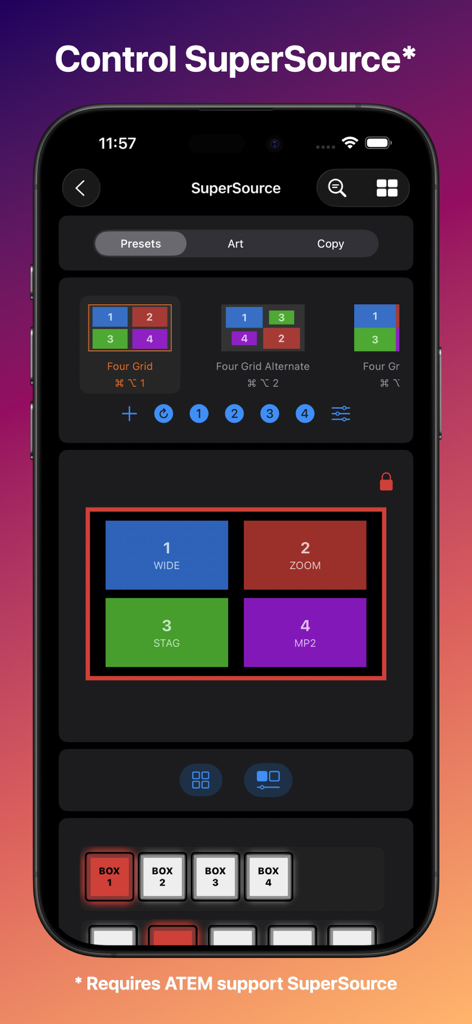
MixEffect App-Oberfläche auf einem iPhone, die SuperSource-Layout-Optionen und Steuerungen für Blackmagic ATEM-Mischer anzeigt
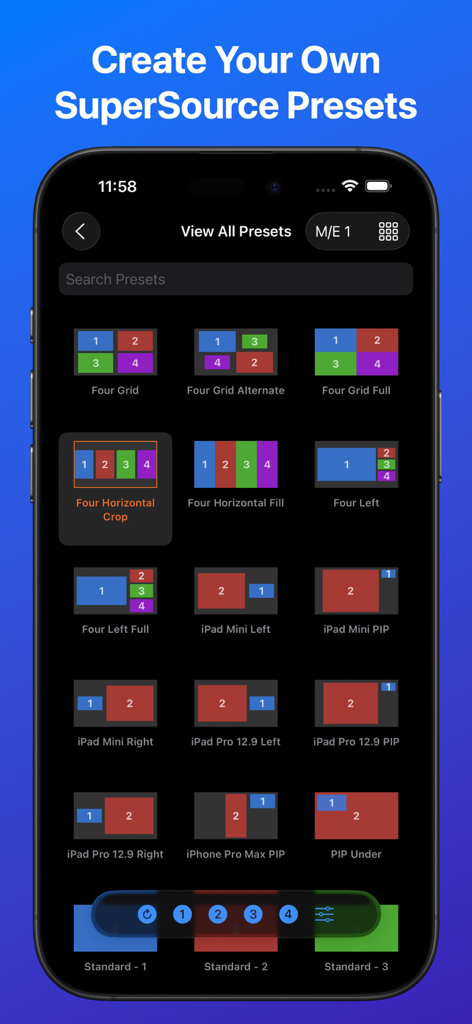
iPhone-Screenshot der MixEffect App, der eine Bibliothek von SuperSource-Video-Layout-Voreinstellungen für Blackmagic ATEM-Mischer zeigt
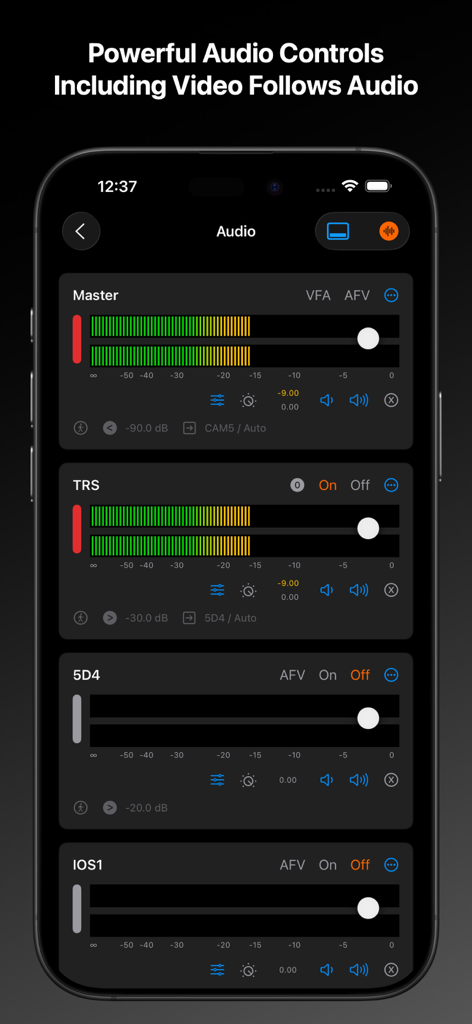
MixEffect App-Oberfläche mit professionellen Audio-Bedienfeldern für ATEM-Mischer auf einem iPhone
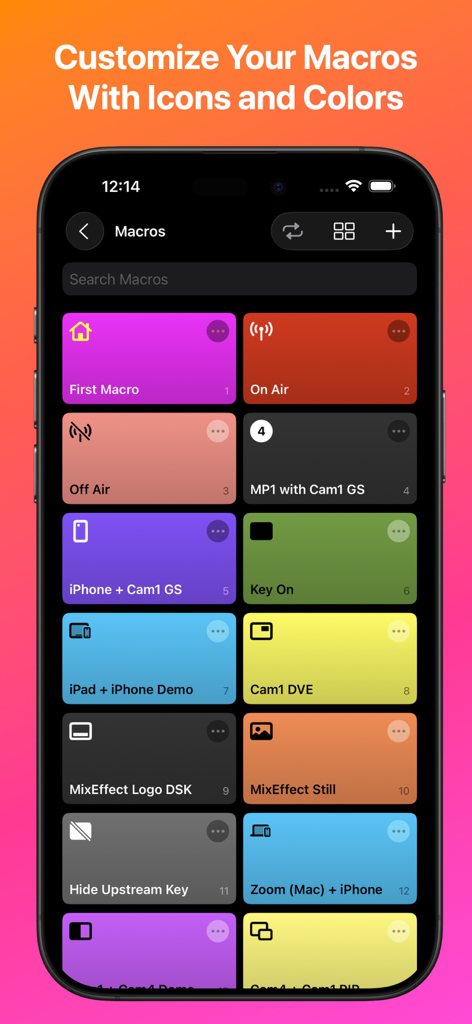
MixEffect mobile App, die ein anpassbares Raster von Makro-Schaltflächen mit unterschiedlichen Farben und Symbolen anzeigt
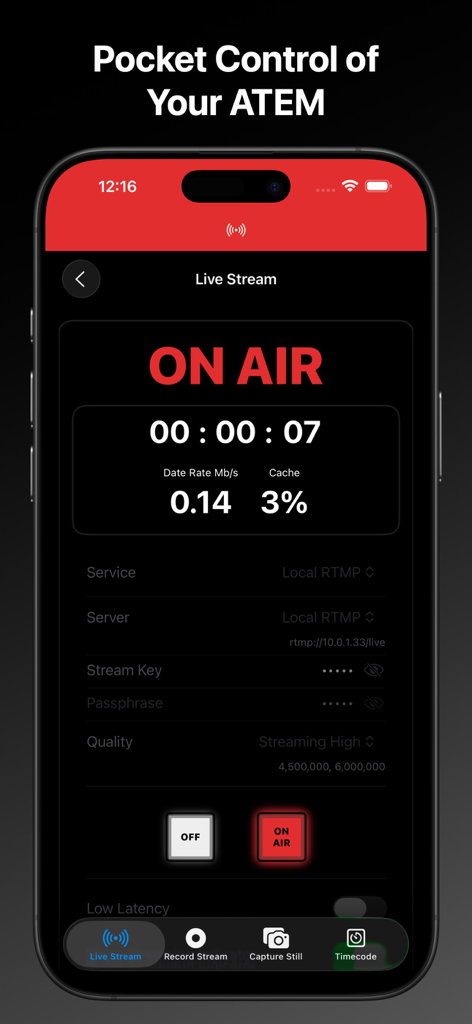
MixEffect mobile App-Oberfläche, die einen Live-Stream-On-Air-Status mit technischen Daten und Mischer-Steuerungen anzeigt
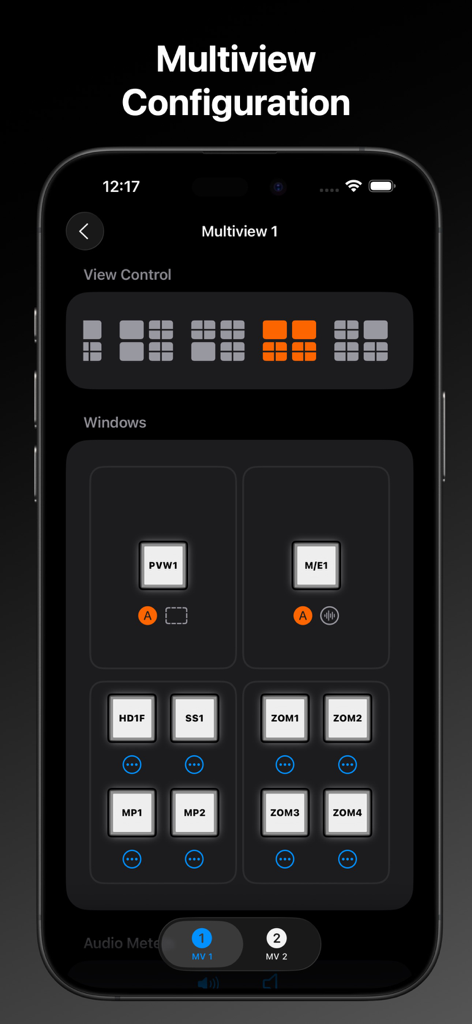
MixEffect App auf dem iPhone, die den Bildschirm zur Konfiguration der Multiview-Ansicht mit auswählbaren Layout-Rastern und Videoquellenzuweisungen anzeigt
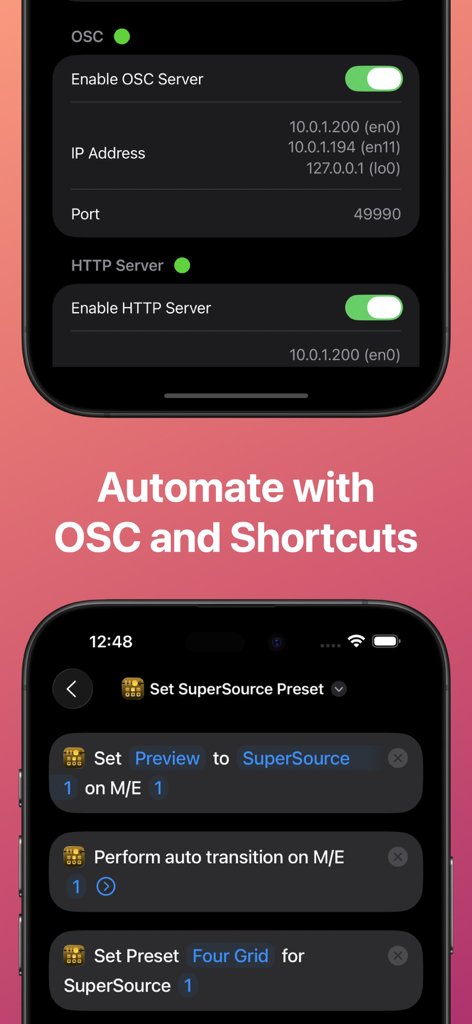
MixEffect App-Oberfläche, die OSC- und HTTP-Server-Einstellungen sowie die Integration mit iOS Shortcuts zur Automatisierung von Videoproduktions-Workflows zeigt
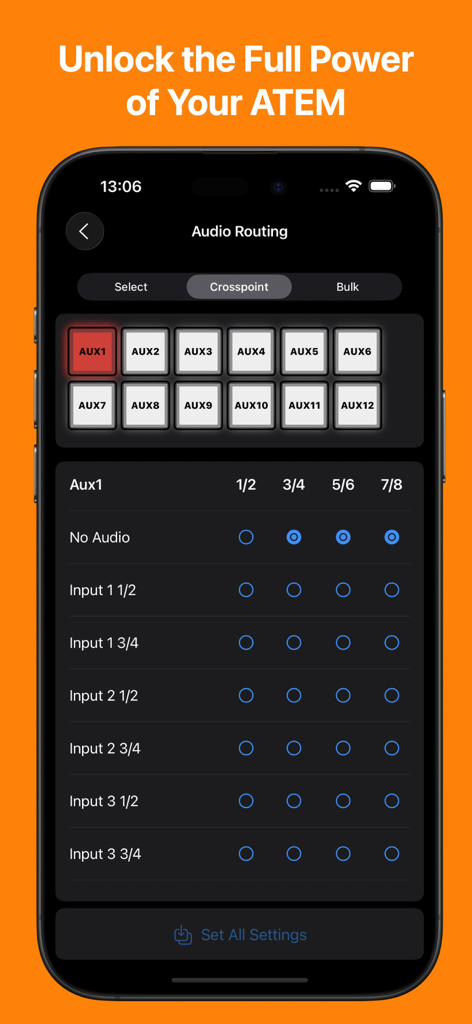
MixEffect App-Oberfläche auf einem iPhone, die die Audio-Routing-Matrix für einen Blackmagic ATEM-Mischer anzeigt
Beschreibung
Download
Ähnliche Apps
Apps mit ähnlichen Funktionen und Nutzererfahrung

TouchOSC
Hexler LLC

Blackout Lighting Console
Blackout Lighting Console LLC

Logic Remote
Apple Inc.

LK - Ableton & Midi Controller
Imaginando Lda

Eos Remote
Trent Barclay

Mixing Station
Mixing Station GmbH

TouchOSC Mk1
Hexler LLC

MIDI Guitar
Jam Origin ApS

QLab Remote
Figure 53, LLC
Diese Seite ist keine offizielle Seite der App oder ihres Entwicklers, sondern eine unabhängige redaktionelle Veröffentlichung, die zu Informations- und Kommentarzwecken erstellt wurde. Sofern nicht ausdrücklich anders angegeben, sind weder die App noch ihr Entwickler mit MWM, Apple, Google Play, dem App-Herausgeber oder dem Entwickler der App verbunden, von ihnen unterstützt, gesponsert, autorisiert oder anderweitig offiziell verbunden, und nichts auf dieser Seite impliziert, dass die App unter Verwendung der Dienste von MWM entwickelt wurde. Alle Marken, Logos, Screenshots und andere Inhalte bleiben Eigentum ihrer jeweiligen Inhaber.