Mobile VR Station®
Mobile VR Station®
Herunterladen auf App Store

Diese Seite ist keine offizielle Seite der App oder ihres Entwicklers, sondern eine unabhängige redaktionelle Veröffentlichung, die zu Informations- und Kommentarzwecken erstellt wurde. Sofern nicht ausdrücklich anders angegeben, sind weder die App noch ihr Entwickler mit MWM, Apple, Google Play, dem App-Herausgeber oder dem Entwickler der App verbunden, von ihnen unterstützt, gesponsert, autorisiert oder anderweitig offiziell verbunden, und nichts auf dieser Seite impliziert, dass die App unter Verwendung der Dienste von MWM entwickelt wurde. Alle Marken, Logos, Screenshots und andere Inhalte bleiben Eigentum ihrer jeweiligen Inhaber.

Logo von Mobile VR Station®
Herunterladen auf App Store

Mobile VR Station®

Übernehmen Sie die volle Kontrolle über Ihr Virtual-Reality-Erlebnis. Sehen Sie 2D-, 3D-, 180°- und 360°-Inhalte mit dem am besten anpassbaren Player auf iOS, mit 4K-Wiedergabe, UPNP-Unterstützung und bearbeitbaren Projektionsprofilen.

Kennzahlen

Downloads

41K+

Bewertung

4.2/5

Bewertungen gesamt

1K+

Herausgeber

Michael Fuller

Kategorie

Entertainment

Sprachen

2

Neueste Version

2024.09

Größe

76.5 MB

Erstveröffentlichung

4. März 2015
Funktionen

Totale Immersion, auf Ihre Weise

Verwandeln Sie Ihr iPhone in ein professionelles VR-Kino mit dem am besten anpassbaren Mediaplayer für das Apple-Ökosystem.

Universeller Medien-Hub

Befreien Sie sich von Speicherlimits. Spielen Sie 4K 360°, 180° und 3D SBS-Inhalte direkt von Ihrem Gerät, UPNP-Servern oder SanDisk iXpand-Laufwerken ab.

Präzisionskalibrierung

Der Traum jedes Bastlers. Passen Sie Ihr Seherlebnis vollständig mit bearbeitbaren Projektionen, 47 immersiven Skyboxen und einzigartigen Head-Tracking-Profilen an.

Die folgenden Screenshots und die Beschreibung stammen direkt aus dem offiziellen Store-Eintrag der App und sind Eigentum des Entwicklers.

App Store

Screenshots
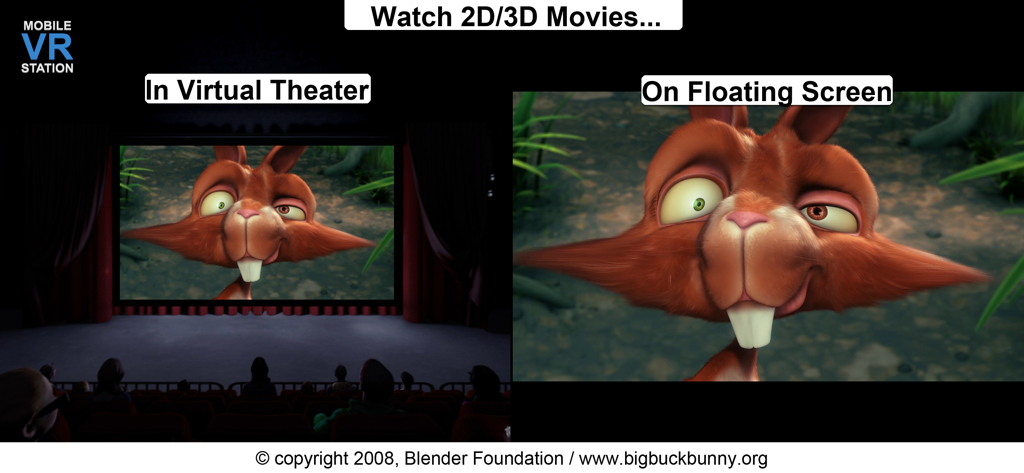
Mobile VR Station® - Screenshot von Mobile VR Station, der die Modi Virtuelles Kino und Schwebender Bildschirm zum Ansehen von 2D- und 3D-Filmen zeigt
Screenshot von Mobile VR Station, der die Modi Virtuelles Kino und Schwebender Bildschirm zum Ansehen von 2D- und 3D-Filmen zeigt

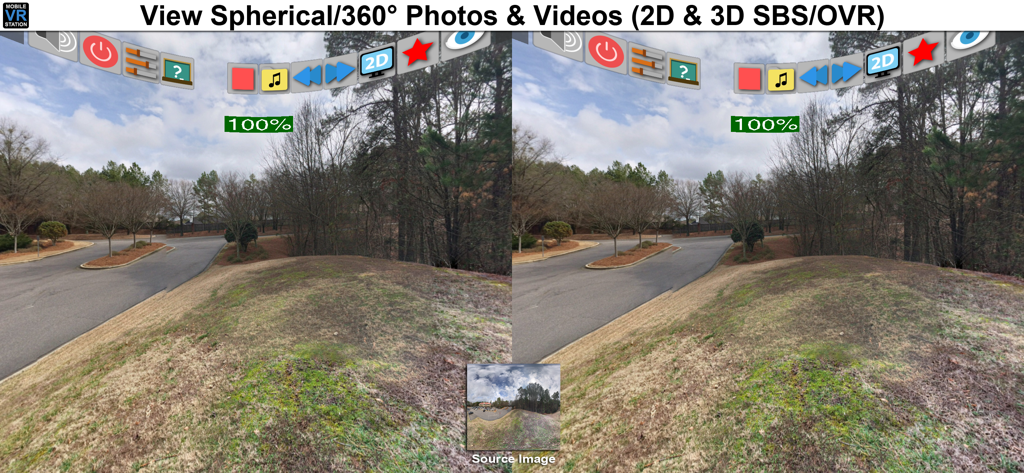
Mobile VR Station® - Mobile VR Station-Oberfläche, die eine geteilte stereoskopische Ansicht eines 360-Grad-Kugelbildes zeigt
Mobile VR Station-Oberfläche, die eine geteilte stereoskopische Ansicht eines 360-Grad-Kugelbildes zeigt

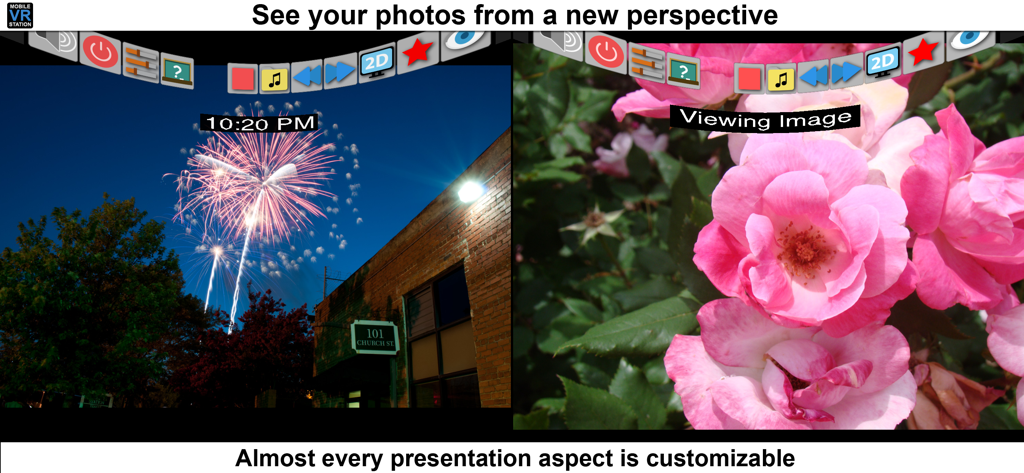
Mobile VR Station® - Mobile VR Station App-Oberfläche, die eine geteilte Ansicht von Fotos mit anpassbaren Einstellungen zeigt

Mobile VR Station App-Oberfläche, die eine geteilte Ansicht von Fotos mit anpassbaren Einstellungen zeigt

Beschreibung

Mobile VR Station is a media player designed for Virtual Reality with head tracking. With this app you can view your Photos, Panoramas, Videos & Files projected onto a virtual screen floating in space. Our app supports displaying standard 2D and 3D Side By Side/Over Under content. The app can't display DRM protected content, such as content bought from iTunes. "The most feature-packed VR media player available, with editable profiles that let you adjust the viewing experience across multiple devices and VR adapters. Excellent all around!" -Quote from Manuel M, Beta Tester If you need help we provide links inside the app to view our Facebook, Twitter and YouTube channel. Usages: - Works with every headset, very flexible configuration - Watch movies in a virtual theater - Watch 3D 180 Degree content. - Explore 360/Spherical movies (Great for demos). - Experience 3D content (Left/Right, Right/Left and Top/Bottom). - See your device's photos & videos in a new way. - View panoramas with some depth. - Access external video content with UPNP. - Watch HTML5 Video from Mobile Safari with Micro VR Station extension. Details: - Native App, written in Obj-C with SceneKit - Watch App for Remote control capabalities - This app is currently only available in English - Free version limits video playback to the "first" five minutes. - Supported formats: MOV, MP4 & M4V. - Supported HMDs: None (Mono), None (SBS), Cardboard, Altergaze, Firefly, Custom, .... - Cardboard QR scanner available for quick setup - Supported Devices: Any device running iOS 8.1 can install the app, but iPhone 5S/iPad Mini (Retina) and above provide a great experience. - Projections: Dome, Full Dome, Curved (Large curve), Plane (Flat), Cylinder & Spherical - Skyboxes: 47 built in options. - Profiles: Each user/headset can have their own specific configuration. - Audio: Language switching available. - Subtitles: The app can load UTF-8 formatted *.srt files, after a movie has been started - Files: Each file has its own preview icon and meta data. You can either generate a icon or upload your own. Please see the FAQ on how to make your own icons. - Bluetooth Remote: If your headset has Play/Pause & Next/Previous buttons, you can use them to control video playback. - UPNP: Basic support for viewing & downloading video & image content. Music can play if you mess with a few settings. - Other File Formats: We are researching how other formats and higher quality content could be displayed, we understand the need and want to deliver in the future. -1080P @ 60 FPS is available on 5S+ and beyond. Devices under 5S should consume 720P. - 4K @ 30FPS is available for 6S, 6S+, 5SE & iPad Pro - Support for SanDisk™ iXpand Drives - Please see the guide book for more information Tips: - If video playback starts to lockup, or a setting doesn't stick please turn your device off and on again. - It's strongly recommended to go through Training at least once and check out the help videos if you have time. - Every projection is editable, just dig into "Manage Presets" for the details. - If you really need help, ask on our Facebook page, Twitter account, or reddit /r/iOSVR/ Controls: - MFI Controller/Bluetooth keyboard support (While in VR). - When not using a HMD device buttons can be tapped. - Tap anywhere in the right eye or empty space to recenter view. - Tap 3 fingers on screen to quickly exit VR. - Support for Occipital Bridge Controller

Download

Herunterladen auf App Store

Diese Seite ist keine offizielle Seite der App oder ihres Entwicklers, sondern eine unabhängige redaktionelle Veröffentlichung, die zu Informations- und Kommentarzwecken erstellt wurde. Sofern nicht ausdrücklich anders angegeben, sind weder die App noch ihr Entwickler mit MWM, Apple, Google Play, dem App-Herausgeber oder dem Entwickler der App verbunden, von ihnen unterstützt, gesponsert, autorisiert oder anderweitig offiziell verbunden, und nichts auf dieser Seite impliziert, dass die App unter Verwendung der Dienste von MWM entwickelt wurde. Alle Marken, Logos, Screenshots und andere Inhalte bleiben Eigentum ihrer jeweiligen Inhaber.