Moment Stamp for DateTime Pics

Moment Stamp for DateTime Pics


Herunterladen auf App Store
Logo von Moment Stamp for DateTime Pics

Moment Stamp für Datums-/Zeitstempel-Bilder: Mache jede Erinnerung zeitlos

Füge im Handumdrehen stilvolle, anpassbare Datums- und Zeitstempel zu deinen Fotos hinzu. Ob du Trainingsfortschritte dokumentierst, ein Heimwerkerprojekt festhältst oder Meilensteine der Familie erfasst – organisiere deine Erinnerungen mit einem klassischen Touch.

Herunterladen auf App Store

Herausgeber

Chirag Gabani

Kategorie

Photo & Video

Downloads

2K+

Bewertung

4.4/5

Bewertungen gesamt

0

Sprachen

1

Erinnerungen im Fokus

Entdecken Sie die Oberfläche, die von 2K+ Nutzern verwendet wird.

Collage von Fotos mit benutzerdefinierten Datums- und Zeitstempelvorlagen

Collage von Fotos mit benutzerdefinierten Datums- und Zeitstempelvorlagen

Collage von Fotos, die verschiedene dekorative Datums- und Zeitstempelvorlagen zeigen

Collage von Fotos, die verschiedene dekorative Datums- und Zeitstempelvorlagen zeigen

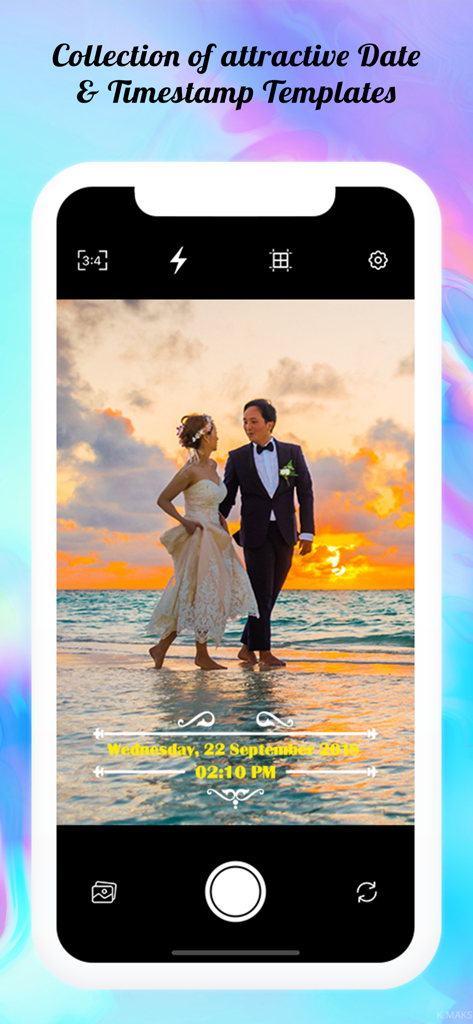
Ein Smartphone-Bildschirm, der ein Hochzeitsfoto mit einem dekorativen gelben Datums- und Zeitstempel-Overlay anzeigt

Ein Smartphone-Bildschirm, der ein Hochzeitsfoto mit einem dekorativen gelben Datums- und Zeitstempel-Overlay anzeigt

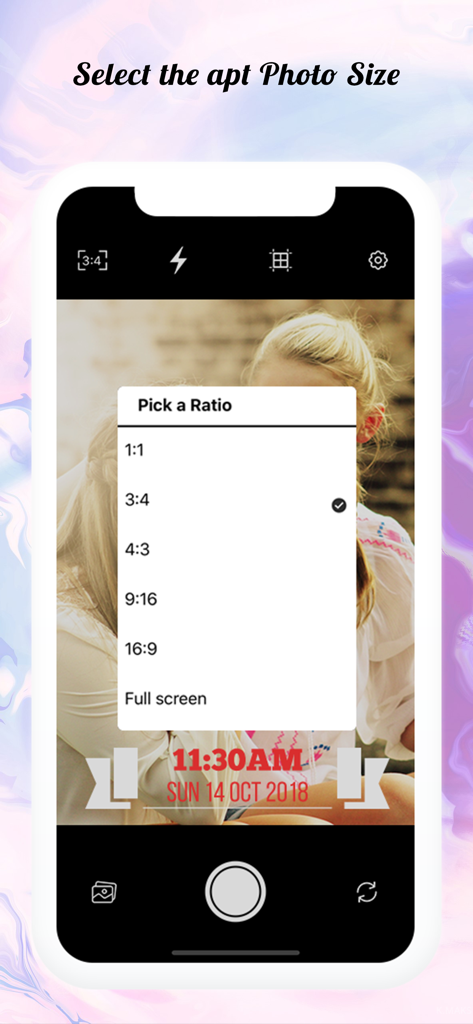
Moment Stamp App-Oberfläche, die das Menü zur Auswahl des Seitenverhältnisses für Bilder mit Zeitstempel anzeigt

Moment Stamp App-Oberfläche, die das Menü zur Auswahl des Seitenverhältnisses für Bilder mit Zeitstempel anzeigt

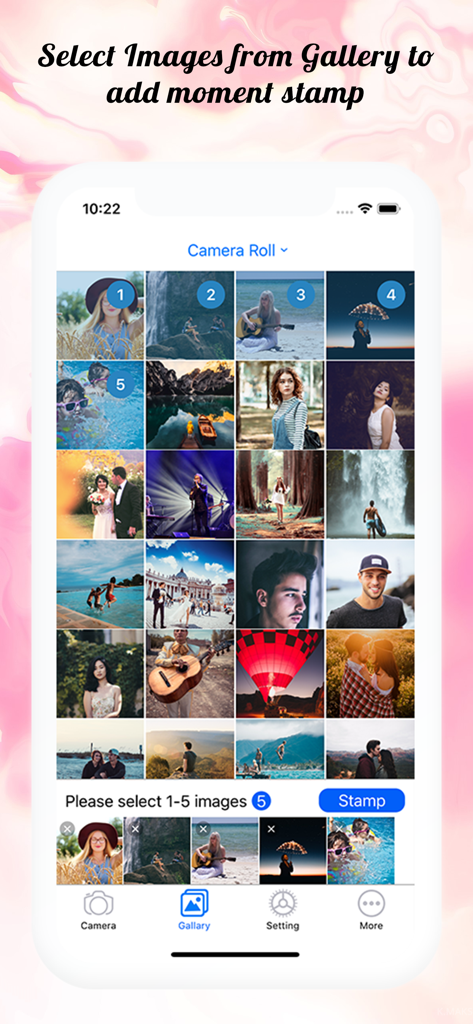
Ein Bildschirm, der die Moment Stamp App-Fotogalerie mit mehreren ausgewählten Bildern zur Anzeige von Datums- und Zeitwasserzeichen zeigt

Ein Bildschirm, der die Moment Stamp App-Fotogalerie mit mehreren ausgewählten Bildern zur Anzeige von Datums- und Zeitwasserzeichen zeigt

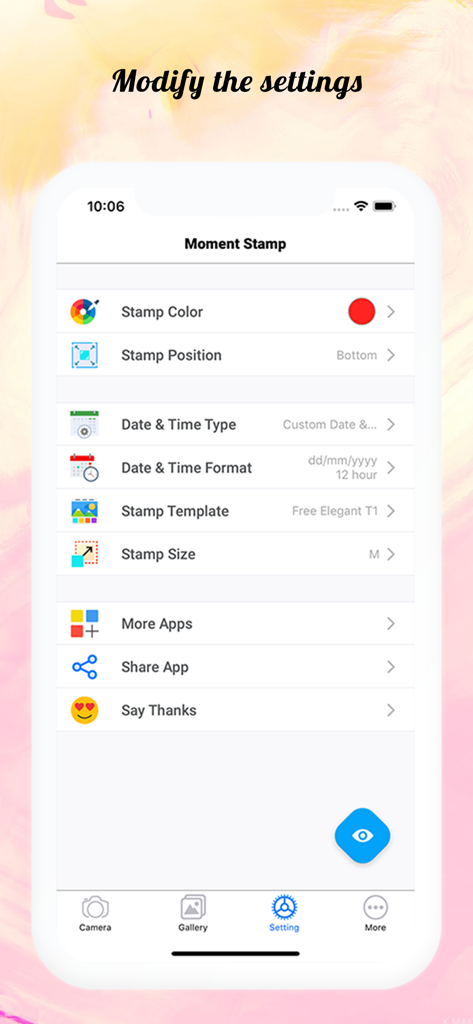
Moment Stamp App-Einstellungen-Bildschirm mit Anpassungsoptionen für Datums- und Zeitstempel auf Fotos

Moment Stamp App-Einstellungen-Bildschirm mit Anpassungsoptionen für Datums- und Zeitstempel auf Fotos

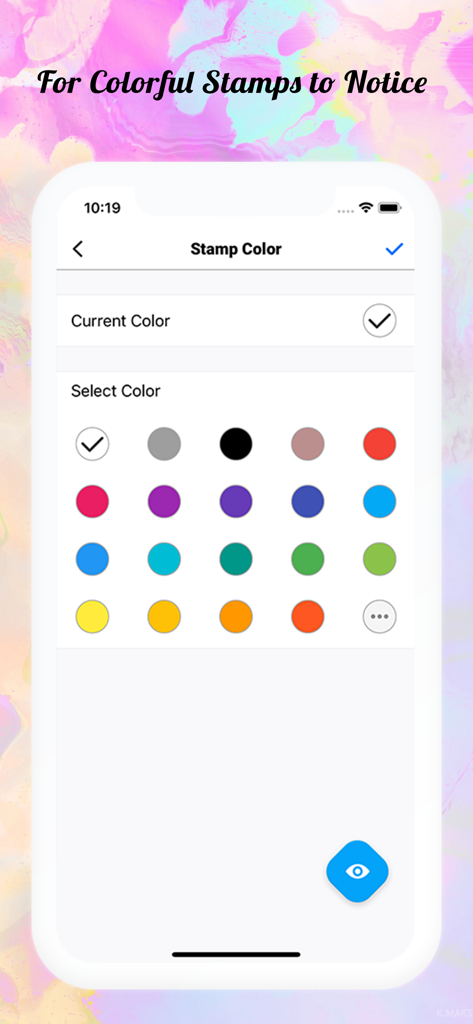
Oberfläche der Moment Stamp App, die eine Auswahl an Farben zur Anpassung von Datums- und Zeitstempeln auf Fotos zeigt

Oberfläche der Moment Stamp App, die eine Auswahl an Farben zur Anpassung von Datums- und Zeitstempeln auf Fotos zeigt

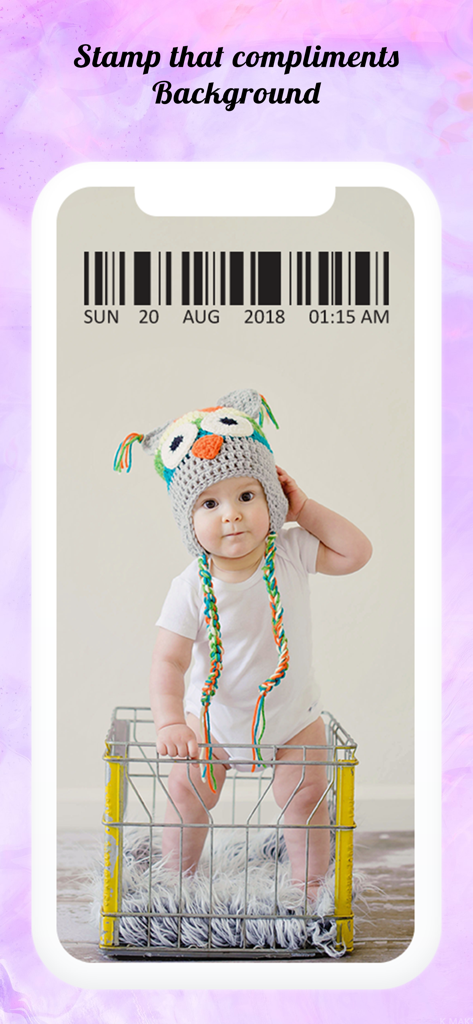
Ein Foto eines Babys in einem Eulen-Hut mit einem dekorativen Barcode-Datums- und Zeitstempel-Overlay

Ein Foto eines Babys in einem Eulen-Hut mit einem dekorativen Barcode-Datums- und Zeitstempel-Overlay

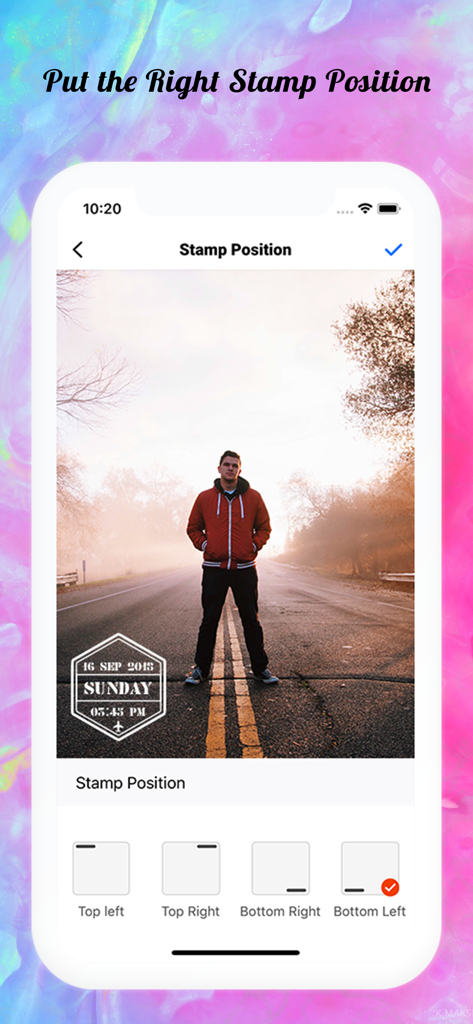
Moment Stamp App-Oberfläche, die Optionen zur Positionierung eines Datums- und Zeitstempels auf einem Foto anzeigt

Moment Stamp App-Oberfläche, die Optionen zur Positionierung eines Datums- und Zeitstempels auf einem Foto anzeigt

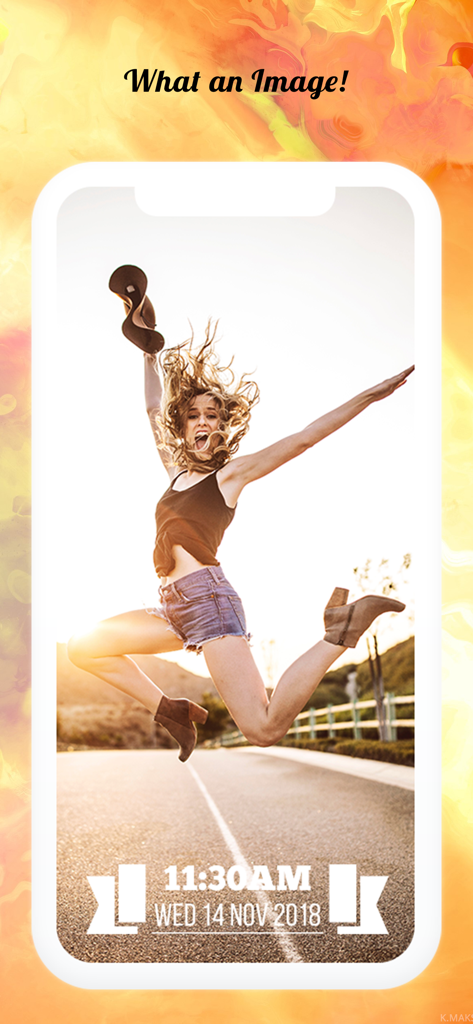
Eine Frau, die vor Freude springt, mit einem stilvollen Datums- und Zeitstempel am unteren Bildrand

Eine Frau, die vor Freude springt, mit einem stilvollen Datums- und Zeitstempel am unteren Bildrand

Jedes Bild erzählt eine Geschichte, jeder Stempel hält sie fest

Die Tools, die diese App auszeichnen, gewählt von 2K+ Nutzern.

Ästhetische Retro-Vorlagen

Wähle aus über 25 Designer-Layouts und benutzerdefinierten Farben, um deinen Fotos diesen angesagten analogen Film-Look oder ein sauberes professionelles Finish zu verleihen.

📅

Nahtlose Erfassung von Erinnerungen

Füge automatisch das aktuelle Datum hinzu oder wähle Aufnahmedaten für Galerie-Fotos aus, ideal zur Verfolgung von Trainingsfortschritten, Baby-Meilensteinen oder Reiseberichten.

🎯

Benutzerdefinierte Platzierung & Format

Behalte die Kontrolle mit einstellbaren Positionen und mehreren Datumsformaten (TT/MM/JJ oder MM/TT/JJ), um sicherzustellen, dass dein Stempel niemals die besten Teile deines Fotos verdeckt.

Über die App

Alles, was Sie über wissen müssen Moment Stamp for DateTime Pics.

Beschreibung

Capture all the precious moments you see and live them forever by adding ‘Date and Time Stamp on Photo’. So that, when you look back to those memories after a few years from now, they won’t fade away with time. With this ‘Moment Stamp App’, you can instantly capture moments of your surroundings and watermark on photos with Date Stamp Camera! Or if you want to add stunning date and time stamp on photos stored in phone gallery, you can customize that too by simply choosing the best template from our application. • What makes this app different? - You can add ‘Today’s Date (Current Date and Time)’ or the DateTime when that picture was captured! - Get a bunch of mind-boggling templates. - Set of ‘Stamp Colors’ to make your pictures more stunning! It furnishes a facility to watermark your pictures at the moment. With this date time stamper app, bring your photos to life and don’t just let that valuable moment go with time. • Check out some astonishing features of this photo Stamper app: Just click on the settings button and modify all the below mentioned features! i) Font Color Make sure your customized date stamps standout in the picture! In this Moment Stamp App, get the collection of font color and makes your picture look more attractive. You can also create your own DateTime pics colors by combining others! ii) Stamp Position Don't let the watermark settle at the same place! Keep it moving with variant photographs by making it more catchy with a Date Time stamp on photos. Get two distinct positions to set your customized date stamps for a neat & clean image!. - Top - Bottom iii) Templates With the above features, here is the special one which shall do a makeover when you add date stamp to photos. More than 25 dazzling templates are embedded in this date and time stamp app that will make you say “Woo-hoo! What an awesome Image!” • WHAT’S EXCITINGLY NEW? A) Custom Time Format Yeah, you’ve heard it right! Now, in this timestamp camera app, you can pick a time format as the way that you want and add time stamp on photos. - 12 hours format - 24 hours format B) Custom Date Format Select the format for the date stamp on photo: - dd/mm/yyyy - mm/dd/yyyy - yyyy/mm/dd • How to use this date and time stamp app? 1) Once you get this ‘Photo Stamper’ app into your mobile, you’ll see the home screen. 2) Select the appropriate ‘Font Color & Font Position for timestamp’. 3) You will find all the features mentioned above where you’ll be able to set toggle for ‘App Name Watermark’ or ‘Date and Time Format’! 4) Click on the ‘Stamp Template’ option and choose the one which you like the most! 5) Do you want to DateTime pics that you capture? Then click on the ‘Camera’ icon otherwise you can select the image from your ‘Phone Gallery’! That’s easy as pie! Isn’t it? So, install Moment Stamp application and start adding a Date Time stamp on photos NOW! And see the stunning difference between the images you capture simply and those images which you capture with our customized date stamp camera. Would you like to see how your pictures will look? Have a look at a set of pictures above!

Neueste Version

1.2.3

Größe

37.3 MB

Erstveröffentlichung

16. Dez. 2018

Lass deine Lieblingsmomente nicht verblassen

Schließe dich Tausenden von Nutzern an, die Moment Stamp vertrauen, um die Meilensteine des Lebens zu dokumentieren. Gib deinen Erinnerungen den Kontext, den sie verdienen, mit nur wenigen Fingertipps.

Herunterladen auf App Store

App information, icons, screenshots, and descriptions displayed on this page are sourced from the Apple App Store and are the property of their respective developers. Download estimates and rankings are based on MWM's proprietary models and may not reflect actual figures. This page is provided for informational and analytical purposes only.

Believe this page infringes your intellectual property? File a dispute