Mona Classic
Mona Classic
Herunterladen auf App Store

Diese Seite ist keine offizielle Seite der App oder ihres Entwicklers, sondern eine unabhängige redaktionelle Veröffentlichung, die zu Informations- und Kommentarzwecken erstellt wurde. Sofern nicht ausdrücklich anders angegeben, sind weder die App noch ihr Entwickler mit MWM, Apple, Google Play, dem App-Herausgeber oder dem Entwickler der App verbunden, von ihnen unterstützt, gesponsert, autorisiert oder anderweitig offiziell verbunden, und nichts auf dieser Seite impliziert, dass die App unter Verwendung der Dienste von MWM entwickelt wurde. Alle Marken, Logos, Screenshots und andere Inhalte bleiben Eigentum ihrer jeweiligen Inhaber.


Logo von Mona Classic
Herunterladen auf App Store

Mona Classic

Erleben Sie ultimative Anpassung und erstklassige Barrierefreiheit. Nativ für iPhone, iPad und Mac entwickelt mit Profi-Funktionen, nahtloser iCloud-Synchronisierung und einem kompromisslosen Engagement für Ihre Privatsphäre.

Kennzahlen

Downloads

16K+

Bewertung

4.7/5

Bewertungen gesamt

200

Herausgeber

Junyu Kuang

Kategorie

Social Networking

Sprachen

34

Neueste Version

6.9.15

Größe

79.4 MB

Erstveröffentlichung

30. Apr. 2023
Funktionen

Soziale Medien neu definiert für Power-User

Übernehmen Sie die volle Kontrolle über Ihr digitales Leben mit einem nativen Apple-Client, der Ihre Privatsphäre, Ihren Workflow und Ihren persönlichen Stil priorisiert.

Perfekt personalisiert

Gestalten Sie Ihre ideale Oberfläche mit erweiterten Themen-Editoren, benutzerdefinierten Schriftarten und einem vollständig neu konfigurierbaren Layout, das Ihrer einzigartigen Ästhetik entspricht.

Professionelle Produktivität

Steigern Sie Ihre Effizienz mit Multi-Column-Ansichten, Zitat-Posts und automatischer Thread-Konvertierung, die für einen professionellen Social-Media-Workflow entwickelt wurden.

Die folgenden Screenshots und die Beschreibung stammen direkt aus dem offiziellen Store-Eintrag der App und sind Eigentum des Entwicklers.

App Store

Screenshots
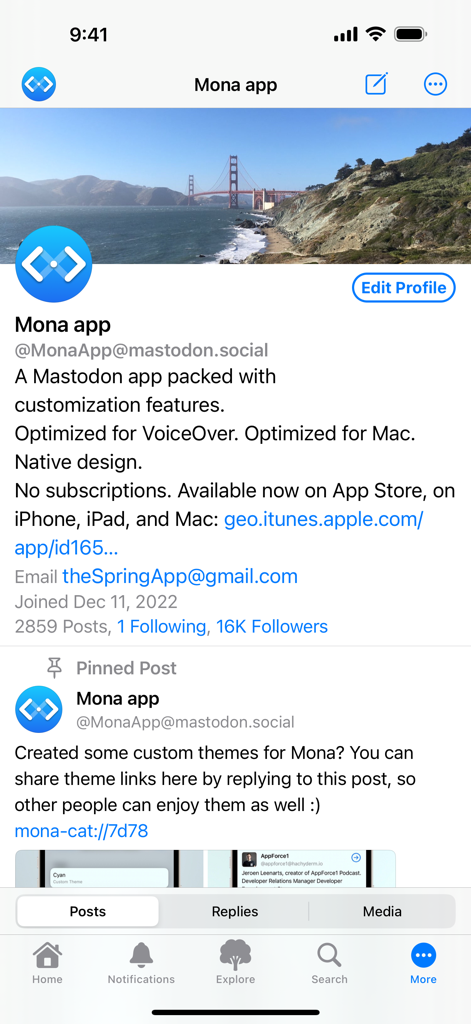
Mona Classic - Mona Classic App-Profilbildschirm, der das Bio und die Funktionen des Mastodon-Kontos anzeigt
Mona Classic App-Profilbildschirm, der das Bio und die Funktionen des Mastodon-Kontos anzeigt

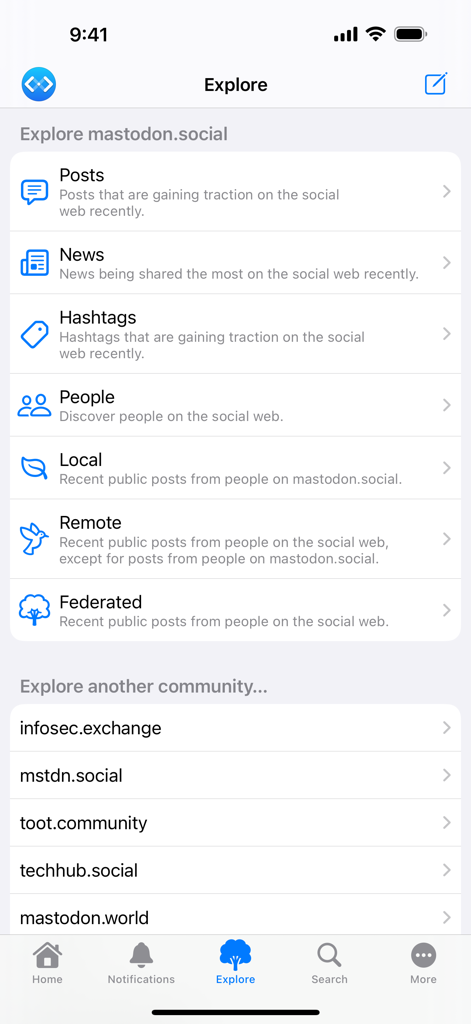
Mona Classic - Der Explore-Bildschirm der Mona Classic-App, der verschiedene Mastodon-Feed-Kategorien und eine Liste von Community-Instanzen zeigt.
Der Explore-Bildschirm der Mona Classic-App, der verschiedene Mastodon-Feed-Kategorien und eine Liste von Community-Instanzen zeigt.

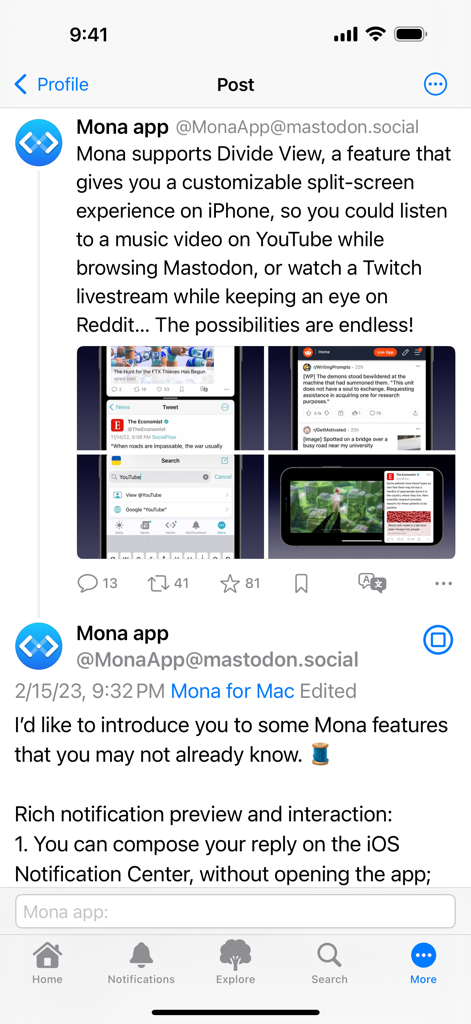
Mona Classic - Mona Classic App-Screenshot, der die Split-Screen-Funktion im Divide View zeigt
Mona Classic App-Screenshot, der die Split-Screen-Funktion im Divide View zeigt

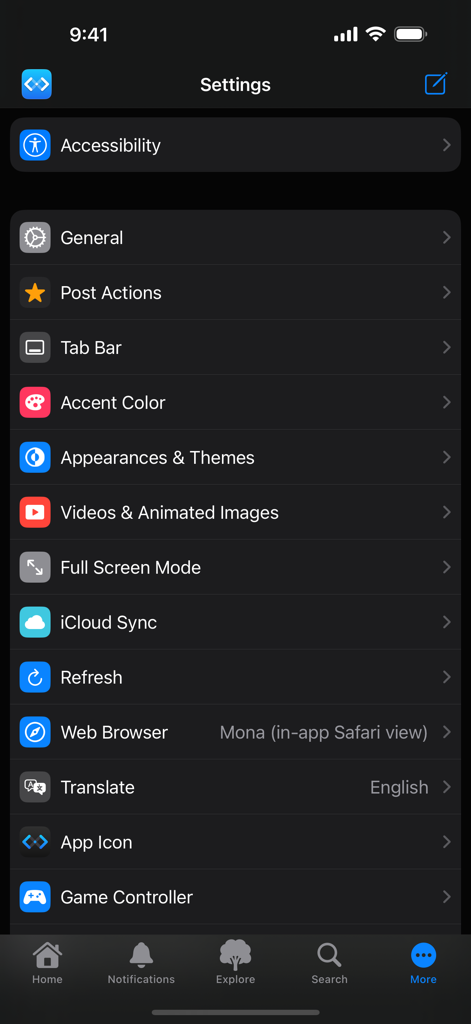
Mona Classic - Einstellungen-Bildschirm der Mona Classic App mit Optionen für Barrierefreiheit, Themes, iCloud-Synchronisierung und Anpassung der Gamecontroller.
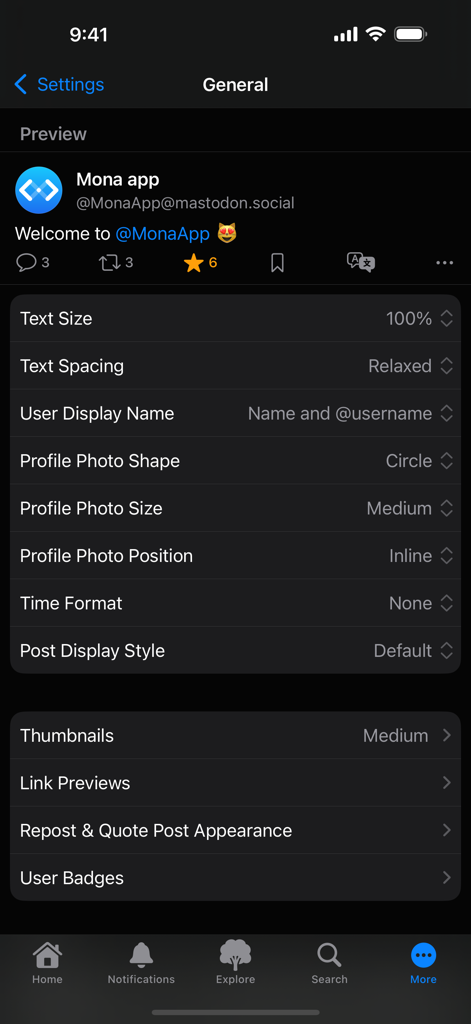
Einstellungen-Bildschirm der Mona Classic App mit Optionen für Barrierefreiheit, Themes, iCloud-Synchronisierung und Anpassung der Gamecontroller.

Mona Classic - Allgemeine Einstellungen-Bildschirm der Mona Classic App mit Anpassungsoptionen für Textgröße, Abstände und das Erscheinungsbild des Profilfotos
Allgemeine Einstellungen-Bildschirm der Mona Classic App mit Anpassungsoptionen für Textgröße, Abstände und das Erscheinungsbild des Profilfotos

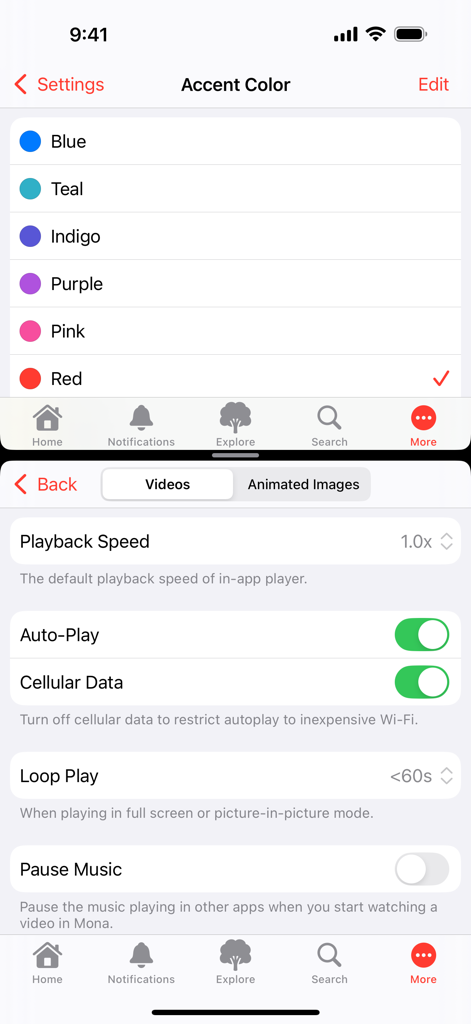
Mona Classic - Einstellungsbildschirme von Mona Classic, die die Auswahl der Akzentfarbe und Optionen für die Videowiedergabe wie Autoplay und Loop-Wiedergabe zeigen.
Einstellungsbildschirme von Mona Classic, die die Auswahl der Akzentfarbe und Optionen für die Videowiedergabe wie Autoplay und Loop-Wiedergabe zeigen.

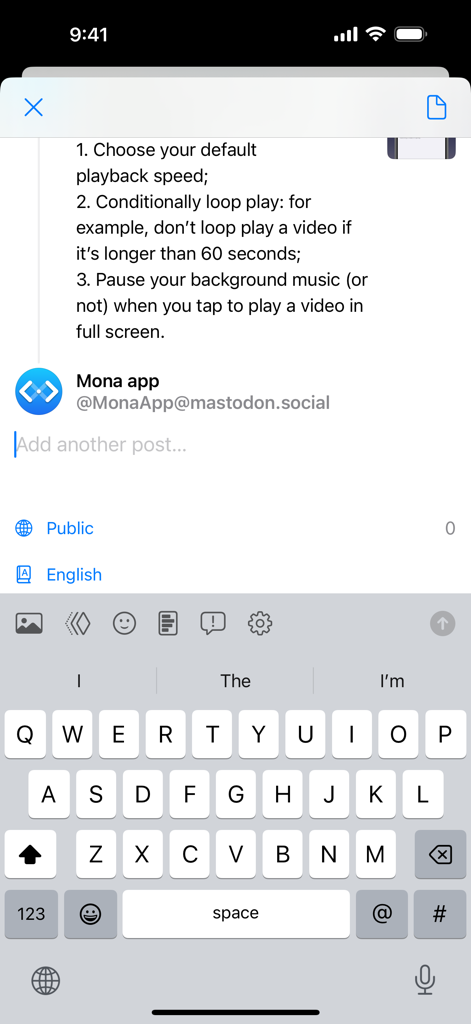
Mona Classic - Mona Classic Post-Composer-Oberfläche mit Thread-Erstellung und geöffneter Tastatur
Mona Classic Post-Composer-Oberfläche mit Thread-Erstellung und geöffneter Tastatur

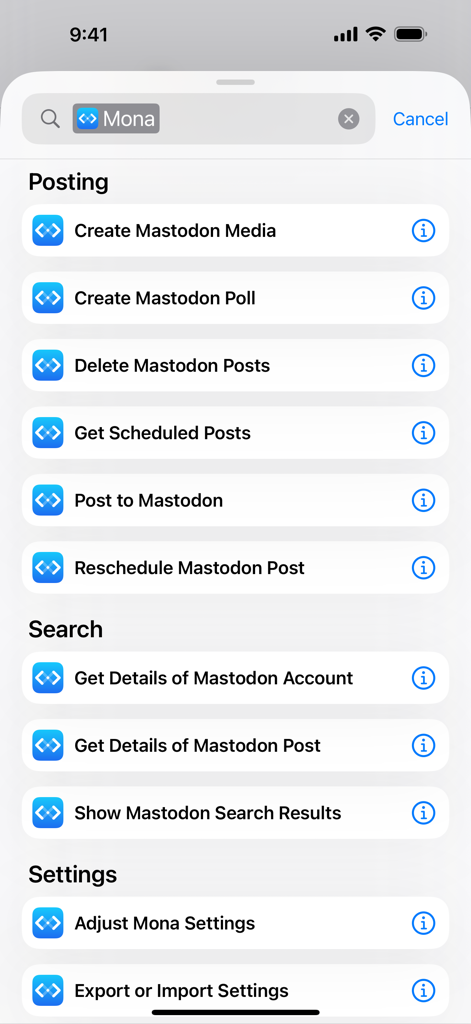
Mona Classic - Eine Liste von iOS-Verknüpfungsaktionen für die Mona Classic-App, einschließlich Mastodon-Posting- und Suchoptionen

Eine Liste von iOS-Verknüpfungsaktionen für die Mona Classic-App, einschließlich Mastodon-Posting- und Suchoptionen

Beschreibung

Mona is a highly customizable Mastodon app with VoiceOver optimization and native design. Post Actions • Drag actions into the order you prefer • Configure actions as swipe options: swipe a post horizontally to perform an action • Optionally hide some or all action buttons from post cards, while keeping them accessible via context menu, swipe options, keyboard shortcuts, and VoiceOver rotor iCloud Sync • Sync your mute list, user notes, reading positions, drafts, search history, accent colors, and custom app themes across your iPhone, iPad, and Mac, privately and securely • Optionally disable some features from automatic syncing User Notes • Privately set aliases, notes and username colors for other Mastodon users • User Notes list: browse, organize and edit all your notes in one place Game Controller (require iOS 14, iPadOS 14, macOS 11 or a newer system) • Control the app and browse posts with a compatible game controller, such as a Playstation DualSense/DualShock, Nintendo Switch, Xbox or MFi controller • Customize button functions via in-app settings • Set extra functions for Adaptive Triggers on the Playstation DualSense controller Privacy • Mona does not collect any personal information • Your account tokens are protected by on-device Keychain • Your network connections to Mastodon servers are protected by HTTPS Other Mona features: • Full Screen mode on iPhone let your timeline content fill the entire screen once you start scrolling • Column View takes full advantage of the big screen on iPad and Mac, shows multiple views at once and allows you to navigate between views fluently and efficiently • Check recent posts on your home screen or notification center with widgets • Search posts on the Timeline • Adjustable text spacing • Adjustable and adaptive text sizes • Option to display post source on timeline (e.g. Mona for Mac) • Share a post as picture • Open multiple windows on iPad and Mac • Customizable text translation experience • Automatic video and GIF playback on timelines • Supports changing app icon on iPhone, iPad, and Mac • Turn on/off content scaling on Mac for extra screen estate or sharper text • Autocomplete for post composer • Push notifications • Lock the app with Face ID or Touch ID • Mona Pro and Mona Pro Max available as one-time in-app purchases, with 14-day free trial Tab Bar (Mona Pro feature) • Pin your frequently visit pages to the tab bar • Drag tabs into the order you prefer • Rename your tabs • Change your tab icons (more than a thousand of icons for you to choose) • Show/hide tab names and button shapes Accent Color (Mona Pro feature) • Configure different Accent Colors for Light and Dark mode • More than 10 built-in colors for you to choose • Design and set custom colors Theme Editor (Mona Pro feature) • Customize the app’s color scheme • Design and set custom themes • Advanced color settings allow you to fine-tune colors for different level of views • Export and share your custom themes • Import custom themes shared by other people Font Customization (Mona Pro feature) • Configure different fonts for body text and headings • Select from a variety of build-in fonts • Supports custom fonts installed by third-party apps Other Mona Pro features: • Full-featured post composer: write longer posts, attach pictures and videos, create polls, schedule post, and automatic thread conversion • More post actions: including favorite, repost, quote post, add bookmark, and translate • Add multiple accounts: you can also opt to favorite, repost, quote post, or follow using a non-current account • Filter and mute: filter timelines based on post category and content; hide posts with certain words; hide posts from certain people • Customize push notifications based on notification category • Export and import settings: easily transfer your custom settings between multiple devices Customer support: • Mastodon: @MonaApp@mastodon.social • Email: theSpringApp@gmail.com

Download

Herunterladen auf App Store

Diese Seite ist keine offizielle Seite der App oder ihres Entwicklers, sondern eine unabhängige redaktionelle Veröffentlichung, die zu Informations- und Kommentarzwecken erstellt wurde. Sofern nicht ausdrücklich anders angegeben, sind weder die App noch ihr Entwickler mit MWM, Apple, Google Play, dem App-Herausgeber oder dem Entwickler der App verbunden, von ihnen unterstützt, gesponsert, autorisiert oder anderweitig offiziell verbunden, und nichts auf dieser Seite impliziert, dass die App unter Verwendung der Dienste von MWM entwickelt wurde. Alle Marken, Logos, Screenshots und andere Inhalte bleiben Eigentum ihrer jeweiligen Inhaber.








