
Diese Seite ist keine offizielle Seite der App oder ihres Entwicklers, sondern eine unabhängige redaktionelle Veröffentlichung, die zu Informations- und Kommentarzwecken erstellt wurde. Sofern nicht ausdrücklich anders angegeben, sind weder die App noch ihr Entwickler mit MWM, Apple, Google Play, dem App-Herausgeber oder dem Entwickler der App verbunden, von ihnen unterstützt, gesponsert, autorisiert oder anderweitig offiziell verbunden, und nichts auf dieser Seite impliziert, dass die App unter Verwendung der Dienste von MWM entwickelt wurde. Alle Marken, Logos, Screenshots und andere Inhalte bleiben Eigentum ihrer jeweiligen Inhaber.

mood.camera
Entdecke die Freude an der Fotografie mit einem authentischen analogen Erlebnis. Erhalte cineastische Farben und realistisches Filmkorn direkt von deinem iPhone – keine Überbearbeitung, nur purer Charakter.
Downloads
196K+Bewertung
Bewertungen gesamt
100Herausgeber
Kategorie
Photo & VideoSprachen
1Neueste Version
1.11.2Größe
49.5 MBErstveröffentlichung
12. Apr. 2024Fotografie mit Seele
Befreie dich von überbearbeiteten Smartphone-Aufnahmen. mood.camera erzeugt die organische Wärme und Zufälligkeit von Film für eine authentischere, mühelose Ästhetik.
Bewusste Einfachheit
Konzentriere dich wieder auf deine Kreativität. Ohne Live-Vorschauen oder Nachbearbeitung kannst du im Moment präsent bleiben und die Kamera die Stimmung einfangen lassen.
Cineastische Farbwissenschaft
Wähle aus 14 sorgfältig ausgearbeiteten Emulationen mit satten Paletten und realistischer Halation, um deinen Fotos sofort einen Indie-Film-Charakter zu verleihen.
Häufig gestellte Fragen
Alles, was Sie über wissen müssen mood.camera
Was ist mood.camera?
mood.camera ist eine Point-and-Shoot-iPhone-Kamera, die natürliche Fotos voller Charakter aufnimmt, mit realistischer Filmkörnung und filmischer Halation, ohne In-App-Bearbeitungswerkzeuge.
Bietet mood.camera eine kostenlose Testversion an?
Ja, mood.camera bietet neuen Benutzern eine 7-tägige uneingeschränkte kostenlose Testversion ohne Abonnement an. Nach der Testversion ist eine eingeschränkte kostenlose Version verfügbar oder Benutzer können ein Abonnement abschließen.
Verfügt mood.camera über Bearbeitungswerkzeuge?
Nein, mood.camera enthält keine Live-"Filter"-Vorschau oder Bearbeitungswerkzeuge innerhalb der App. Es ermutigt Benutzer, sich auf das Einfangen von Momenten ohne ständige Anpassungen zu konzentrieren.
Welche Fotoeffekte bietet mood.camera?
mood.camera bietet ausdrucksstarke Farb-Emulationen, realistische Filmkörnung und filmische Halation. Ziel ist es, Fotos Charakter und eine reiche Farbpalette direkt aus der Kamera zu verleihen.
Kann ich in mood.camera benutzerdefinierte Presets erstellen?
Ja, mood.camera ermöglicht Benutzern die Erstellung benutzerdefinierter Presets. Sie können einem bevorzugten Preset eine warme Note verleihen oder von Grund auf neu beginnen, um einen originellen Stil zu entwickeln.
Welche iPhone-Modelle unterstützen filmische Halation in mood.camera?
Filmische Halation in mood.camera ist auf iPhone 12 oder neueren Modellen verfügbar. Diese Funktion nutzt den dynamischen Bereichsgewinn-Map des iPhones, um einen realistischen Halation-Effekt zu erzeugen.
Wie viele Farb-Emulationen bietet mood.camera?
mood.camera bietet 14 sorgfältig ausgearbeitete Farb-Emulationen. Diese Emulationen verleihen jedem Foto Charakter und eine reiche Farbpalette und verbessern die Gesamtästhetik.
Unterstützt mood.camera benutzerdefinierte Rahmen?
Ja, mood.camera unterstützt benutzerdefinierte Rahmen. Benutzer können ihre Fotos mit einem benutzerdefinierten Rahmen aufwerten, den die App automatisch hinzufügt, wenn ein Foto aufgenommen wird.
Kann ich die Belichtung in mood.camera einstellen?
Ja, mood.camera verfügt über ein Belichtungsregler auf dem Bildschirm. Diese Funktion erleichtert das Erreichen verschiedener Stile durch unter- oder überbelichtete Bilder und inspiriert die Kreativität.
Welche Preisoptionen gibt es für mood.camera nach der kostenlosen Testversion?
Nach der 7-tägigen kostenlosen Testversion können mood.camera-Benutzer eine eingeschränkte kostenlose Version weiter nutzen oder eine lebenslange Mitgliedschaft oder ein monatliches Abonnement für vollen Zugriff erwerben.
Gibt es eine Live-Filter-Vorschau in mood.camera?
Nein, mood.camera verfügt nicht über eine Live-"Filter"-Vorschau. Diese Designentscheidung spiegelt klassische Filmkameras wider und ermutigt Benutzer, sich auf das Einfangen des Moments ohne Ablenkungen zu konzentrieren.
Bietet mood.camera Funktionen im Porträtmodus an?
Ja, mood.camera bietet einen "Next Level Portraits"-Modus. Er liefert Fotos mit sanfterer Objekttrennung und überzeugendem Bokeh auf iPhone 11 oder neueren Modellen.
Welche Auflösung haben Fotos, die mit mood.camera aufgenommen werden?
mood.camera nimmt auf kompatiblen Geräten hochauflösende 24MP-Fotos auf. Diese Funktion ist auf den Modellen iPhone 14 Pro, 15 Pro und 16 Pro verfügbar.
Wie erzielt mood.camera eine realistische Filmkörnung?
mood.camera verwendet Filmkörnung-Algorithmen, die dem physikalischen Entwicklungsprozess nachempfunden sind. Dieser Ansatz verleiht Fotos authentische Textur und Physikalität, während die Details erhalten bleiben.
Wo finde ich die Datenschutzrichtlinie für mood.camera?
Die Datenschutzrichtlinie für mood.camera finden Sie unter dem angegebenen Link: https://mood.camera/privacy. Dieser Link ist am Ende der App-Beschreibung aufgeführt.
Die folgenden Screenshots und die Beschreibung stammen direkt aus dem offiziellen Store-Eintrag der App und sind Eigentum des Entwicklers.
App Store
Screenshots
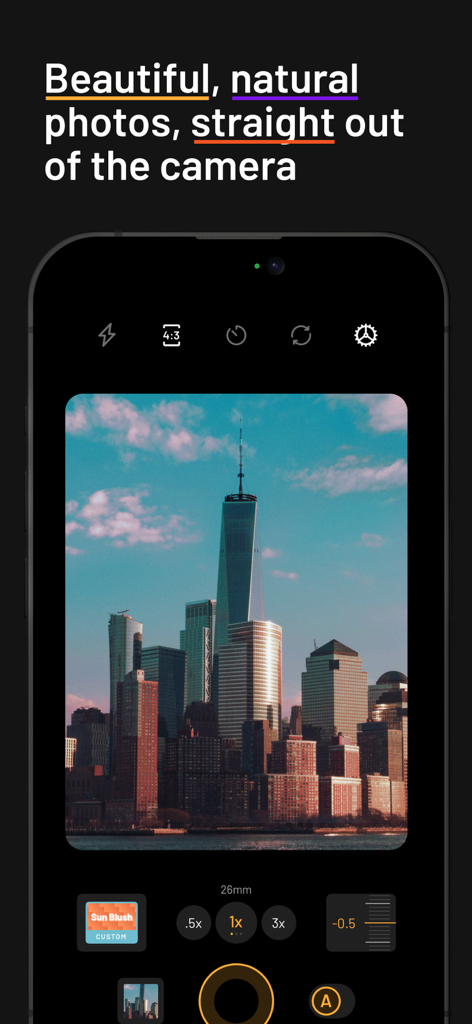
Eine Smartphone-Oberfläche, die die mood.camera App zeigt, die ein Foto einer Stadtlandschaft im Filmstil von einem Wolkenkratzer aufnimmt.
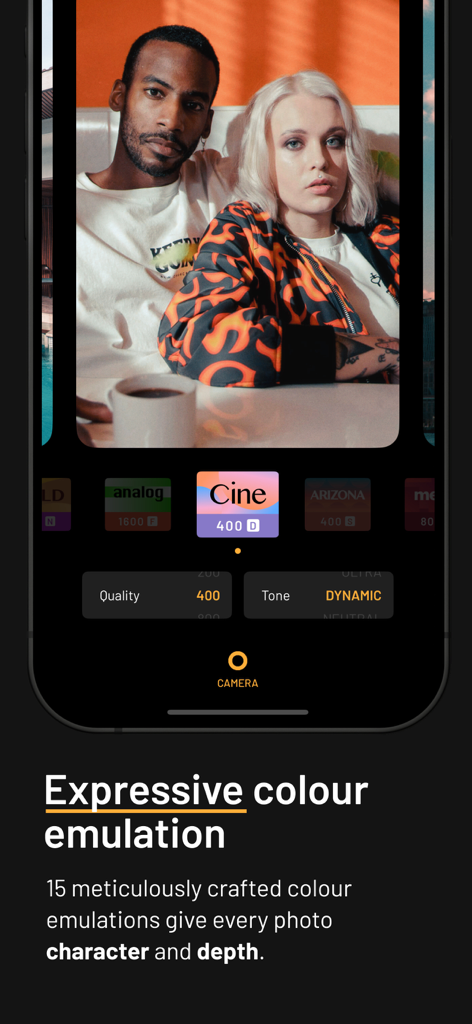
Eine Smartphone-Oberfläche, die ein Porträtfoto zeigt, das mit ausdrucksstarker Filmfarb-Emulation in der mood camera App bearbeitet wurde.
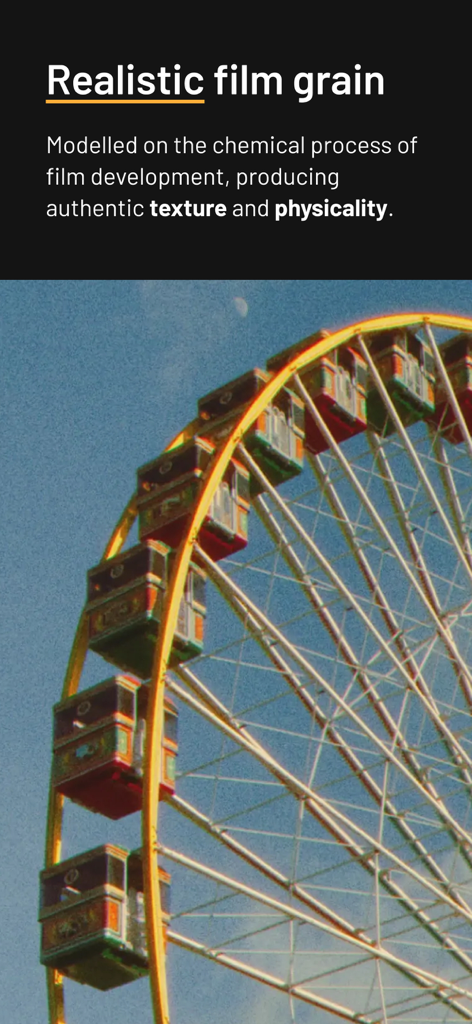
Riesenrad mit realistischer Filmkorntextur und analoger Ästhetik
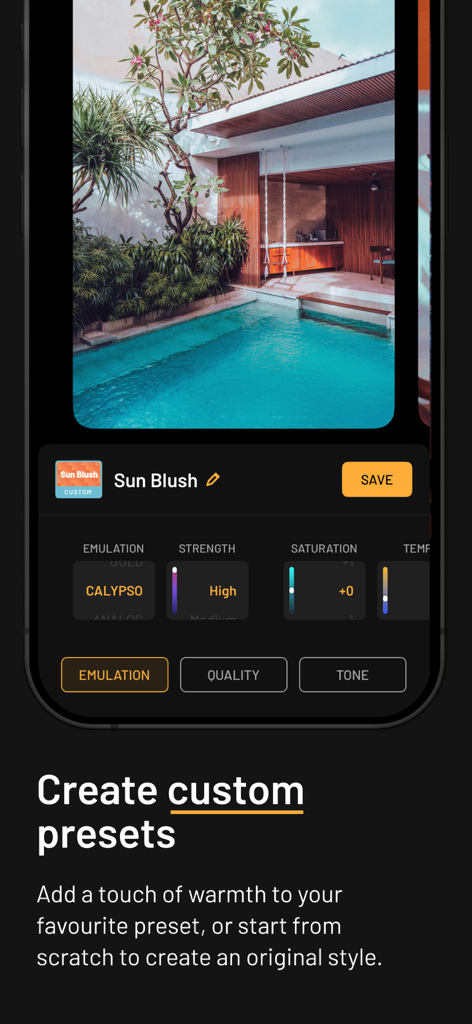
Oberfläche der mood.camera App, die benutzerdefinierte Voreinstellungseinstellungen mit einem tropischen Poolfoto zeigt
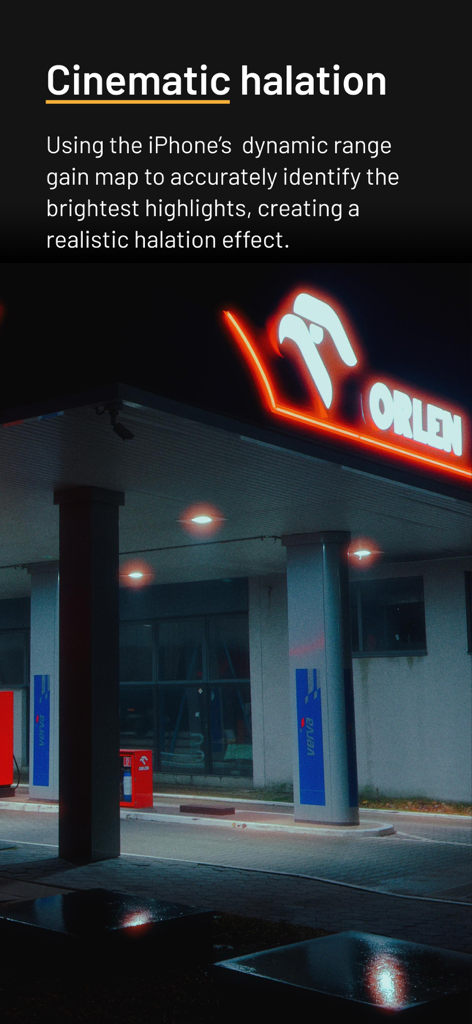
Cineastischer Halation-Lichteffekt auf einem Neonschild bei Nacht
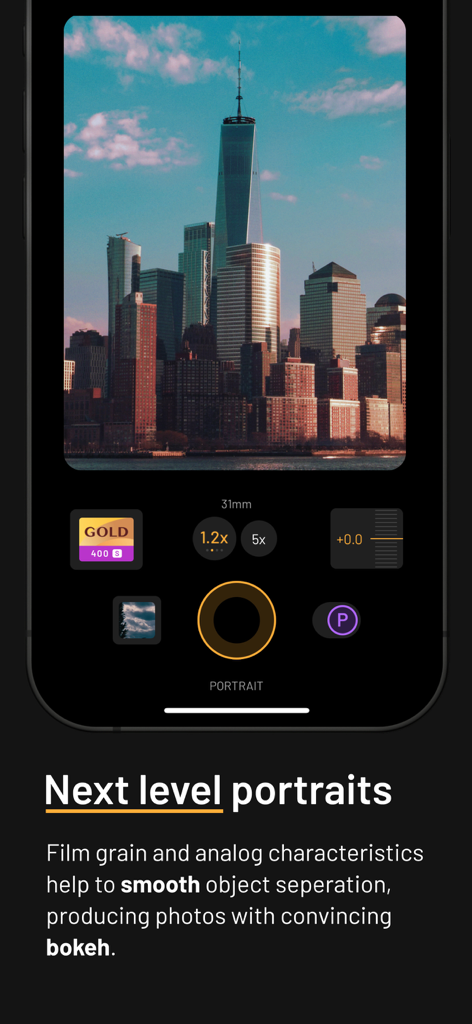
Oberfläche der mood camera App, die den Porträtmodus mit einem Foto von Wolkenkratzern im Filmstil zeigt
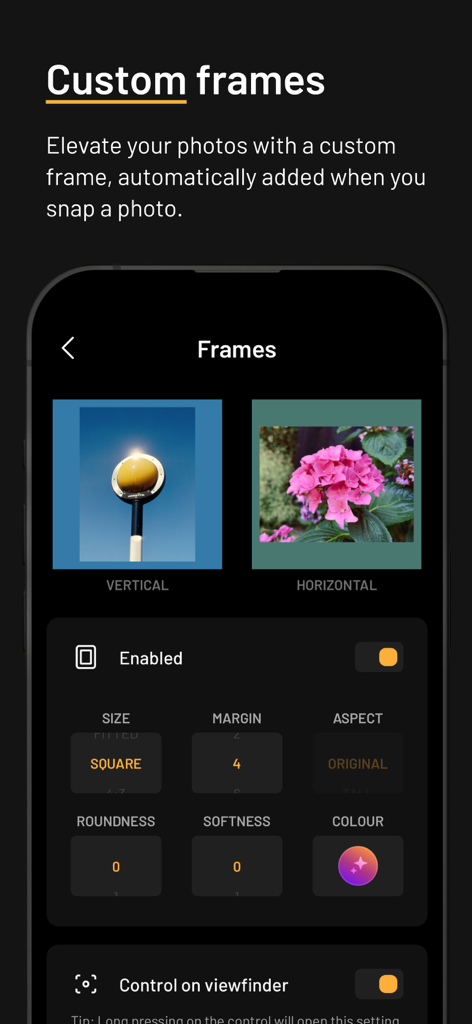
Oberfläche der mood.camera App, die Einstellungen zur Hinzufügung benutzerdefinierter Rahmen zu Fotos mit Optionen für Größe und Farbe zeigt.
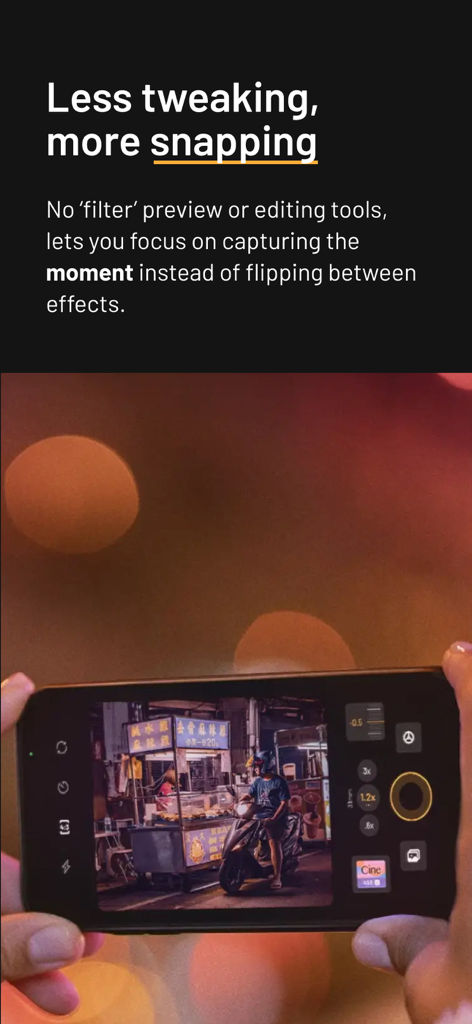
Eine Person, die die mood.camera App auf einem iPhone benutzt, um einen Straßenimbiss bei Nacht aufzunehmen, ohne Filter zu verwenden.
Beschreibung
Download
Ähnliche Apps
Apps mit ähnlichen Funktionen und Nutzererfahrung
Dazz Cam - Vintage Camera
DAZZ PTE. LTD.

Kapi - Vintage Film Camera
Shanghai Yuhuan Technology Co., Ltd.
ProCCD - Digital Film Camera
秉妍 蔡
Fomz - Vintage Analog Camera
Guangzhou Mengdong Information Technology Co., Ltd.

Liit - Photo & Video Editor
DAZZ PTE. LTD.
1998 Cam - Vintage Camera
Huu Nguyen Chi
y2k: 2000s photo editor
Abel Thomas Noble

Uplens: Photo & Video Editor
MPGAMES LTD

Buttercam
Beijing Muke Technology Co., Ltd.
Diese Seite ist keine offizielle Seite der App oder ihres Entwicklers, sondern eine unabhängige redaktionelle Veröffentlichung, die zu Informations- und Kommentarzwecken erstellt wurde. Sofern nicht ausdrücklich anders angegeben, sind weder die App noch ihr Entwickler mit MWM, Apple, Google Play, dem App-Herausgeber oder dem Entwickler der App verbunden, von ihnen unterstützt, gesponsert, autorisiert oder anderweitig offiziell verbunden, und nichts auf dieser Seite impliziert, dass die App unter Verwendung der Dienste von MWM entwickelt wurde. Alle Marken, Logos, Screenshots und andere Inhalte bleiben Eigentum ihrer jeweiligen Inhaber.