Mosaic Blur Photo Maker

Mosaic Blur Photo Maker

Herunterladen auf App Store
Logo von Mosaic Blur Photo Maker

Mosaic Blur Photo Maker: Professionelle Präzision für Privatsphäre und Ästhetik

Zensieren Sie mühelos sensible Informationen oder erzeugen Sie atemberaubende Hintergrundunschärfen im DSLR-Stil. Schnelle, hochauflösende und wasserzeichenfreie Tools, entwickelt für Kreative, die Wert auf Privatsphäre und Stil legen.

Herunterladen auf App Store

Herausgeber

Softizo Universe FZE

Kategorie

Photo & Video

Downloads

1K+

Bewertung

1.0/5

Bewertungen gesamt

0

Sprachen

16

Präzision in jedem Pixel

Entdecken Sie die Oberfläche, die von 1K+ Nutzern verwendet wird.
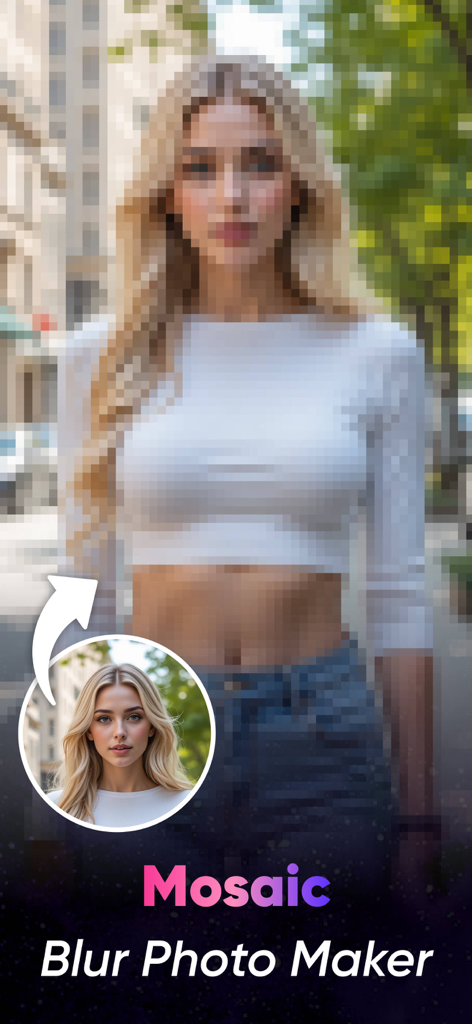
Ein Porträt einer Frau mit einem starken Mosaik-Pixel-Effekt zur Demonstration der Weichzeichnungsfunktion der App.

Ein Porträt einer Frau mit einem starken Mosaik-Pixel-Effekt zur Demonstration der Weichzeichnungsfunktion der App.

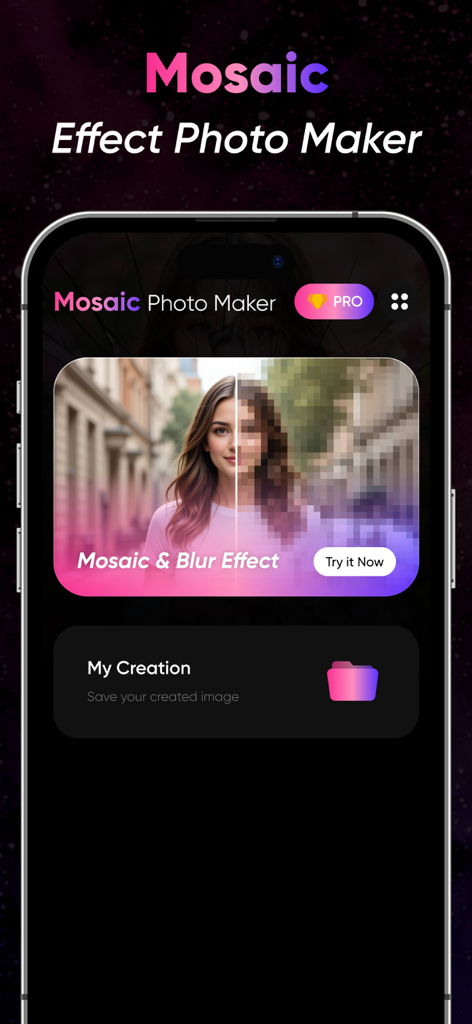
Mosaic Blur Photo Maker App-Oberfläche, die eine Mosaik-Effekt-Vorschau auf einem Porträt und den Ordner 'Meine Kreationen' anzeigt.

Mosaic Blur Photo Maker App-Oberfläche, die eine Mosaik-Effekt-Vorschau auf einem Porträt und den Ordner 'Meine Kreationen' anzeigt.

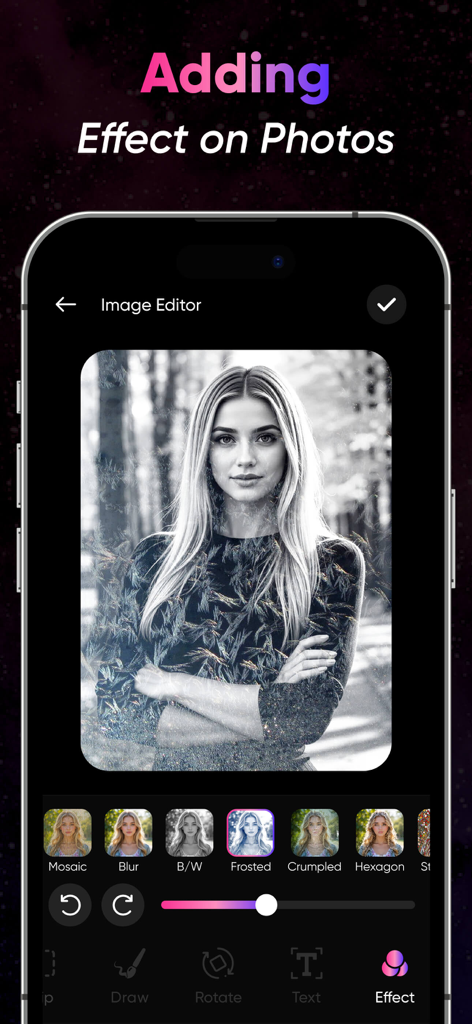
Mobile App-Oberfläche für Mosaic Blur Photo Maker, die künstlerische Effektoptionen auf einem Porträtfoto anzeigt.

Mobile App-Oberfläche für Mosaic Blur Photo Maker, die künstlerische Effektoptionen auf einem Porträtfoto anzeigt.

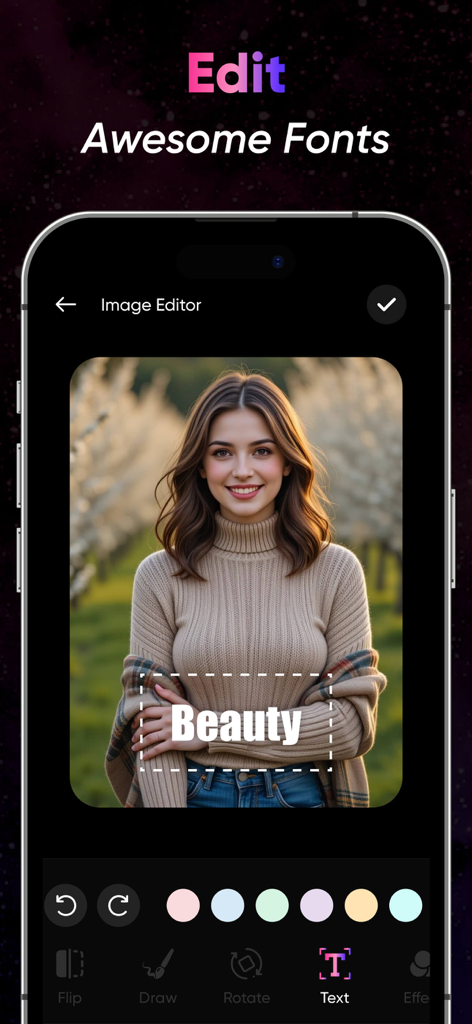
Screenshot der Mosaic Blur App, der den Texteditor und die Schriftartenauswahl auf einem Porträtfoto zeigt.

Screenshot der Mosaic Blur App, der den Texteditor und die Schriftartenauswahl auf einem Porträtfoto zeigt.

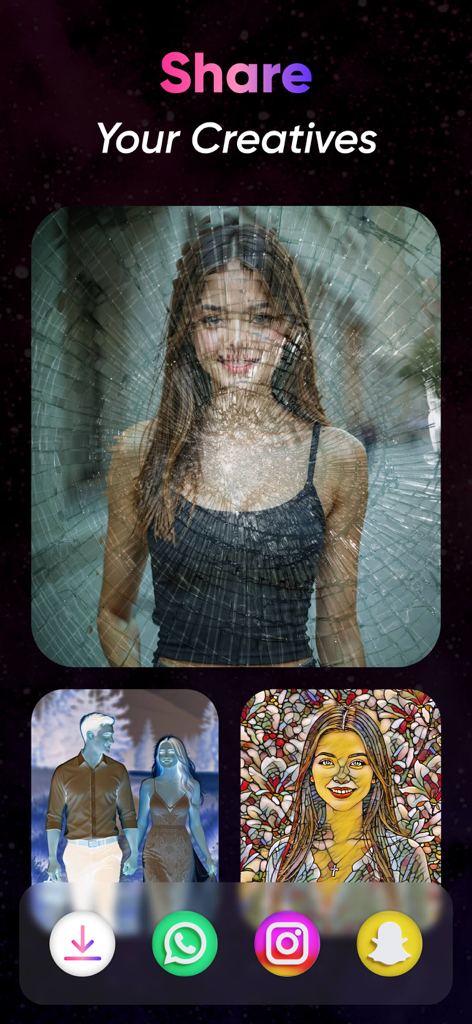
Mobile App-Bildschirm mit dem Titel 'Share Your Creatives', der künstlerische Fotofilter und Social-Media-Sharing-Icons anzeigt.

Mobile App-Bildschirm mit dem Titel 'Share Your Creatives', der künstlerische Fotofilter und Social-Media-Sharing-Icons anzeigt.

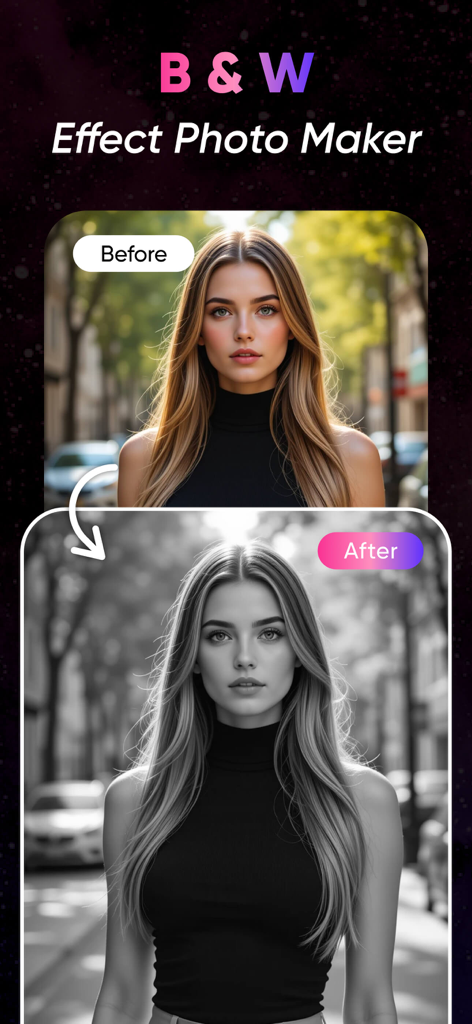
Vorher-Nachher-Vergleich eines Frauenporträts mit einem Schwarz-Weiß-Fotofilter-Effekt.

Vorher-Nachher-Vergleich eines Frauenporträts mit einem Schwarz-Weiß-Fotofilter-Effekt.

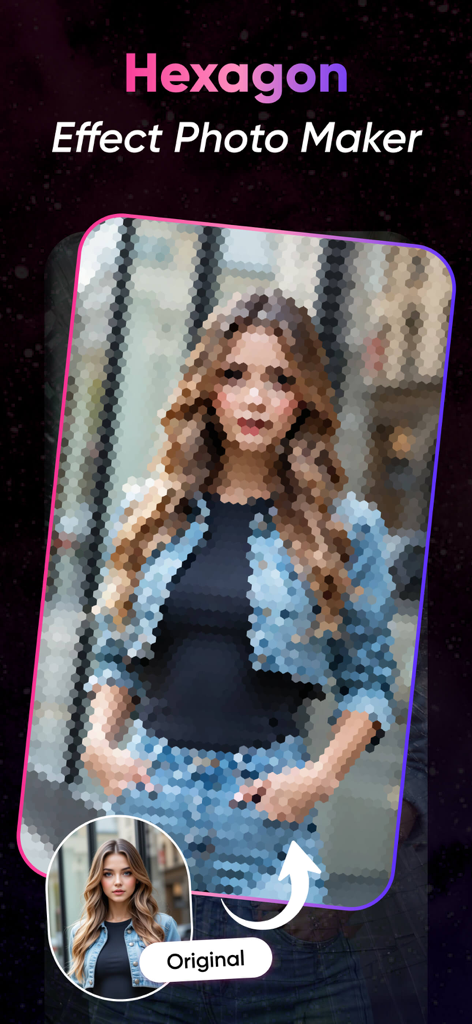
Ein Porträt einer Frau mit einem hexagonalen Mosaik-Weichzeichner-Effekt neben dem Originalfoto.

Ein Porträt einer Frau mit einem hexagonalen Mosaik-Weichzeichner-Effekt neben dem Originalfoto.

Professionelle Privatsphäre & Kreativer Stil

Die Tools, die diese App auszeichnen, gewählt von 1K+ Nutzern.

🛡️

Sofortiger Datenschutz

Zensieren Sie Gesichter, Kennzeichen oder private Dokumente mühelos mit professionellen Mosaik- und Pixel-Effekten für sicheres Social Sharing.

DSLR-Qualität Weiche Unschärfe

Verwandeln Sie Ihre zufälligen Schnappschüsse in professionelle Porträts, indem Sie überladene Hintergründe unscharf machen und Ihr Motiv mit einem weichen Bokeh-Finish hervorheben.

🔍

Präzisionswerkzeuge auf höchstem Niveau

Verwenden Sie zoomfähige Pinsel für pixelgenaue Bearbeitungen. Exportieren Sie Ihre Bilder in hoher Auflösung und ohne Wasserzeichen, damit Ihr Feed sauber und hochwertig aussieht.

Über die App

Alles, was Sie über wissen müssen Mosaic Blur Photo Maker.

Beschreibung

Blur Photos with Precision and Style Mosaic Blur Photo Editor is a simple yet powerful app that lets you blur parts of your photos using mosaic, pixel, or soft blur effects. Whether you want to protect privacy, highlight a subject, or create an artistic effect, this app offers precise tools for quick editing. Perfect for social media, content creators, photographers, or anyone looking to censor or stylize their images. Key Features: Mosaic & Pixel Blur: Apply pixelation or mosaic effects to any part of your photo. Soft Blur Tool: Smoothly blur backgrounds or unwanted areas for a DSLR-style effect. Brush & Eraser Tools: Use adjustable brushes for freehand blurring or precise edits. Shape Blur: Blur in circular or rectangular zones for fast targeting. Zoom & Pan: Edit with accuracy by zooming into your image. Undo/Redo Options: Make quick changes without losing your work. High-Resolution Export: Save edited images in full quality. No Watermark: Export clean images without branding. Use Cases: Censor faces, license plates, or private content Blur photo backgrounds for focus Add creative or artistic effects Prepare images for social sharing Fast. Clean. Effective. Mosaic Blur Photo Editor offers a simple workflow and precise editing tools to help you blur exactly what you need—whether for privacy, aesthetics, or storytelling. Download Mosaic Blur Photo Editor today and take control of how your photos are seen. To find out more about automatic subscription renewals: Ad-free version Unlimited blur image generation Premium Subscription : MosaicBlur One Week - 6.99 USD MosaicBlur One Year - 44.99 USD Your payment will be charged to your iTunes Account.The app offering is auto-renewable subscriptions For More Information : Privacy Policy : http://softizouniverse.com/pages/Privacy%20Policy.html Terms of Use : http://softizouniverse.com/pages/Terms%20Of%20Use.html

Neueste Version

1.0

Größe

76.3 MB

Erstveröffentlichung

23. Juli 2025

Bereit, Ihre Privatsphäre und Ästhetik zu meistern?

Schließen Sie sich Tausenden von Kreativen an, die Mosaic Blur für präzise, hochauflösende und wasserzeichenfreie Bearbeitungen vertrauen. Übernehmen Sie die Kontrolle über Ihre Fotos und teilen Sie sie noch heute mit Zuversicht.

Herunterladen auf App Store

App information, icons, screenshots, and descriptions displayed on this page are sourced from the Apple App Store and are the property of their respective developers. Download estimates and rankings are based on MWM's proprietary models and may not reflect actual figures. This page is provided for informational and analytical purposes only.

Believe this page infringes your intellectual property? File a dispute