Music Buddy Pro – Learn notes
Herunterladen auf App Store

Diese Seite ist keine offizielle Seite der App oder ihres Entwicklers, sondern eine unabhängige redaktionelle Veröffentlichung, die zu Informations- und Kommentarzwecken erstellt wurde. Sofern nicht ausdrücklich anders angegeben, sind weder die App noch ihr Entwickler mit MWM, Apple, Google Play, dem App-Herausgeber oder dem Entwickler der App verbunden, von ihnen unterstützt, gesponsert, autorisiert oder anderweitig offiziell verbunden, und nichts auf dieser Seite impliziert, dass die App unter Verwendung der Dienste von MWM entwickelt wurde. Alle Marken, Logos, Screenshots und andere Inhalte bleiben Eigentum ihrer jeweiligen Inhaber.

Logo von Music Buddy Pro – Learn notes
Herunterladen auf App Store

Music Buddy Pro – Learn notes

Das professionelle Werkzeug für ernsthafte Musiker, um Noten, Tonarten und Intervalle auswendig zu lernen. Erreichen Sie mit nur fünf Minuten täglichem Üben flüssiges Notenlesen in allen Schlüsseln.

Kennzahlen

Downloads

7K+

Bewertung

4.9/5

Bewertungen gesamt

0

Herausgeber

Vladimir Vasek

Kategorie

Music

Sprachen

14

Neueste Version

3.0

Größe

29.3 MB

Erstveröffentlichung

5. Sept. 2023
Funktionen

Meistern Sie die Sprache der Musik

Hören Sie auf zu raten und fangen Sie an zu spielen. Beschleunigen Sie Ihre Notenlesefähigkeiten mit einem professionellen Werkzeug, das auf Effizienz, Präzision und Meisterschaft ausgelegt ist.

Müheloses Notenerkennen

Meistern Sie Notenblätter mit einem genialen Wiederholungssystem, das sich auf Ihre Schwachstellen konzentriert und das Notenlesen in nur wenigen Minuten am Tag zur zweiten Natur macht.

Umfassende Theorie-Meisterschaft

Beherrschen Sie den Quintenzirkel und komplexe Intervalle. Gehen Sie von der Identifizierung einzelner Noten zur Erkennung musikalischer Muster wie ein Profi über.

Die folgenden Screenshots und die Beschreibung stammen direkt aus dem offiziellen Store-Eintrag der App und sind Eigentum des Entwicklers.

App Store

Screenshots
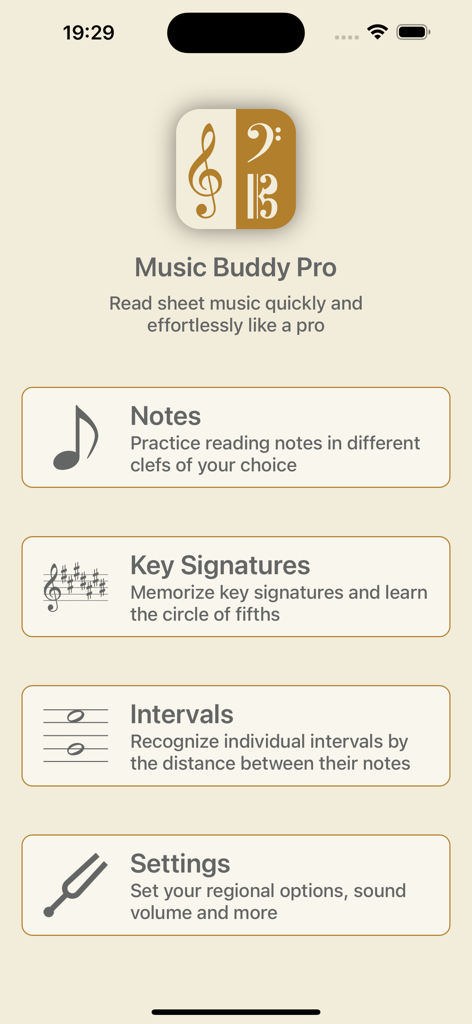
Music Buddy Pro – Learn notes - Hauptmenü der Music Buddy Pro App mit Lernmodulen zum Erlernen von Noten, Tonarten und Intervallen

Hauptmenü der Music Buddy Pro App mit Lernmodulen zum Erlernen von Noten, Tonarten und Intervallen
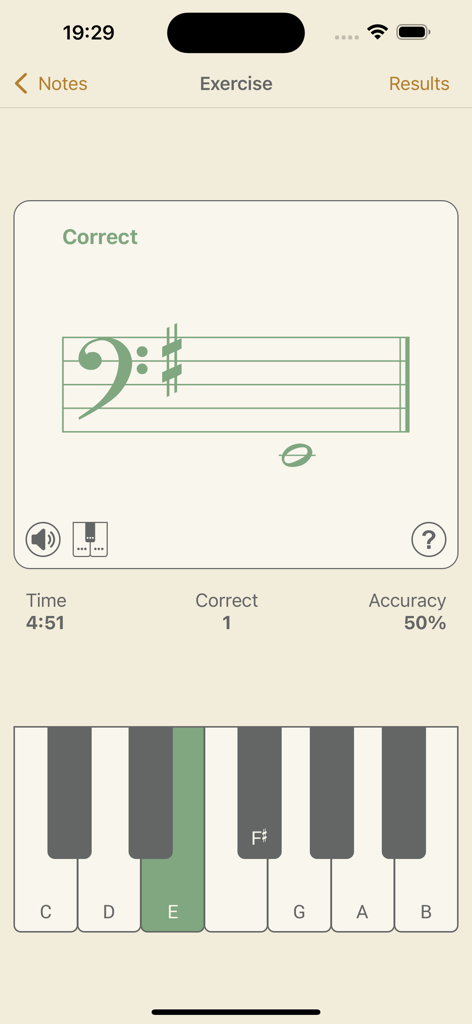
Music Buddy Pro – Learn notes - Screenshot der Music Buddy Pro App, der eine Übung zur Erkennung von Noten im Bassschlüssel mit einer virtuellen Klaviertastaturoberfläche zeigt.
Screenshot der Music Buddy Pro App, der eine Übung zur Erkennung von Noten im Bassschlüssel mit einer virtuellen Klaviertastaturoberfläche zeigt.

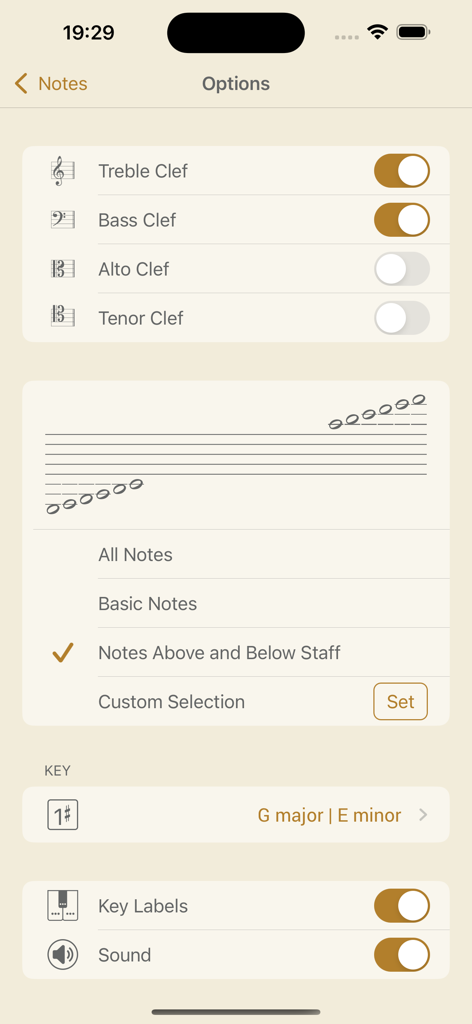
Music Buddy Pro – Learn notes - Noteneinstellungsbildschirm in der Music Buddy Pro App mit Einstellungen für Schlüssel und Notenbereich
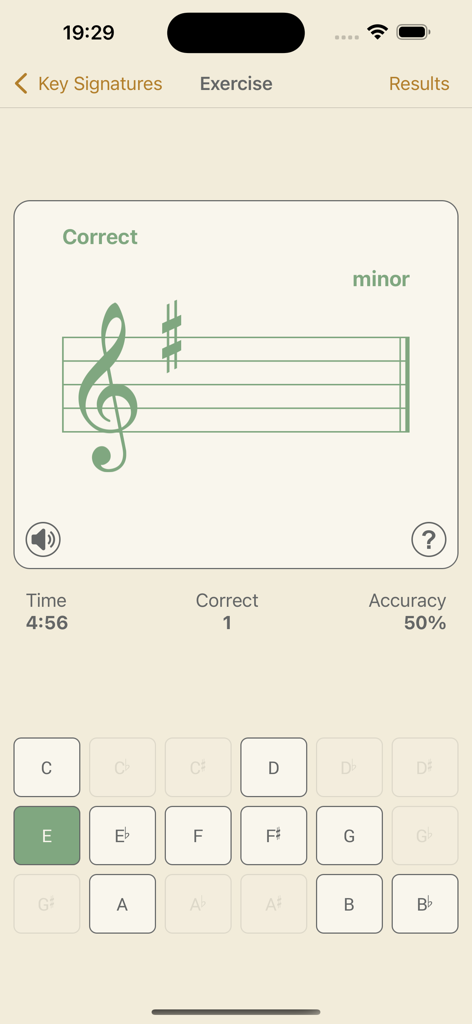
Noteneinstellungsbildschirm in der Music Buddy Pro App mit Einstellungen für Schlüssel und Notenbereich

Music Buddy Pro – Learn notes - Bildschirm für die Tonartenerkennungsübung in Music Buddy Pro
Bildschirm für die Tonartenerkennungsübung in Music Buddy Pro

Music Buddy Pro – Learn notes - Einstellungsbildschirm für das Modul Tonarten in Music Buddy Pro mit Einstellungen für Dur- und Moll-Tonarten, Schlüssel und Ton.
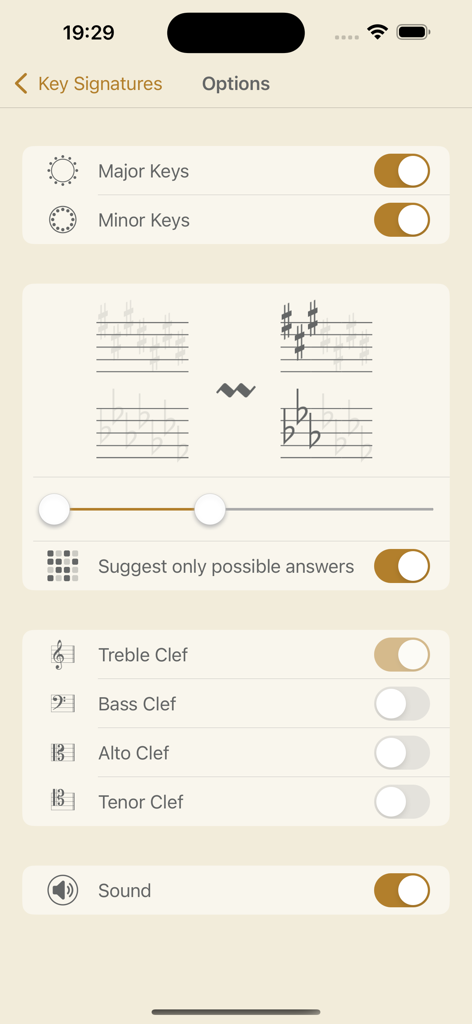
Einstellungsbildschirm für das Modul Tonarten in Music Buddy Pro mit Einstellungen für Dur- und Moll-Tonarten, Schlüssel und Ton.

Music Buddy Pro – Learn notes - Ein Musiktheorie-Übungsbildschirm in der Music Buddy Pro App, der ein Violinschlüssel-System mit einem Intervall einer reinen Quinte zeigt
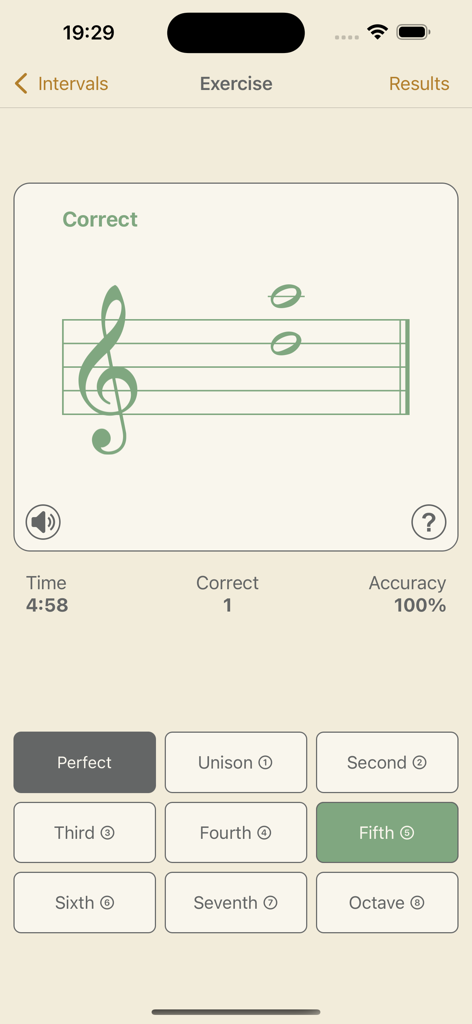
Ein Musiktheorie-Übungsbildschirm in der Music Buddy Pro App, der ein Violinschlüssel-System mit einem Intervall einer reinen Quinte zeigt

Music Buddy Pro – Learn notes - Einstellungsbildschirm für melodische und harmonische Intervalle und Schlüsselwahl in der Music Buddy Pro App
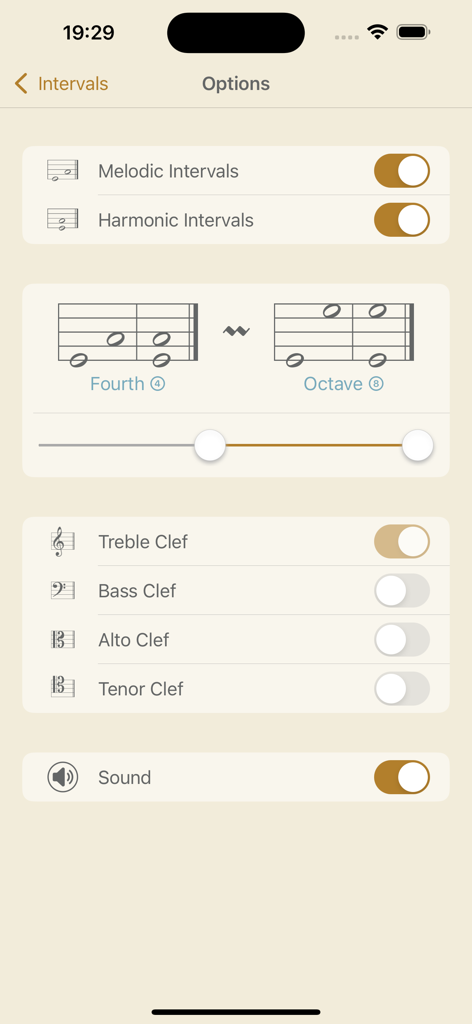
Einstellungsbildschirm für melodische und harmonische Intervalle und Schlüsselwahl in der Music Buddy Pro App

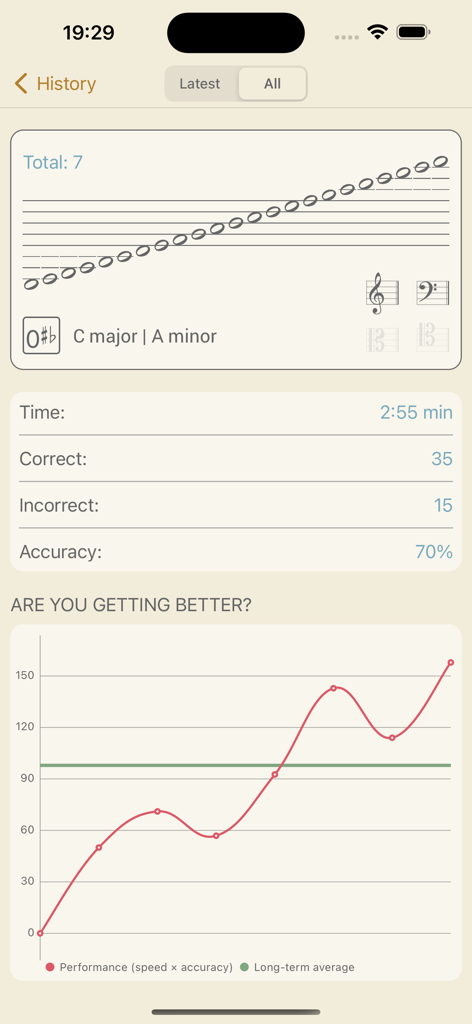
Music Buddy Pro – Learn notes - Music Buddy Pro Verlauf-Bildschirm mit Übungsergebnissen und Diagramm des Leistungsfortschritts
Music Buddy Pro Verlauf-Bildschirm mit Übungsergebnissen und Diagramm des Leistungsfortschritts

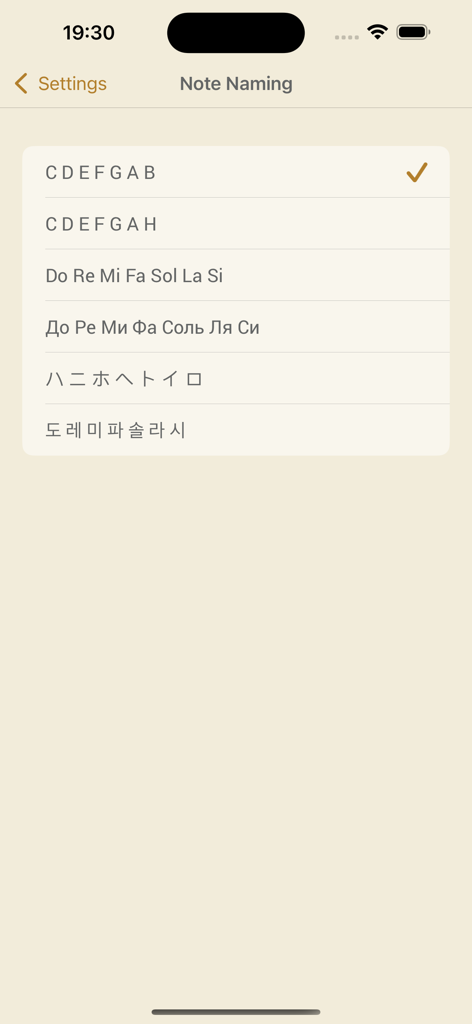
Music Buddy Pro – Learn notes - Einstellungsmenü mit verschiedenen Notennennungssystemen, einschließlich Englisch, Solfège und asiatischen Zeichen.
Einstellungsmenü mit verschiedenen Notennennungssystemen, einschließlich Englisch, Solfège und asiatischen Zeichen.

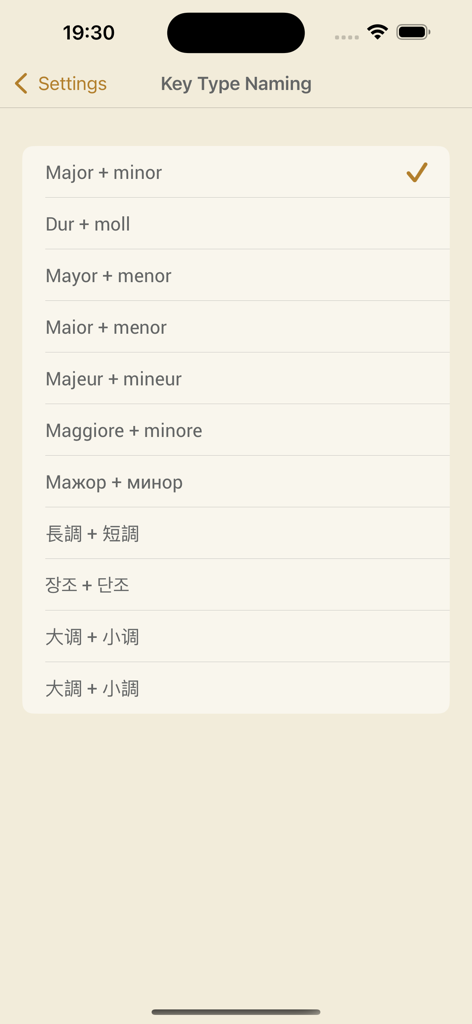
Music Buddy Pro – Learn notes - Einstellungsbildschirm in Music Buddy Pro mit internationalen Benennungskonventionen für Dur- und Moll-Tonarten, einschließlich englischer, deutscher und spanischer Formate

Einstellungsbildschirm in Music Buddy Pro mit internationalen Benennungskonventionen für Dur- und Moll-Tonarten, einschließlich englischer, deutscher und spanischer Formate

Beschreibung

Music Buddy Pro – learn and memorize notes, key signatures (circle of fifths), and intervals, practice sight reading sheet music using flash cards principle.   Read sheet music quickly and effortlessly like a pro. Learn to recognize notes, key signatures, and intervals in the blink of an eye. Three independent learning modules in one app. Set aside five minutes a day for this app and you'll be reading sheet music like a professional musician in no time. The app uses an ingenious approach to memorizing information through repetition and visual patterns with a focus on hard-to-remember pieces of information.   The simple, elegant, and intuitive interface allows you to switch between different note-naming systems used in major countries around the world: • C D E F G A B (major + minor, 大调 + 小调, 大調 + 小調) • C D E F G A H (dur + moll) • Do Re Mi Fa Sol La Si (mayor + menor, maior + menor, majeur + mineur, maggiore + minore) • Дo Рe Ми Фа Coль Ля Си (мажор + минор) • ハ ニ ホ ヘ ト イ ロ (長調 + 短調) • 도 레 미 파 솔 라 시 (장조 + 단조)   The learning experience starts by tapping the big frame with a graphical representation of selected options on the main screen of each module. A neat interface will efficiently teach you your coveted knowledge – after each session you will see a significant improvement. And you can follow your achievements on the Results screen, where everything is summarized in a beautiful chart.   Every module has a wealth of options that are accessible by tapping the Options button in the top right corner of the main screen of the module. On the following screen you can then choose options to your liking.   Notes module: This module will teach you to quickly recognize notes without thinking about it – you’ll look at them and you’ll simply know them. On the Options screen of this module you can choose from four clefs (treble, bass, alto, and tenor), you can set your own range of notes you want to learn (all notes, basic notes, notes above and below the staff, or your own selection), and you can also set the key (start with the simplest C major and make your way through toward the most challenging A flat minor).   Key Signatures module: This module will help you memorize the circle of fifths – a must for every musician. You will learn to recognize keys based on the number of sharps or flats in a key signature at the beginning of a staff. On the Options screen of this module, you can choose from two types of keys (major and minor), you can set your own range of key signatures you want to learn (from C major | A minor to C flat major | A flat minor) and you can also choose from four clefs here (treble, bass, alto, and tenor).   Intervals module: This module is especially helpful for pianists. Skilled pianists don't need to identify every note in a sheet. They recognize patterns based on the distance between notes (intervals) and automatically stretch their fingers accordingly. On the Options screen of this module, you can choose from two types of intervals (melodic and harmonic), you can set your own range of intervals you want to learn (from unison to octave), and you can also choose from four clefs here (treble, bass, alto, and tenor).   Each module keeps its own history of your results, accessible using a dedicated History button, and also contains a Music Theory section accessible via the button with the same name.   All exercises are accompanied by beautifully recorded sounds of a real acoustic grand piano. The sounds can be muted or unmuted for each module independently using a button below the staff on the Exercise screen or in the options of the particular module. The volume can be set globally for the whole app in Settings, or you can use the device hardware buttons.   Good luck on your journey toward becoming a great musician!

Download

Herunterladen auf App Store

Diese Seite ist keine offizielle Seite der App oder ihres Entwicklers, sondern eine unabhängige redaktionelle Veröffentlichung, die zu Informations- und Kommentarzwecken erstellt wurde. Sofern nicht ausdrücklich anders angegeben, sind weder die App noch ihr Entwickler mit MWM, Apple, Google Play, dem App-Herausgeber oder dem Entwickler der App verbunden, von ihnen unterstützt, gesponsert, autorisiert oder anderweitig offiziell verbunden, und nichts auf dieser Seite impliziert, dass die App unter Verwendung der Dienste von MWM entwickelt wurde. Alle Marken, Logos, Screenshots und andere Inhalte bleiben Eigentum ihrer jeweiligen Inhaber.







