
Diese Seite ist keine offizielle Seite der App oder ihres Entwicklers, sondern eine unabhängige redaktionelle Veröffentlichung, die zu Informations- und Kommentarzwecken erstellt wurde. Sofern nicht ausdrücklich anders angegeben, sind weder die App noch ihr Entwickler mit MWM, Apple, Google Play, dem App-Herausgeber oder dem Entwickler der App verbunden, von ihnen unterstützt, gesponsert, autorisiert oder anderweitig offiziell verbunden, und nichts auf dieser Seite impliziert, dass die App unter Verwendung der Dienste von MWM entwickelt wurde. Alle Marken, Logos, Screenshots und andere Inhalte bleiben Eigentum ihrer jeweiligen Inhaber.


Music Transpose - Key Changer
Das unverzichtbare Werkzeug für Sänger und Musiker, um Audio oder Video mühelos zu transponieren. Passe Tonhöhe und Geschwindigkeit unabhängig voneinander an, übe offline und genieße lebenslangen Gebrauch mit einem einzigen Kauf.
Downloads
63K+Bewertung
Bewertungen gesamt
800Herausgeber
Kategorie
MusicSprachen
32Neueste Version
4.4.14Größe
45.9 MBErstveröffentlichung
26. Apr. 2022Meistere jedes Stück präzise
Das ultimative Werkzeug für Musiker, um Tonarten zu transponieren und das Tempo sofort anzupassen – keine Abonnements, keine Komplexität, nur reines Üben.
Transponiere in deinen Bereich
Verschiebe die Tonhöhe in fein abgestimmten Halbtonschritten, um sie an deinen Stimmumfang oder deine Instrumentenstimmung anzupassen, geleitet von visuellen Qualitätsindikatoren.
Verlangsame die schwierigen Teile
Passe die Wiedergabegeschwindigkeit unabhängig an, ohne die Tonhöhe zu ändern, damit du schnelle Soli und komplexe Rhythmen in deinem eigenen Tempo meistern kannst.
Die folgenden Screenshots und die Beschreibung stammen direkt aus dem offiziellen Store-Eintrag der App und sind Eigentum des Entwicklers.
App Store
Screenshots
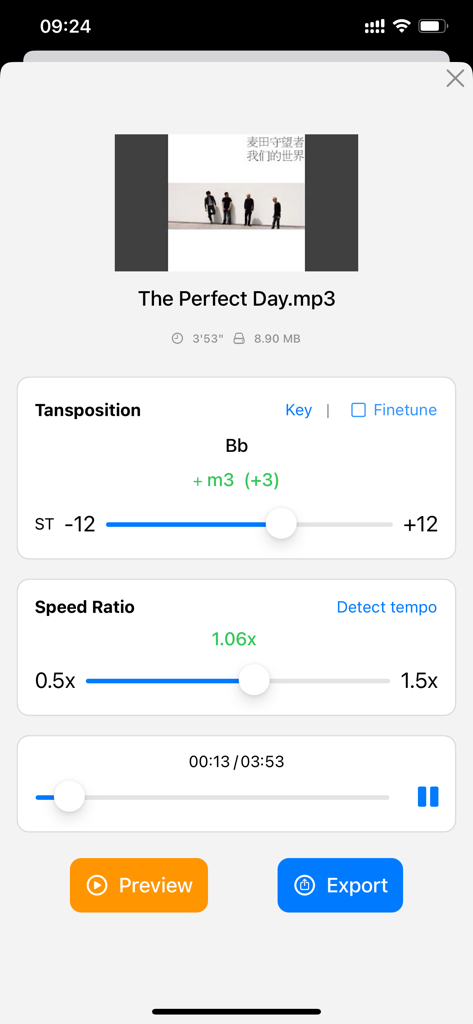
App-Oberfläche zum Transponieren der Musiktonart und Anpassen des Wiedergabegeschwindigkeitsverhältnisses.
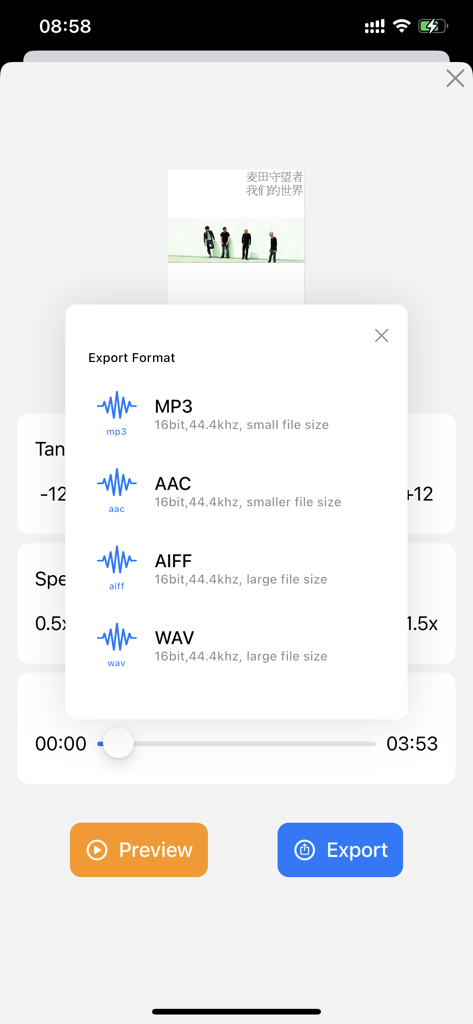
Bildschirmauswahl zum Exportieren von Musikdateien im MP3-, AAC-, AIFF- oder WAV-Format.
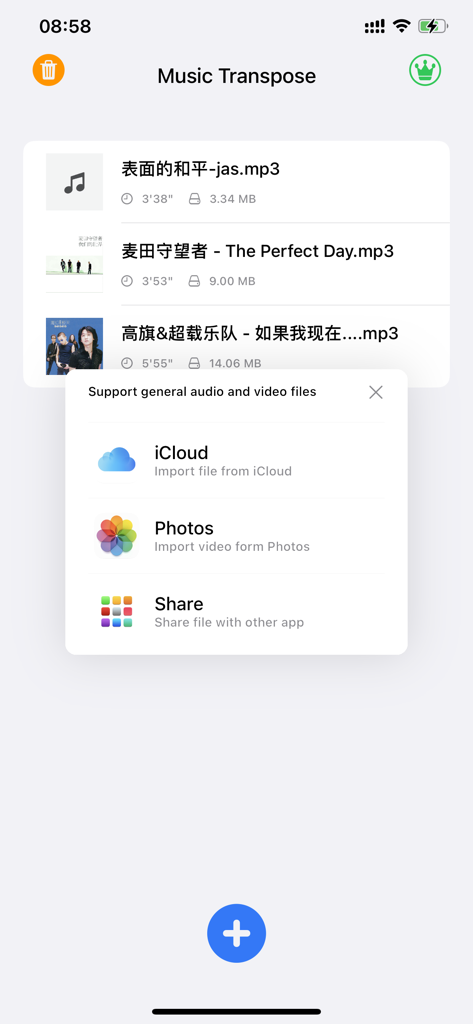
Music Transpose App-Bildschirm mit einem Popup-Menü mit Optionen zum Importieren von Audio- und Videodateien aus iCloud und Fotos.
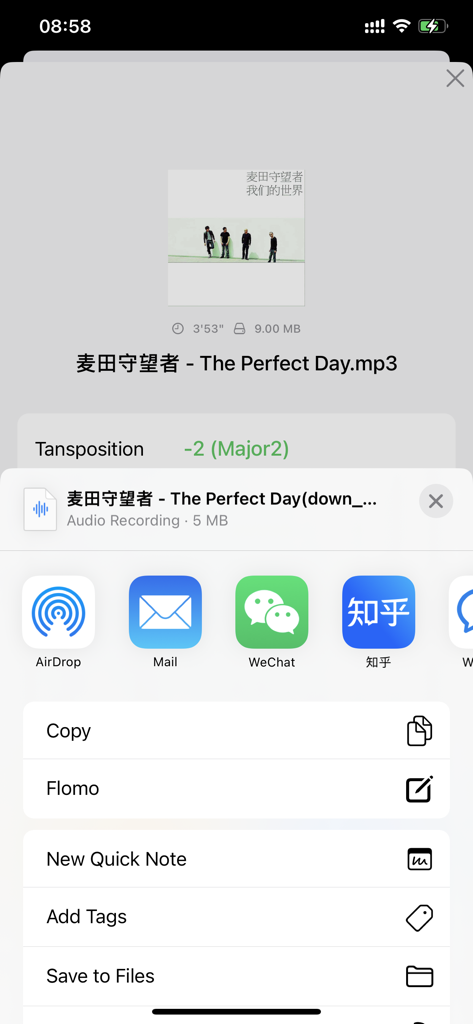
Music Transpose App-Oberfläche mit Dateiexportoptionen nach Tonhöhenanpassung.
Beschreibung
Download
Ähnliche Apps
Top-gerankte Apps in derselben Kategorie

Spotify: Music and Podcasts
Spotify

YouTube Music
Google LLC

Shazam: Find Music & Concerts
Apple Inc.

SoundCloud: The Music You Love
SoundCloud Global Limited & Co KG

Suno - AI Songs & Music
Suno Inc.

QQ音乐 - 听我想听
Tencent Technology (Shenzhen) Company Limited

Audiomack - Play Music Offline
Audiomack, Inc.

GuitarTuna: Tune & Play Guitar
Yousician Ltd

BandLab – Music Maker & Beats
BandLab Singapore Pte Ltd
Diese Seite ist keine offizielle Seite der App oder ihres Entwicklers, sondern eine unabhängige redaktionelle Veröffentlichung, die zu Informations- und Kommentarzwecken erstellt wurde. Sofern nicht ausdrücklich anders angegeben, sind weder die App noch ihr Entwickler mit MWM, Apple, Google Play, dem App-Herausgeber oder dem Entwickler der App verbunden, von ihnen unterstützt, gesponsert, autorisiert oder anderweitig offiziell verbunden, und nichts auf dieser Seite impliziert, dass die App unter Verwendung der Dienste von MWM entwickelt wurde. Alle Marken, Logos, Screenshots und andere Inhalte bleiben Eigentum ihrer jeweiligen Inhaber.