MX Deposit

MX Deposit

Herunterladen auf App Store
Logo von MX Deposit

MX Deposit: Präzise Felddateneingabe für Geologen und Bergleute

Eliminieren Sie manuelle Dateneingaben und Papierprotokolle. Erfassen Sie überall genaue Bohrloch- und Probengeometriedaten – auch offline – mit einer nativen mobilen Plattform, die für die rauen Anforderungen der Feldexploration entwickelt wurde.

Herunterladen auf App Store

Herausgeber

Minalytix Inc.

Kategorie

Business

Downloads

600

Bewertung

1.0/5

Bewertungen gesamt

0

Sprachen

1

Für das Feld entwickelt

Entdecken Sie die Oberfläche, die von 600 Nutzern verwendet wird.
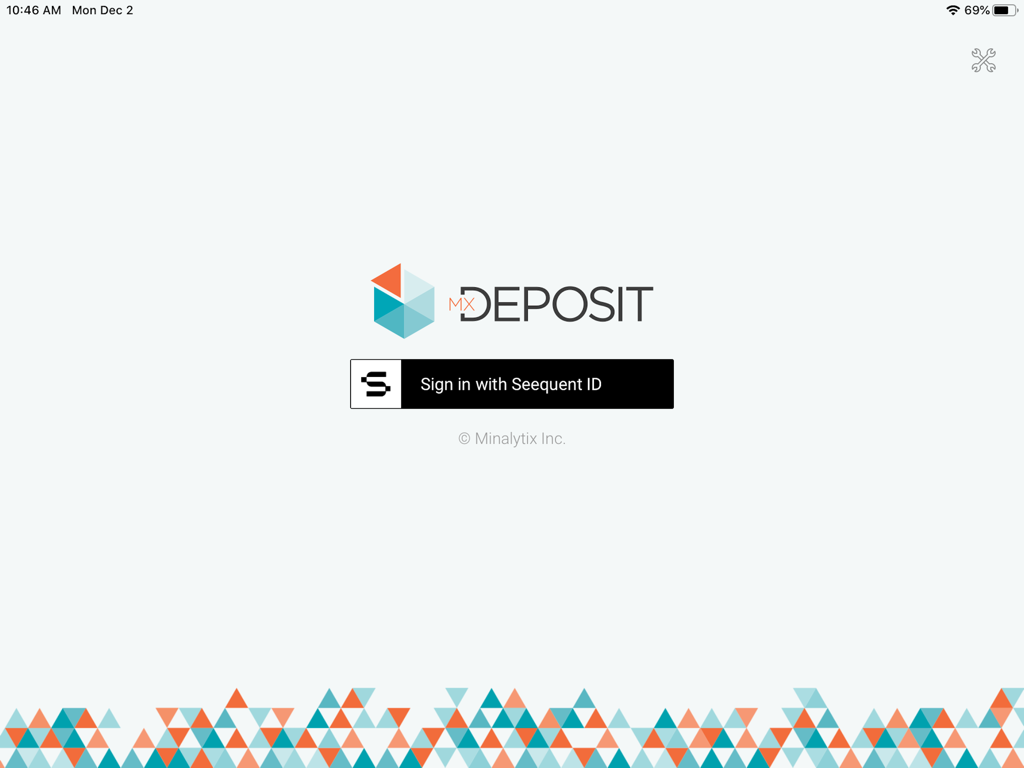
MX Deposit App Anmeldebildschirm mit Seequent ID Anmeldeschaltfläche und geometrischem Logo

MX Deposit App Anmeldebildschirm mit Seequent ID Anmeldeschaltfläche und geometrischem Logo

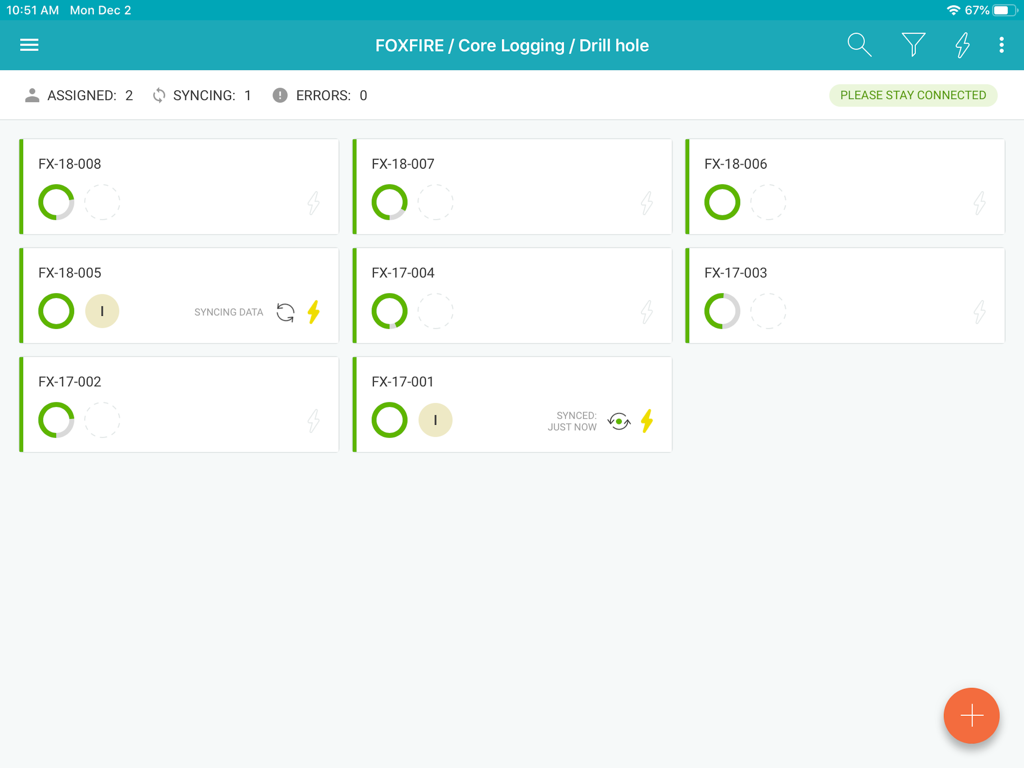
MX Deposit App Dashboard mit Bohrlochkernprotokollaufzeichnungen und Synchronisierungsstatus

MX Deposit App Dashboard mit Bohrlochkernprotokollaufzeichnungen und Synchronisierungsstatus

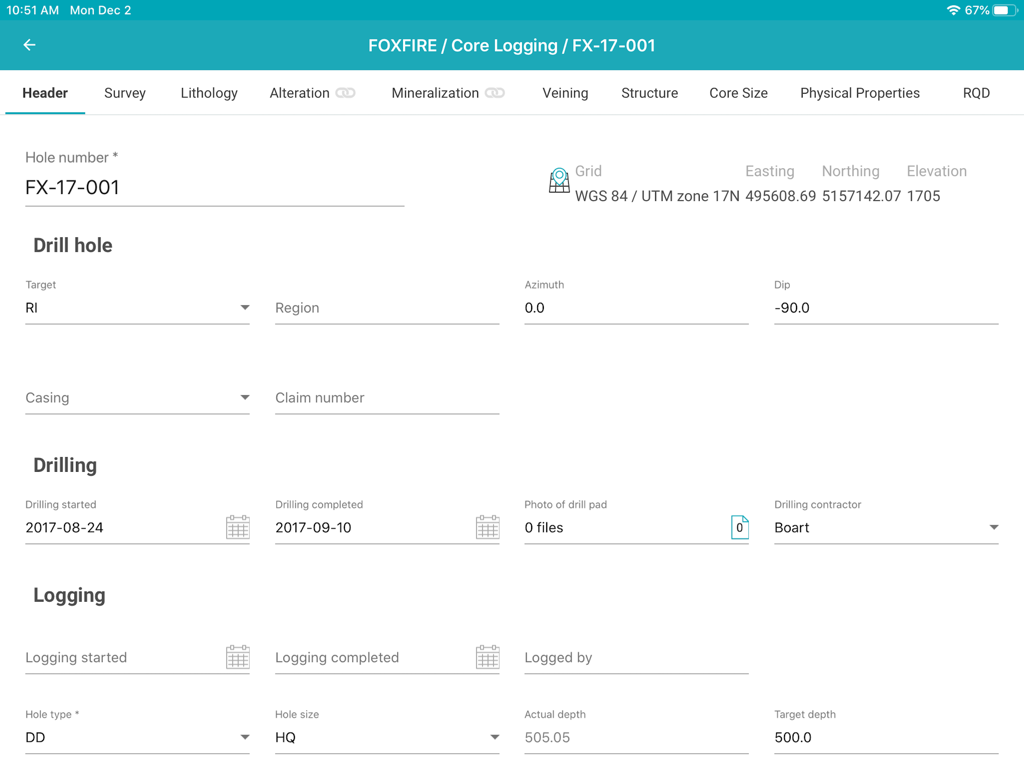
MX Deposit App-Oberfläche mit einem Kopfzeilenformular für die Dateneingabe von geologischen Bohrlochkernprotokollen

MX Deposit App-Oberfläche mit einem Kopfzeilenformular für die Dateneingabe von geologischen Bohrlochkernprotokollen

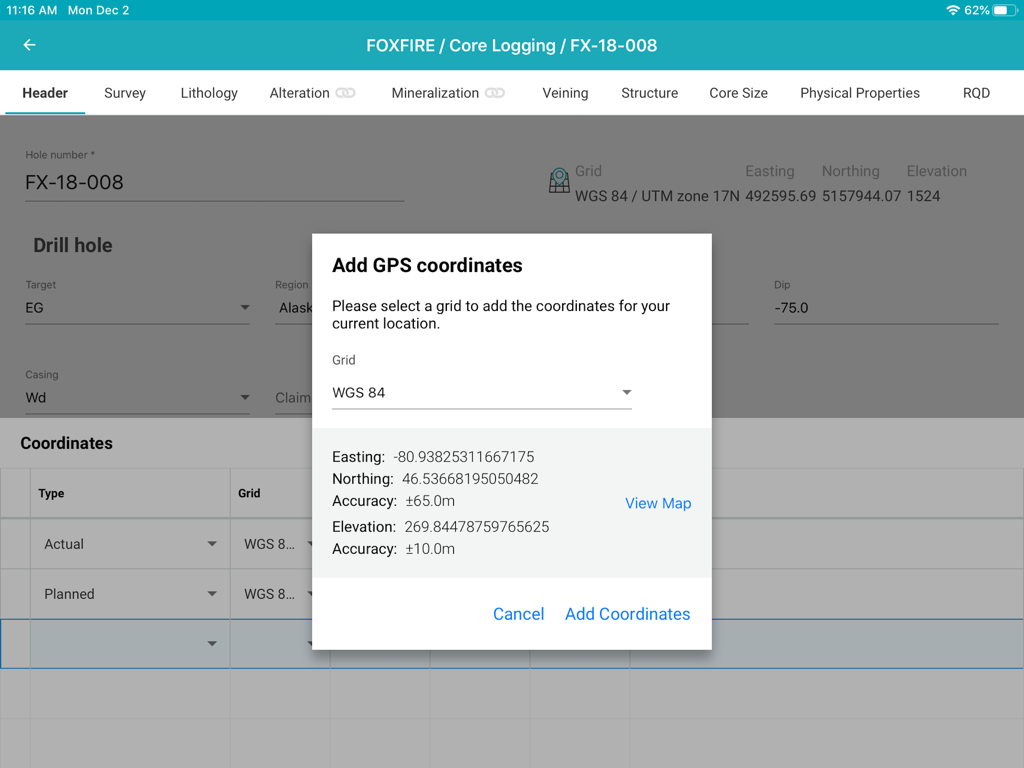
Oberfläche der MX Deposit App mit einem Popup-Fenster zum Hinzufügen von GPS-Koordinaten zu einem Bohrloch während der Kernprotokollierung auf einem iPad.

Oberfläche der MX Deposit App mit einem Popup-Fenster zum Hinzufügen von GPS-Koordinaten zu einem Bohrloch während der Kernprotokollierung auf einem iPad.

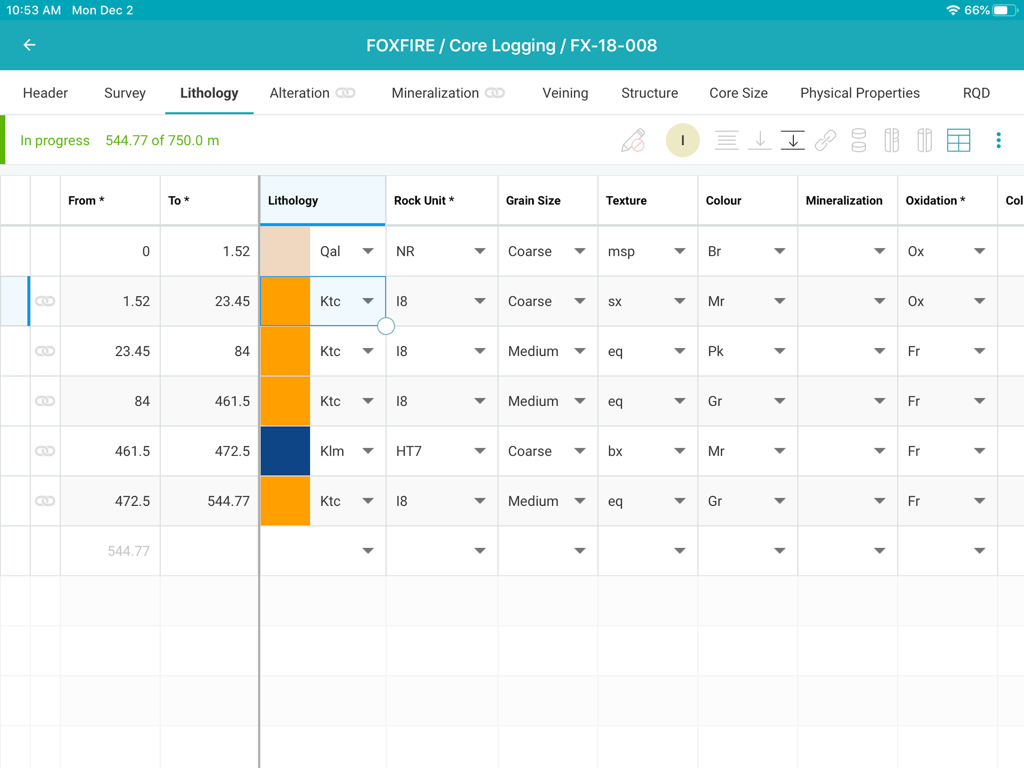
MX Deposit Kernprotokollierungs-App-Oberfläche mit einer detaillierten Lithologie-Dateneingabetabelle für ein Bergbauprojekt

MX Deposit Kernprotokollierungs-App-Oberfläche mit einer detaillierten Lithologie-Dateneingabetabelle für ein Bergbauprojekt

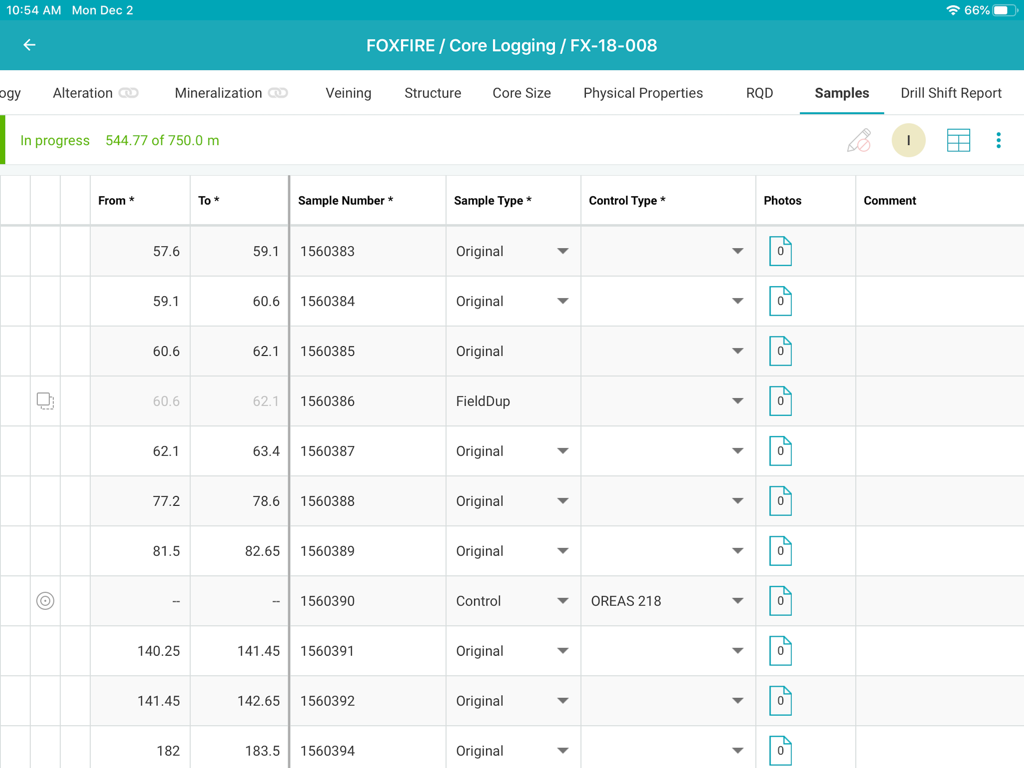
MX Deposit Kernprotokollierungs-Oberfläche mit einer Probentabelle

MX Deposit Kernprotokollierungs-Oberfläche mit einer Probentabelle

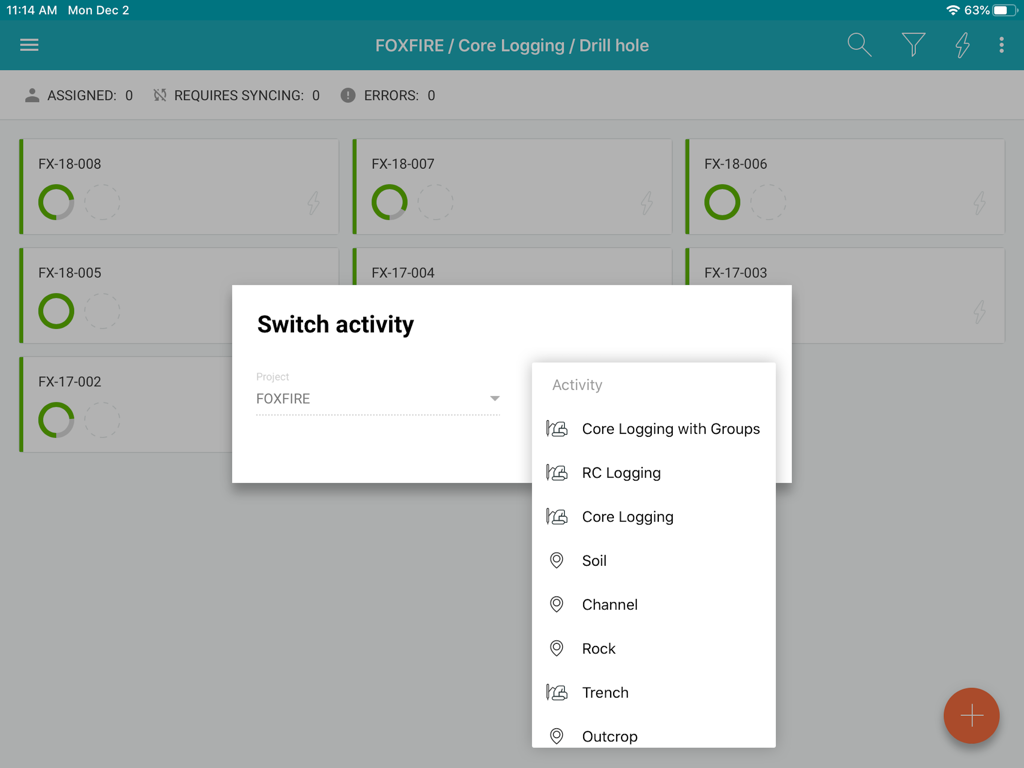
MX Deposit App-Oberfläche mit Optionen für die Protokollierungsaktivität für ein Bergbauprojekt

MX Deposit App-Oberfläche mit Optionen für die Protokollierungsaktivität für ein Bergbauprojekt

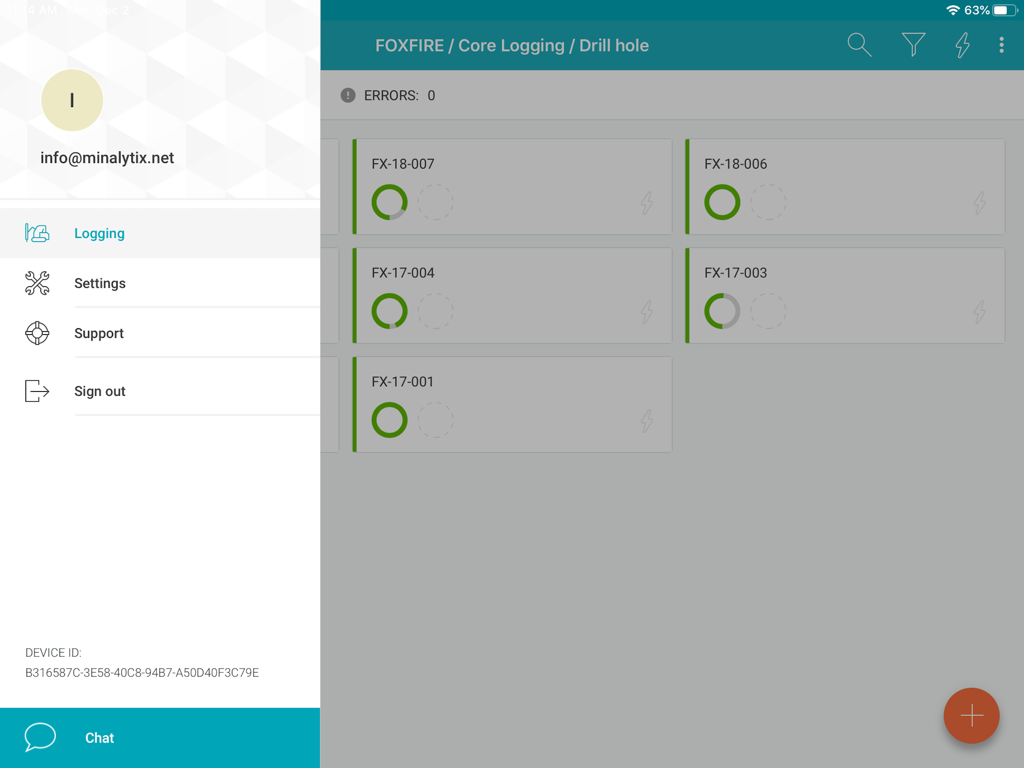
MX Deposit App-Oberfläche mit einer Liste von Bohrlochkernen mit Statusanzeige und einem Seitenmenü

MX Deposit App-Oberfläche mit einer Liste von Bohrlochkernen mit Statusanzeige und einem Seitenmenü

Optimieren Sie Ihre Felddatenerfassung

Die Tools, die diese App auszeichnen, gewählt von 600 Nutzern.

🛰️

Echte Offline-Leistung

Arbeiten Sie an den entlegensten Orten, ohne sich Gedanken über die Konnektivität machen zu müssen. Weisen Sie Bohrlochkerne zu, um Daten lokal herunterzuladen und automatisch zu synchronisieren, wenn Sie zum Lager zurückkehren.

✍️

Entwickelt für den Feldprofi

Vergessen Sie klobige Desktop-Anschlüsse. Nutzen Sie intuitive Gesten und Stiftunterstützung auf Ihrem iPad, um Daten schnell zu protokollieren, auch wenn Sie im Bohrkernschuppen oder auf der Bohrstelle stehen.

🛡️

Eliminieren Sie kostspielige Eingabefehler

Sorgen Sie für Datenintegrität mit Echtzeit-Validierungsregeln. Fangen Sie Fehler an der Quelle ab, damit Ihr Team immer eine einzige, genaue Version der Wahrheit hat.

Über die App

Alles, was Sie über wissen müssen MX Deposit.

Beschreibung

The MX Deposit app was built with you in mind so that field data entry is efficient and accurate. It’s not a desktop app disguised as a mobile app, it was designed to be used with mobile gestures using your finger or a stylus. With so many useful features, you’ll never want to use anything else. Your drill hole and sample data can go where you go, with or without an Internet connection. Working offline with the MX Deposit app is as easy as simply tapping a drill hole (or point) to download the data and start working on a local copy. Assigning the hole ensures that you are the only one making changes at any time. Changes are synchronized as you go, or you can switch to Offline Mode if you’re working in the field or otherwise without Internet. When you get back to the office, all the data you captured will be synchronized to the cloud and immediately available to the rest of the team. Some of the key features you’ll find in the app: **Works with your MX Deposit account Leverage all of the projects and drill hole or point activities that have been configured in the MX Deposit web app (headers, tables, pick-lists, validation rules, etc.). Any changes made to the activities or tables (through the web app) are propagated down to every device automatically. Users only see the projects & activities that they have access to when they log in to the app, and users can flip between projects & activities easily. **Continue logging a hole, or create new holes Users can “assign” out drill holes and points to download the data, work offline, and prevent other users from working on the same hole at the same time. Users can also “assign” out parts of a drill hole so that other users can work on the same hole at the same time (e.g. geology tables vs. geotech tables). Users can also create new drill holes and/or points, even when offline. All changes are synchronized to the web when the device is connected to the Internet. **Capture your data in the field Set the app to “offline mode” to continue working when in the field or the core shed. All logging templates are preloaded on the device, and all validation rules are applied as the data is being entered. Once the device gets back online, the app will automatically synchronize any changes up to the MX Deposit web app, where it is immediately available to the rest of the team. **Made for mobile Designed for mobile devices, users can easily navigate through tables and forms using intuitive gestures that are expected when working with mobile devices. Capture coordinates using the device GPS, or increase the accuracy with a bluetooth GPS. GPS coordinates can be converted into any grid system, even when offline (e.g. WGS84 lat/long to UTM northing/easting). Snap pictures of core, outcrops, drill site, etc. directly through the app, which will be immediately available to all users after sync. This app requires an active MX Deposit subscription.

Neueste Version

1.66

Größe

30.3 MB

Erstveröffentlichung

4. Feb. 2020

Verlagern Sie Ihre Feldprotokollierung von Kern zu Cloud

Laden Sie die MX Deposit App für iPad herunter und beginnen Sie mit der Erfassung genauer, validierter Daten überall – kein Internetanschluss erforderlich.

Herunterladen auf App Store

App information, icons, screenshots, and descriptions displayed on this page are sourced from the Apple App Store and are the property of their respective developers. Download estimates and rankings are based on MWM's proprietary models and may not reflect actual figures. This page is provided for informational and analytical purposes only.

Believe this page infringes your intellectual property? File a dispute