
Diese Seite ist keine offizielle Seite der App oder ihres Entwicklers, sondern eine unabhängige redaktionelle Veröffentlichung, die zu Informations- und Kommentarzwecken erstellt wurde. Sofern nicht ausdrücklich anders angegeben, sind weder die App noch ihr Entwickler mit MWM, Apple, Google Play, dem App-Herausgeber oder dem Entwickler der App verbunden, von ihnen unterstützt, gesponsert, autorisiert oder anderweitig offiziell verbunden, und nichts auf dieser Seite impliziert, dass die App unter Verwendung der Dienste von MWM entwickelt wurde. Alle Marken, Logos, Screenshots und andere Inhalte bleiben Eigentum ihrer jeweiligen Inhaber.


My Measures PRO + AR Measure
Verschwenden Sie keine Zeit mehr mit unübersichtlichen Papierzeichnungen. Verwandeln Sie Fotos in präzise, annotierte Baupläne mit Pfeilen, Winkeln und Laser-Meter-Genauigkeit, um sofort professionelle PDF-Berichte zu teilen.
Downloads
428K+Bewertung
Bewertungen gesamt
43K+Herausgeber
Kategorie
ProductivitySprachen
20Neueste Version
7.09Größe
83.3 MBErstveröffentlichung
13. Aug. 2009Einmal messen, zweimal schneiden? Nie wieder.
Das ultimative digitale Werkzeug für Bauunternehmer und Heimwerker. Verwandeln Sie jedes Foto in Sekundenschnelle in einen detaillierten Bauplan mit präzisen Maßen, Winkeln und Notizen.
Intelligente visuelle Anmerkungen
Vergessen Sie unübersichtliche Papierzeichnungen. Überlagern Sie Pfeile und Winkel direkt auf Fotos mit voller Unterstützung für angloamerikanische Maßeinheiten und Brüche.
Professionelle PDF-Berichte
Beeindrucken Sie Kunden und Lieferanten durch die Erstellung von polierten PDF-Exporten direkt vor Ort. Teilen Sie Maße sofort, um Kommunikationsfehler zu vermeiden.
Die folgenden Screenshots und die Beschreibung stammen direkt aus dem offiziellen Store-Eintrag der App und sind Eigentum des Entwicklers.
App Store
Screenshots
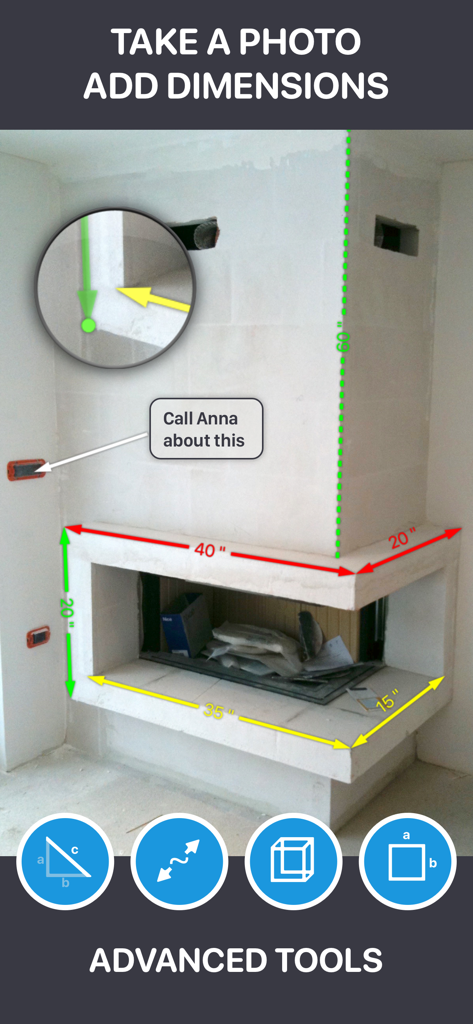
Screenshot eines Kamins mit digitalen Maßangaben und Textanmerkungen in der My Measures PRO App
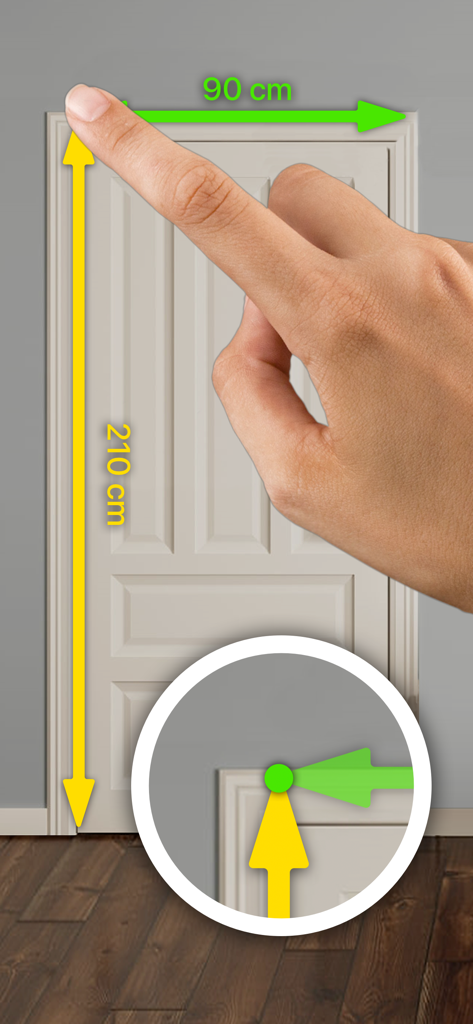
Eine Hand, die die App verwendet, um digitale Höhen- und Breitenmaße zu einem Foto einer Tür mit einem Präzisions-Zoomwerkzeug hinzuzufügen
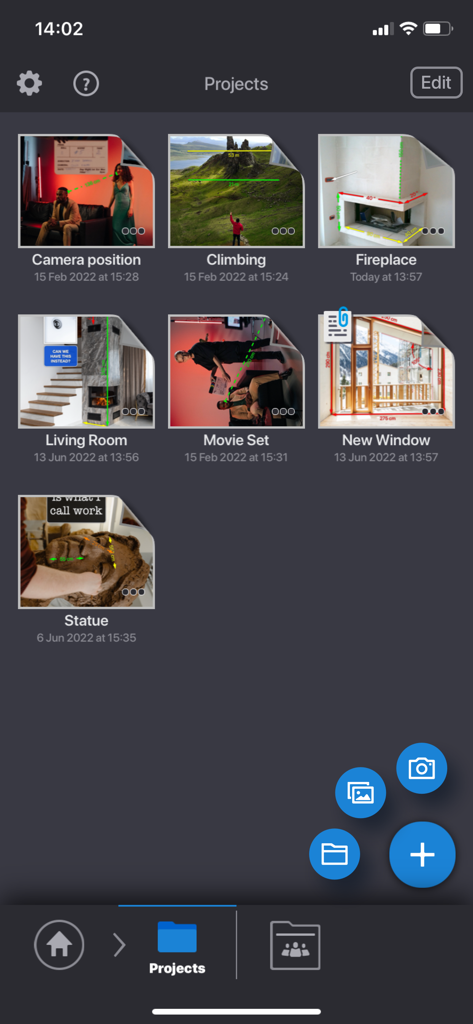
My Measures PRO App-Oberfläche, die ein Raster von Messprojekten zeigt, einschließlich Innenräumen und Außenansichten
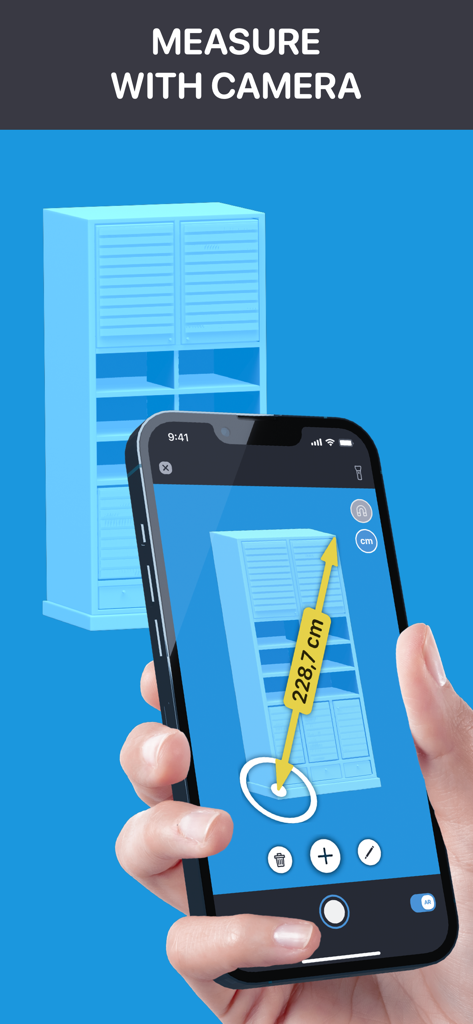
Eine Person, die die My Measures PRO App auf einem Smartphone verwendet, um einen blauen Schrank mit AR-Technologie zu vermessen.
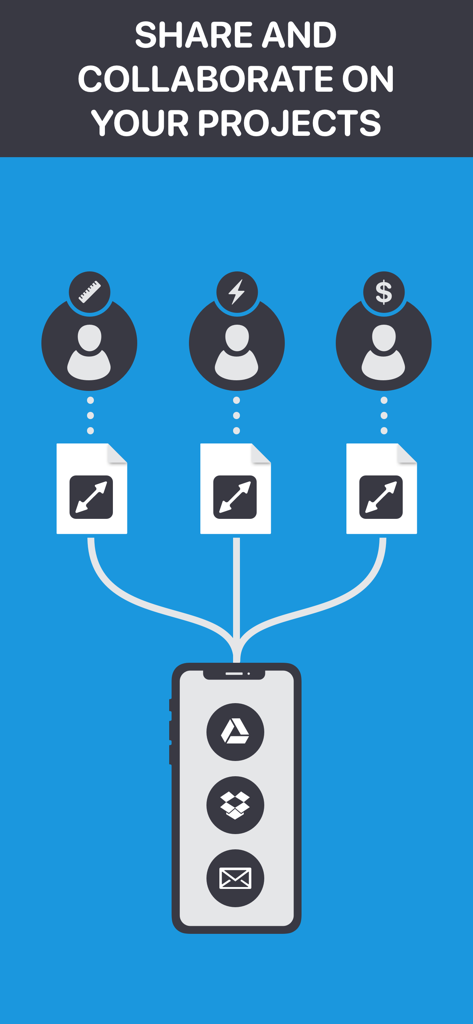
Infografik, die zeigt, wie Messprojekte mit Cloud-Diensten und E-Mail innerhalb der My Measures PRO App geteilt und gemeinsam genutzt werden.
Beschreibung
Download
Ähnliche Apps
Apps mit ähnlichen Funktionen und Nutzererfahrung




Diese Seite ist keine offizielle Seite der App oder ihres Entwicklers, sondern eine unabhängige redaktionelle Veröffentlichung, die zu Informations- und Kommentarzwecken erstellt wurde. Sofern nicht ausdrücklich anders angegeben, sind weder die App noch ihr Entwickler mit MWM, Apple, Google Play, dem App-Herausgeber oder dem Entwickler der App verbunden, von ihnen unterstützt, gesponsert, autorisiert oder anderweitig offiziell verbunden, und nichts auf dieser Seite impliziert, dass die App unter Verwendung der Dienste von MWM entwickelt wurde. Alle Marken, Logos, Screenshots und andere Inhalte bleiben Eigentum ihrer jeweiligen Inhaber.