My Notes - Notebook, Notepad
Herunterladen auf App Store

Diese Seite ist keine offizielle Seite der App oder ihres Entwicklers, sondern eine unabhängige redaktionelle Veröffentlichung, die zu Informations- und Kommentarzwecken erstellt wurde. Sofern nicht ausdrücklich anders angegeben, sind weder die App noch ihr Entwickler mit MWM, Apple, Google Play, dem App-Herausgeber oder dem Entwickler der App verbunden, von ihnen unterstützt, gesponsert, autorisiert oder anderweitig offiziell verbunden, und nichts auf dieser Seite impliziert, dass die App unter Verwendung der Dienste von MWM entwickelt wurde. Alle Marken, Logos, Screenshots und andere Inhalte bleiben Eigentum ihrer jeweiligen Inhaber.

Logo von My Notes - Notebook, Notepad
Herunterladen auf App Store

My Notes - Notebook, Notepad

Gestalte ein digitales Heiligtum, das deinen Stil widerspiegelt. Erfasse Sprachnotizen, Skizzen und Checklisten an einem schönen, sicheren Ort mit personalisierten Designs und Widgets für den Startbildschirm.

Kennzahlen

Downloads

6K+

Bewertung

4.3/5

Bewertungen gesamt

0

Herausgeber

MARKO NIKOLIC PR RACUNARSKO PROGRAMIRANJE ASCENDIK NIS

Kategorie

Productivity

Sprachen

29

Neueste Version

2.1.1

Größe

128.6 MB

Erstveröffentlichung

24. Aug. 2023
Funktionen

Deine Gedanken, stilvoll & sicher

Verändere die Art und Weise, wie du Ideen erfasst, mit einem personalisierten digitalen Notizbuch, das zu deinem Lebensstil passt – von akademischen Notizen bis hin zu kreativen Brain-Dumps.

Ästhetische Personalisierung

Verwandle deine Notizen in Selbstausdruck mit wunderschönen Designs und Hintergründen, die deinen digitalen Arbeitsplatz zum Zuhause machen.

Multi-modaler Brain Dump

Tippe nicht nur – skizziere deine Ideen, nimm Sprachnotizen auf und füge Fotos hinzu, um jeden Funken Inspiration zu erfassen, sobald er entsteht.

Die folgenden Screenshots und die Beschreibung stammen direkt aus dem offiziellen Store-Eintrag der App und sind Eigentum des Entwicklers.

App Store

Screenshots
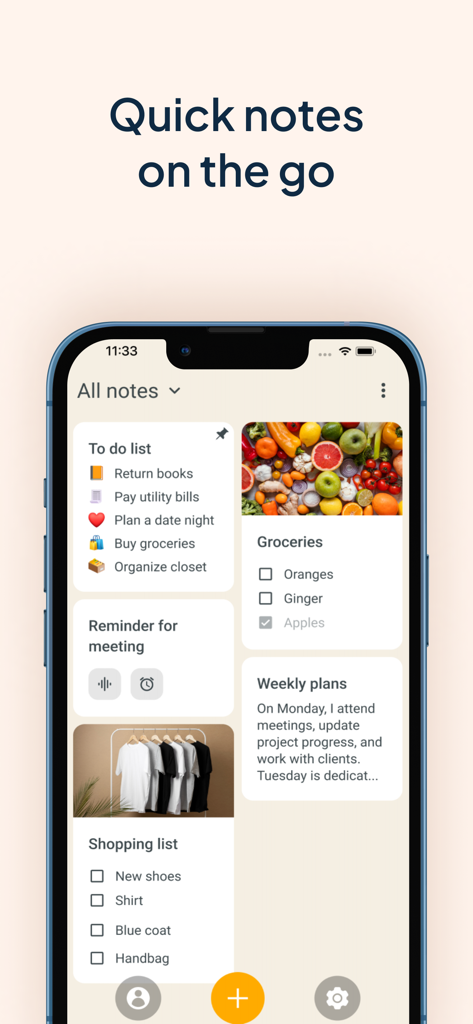
My Notes - Notebook, Notepad - Ein Smartphone-Bildschirm, der eine Vielzahl von ästhetischen Notizkarten anzeigt, darunter To-Do-Listen und Foto-Checklisten
Ein Smartphone-Bildschirm, der eine Vielzahl von ästhetischen Notizkarten anzeigt, darunter To-Do-Listen und Foto-Checklisten

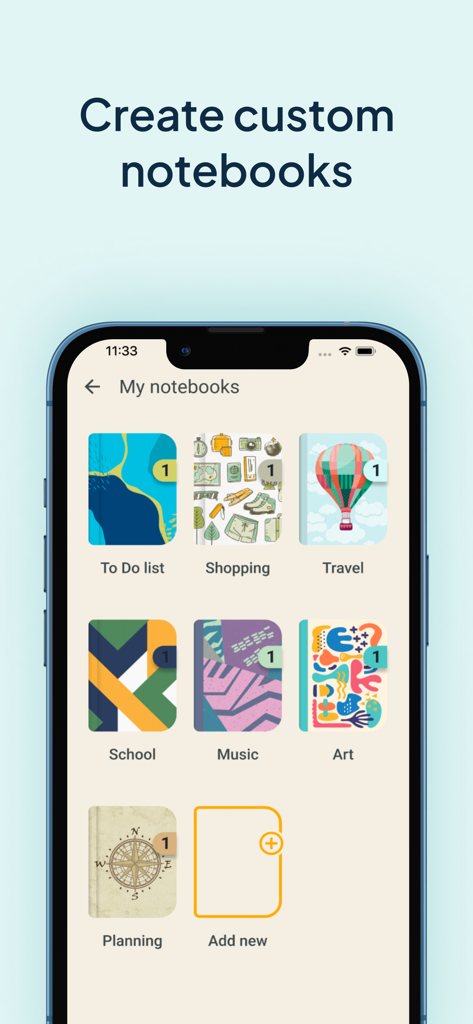
My Notes - Notebook, Notepad - Eine mobile App-Oberfläche mit dem Titel Meine Notizbücher, die verschiedene farbenfrohe und thematische digitale Notizbuch-Cover zur Organisation anzeigt.
Eine mobile App-Oberfläche mit dem Titel Meine Notizbücher, die verschiedene farbenfrohe und thematische digitale Notizbuch-Cover zur Organisation anzeigt.

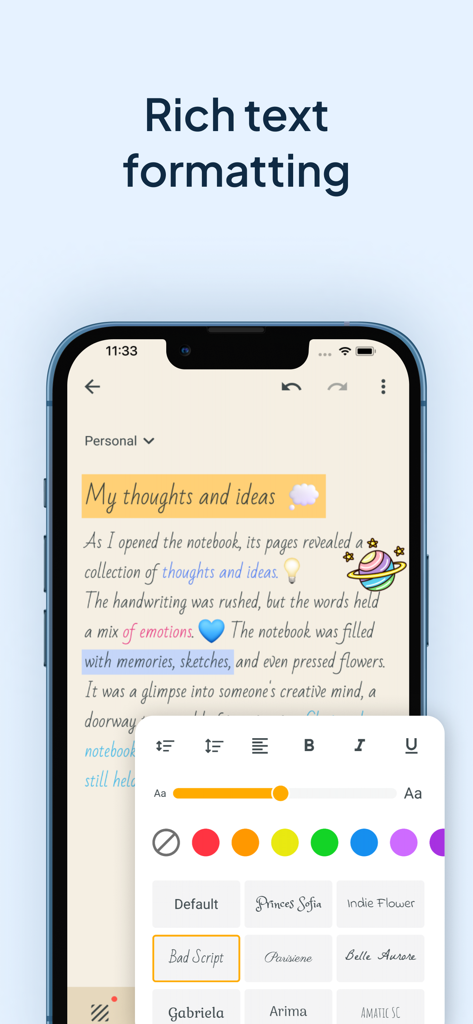
My Notes - Notebook, Notepad - Smartphone-Bildschirm, der Rich-Text-Formatierungsoptionen der Meine Notizen App zeigt, einschließlich benutzerdefinierter Schriftarten, Farben und Schriftgrößen für ästhetische Notizen
Smartphone-Bildschirm, der Rich-Text-Formatierungsoptionen der Meine Notizen App zeigt, einschließlich benutzerdefinierter Schriftarten, Farben und Schriftgrößen für ästhetische Notizen

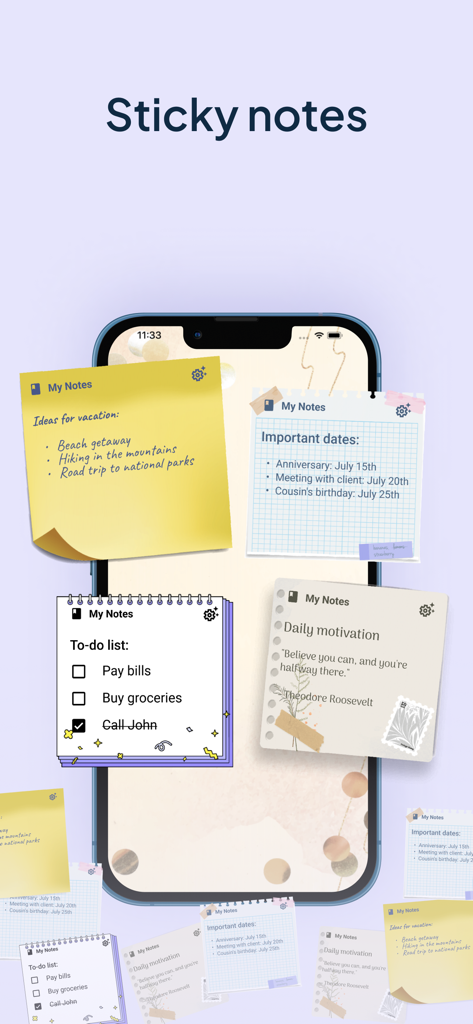
My Notes - Notebook, Notepad - Startbildschirm eines Smartphones, der verschiedene ästhetische Haftnotizen-Widgets zur Organisation von Aufgaben und Ideen anzeigt.
Startbildschirm eines Smartphones, der verschiedene ästhetische Haftnotizen-Widgets zur Organisation von Aufgaben und Ideen anzeigt.

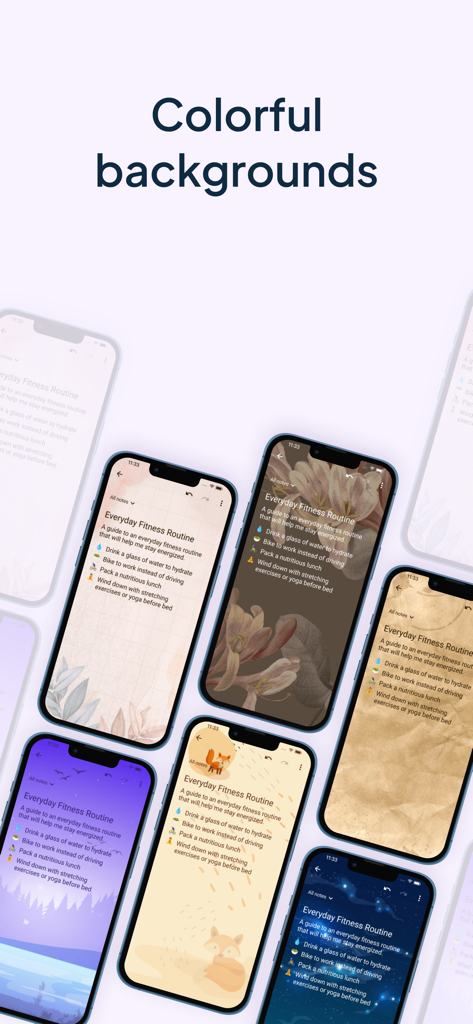
My Notes - Notebook, Notepad - Eine Anzeige verschiedener ästhetischer und farbenfroher Hintergrundthemen für digitale Notizen
Eine Anzeige verschiedener ästhetischer und farbenfroher Hintergrundthemen für digitale Notizen

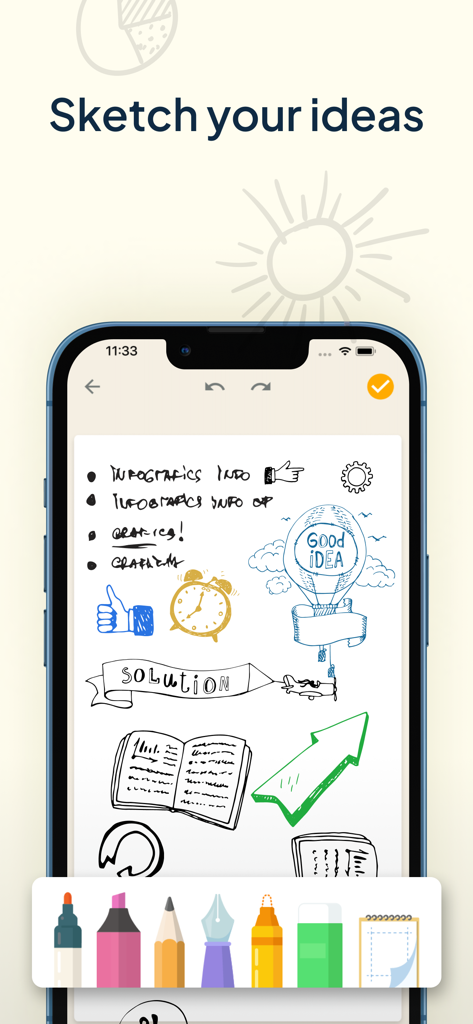
My Notes - Notebook, Notepad - iPhone-Bildschirm mit handgezeichneten Skizzen und Diagrammen in der Meine Notizen App mit einer digitalen Zeichenwerkzeugleiste am unteren Rand
iPhone-Bildschirm mit handgezeichneten Skizzen und Diagrammen in der Meine Notizen App mit einer digitalen Zeichenwerkzeugleiste am unteren Rand

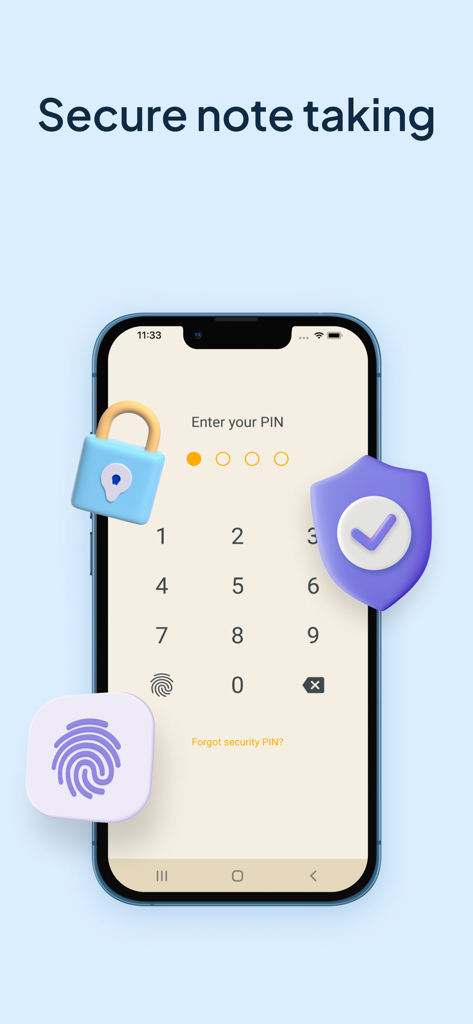
My Notes - Notebook, Notepad - Ein Smartphone-Display, das einen PIN-Eingabebildschirm für sichere Notizen mit Schloss- und Schildsymbolen zeigt
Ein Smartphone-Display, das einen PIN-Eingabebildschirm für sichere Notizen mit Schloss- und Schildsymbolen zeigt

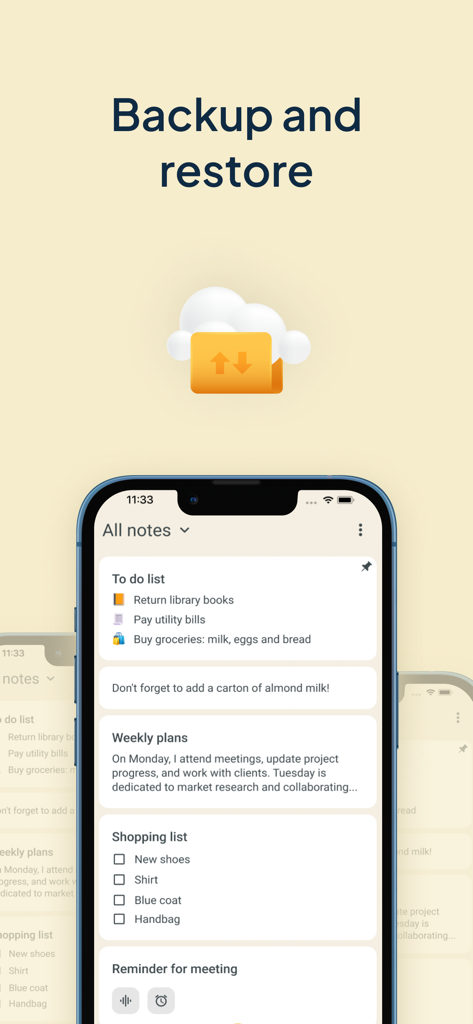
My Notes - Notebook, Notepad - Meine Notizen App-Oberfläche, die die Backup- und Wiederherstellungsfunktion mit Cloud-Synchronisation zeigt

Meine Notizen App-Oberfläche, die die Backup- und Wiederherstellungsfunktion mit Cloud-Synchronisation zeigt

Beschreibung

Get ready to experience the power of efficient note taking and task management with My Notes - Notebook, Notepad. This app is designed to be your go-to tool for capturing and managing all your ideas, thoughts, and important information in one place. This notebook with calendar will revolutionize the way you write down things and keep a log of your tasks. No need to wonder how to stay organized any longer! With My Notes - Notebook, Notepad, you can create separate notebooks for different subjects or projects, ensuring a well-organized workspace for lists or audio notes. Take advantage of its useful features such as daily checklists, drawing capabilities, text formatting, lovely backgrounds and themes, and a convenient widget that allows you to access your quick notes with ease. Also bear in mind that protection is important so you can keep your secrets safe with the built-in codelock feature. Say hello to a digital memo notepad that enhances your productivity and creativity! REDEFINING THE ART OF TAKING NOTES: Create separate notebooks for different purposes, keeping your writings organized and easily accessible. Use the checklists option to manage your tasks list and to-do lists efficiently, ensuring that nothing falls through the cracks. Capture your thoughts and ideas effortlessly with the ability to type, draw, or even record audio notes. Enhance your notebook with rich text formatting options, including bold, italic, underline, and bullet points. Archive writings that you no longer need but still want to keep for future reference. The archive feature helps you maintain a clean and organized color notes app. CUSTOMIZATION THAT SETS YOUR NOTEBOOKS APP APART: Choose from a wide range of attractive backgrounds and themes to personalize your notes taking experience. Adjust font sizes, colors, and styles to make your notes visually appealing and easy to read. Access your memo notes with ease using the convenient widget shown on your device's home screen just like sticky notes. MULTIMEDIA TO VISUALIZE YOUR IDEAS: Unleash your creativity and sketch or draw notes to illustrate your thoughts visually. Insert photos, images, and videos to create multimedia-rich entries that bring your memories and concepts to life. Record notes to capture lectures, interviews, or important discussions, ensuring you never miss a detail. PROTECT AND SECURE YOUR NOTE WRITER: Safeguard the thoughts that you jot down, a checklist or voice notes by backing them up to the cloud or internal storage. Set up a codelock to protect sensitive information like tasks schedule or an important to do list. Restore your notebook entries from previous backups, giving you peace of mind even if your device is lost, damaged, or replaced. WHY GO PREMIUM? Unlock the full potential of this new take notes app with the premium version, granting you access to advanced features and exclusive benefits, access to premium backgrounds, themes and additional customization options. Enjoy an ad-free experience, allowing you to focus solely on your creative moments and tasks without any distractions. Lifetime access with one-time payment is available for users, but you can choose the subscription plan as well that best suits your needs. We can offer you a Premium 1-year subscription or a 1-month subscription plan. Your iTunes account will be charged at confirmation of purchase. The subscription will automatically renew unless auto-renew is turned off at least 24 hours before the end of the billing period. You can go to your iTunes Account Settings to manage your subscription & turn off auto-renew. Any unused portion of the free trial period, if offered, will be forfeited when you purchase a subscription. Terms of Use: https://www.apple.com/legal/internet-services/itunes/dev/stdeula/ Privacy Policy: https://www.ascendik.com/privacy-policy/ Do you have questions or feedback? Feel free to contact us at notebook.support@ascendik.com

Download

Herunterladen auf App Store

Diese Seite ist keine offizielle Seite der App oder ihres Entwicklers, sondern eine unabhängige redaktionelle Veröffentlichung, die zu Informations- und Kommentarzwecken erstellt wurde. Sofern nicht ausdrücklich anders angegeben, sind weder die App noch ihr Entwickler mit MWM, Apple, Google Play, dem App-Herausgeber oder dem Entwickler der App verbunden, von ihnen unterstützt, gesponsert, autorisiert oder anderweitig offiziell verbunden, und nichts auf dieser Seite impliziert, dass die App unter Verwendung der Dienste von MWM entwickelt wurde. Alle Marken, Logos, Screenshots und andere Inhalte bleiben Eigentum ihrer jeweiligen Inhaber.








