MyKeyboard - Custom Keyboard
Herunterladen auf App Store

Diese Seite ist keine offizielle Seite der App oder ihres Entwicklers, sondern eine unabhängige redaktionelle Veröffentlichung, die zu Informations- und Kommentarzwecken erstellt wurde. Sofern nicht ausdrücklich anders angegeben, sind weder die App noch ihr Entwickler mit MWM, Apple, Google Play, dem App-Herausgeber oder dem Entwickler der App verbunden, von ihnen unterstützt, gesponsert, autorisiert oder anderweitig offiziell verbunden, und nichts auf dieser Seite impliziert, dass die App unter Verwendung der Dienste von MWM entwickelt wurde. Alle Marken, Logos, Screenshots und andere Inhalte bleiben Eigentum ihrer jeweiligen Inhaber.

Logo von MyKeyboard - Custom Keyboard
Herunterladen auf App Store

MyKeyboard - Custom Keyboard

Gehe über das Standard-iOS-Erlebnis hinaus. Erstelle mit einfachem Drag-and-Drop dein perfektes Layout, hebe dich in sozialen Medien mit einzigartigen Schriftarten ab und steigere deine Produktivität mit eigenen Aktions-Tasten und auf deine Identität zugeschnittenen Designs.

Kennzahlen

Downloads

5K+

Bewertung

3.7/5

Bewertungen gesamt

200

Herausgeber

FiveSheep OU

Kategorie

Utilities

Sprachen

7

Neueste Version

3.7.11

Größe

22.3 MB

Erstveröffentlichung

30. Nov. 2019
Funktionen

Optimiere dein Tipp-Erlebnis

Von professionellen Produktivitäts-Shortcuts bis hin zu ästhetischen Schriftarten – passe jede Taste an deine Kommunikationsweise an.

Profi-Produktivitäts-Shortcuts

Füge benutzerdefinierte Zeilen und Ein-Tipp-Tasten für Kopieren, Einfügen und Trackpad-Modus hinzu, um Aufgaben in Sekundenschnelle zu erledigen.

Ästhetische Schriftarten überall

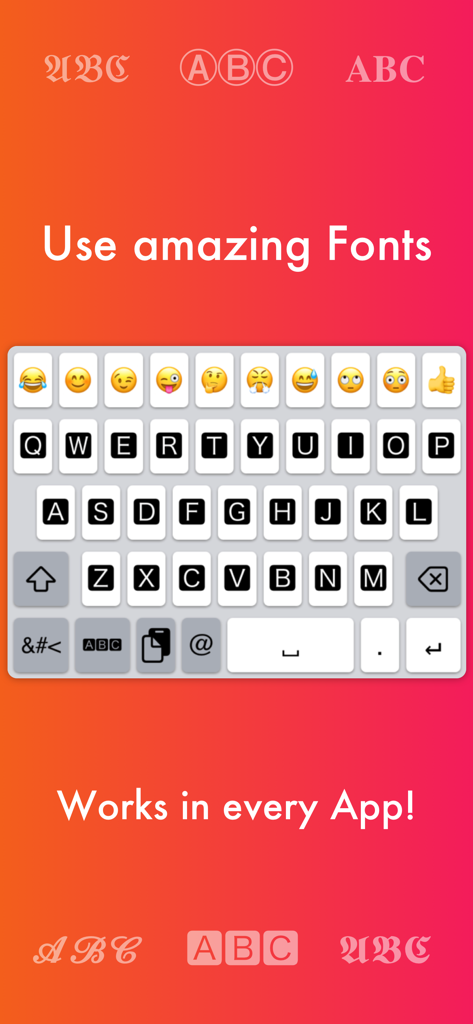
Hebe dich in sozialen Medien mit einzigartigen Schriftarten ab, die direkt in Instagram, TikTok und WhatsApp funktionieren.

Die folgenden Screenshots und die Beschreibung stammen direkt aus dem offiziellen Store-Eintrag der App und sind Eigentum des Entwicklers.

App Store

Screenshots
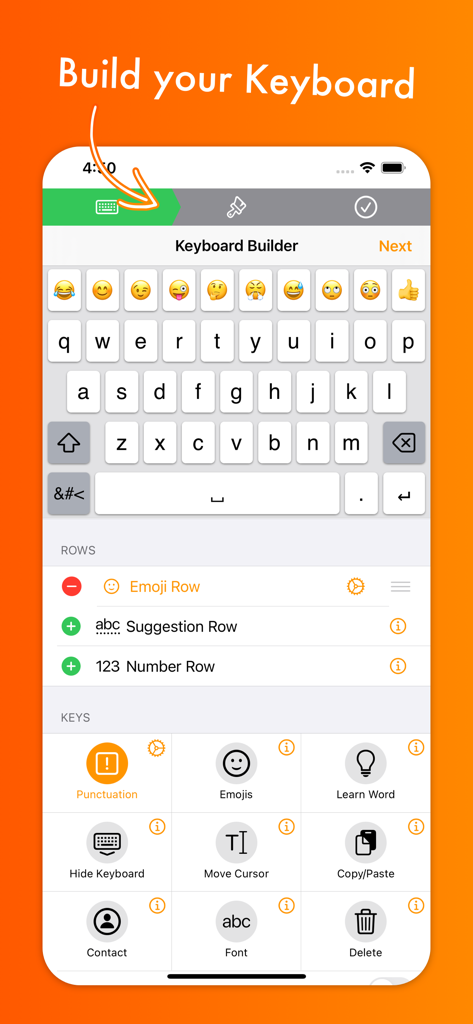
MyKeyboard - Custom Keyboard - Oberfläche der MyKeyboard-App, die den Keyboard-Builder mit Optionen zur Anpassung von Zeilen und Tasten für iOS zeigt
Oberfläche der MyKeyboard-App, die den Keyboard-Builder mit Optionen zur Anpassung von Zeilen und Tasten für iOS zeigt

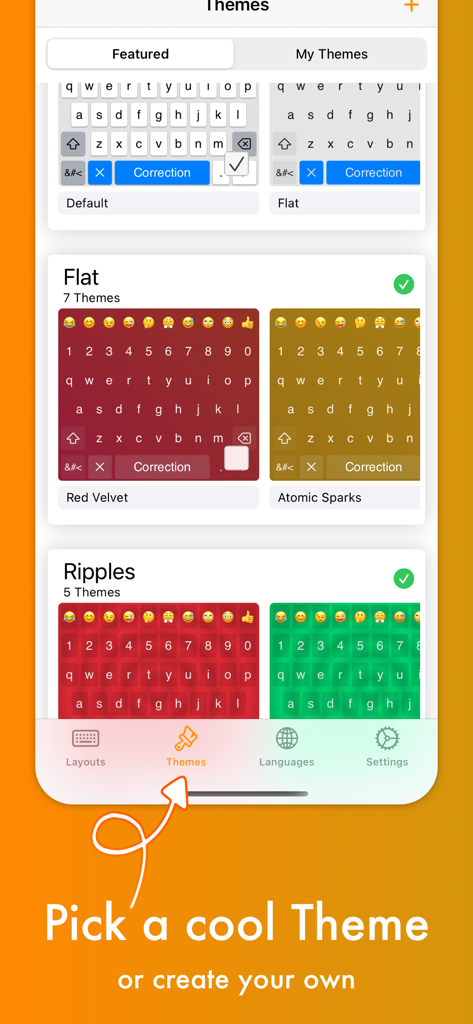
MyKeyboard - Custom Keyboard - Ein Bildschirm, der verschiedene farbenfrohe Keyboard-Designs wie Red Velvet und Atomic Sparks in der App zeigt
Ein Bildschirm, der verschiedene farbenfrohe Keyboard-Designs wie Red Velvet und Atomic Sparks in der App zeigt

MyKeyboard - Custom Keyboard - Benutzerdefinierte Keyboard-Oberfläche, die verschiedene Schriftarten und Emoji-Optionen für iOS anzeigt
Benutzerdefinierte Keyboard-Oberfläche, die verschiedene Schriftarten und Emoji-Optionen für iOS anzeigt

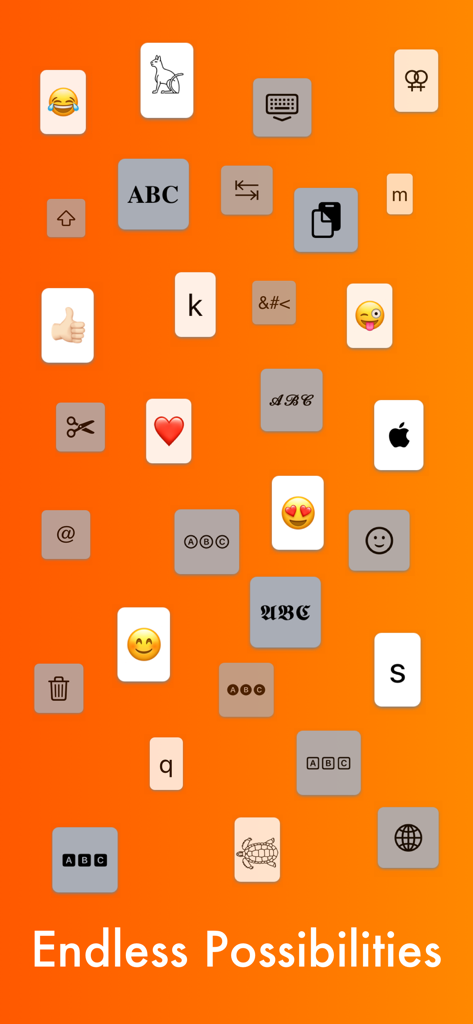
MyKeyboard - Custom Keyboard - Verschiedene Keyboard-Tasten, einschließlich Emojis, Schriftarten und Utility-Icons auf orangefarbenem Hintergrund mit dem Text Endless Possibilities
Verschiedene Keyboard-Tasten, einschließlich Emojis, Schriftarten und Utility-Icons auf orangefarbenem Hintergrund mit dem Text Endless Possibilities

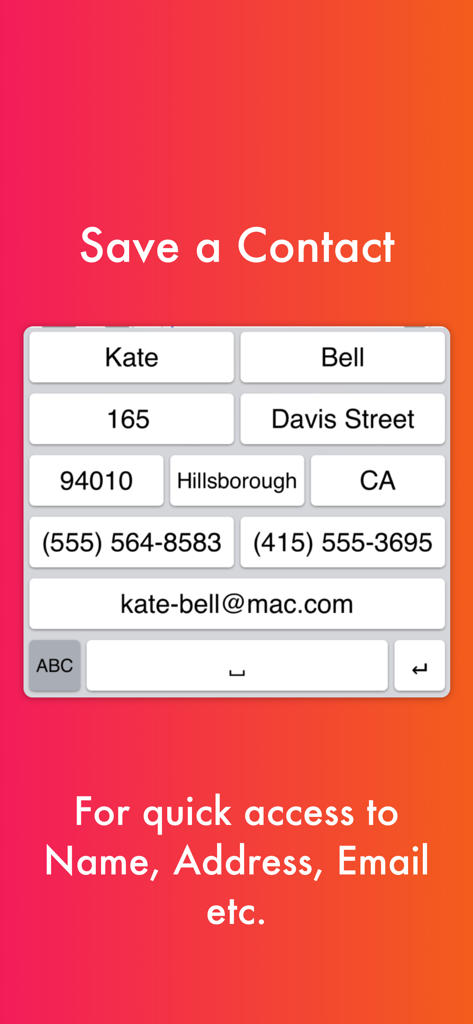
MyKeyboard - Custom Keyboard - Benutzerdefiniertes Keyboard-Layout mit Shortcut-Tasten für den schnellen Zugriff auf Kontaktinformationen wie Name, Adresse und E-Mail.
Benutzerdefiniertes Keyboard-Layout mit Shortcut-Tasten für den schnellen Zugriff auf Kontaktinformationen wie Name, Adresse und E-Mail.

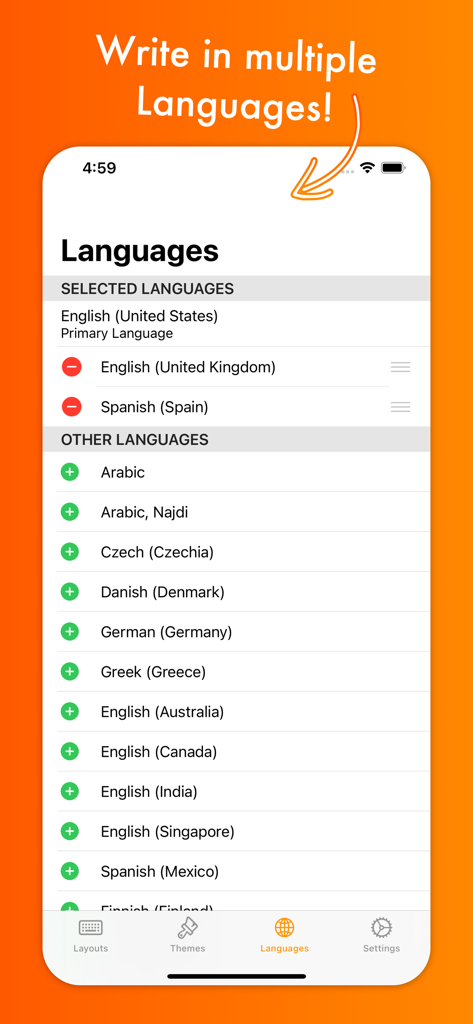
MyKeyboard - Custom Keyboard - Sprachauswahl-Bildschirm in der MyKeyboard-App, der Optionen für mehrere internationale Keyboard-Sprachen und Dialekte anzeigt.
Sprachauswahl-Bildschirm in der MyKeyboard-App, der Optionen für mehrere internationale Keyboard-Sprachen und Dialekte anzeigt.

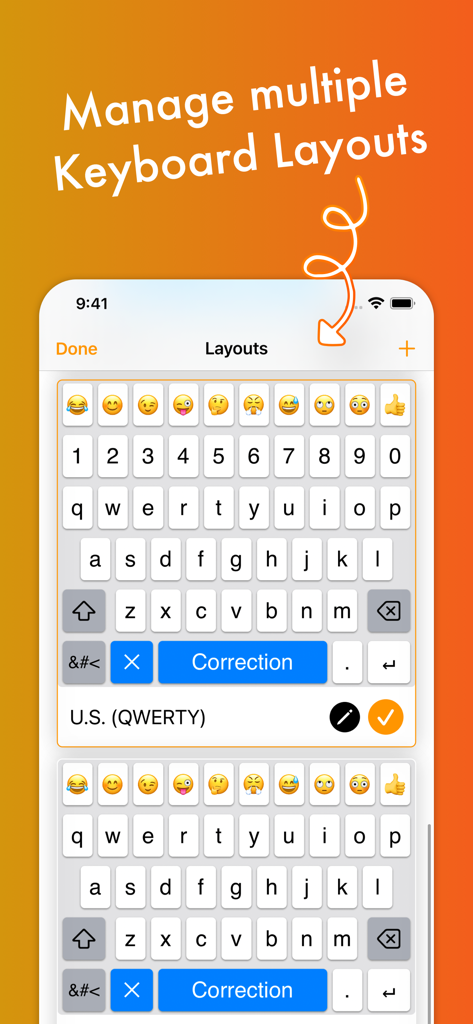
MyKeyboard - Custom Keyboard - Oberfläche, die zeigt, wie mehrere benutzerdefinierte Keyboard-Layouts mit Emoji- und Ziffernzeilen verwaltet werden

Oberfläche, die zeigt, wie mehrere benutzerdefinierte Keyboard-Layouts mit Emoji- und Ziffernzeilen verwaltet werden

Beschreibung

Customize virtually anything about your iOS keyboard, with simple drag and drop. Add or remove keys or rows, customize the way keys look and behave, change the duration until subkeys (the keys that pop up when holding on a key) pop up, add and remove subkeys and add keys with custom actions. MyKeyboard is beloved by its users for its ease of use and endless possibilities. For example, the emoji row is a standard feature of the custom Keyboard and can be changed to contain all of your favorite emoji. These emoji keys then automatically contain subkeys with similar emoji which you can personalize. By default, a number row is also in the keyboard, providing you fast access to these often-used keys. Another amazing feature of MyKeyboard is the switchable fonts. MyKeyboard contains 19 amazing fonts that can be used across almost all apps, including WhatsApp, Instagram, Facebook and iMessage. You can add a font key to your keyboard and switch to the font by tapping on it. Custom key actions include: - Insert Appearance - Insert - Replace Word With Appearance - Show Subkeys - Shift - Caps Lock - Cut - Copy - Paste - Accept Correction - Dismiss Correction - Learn Current Word - Switch Keyboard - Switch To Main Keyboard - Hide Keyboard - Next Input Mode - Delete Last Character - Activate Deletion Mode - Clear - Clear Left - Clear Left Word - Clear Right - Clear Right Word - Clear Word - Switch to Emoji Board (Switches you to the emoji keyboard; Learn more about this when you google emoji keyboard) These actions can be triggered on tap and hold. When no hold action is set for a specific key, the keyboard goes into trackpad mode, allowing you to shift the insertion point around by swiping. The deletion mode is similar and allows you to delete by swiping left and retract from it by swiping right. By default, it is the hold/press action on the delete key. You can also increase or decrease the key hold time until these actions are triggered, but you will have to perform swift key gestures when setting it very low. ~~ Keyboard Builder ~~ Use the keyboard builder for creating a fully customized keyboard layout in less than a minute. Your own keyboard layout is called “My Keyboard” and can be configured in every imaginable way. You can even add a copy, cut or paste key, a font key, an emoji key, a move cursor key, a “delete all” key and so much more. You can also create your own keys, for example for inserting copypasta or using copy/paste keys to perform these actions faster. We have made keyboard customization very accessible and it's easily doable for everyone. And it is customizable in every extend. For example, by adding a lot of g keys to a keyboard you could essentially create your own g board, or by adding multiple font switching keys to one, you can create your own font keyboard. ~~ Themes ~~ You can choose from a variety of free and paid themes, or go ahead and create your own customized keyboard theme. Theme customization can be used to change every aspect of your keyboard: background and foreground colors, shadow and border sizes and their colors, key corner radius and you can even set a custom height for your keys! Even a custom keyboard background image is configurable with your own photo. In the section “my themes”, you can see and manage all of your customized themes. Themes can even be shared with your friends who also use MyKeyboard!

Download

Herunterladen auf App Store

Diese Seite ist keine offizielle Seite der App oder ihres Entwicklers, sondern eine unabhängige redaktionelle Veröffentlichung, die zu Informations- und Kommentarzwecken erstellt wurde. Sofern nicht ausdrücklich anders angegeben, sind weder die App noch ihr Entwickler mit MWM, Apple, Google Play, dem App-Herausgeber oder dem Entwickler der App verbunden, von ihnen unterstützt, gesponsert, autorisiert oder anderweitig offiziell verbunden, und nichts auf dieser Seite impliziert, dass die App unter Verwendung der Dienste von MWM entwickelt wurde. Alle Marken, Logos, Screenshots und andere Inhalte bleiben Eigentum ihrer jeweiligen Inhaber.








