MyPreSonus
MyPreSonus
Herunterladen auf App Store

Diese Seite ist keine offizielle Seite der App oder ihres Entwicklers, sondern eine unabhängige redaktionelle Veröffentlichung, die zu Informations- und Kommentarzwecken erstellt wurde. Sofern nicht ausdrücklich anders angegeben, sind weder die App noch ihr Entwickler mit MWM, Apple, Google Play, dem App-Herausgeber oder dem Entwickler der App verbunden, von ihnen unterstützt, gesponsert, autorisiert oder anderweitig offiziell verbunden, und nichts auf dieser Seite impliziert, dass die App unter Verwendung der Dienste von MWM entwickelt wurde. Alle Marken, Logos, Screenshots und andere Inhalte bleiben Eigentum ihrer jeweiligen Inhaber.


Logo von MyPreSonus
Herunterladen auf App Store

MyPreSonus

Verwalten Sie nahtlos Ihre Ausrüstung, arbeiten Sie über Sphere Workspaces zusammen und überbrücken Sie die Lücke zwischen mobiler Inspiration und professioneller Produktion – überall, wo Sie Klang finden.

Kennzahlen

Downloads

17K+

Bewertung

3.3/5

Bewertungen gesamt

0

Herausgeber

PreSonus Audio Electronics, Inc.

Kategorie

Music

Sprachen

1

Neueste Version

3.7.1

Größe

118.2 MB

Erstveröffentlichung

14. Feb. 2018
Funktionen

Verbessern Sie Ihren kreativen Workflow

Verbinden Sie Ihr Studio mit Ihrem Mobilgerät mit leistungsstarken Tools für Zusammenarbeit, Aufnahme und professionelle Unterstützung.

Zusammenarbeit ohne Grenzen

Teilen Sie Stems und erhalten Sie Echtzeit-Feedback mit Sphere Workspaces, damit Ihre Projekte überall Fortschritte machen.

Von der Inspiration zur DAW

Nehmen Sie Ideen sofort auf und synchronisieren Sie sie direkt mit Studio One auf Ihrem Desktop. Verlieren Sie nie wieder eine Melodie.

Die folgenden Screenshots und die Beschreibung stammen direkt aus dem offiziellen Store-Eintrag der App und sind Eigentum des Entwicklers.

App Store

Screenshots
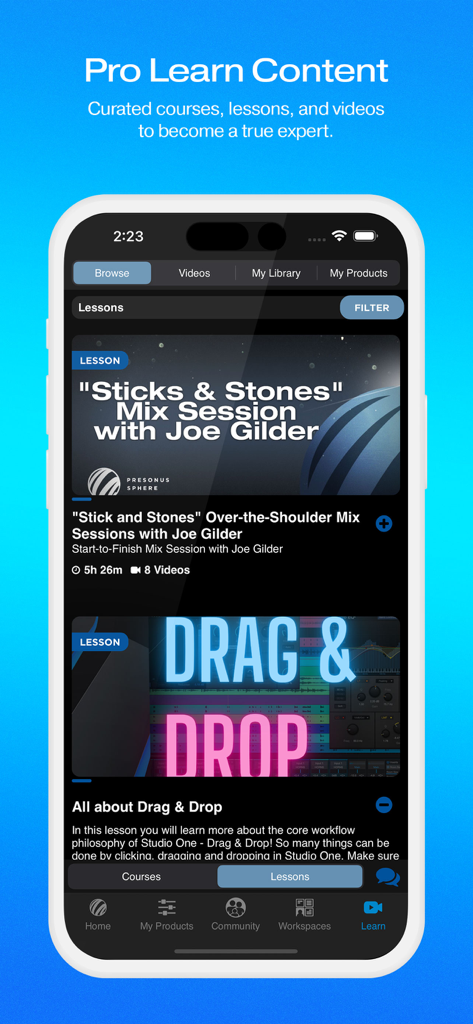
MyPreSonus - MyPreSonus App-Bildschirm, der eine kuratierte Liste von Musikproduktionslektionen und Expertenkursen anzeigt
MyPreSonus App-Bildschirm, der eine kuratierte Liste von Musikproduktionslektionen und Expertenkursen anzeigt

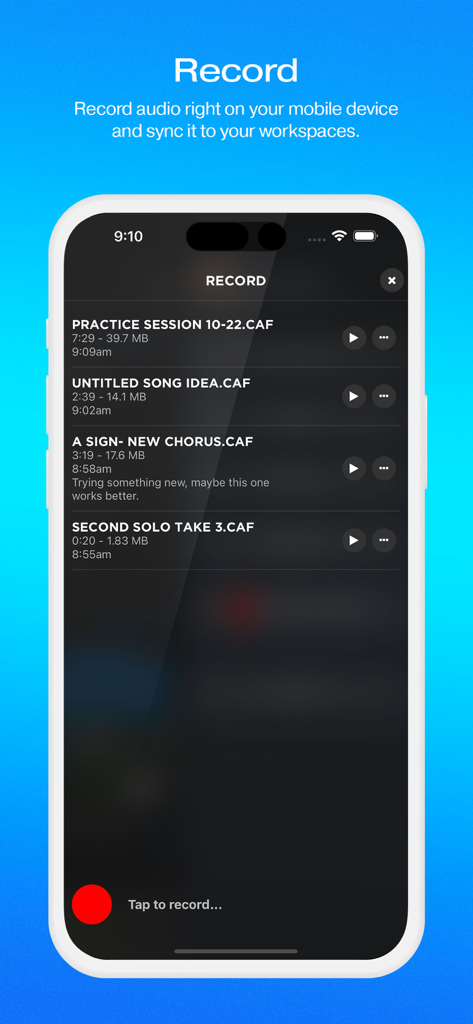
MyPreSonus - Oberfläche der MyPreSonus-App, die den mobilen Aufnahmebildschirm mit einer Liste gespeicherter Audiodateien und einer roten Aufnahmetaste anzeigt
Oberfläche der MyPreSonus-App, die den mobilen Aufnahmebildschirm mit einer Liste gespeicherter Audiodateien und einer roten Aufnahmetaste anzeigt

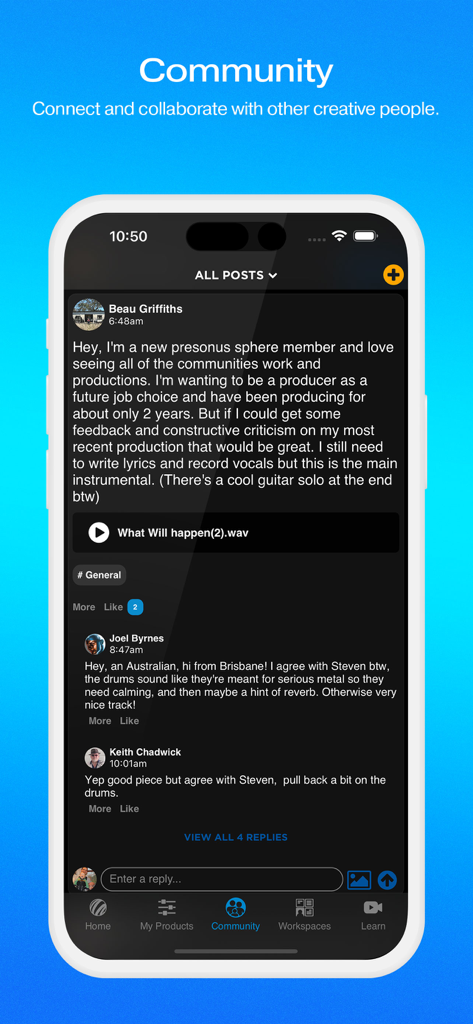
MyPreSonus - Ein Screenshot der MyPreSonus App Community-Seite, der Benutzer zeigt, die Audiodateien teilen und Produktionsfeedback geben.
Ein Screenshot der MyPreSonus App Community-Seite, der Benutzer zeigt, die Audiodateien teilen und Produktionsfeedback geben.

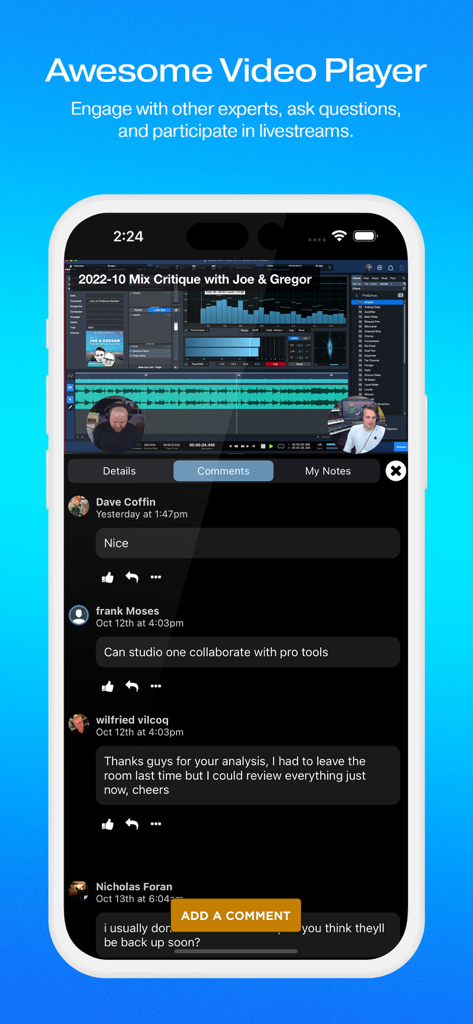
MyPreSonus - MyPreSonus App Videoplayer mit Community-Kommentaren und Livestream-Mix-Kritik
MyPreSonus App Videoplayer mit Community-Kommentaren und Livestream-Mix-Kritik

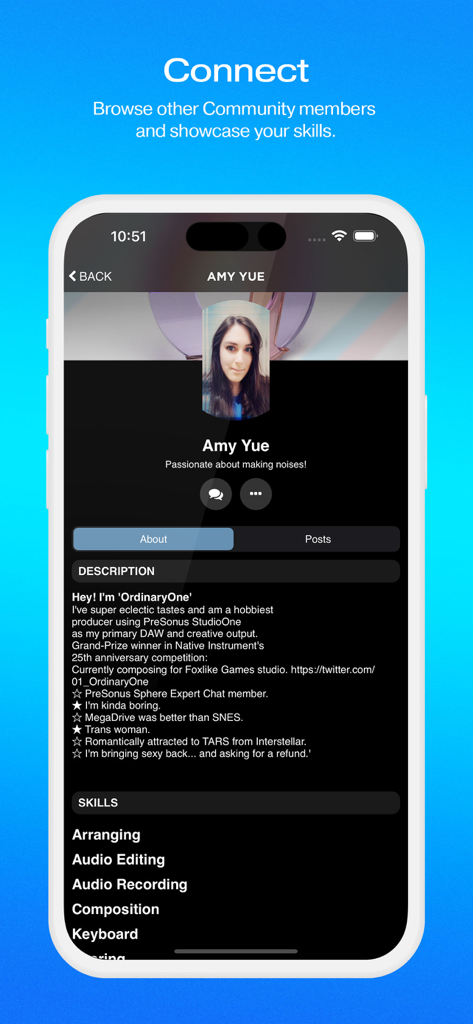
MyPreSonus - Ein Benutzerprofilbildschirm in der MyPreSonus App, der Mitgliederinformationen, Biografie und aufgeführte Audio-Produktionsfähigkeiten anzeigt.
Ein Benutzerprofilbildschirm in der MyPreSonus App, der Mitgliederinformationen, Biografie und aufgeführte Audio-Produktionsfähigkeiten anzeigt.

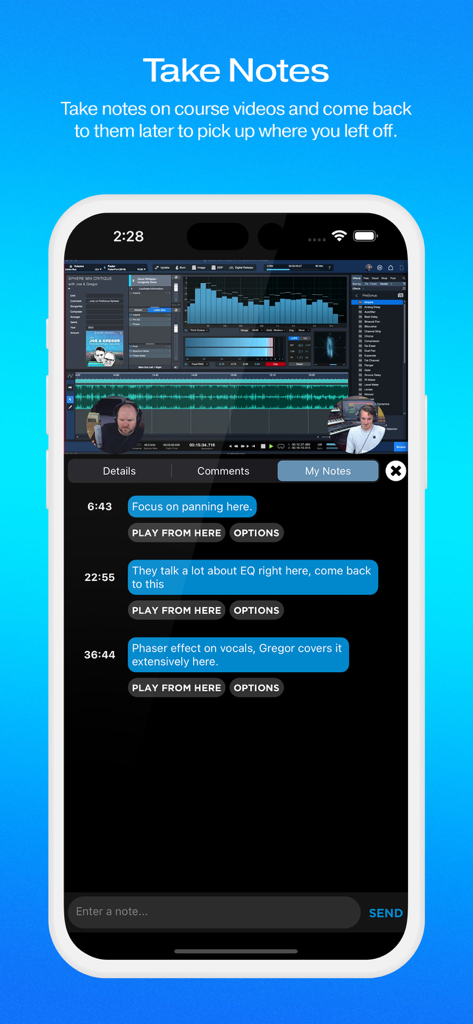
MyPreSonus - Eine mobile Oberfläche zum Erstellen von zeitgestempelten Notizen zu Audio-Produktionskursvideos in der MyPreSonus App
Eine mobile Oberfläche zum Erstellen von zeitgestempelten Notizen zu Audio-Produktionskursvideos in der MyPreSonus App

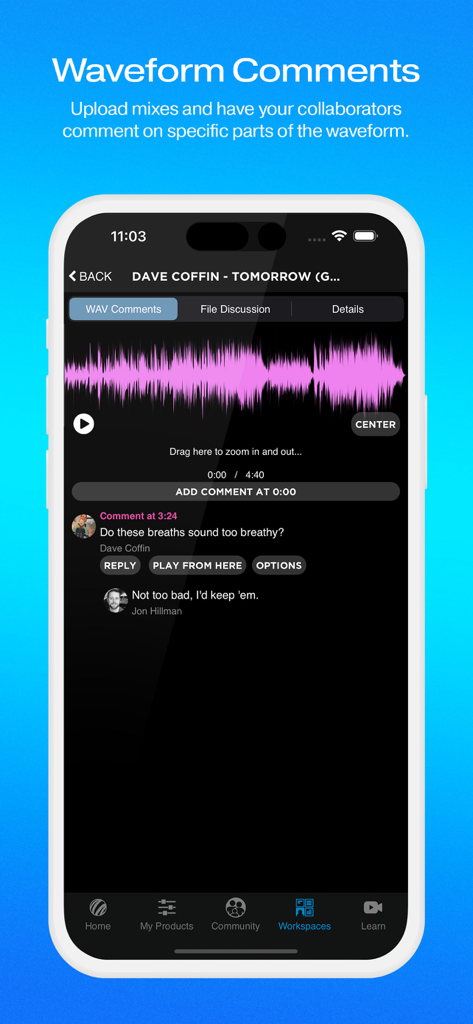
MyPreSonus - MyPreSonus App-Oberfläche, die die Wellenform-Kommentarfunktion für Audio-Zusammenarbeit und Mix-Feedback anzeigt
MyPreSonus App-Oberfläche, die die Wellenform-Kommentarfunktion für Audio-Zusammenarbeit und Mix-Feedback anzeigt

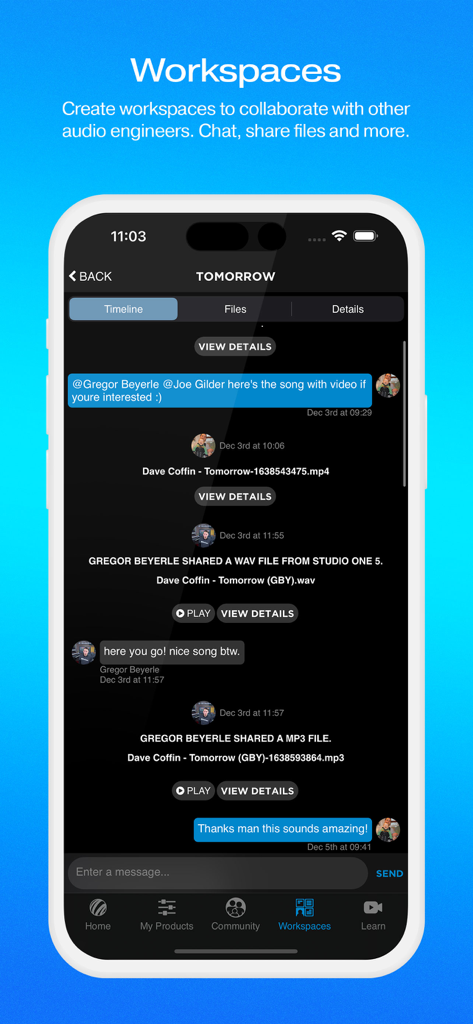
MyPreSonus - Ein Screenshot der MyPreSonus App Workspaces-Oberfläche, die eine Chat-Zeitleiste mit geteilten Audiodateien und kollaborativen Nachrichten zwischen Produzenten zeigt.
Ein Screenshot der MyPreSonus App Workspaces-Oberfläche, die eine Chat-Zeitleiste mit geteilten Audiodateien und kollaborativen Nachrichten zwischen Produzenten zeigt.

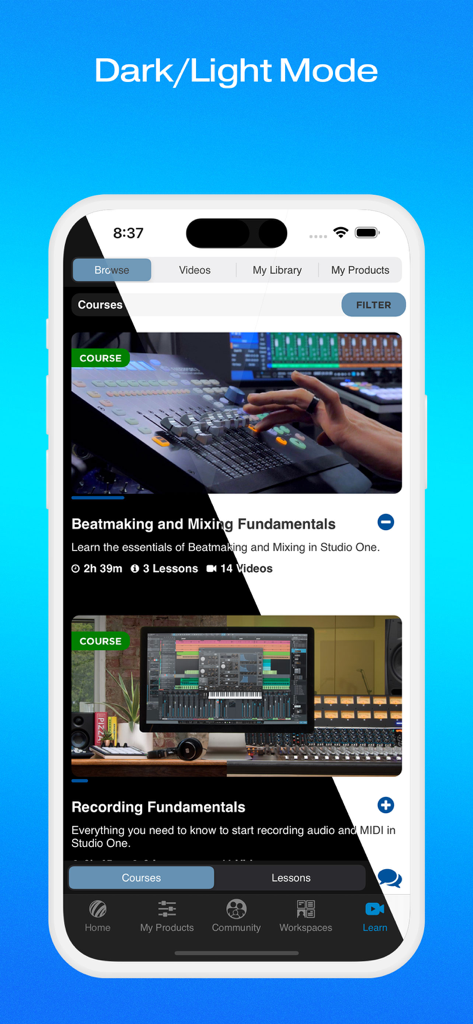
MyPreSonus - MyPreSonus App-Oberfläche, die den Dunkel- und Hellmodus für Musikproduktionskurse anzeigt

MyPreSonus App-Oberfläche, die den Dunkel- und Hellmodus für Musikproduktionskurse anzeigt

Beschreibung

The My.PreSonus app is your connection to your PreSonus products, the PreSonus support community, and the entire PreSonus ecosystem. Access PreSonus Sphere Workspaces Get mobile access to streamlined, efficient workspaces—and make collaborating on projects and getting feedback on your mixes faster and easier than ever. Once inside a PreSonus Sphere Workspace, you can share stems, mixes, even album artwork. A live chat lets you communicate in real-time without leaving the Workspace. Stems and mixes can be played back right from the Workspace, letting you quickly audition new material without cluttering your downloads folder. You and your team will be notified when new files are uploaded, and uploaded files can also be tagged as “latest mix,” so you and your collaborators are always on the same page—and you won’t risk accidentally sharing work-in-progress demos. You can work with several teams at once, or just keep a private Workspace just for your backups. You’ll always have your team’s latest mixes on-the-go, where you can reference them in the car, on a hike, or wherever sound takes you. PreSonus Community Connect with other PreSonus members in Community to find collaborators, share mixes, get feedback on your new album cover or your latest music videos, and so much more. Share your unique skills, showcase your favorite creations, and find other PreSonus Sphere members to chat with about your favorite audio topics. Not ready to be social just yet? That’s ok, too. You can choose to make your profile visible to the larger PreSonus Sphere community whenever you like. Learning Materials Get access to curated Courses and Lessons, save videos to your Library, track your progress and more. Mobile Recording and Upload Record audio straight to MyPreSonus using your device’s built-in mic or a compatible USB mic. You’ll then be able to download your mobile recordings from your account straight to Studio One on your desktop or laptop workstation. Expert Chat Need a quick workflow tip or have a pressing EQ question? PreSonus has gathered Studio One and Notion power users from around the globe to answer your questions in Expert Chat. Support The My.PreSonus app is the easiest way to get support for your PreSonus products. Search our entire knowledge base, submit and review support tickets, all right from your mobile device. Also, get access to our growing community of users asking questions and providing answers in our community forum. Post questions, search for answers, post answers to other PreSonus users' questions, and become a contributor to our vibrant user community. Product Info and Learning Resources Register your new products from right inside the app to get access to tons of videos and learning resources—specifically for your new products! The MyPreSonus app is the best way to learn more about your PreSonus stuff. Watch tutorial videos, get access to product documentation, and more. There are tons of great features packed into the app, including viewing your entire order history and saving useful product documentation to your device, and much more. You can even change the look and feel with a theme switcher. News from PreSonus The home screen of the My.PreSonus app is your personal PreSonus news feed. Get updated on new products, upcoming events, tips on using PreSonus hardware and software, and more.

Download

Herunterladen auf App Store

Diese Seite ist keine offizielle Seite der App oder ihres Entwicklers, sondern eine unabhängige redaktionelle Veröffentlichung, die zu Informations- und Kommentarzwecken erstellt wurde. Sofern nicht ausdrücklich anders angegeben, sind weder die App noch ihr Entwickler mit MWM, Apple, Google Play, dem App-Herausgeber oder dem Entwickler der App verbunden, von ihnen unterstützt, gesponsert, autorisiert oder anderweitig offiziell verbunden, und nichts auf dieser Seite impliziert, dass die App unter Verwendung der Dienste von MWM entwickelt wurde. Alle Marken, Logos, Screenshots und andere Inhalte bleiben Eigentum ihrer jeweiligen Inhaber.







