NetSpot WiFi Analyzer

NetSpot WiFi Analyzer

Herunterladen auf App Store
Logo von NetSpot WiFi Analyzer

NetSpot WiFi Analyzer: Professionelle Heatmaps und Netzwerkdiagnose auf Knopfdruck

Hören Sie auf zu raten, wohin Ihr Signal geht. Verwandeln Sie Ihr iPhone oder iPad in einen leistungsstarken Netzwerksanner, um Funklöcher zu visualisieren, den Routerstandort zu optimieren und eine einwandfreie Verbindung für Ihr Home-Office oder Smart Home sicherzustellen.

Herausgeber

Etwok Inc

Kategorie

Utilities

Downloads

352K+

Bewertung

2.1/5

Bewertungen gesamt

300

Sprachen

8

Ihr Netzwerk, visualisiert

Entdecken Sie die Oberfläche, die von 352K+ Nutzern verwendet wird.

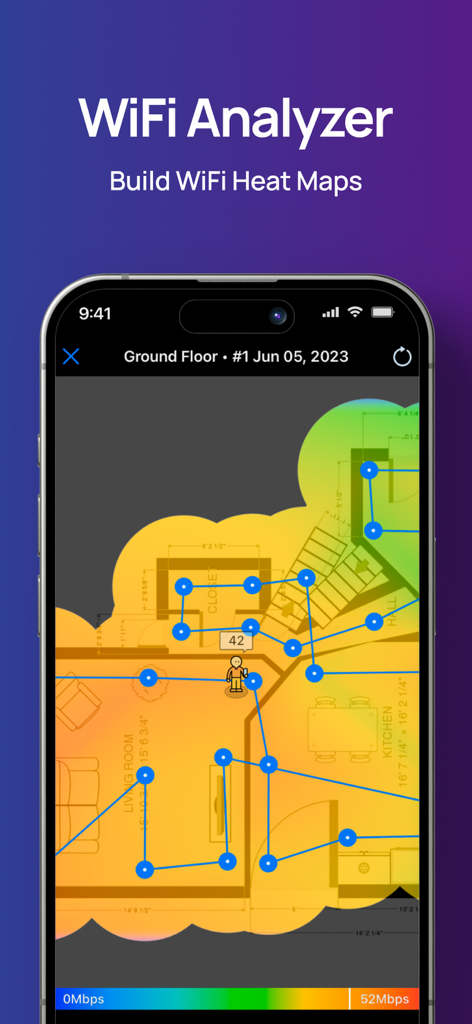
WLAN-Heatmap-Visualisierung auf einem Grundriss eines Hauses in der NetSpot-App

WLAN-Heatmap-Visualisierung auf einem Grundriss eines Hauses in der NetSpot-App

NetSpot-App-Oberfläche, die WLAN-Upload- und Download-Geschwindigkeitstest-Ergebnisse anzeigt
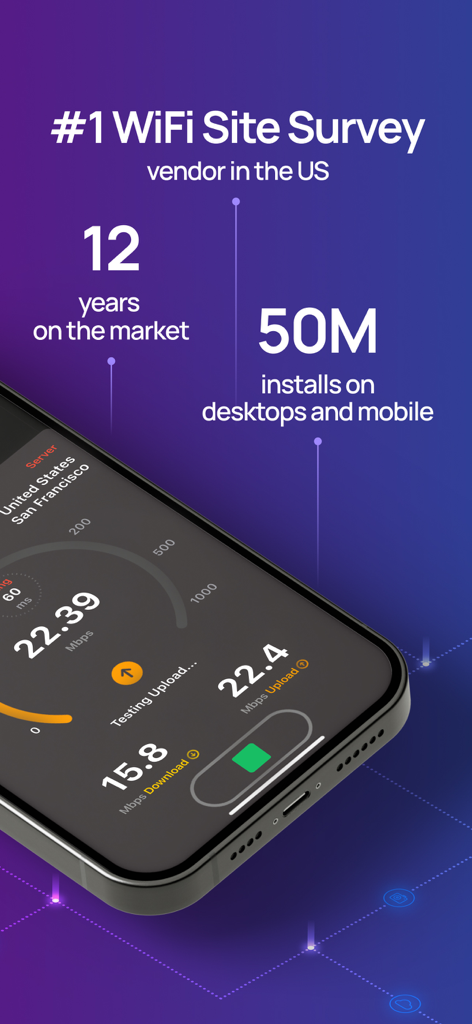
NetSpot-App-Oberfläche, die WLAN-Upload- und Download-Geschwindigkeitstest-Ergebnisse anzeigt

NetSpot-App-Oberfläche, die WLAN-Geschwindigkeitstest-Ergebnisse und Marktstatistiken wie 50 Millionen Installationen anzeigt.
NetSpot-App-Oberfläche, die WLAN-Geschwindigkeitstest-Ergebnisse und Marktstatistiken wie 50 Millionen Installationen anzeigt.

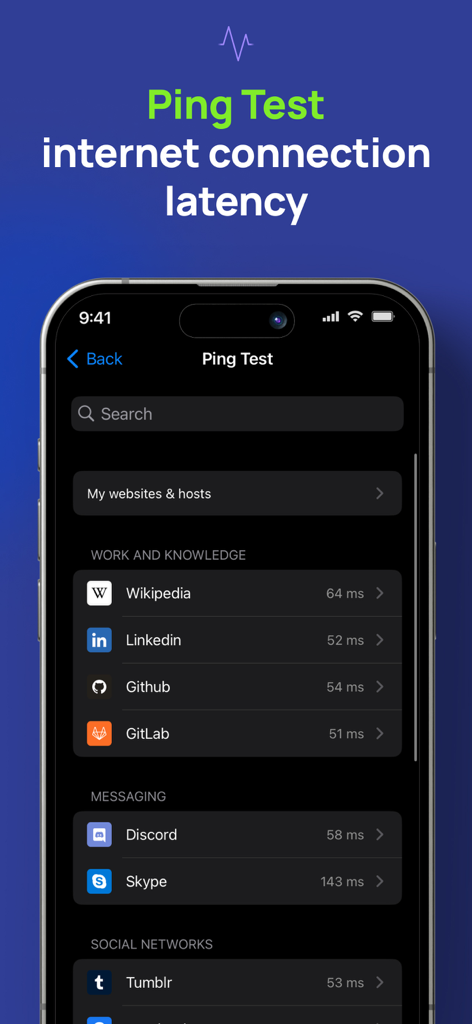
NetSpot WiFi Analyzer Ping-Test-Bildschirm, der die Latenz der Internetverbindung anzeigt
NetSpot WiFi Analyzer Ping-Test-Bildschirm, der die Latenz der Internetverbindung anzeigt

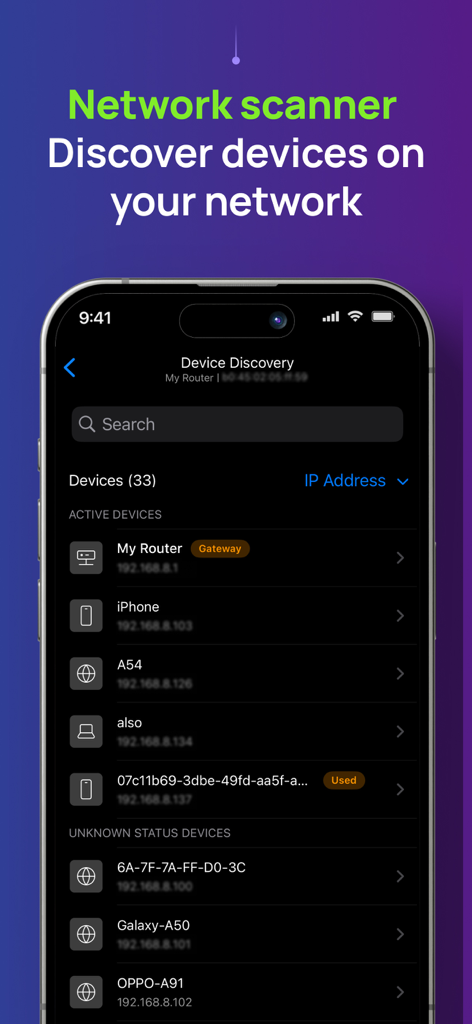
NetSpot WiFi Analyzer App-Bildschirm, der eine Liste verbundener Geräte und ihrer IP-Adressen im Netzwerkschanner-Tool anzeigt.
NetSpot WiFi Analyzer App-Bildschirm, der eine Liste verbundener Geräte und ihrer IP-Adressen im Netzwerkschanner-Tool anzeigt.

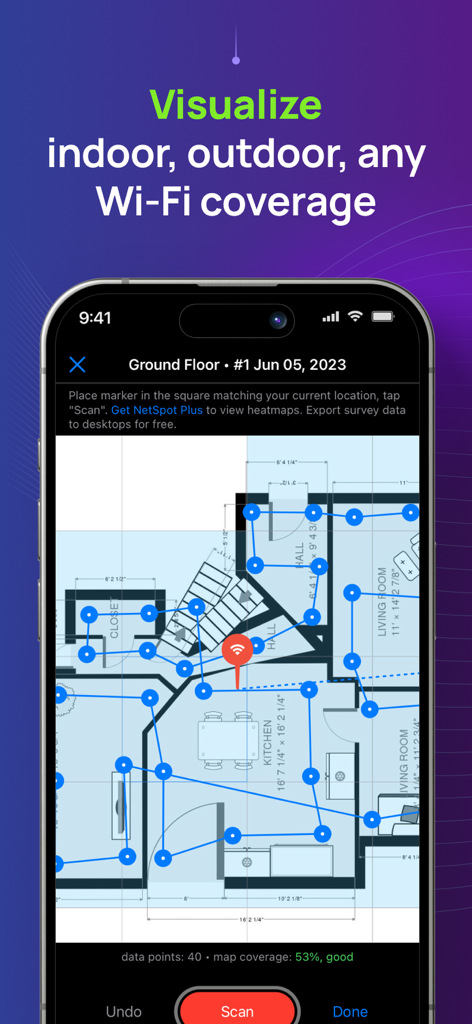
NetSpot-App, die eine WLAN-Abdeckungsumfrage auf einem Grundriss eines Hauses anzeigt.
NetSpot-App, die eine WLAN-Abdeckungsumfrage auf einem Grundriss eines Hauses anzeigt.

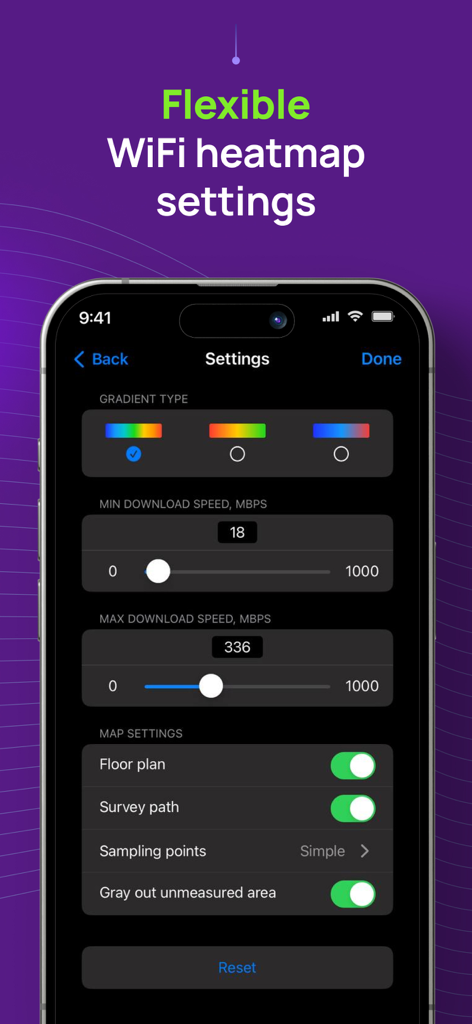
NetSpot-App-Oberfläche, die flexible WLAN-Heatmap-Einstellungen zeigt, einschließlich Gradiententypen und Download-Geschwindigkeitsgrenzen.
NetSpot-App-Oberfläche, die flexible WLAN-Heatmap-Einstellungen zeigt, einschließlich Gradiententypen und Download-Geschwindigkeitsgrenzen.

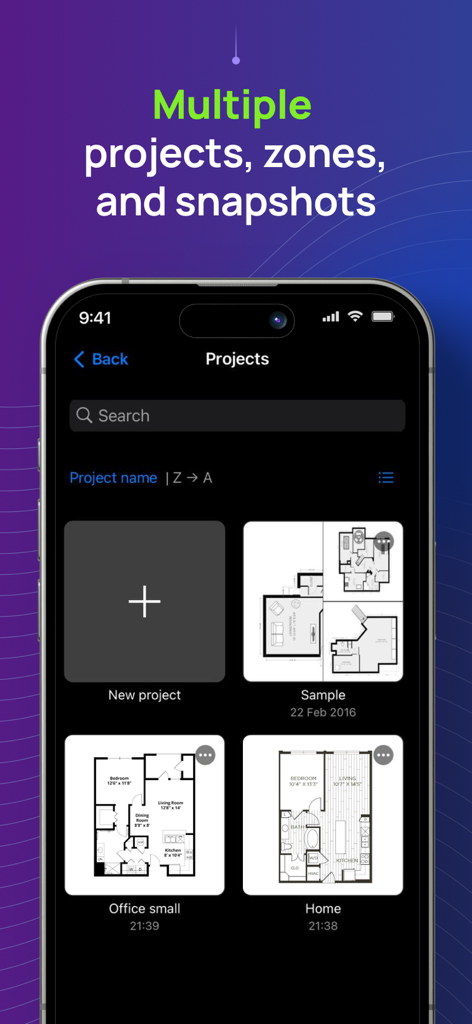
NetSpot-App-Oberfläche, die mehrere WLAN-Survey-Projekte mit verschiedenen Grundrissen für Zuhause und Büro zeigt.

NetSpot-App-Oberfläche, die mehrere WLAN-Survey-Projekte mit verschiedenen Grundrissen für Zuhause und Büro zeigt.

Meistern Sie Ihr Heimnetzwerk

Die Tools, die diese App auszeichnen, gewählt von 352K+ Nutzern.

🗺️

Visuelle WLAN-Heatmaps

Erstellen Sie interaktive Karten Ihres Zuhauses oder Büros, um Funklöcher zu lokalisieren und den perfekten Standort für Ihren Router ohne teure Hardware zu finden.

Lagfreie Geschwindigkeit & Ping

Beseitigen Sie Pufferung und Lags mit präzisen Tests, die Ihre reale Latenz und Bandbreite für reibungslosere Anrufe und Spiele messen.

🔍

Sofortige Geräteerkennung

Scannen Sie Ihr Netzwerk, um jedes verbundene Gerät zu identifizieren, was Ihnen hilft, Bandbreitenfresser zu entdecken und unbefugte Benutzer aus Ihrem System fernzuhalten.

Bewertungsanalyse

Erkenntnisse aus Nutzerbewertungen.

Stimmungswert

33%
Negativ

Zusammenfassung

The app receives mixed, but predominantly negative, feedback from users. Many appreciate its core functionality for basic WiFi analysis and speed measurement, with some highlighting its clear interface and fast data collection for certain heatmap types. However, a significant number of users express disappointment with the app's limited features on mobile devices compared to its desktop counterpart, particularly the absence of crucial signal strength heatmaps and advanced WiFi channel analysis. Users frequently criticize the app's pricing model, deeming it misleadingly advertised as 'free' when most useful features are locked behind paywalls or subscriptions, leading to feelings of wasted money and frustration with refund processes. Several reports also indicate stability issues, including crashing during scans, with one specific mention of general non-functionality on iPhone 11.

Häufige Themen

Core Functionality(20)
Speed Measurement(4)
User Interface Clarity(3)
Desktop App Quality(2)
Heatmap Data Collection(2)
Free Features Availability(1)
App Improvement/Updates(1)

Über die App

Alles, was Sie über wissen müssen NetSpot WiFi Analyzer.

Beschreibung

NetSpot 3 delivers powerful WiFi site surveys with internet speed, ping tests and device discovery to iPhone and iPad users. Build realistic WiFi heatmaps right on your iPhone or iPad in minutes, without additional expensive hardware! Analyze and troubleshoot your wireless networks with color-coded interactive heatmaps, very simple to create and interpret. NetSpot, famous for its versatile network tools with millions of business and home users across all platforms, is the only WiFi scanner app with heatmap visualizations on the App Store. Effortlessly manage your Wi-Fi survey projects by organizing them into multiple zones and snapshots for each surveyed area. Flexible configuration settings let you customize the look and feel of your WiFi map and choose the desired gradient to properly highlight areas with high WiFi speed and stable connection, as well as the areas with low WiFi signal that may need improvements. NetSpot’s WiFi speedtest is a great one-tap solution to verify and track performance of your wireless setups over time. NetSpot also offers Ping Tests. A ping test is a great way to check network connectivity for any underlying network issues and measure the latency. High latency may indicate slow or laggy internet, which affects gaming or video calls quality. NetSpot offers a handy Device Discovery mode, which basically turns the app into a network scanner collecting information on all devices connected to your network. It depends on devices, which information can be collected, but in general you can see such data as MAC address, IP address, device names, software and firmware versions, a class of device (e.g. smartphone, smart device or a laptop.), etc. The free version of NetSpot for iOS lets you use Device Discovery mode, as well as test the ping and Internet speed. WiFi Survey mode with heatmaps is available in NetSpot Plus - a one-time in-app purchase. USE NETSPOT AS... * WiFi analyzer - diagnose your wireless network connection speed and latency * WiFi scanner - collect and visualize your WiFi data * Speed tester - check your internet, WiFi or mobile download and upload speed, record historical results * WiFi mapper - conduct active WiFi site surveys for connected networks * Ping tester - verify your WiFi or mobile connection latency to major or custom websites * Network scanner – find and collect information about devices currently connected to your wireless network * WiFi troubleshooting app NetSpot WiFi heat mapper is fast, accurate and extremely simple. It helps you see the true coverage of your WiFi like never before, regardless of your mesh or no-mesh configuration, security settings, interfering networks or other factors. Every time you use NetSpot internet speed meter for WiFi site surveys, it delivers reliable interactive heatmaps that are easy to analyze. NETSPOT IS INCREDIBLY HELPFUL FOR... * WiFi network setup verification * WiFi signal, speed and ping test * Creating WiFi heat map to detect areas of weak signal (part of NetSpot Plus) * Find out who is on your Wi-Fi * Extending WiFi coverage and more

Neueste Version

3.1.6

Größe

51.2 MB

Erstveröffentlichung

4. Mai 2020

Hören Sie auf zu raten. Fangen Sie an zu kartieren.

Schließen Sie sich über 350.000 Nutzern an, die NetSpot vertrauen, um Funklöcher zu beseitigen und ihre Verbindung zu optimieren. Verwandeln Sie Ihr iPhone noch heute in einen professionellen WLAN-Analyzer.

Herunterladen auf App Store

App information, icons, screenshots, and descriptions displayed on this page are sourced from the Apple App Store and are the property of their respective developers. Download estimates and rankings are based on MWM's proprietary models and may not reflect actual figures. This page is provided for informational and analytical purposes only.

Believe this page infringes your intellectual property? File a dispute