Nexans
Nexans
Herunterladen auf App Store

Diese Seite ist keine offizielle Seite der App oder ihres Entwicklers, sondern eine unabhängige redaktionelle Veröffentlichung, die zu Informations- und Kommentarzwecken erstellt wurde. Sofern nicht ausdrücklich anders angegeben, sind weder die App noch ihr Entwickler mit MWM, Apple, Google Play, dem App-Herausgeber oder dem Entwickler der App verbunden, von ihnen unterstützt, gesponsert, autorisiert oder anderweitig offiziell verbunden, und nichts auf dieser Seite impliziert, dass die App unter Verwendung der Dienste von MWM entwickelt wurde. Alle Marken, Logos, Screenshots und andere Inhalte bleiben Eigentum ihrer jeweiligen Inhaber.

Logo von Nexans
Herunterladen auf App Store

Nexans

Optimieren Sie Ihre Baustelle mit EASYCALC™ Kabelberechnung, sofortigen technischen Datenblättern und Echtzeit-Produktauthentifizierung direkt aus Ihrer Tasche.

Kennzahlen

Downloads

14K+

Bewertung

3.7/5

Bewertungen gesamt

0

Herausgeber

Nexans France

Kategorie

Business

Sprachen

-

Neueste Version

2.3.3

Größe

27.1 MB

Erstveröffentlichung

7. Feb. 2012
Funktionen

Präzisionswerkzeuge für Elektroprofis

Optimieren Sie Ihren Arbeitsablauf vom Fahrzeug bis zur Baustelle mit sofortigem Zugriff auf technische Spezifikationen, automatisierte Berechnungen und Produktverifizierung.

Automatisierte EASYCALC™-Berechnung

Eliminieren Sie manuelle Rechenfehler. Ermitteln Sie den idealen Kabelquerschnitt in 4 schnellen Schritten basierend auf Ihrer spezifischen Leistung, Länge und Umgebungsbedingungen.

Sofortige technische Bibliothek

Scannen Sie einen Barcode, um sofort auf Datenblätter, Installationshandbücher und regulatorische Dokumente zuzugreifen. Alle technischen Daten, die Sie benötigen, ohne Papierordner.

Die folgenden Screenshots und die Beschreibung stammen direkt aus dem offiziellen Store-Eintrag der App und sind Eigentum des Entwicklers.

App Store

Screenshots
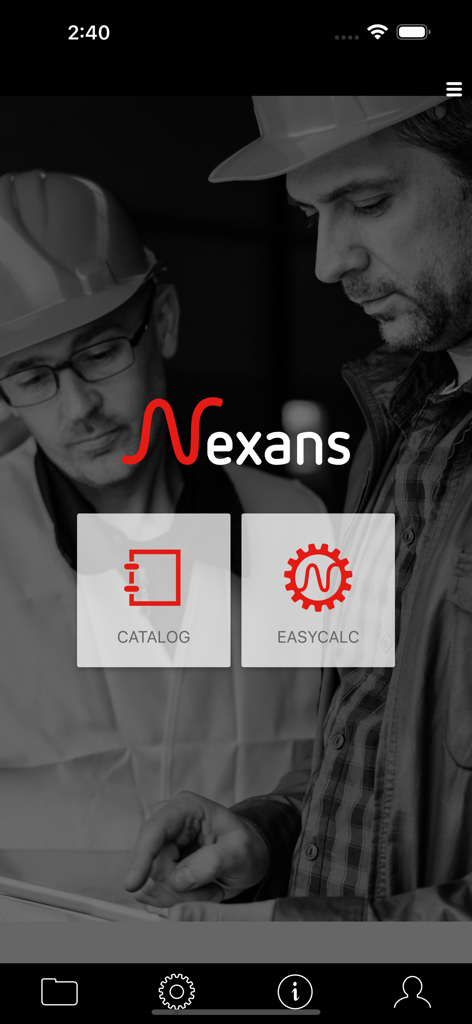
Nexans - Startbildschirm der Nexans-Mobil-App mit Katalog- und EasyCalc-Funktionen für Elektriker.
Startbildschirm der Nexans-Mobil-App mit Katalog- und EasyCalc-Funktionen für Elektriker.

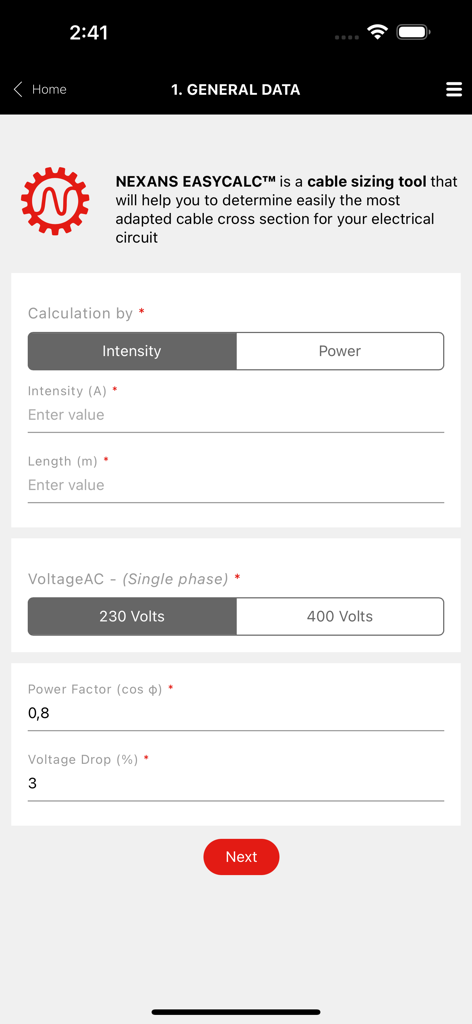
Nexans - Benutzeroberfläche des Nexans EasyCalc-Tools zur Eingabe von Daten für Stromkreise
Benutzeroberfläche des Nexans EasyCalc-Tools zur Eingabe von Daten für Stromkreise

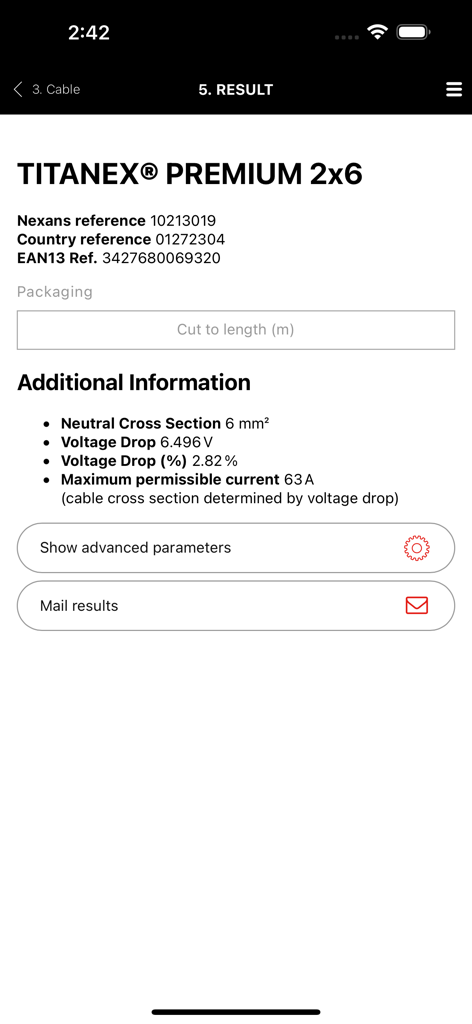
Nexans - Bildschirm mit Ergebnissen des Nexans App EasyCalc-Tools, der technische Daten für Titanex Premium Kabel anzeigt
Bildschirm mit Ergebnissen des Nexans App EasyCalc-Tools, der technische Daten für Titanex Premium Kabel anzeigt

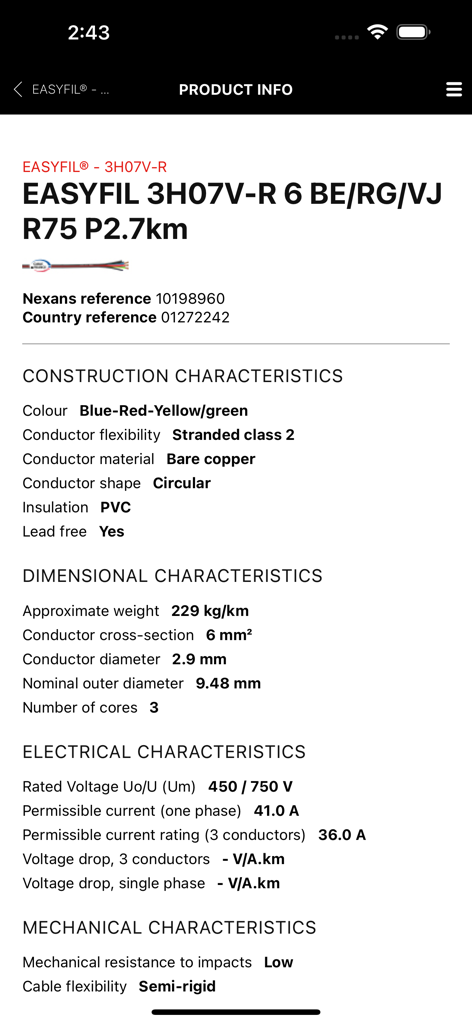
Nexans - Technische Spezifikationen und Produktinformationen für Nexans Easyfil Kabel, angezeigt auf einem mobilen App-Bildschirm
Technische Spezifikationen und Produktinformationen für Nexans Easyfil Kabel, angezeigt auf einem mobilen App-Bildschirm

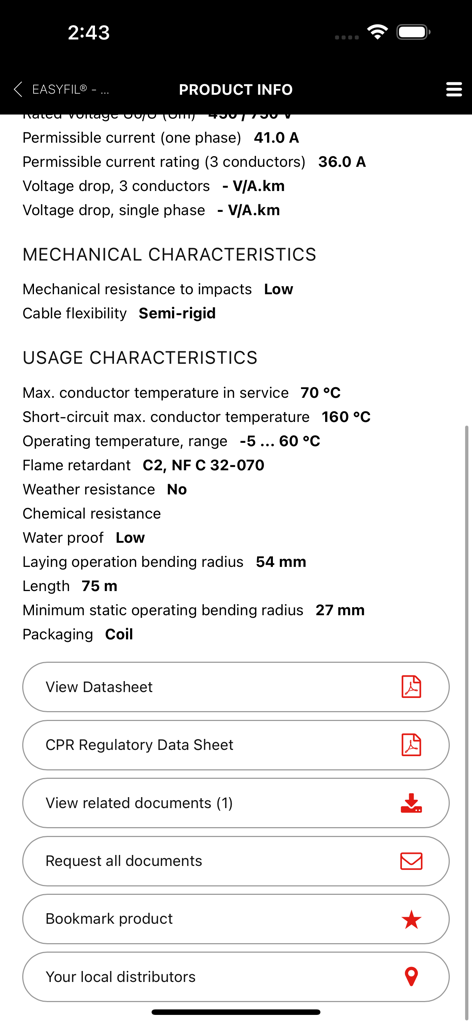
Nexans - Nexans App-Bildschirm mit technischen Kabel-Spezifikationen und Optionen zum Herunterladen von Datenblättern

Nexans App-Bildschirm mit technischen Kabel-Spezifikationen und Optionen zum Herunterladen von Datenblättern

Beschreibung

Nexans’ app provides quick and efficient access to information about Nexans’ products, when you are on the move. Access to product datasheets, installation instructions, regulatory information, user manuals and all related documents. to find the product you want, just enter its reference number, perform a general search or just browse the catalogue. Once you have identified the product, you can access datasheets, installation instructions, user manuals, environmental declarations and other documents. Products can be easily identified thanks to product pictures. Documents can be downloaded and stored on your phone for later use, or sent to one or more e-mail addresses. Note that datasheets cannot be stored on the phone as they are subject to change and it is important to access only the latest version. Scanning a barcode on a Nexans’ product provides you with immediate access to product information without having to search. Depending on your country, the App may provide the following features EASYCALC: Our cable sizing tool– electrical installers, electricians, end-users – that will help you determine the most adapted cable cross section for your installation; Calculation is performed in 4 quick and easy steps. Step1: Fill in general information regarding your installation: intensity/power, length to be installed, voltage and current type (single phase, three phase) Step 2: Select the required cable and conductor types. You will be able to select the one you wish to use among the most common cable families. A short description and a picture of the cable will help you identify easily the one you need. Once the cable type has been chosen, you will have to specify the type of conductor (single core, multicore, with or without PE, with or without neutral) and the number of phases. Again, a corresponding picture will help you check your selection. Step 3: Specify installation conditions: environment (air/ground) and laying options. Pictograms illustrating the various options will facilitate your selection. Step 4: View calculation results: Nexans EASYCALC™ will provide you with the corresponding Nexans product reference. You can then send the results per email or contact Nexans to get additional information PRODUCT AUTHENTICATION You can now validate the authenticity of Nexans products by scanning the label available on the packaging. This module works with a specific sticker tagged on the products. It will allow to check if the product is not counterfeit. STORE LOCATOR Allow you to access the product reseller. The app makes use of your phone’s GPS for geolocation, allowing it to suggest addresses, but with a manual override for when your position is not accurately known. WARRANTY FORMS A facility for filling out warranty forms for heating cables. The procedure is the same as completing the form on paper, but with the added advantage that you can mail it to yourself, send a copy to Nexans, who will store it for you, and even mail it to your customer, for example. GENERAL INFORMATION The app requires a network connection to work properly. All the data are retrieved in real time direct from Nexans’ web servers, ensuring that the information is always up to date. The app is free to download and use, but your phone service provider may charge you for the data traffic, typically as part of your call and data plan. Optionally, in the app’s settings menu, you can define a data download limit.

Download

Herunterladen auf App Store

Diese Seite ist keine offizielle Seite der App oder ihres Entwicklers, sondern eine unabhängige redaktionelle Veröffentlichung, die zu Informations- und Kommentarzwecken erstellt wurde. Sofern nicht ausdrücklich anders angegeben, sind weder die App noch ihr Entwickler mit MWM, Apple, Google Play, dem App-Herausgeber oder dem Entwickler der App verbunden, von ihnen unterstützt, gesponsert, autorisiert oder anderweitig offiziell verbunden, und nichts auf dieser Seite impliziert, dass die App unter Verwendung der Dienste von MWM entwickelt wurde. Alle Marken, Logos, Screenshots und andere Inhalte bleiben Eigentum ihrer jeweiligen Inhaber.








