Nitro Photo: Professionelle RAW-Bearbeitung und -Verwaltung für anspruchsvolle Fotografen
Übernehmen Sie die volle Kontrolle über Ihren Workflow mit KI-gestützter Maskierung, Desktop-gleichen Anpassungen und flexiblen Speicheroptionen. Erleben Sie einen schnörkellosen, leistungsstarken Editor, der für das Apple-Ökosystem entwickelt wurde – ohne erzwungene Abonnements.
Herausgeber
Gentlemen Coders, LLC
Kategorie
Photo & Video
Downloads
1K+
Bewertung
4.7/5
Bewertungen gesamt
100
Sprachen
7
Profi-Kontrolle, visualisiert
Entdecken Sie die Oberfläche, die von 1K+ Nutzern verwendet wird.
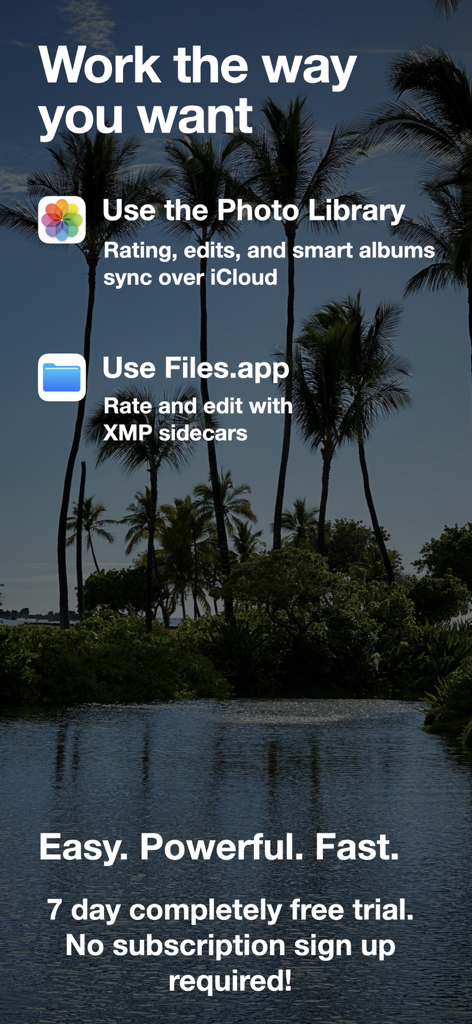
Nitro Photo App-Bildschirm, der Optionen für die Integration von Fotobibliotheken und die Unterstützung von Files-Apps mit XMP-Sidecars zeigt
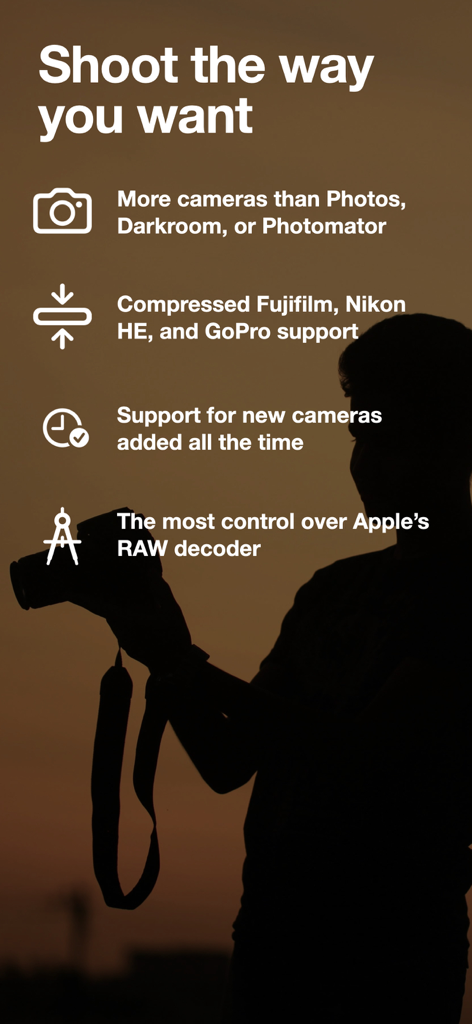
Nitro Photo App-Bildschirm, der die Unterstützung professioneller Kameraformate wie Fujifilm und Nikon RAW hervorhebt
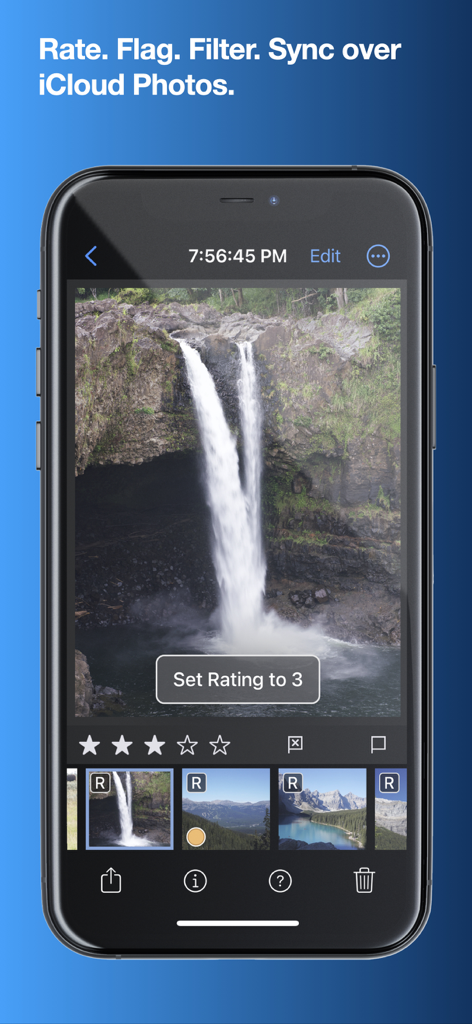
Nitro Photo App-Oberfläche auf dem iPhone zum Bewerten und Organisieren von RAW-Bildern
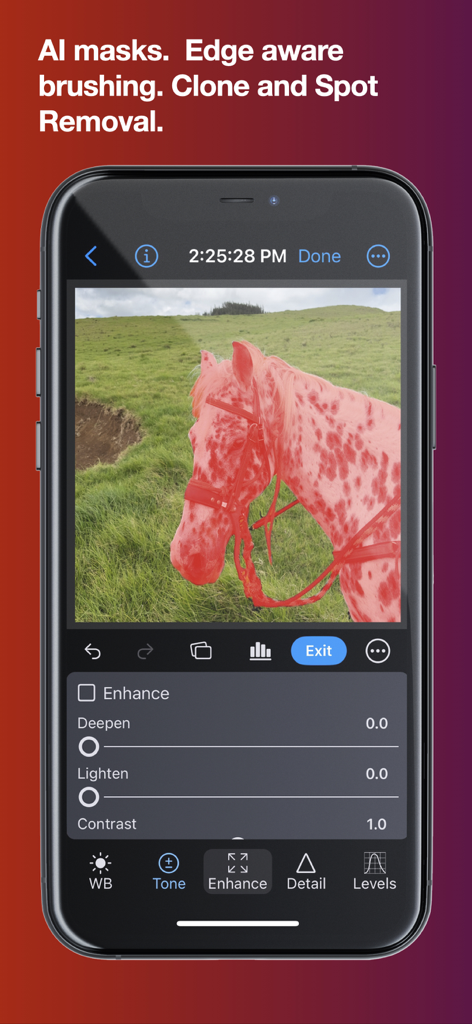
iPhone-Oberfläche der Nitro Photo App, die KI-Maskierung auf einem Bild eines Pferdes mit professionellen Bearbeitungssteuerungen anzeigt
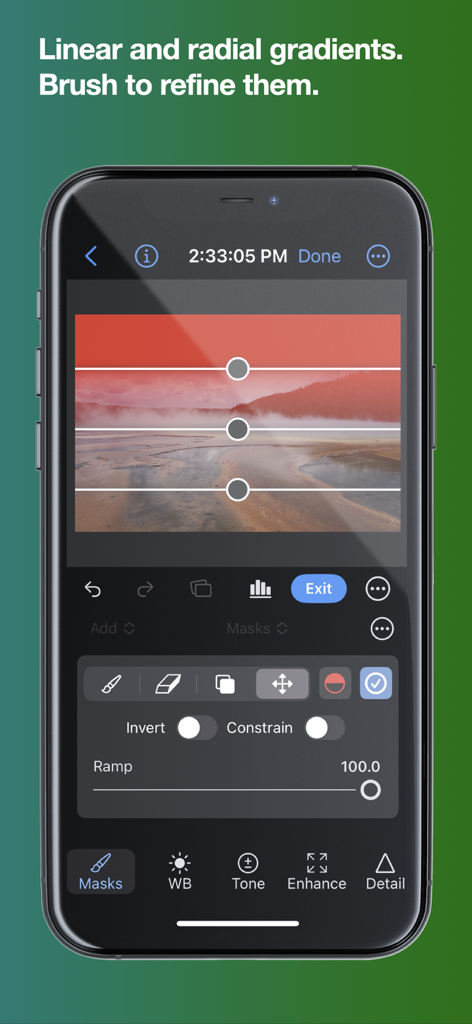
Nitro Photo App auf dem iPhone, die zeigt, wie eine lineare Gradientenmaske auf ein Landschaftsfoto angewendet wird
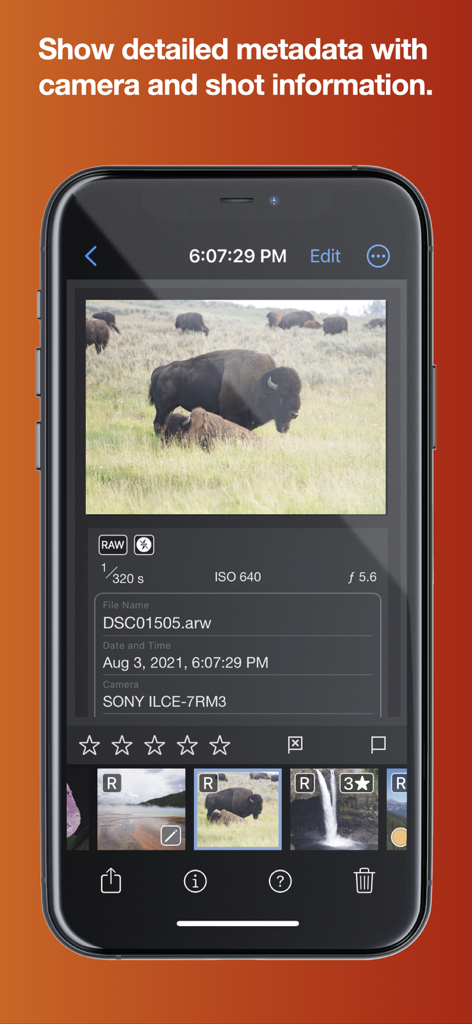
Nitro Photo App-Oberfläche, die detaillierte Metadaten der Kamera und Schussinformationen für ein RAW-Bild anzeigt
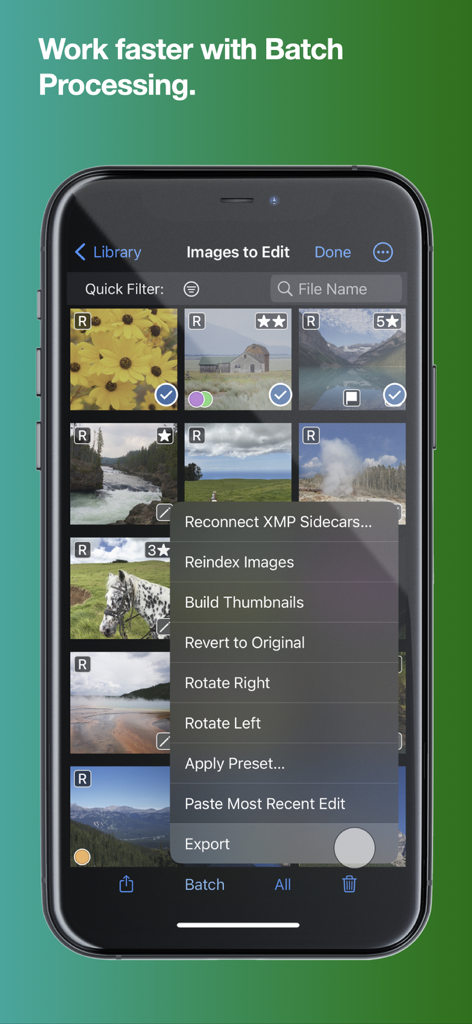
Ein Smartphone, das das Stapelverarbeitungsmenü in der Nitro Photo App mit Optionen wie Drehen, Preset anwenden und Bilder exportieren zeigt.
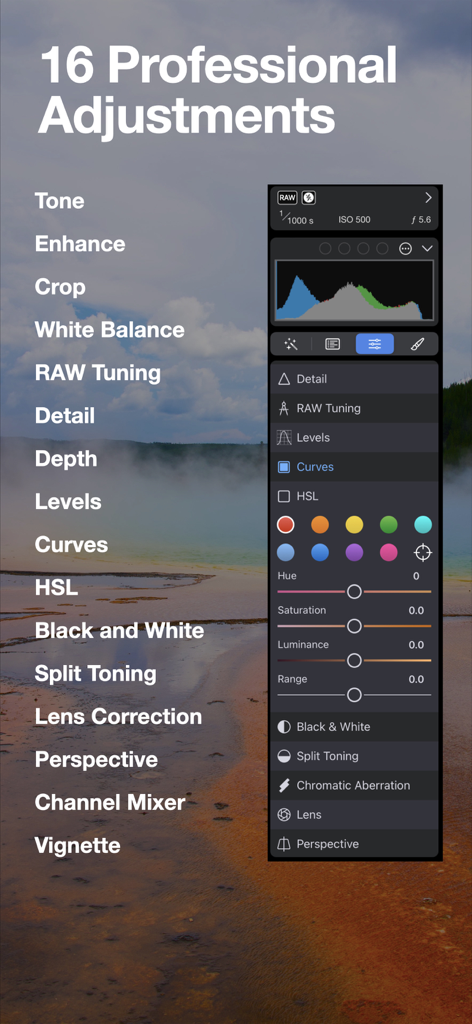
Nitro Photo App, die 16 professionelle Anpassungen einschließlich HSL und Kurven zeigt
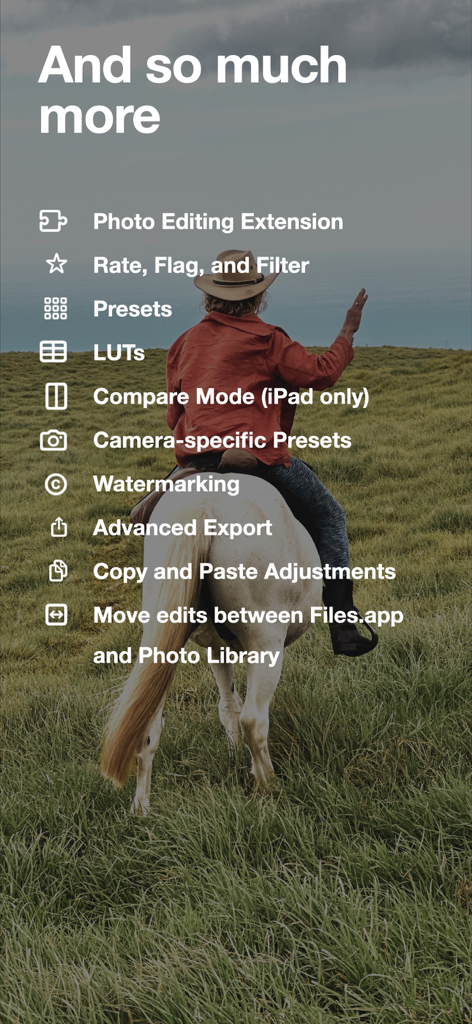
Eine Liste erweiterter Fotobearbeitungsfunktionen in der Nitro Photo App, die über einem Bild einer Person auf einem Pferd angezeigt wird
Professionelle Leistung, keine Reibung
Die Tools, die diese App auszeichnen, gewählt von 1K+ Nutzern.
📸
Fortschrittliche RAW-Kontrolle
Gehen Sie über grundlegende Filter hinaus mit erstklassiger Unterstützung für Fujifilm-, Nikon HE- und GoPro-RAWs und der präzisesten RAW-Decoder-Steuerung auf iOS.
📂
Flexible Speicherung & XMP
Befreien Sie sich von isolierten Bibliotheken. Bearbeiten Sie direkt aus Files.app oder von externen Laufwerken mit nicht-destruktiven XMP-Sidecars, die geräteübergreifend synchronisiert werden.
🪄
KI-gesteuerte Präzision
Isolieren Sie Motive sofort mit KI-Maskierung und verfeinern Sie Ihre Vision mit 16 Profi-Anpassungen, einschließlich Pegel, Kurven und HSL.
Über die App
Alles, was Sie über wissen müssen Nitro Photo.
Beschreibung
Introducing Nitro, the brand new photo editor and manager from the developer of RAW Power. Nitro is designed for every photographer and every photograph. Try Nitro for free for 7 days without any obligation. No subscription signup, no nonsense. Requires iOS 16 or later. Easy, Powerful, Fast. Built with the latest technologies, Nitro has exceptional integration with iOS, including the most control over Apple’s RAW decoder. Its combination of flexible storage options, camera support, and editing tools is unmatched by any app. If you liked Aperture or RAW Power, you’ll love Nitro. Flexible Storage Options * Store your images in Files.app, external storage, or use Apple’s Photo Library * Rate, flag, and filter your images by 11 criteria, including rating, orientation and file type * With Photos, ratings, edits, and smart albums sync over iCloud * With Files.app and external storage, ratings and edits are stored in XMP sidecars * Move originals, ratings, and edits between the Photo Library and Files.app Thoughtful purchasing and trial options * Try the app with absolutely no obligation. No signup, no unexpected charges. * Buy the app once, or get an inexpensive monthly and annual plan * All purchases include all platforms: macOS, iPhone, and iPad! Stop waiting for camera support * Supports more cameras than Photos, Darkroom, or Photomator, including compressed Fujifilm, Nikon HE and GoPro RAWs * By far, the most control over Apple’s RAW decoder. Fine tune your RAWs with noise reduction, moire, ProRAW tone mapping, and more. Seeing is Believing * View detailed metadata side-by-side * Synchronized Pan and Zoom of up to 4 images at once (iPad only) * Comparison mode helps you pick your favorites from a burst * Light and Dark user interface modes Masking with AI * AI-generated masks to quickly isolate a subject or background * Linear and radial gradients with invert and control over the ramp * Brushes provide full control over your mask, including softness, strength, and size * Edge Aware brushes automatically follow contours * Fine tune AI and gradients with brushes for maximum control Quick Fixes * Clone * Spot/Wire Removal * Highlight Recovery * Auto Enhance 16 Professional Adjustments * Tone, Enhance, White Balance, RAW * Crop, Lens Correction, Perspective * Levels, Curves, HSL, Split Toning * Detail, Depth, Black and White, Vignette, Channel Mixer * Apply most adjustments to masks including Levels, Curves, Blur, HSL, and Fringe control Presets, LUTs, and Copy/Paste * Quickly enhance images with a large set of presets and LUTs * Import your own LUTs and make your own presets * Advanced Copy and Paste of adjustments * Camera presets let you apply adjustments automatically by camera model Do More with the Photo Library * Make Smart Albums with complex queries * Search by file name, file type (including RAW+JPEG), and more * Sync everything over iCloud * Edit inside Nitro or with the included Photo Editing Extension Do More with the File System * Rate, flag, and edit non-destructively * All data is stored in XMP sidecars next to your originals * Search by file name, camera, lens, ISO, and more Workflow the way you want * Batch processing of presets, rotation and export * Export with control over size, compression, format, and metadata * Launch other apps after export for custom workflows * Integrated watermarking with both images and text * RAW Power edits are 100% compatible with Nitro After the trial, you need to purchase the app or subscribe to use all the features. Privacy Policy: https://www.iubenda.com/privacy-policy/68647707 Terms of Use: http://www.apple.com/legal/itunes/appstore/dev/stdeula
Neueste Version
2026.1
Größe
111.8 MB
Erstveröffentlichung
12. März 2024
Bereit für einen Workflow auf Profi-Niveau?
Starten Sie noch heute Ihre 7-tägige kostenlose Testversion, ganz unverbindlich. Erleben Sie unübertroffene RAW-Kontrolle und flexible Speicherung auf iPhone, iPad und Mac.
App information, icons, screenshots, and descriptions displayed on this page are sourced from the Apple App Store and are the property of their respective developers. Download estimates and rankings are based on MWM's proprietary models and may not reflect actual figures. This page is provided for informational and analytical purposes only.
Believe this page infringes your intellectual property? File a dispute