Norton Family Parental Control
Herunterladen auf App Store

Diese Seite ist keine offizielle Seite der App oder ihres Entwicklers, sondern eine unabhängige redaktionelle Veröffentlichung, die zu Informations- und Kommentarzwecken erstellt wurde. Sofern nicht ausdrücklich anders angegeben, sind weder die App noch ihr Entwickler mit MWM, Apple, Google Play, dem App-Herausgeber oder dem Entwickler der App verbunden, von ihnen unterstützt, gesponsert, autorisiert oder anderweitig offiziell verbunden, und nichts auf dieser Seite impliziert, dass die App unter Verwendung der Dienste von MWM entwickelt wurde. Alle Marken, Logos, Screenshots und andere Inhalte bleiben Eigentum ihrer jeweiligen Inhaber.


Logo von Norton Family Parental Control
Herunterladen auf App Store

Norton Family Parental Control

Verwalten Sie die Bildschirmzeit, blockieren Sie Ablenkungen während der Schulzeit und bleiben Sie durch Standortverfolgung in Verbindung – alles in einer vertrauenswürdigen App, die für moderne Familien entwickelt wurde.

Kennzahlen

Downloads

10K+

Bewertung

3.9/5

Bewertungen gesamt

3K+

Herausgeber

Gen Digital Inc.

Kategorie

Utilities

Sprachen

23

Neueste Version

1.18.0

Größe

74.5 MB

Erstveröffentlichung

8. Jan. 2019
Funktionen

Intelligente Werkzeuge für moderne Elternschaft

Norton Family bietet die Einblicke und Kontrollen, die Sie benötigen, um gesunde digitale Gewohnheiten zu fördern und sicherzustellen, dass Ihre Kinder sich auf die Schule konzentrieren und beim Online-Erkunden sicher sind.

Maximale Konzentration mit Schulzeit

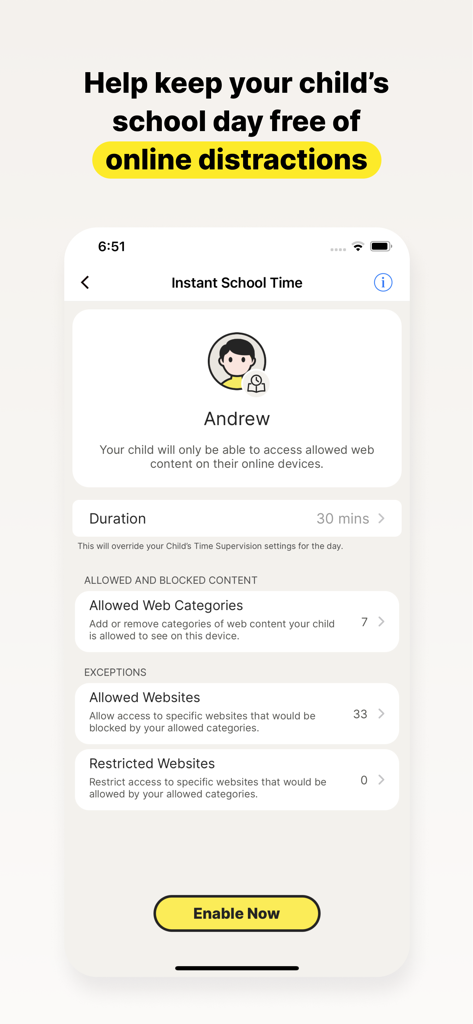
Halten Sie Ihr Kind während des Fernunterrichts bei der Sache, indem Sie den Zugriff auf Bildungswebsites verwalten und ablenkende soziale Medien und Spiele blockieren.

Sicherheit in der realen Welt

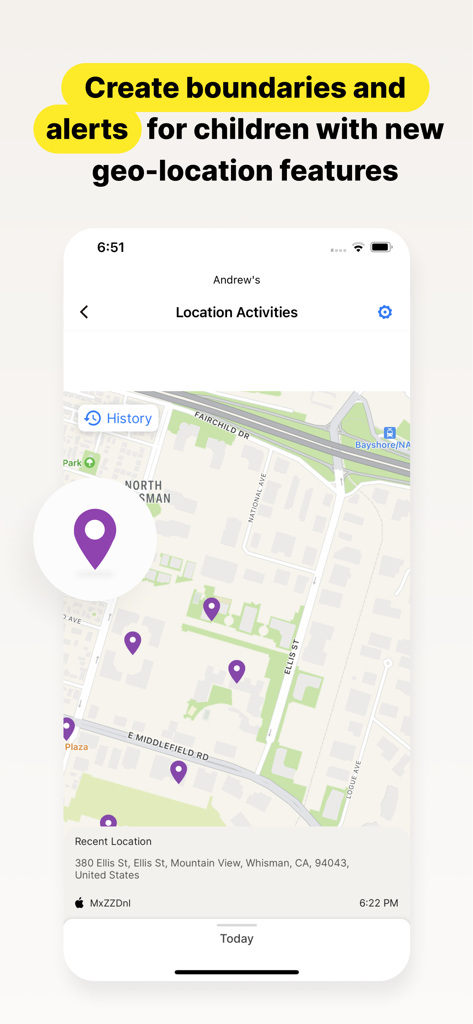
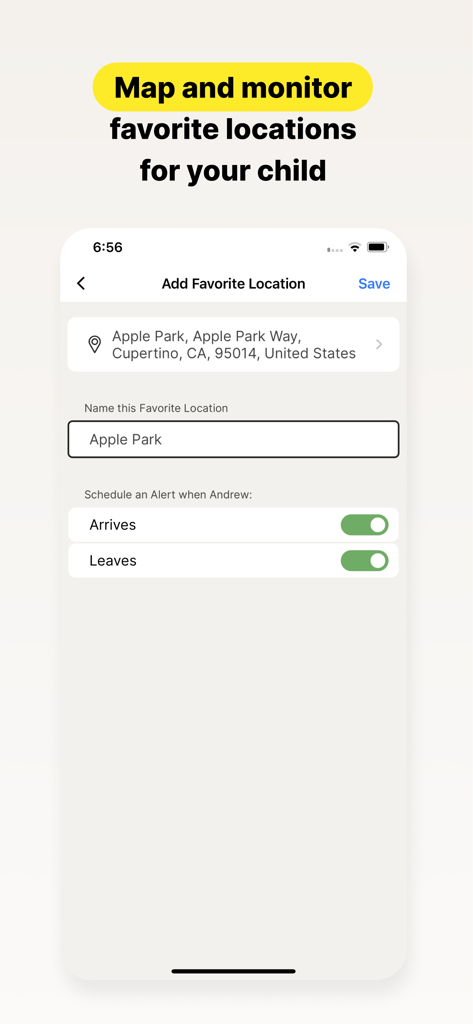
Bleiben Sie über den physischen Standort Ihres Kindes informiert mit Geo-Fencing-Alarmen, die Sie benachrichtigen, wenn es sicher in der Schule oder bei außerschulischen Aktivitäten ankommt.

Die folgenden Screenshots und die Beschreibung stammen direkt aus dem offiziellen Store-Eintrag der App und sind Eigentum des Entwicklers.

App Store

Screenshots
Norton Family Parental Control - Mutter und Kind schauen sich gemeinsam einen Laptop mit Norton Family App-Branding an
Mutter und Kind schauen sich gemeinsam einen Laptop mit Norton Family App-Branding an

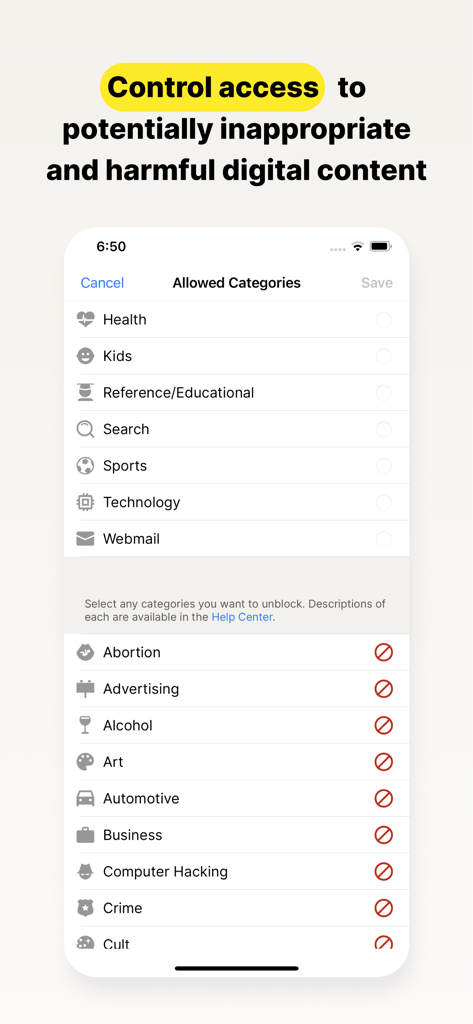
Norton Family Parental Control - Norton Family App-Bildschirm zur Steuerung des Zugriffs auf digitale Inhaltskategorien
Norton Family App-Bildschirm zur Steuerung des Zugriffs auf digitale Inhaltskategorien

Norton Family Parental Control - Screenshot der Norton Family App, der die Funktion "Sofort Schulzeit" zur Blockierung von Online-Ablenkungen für Kinder während der Schulzeit zeigt
Screenshot der Norton Family App, der die Funktion "Sofort Schulzeit" zur Blockierung von Online-Ablenkungen für Kinder während der Schulzeit zeigt

Norton Family Parental Control - Norton Family App-Oberfläche, die den Standortverlauf und die letzten Aktivitäten eines Kindes auf einer Karte zeigt
Norton Family App-Oberfläche, die den Standortverlauf und die letzten Aktivitäten eines Kindes auf einer Karte zeigt

Norton Family Parental Control - Norton Family App-Oberfläche mit Einstellungen zum Hinzufügen eines Lieblingsorts mit Benachrichtigungen bei Ankunft und Abfahrt für ein Kind
Norton Family App-Oberfläche mit Einstellungen zum Hinzufügen eines Lieblingsorts mit Benachrichtigungen bei Ankunft und Abfahrt für ein Kind

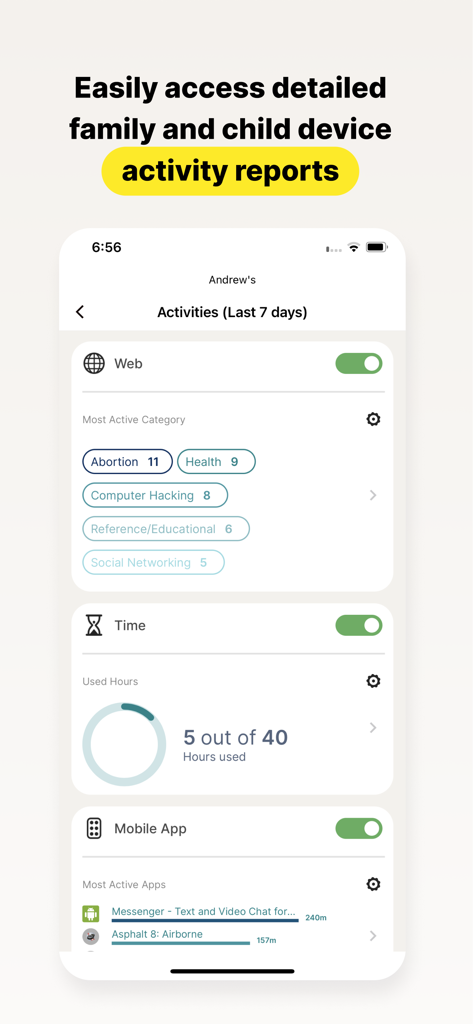
Norton Family Parental Control - Ein detaillierter Aktivitätsbericht eines Kindes in der Norton Family App, der Webkategorien, Bildschirmzeit und App-Nutzung zeigt

Ein detaillierter Aktivitätsbericht eines Kindes in der Norton Family App, der Webkategorien, Bildschirmzeit und App-Nutzung zeigt

Beschreibung

Norton Family provides tools that teach safe, smart, and healthy online habits. It also provides insights that help you foster a healthy online/offline balance for your children and their devices. At home, attending school, or on the go, Norton Family helps keep children focused on what’s most important. Norton Family empowers parents to keep track of their child’s online behavior. • Monitor the sites and content your child views Make the Web safer for your kids to explore — by keeping you informed of which sites your kids are visiting, and letting you block potentially harmful and inappropriate sites.‡ Norton Family also provides insights into the search terms and videos (3) that interest your kids and flags unsafe behavior so you can discuss online safety, as a family.‡ • Set limits on your child’s internet access Help your kids balance time spent online by scheduling screen time limits for their device usage.‡ This can helps you focus your child on schoolwork and avoid online distractions while remote learning or at bedtime.‡ • Stay informed about your child’s physical location Use geo-location features in the app to track your child’s location (4). Plus, receive alerts if you’re your child arrives in or goes beyond areas of interest established by you, using geo-location tools. • Access weekly/monthly reports Get detailed reports on what your kids are doing online, right in your Inbox or on the Parent Portal.‡ You can use these reports to foster dialog with your child about online safety. Here are some of the Norton Family features parents can use to help protect their child’s online activities. • School Time Remote learning requires the internet, so pausing the internet on your child’s device is not an option. Manage content access to relevant categories and websites to help your child maintain focus while school’s in session. • Favorite Locations This helps you establish approved boundaries for your child’s physical locations. When turned on, this feature will alert you when your child arrives in or goes beyond the permissible area or location established by you.1,2. • Web Supervision Let your kids explore the Web freely, with tools that help you block unsuitable websites while keeping you in the know about which sites they’re visiting. • Search Supervision See the words, terms, and phrases your kids are searching for to gain insights into their interests and help protect them from inappropriate content. ‡‡ Requires your device to have an Internet/data plan and be turned on. 1 Mobile app must be downloaded separately. However, parents can sign in to my.Norton.com or family.Norton.com and select Parental Control to view their child’s activity and manage settings from any supported browser on any device. 2 Location Supervision features are NOT available in all countries. Visit the feature support page here for details. To work, the child’s device must have Norton Family installed and be turned on. 3 Video Supervision monitors videos that your kids view on YouTube.com. It does not monitor or track YouTube videos that have been embedded in other websites or blogs. 4 Location Supervision requires parent activation before use. 5 Mobile app must be downloaded separately. Some features not available with in all countries. Privacy Statement Gen Digital respects your privacy and is dedicated to safeguarding your personal data. See https://www.gendigital.com/privacy​ for more information. No one can prevent all cybercrime or identity theft

Download

Herunterladen auf App Store

Diese Seite ist keine offizielle Seite der App oder ihres Entwicklers, sondern eine unabhängige redaktionelle Veröffentlichung, die zu Informations- und Kommentarzwecken erstellt wurde. Sofern nicht ausdrücklich anders angegeben, sind weder die App noch ihr Entwickler mit MWM, Apple, Google Play, dem App-Herausgeber oder dem Entwickler der App verbunden, von ihnen unterstützt, gesponsert, autorisiert oder anderweitig offiziell verbunden, und nichts auf dieser Seite impliziert, dass die App unter Verwendung der Dienste von MWM entwickelt wurde. Alle Marken, Logos, Screenshots und andere Inhalte bleiben Eigentum ihrer jeweiligen Inhaber.








