
Diese Seite ist keine offizielle Seite der App oder ihres Entwicklers, sondern eine unabhängige redaktionelle Veröffentlichung, die zu Informations- und Kommentarzwecken erstellt wurde. Sofern nicht ausdrücklich anders angegeben, sind weder die App noch ihr Entwickler mit MWM, Apple, Google Play, dem App-Herausgeber oder dem Entwickler der App verbunden, von ihnen unterstützt, gesponsert, autorisiert oder anderweitig offiziell verbunden, und nichts auf dieser Seite impliziert, dass die App unter Verwendung der Dienste von MWM entwickelt wurde. Alle Marken, Logos, Screenshots und andere Inhalte bleiben Eigentum ihrer jeweiligen Inhaber.


Notebook – Notes, Notepad
Informationsflut? Notebook kanalisiert das Chaos in deine Denkzentrale.
Downloads
5M+Bewertung
Bewertungen gesamt
29.4KHerausgeber
Kategorie
ProductivitySprachen
29Neueste Version
6.8.29Größe
224.4 MBErstveröffentlichung
22. Mai 2016Eine Bewertung der App-Funktionalitäten im Hinblick auf ihre Relevanz für proaktive, digital-affine Apple-Nutzer.
Analyse der Kernfunktionen von 'Notebook – Notes, Notepad'
Tiefe Integration in das Apple Ökosystem
Die App nutzt die spezifischen Funktionen des Apple Ökosystems voll aus, wie Apple Pencil, Siri, iPad Multitasking und Apple Watch, um ein optimiertes Benutzererlebnis zu bieten, das nahtlos in die Arbeitsweise der Zielgruppe passt.
Kollaborative Noteboards & Spaces
Dieses Tool ermöglicht es Nutzern, ihre Gedanken in visuellen Kanban-ähnlichen Noteboards zu organisieren und in Echtzeit in digitalen Arbeitsbereichen ("Spaces") mit Audio- und Videoanrufen zusammenzuarbeiten.
Umfassende Multi-Modale Notizenerfassung
Die App bietet eine flexible Notizenerfassung, die es ermöglicht, Text, Bilder, Skizzen, Checklisten, Audiodateien, Dateien und Videos in einer einzigen Notiz zu kombinieren, um Ideen ganzheitlich festzuhalten.
Nahtlose Geräte- und Cloud-Synchronisation
Es synchronisiert alle Notizen und Notizbücher sofort über alle Geräte hinweg und mit der Cloud, was eine unterbrechungsfreie Produktivität und den Zugriff auf Informationen von überall gewährleistet, auch offline.
Intelligente Suchfunktionen
Dieses Tool verfügt über leistungsstarke Suchfunktionen, die es Nutzern ermöglichen, Notizen innerhalb oder über Notizbücher hinweg zu durchsuchen, einschließlich Text in handschriftlichen Notizen, Objekten in Fotos und Inhalten in Audio-Notizen.
Geschachtelte Sammlungen zur Organisation
Die App ermöglicht es Nutzern, Notizen in einer hierarchischen Struktur zu gruppieren, um eine bessere Organisation und eine einfache Navigation zwischen Sammlungen und Unterkollektionen zu gewährleisten.
Video-Notizkarten mit Bildschirmaufnahme
Es ermöglicht Nutzern, Gedanken mittels Video-Notizkarten festzuhalten, die gleichzeitig den Bildschirm und die Person aufzeichnen können, was ideal für Tutorials, Präsentationen oder detaillierte Erklärungen ist.
Smart Cards für Web-Inhalte
Die App sammelt und archiviert Online-Inhalte wie Artikel und Rezepte und formatiert diese intelligent in übersichtliche "Smart Cards" um, die auch offline und werbefrei gelesen werden können.
Häufig gestellte Fragen
Alles, was Sie über wissen müssen Notebook – Notes, Notepad
What is Notebook – Notes & To Do app?
Notebook – Notes & To Do is an app that allows users to write notes, add files, create to-dos, sketch ideas, and record audio. It syncs instantly across devices and to the cloud.
Does Notebook – Notes & To Do sync across multiple devices?
Yes, Notebook – Notes & To Do synchronizes all notes and notebooks across your devices and to the cloud. You can also take notes offline and continue on another device when connected.
What types of notes can I create in Notebook – Notes & To Do?
Notebook – Notes & To Do allows you to create text notes, add images, sketches, checklists, audio, videos, and scan documents. You can also include PDFs, Word documents, and spreadsheets.
Does Notebook – Notes & To Do support handwritten notes?
Yes, Notebook – Notes & To Do supports handwritten notes. Users can handwrite their thoughts using Apple Pencil for both iPhone and iPad versions of the app.
How can I organize my notes in Notebook – Notes & To Do?
Notebook – Notes & To Do offers organization through Nested Collections, allowing related notes to be grouped in a hierarchy. You can also use Noteboards for kanban-style visual organization.
Can users collaborate on notes in Notebook – Notes & To Do?
Yes, Notebook – Notes & To Do enables real-time collaboration. Users can share and collaborate on Noteboards, brainstorm in Spaces with audio/video calls, and create Public Notes with shareable links.
What kind of search functions are available in Notebook – Notes & To Do?
Notebook – Notes & To Do offers quick search within or across notebooks. It also searches for objects and text within photos, text within handwritten notes, and text within audio notes.
Can Notebook – Notes & To Do scan documents and business cards?
Yes, Notebook – Notes & To Do can scan documents and business cards. This feature allows users to capture physical information directly into their notes.
What features does Notebook Pro offer in Notebook – Notes & To Do?
Notebook Pro provides more storage, allows creation of long notes and large files, Email In functionality to save emails as notes, access to premium covers, and custom recurring reminders.
Is Notebook – Notes & To Do secure and private for users?
Yes, Notebook – Notes & To Do is privacy-focused and secure. It features secure notes, GDPR compliance, encryption at rest, multi-factor authentication, and is ad-free.
Is Notebook – Notes & To Do available on Apple Watch?
Yes, Notebook – Notes & To Do is available on Apple Watch. Users can record audio notes, scribble to create new notes, check off checklist items, and create photo notes.
Does Notebook – Notes & To Do provide journaling suggestions?
Yes, Notebook – Notes & To Do provides journaling suggestions. It offers personalized journaling prompts based on user activity to enhance their journaling habit.
Can I record audio and video directly within Notebook – Notes & To Do?
Yes, Notebook – Notes & To Do allows direct recording of audio and video. Users can create audio note cards for ideas/meetings and video note cards to capture thoughts with screen and self recording.
Does Notebook – Notes & To Do work offline?
Yes, Notebook – Notes & To Do works offline. Users can take notes without an internet connection and continue working on other devices once connected to a network.
How are subscriptions managed for Notebook Pro in Notebook – Notes & To Do?
Subscriptions for Notebook Pro auto-renew unless cancelled and are charged via your Apple iTunes account. Prices vary by location, and you can manage your subscription in account settings after purchase.
Die folgenden Screenshots und die Beschreibung stammen direkt aus dem offiziellen Store-Eintrag der App und sind Eigentum des Entwicklers.
App Store
Screenshots
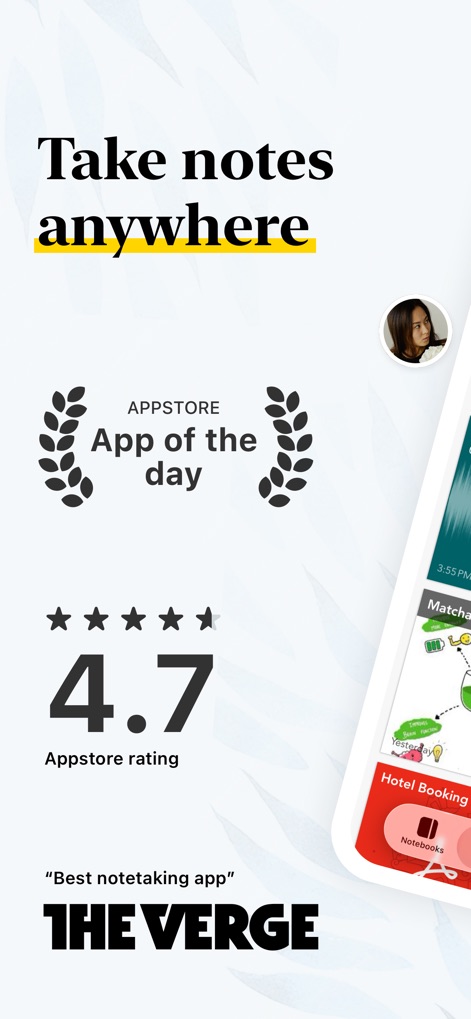
Die App wird von Nutzern geschätzt, was sich in der beeindruckenden 4.7 App Store Bewertung und der Auszeichnung als "App des Tages" widerspiegelt.
Ausgezeichnete Bewertungen
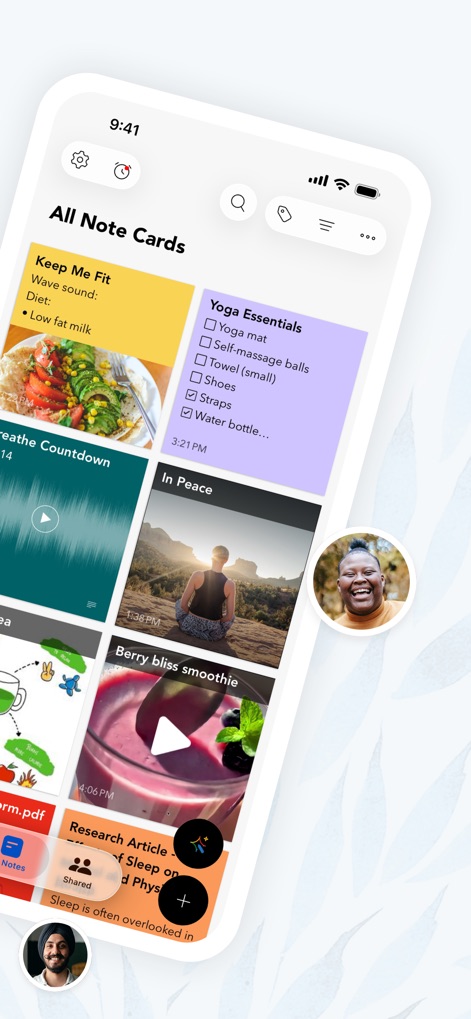
Nutzer können ihre Gedanken in vielfältigen Notizkarten-Typen festhalten, von Text und Checklisten bis hin zu Audioaufnahmen und Bildern, die übersichtlich im Hauptbildschirm präsentiert werden.
Multimodale Notizen
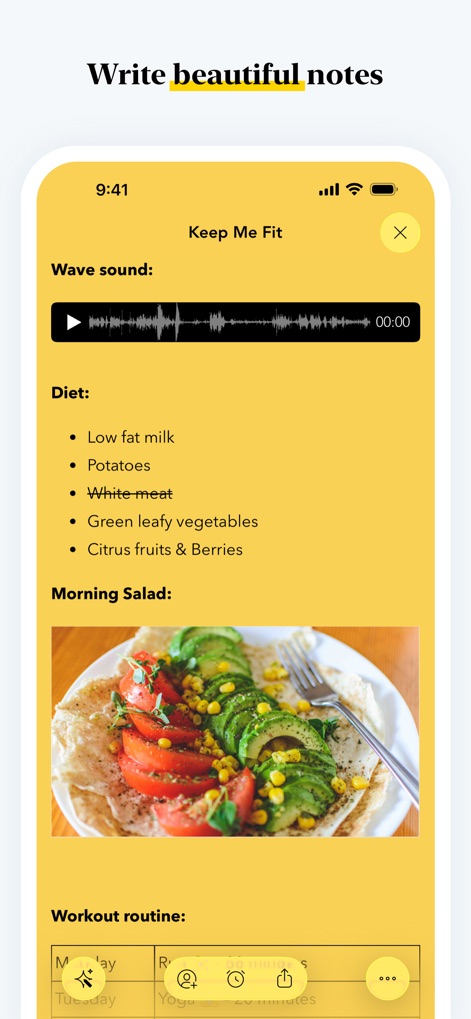
Dieses Tool ermöglicht das Erstellen ansprechender Notizen durch die nahtlose Integration von Audioaufnahmen und visuell aufbereiteten Texten, ergänzt durch Bilder.
Schöne Notizen gestalten
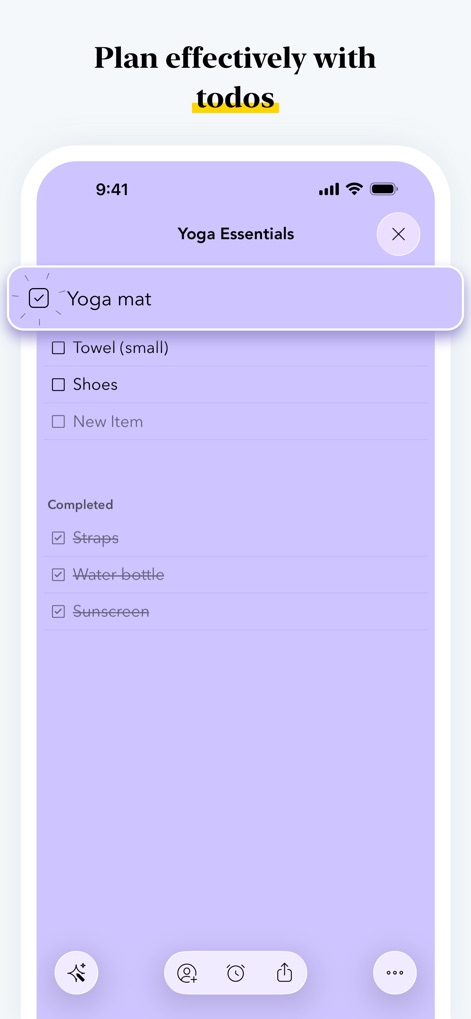
Nutzer können ihre Produktivität steigern, indem sie interaktive Checklisten verwenden, die eine klare Übersicht über erledigte und ausstehende Aufgaben bieten.
Aufgaben effektiv planen
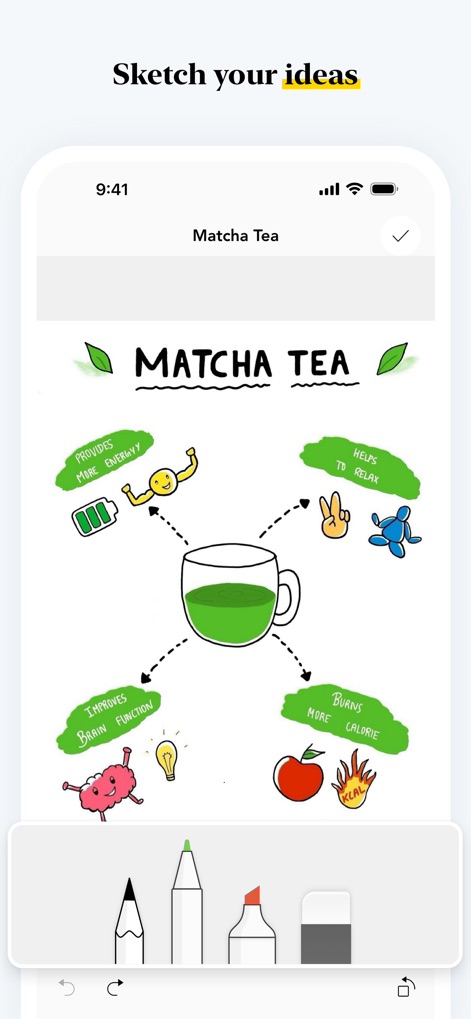
Mit den integrierten Zeichenwerkzeugen kann die App komplexe Konzepte wie den Nutzen von Matcha Tee als ansprechende visuelle Darstellung erfassen.
Ideen visualisieren
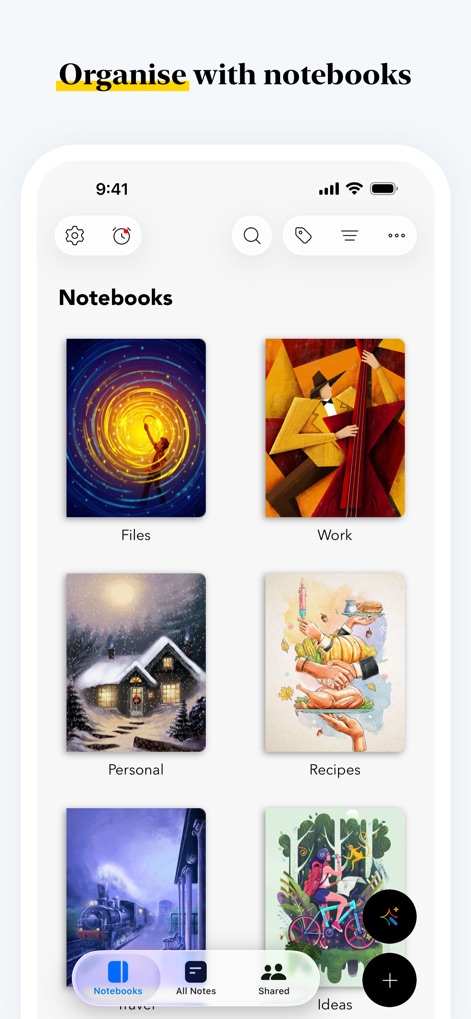
Die App bietet eine intuitive Organisation durch individuell gestaltbare Notizbuch-Cover und eine übersichtliche Kategorisierung der Inhalte.
Notizbücher organisieren
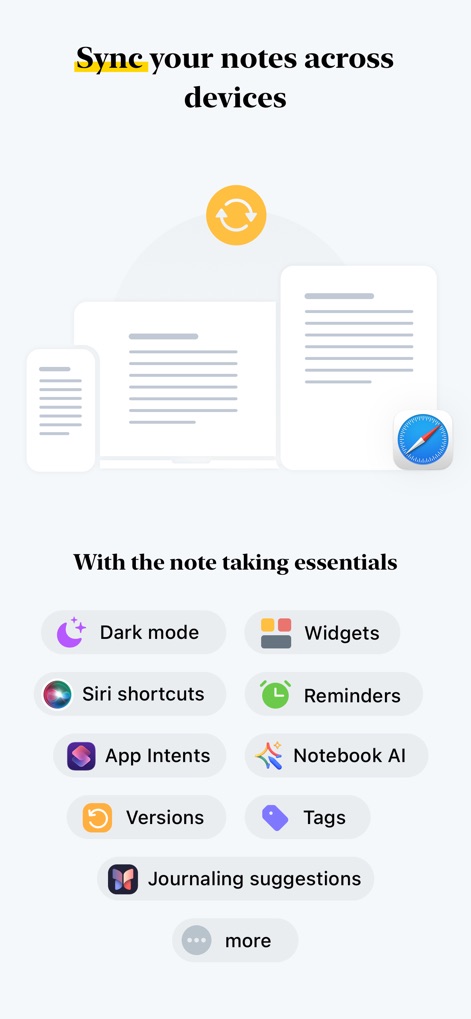
Die Anwendung sorgt für nahtlose Synchronisation aller Notizen zwischen verschiedenen Geräten und bietet zudem essentielle Produktivitäts-Features wie Siri Shortcuts und Widgets.
Geräteübergreifende Synchronisation
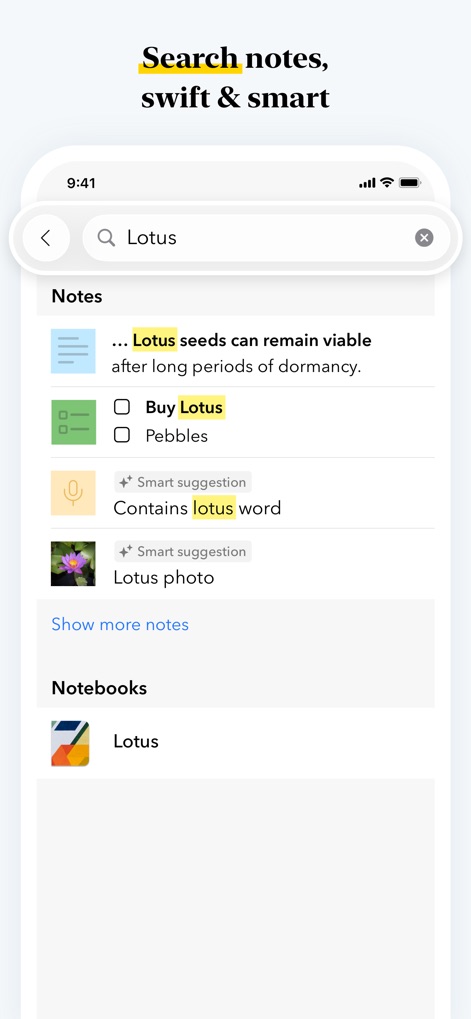
Nutzer finden schnell, wonach sie suchen, dank intelligenter Suchvorschläge und umfassender Suchergebnisse, die verschiedene Notiztypen umfassen.
Intelligente Suche
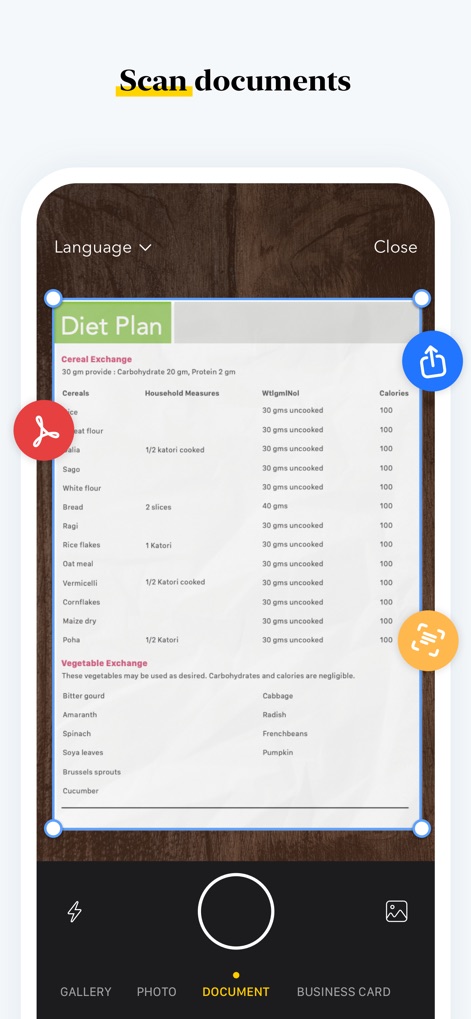
Die App ermöglicht das präzise Scannen von Dokumenten wie Diätplänen und bietet umgehend Optionen für den Export oder die weitere Bearbeitung der digitalisierten Inhalte.
Dokumente scannen
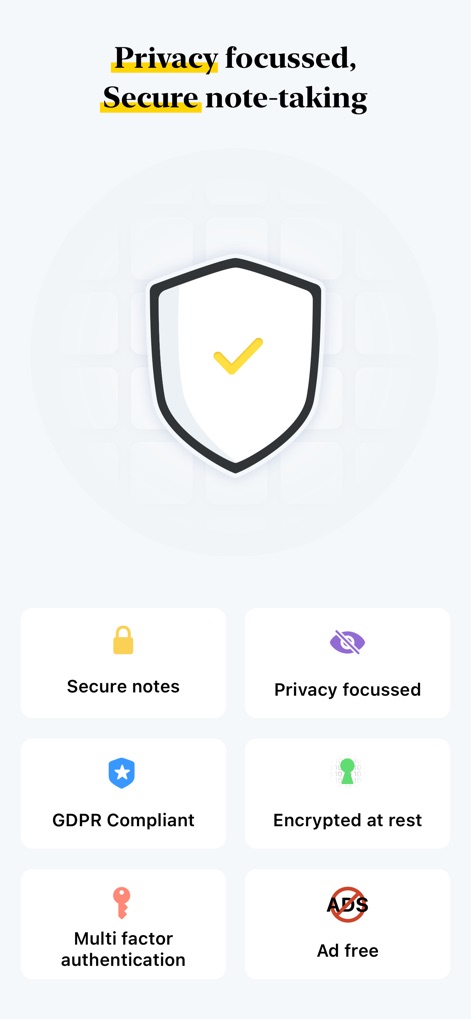
Der Fokus auf Datenschutz und Sicherheit wird durch das prominente Schildsymbol hervorgehoben und durch detaillierte Merkmale wie GDPR-Konformität und ein werbefreies Erlebnis untermauert.
Sichere Notizen erstellen
Beschreibung
Download
Ähnliche Apps
Apps mit ähnlichen Funktionen und Nutzererfahrung

Notion: Notes, Tasks, AI
Notion Labs, Incorporated

Freenotes®: AI Notes Taking
Hangzhou Free Notes Technology Co., Ltd

Structured - Daily Planner
unorderly GmbH

Google Tasks: Get Things Done
Google LLC

TickTick:To-Do List & Calendar
Appest Limited

Noteful: Notes & PDF Markup
Noteful Technologies Ltd

Todoist: To Do List & Calendar
Doist Inc.

To do list MinimaList & Widget
Inner Grow Limited

monday.com - Work Platform
monday.com Ltd.
Diese Seite ist keine offizielle Seite der App oder ihres Entwicklers, sondern eine unabhängige redaktionelle Veröffentlichung, die zu Informations- und Kommentarzwecken erstellt wurde. Sofern nicht ausdrücklich anders angegeben, sind weder die App noch ihr Entwickler mit MWM, Apple, Google Play, dem App-Herausgeber oder dem Entwickler der App verbunden, von ihnen unterstützt, gesponsert, autorisiert oder anderweitig offiziell verbunden, und nichts auf dieser Seite impliziert, dass die App unter Verwendung der Dienste von MWM entwickelt wurde. Alle Marken, Logos, Screenshots und andere Inhalte bleiben Eigentum ihrer jeweiligen Inhaber.