
Diese Seite ist keine offizielle Seite der App oder ihres Entwicklers, sondern eine unabhängige redaktionelle Veröffentlichung, die zu Informations- und Kommentarzwecken erstellt wurde. Sofern nicht ausdrücklich anders angegeben, sind weder die App noch ihr Entwickler mit MWM, Apple, Google Play, dem App-Herausgeber oder dem Entwickler der App verbunden, von ihnen unterstützt, gesponsert, autorisiert oder anderweitig offiziell verbunden, und nichts auf dieser Seite impliziert, dass die App unter Verwendung der Dienste von MWM entwickelt wurde. Alle Marken, Logos, Screenshots und andere Inhalte bleiben Eigentum ihrer jeweiligen Inhaber.

Notepad: Easy Notes & Memos
Verzichten Sie auf die Komplexität funktionsreicher Apps und kehren Sie zur Freude einfacher Organisation zurück. Halten Sie Gedanken fest, verwalten Sie tägliche Aufgaben und skizzieren Sie mit Apple Pencil in einem schönen, sicheren Notizbuch, das auf all Ihren Geräten synchronisiert wird.
Downloads
1M+Bewertung
Bewertungen gesamt
32K+Herausgeber
Kategorie
ProductivitySprachen
32Neueste Version
5.3.12Größe
50.1 MBErstveröffentlichung
1. Nov. 2013Mühelose Produktivität für Ihren modernen Lebensstil
Entwickelt für diejenigen, die Wert auf Einfachheit und Stil legen, verbindet Notepad das nostalgische Gefühl eines klassischen Notizbuchs mit der Leistung des Apple-Ökosystems.
Natürliches Schreiben & Skizzieren
Halten Sie Ideen mit flüssiger, drucksensitiver Tinte fest, die sich wie Stift auf Papier anfühlt. Perfekt für Studenten und Kreative, die Apple Pencil auf dem iPad verwenden.
Elegante Ästhetische Organisation
Vermeiden Sie das Chaos funktionsreicher Apps. Verwenden Sie farbcodierte Ordner und benutzerdefinierte Schriftarten, um einen Arbeitsbereich zu erstellen, der Ihren persönlichen Stil widerspiegelt.
Häufig gestellte Fragen
Alles, was Sie über wissen müssen Notepad: Easy Notes & Memos
Was ist Notepad: Easy Notes & Memos?
Notepad: Easy Notes & Memos ist eine klassische Notiz-App, die dazu dient, Ideen und Aufgaben zu organisieren. Sie kombiniert ein nostalgisches Notizbuchgefühl mit modernen Funktionen zum Erstellen von Notizen, To-Do-Listen und handschriftlichen Inhalten.
Kann ich in Notepad: Easy Notes & Memos To-Do-Listen erstellen?
Ja, Notepad: Easy Notes & Memos ermöglicht die Erstellung von To-Do-Listen mit interaktiven Checkboxen. Benutzer können Elemente per Drag & Drop neu anordnen und erledigte Aufgaben abhaken. Es ist perfekt für Einkaufs- oder Projektlisten.
Unterstützt Notepad: Easy Notes & Memos den Apple Pencil?
Ja, Notepad: Easy Notes & Memos unterstützt den Apple Pencil für natürliche handschriftliche Notizen, Diagramme und Zeichnungen. Es bietet flüssiges Schreiben, realistischen Tintenfluss, Druckempfindlichkeit und anpassbare Stifte, Bleistifte und Textmarker.
Wie organisiert Notepad: Easy Notes & Memos Notizen?
Notepad: Easy Notes & Memos organisiert Notizen in Ordnern und Unterordnern mit einer klaren, verschachtelten Struktur. Benutzer können Ordnern eindeutige Farben zuweisen und per Drag & Drop mehrere Notizen effizient neu anordnen oder verschieben.
Kann ich wichtige Notizen in Notepad: Easy Notes & Memos anheften?
Ja, Notepad: Easy Notes & Memos ermöglicht es Benutzern, wichtige Notizen am oberen Rand ihrer Liste anzuheften. Benutzer können Notizen auch nach Datum, einer benutzerdefinierten Reihenfolge oder alphabetisch sortieren, um einen einfachen Zugriff zu gewährleisten.
Bietet Notepad: Easy Notes & Memos iCloud-Synchronisation?
Ja, Notepad: Easy Notes & Memos bietet automatische Backups und iCloud-Sync. Diese Funktion stellt sicher, dass Notizen auf all Ihren Apple-Geräten sicher und zugänglich bleiben und die Datenkonsistenz gewahrt wird.
Wie kann ich Notepad: Easy Notes & Memos personalisieren?
Benutzer können Notepad: Easy Notes & Memos mit eindeutigen App-Icons, benutzerdefinierten Farben und stilvollen Schriftarten personalisieren. Es bietet auch einen schlanken Dunkelmodus für die bequeme Nutzung bei Nacht.
Gibt es eine Suchfunktion in Notepad: Easy Notes & Memos?
Ja, Notepad: Easy Notes & Memos enthält erweiterte Suchwerkzeuge mit Text-Hervorhebung. Dies ermöglicht es Benutzern, schnell genau das zu finden, was sie in ihren Notizen suchen.
Kann ich meine Notizen mit FaceID in Notepad: Easy Notes & Memos schützen?
Ja, Notepad: Easy Notes & Memos ermöglicht es Benutzern, ihre Notizen mit FaceID oder TouchID zu sperren. Diese Funktion bietet verbesserte Privatsphäre und Sicherheit für persönliche oder sensible Informationen.
Was sind die Premium-Funktionen von Notepad: Easy Notes & Memos?
Zu den Premium-Funktionen in Notepad: Easy Notes & Memos gehören eine werbefreie Nutzung, exklusive Themen und erweiterte Sortieroptionen. Diese bieten Power-Usern erweiterte Funktionalität und Anpassungsmöglichkeiten.
Die folgenden Screenshots und die Beschreibung stammen direkt aus dem offiziellen Store-Eintrag der App und sind Eigentum des Entwicklers.
App Store
Screenshots
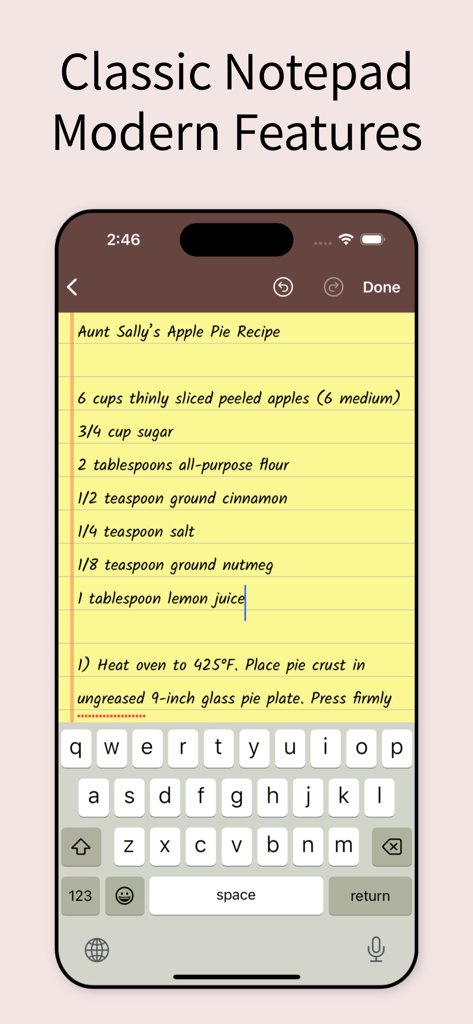
Bildschirm einer iPhone-App, der eine klassische gelbe Notizblock-Notiz mit einem Rezept für Apfelkuchen zeigt.
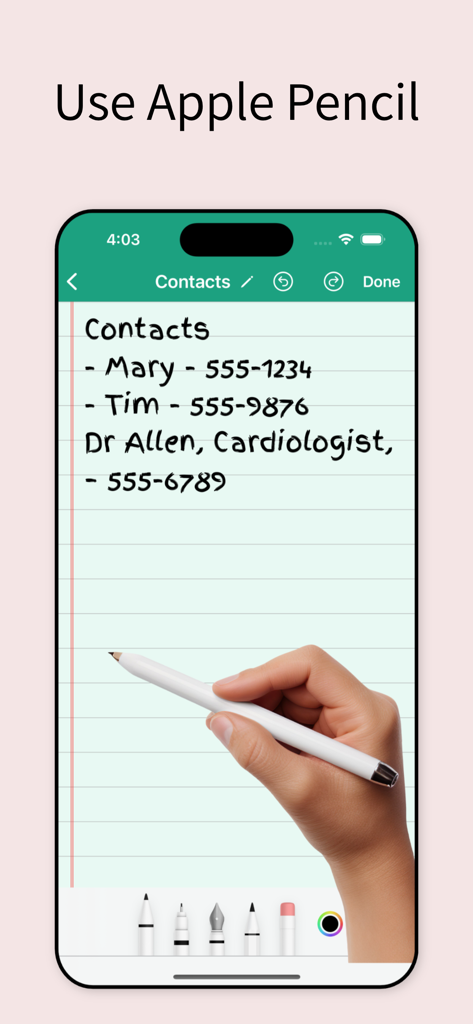
Eine Hand, die einen Stift verwendet, um eine Kontaktliste mit Telefonnummern in einer digitalen Notizblock-App zu schreiben.
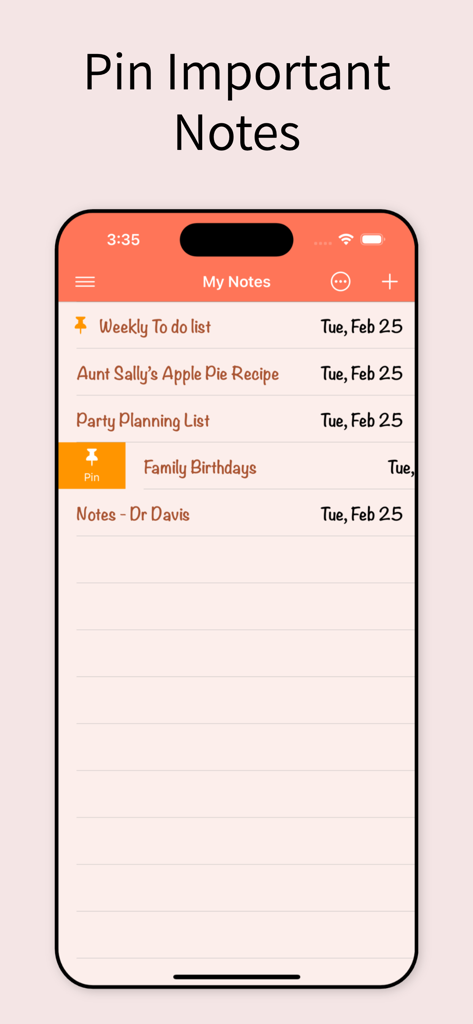
Eine mobile Benutzeroberfläche der Notepad-App, die die Funktion zum Anheften wichtiger Notizen zur einfachen Organisation zeigt.
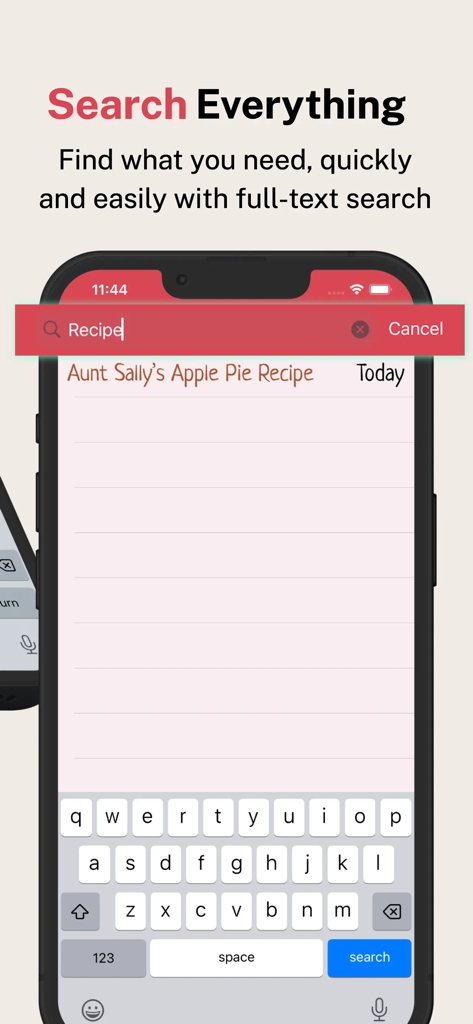
Ein mobiler Bildschirm, der die Volltextsuchfunktion in der Notepad-App zeigt, um schnell eine Rezeptnotiz zu finden.
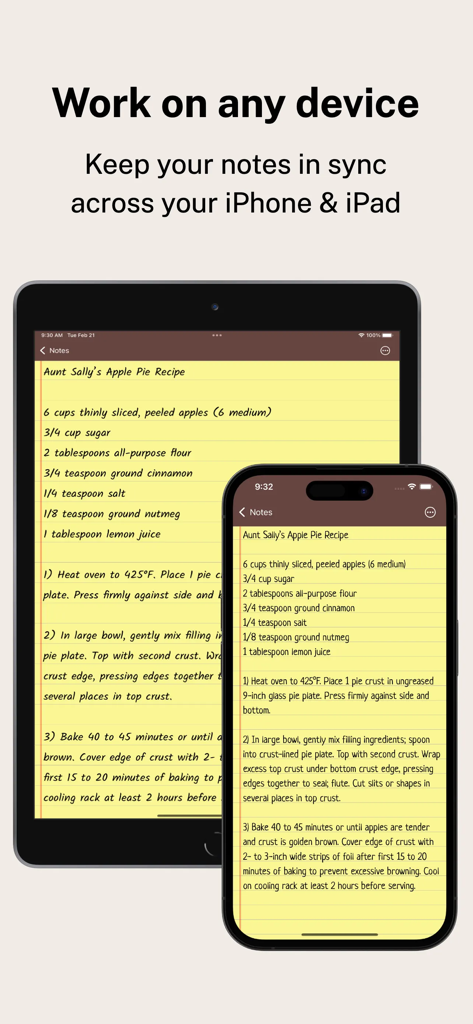
Die Notepad-App, die dieselbe Notiz synchronisiert auf einem iPhone und einem iPad anzeigt.
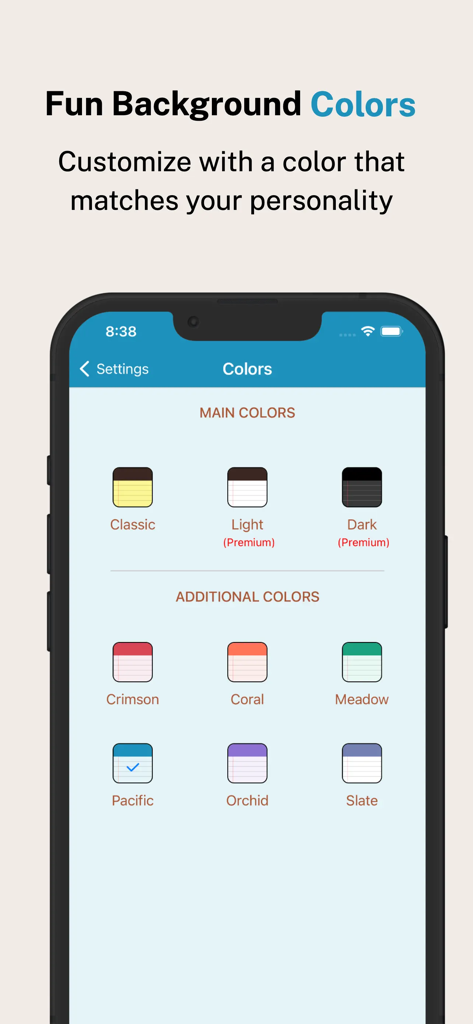
iPhone-Bildschirm mit verschiedenen Farbschemata für den Hintergrund der Notizblock-App wie Crimson Coral und Meadow.
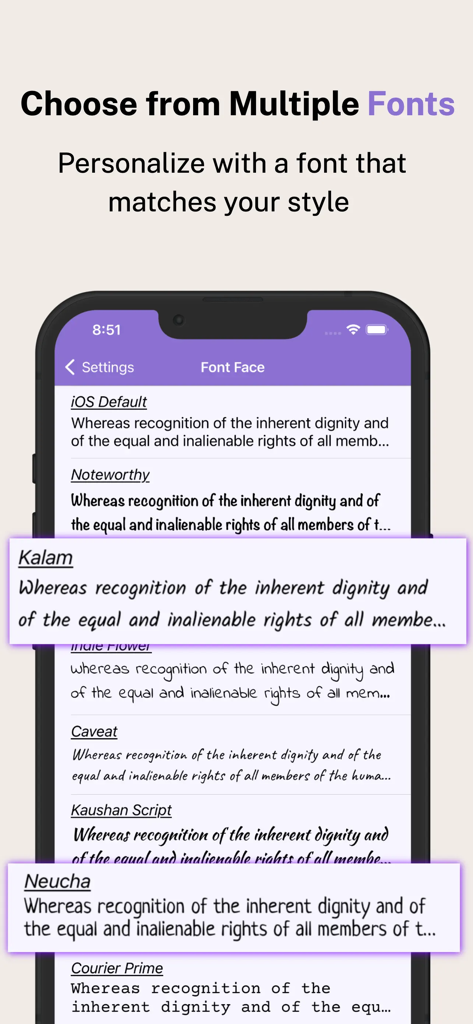
Ein Smartphone-Bildschirm mit verschiedenen Schriftarten zur Personalisierung von Notizen in der Notepad-App.
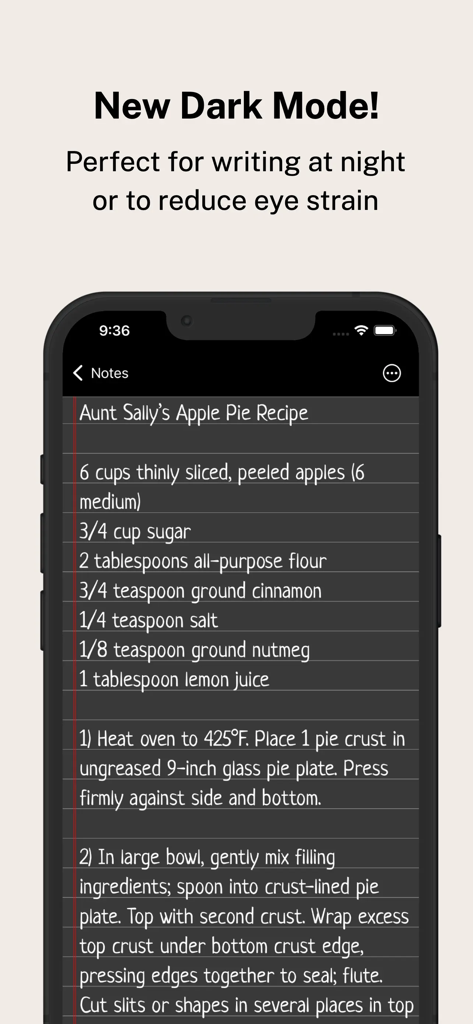
Smartphone mit der Notepad-App im Dunkelmodus und einem Rezept für Apfelkuchen.
Beschreibung
Download
Ähnliche Apps
Apps mit ähnlichen Funktionen und Nutzererfahrung

EasyNote: Note, Handwrite, PDF
Hangzhou Tensorart Technology Co., Ltd

Wellnote-Notes&PDF
MAXEYE US INC.

AJournal - Planner & Journal
WonderApps AB

Element Note
Soysauce Lab

Penbook
User Camp Inc.

Notes Writer - Note Taking
Kairoos Solutions S.L.

Notewise - AI Notes, PDF, Docs
ZIIKR Pte. Ltd.

Notes Writer Pro 2026
Kairoos Solutions S.L.

Paintwork - Infinite Notebook
伟典 苏
Diese Seite ist keine offizielle Seite der App oder ihres Entwicklers, sondern eine unabhängige redaktionelle Veröffentlichung, die zu Informations- und Kommentarzwecken erstellt wurde. Sofern nicht ausdrücklich anders angegeben, sind weder die App noch ihr Entwickler mit MWM, Apple, Google Play, dem App-Herausgeber oder dem Entwickler der App verbunden, von ihnen unterstützt, gesponsert, autorisiert oder anderweitig offiziell verbunden, und nichts auf dieser Seite impliziert, dass die App unter Verwendung der Dienste von MWM entwickelt wurde. Alle Marken, Logos, Screenshots und andere Inhalte bleiben Eigentum ihrer jeweiligen Inhaber.