Notepad ++
Notepad ++
Herunterladen auf App Store

Diese Seite ist keine offizielle Seite der App oder ihres Entwicklers, sondern eine unabhängige redaktionelle Veröffentlichung, die zu Informations- und Kommentarzwecken erstellt wurde. Sofern nicht ausdrücklich anders angegeben, sind weder die App noch ihr Entwickler mit MWM, Apple, Google Play, dem App-Herausgeber oder dem Entwickler der App verbunden, von ihnen unterstützt, gesponsert, autorisiert oder anderweitig offiziell verbunden, und nichts auf dieser Seite impliziert, dass die App unter Verwendung der Dienste von MWM entwickelt wurde. Alle Marken, Logos, Screenshots und andere Inhalte bleiben Eigentum ihrer jeweiligen Inhaber.

Logo von Notepad ++
Herunterladen auf App Store

Notepad ++

Gehen Sie über das Übliche hinaus mit Rich-Text-Formatierung, ästhetischer Farbkodierung und PIN-geschützten Tresoren. Das All-in-One-Notizbuch, das für Ihren einzigartigen kreativen Workflow entwickelt wurde.

Kennzahlen

Downloads

7K+

Bewertung

1.2/5

Bewertungen gesamt

0

Herausgeber

Gaurav Kokne

Kategorie

Productivity

Sprachen

21

Neueste Version

1.4

Größe

34.8 MB

Erstveröffentlichung

18. Dez. 2024
Funktionen

Bleiben Sie organisiert, stilvoll und sicher

Gehen Sie über einfachen Text hinaus mit einem professionellen Notizblock, der für ästhetische Organisation, absolute Privatsphäre und mühelose Aufgabenverwaltung entwickelt wurde.

Ästhetische Personalisierung

Drücken Sie Ihren Stil mit benutzerdefinierten Schriftarten, Textausrichtung und farbkodierten Kategorien aus, damit sich Ihr digitaler Arbeitsbereich wie zu Hause anfühlt.

Privater Sicherheits-Tresor

Schützen Sie Ihre sensiblen Daten, Tagebücher und Geschäftsgeheimnisse mit separaten passwort- oder PIN-geschützten privaten Notizen.

Die folgenden Screenshots und die Beschreibung stammen direkt aus dem offiziellen Store-Eintrag der App und sind Eigentum des Entwicklers.

App Store

Screenshots
Notepad ++ - Eine lächelnde junge Frau posiert neben einem Smartphone, das farblich kodierte Notizen in der Notepad plus plus App zeigt
Eine lächelnde junge Frau posiert neben einem Smartphone, das farblich kodierte Notizen in der Notepad plus plus App zeigt

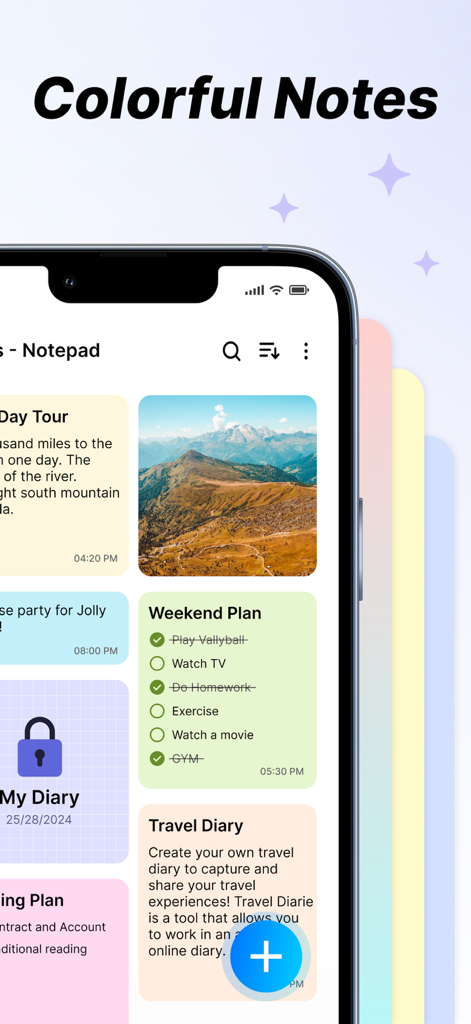
Notepad ++ - Notepad plus plus App-Oberfläche mit farbenfrohen organisierten Notizen-Checklisten und einem privaten Tresor
Notepad plus plus App-Oberfläche mit farbenfrohen organisierten Notizen-Checklisten und einem privaten Tresor

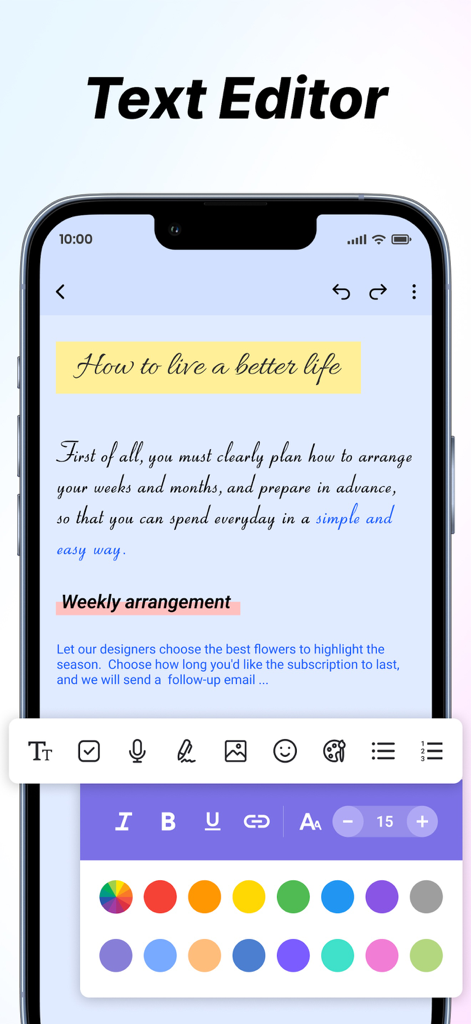
Notepad ++ - Notepad plus plus App-Screenshot, der verschiedene Textformatierungswerkzeuge und einen Farbauswähler für die ästhetische Notizorganisation zeigt
Notepad plus plus App-Screenshot, der verschiedene Textformatierungswerkzeuge und einen Farbauswähler für die ästhetische Notizorganisation zeigt

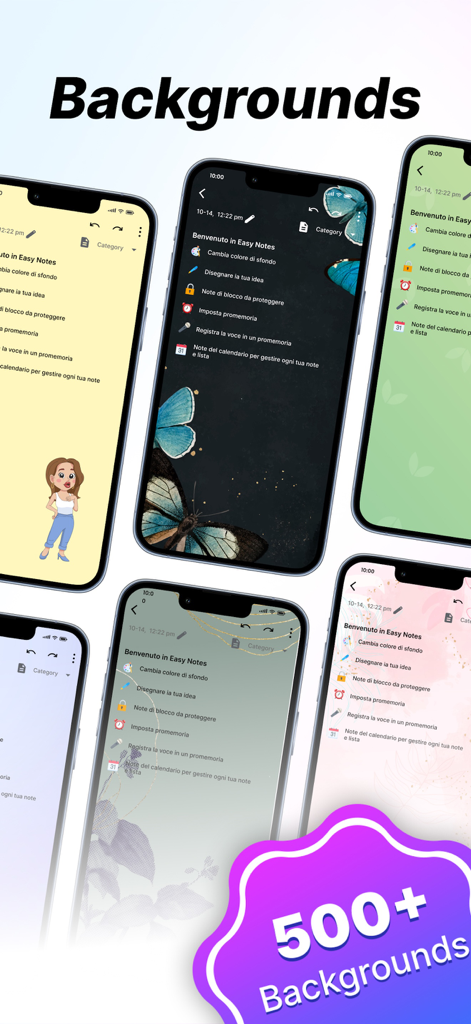
Notepad ++ - Sammlung von iPhones, die verschiedene bunte und künstlerische Notizhintergründe in der Notepad plus plus App zeigen
Sammlung von iPhones, die verschiedene bunte und künstlerische Notizhintergründe in der Notepad plus plus App zeigen

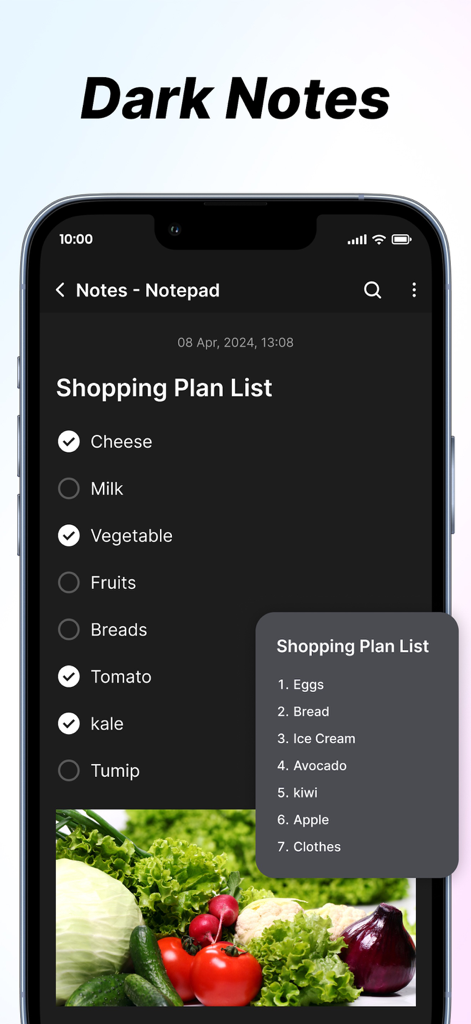
Notepad ++ - Notepad plus plus App-Oberfläche mit einer Einkaufslisten-Planung im Dark Mode mit Kontrollkästchen und einem Bild von Gemüse

Notepad plus plus App-Oberfläche mit einer Einkaufslisten-Planung im Dark Mode mit Kontrollkästchen und einem Bild von Gemüse

Beschreibung

The Notes App is a handy and easy-to-use tool for taking notes, planning tasks, and organising information. It offers flexible features and customisation to fit your needs. Key Features 1. Create Notes: * Effortlessly create new notes with a clean and intuitive interface, perfect for jotting down thoughts, to-dos, or key information. * Enjoy unlimited note creation with advanced formatting options, including: * Bold, italic, and underlined text for emphasis. * Bullet points and numbered lists for structured content. * Easy editing tools to refine and update your notes anytime. 2. Add Images: * Enhance your notes by attaching images directly from your device. Perfect for adding visual context, storing memorable moments, or including reference materials. 3. Font Customisation: * Personalise your notes with adjustable text sizes and a variety of font styles. Whether you need a professional look or a casual vibe, there’s a style for every need. 4. Text Alignment: * Organise your notes with precision by aligning text to the left, center, or right. Ideal for creating lists, structuring titles, or highlighting key sections. 5. Insert Clickable Links: * Integrate hyperlinks within your notes for seamless navigation to websites, documents, or other online resources. Simplify accessing external content with just a tap. 6. Reminders and Notifications: * Never miss a deadline or important task. Set reminders for specific notes and receive timely notifications to keep you on track. 7. Favourite Notes: * Pin your most critical or frequently accessed notes as favourites. Access them instantly without scrolling through your entire collection. 8. Sorting Notes: Keep your notes neatly organised with these sorting features: * By Colour: Use customisable note colours to visually categorise and group related information. * By Date: Sort notes by creation or last modification dates in ascending or descending order for chronological clarity. 9. Private Notes: * Safeguard sensitive or personal information by marking notes as private. Secure them with a password or PIN for added peace of mind. 10. Search Functionality: * Locate notes quickly with a robust search feature. Use keywords, tags, or filters to narrow down your search and save time. Subscription Details:- - Payment will be charged to iTunes Account at confirmation of purchase. - Subscription automatically renews unless auto-renew is turned off at least 24 hours before the end of the current period. - Account will be charged for renewal within 24 hours prior to the end of the current period, and identify the cost of the renewal. - No cancellation of the current subscription is allowed during the active subscription period. - Any unused portion of a free trial period, if offered, will be forfeited when the user purchases a subscription to that publication, where applicable For Further Information: Terms of Use : https://www.privacypolicycenter.com/view_custom.php?v=aW9zS3hmSzhiQ2hwNDlOSnBUUUpRUT09&n=Terms-Of-Use Privacy Policy : https://www.privacypolicycenter.com/view_custom.php?v=aXFKcDR1OWVqcVMvbisxN1FFUm02UT09&n=Privacy-Policy

Download

Herunterladen auf App Store

Diese Seite ist keine offizielle Seite der App oder ihres Entwicklers, sondern eine unabhängige redaktionelle Veröffentlichung, die zu Informations- und Kommentarzwecken erstellt wurde. Sofern nicht ausdrücklich anders angegeben, sind weder die App noch ihr Entwickler mit MWM, Apple, Google Play, dem App-Herausgeber oder dem Entwickler der App verbunden, von ihnen unterstützt, gesponsert, autorisiert oder anderweitig offiziell verbunden, und nichts auf dieser Seite impliziert, dass die App unter Verwendung der Dienste von MWM entwickelt wurde. Alle Marken, Logos, Screenshots und andere Inhalte bleiben Eigentum ihrer jeweiligen Inhaber.








