
Diese Seite ist keine offizielle Seite der App oder ihres Entwicklers, sondern eine unabhängige redaktionelle Veröffentlichung, die zu Informations- und Kommentarzwecken erstellt wurde. Sofern nicht ausdrücklich anders angegeben, sind weder die App noch ihr Entwickler mit MWM, Apple, Google Play, dem App-Herausgeber oder dem Entwickler der App verbunden, von ihnen unterstützt, gesponsert, autorisiert oder anderweitig offiziell verbunden, und nichts auf dieser Seite impliziert, dass die App unter Verwendung der Dienste von MWM entwickelt wurde. Alle Marken, Logos, Screenshots und andere Inhalte bleiben Eigentum ihrer jeweiligen Inhaber.

nPlayer Plus
Erleben Sie High-Fidelity-DTS- und Dolby-Audio mit nativer Unterstützung für jedes Videoformat. Streamen Sie Ihre gesamte Bibliothek von Ihrem NAS, Cloud oder FTP, ohne den internen Speicher zu opfern.
Downloads
488K+Bewertung
Bewertungen gesamt
37K+Herausgeber
Kategorie
EntertainmentSprachen
10Neueste Version
3.13.0Größe
62.0 MBErstveröffentlichung
24. Juli 2012Meistern Sie Ihr Medien-Erlebnis
Das ultimative Power-Tool für Medien-Enthusiasten. Streamen, abspielen und passen Sie jedes Detail Ihrer Bibliothek mit professioneller Leistung und null Formatbeschränkungen an.
Universelle Wiedergabe, keine Konvertierung
Verabschieden Sie sich von Konvertierungstools. Spielen Sie MKV, AVI, WMV und mehr fehlerfrei mit flüssiger Hardware-Beschleunigung und voller HDR-Unterstützung ab.
Ihre private Medien-Cloud
Sparen Sie Speicherplatz auf Ihrem Gerät. Streamen Sie 4K-Inhalte direkt von Ihrem NAS, FTP, SMB oder Cloud-Diensten wie Dropbox und Google Drive.
Die folgenden Screenshots und die Beschreibung stammen direkt aus dem offiziellen Store-Eintrag der App und sind Eigentum des Entwicklers.
App Store
Screenshots
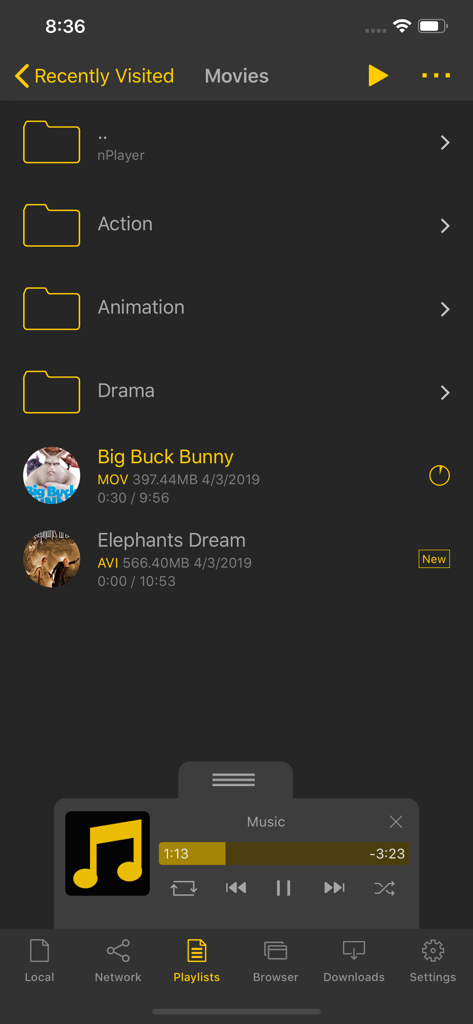
nPlayer Plus Medienbibliothek-Oberfläche, die Filmordner und ein Mini-Musikplayer-Bedienfeld anzeigt
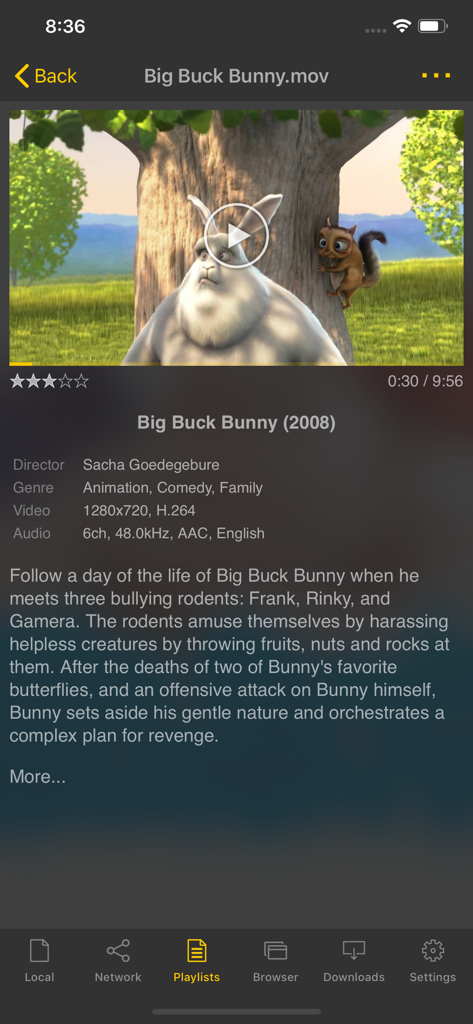
Oberfläche der nPlayer Plus App, die Filmdetails und technische Spezifikationen für eine Videodatei anzeigt
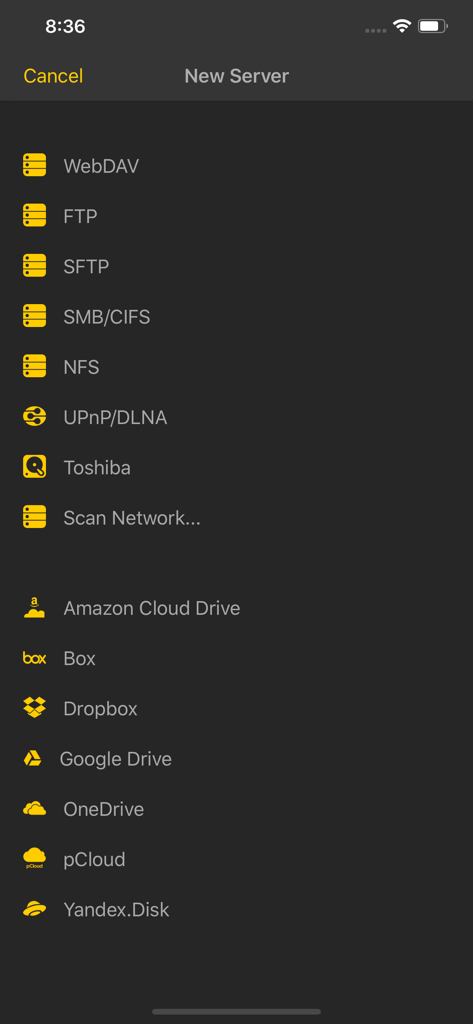
Screenshot von nPlayer Plus, der Netzwerkserver- und Cloud-Speicherverbindungsoptionen zeigt
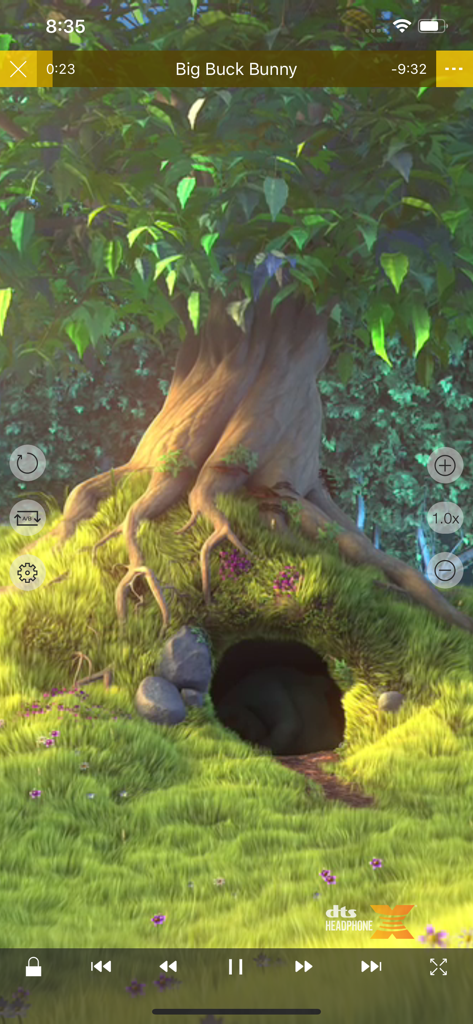
nPlayer Plus Mobile App Video-Wiedergabe-Oberfläche mit DTS Headphone X Logo und Wiedergabesteuerung
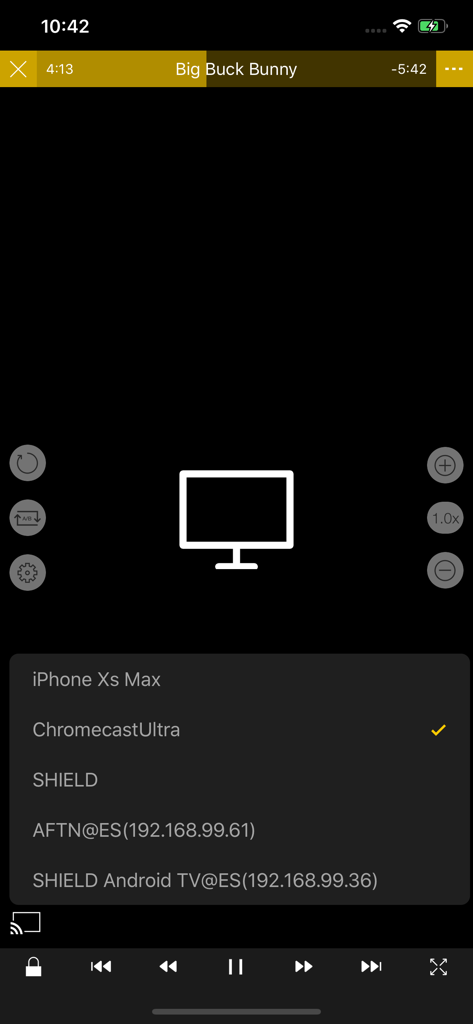
Auswahl eines Chromecast Ultra-Geräts zum Übertragen von Videos in der nPlayer Plus App
Beschreibung
Download
Ähnliche Apps
Apps mit ähnlichen Funktionen und Nutzererfahrung

网易爆米花-智能媒体库,全能云盘网盘播放器
Guangzhou NetEase Computer System Co.Ltd

Immich
Hau Tran

飞牛
Guangzhou TR Intelligent Manufacturing Technology Co., Ltd.
nPlayer
Newin Inc.

MiraPlay
悦 刘

NipaPlay
荣广 梁

VidHub -Video Library & Player
Nanjing Oumi Software Development Co., Ltd.

Fast Player - video player
化媚 席

zFuse - Media Player
s-joys Technology Co., Ltd.
Diese Seite ist keine offizielle Seite der App oder ihres Entwicklers, sondern eine unabhängige redaktionelle Veröffentlichung, die zu Informations- und Kommentarzwecken erstellt wurde. Sofern nicht ausdrücklich anders angegeben, sind weder die App noch ihr Entwickler mit MWM, Apple, Google Play, dem App-Herausgeber oder dem Entwickler der App verbunden, von ihnen unterstützt, gesponsert, autorisiert oder anderweitig offiziell verbunden, und nichts auf dieser Seite impliziert, dass die App unter Verwendung der Dienste von MWM entwickelt wurde. Alle Marken, Logos, Screenshots und andere Inhalte bleiben Eigentum ihrer jeweiligen Inhaber.