Office Word:Edit Word Document

Office Word:Edit Word Document

Herunterladen auf App Store
Logo von Office Word:Edit Word Document

Office Word: Word-Dokument bearbeiten — Die All-in-One-Mobile-Office-Suite

Erstellen, bearbeiten und arbeiten Sie mühelos an Word-, PDF- und XLS-Dateien von überall aus. Schließen Sie sich über 10 Millionen Nutzern an, die professionelle Dokumente und Vorlagen mit sicheren, mobilen Produktivitätstools verwalten.

Herunterladen auf App Store

Herausgeber

Rhophi Analytics LLP

Kategorie

Productivity

Downloads

10M+

Bewertung

4.5/5

Bewertungen gesamt

28K+

Sprachen

19

Effizienz in jedem Pixel

Entdecken Sie die Oberfläche, die von 10M+ Nutzern verwendet wird.
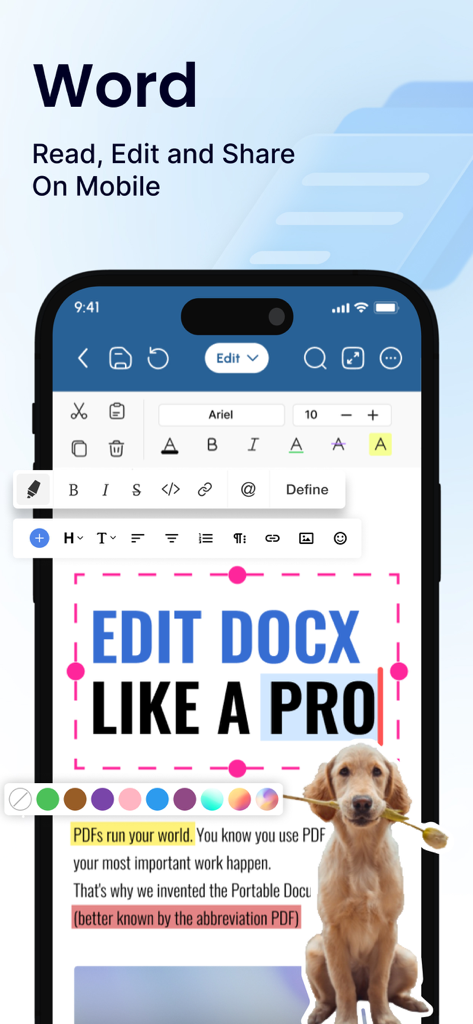
Mobile Benutzeroberfläche der Office Word App mit professionellen Werkzeugen zur Dokumentenbearbeitung

Mobile Benutzeroberfläche der Office Word App mit professionellen Werkzeugen zur Dokumentenbearbeitung

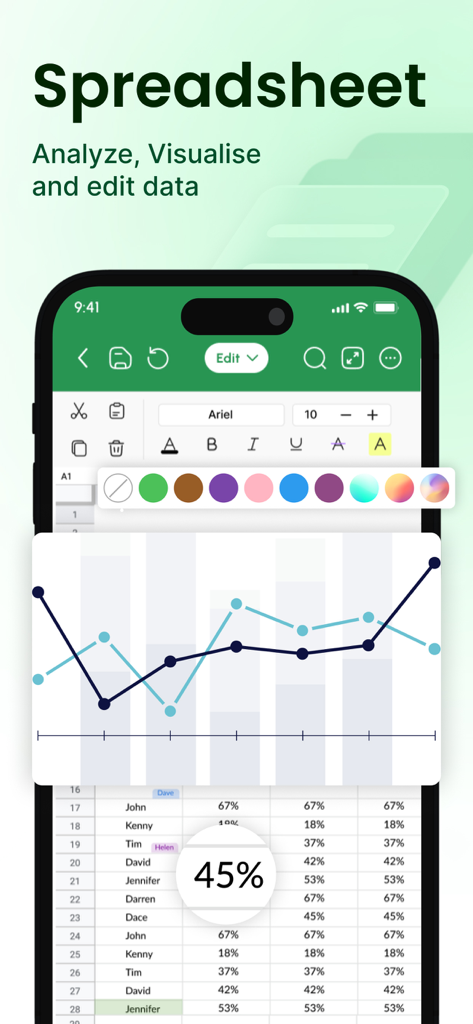
Mobile App-Bildschirm, der die Bearbeitung von Tabellendaten und eine Liniendiagramm-Visualisierung zeigt

Mobile App-Bildschirm, der die Bearbeitung von Tabellendaten und eine Liniendiagramm-Visualisierung zeigt

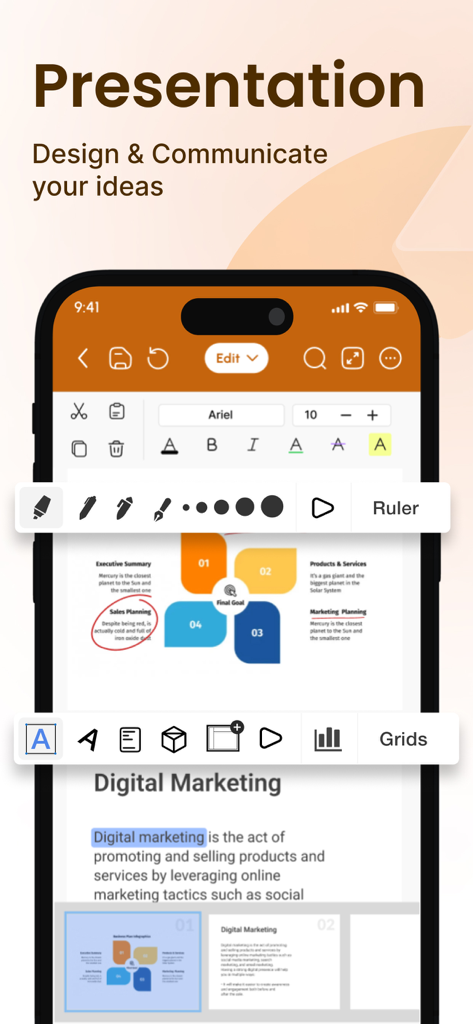
Eine professionelle mobile Benutzeroberfläche für Präsentationsbearbeitung, die Diagramme und Formatierungswerkzeuge für Geschäftsdokumente zeigt

Eine professionelle mobile Benutzeroberfläche für Präsentationsbearbeitung, die Diagramme und Formatierungswerkzeuge für Geschäftsdokumente zeigt

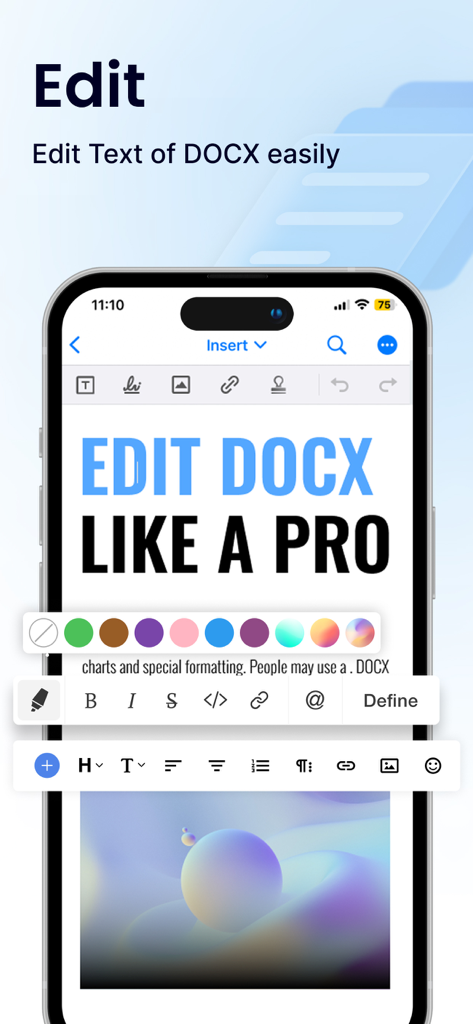
Mobile Anwendungs-Oberfläche zur Bearbeitung von Word-Dokumenten mit umfassenden Formatierungswerkzeugen

Mobile Anwendungs-Oberfläche zur Bearbeitung von Word-Dokumenten mit umfassenden Formatierungswerkzeugen

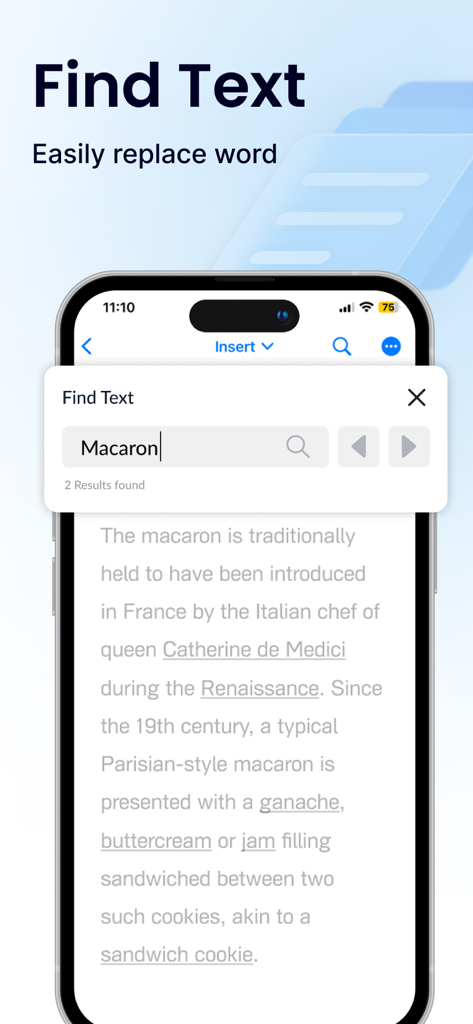
Smartphone-Bildschirm mit dem Such- und Ersetzen-Werkzeug in der Office Word App

Smartphone-Bildschirm mit dem Such- und Ersetzen-Werkzeug in der Office Word App

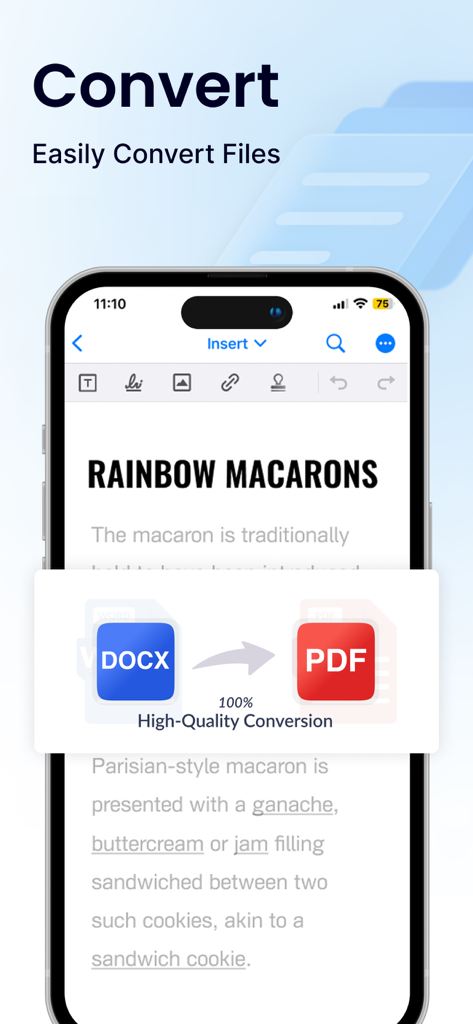
Oberfläche der Office Word App, die eine hochwertige Konvertierung von DOCX in PDF-Dateien zeigt

Oberfläche der Office Word App, die eine hochwertige Konvertierung von DOCX in PDF-Dateien zeigt

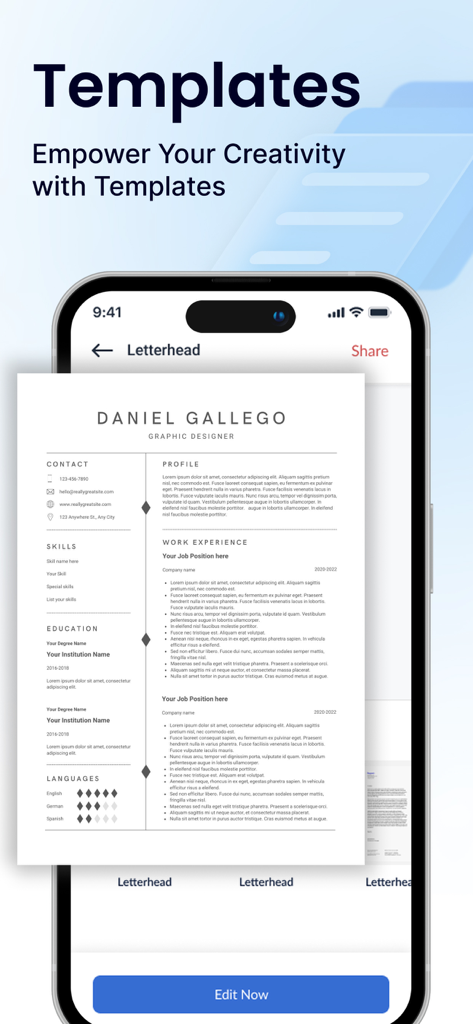
Mobile App-Oberfläche mit professionellen Vorlagen für Lebensläufe zur Dokumentenbearbeitung.

Mobile App-Oberfläche mit professionellen Vorlagen für Lebensläufe zur Dokumentenbearbeitung.

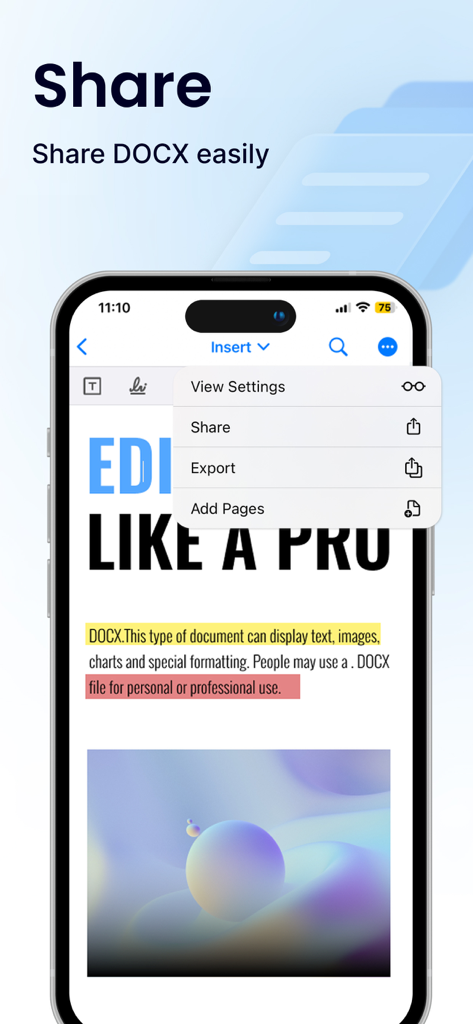
Mobile Bildschirmansicht mit den Optionen zum Teilen und Exportieren eines DOCX-Dokuments innerhalb der Office Word App-Oberfläche

Mobile Bildschirmansicht mit den Optionen zum Teilen und Exportieren eines DOCX-Dokuments innerhalb der Office Word App-Oberfläche

Meistern Sie Ihren Workflow unterwegs

Die Tools, die diese App auszeichnen, gewählt von 10M+ Nutzern.

🚀

Universelle Dateibearbeitung

Bearbeiten Sie Word-, PDF-, Excel- und PPTX-Dateien mit einer schlanken Oberfläche, die für Ihr iPhone und iPad optimiert ist.

📝

Professionelle Vorlagen

Landen Sie Ihren Traumjob oder beeindrucken Sie Kunden mit fertigen Vorlagen für Lebensläufe, Anschreiben und Geschäftsvorschläge.

🛡️

Sicherheit auf Unternehmensebene

Halten Sie Ihre sensiblen Arbeiten mit Passwortschutz, 2FA und nahtloser Cloud-Integration mit Google Drive und Dropbox privat.

Bewertungsanalyse

Erkenntnisse aus Nutzerbewertungen.

Stimmungswert

10%
Negativ

Zusammenfassung

The app has received predominantly negative feedback from users, primarily due to issues with its monetization strategy. Many reviews highlight significant problems with unexpected charges, including unapproved subscriptions and auto-renewals, often leading to large deductions from user accounts. A common complaint is the app's aggressive pricing model and paywall, where basic functionalities or even document editing are locked behind expensive subscriptions or require immediate payment. Users frequently report difficulties obtaining refunds for these charges and express frustration over poor core functionality, with problems like inability to save documents, lack of essential features, and general usability issues. A small number of positive reviews acknowledge the app's value for money compared to other paid alternatives and its usefulness for specific tasks.

Häufige Themen

General Positive Experience(3)
Value for Money(2)

Über die App

Alles, was Sie über wissen müssen Office Word:Edit Word Document.

Beschreibung

Office Word: Edit Word Documents is a powerful and user-friendly app that lets you create, edit, view, share, and manage your documents and files on the go. Whether you're one busy professional crafting reports and proposals, a student juggling assignments, or simply need to jot down quick notes, this app equips you with everything you need to conquer your docs needs. 1. Interface and Formatting Tools Sleek and intuitive interface for effortless document and file navigation and editing. Variety of formatting tools to customize and edit your Word docs (fonts, text sizes, bold, italic, underline, highlight). Ability to seamlessly insert tables, images, and charts into your Word files. 2. Collaboration Features Real-time collaboration capabilities to create, edit, or annotate documents simultaneously with team members. Commenting directly on specific parts of the document or file to facilitate clear communication and feedback. 3. Security Options Password protection for your Word files to ensure security. Two-factor authentication for authorized access to your documents. Robust security features to keep your documents safe. 4. Personal and Professional Use Suitable for both personal and professional document and file creation and editing. Ideal for students, freelancers, and business owners to edit, create, or manage their documents. Seamless integration with popular cloud services like Google Drive and Dropbox for easy document and file sharing. 5. Free trials and subscriptions Try out all paid features for free for 3 days to experience the power of editing your documents and files. Select a plan that best suits your needs to edit or create Word docs. Cancel anytime without any obligations. Subscription will be charged to your credit card through your App Store account. Your subscription will automatically renew unless canceled at least 24 hours before the end of the current period. Manage your subscription in the Account Settings on the App Store after purchase. Here's what makes Office Word: Edit Word Documents stand out: Effortlessly create, edit, view, share, and manage Word docs. Collaborate in real-time with colleagues on documents and files. Ensure security with password protection and two-factor authentication for your Word docs. Manage documents and files for personal or professional use. Enjoy a free trial and flexible subscription options. Read and manage all file formats such as Word, docx, pdf, xls, pptx, etc. Create professional resumes and cover letters with existing templates. Empowering Users in Every Role: Students: Streamline your workflow and excel in your studies with this powerful mobile app. Effortlessly create, edit, view, and share all your school documents. Manage or edit assignments, take clear and organized notes, and create polished reports and presentations that will impress your professors. Freelancers: Enhance your workflow and productivity with Office Word: Edit Word Documents. Create, edit professional Word documents, proposals, and invoices, leaving a lasting impression on clients. Work efficiently with clients, deliver high-quality projects on time, and manage your freelance business effectively with seamless file sharing and collaboration features. Create, edit, view, and share all your freelance docs and files on the go, keeping you organized and on top of your projects Business Owners: Manage essential word files, collaborate with teams across locations, and create impactful presentations to showcase your business with Office Word: Edit Word Documents Additional Information • Link to the app's Terms of Use - https://blog.a1apps.co/terms-of-use-office-wordedit-word-document/ Link to the app's Privacy Policy - https://blog.a1apps.co/privacy-policy-office-wordedit-word-document/ Download Office Word: Edit Word Documents today and experience the future of mobile document and file management!

Neueste Version

1.0.25

Größe

227.4 MB

Erstveröffentlichung

10. Feb. 2023

Bereit, Ihre Arbeitsweise zu verändern?

Schließen Sie sich über 10 Millionen Fachleuten und Studenten an, die ihre Dokumente unterwegs meistern. Laden Sie jetzt herunter, um Ihre 3-tägige kostenlose Testversion zu starten und die volle Leistung mobiler Produktivität zu entfesseln.

Herunterladen auf App Store
FAQ

Häufig gestellte Fragen

Alles, was Sie über wissen müssen Office Word:Edit Word Document

Was ist Office Word: Edit Word Document?

Office Word: Edit Word Document ist eine leistungsstarke mobile App zum Erstellen, Bearbeiten, Anzeigen, Teilen und Verwalten verschiedener Dokumenten- und Dateitypen, einschließlich Word, docx, PDF, XLS und PPTX, unterwegs.

Können Benutzer mit Office Word: Edit Word Document an Dokumenten zusammenarbeiten?

Ja, Office Word: Edit Word Document bietet Funktionen für die Echtzeit-Zusammenarbeit. Benutzer können Dokumente gleichzeitig mit Teammitgliedern erstellen, bearbeiten oder kommentieren und Feedback geben, indem sie direkt auf bestimmte Teile der Datei kommentieren.

Bietet Office Word: Edit Word Document Sicherheit für Benutzerdateien?

Ja, Office Word: Edit Word Document verfügt über robuste Sicherheitsfunktionen. Dazu gehören Passwortschutz für Word-Dateien und Zwei-Faktor-Authentifizierung, um den autorisierten Zugriff auf Dokumente zu gewährleisten und sie sicher aufzubewahren.

Kann ich Office Word: Edit Word Document kostenlos ausprobieren?

Ja, Office Word: Edit Word Document bietet eine kostenlose 3-tägige Testversion. Benutzer können alle kostenpflichtigen Funktionen während dieser Zeit ausprobieren, bevor sie einen Abonnementplan auswählen. Abonnements verlängern sich automatisch, können aber jederzeit gekündigt werden.

Welche Formatierungswerkzeuge sind in Office Word: Edit Word Document verfügbar?

Office Word: Edit Word Document bietet verschiedene Formatierungswerkzeuge. Dazu gehören die Anpassung von Schriftarten, Textgrößen, Fett-, Kursiv-, Unterstreichungs- und Hervorhebungsoptionen sowie die Möglichkeit, Tabellen, Bilder und Diagramme in Word-Dateien einzufügen.

Unterstützt Office Word: Edit Word Document die Integration von Cloud-Speicher?

Ja, Office Word: Edit Word Document lässt sich nahtlos in gängige Cloud-Dienste integrieren. Benutzer können Dokumente von Plattformen wie Google Drive und Dropbox einfach teilen und darauf zugreifen, um eine effiziente Dateiverwaltung zu gewährleisten.

Kann ich mit Office Word: Edit Word Document Dateien wie DOCX in PDF konvertieren?

Ja, Office Word: Edit Word Document ermöglicht Benutzern die einfache Konvertierung von Dateien. Es unterstützt die hochwertige Konvertierung, beispielsweise von DOCX in PDF, direkt in der App.

Bietet Office Word: Edit Word Document Vorlagen für Dokumente?

Ja, Office Word: Edit Word Document bietet vorhandene Vorlagen. Benutzer können diese Vorlagen nutzen, um professionelle Dokumente wie Lebensläufe und Anschreiben zu erstellen und ihrer Kreativität freien Lauf zu lassen.

Wie verwalte ich mein Abonnement für Office Word: Edit Word Document?

Benutzer verwalten Abonnements für Office Word: Edit Word Document in ihren App Store-Kontoeinstellungen nach dem Kauf. Abonnements verlängern sich automatisch, sofern sie nicht mindestens 24 Stunden vor Ablauf des aktuellen Zeitraums gekündigt werden.

Welche Dateiformate kann Office Word: Edit Word Document lesen und verwalten?

Office Word: Edit Word Document kann alle Dateiformate wie Word, docx, pdf, xls und pptx lesen und verwalten. Diese Vielseitigkeit unterstützt eine umfassende Dokumenten- und Dateiverarbeitung.

App information, icons, screenshots, and descriptions displayed on this page are sourced from the Apple App Store and are the property of their respective developers. Download estimates and rankings are based on MWM's proprietary models and may not reflect actual figures. This page is provided for informational and analytical purposes only.

Believe this page infringes your intellectual property? File a dispute