OmnScanner - PDF Scanner App
Herunterladen auf App Store

Diese Seite ist keine offizielle Seite der App oder ihres Entwicklers, sondern eine unabhängige redaktionelle Veröffentlichung, die zu Informations- und Kommentarzwecken erstellt wurde. Sofern nicht ausdrücklich anders angegeben, sind weder die App noch ihr Entwickler mit MWM, Apple, Google Play, dem App-Herausgeber oder dem Entwickler der App verbunden, von ihnen unterstützt, gesponsert, autorisiert oder anderweitig offiziell verbunden, und nichts auf dieser Seite impliziert, dass die App unter Verwendung der Dienste von MWM entwickelt wurde. Alle Marken, Logos, Screenshots und andere Inhalte bleiben Eigentum ihrer jeweiligen Inhaber.

Logo von OmnScanner - PDF Scanner App
Herunterladen auf App Store

OmnScanner - PDF Scanner App

Digitalisieren Sie mühelos Dokumente, Ausweise und Verträge mit hochpräziser Texterkennung, sicherer Verschlüsselung und automatischer Kantenerkennung für ein papierloses mobiles Büro.

Kennzahlen

Downloads

0

Bewertung

4.8/5

Bewertungen gesamt

0

Herausgeber

Shanghai Quentin network technology co. LTD

Kategorie

Productivity

Sprachen

3

Neueste Version

13.0.2

Größe

49.7 MB

Erstveröffentlichung

4. Aug. 2018
Funktionen

Ihr gesamtes Büro in Ihrer Tasche

Verwandeln Sie Ihr iPhone mit KI-gestützter Präzision und Scanqualität im Industriestandard in einen leistungsstarken Dokumenten-Hub.

Profi-Digitalisierung

Erfassen Sie Verträge und Quittungen mit 360°-Autokreuzung und sofortiger HD-Verbesserung für pixelgenaue professionelle Ergebnisse.

KI-gestützte Intelligenz

Extrahieren Sie Text mit hochpräziser OCR und übersetzen Sie Dokumente sofort in bearbeitbare Word-, TXT- oder durchsuchbare PDF-Formate.

Die folgenden Screenshots und die Beschreibung stammen direkt aus dem offiziellen Store-Eintrag der App und sind Eigentum des Entwicklers.

App Store

Screenshots
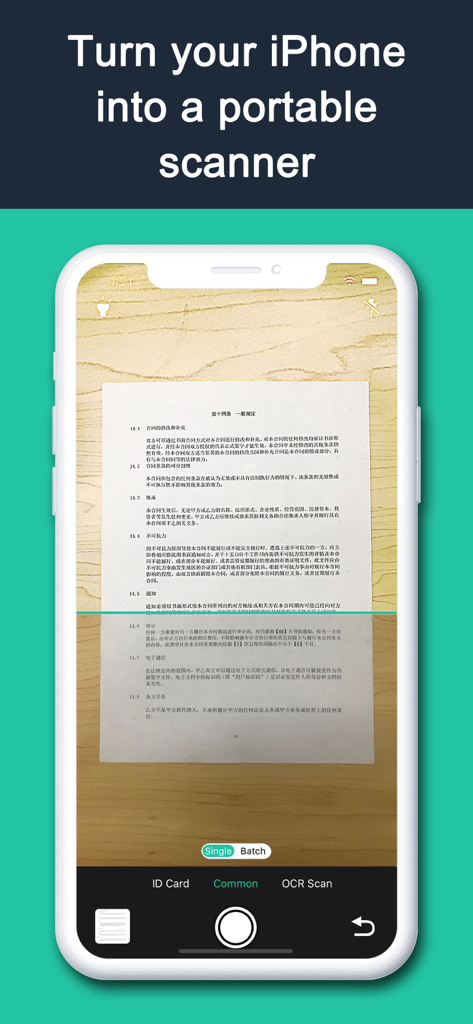
OmnScanner - PDF Scanner App - iPhone-Bildschirm, der die Benutzeroberfläche der OmnScanner-App anzeigt, die ein Dokument erfasst, um es in einen hochwertigen digitalen Scan umzuwandeln
iPhone-Bildschirm, der die Benutzeroberfläche der OmnScanner-App anzeigt, die ein Dokument erfasst, um es in einen hochwertigen digitalen Scan umzuwandeln

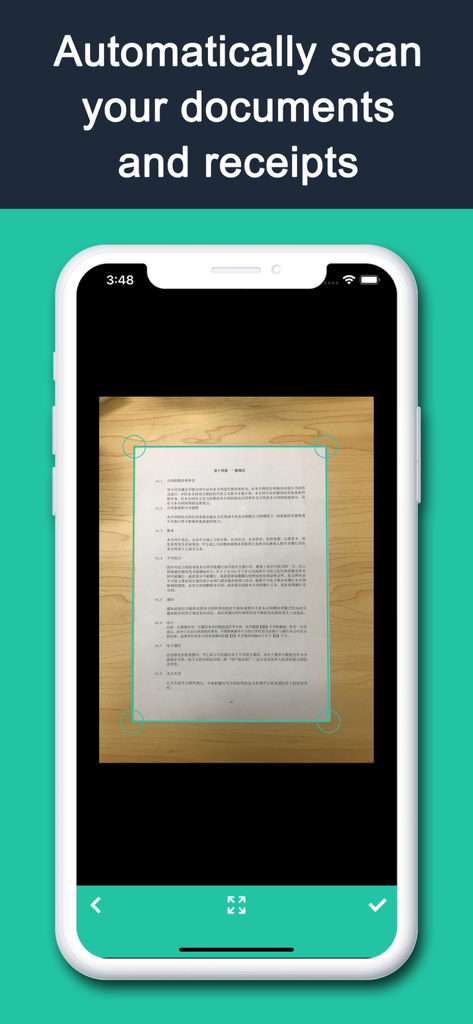
OmnScanner - PDF Scanner App - Benutzeroberfläche der OmnScanner-App, die das automatische Scannen von Dokumenten und die Kantenerkennung auf einem Smartphone anzeigt
Benutzeroberfläche der OmnScanner-App, die das automatische Scannen von Dokumenten und die Kantenerkennung auf einem Smartphone anzeigt

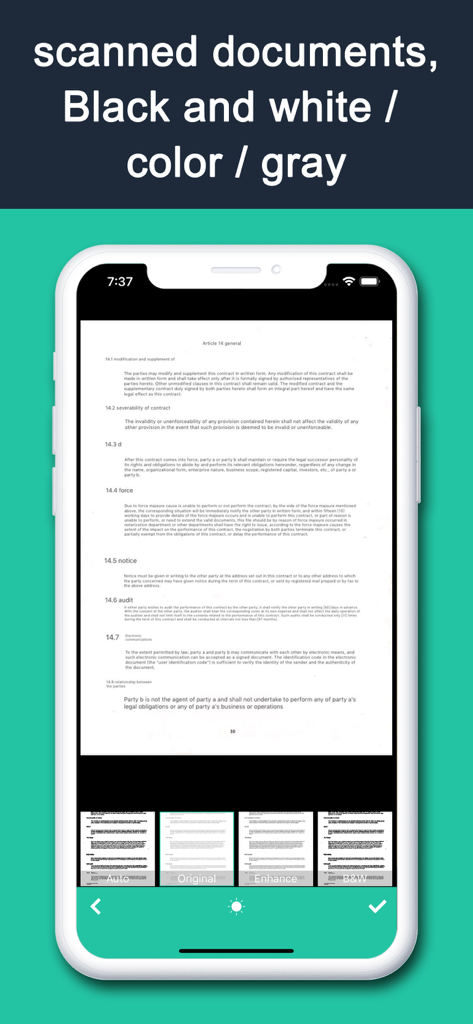
OmnScanner - PDF Scanner App - Benutzeroberfläche der OmnScanner-App, die ein gescanntes Dokument mit Optionen für Schwarz-Weiß-, Farb- und Graufilter anzeigt
Benutzeroberfläche der OmnScanner-App, die ein gescanntes Dokument mit Optionen für Schwarz-Weiß-, Farb- und Graufilter anzeigt

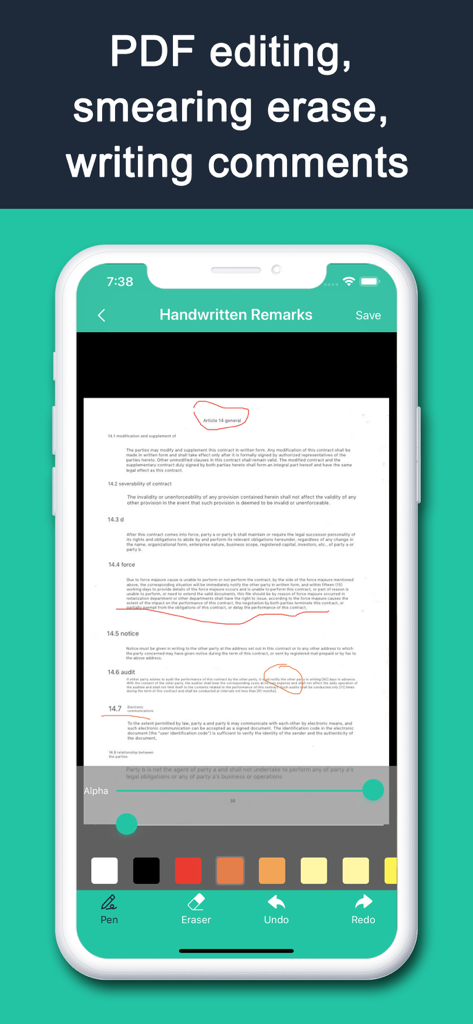
OmnScanner - PDF Scanner App - Eine mobile Benutzeroberfläche von OmnScanner, die handschriftliche Anmerkungen und PDF-Bearbeitungswerkzeuge auf einem gescannten Dokument anzeigt
Eine mobile Benutzeroberfläche von OmnScanner, die handschriftliche Anmerkungen und PDF-Bearbeitungswerkzeuge auf einem gescannten Dokument anzeigt

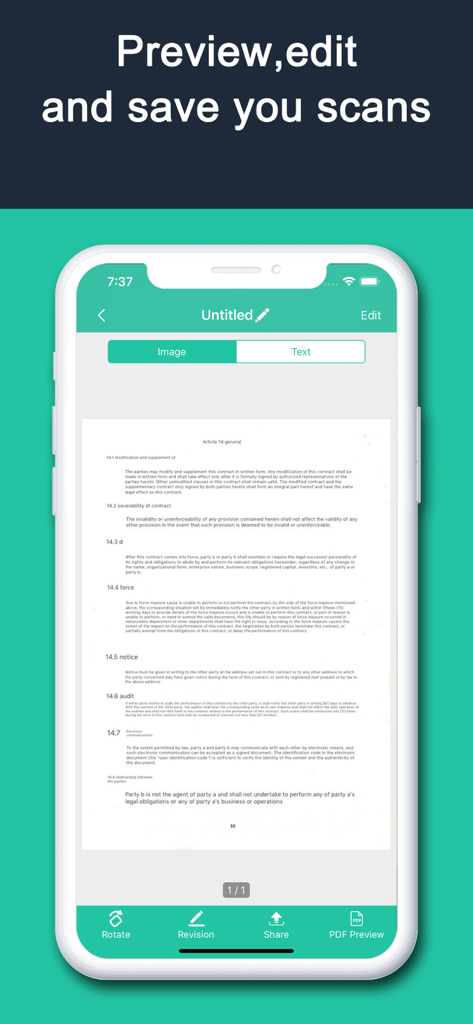
OmnScanner - PDF Scanner App - OmnScanner-Oberfläche zum Vorschauen, Bearbeiten und Speichern von gescannten Dokumenten
OmnScanner-Oberfläche zum Vorschauen, Bearbeiten und Speichern von gescannten Dokumenten

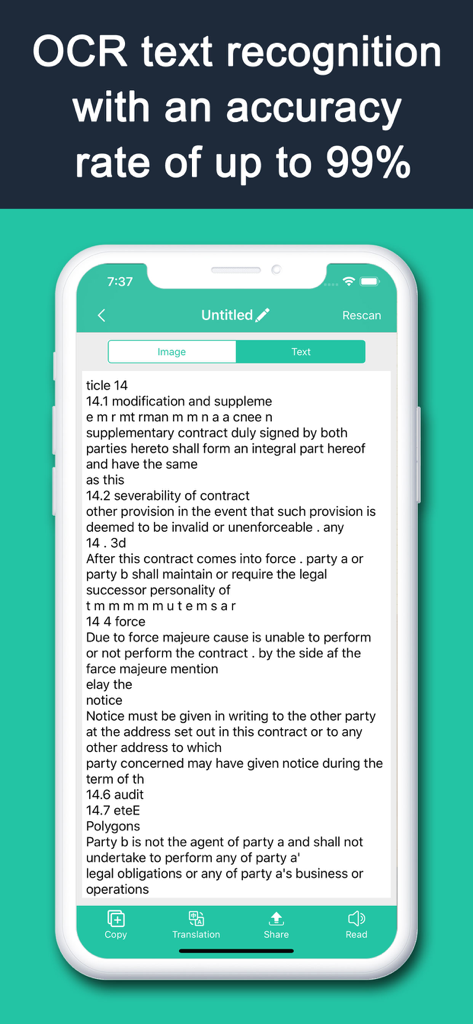
OmnScanner - PDF Scanner App - Bildschirm einer mobilen App, der die hochgenaue OCR-Texterkennung eines gescannten Vertrags zeigt.
Bildschirm einer mobilen App, der die hochgenaue OCR-Texterkennung eines gescannten Vertrags zeigt.

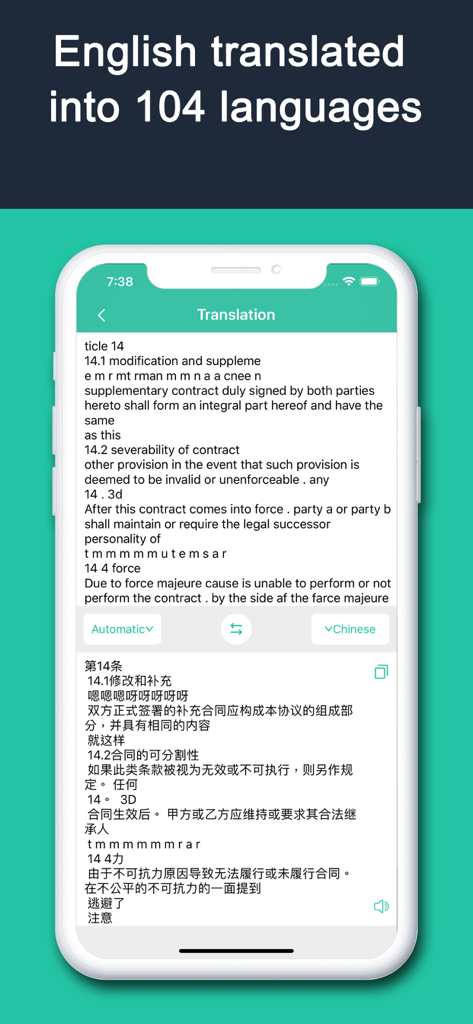
OmnScanner - PDF Scanner App - Benutzeroberfläche der OmnScanner-App, die einen vom Englischen ins Chinesische übersetzten Vertrag anzeigt

Benutzeroberfläche der OmnScanner-App, die einen vom Englischen ins Chinesische übersetzten Vertrag anzeigt

Beschreibung

All-in-One Scanner, a business software with scanning quality comparable to thousand-dollar scanners, also offers high-precision image-to-text extraction. It's professional scanning software. Quickly scan documents, cards (ID cards, etc.), business cards, photos, images, and more. Smartly generate standard scans, accurately recognize text, translate with photos, and edit/export PDFs seamlessly! — 【App Features】 — 【Auto Cropping】Shoot from any angle, still get precise auto cropping and remove cluttered backgrounds! 【HD Scanning】Generate high-definition document scans at lightning speed for paperless file storage! 【Multiple File Types】Generate scans in color, black and white, grayscale, sepia, and more. 【Secondary Editing】Revise scans later (erase, annotate by hand, add watermarks). 【Convenient Export】Easily export scans/photos as JPG/PDF. 【Stitching Function】Combine multiple items like certificates, invoices, homework, or comics onto a single page. 【File Security】Encrypted scanning and processing for your files, no worries about privacy leaks. 【File Management】Organize files with folder categorization for super convenient add, delete, modify, and retrieve operations! 【Text Recognition】High-precision text recognition for scanned images to scan, copy, or export text. 【Text Processing】Supports translating scan results or exporting as TXT/PDF/Word files. Scan, print, and manage documents with your iOS device! Use your iPhone to instantly scan and print any written, printed, or graphic material, including: — Contracts for your partners or clients; — Business cards; — Receipts to track your expenses; — Handwritten notes and mind maps to save your best ideas for reference; — Book pages and articles for future reading and analysis; — Text that isn't available in digital format; — 【Auto-Renewing VIP Package Description】 — - Subscription Period: 1 month / purchase 1 month (continuous monthly subscription), 12 months / purchase 1 year (continuous annual subscription). - Subscription Price: Continuous monthly subscription price is ¥25 RMB per month, continuous annual subscription price is ¥98 RMB per year. - Subscription Payment: Auto-renewing products include "continuous monthly/continuous annual subscription". The payment will be charged to your iTunes account upon confirmation of purchase and payment. - Subscription Renewal: 24 hours before your membership expires, Apple will automatically deduct the fee from your iTunes account. Upon successful deduction, the validity period will be automatically extended for one cycle. If you do not cancel the subscription, Apple will periodically attempt to charge within the billing period, so please pay attention to subscription and deduction status. - Cancellation of Renewal: To cancel auto-renewal, please initiate the cancellation operation 24 hours before the expiration of the current subscription period. - Cancellation Method: For auto-renewing products activated with your Apple ID, go to "Settings" - "iTunes Store & App Store" - "Apple ID" - "View Apple ID" - On the account settings page, click "Subscriptions" - Cancel the All-in-One Scanner auto-renewing VIP subscription. — 【Non-Renewing VIP Package Description】 — - Period: One-time VIP purchase / Lifetime VIP (one purchase, valid forever). - Price: One-time VIP purchase / Lifetime VIP price is ¥168 RMB. - Payment: Products include "one-time VIP purchase". The payment will be charged to your iTunes account upon confirmation of purchase and payment. - Refund: You can visit the following URL and refer to the information to cancel your subscription first through the App Store. https://support.apple.com/zh-cn/HT4098 After cancellation, if you need a refund, as Apple does not authorize developers to view Apple account information. If you have an Apple account registered in mainland China, you can directly process refunds through orders in your Apple ID. - All-in-One Scanner Privacy Policy: http://www.528529.com/apphtml/1366265585_ys_cn.html - All-in-One Scanner Service Agreement: http://www.528529.com/apphtml/1366265585_tk_cn.html - Contact Email: app20190304@qq.com

Download

Herunterladen auf App Store

Diese Seite ist keine offizielle Seite der App oder ihres Entwicklers, sondern eine unabhängige redaktionelle Veröffentlichung, die zu Informations- und Kommentarzwecken erstellt wurde. Sofern nicht ausdrücklich anders angegeben, sind weder die App noch ihr Entwickler mit MWM, Apple, Google Play, dem App-Herausgeber oder dem Entwickler der App verbunden, von ihnen unterstützt, gesponsert, autorisiert oder anderweitig offiziell verbunden, und nichts auf dieser Seite impliziert, dass die App unter Verwendung der Dienste von MWM entwickelt wurde. Alle Marken, Logos, Screenshots und andere Inhalte bleiben Eigentum ihrer jeweiligen Inhaber.