ONE Control Plus
ONE Control Plus
Herunterladen auf App Store

Diese Seite ist keine offizielle Seite der App oder ihres Entwicklers, sondern eine unabhängige redaktionelle Veröffentlichung, die zu Informations- und Kommentarzwecken erstellt wurde. Sofern nicht ausdrücklich anders angegeben, sind weder die App noch ihr Entwickler mit MWM, Apple, Google Play, dem App-Herausgeber oder dem Entwickler der App verbunden, von ihnen unterstützt, gesponsert, autorisiert oder anderweitig offiziell verbunden, und nichts auf dieser Seite impliziert, dass die App unter Verwendung der Dienste von MWM entwickelt wurde. Alle Marken, Logos, Screenshots und andere Inhalte bleiben Eigentum ihrer jeweiligen Inhaber.


Logo von ONE Control Plus
Herunterladen auf App Store

ONE Control Plus

Optimieren Sie Ihren kreativen Workflow mit einer professionellen Kommandozentrale. Von der Mackie Control-Emulation bis zu benutzerdefinierten modularen Layouts – übernehmen Sie die volle Kontrolle über Ihre DAW und Videobearbeitungssoftware mit der taktilen Präzision, die Sie verdienen.

Kennzahlen

Downloads

11K+

Bewertung

2.8/5

Bewertungen gesamt

0

Herausgeber

Visuality srl

Kategorie

Music

Sprachen

1

Neueste Version

1.4.21

Größe

117.4 MB

Erstveröffentlichung

25. Apr. 2022
Funktionen

Meistern Sie Ihren Studio-Workflow

Verwandeln Sie Ihr iPad in eine professionelle Kommandozentrale. ONE Control Plus bietet Ihnen taktische Steuerung mit geringer Latenz für Ihre DAW, Plugins und Kreativsoftware, ohne die Nachteile teurer Hardware.

Benutzerdefinierte modulare Controller

Entwerfen Sie Ihre perfekte Benutzeroberfläche mit Fadern, XY-Pads und Reglern. Weisen Sie benutzerdefinierte MIDI- und OSC-Befehle zu, die zu Ihrem einzigartigen Produktionsstil und komplexen Orchesterbibliotheken passen.

Nahtlose DAW-Integration

Nutzen Sie Logic Pro, Ableton Live, Cubase und mehr. Genießen Sie eine originalgetreue Mackie Control-Emulation mit dynamischen Beschriftungen, die perfekt mit Ihrer Desktop-Sitzung synchronisiert werden.

Die folgenden Screenshots und die Beschreibung stammen direkt aus dem offiziellen Store-Eintrag der App und sind Eigentum des Entwicklers.

App Store

Screenshots
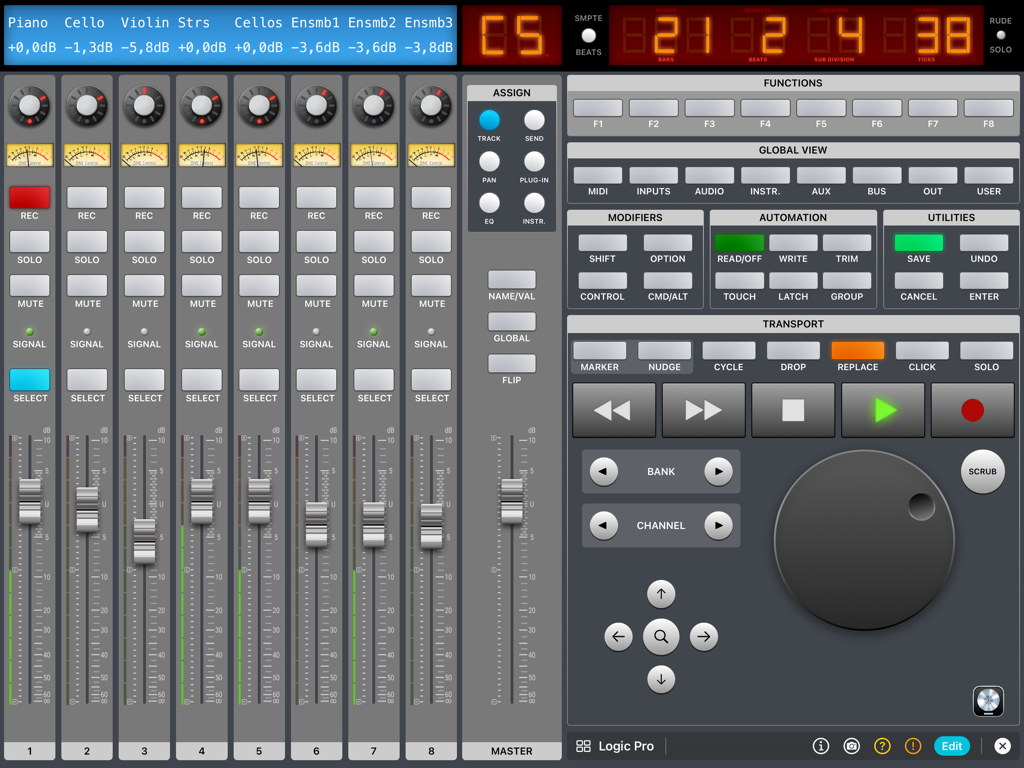
ONE Control Plus - ONE Control Plus iPad App-Oberfläche mit einem Logic Pro DAW-Controller mit digitalen Fadern und Transportsteuerungen
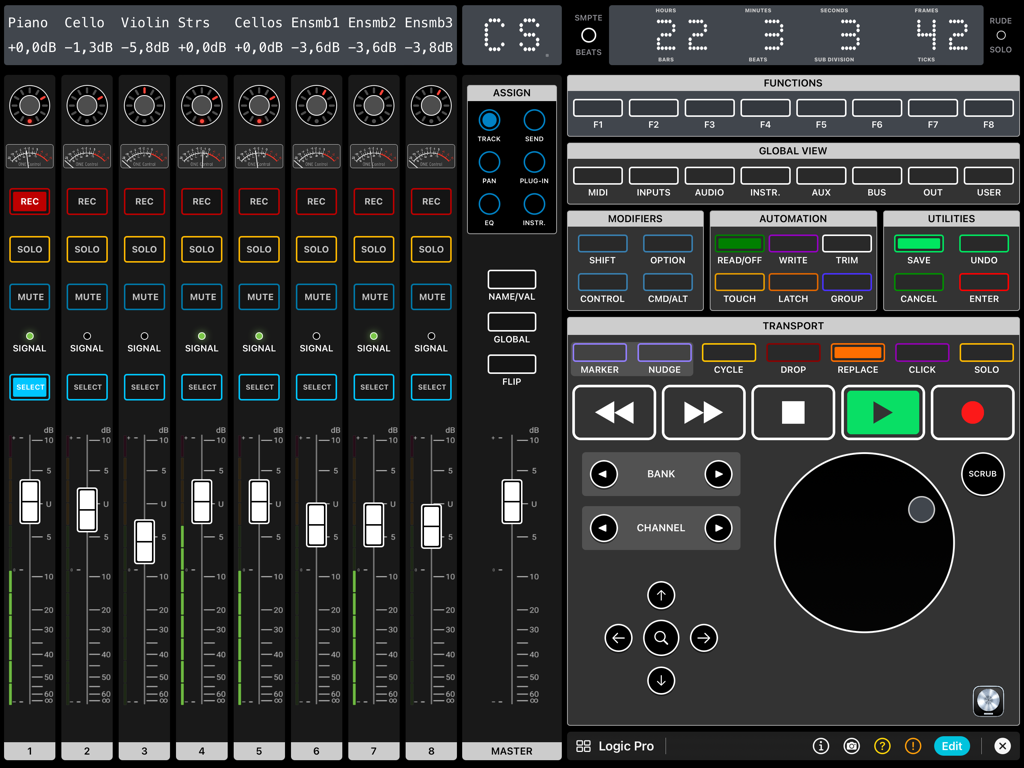
ONE Control Plus iPad App-Oberfläche mit einem Logic Pro DAW-Controller mit digitalen Fadern und Transportsteuerungen

ONE Control Plus - iPad-Oberfläche, die einen professionellen digitalen DAW-Controller mit Fadern, Transportern und einem Jog-Rad für Logic Pro zeigt.
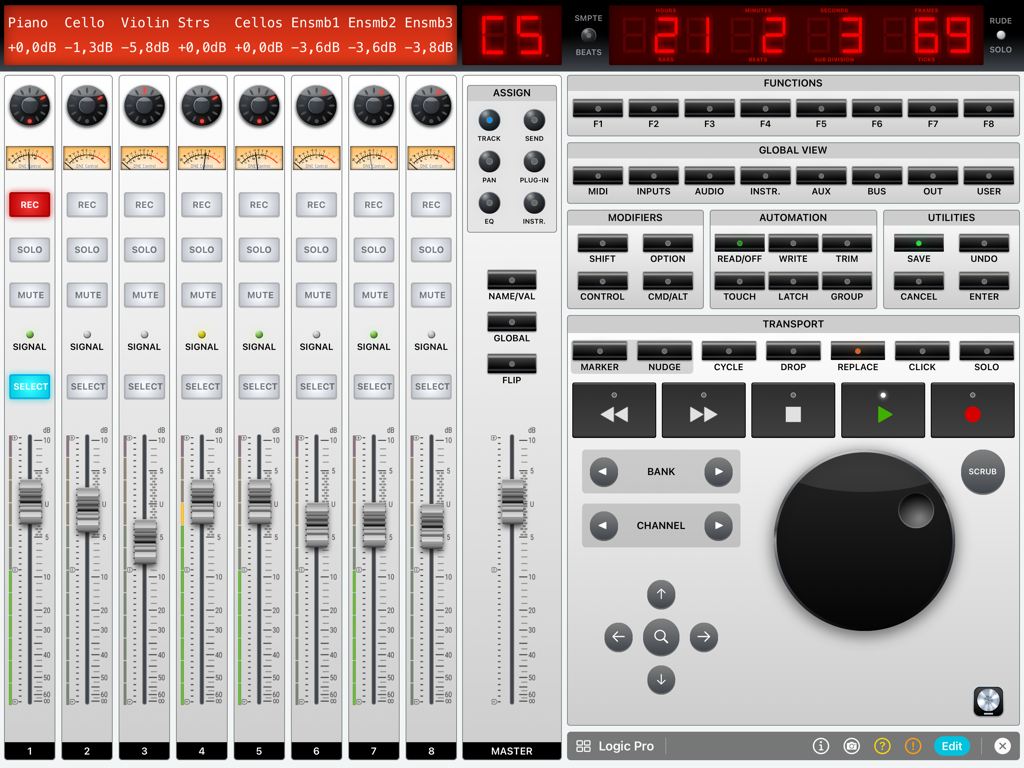
iPad-Oberfläche, die einen professionellen digitalen DAW-Controller mit Fadern, Transportern und einem Jog-Rad für Logic Pro zeigt.

ONE Control Plus - iPad-Bildschirm mit einem digitalen Audio-Workstation-Mixer mit Fadern und Transportern für Logic Pro
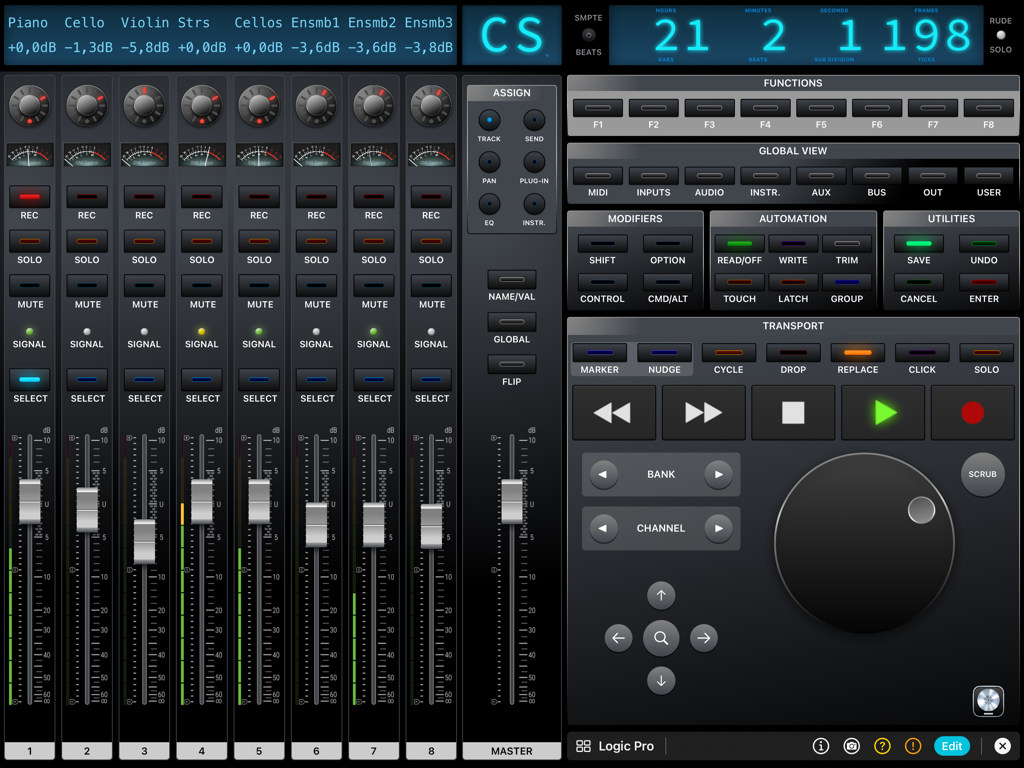
iPad-Bildschirm mit einem digitalen Audio-Workstation-Mixer mit Fadern und Transportern für Logic Pro

ONE Control Plus - ONE Control Plus Logic Pro digitaler Mixer-Interface auf dem iPad mit Kanal Fadern, Transportsteuerungen und einem Jog-Rad
ONE Control Plus Logic Pro digitaler Mixer-Interface auf dem iPad mit Kanal Fadern, Transportsteuerungen und einem Jog-Rad

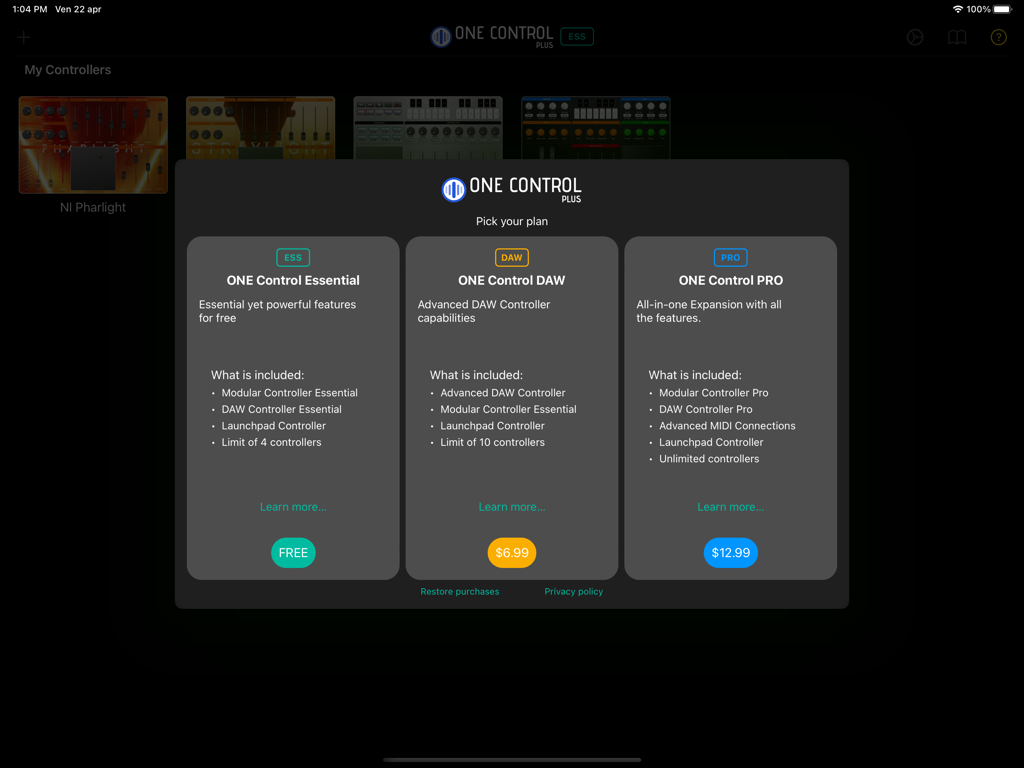
ONE Control Plus - Preispläne für die ONE Control Plus App, die Essential, DAW und PRO Optionen zeigen
Preispläne für die ONE Control Plus App, die Essential, DAW und PRO Optionen zeigen

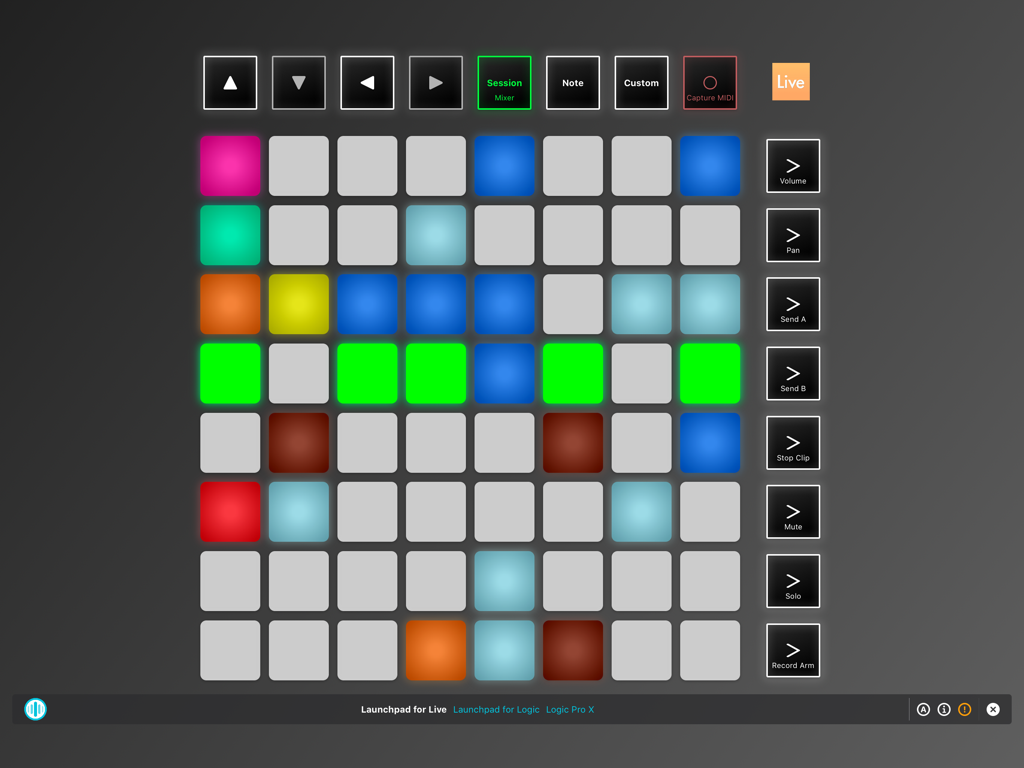
ONE Control Plus - Virtuelle Launchpad-Controller-Oberfläche in der ONE Control Plus App für das iPad
Virtuelle Launchpad-Controller-Oberfläche in der ONE Control Plus App für das iPad

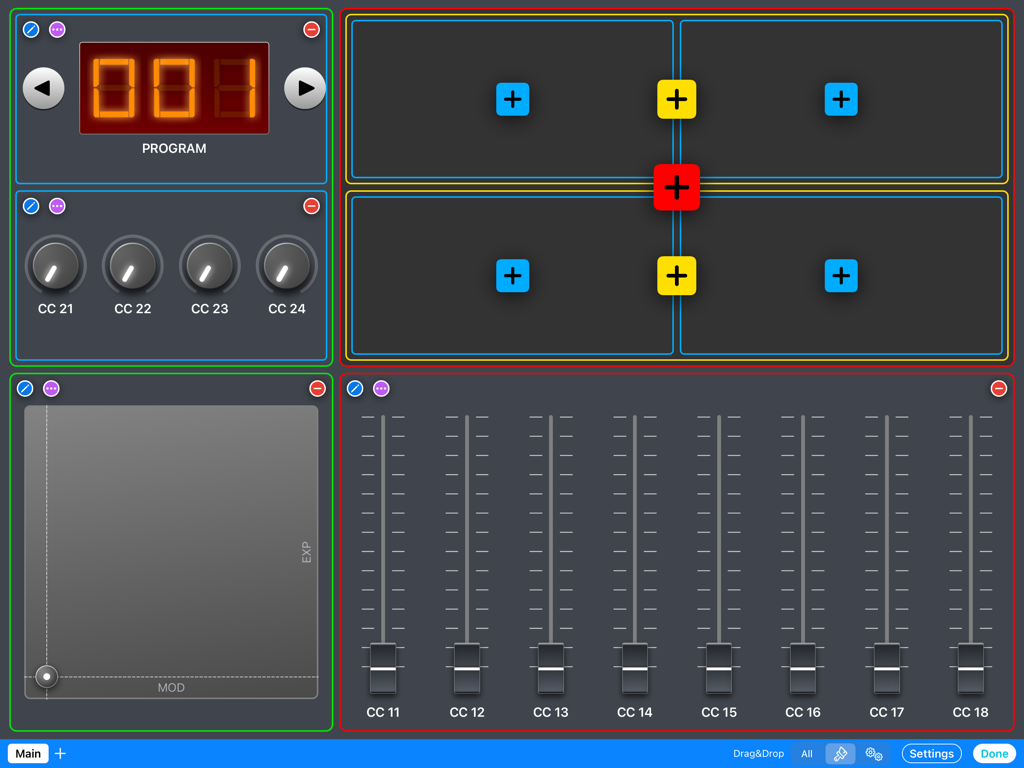
ONE Control Plus - iPad-Bildschirm mit einem benutzerdefinierten modularen MIDI-Controller-Layout mit Fadern, Reglern, einem XY-Pad und Programmsteuerungen
iPad-Bildschirm mit einem benutzerdefinierten modularen MIDI-Controller-Layout mit Fadern, Reglern, einem XY-Pad und Programmsteuerungen

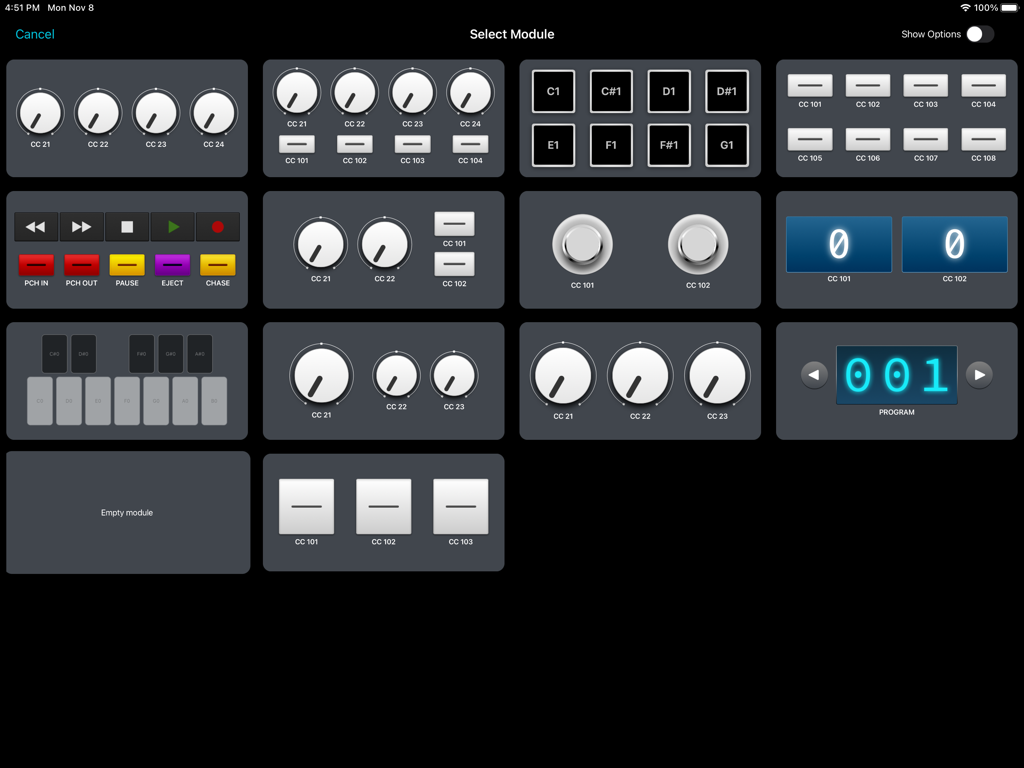
ONE Control Plus - ONE Control Plus App-Oberfläche mit einem Auswahlraster von anpassbaren MIDI- und OSC-Modulen wie Reglern, Pads und Transportsteuerungen.
ONE Control Plus App-Oberfläche mit einem Auswahlraster von anpassbaren MIDI- und OSC-Modulen wie Reglern, Pads und Transportsteuerungen.

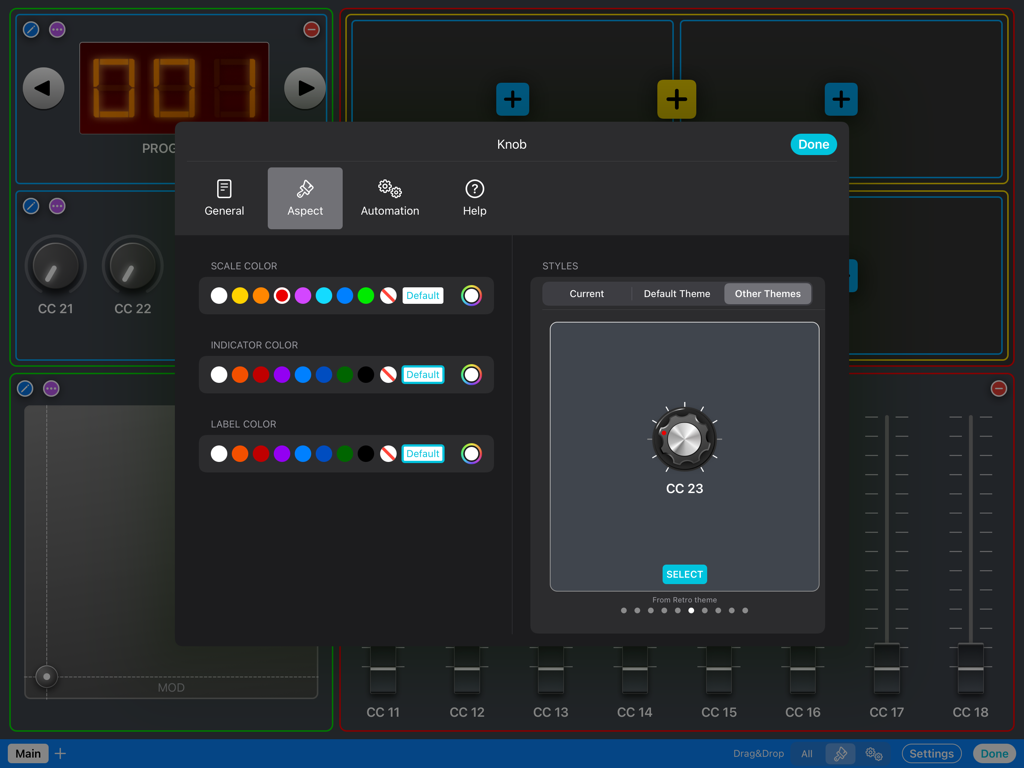
ONE Control Plus - Anpassungsmenü für das Erscheinungsbild von MIDI-Reglern, einschließlich Farb- und Stiloptionen in ONE Control Plus
Anpassungsmenü für das Erscheinungsbild von MIDI-Reglern, einschließlich Farb- und Stiloptionen in ONE Control Plus

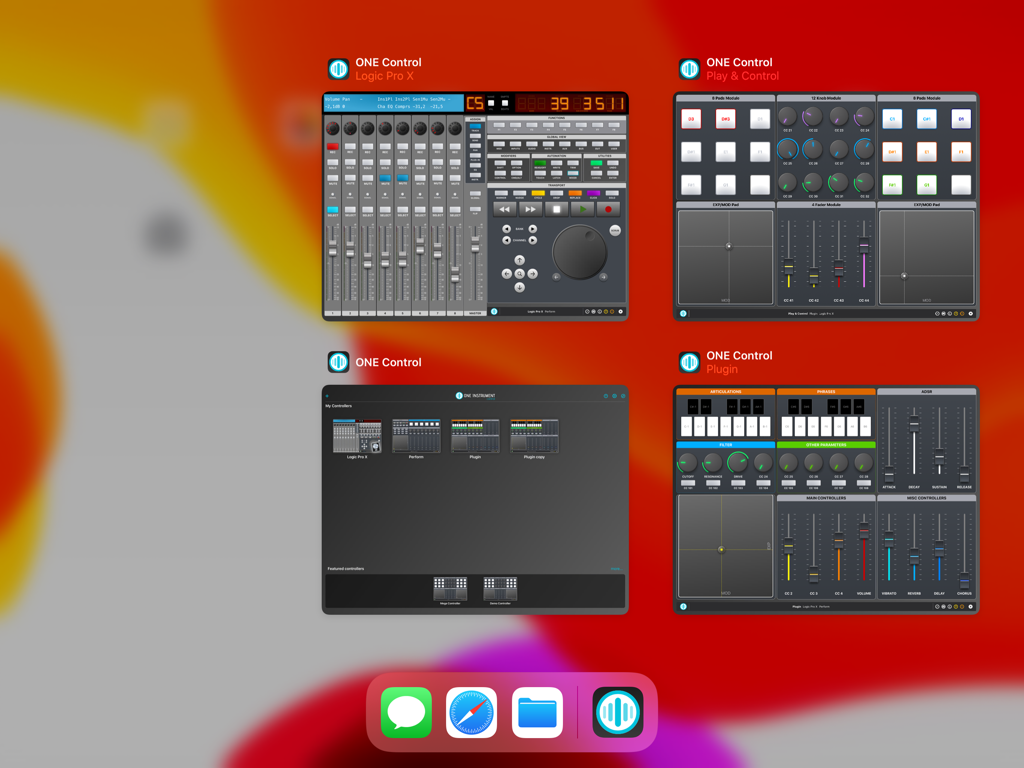
ONE Control Plus - Vier gleichzeitige ONE Control Plus-Fenster auf dem iPad, die verschiedene DAW- und MIDI-Steuerflächen anzeigen.

Vier gleichzeitige ONE Control Plus-Fenster auf dem iPad, die verschiedene DAW- und MIDI-Steuerflächen anzeigen.

Beschreibung

ONE Control Plus introduces a unified app with all the features of ONE Control DAW and ONE Control PRO, adding a free plan with essential yet powerful features.  If you’re happy with the Essential plan, enjoy it for free, forever. Yet, If you want to make the most of ONE Control, choose a one-time In-App Purchase Expansion Pack. Existing ONE Control DAW and PRO users will find an automatic, free of charge, migration process to ONE Control Plus. Essential (Free) * Essential Modular Controller * Essential DAW Controller * Launchpad controller * Limit of 4 controllers DAW Expansion Pack (In-App purchase) * Advanced DAW Controllers * Essential Modular Controller * Launchpad controller * Limit of 10 controllers PRO Expansion Pack (In-App purchase) * Pro Modular Controller * Pro DAW Controllers * Advanced MIDI communication * OSC Support * Unlimited Controllers MAIN FEATURES Modular Controller - Compose your MIDI/OSC controllers with a few touches - Choose between dozens of customizable modules: Faders, Knobs, Buttons, Pads, Keyswitches, XY Pads, Envelopes, Stepper, Interactive Displays, Keyboards and Background panels - Four amazing themes: Default, Minimal, Modern and Retro (PRO) - Many customisable control styles (PRO) - Configure your control’s aspect and actions exclusively, with custom events: MIDI Messages (CC, Note On/Off, etc.), MMC commands (Transport, Punch In/Out, etc.), OSC commands, Pitch Bend, Realtime Messages, and RPN/NRPN - Customisable Multi-Step components (PRO) - Add background textures and images. Apply effects to backgrounds. (PRO) - Save up to 128 presets (patches) for each controller (PRO) - Organise your controller in multiple pages (PRO) - Add help, comments and best practices for your collaborators (PRO) DAW Controller - Faithful replica of the glorious Mackie Control Surface (MCU) - Customisable templates for the main DAWs: Apple Logic Pro (Logic Control emulation) Steinberg Cubase/Nuendo Ableton Live Cakewalk by BandLab Universal Audio LUNA PerSonus Studio One MOTU Digital Performer Cockos Reaper Reason Studios Sony Vegas Waveform Tracktion Bitwig Studio Image Line FL Studio Adobe Audition Adobe Premiere Blackmagic Design DaVinci Resolve - Generic Mackie Control Universal template for other DAWs and Hardware - Dynamic buttons (labels and colors change depending on the current context) - Cheat Sheets for the major DAWs included - VU-Meters (PRO) - Customisable buttons (PRO) Launchpad Controller - Faithful replica of the Novation Launchpad X - Compatible with Ableton Live and Logic Pro 10.6+ - Play/record clips (Live) and live loops (Logic) - Control mixer parameters: Volume, Pan, Sends, Solo, Mute, Record Arm - Play MIDI notes - Billboard mode: Display scrolling messages at different speeds and aspects OTHER FEATURES - Supports wired, LAN and Bluetooth connections - Automatically connect to MIDI Network session (PRO) - Compatible with MacOS and Windows* hosts - Independent MIDI configuration for each controller - iPadOS multi-window support - Widget support: open your controller from the iPad Home Screen - Switch between your controllers with a single tap - Share your controllers with friends and collaborators - Save your controllers on iCloud Drive (PRO) - Optimized layouts for all iPad models, from the Mini to the iPad Pro 12.9" - Step by step guides to MIDI connection and DAW configuration - Online tutorials and videos *For Network MIDI connections with Windows PC, an RTP MIDI compatible driver is required. rtpMIDI is a free software fully compatible with ONE Control. Some MIDI interfaces also come with RTP MIDI drivers.

Download

Herunterladen auf App Store

Diese Seite ist keine offizielle Seite der App oder ihres Entwicklers, sondern eine unabhängige redaktionelle Veröffentlichung, die zu Informations- und Kommentarzwecken erstellt wurde. Sofern nicht ausdrücklich anders angegeben, sind weder die App noch ihr Entwickler mit MWM, Apple, Google Play, dem App-Herausgeber oder dem Entwickler der App verbunden, von ihnen unterstützt, gesponsert, autorisiert oder anderweitig offiziell verbunden, und nichts auf dieser Seite impliziert, dass die App unter Verwendung der Dienste von MWM entwickelt wurde. Alle Marken, Logos, Screenshots und andere Inhalte bleiben Eigentum ihrer jeweiligen Inhaber.







