OpenDocument Reader Pro

OpenDocument Reader Pro


Herunterladen auf App StoreHerunterladen auf Google Play
Logo von OpenDocument Reader Pro
OpenDocument Reader Pro: Professionelle ODF-Anzeige & -Bearbeitung für LibreOffice-Power-User

Machen Sie Ihren Open-Source-Workflow mobil. Öffnen, suchen und bearbeiten Sie ODT-, ODS- und ODP-Dateien sicher überall – vollständig offline und integriert mit Nextcloud, Dropbox und iCloud.

Herausgeber

Stefl und Taschauer OG

Kategorie

Business

Downloads

253K+

Bewertung

4.3/5

Bewertungen gesamt

1K+

Sprachen

16

Desktop-Leistung, Handheld

Entdecken Sie die Oberfläche, die von 253K+ Nutzern verwendet wird.
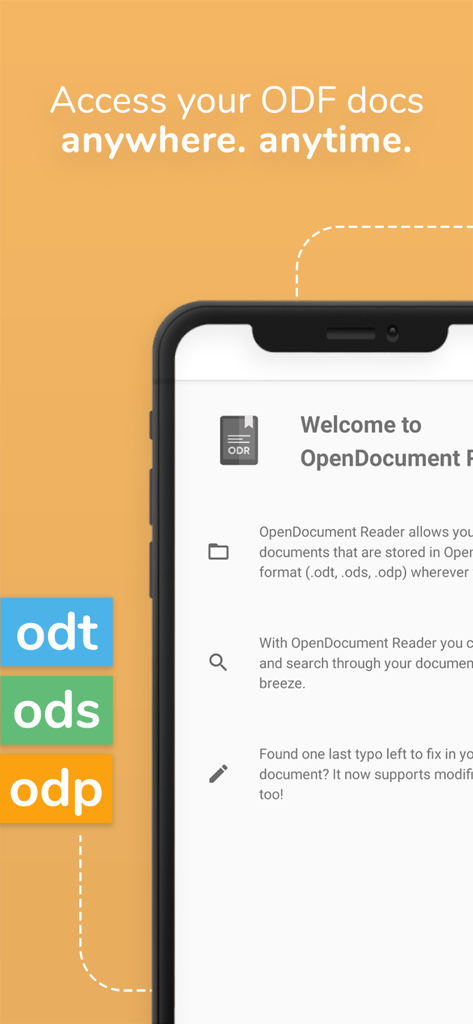
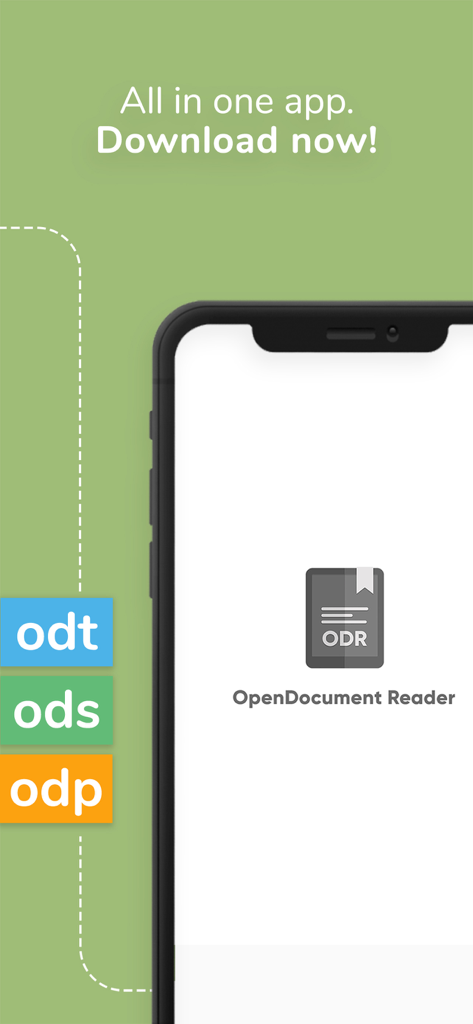
OpenDocument Reader Pro Startbildschirm auf einem iPhone, der die Unterstützung für ODT ODS und ODP-Dateien zeigt

OpenDocument Reader Pro Startbildschirm auf einem iPhone, der die Unterstützung für ODT ODS und ODP-Dateien zeigt

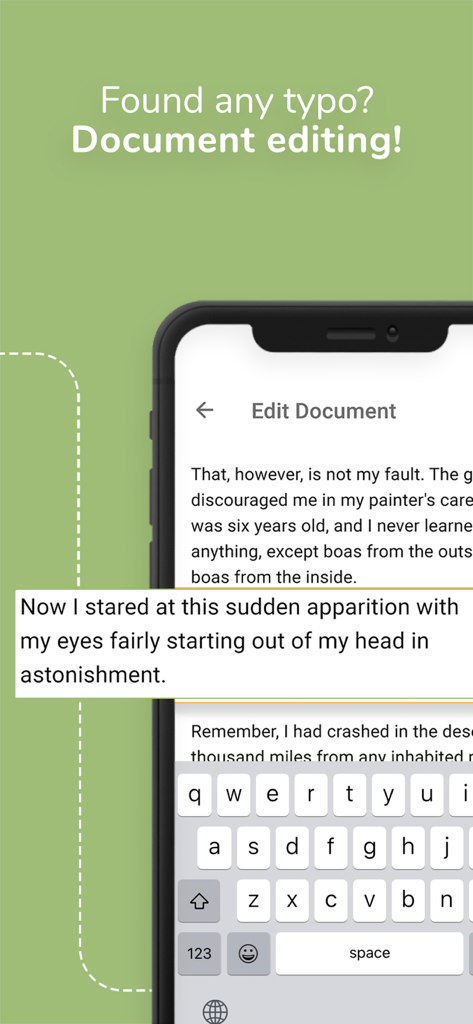
Handy-Bildschirm, der die Dokumentenbearbeitungsoberfläche von OpenDocument Reader Pro zeigt

Handy-Bildschirm, der die Dokumentenbearbeitungsoberfläche von OpenDocument Reader Pro zeigt

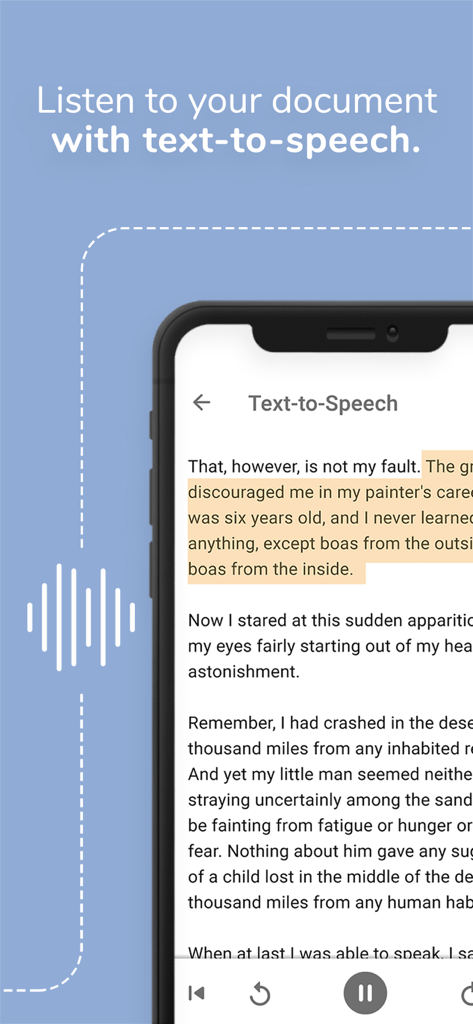
OpenDocument Reader Pro Mobile-App-Oberfläche, die die Text-to-Speech-Funktion zum Vorlesen von Dokumenten demonstriert

OpenDocument Reader Pro Mobile-App-Oberfläche, die die Text-to-Speech-Funktion zum Vorlesen von Dokumenten demonstriert

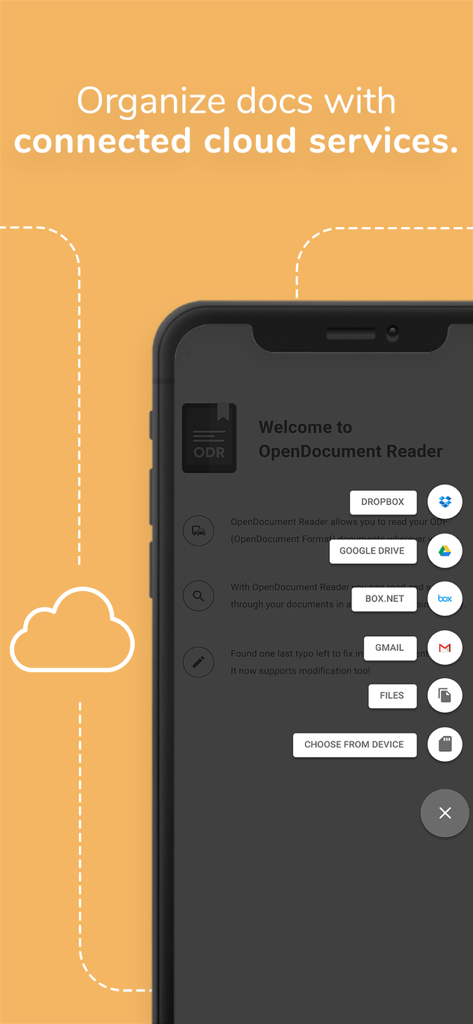
Oberfläche, die Cloud-Speicher-Integrationsoptionen zur Organisation von Dokumenten in OpenDocument Reader Pro zeigt

Oberfläche, die Cloud-Speicher-Integrationsoptionen zur Organisation von Dokumenten in OpenDocument Reader Pro zeigt

OpenDocument Reader Pro App-Oberfläche, die die Unterstützung für ODT ODS und ODP-Dateiformate zeigt

OpenDocument Reader Pro App-Oberfläche, die die Unterstützung für ODT ODS und ODP-Dateiformate zeigt

Desktop-Produktivität in Ihrer Hosentasche

Die Tools, die diese App auszeichnen, gewählt von 253K+ Nutzern.

📄

Native ODF-Treue

Schluss mit fehlerhaften Layouts. Erleben Sie perfekte Wiedergabe von ODT-, ODS- und ODP-Dateien, die mit Ihrer Desktop-Office-Suite gleichwertig ist.

🔒

Datenschutz zuerst & Offline

Behalten Sie die volle digitale Souveränität. Öffnen Sie passwortgeschützte Dokumente und arbeiten Sie vollständig offline, ohne Ihre Daten jemals an Cloud-Dienste von Drittanbietern preiszugeben.

🛠️

Technisches Schweizer Taschenmesser

Mehr als nur Textdokumente. Öffnen Sie alles von CSVs und PDFs bis hin zu AutoCAD DXF und Photoshop PSD-Dateien mit einem einzigen, leistungsstarken Dienstprogramm.

Bewertungsanalyse

Erkenntnisse aus Nutzerbewertungen.

Stimmungswert

18%
Negativ

Zusammenfassung

This mobile app receives overwhelmingly negative feedback from users, primarily for its severe limitations in editing and formatting LibreOffice documents, especially ODT and ODS files. Users consistently report issues such as text being illegible due to formatting errors, an inability to edit content effectively, and changes not being saved, rendering the app largely unusable for its advertised purpose. Many reviewers express frustration over the app's price, feeling it's a waste of money due to misleading claims about its editing capabilities. There are also reports of the app crashing, performing poorly with larger files, and a specific regression where it no longer opens password-protected files in newer versions.

Häufige Themen

Editing Functionality(25)
Value for Money(15)
Formatting Accuracy(10)
ODS/Spreadsheet Support(10)
Document Viewing(8)
Saving Changes(5)
Crashes & Stability(5)

Über die App

Alles, was Sie über wissen müssen OpenDocument Reader Pro.

Beschreibung

View and modify documents created using LibreOffice or OpenOffice on the go using the Document Reader & Document Editor! The file reader & document editor allows you to open files like ODF (Open Document Format) documents created using LibreOffice or OpenOffice wherever you are. In the bus on your way to school wanting to look at your notes before the big exam? No problem! With the Document Reader you can open files wherever you like and read & search through your documents to go in a clean and simple way. Is there just one last typo left to fix in your document before sending it out to colleagues? The File Editor supports modification of documents now! Fast, simple and well integrated. You can open files from ODF (ODT, ODS & many more) that you have created with Libre Office or OpenOffice also from within other apps. Supported apps include GMail, Google Drive, iCloud, OneDrive, Nextcloud, Box.net, Dropbox and lots of others! Or use our integrated file explorer instead to open files on your device. THE ALL IN ONE DOCUMENT READER AND DOCUMENT EDITOR *open files with ODF: ODT (writer), ODS (calc), ODP and ODG without a hassle *basic editing of documents with the file editor to fix typos, add sentences, etc *securely open password-protected documents *search for keywords in your ODT (writer), ODS (calc) or ODG and highlight them *print documents if your device is connected to a printer *read your documents in fullscreen to avoid distractions *select and copy text out of your documents *enjoy your documents even without internet connectivity - fully offline capable *read out aloud your documents using Text-To-Speech technology DOCUMENTS TO GO - WHEREVER YOU LIKE In addition to that, the document reader & document editor aims to support various other file formats as well as possible: - Portable Document Format (PDF) - Archives: ZIP - Images: JPG, JPEG, GIF, PNG, WEBP, TIFF, BMP, SVG, etc - Videos: MP4, WEBM, etc - Audio: MP3, OGG, etc - Text files: CSV, TXT, HTML, RTF - Microsoft Office (OOXML): Word (DOC, DOCX), Excel (XLS, XLSX), PowerPoint (PPT, PPTX) - Apple iWork: Pages, Numbers, Keynote - Libre Office and Open Office ODF (ODT, ODS, ODP, ODG) - PostScript (EPS) - AutoCAD (DXF) - Photoshop (PSD) This app is open source. We are not affiliated with OpenOffice, LibreOffice or similar. Made in Austria. Ads are shown in order to support the development of this app. They are free to remove temporarily via the in-app menu. We highly appreciate all kinds of feedback via email. ODF is the format used by office suites like Open Office and Libre Office. Text documents (Writer, ODT), as well as spreadsheets (Calc, ODS) and also presentations (Impress, ODP) are supported, including support with the file editor for complex formatting and embedded images. Graphs are no problem either. If you want to secure your data you can even open password-protected documents. Other applications that are using this format are LibreOffice, OpenOffice, NeoOffice, StarOffice, Go-oo, IBM Workplace, IBM Lotus Symphony, ChinaOffice, AndrOpen Office, Co-Create Office, EuroOffice, KaiOffice, Jambo OpenOffice, MagyarOffice, MultiMedia Office, MYOffice, NextOffice, OfficeOne, OfficeTLE, OOo4Kids, OpenOfficePL, OpenOfficeT7, OxOffice, OxygenOffice, Pladao Office, PlusOffice, RedOffice, RomanianOffice, SunShine Office, ThizOffice, UP Office, White Label Office, WPS Office Storm, Libre Office, Collabora Office and 602Office.

Neueste Version

1.35

Größe

14.6 MB

Erstveröffentlichung

15. Feb. 2019

Ihre Dokumente. Ihre Privatsphäre. Überall.

Schließen Sie sich über 250.000 Power-Usern an, die OpenDocument Reader Pro für nahtlose ODF-Bearbeitung und vollständige Offline-Unabhängigkeit vertrauen. Keine Abonnements, nur reine Produktivität.

Herunterladen auf App StoreHerunterladen auf Google Play

App information, icons, screenshots, and descriptions displayed on this page are sourced from the Apple App Store and are the property of their respective developers. Download estimates and rankings are based on MWM's proprietary models and may not reflect actual figures. This page is provided for informational and analytical purposes only.

Believe this page infringes your intellectual property? File a dispute