
Diese Seite ist keine offizielle Seite der App oder ihres Entwicklers, sondern eine unabhängige redaktionelle Veröffentlichung, die zu Informations- und Kommentarzwecken erstellt wurde. Sofern nicht ausdrücklich anders angegeben, sind weder die App noch ihr Entwickler mit MWM, Apple, Google Play, dem App-Herausgeber oder dem Entwickler der App verbunden, von ihnen unterstützt, gesponsert, autorisiert oder anderweitig offiziell verbunden, und nichts auf dieser Seite impliziert, dass die App unter Verwendung der Dienste von MWM entwickelt wurde. Alle Marken, Logos, Screenshots und andere Inhalte bleiben Eigentum ihrer jeweiligen Inhaber.

Participant 3rd Party Zoom App
Überspringen Sie den Ballast und gewinnen Sie Ihren Meeting-Fokus zurück. Treten Sie sofort mit Ein-Tipp-Zugriff bei, sparen Sie unterwegs bis zu 95 % Ihrer Daten und steuern Sie Ihr Mikrofon oder Ihre Kamera direkt von Ihrer Apple Watch und Dynamic Island aus.
Downloads
2M+Bewertung
Bewertungen gesamt
6K+Herausgeber
Kategorie
BusinessSprachen
32Neueste Version
4.4Größe
234.3 MBErstveröffentlichung
22. Okt. 2020Optimiert für den professionellen Teilnehmer
Ein bewusst minimalistisches Zoom-Erlebnis, das für diejenigen entwickelt wurde, die teilnehmen, beitragen und Effizienz schätzen, ohne den Ballast von Hosting-Tools.
Integration in das Apple-Ökosystem
Steuern Sie über Ihre Apple Watch, Dynamic Island oder den Sperrbildschirm. Schalten Sie Ihr Mikrofon stumm oder heben Sie die Hand, ohne auf Ihr Telefon schauen zu müssen.
Intelligenter Datensparmodus
Nehmen Sie von überall beruhigt an Anrufen teil. Reduzieren Sie den Datenverbrauch um 60-95 %, um eine stabile Verbindung über Mobilfunk oder öffentliches WLAN aufrechtzuerhalten.
Häufig gestellte Fragen
Alles, was Sie über wissen müssen Participant 3rd Party Zoom App
Was ist die Participant 3rd Party Zoom App?
Participant ist ein videogetriebener 3rd-Party-Zoom-Client, der speziell für Meeting-Teilnehmer entwickelt wurde. Er vereinfacht das Meeting-Erlebnis, indem er wesentliche Steuerelemente ohne hostspezifische Funktionen wie Teilen oder Abstimmungen bietet.
Wie kann ich schnell an einem Meeting über die Participant App teilnehmen?
Ja, die Participant App speichert kürzliche Meeting-IDs und Passwörter. Dies ermöglicht es Benutzern, mit einem einzigen Tippen schnell wieder an Meetings teilzunehmen, ohne nach Links oder Passwörtern suchen zu müssen.
Enthält die Participant App einen Datensparmodus?
Ja, die Participant App bietet einen Datensparmodus. Diese Funktion schaltet Ihre Kamera aus und stoppt das Streamen von Videos, wodurch die Datennutzung je nach Anzahl der Teilnehmer um etwa 60-95 % reduziert werden kann.
Unterstützt die Participant App Live-Aktivitäten?
Ja, die Participant App unterstützt Live-Aktivitäten. Benutzer können ihr Mikrofon oder die gehobene Hand direkt von der Dynamic Island oder dem Sperrbildschirm ihres iPhones aus steuern.
Unterstützt die Participant App Zoom-Webinare?
Nein, die Participant App unterstützt derzeit keine Webinare. Die Anwendung ist für Standard-Zoom-Meetings konzipiert und konzentriert sich auf Interaktionen auf Teilnehmerebene.
Verfügt die Participant App über eine automatische Erkennung für das Heben der Hand?
Ja, die Participant App bietet eine Funktion zur automatischen Erkennung des Hebens der Hand. Wenn diese in den Meeting-Einstellungen aktiviert ist, hebt die App automatisch Ihre Zoom-Hand, wenn Sie Ihre tatsächliche Hand physisch heben.
Bietet die Participant App einen Thread-Chat für Benutzer?
Ja, Pro-Benutzer der Participant App können den Thread-Chat nutzen. Diese Funktion verhindert versehentliche Antworten an alle, wenn die Absicht darin besteht, eine Direktnachricht zu senden.
Kann die Participant App Meetings auf Apple TV oder externe Displays übertragen?
Ja, die Participant App ermöglicht es Ihnen, Ihr Meeting auf ein Apple TV zu übertragen. Sie behalten die volle Kontrolle darüber, welche Inhalte auf dem externen Bildschirm angezeigt werden.
Ist die Participant App ein offizieller Zoom-Client?
Nein, Participant ist ein 3rd-Party-Zoom-Client und wird nicht von Zoom Communications Inc. unterstützt, zertifiziert oder garantiert. Er verwendet das Zoom SDK.
Die folgenden Screenshots und die Beschreibung stammen direkt aus dem offiziellen Store-Eintrag der App und sind Eigentum des Entwicklers.
App Store
Screenshots
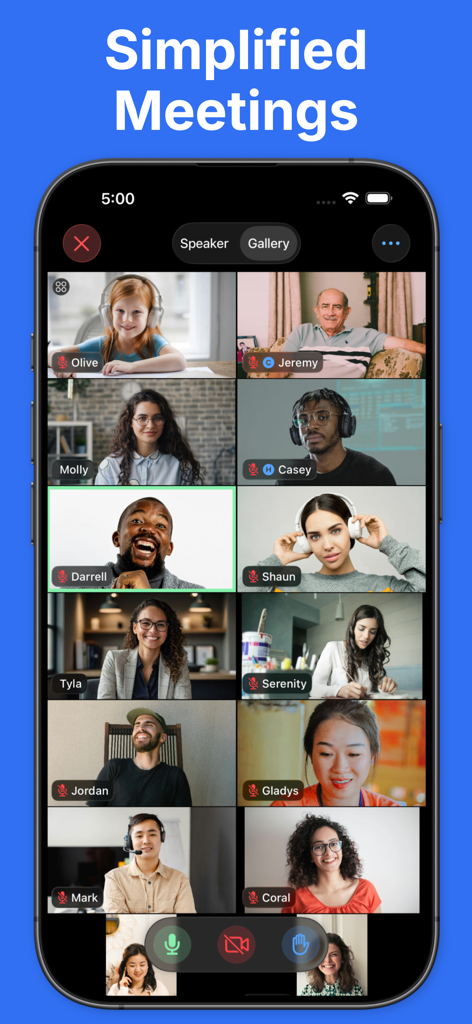
Ein Smartphone-Bildschirm, der eine minimalistische Galerieansicht einer Zoom-Videokonferenz mit mehreren Teilnehmern in einem sauberen Rasterlayout zeigt.
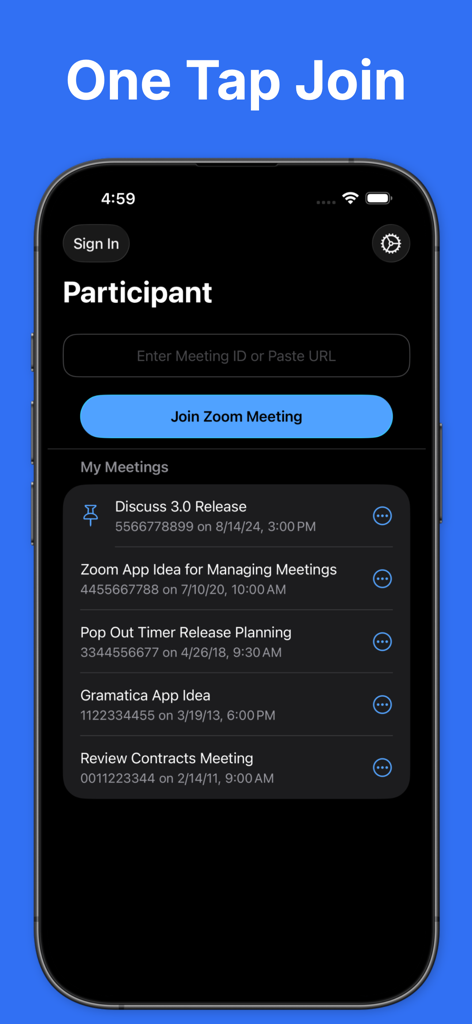
Oberfläche der Participant-App, die die Ein-Tipp-Beitrittsfunktion und die Liste der letzten Meetings für Zoom zeigt.
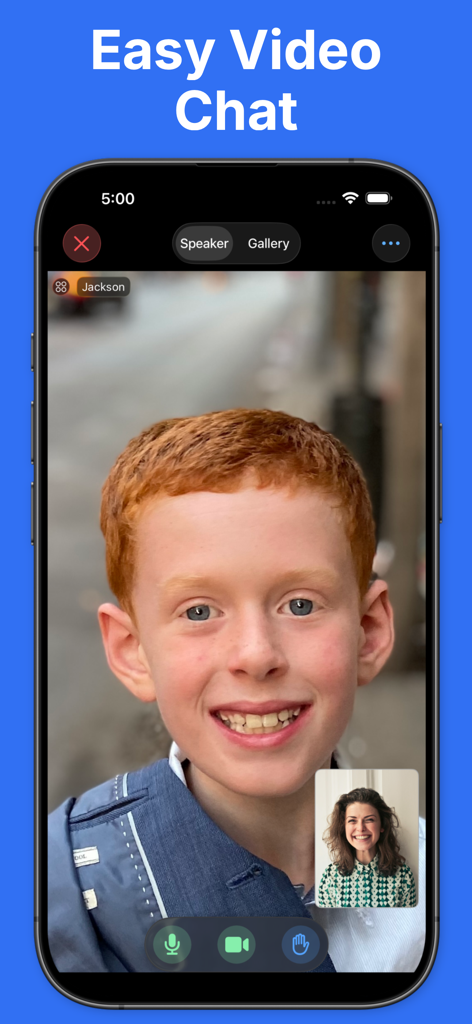
Einfache Video-Chat-Oberfläche der Participant-App für Zoom-Meetings.
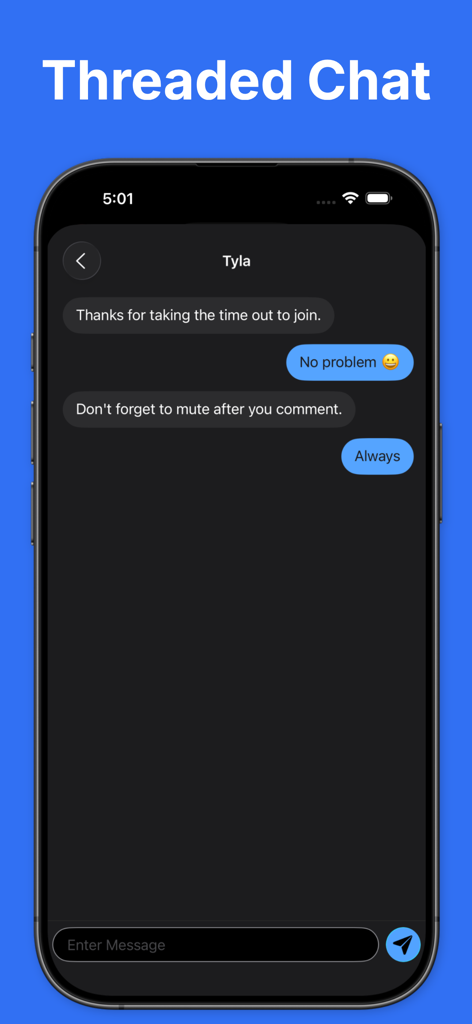
Threaded-Chat-Oberfläche in der Participant-App, die eine Direktnachrichtenkonversation auf einem iPhone zeigt.
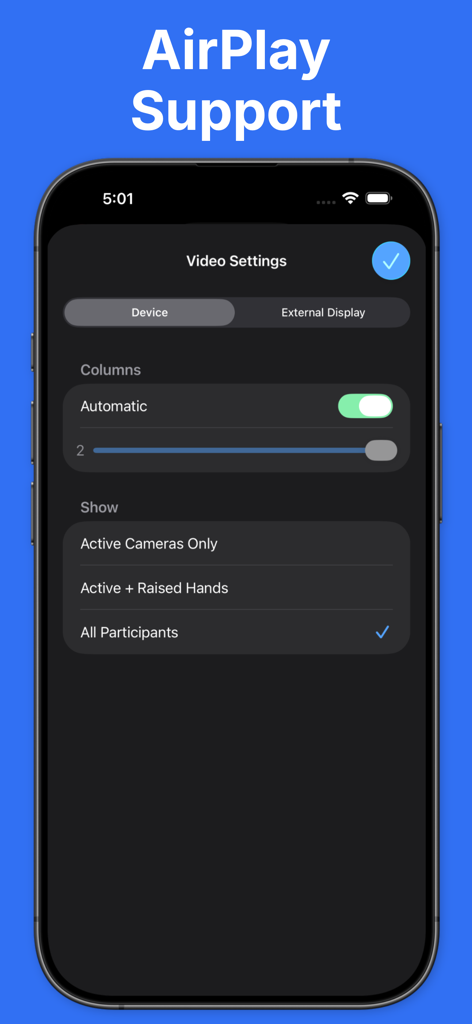
Video-Einstellungen für AirPlay und externe Display-Unterstützung in der Participant-App.
Beschreibung
Download
Ähnliche Apps
Apps mit ähnlichen Funktionen und Nutzererfahrung
l-mao
Zhengzhou Pengrun Big Data Co.LTD

WhizAI for WA
颖妮 王

satellite - Mobil telefonieren
sipgate GmbH

Locally AI - Local AI Chat
Adrien Grondin

云湖
Beijing Jiuwan Zhida Technology Co., Ltd

MiGe AI - Secure Privacy Chat
Longnan yingmeng network technology co., ltd
Diese Seite ist keine offizielle Seite der App oder ihres Entwicklers, sondern eine unabhängige redaktionelle Veröffentlichung, die zu Informations- und Kommentarzwecken erstellt wurde. Sofern nicht ausdrücklich anders angegeben, sind weder die App noch ihr Entwickler mit MWM, Apple, Google Play, dem App-Herausgeber oder dem Entwickler der App verbunden, von ihnen unterstützt, gesponsert, autorisiert oder anderweitig offiziell verbunden, und nichts auf dieser Seite impliziert, dass die App unter Verwendung der Dienste von MWM entwickelt wurde. Alle Marken, Logos, Screenshots und andere Inhalte bleiben Eigentum ihrer jeweiligen Inhaber.