Password management
Password management
Herunterladen auf App Store

Diese Seite ist keine offizielle Seite der App oder ihres Entwicklers, sondern eine unabhängige redaktionelle Veröffentlichung, die zu Informations- und Kommentarzwecken erstellt wurde. Sofern nicht ausdrücklich anders angegeben, sind weder die App noch ihr Entwickler mit MWM, Apple, Google Play, dem App-Herausgeber oder dem Entwickler der App verbunden, von ihnen unterstützt, gesponsert, autorisiert oder anderweitig offiziell verbunden, und nichts auf dieser Seite impliziert, dass die App unter Verwendung der Dienste von MWM entwickelt wurde. Alle Marken, Logos, Screenshots und andere Inhalte bleiben Eigentum ihrer jeweiligen Inhaber.


Logo von Password management
Herunterladen auf App Store

Password management

Beenden Sie die Passwort-Erschöpfung mit militärischer Verschlüsselung und sofortigem FaceID-Zugriff. Bewahren Sie Ihre Anmeldedaten sicher und streng offline auf Ihrem Gerät auf, für ultimative Seelenfrieden.

Kennzahlen

Downloads

351K+

Bewertung

4.5/5

Bewertungen gesamt

40K+

Herausgeber

TSUKUTTEMITA, K.K.

Kategorie

Productivity

Sprachen

1

Neueste Version

9.6.0

Größe

34.7 MB

Erstveröffentlichung

17. Nov. 2014
Funktionen

Übernehmen Sie die Kontrolle über Ihre digitale Sicherheit

Erleben Sie die ultimative Seelenfrieden mit einem Passwortmanager, der für Einfachheit, Privatsphäre und blitzschnellen Zugriff entwickelt wurde.

Offline-First-Datenschutz

Ihre sensiblen Daten bleiben auf Ihrem Gerät, nicht auf einem Server. Mit AES-256-Verschlüsselung stellen wir sicher, dass Ihre Informationen privat und sicher vor Hackern bleiben.

Nahtloser biometrischer Zugriff

Überspringen Sie das Tippen und melden Sie sich sofort an. Verwenden Sie FaceID oder TouchID, um auf Ihr Tresor zuzugreifen und Anmeldedaten direkt in Safari auszufüllen, für eine reibungslose Erfahrung.

Die folgenden Screenshots und die Beschreibung stammen direkt aus dem offiziellen Store-Eintrag der App und sind Eigentum des Entwicklers.

App Store

Screenshots
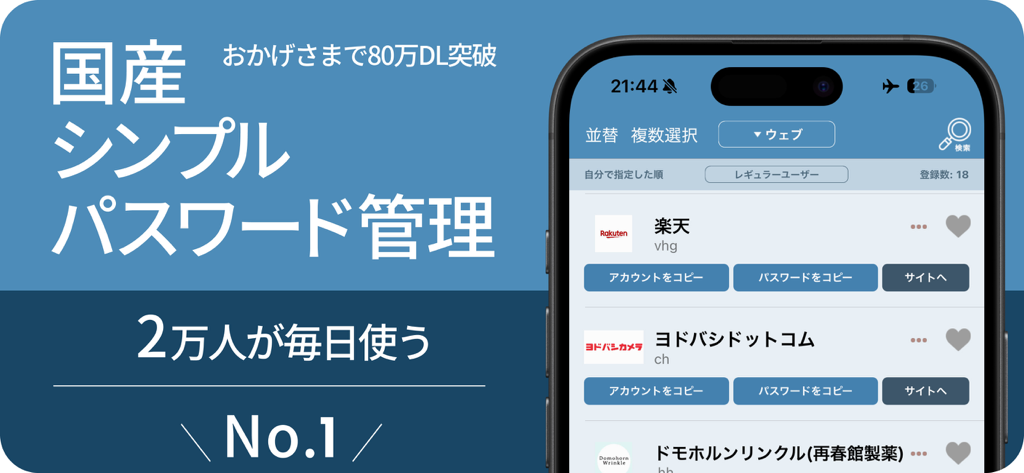
Password management - PassManager App-Oberfläche auf dem iPhone, die eine Liste der gespeicherten Passwörter und Konten anzeigt
PassManager App-Oberfläche auf dem iPhone, die eine Liste der gespeicherten Passwörter und Konten anzeigt

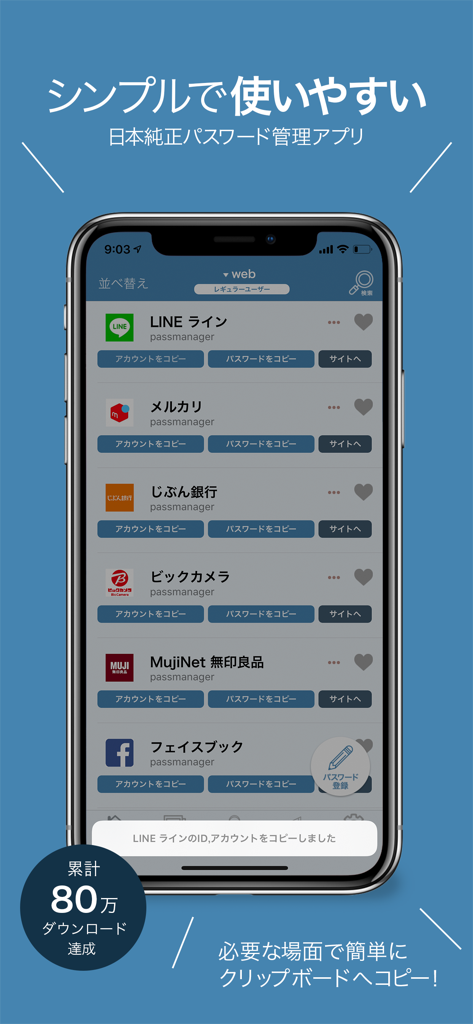
Password management - Oberfläche der PassManager-App auf einem iPhone, die eine Liste gespeicherter Kontopasswörter wie LINE und Facebook anzeigt
Oberfläche der PassManager-App auf einem iPhone, die eine Liste gespeicherter Kontopasswörter wie LINE und Facebook anzeigt

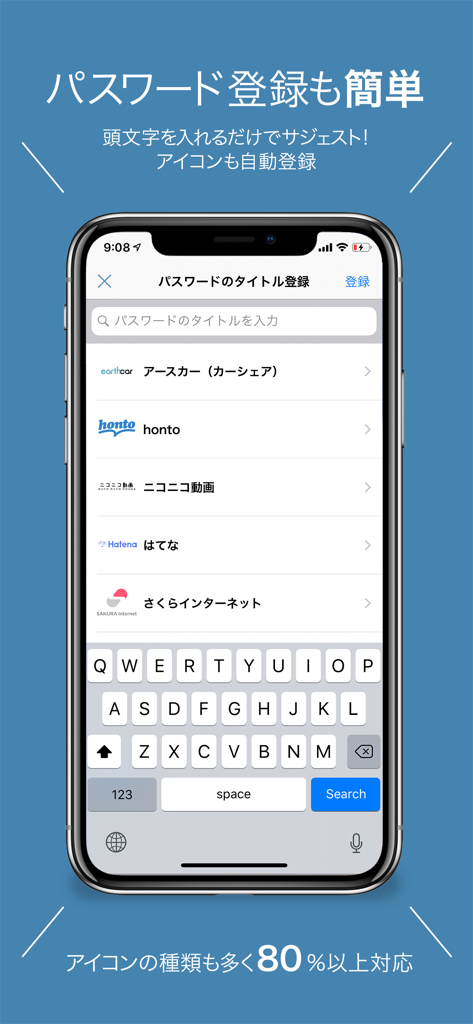
Password management - PassManager App-Screenshot auf dem iPhone, der den einfachen Bildschirm zur Registrierung von Passwörtern mit Dienstvorschlägen und Symbolen anzeigt
PassManager App-Screenshot auf dem iPhone, der den einfachen Bildschirm zur Registrierung von Passwörtern mit Dienstvorschlägen und Symbolen anzeigt

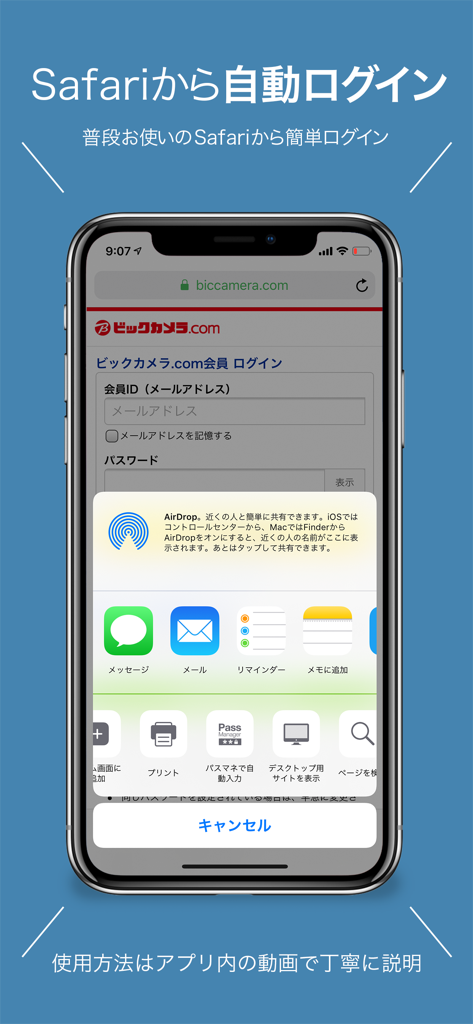
Password management - iPhone-Bildschirm, der die PassManager App-Erweiterung in Safari für nahtlose automatische Anmeldung auf einer Website anzeigt
iPhone-Bildschirm, der die PassManager App-Erweiterung in Safari für nahtlose automatische Anmeldung auf einer Website anzeigt

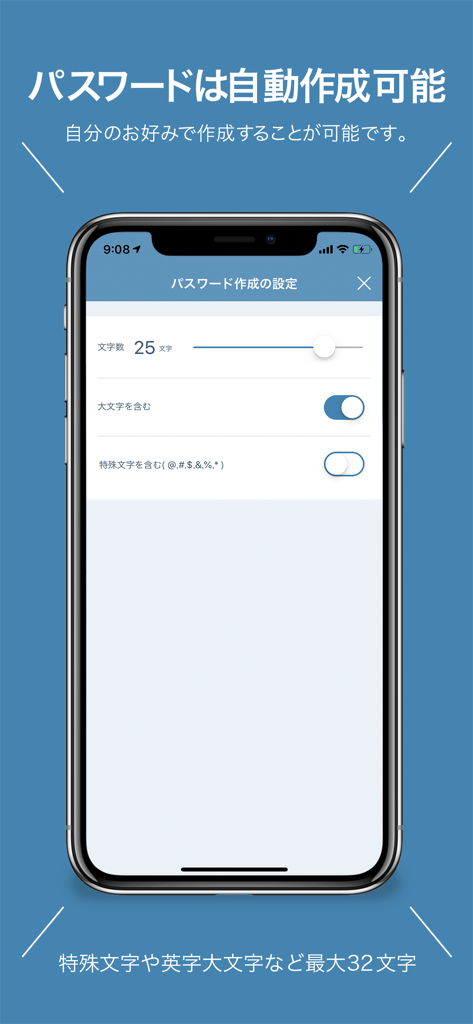
Password management - PassManager App-Oberfläche auf dem iPhone, die Einstellungen für die automatische Passwortgenerierung einschließlich Länge und Zeichenoptionen anzeigt.

PassManager App-Oberfläche auf dem iPhone, die Einstellungen für die automatische Passwortgenerierung einschließlich Länge und Zeichenoptionen anzeigt.

Beschreibung

PassManager (path manager) is an application that can easily manage passwords. It is no exaggeration to go with the definitive version of the password management application. Main functions of PassManager: -------------------- ■ Automatic login from safari ■ Input fewer login faster! ■ Touch ID FaceID correspondence (face authentication) ■ One jump to the basic authentication site. Continue to login screen ■ Automatic generation of strong password ■ Jump easily in Chrome or safari ■ Export passwords as csv and back up ■ Copy from the notification center is possible ■ CSV / iCloud backup Powerful search function [Sites that can not auto-login at the moment] Hot Pepper Beauty GMAIL Price Com Desk net Other non-survey Fingerprint authentication can be used on ios terminals with iOS 8 or later and Touch ID Face ID. With ios 8, you can use it by entering a password even if it does not support fingerprint authentication. You can log in to the registered Basic certified site with just one button. Have you ever experienced such a problem? -ID, I do not remember much account password. - Many accounts use the same password - Did you forget your password? What shall I do - I can not manage more than one account and password We will solve these problems. Reason for PassManager (path manager) to be safe · Do not connect to the Internet · Fingerprint authentication adopted · The built-in password generator generates a password. It is possible to generate a high-intensity random password. It is simpler to make than any password management application. Register the password you want to register from the button on the upper right. All passwords are managed with 1 password (one password). Log in with fingerprint authentication when starting up. Tap the button from the password list you registered. Then the password is copied to the clipboard and you can jump directly to the WEB site. You can manage passwords on the web, applications, You can manage various passwords and ID such as basic authentication. [Security · Encryption method] AES 256 Leave the management for personal information 【About monthly fee function】 The monthly charged feature is called platinum user. You can use it by paying monthly 180 yen It is automatic continuing billing once a month. Function · Delete ad · Automatic password creation · Basic authentication breaking function · Automatic login function · Abolition of categories creation restrictions · ICloud backup · ICloud auto backup · CSV export of password · CSV import of password · Abolition of the maximum number of favorites list · Automatic login function from Safari · Icon free selection function 【About automatic continuing billing】 • The contract term will be updated if it is not canceled more than 24 hours before the end of the term. • Payment will be charged to your iTunes account. • Registration will be automatically renewed unless automatic renewal has been turned off for at least 24 hours before the end of the current period • The account will be charged for updates within 24 hours prior to the end of the current period and the cost of the update will be identified • Subscriptions are managed by users and automatic updates may turn off when you go to your account settings after purchase • The unused portion of the free trial period expires if the user purchases a subscription to the book, if applicable • Subscription period one month 【Confirmation and Cancellation of Automatic Update】 Select "Recommended" at the bottom of the AppStore application -> Select AppleID -> select "passmanager" from "Administration" in subscription. From this screen you can check the next automatic update timing and cancel / set automatic update. 【terms of use and privacy policy】 https://ynmain.github.io/passmanager/app/passmanager/privacy.html

Download

Herunterladen auf App Store

Diese Seite ist keine offizielle Seite der App oder ihres Entwicklers, sondern eine unabhängige redaktionelle Veröffentlichung, die zu Informations- und Kommentarzwecken erstellt wurde. Sofern nicht ausdrücklich anders angegeben, sind weder die App noch ihr Entwickler mit MWM, Apple, Google Play, dem App-Herausgeber oder dem Entwickler der App verbunden, von ihnen unterstützt, gesponsert, autorisiert oder anderweitig offiziell verbunden, und nichts auf dieser Seite impliziert, dass die App unter Verwendung der Dienste von MWM entwickelt wurde. Alle Marken, Logos, Screenshots und andere Inhalte bleiben Eigentum ihrer jeweiligen Inhaber.







