
Diese Seite ist keine offizielle Seite der App oder ihres Entwicklers, sondern eine unabhängige redaktionelle Veröffentlichung, die zu Informations- und Kommentarzwecken erstellt wurde. Sofern nicht ausdrücklich anders angegeben, sind weder die App noch ihr Entwickler mit MWM, Apple, Google Play, dem App-Herausgeber oder dem Entwickler der App verbunden, von ihnen unterstützt, gesponsert, autorisiert oder anderweitig offiziell verbunden, und nichts auf dieser Seite impliziert, dass die App unter Verwendung der Dienste von MWM entwickelt wurde. Alle Marken, Logos, Screenshots und andere Inhalte bleiben Eigentum ihrer jeweiligen Inhaber.

PDF Converter: Photo to PDFs
Verwandeln Sie Fotos, Office-Dateien und HEIC-Bilder sofort in hochwertige PDFs. Führen Sie Ihre Arbeit zusammen, komprimieren Sie sie und teilen Sie sie direkt von Ihrem iPhone aus mit dem ultimativen Mobile-First-Produktivitätstool für Studenten und Berufstätige.
Downloads
5K+Bewertung
Bewertungen gesamt
0Herausgeber
Kategorie
ProductivitySprachen
8Neueste Version
1.0.19Größe
197.3 MBErstveröffentlichung
17. Feb. 2025Das All-in-One-PDF-Kraftpaket
Verabschieden Sie sich von schwerer Desktop-Software. Konvertieren, zusammenführen und optimieren Sie Ihre Dokumente mit den effizientesten Tools für Ihr iPhone.
Universelle Dateikonvertierung
Verwandeln Sie HEIC-, JPG-, Word- und Excel-Dateien sofort in professionelle PDFs, die auf jedem Gerät oder Portal funktionieren.
Mobiler Dokumentenscanner
Verwandeln Sie Fotos von Notizen, Quittungen oder unterschriebenen Verträgen mit Ihrer Kamera in kristallklare PDF-Dokumente.
Die folgenden Screenshots und die Beschreibung stammen direkt aus dem offiziellen Store-Eintrag der App und sind Eigentum des Entwicklers.
App Store
Screenshots
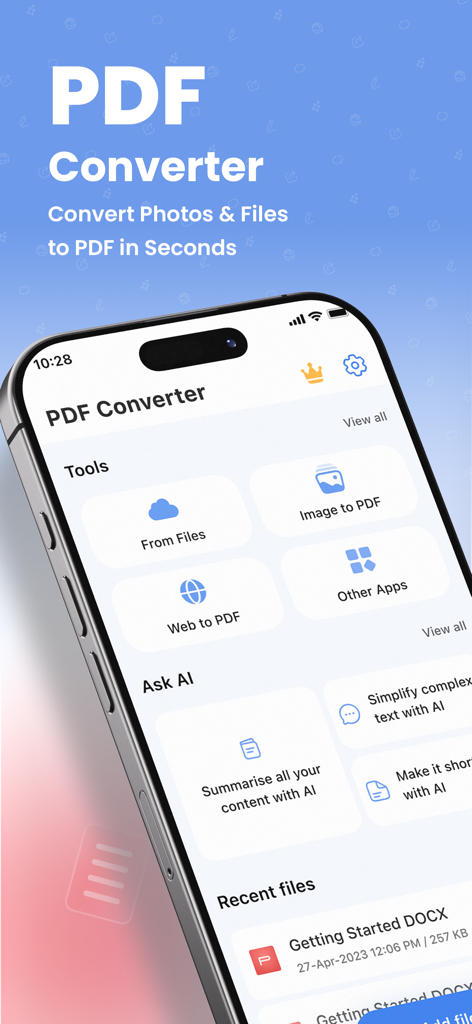
Startbildschirm der PDF Converter App auf einem iPhone mit Dateikonvertierung und KI-Tools
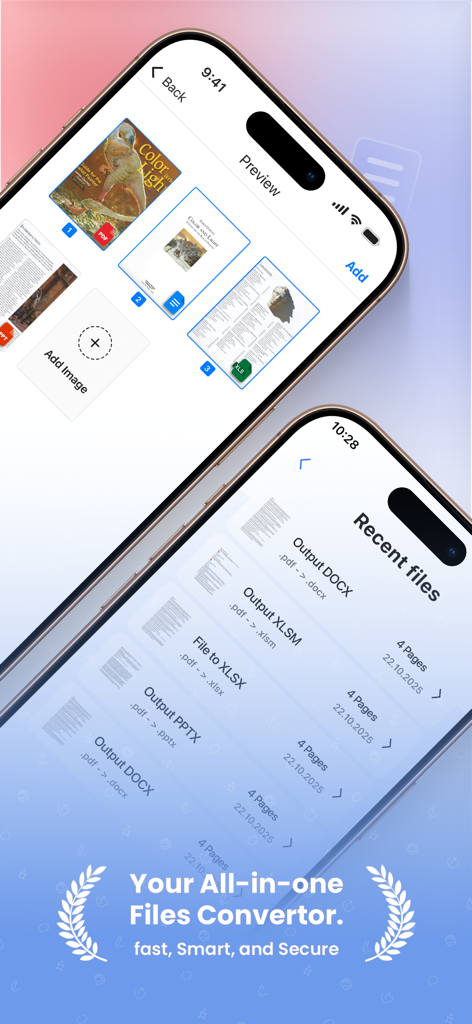
Mobile App-Oberfläche für PDF Converter, die eine Liste der letzten Dateien und eine Dokumentenvorschau anzeigt
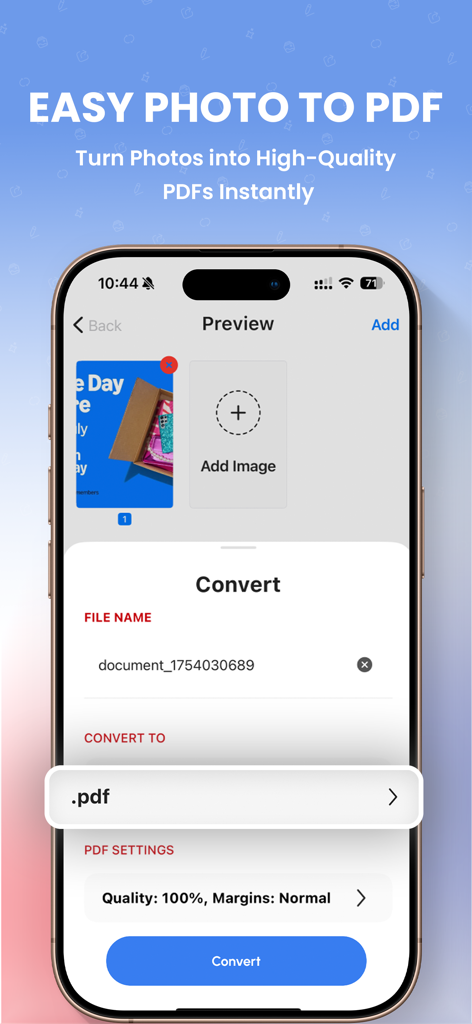
Oberfläche der PDF Converter App, die Fotoauswahl und Einstellungen zur Dokumentenkonvertierung zeigt
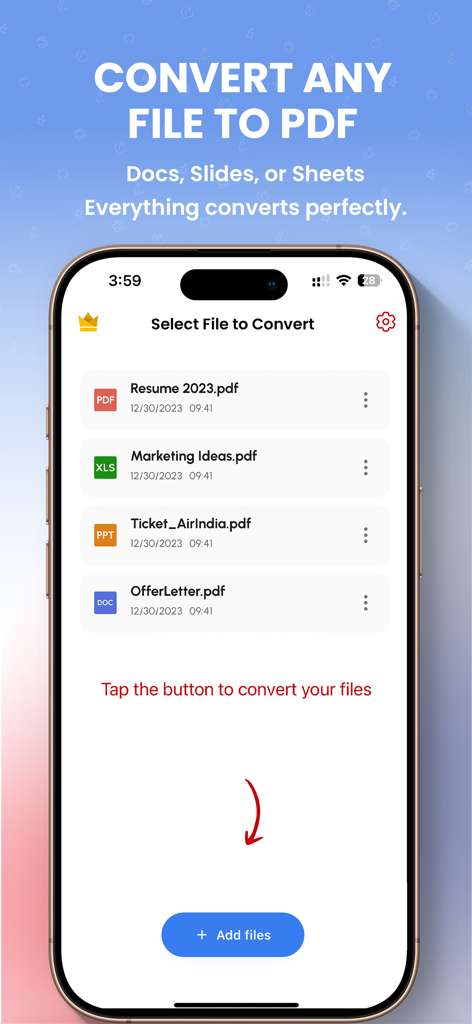
Eine mobile App-Oberfläche zur Auswahl von Dokumenten, die in PDF-Dateien konvertiert werden sollen
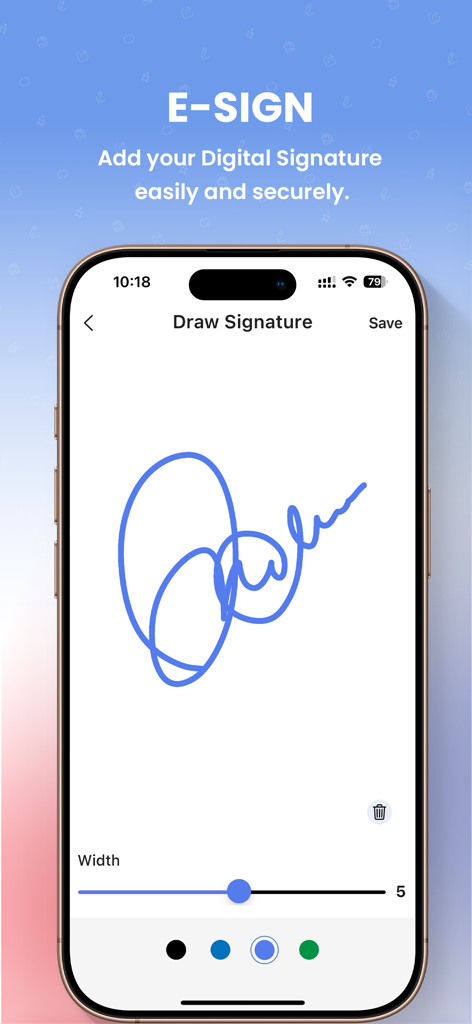
iPhone-Bildschirm, der die E-SIGN-Funktion zum Zeichnen einer digitalen Signatur auf einem Dokument zeigt.
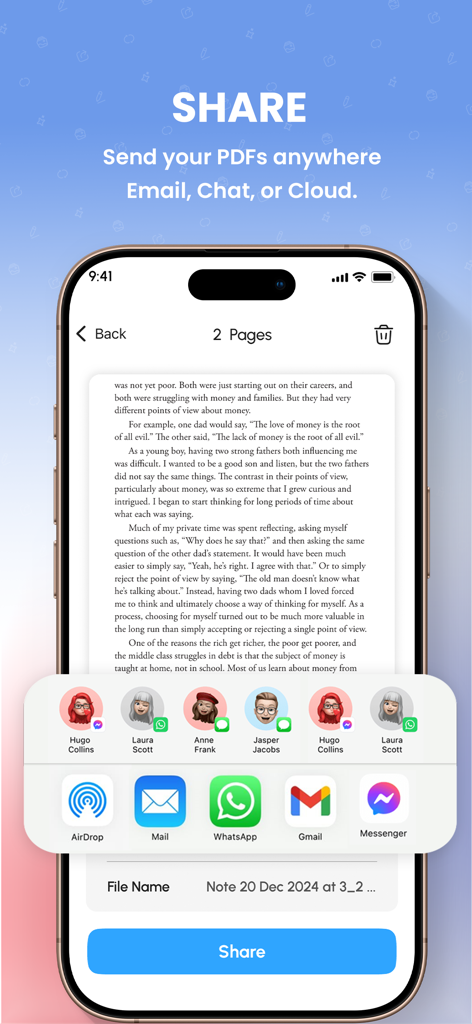
Ein Smartphone-Bildschirm, der das Freigabemenü für ein PDF-Dokument mit Optionen für E-Mail und Chat zeigt.
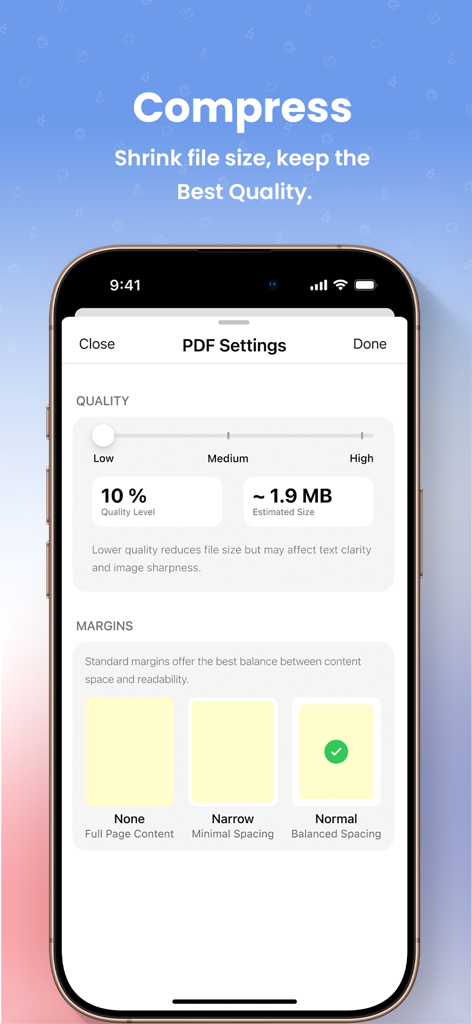
Mobile Oberfläche zum Komprimieren der PDF-Dateigröße mit einstellbaren Qualitäts- und Randeinstellungen
Beschreibung
Download
Ähnliche Apps
Top-gerankte Apps in derselben Kategorie

ChatGPT
OpenAI OpCo, LLC

Google Gemini
Google LLC

Grok
X.AI Corporation

Gmail - Email by Google
Google LLC

千问 - 阿里最强大模型官方AI助手
Shanghai Zhixin Puhui Technology Co., Ltd.

Google Drive
Google LLC

Microsoft Authenticator
Microsoft Corporation

Google Sheets
Google LLC

Google Docs
Google LLC
Diese Seite ist keine offizielle Seite der App oder ihres Entwicklers, sondern eine unabhängige redaktionelle Veröffentlichung, die zu Informations- und Kommentarzwecken erstellt wurde. Sofern nicht ausdrücklich anders angegeben, sind weder die App noch ihr Entwickler mit MWM, Apple, Google Play, dem App-Herausgeber oder dem Entwickler der App verbunden, von ihnen unterstützt, gesponsert, autorisiert oder anderweitig offiziell verbunden, und nichts auf dieser Seite impliziert, dass die App unter Verwendung der Dienste von MWM entwickelt wurde. Alle Marken, Logos, Screenshots und andere Inhalte bleiben Eigentum ihrer jeweiligen Inhaber.