
Diese Seite ist keine offizielle Seite der App oder ihres Entwicklers, sondern eine unabhängige redaktionelle Veröffentlichung, die zu Informations- und Kommentarzwecken erstellt wurde. Sofern nicht ausdrücklich anders angegeben, sind weder die App noch ihr Entwickler mit MWM, Apple, Google Play, dem App-Herausgeber oder dem Entwickler der App verbunden, von ihnen unterstützt, gesponsert, autorisiert oder anderweitig offiziell verbunden, und nichts auf dieser Seite impliziert, dass die App unter Verwendung der Dienste von MWM entwickelt wurde. Alle Marken, Logos, Screenshots und andere Inhalte bleiben Eigentum ihrer jeweiligen Inhaber.

PDF Editor, Edit PDF Documents
Warten Sie nicht länger auf Ihren Desktop. Unterzeichnen Sie Verträge, bearbeiten Sie Text und organisieren Sie Seiten unterwegs mit der intuitivsten PDF-Lösung für iPhone und iPad.
Downloads
6K+Bewertung
Bewertungen gesamt
100Herausgeber
Kategorie
BusinessSprachen
16Neueste Version
1.1.9Größe
37.2 MBErstveröffentlichung
3. Feb. 2025Ihr komplettes mobiles Büro für PDF-Aufgaben
Schluss mit dem Jonglieren mehrerer Apps. Erledigen Sie Dokumente, Verträge und Lernnotizen mit Desktop-Leistung, speziell entwickelt für Ihr iPhone und iPad.
Unterzeichnen & Ausfüllen unterwegs
Finalisieren Sie Verträge und Rechtsformulare in Sekundenschnelle. Erstellen, speichern und wiederverwenden Sie Ihre sichere E-Signatur, ohne einen Drucker oder Scanner zu benötigen.
Text wie ein Profi bearbeiten
Ändern Sie Inhalte direkt auf Ihrem Gerät. Ändern Sie Schriftarten, korrigieren Sie Tippfehler und aktualisieren Sie Layouts, ohne jemals einen Laptop öffnen zu müssen.
Die folgenden Screenshots und die Beschreibung stammen direkt aus dem offiziellen Store-Eintrag der App und sind Eigentum des Entwicklers.
App Store
Screenshots
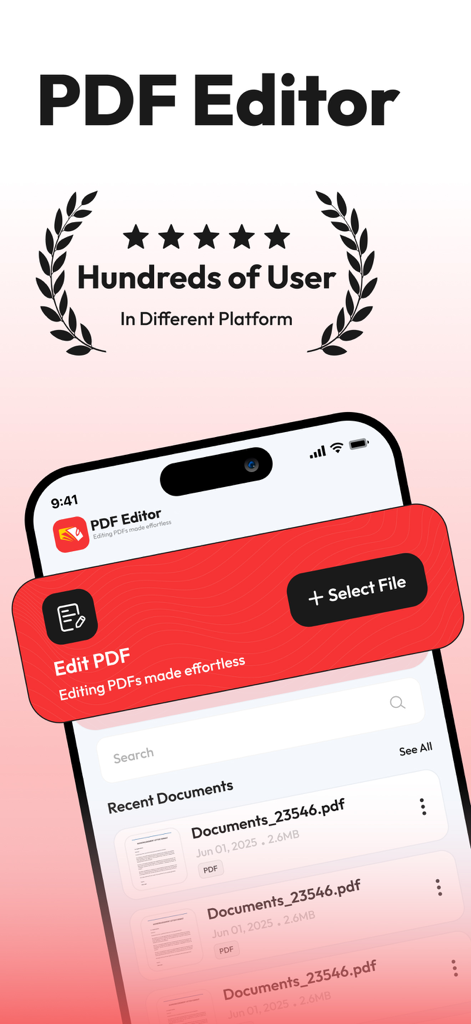
Hauptbildschirm der PDF Editor App auf einem iPhone mit kürzlich bearbeiteten Dokumenten und Bearbeitungsoptionen
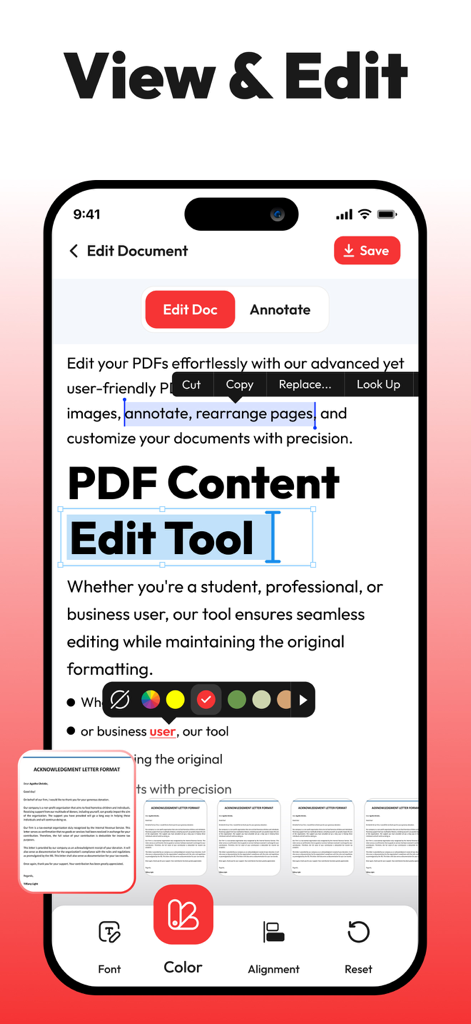
Mobile Anwendungsoberfläche zum Anzeigen und Bearbeiten von PDF-Dokumenttext auf einem iPhone.
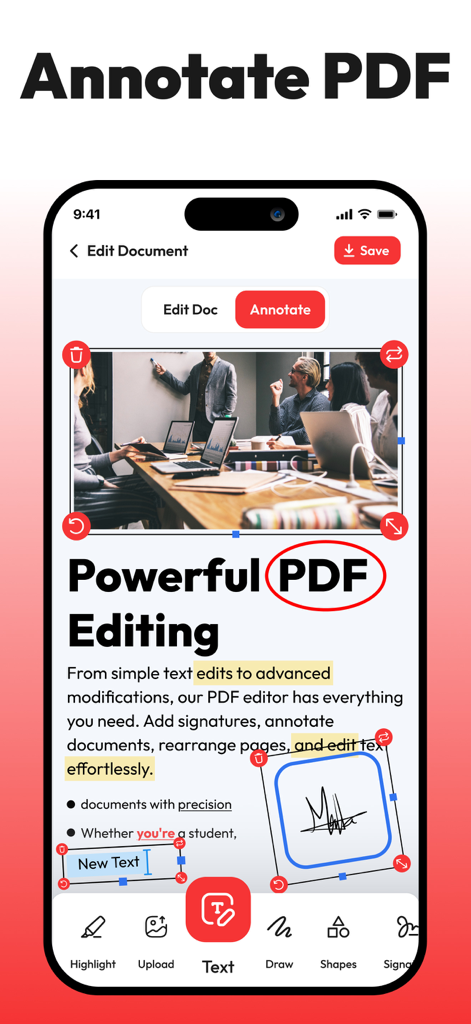
iPhone-Screenshot einer PDF-Editor-App, die Kommentarwerkzeuge wie Text hervorheben, Wörter einkreisen und E-Signaturen zu einem Dokument hinzufügen zeigt.
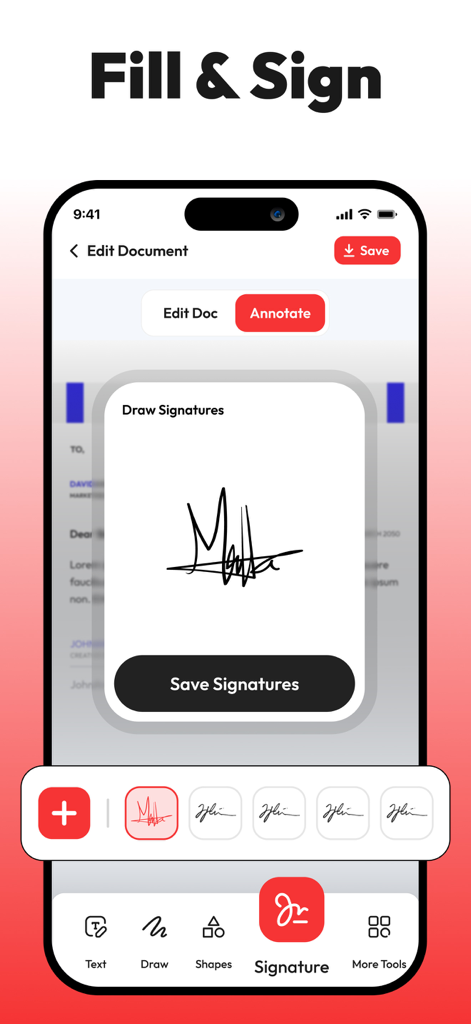
iPhone-App-Oberfläche, die das E-Signatur-Tool für PDF-Dokumente anzeigt
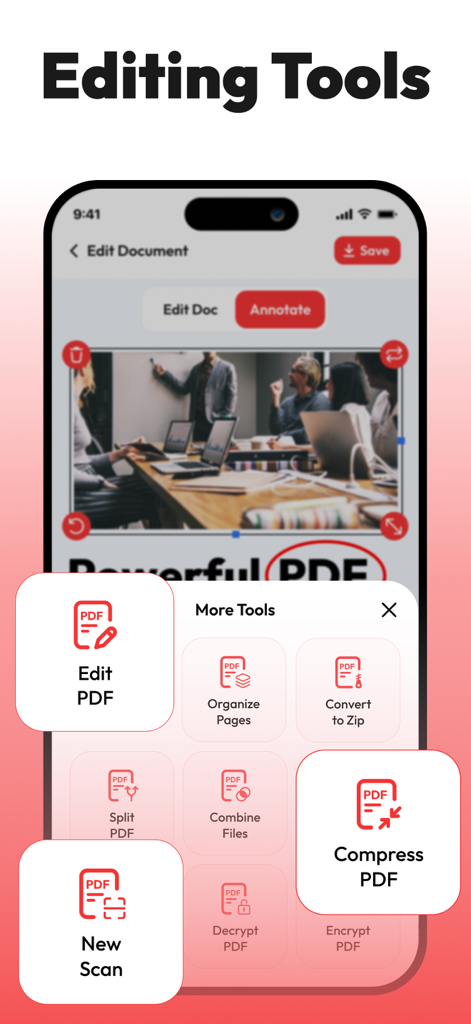
Mobile Oberfläche eines PDF-Editors, die ein Menü mit Dokumentenverwaltungs-Tools wie Komprimieren und Bearbeiten anzeigt
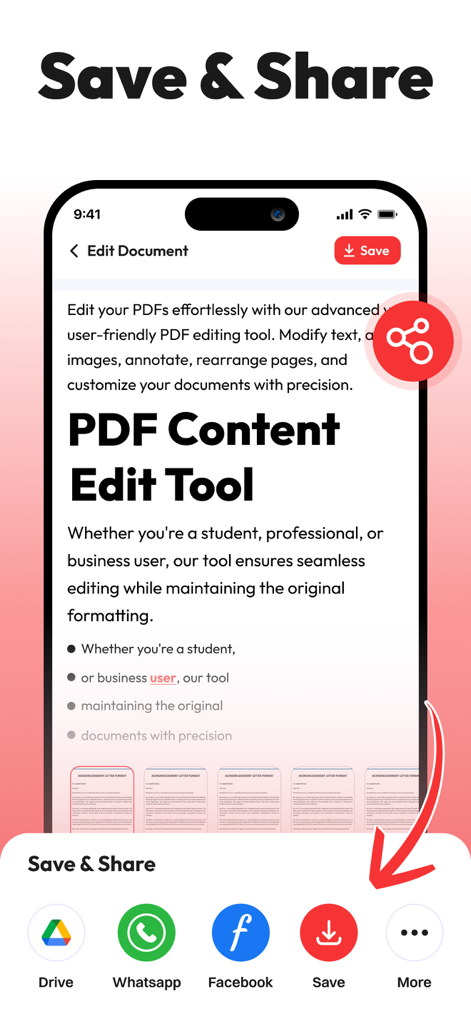
Speichern- und Teilen-Bildschirm der PDF Editor App auf dem iPhone mit Symbolen für Google Drive und soziale Medien
Beschreibung
Download
Ähnliche Apps
Top-gerankte Apps in derselben Kategorie

Microsoft Teams
Microsoft Corporation

Zoom Workplace
Zoom Communications, Inc.

WhatsApp Business
WhatsApp Inc.

Indeed Job Search
Indeed Inc.

LinkedIn: Network & Job Finder
LinkedIn Corporation

Adobe Acrobat Reader: Sign PDF
Adobe Inc.

WeCom-Work Communication&Tools
Tencent Technology (Shenzhen) Company Limited

BOSS直聘-招聘求职找工作神器
Beijing China Product Bo Farce Network Technology Co., Ltd.

DingDing - Redefine Work in AI
DingTalk Technology Co., Ltd.
Diese Seite ist keine offizielle Seite der App oder ihres Entwicklers, sondern eine unabhängige redaktionelle Veröffentlichung, die zu Informations- und Kommentarzwecken erstellt wurde. Sofern nicht ausdrücklich anders angegeben, sind weder die App noch ihr Entwickler mit MWM, Apple, Google Play, dem App-Herausgeber oder dem Entwickler der App verbunden, von ihnen unterstützt, gesponsert, autorisiert oder anderweitig offiziell verbunden, und nichts auf dieser Seite impliziert, dass die App unter Verwendung der Dienste von MWM entwickelt wurde. Alle Marken, Logos, Screenshots und andere Inhalte bleiben Eigentum ihrer jeweiligen Inhaber.