PDF it All Document Converter
Herunterladen auf App Store

Diese Seite ist keine offizielle Seite der App oder ihres Entwicklers, sondern eine unabhängige redaktionelle Veröffentlichung, die zu Informations- und Kommentarzwecken erstellt wurde. Sofern nicht ausdrücklich anders angegeben, sind weder die App noch ihr Entwickler mit MWM, Apple, Google Play, dem App-Herausgeber oder dem Entwickler der App verbunden, von ihnen unterstützt, gesponsert, autorisiert oder anderweitig offiziell verbunden, und nichts auf dieser Seite impliziert, dass die App unter Verwendung der Dienste von MWM entwickelt wurde. Alle Marken, Logos, Screenshots und andere Inhalte bleiben Eigentum ihrer jeweiligen Inhaber.

Logo von PDF it All Document Converter
Herunterladen auf App Store

PDF it All Document Converter

Konvertieren, bearbeiten und unterschreiben Sie Dokumente mit Leichtigkeit. Bewahren Sie Ihre Dateien zu 100 % privat auf, mit der Verarbeitung auf dem Gerät – keine Cloud, kein Risiko, nur reine Produktivität.

Kennzahlen

Downloads

377K+

Bewertung

4.8/5

Bewertungen gesamt

9K+

Herausgeber

DIGISET LLC

Kategorie

Productivity

Sprachen

4

Neueste Version

5.5.1

Größe

49.8 MB

Erstveröffentlichung

22. Apr. 2013
Funktionen

All-In-One PDF-Powerhouse

Das ultimative Toolkit für Fachleute und Studenten zur Verwaltung, Konvertierung und sicheren Unterzeichnung von Dokumenten unterwegs.

Konvertieren Sie alles in PDF

Verwandeln Sie Fotos, Webseiten und Office-Dokumente sofort in hochwertige PDFs, ohne Formatierungsverlust.

Unterschreiben & Bearbeiten wie ein Profi

Füllen Sie Formulare aus, unterschreiben Sie Verträge und führen Sie mehrere Dateien zu einem einzigen Dokument zusammen, ohne einen Desktop-Computer zu benötigen.

Die folgenden Screenshots und die Beschreibung stammen direkt aus dem offiziellen Store-Eintrag der App und sind Eigentum des Entwicklers.

App Store

Screenshots
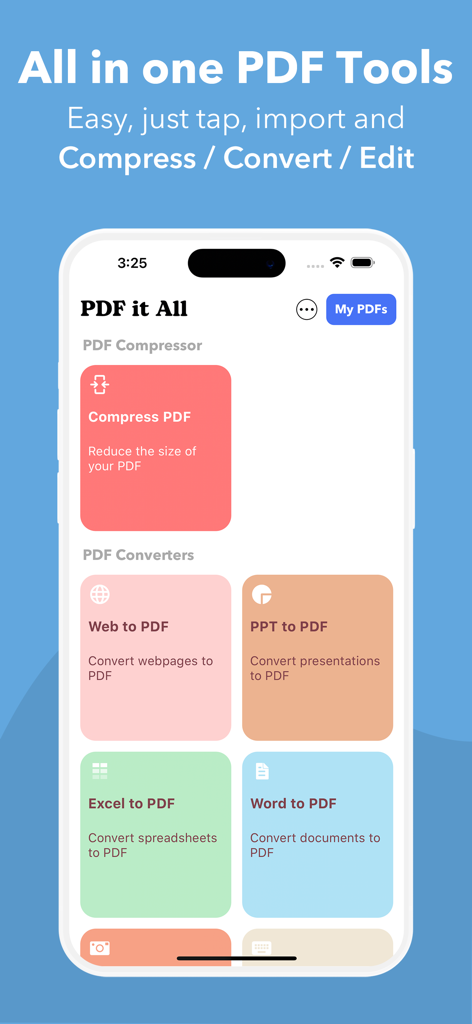
PDF it All Document Converter - Mobile App-Oberfläche von PDF it All mit Werkzeugen zum Komprimieren und Konvertieren von Dokumenten wie Word, Excel und PPT in PDF
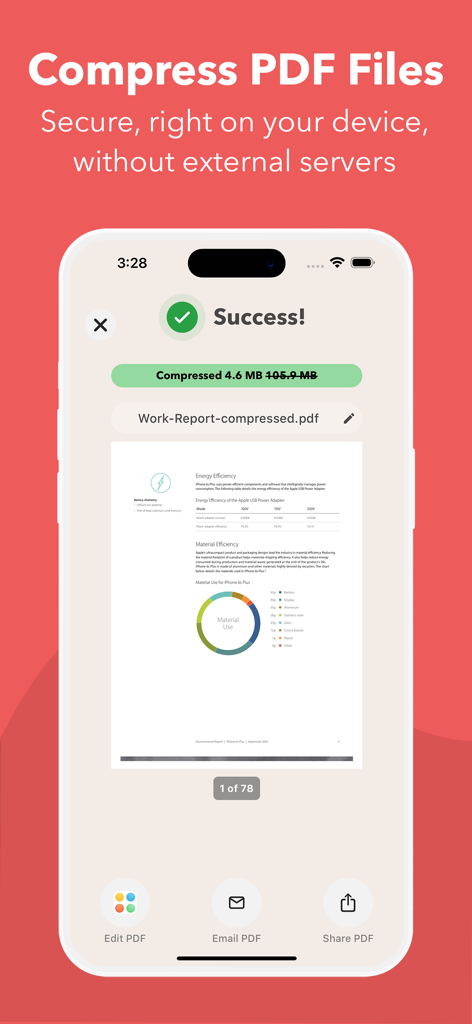
Mobile App-Oberfläche von PDF it All mit Werkzeugen zum Komprimieren und Konvertieren von Dokumenten wie Word, Excel und PPT in PDF

PDF it All Document Converter - Mobile Ansicht, die eine erfolgreiche PDF-Dateikomprimierung von 105 MB auf 4,6 MB in der PDF it All App-Oberfläche zeigt.
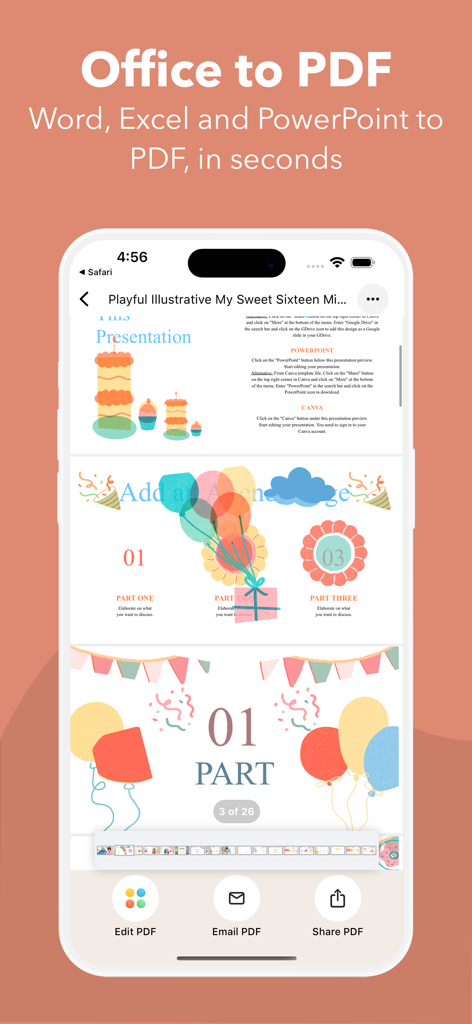
Mobile Ansicht, die eine erfolgreiche PDF-Dateikomprimierung von 105 MB auf 4,6 MB in der PDF it All App-Oberfläche zeigt.

PDF it All Document Converter - iPhone-Bildschirm, der die Office-to-PDF-Konvertierungsfunktion mit einem farbenfrohen Präsentationsdokument anzeigt
iPhone-Bildschirm, der die Office-to-PDF-Konvertierungsfunktion mit einem farbenfrohen Präsentationsdokument anzeigt

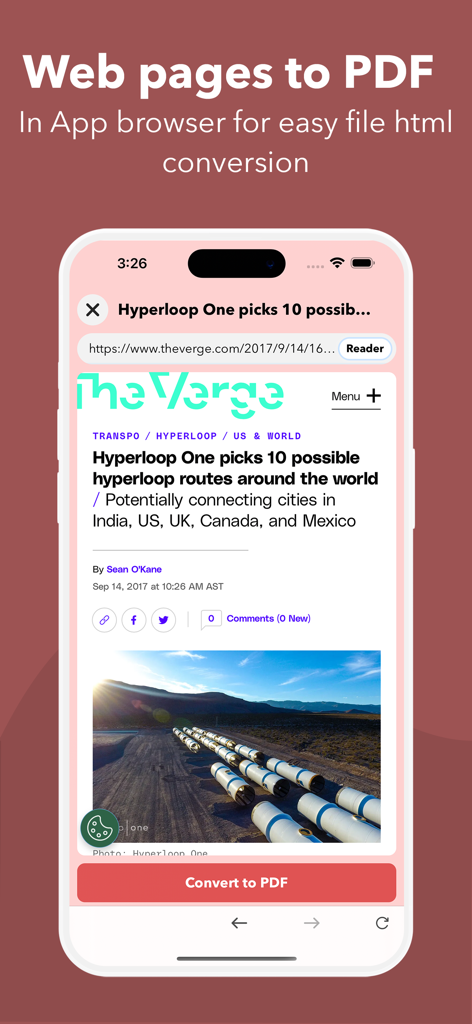
PDF it All Document Converter - Oberfläche der PDF it All App, die zeigt, wie eine Webseite über einen In-App-Browser in ein PDF-Dokument konvertiert wird
Oberfläche der PDF it All App, die zeigt, wie eine Webseite über einen In-App-Browser in ein PDF-Dokument konvertiert wird

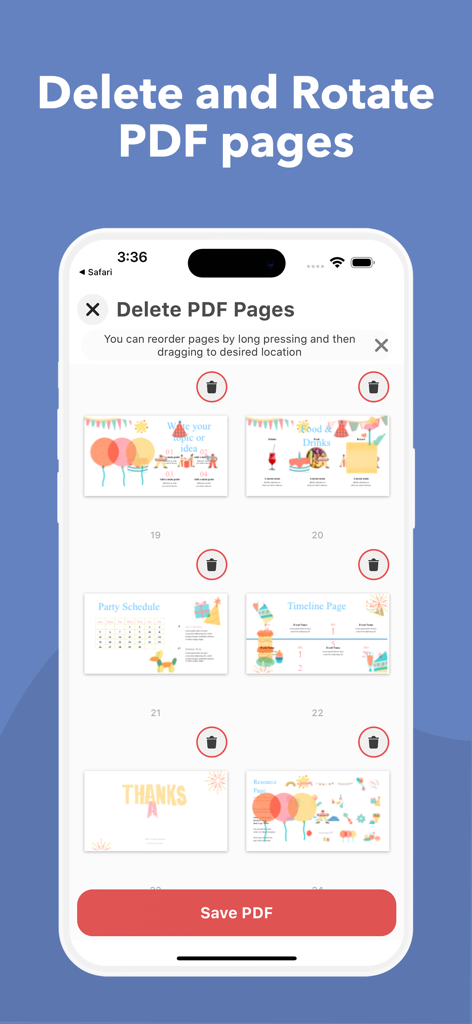
PDF it All Document Converter - Oberfläche zum Löschen und Drehen von PDF-Seiten in der PDF it All Mobile App
Oberfläche zum Löschen und Drehen von PDF-Seiten in der PDF it All Mobile App

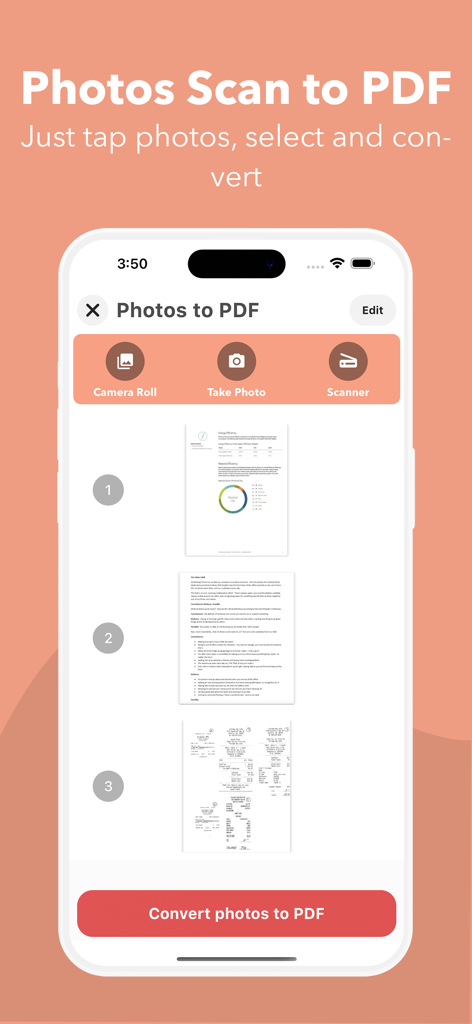
PDF it All Document Converter - Mobile App-Oberfläche, die die Funktion zum Konvertieren von Fotos in PDF mit Dokumentenvorschauen und Scan-Optionen zeigt
Mobile App-Oberfläche, die die Funktion zum Konvertieren von Fotos in PDF mit Dokumentenvorschauen und Scan-Optionen zeigt

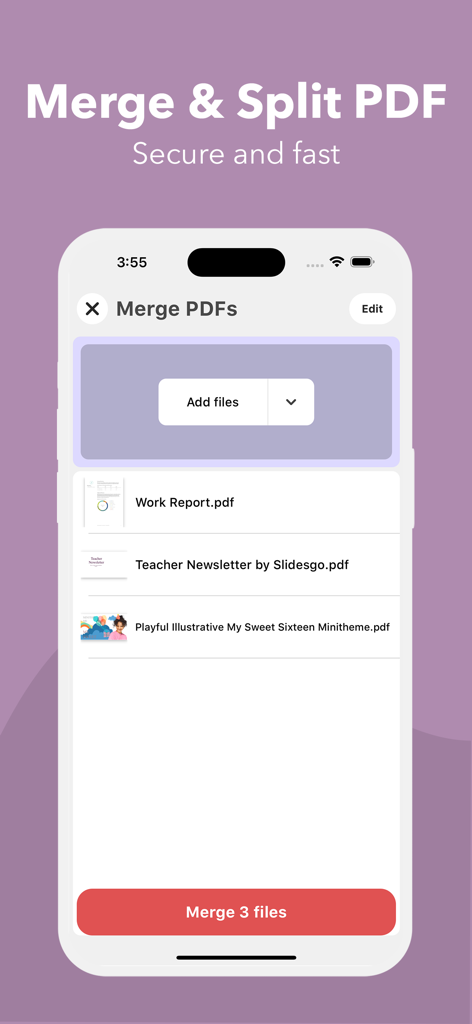
PDF it All Document Converter - Benutzeroberfläche der PDF it All App, die die Funktion zum Zusammenführen von PDF-Dateien auf einem iPhone-Bildschirm zeigt
Benutzeroberfläche der PDF it All App, die die Funktion zum Zusammenführen von PDF-Dateien auf einem iPhone-Bildschirm zeigt

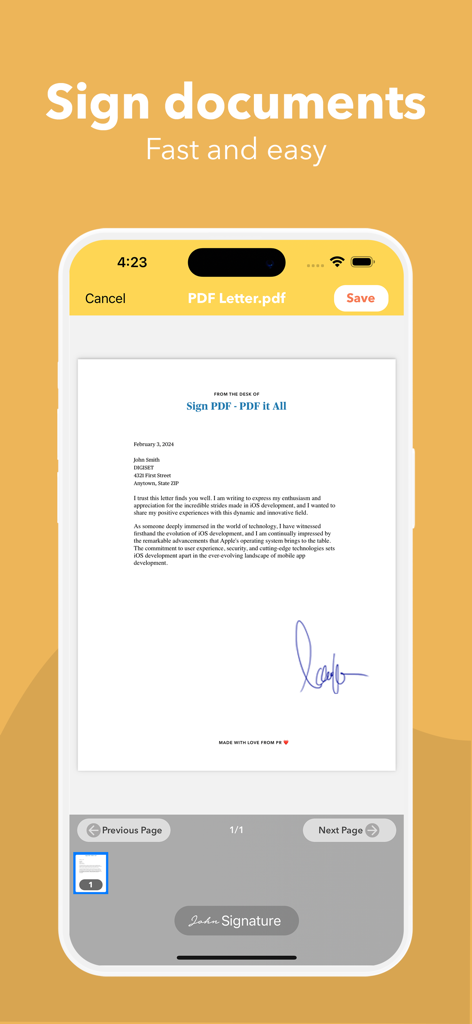
PDF it All Document Converter - Screenshot der PDF it All App, der zeigt, wie ein Dokument auf einem mobilen Gerät unterschrieben wird.

Screenshot der PDF it All App, der zeigt, wie ein Dokument auf einem mobilen Gerät unterschrieben wird.

Beschreibung

PDF it All: Your All-in-One PDF Solution PDF it All is an advanced yet user-friendly tool designed for seamless PDF file editing and conversion. With this application, you can effortlessly compress large PDF files, making file sharing more convenient. Convert a variety of formats, including Word, Excel, PowerPoint, web pages, and photos into PDF with ease. Whether you need to edit a PDF by removing or rotating pages, PDF it All has you covered. Merge multiple PDFs into a single file or split a PDF into multiple files effortlessly. The best part? Our app operates solely on your device, ensuring that all your PDF tasks are performed securely without relying on external servers. Your files remain 100% secure throughout the process. Experience the convenience of multiple apps neatly bundled into one with PDF it All: + PDF Compress Reduce PDF file sizes by up to 90%, perfect for streamlined file sharing and storage efficiency. + Office to PDF Transform Word, Excel, or PowerPoint documents into PDF format within seconds. Simply select the office file, and let our app handle the rest. + Web to PDF Capture your favorite web pages offline by converting them into PDFs using our built-in browser – a seamless process in just three steps. + Photos to PDF Digitize your photos from your camera roll or snap a picture on the spot. Create PDFs from your photos in a matter of seconds. + Notes to PDF Craft your own PDFs with our rich text editor, enabling you to create complete PDF documents directly from your device. + PDF Editing Unlock powerful PDF editing capabilities with our app, allowing you to: • PDF Page Removal Easily remove one or more pages from your PDF by importing the file and selecting the pages for removal.
 • PDF Page Rotation Correct rotated PDFs swiftly by rotating the entire document or specific pages with ease.
 • Merge PDF Combine multiple PDFs into a unified document effortlessly.
 • Split PDF Divide a PDF into multiple files by importing, selecting the split points, and letting our app handle the rest.
 • Sign PDF Sign documents quickly by opening your PDF, selecting "Sign," adding your signature, and you're done.
 • Protect PDF Enhance security by encrypting your PDFs with password protection, ideal for safeguarding private documents.
 • Unlock PDFs Remove known passwords from PDFs effortlessly, enabling you to share password-free files.
 • PDF Share Seamlessly share your PDFs via email or any other installed app on your device. Export to Dropbox, Evernote, Google Drive, Box, SkyDrive, and more.
 • PDF Print Print your PDF files directly within the application, ensuring compatibility with Air Print printers.
 Security is our paramount concern. Rest assured, none of our tools rely on external servers, making PDF it All one of the most secure PDF tools/creators available.
 PDF it All is free to use and you have 2 free daily conversions/tasks per day. If you choose to purchase PDF it All Pro+ to enjoy unlimited conversions and PDF editing, payment will be charged to your iTunes account, and your account will be charged for renewal 24 hours prior to the end of the current period. Auto-renewal may be turned off at any time by going to your settings in the iTunes Store after purchase. Current price for PDF it All is $2.99 USD / month in our monthly plan and $13.99 USD / year our yearly plan. Prices may vary from country to country. Privacy policy: https://digiset.me/pdfitall/privacypolicy.html Terms of use: https://digiset.me/pdfitall/terms.html For feedback/support, contact us at DigisetApps@gmail.com

Download

Herunterladen auf App Store

Diese Seite ist keine offizielle Seite der App oder ihres Entwicklers, sondern eine unabhängige redaktionelle Veröffentlichung, die zu Informations- und Kommentarzwecken erstellt wurde. Sofern nicht ausdrücklich anders angegeben, sind weder die App noch ihr Entwickler mit MWM, Apple, Google Play, dem App-Herausgeber oder dem Entwickler der App verbunden, von ihnen unterstützt, gesponsert, autorisiert oder anderweitig offiziell verbunden, und nichts auf dieser Seite impliziert, dass die App unter Verwendung der Dienste von MWM entwickelt wurde. Alle Marken, Logos, Screenshots und andere Inhalte bleiben Eigentum ihrer jeweiligen Inhaber.








