PDF Markup & Annotation Maker

PDF Markup & Annotation Maker

Herunterladen auf App Store
Logo von PDF Markup & Annotation Maker

PDF Markup & Annotation Maker: Das Präzisionswerkzeug für Ihren papierlosen Workflow

Steigern Sie Ihre Produktivität mit intuitiver Hervorhebung, benutzerdefiniertem Text und professionellen Zeichenwerkzeugen. Ob Sie Verträge prüfen oder Lernmaterialien meistern, kommentieren Sie PDFs genau so, wie Sie es auf Ihrem iPad und iPhone möchten.

Herausgeber

Ruchira Ramesh

Kategorie

Business

Downloads

49K+

Bewertung

4.5/5

Bewertungen gesamt

0

Sprachen

1

Präzision in jedem Pixel

Entdecken Sie die Oberfläche, die von 49K+ Nutzern verwendet wird.
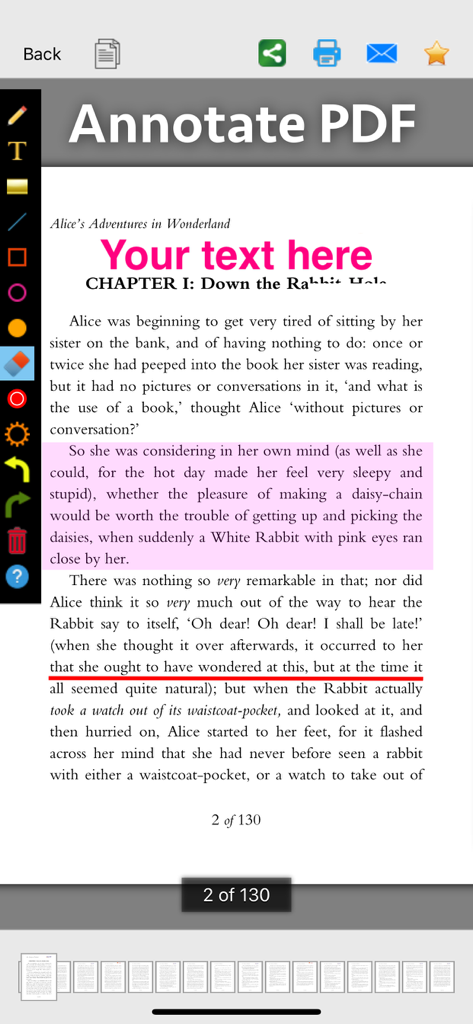
Screenshot der PDF Markup und Annotation Maker App, die Werkzeuge zum Hervorheben, Unterstreichen und Hinzufügen von Text zu einem Dokument zeigt

Screenshot der PDF Markup und Annotation Maker App, die Werkzeuge zum Hervorheben, Unterstreichen und Hinzufügen von Text zu einem Dokument zeigt

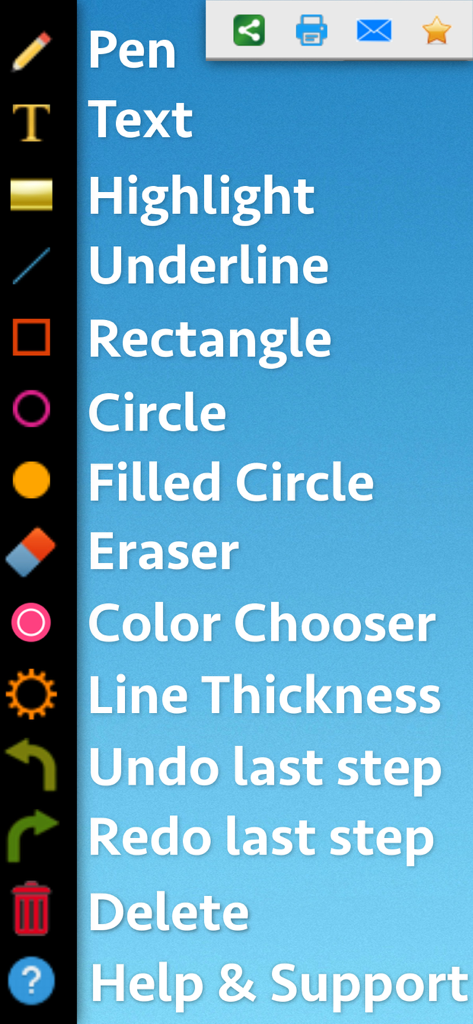
Oberfläche zeigt eine vertikale Liste von PDF-Markup-Werkzeugen wie Stift, Text, Hervorhebung und Formen

Oberfläche zeigt eine vertikale Liste von PDF-Markup-Werkzeugen wie Stift, Text, Hervorhebung und Formen

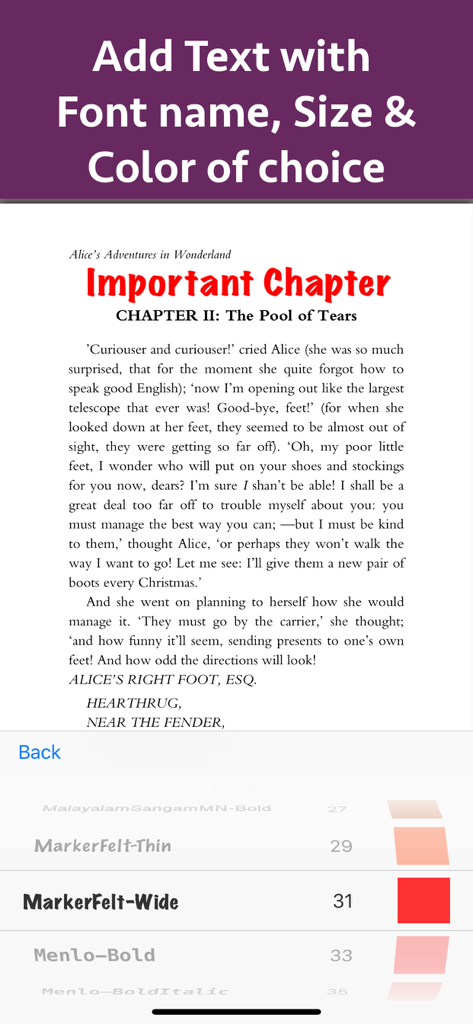
Text auf einem PDF-Dokument mit Schriftgrad- und Farboptionen hinzufügen und anpassen

Text auf einem PDF-Dokument mit Schriftgrad- und Farboptionen hinzufügen und anpassen

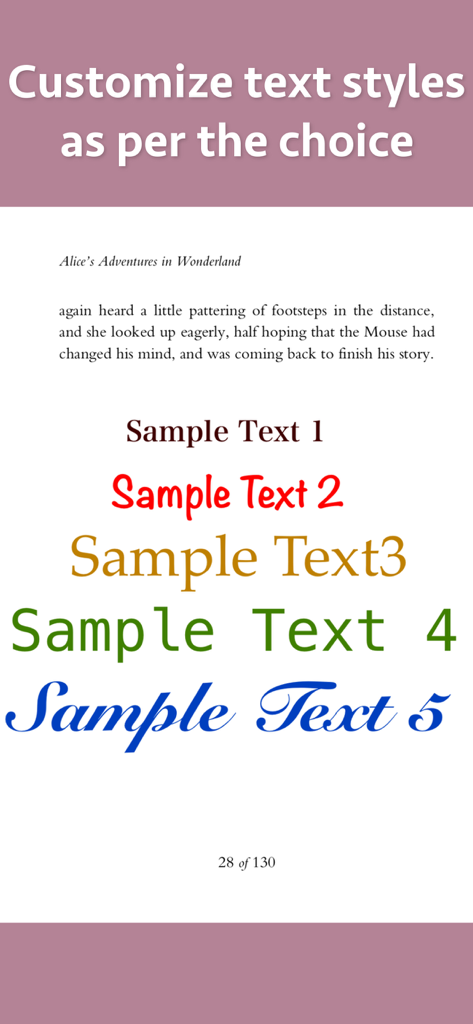
Demonstration verschiedener benutzerdefinierter Textstile, Schriftarten und Farben für PDF-Anmerkungen und -Markierungen

Demonstration verschiedener benutzerdefinierter Textstile, Schriftarten und Farben für PDF-Anmerkungen und -Markierungen

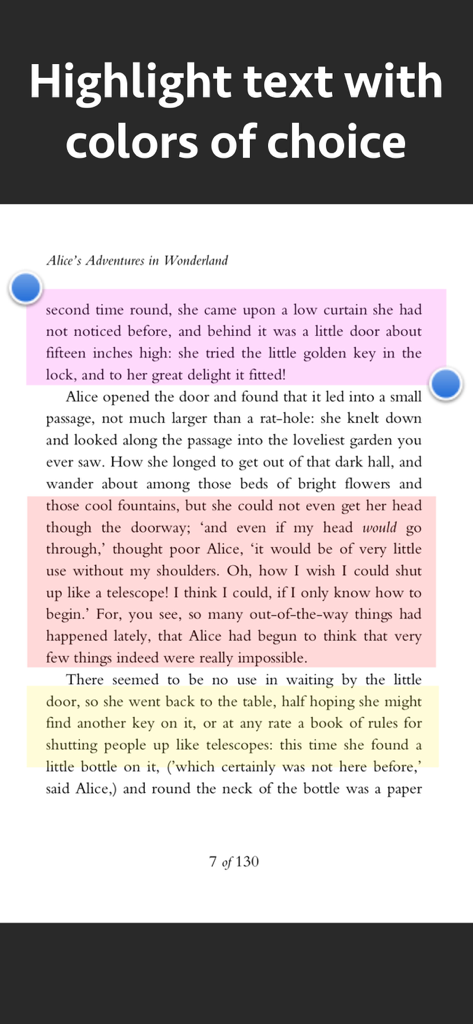
Ein Bildschirm, der Textabschnitte in Pink, Orange und Gelb zeigt, die mit einem PDF-Markup-Werkzeug hervorgehoben wurden

Ein Bildschirm, der Textabschnitte in Pink, Orange und Gelb zeigt, die mit einem PDF-Markup-Werkzeug hervorgehoben wurden

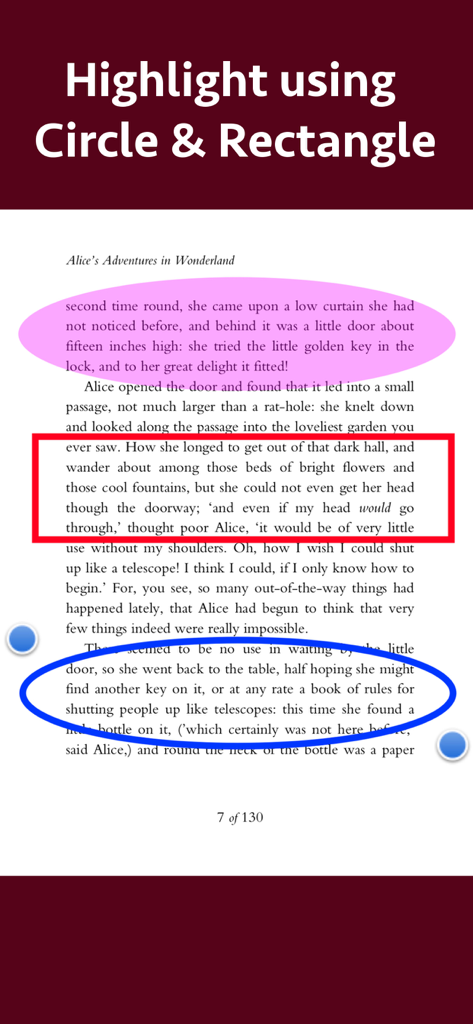
PDF-Dokument mit Textbereichen, die mit Kreis- und Rechteck-Werkzeugen hervorgehoben wurden

PDF-Dokument mit Textbereichen, die mit Kreis- und Rechteck-Werkzeugen hervorgehoben wurden

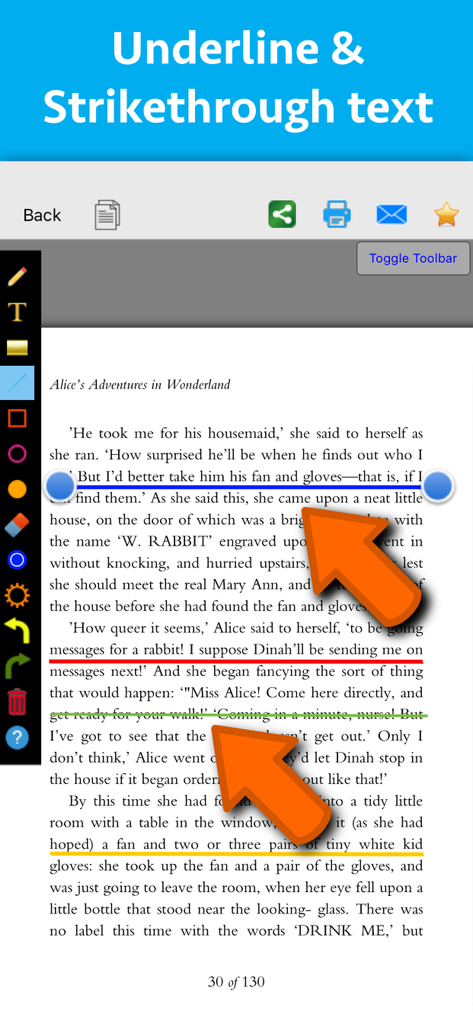
Oberfläche einer PDF-Markup-App, die farbige Unterstreichungs- und Durchstreichungsanmerkungen auf einer Textseite zeigt

Oberfläche einer PDF-Markup-App, die farbige Unterstreichungs- und Durchstreichungsanmerkungen auf einer Textseite zeigt

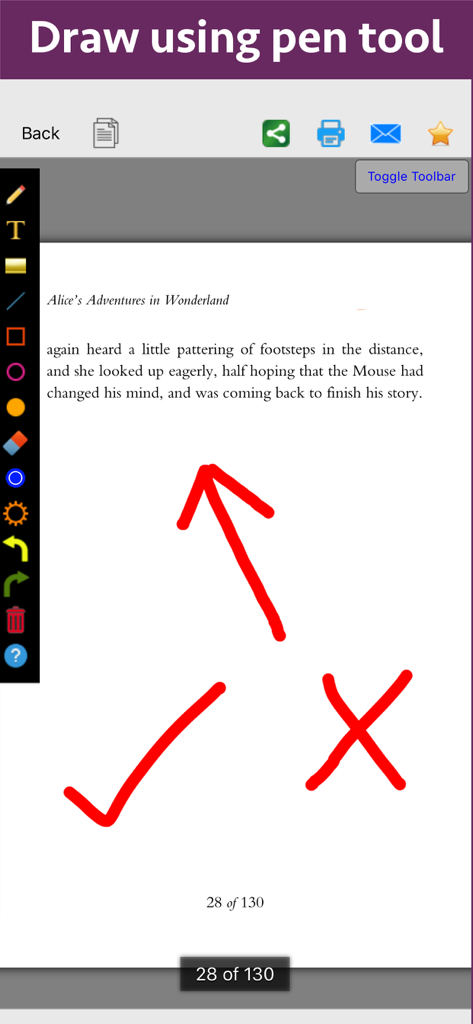
Eine PDF-Dokumentseite aus Alice im Wunderland mit roten Anmerkungen wie einem Pfeil, einem Häkchen und einem Kreuz, gezeichnet mit dem Stiftwerkzeug.

Eine PDF-Dokumentseite aus Alice im Wunderland mit roten Anmerkungen wie einem Pfeil, einem Häkchen und einem Kreuz, gezeichnet mit dem Stiftwerkzeug.

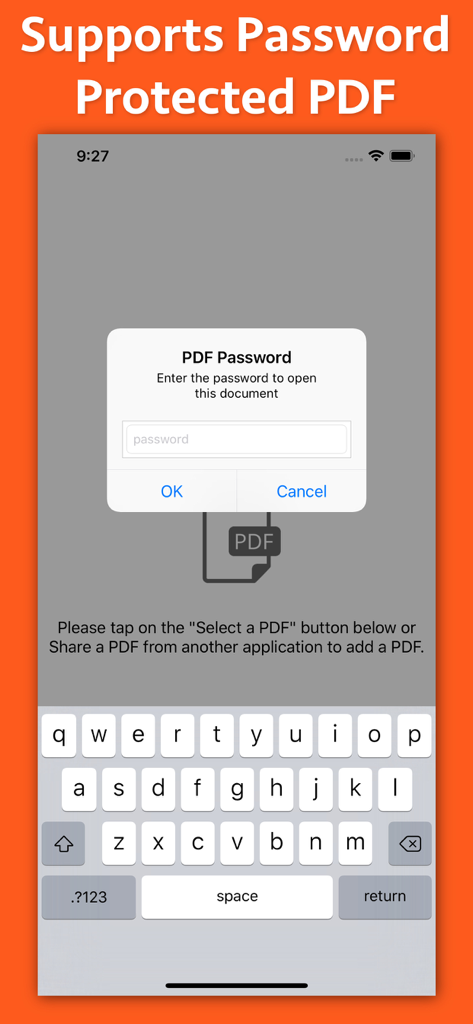
Oberfläche der PDF Markup App, die ein Passwort-Eingabefenster für geschützte Dokumente zeigt

Oberfläche der PDF Markup App, die ein Passwort-Eingabefenster für geschützte Dokumente zeigt

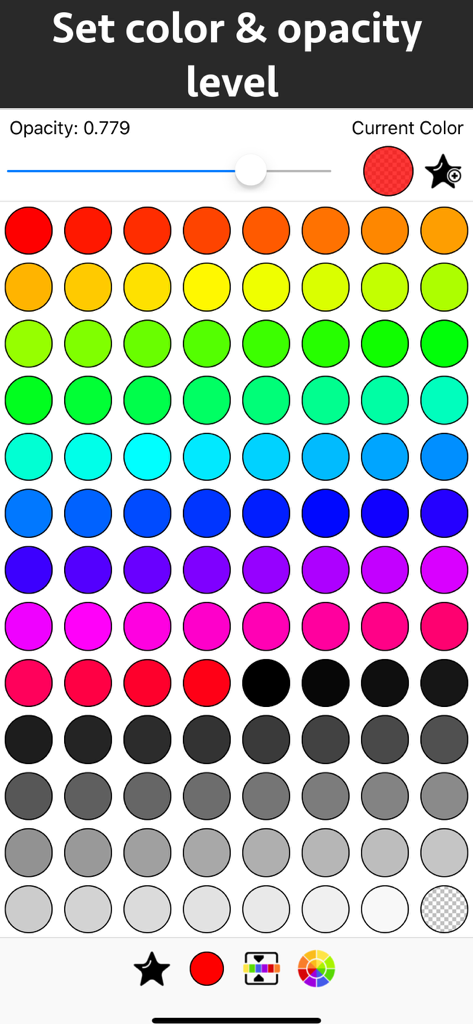
Oberfläche zur Auswahl von Farben und Einstellung von Transparenzstufen für PDF-Anmerkungen

Oberfläche zur Auswahl von Farben und Einstellung von Transparenzstufen für PDF-Anmerkungen

Meistern Sie Ihre Dokumente mit Präzision

Die Tools, die diese App auszeichnen, gewählt von 49K+ Nutzern.

📝

Intelligente Hervorhebungen & Notizen

Farblich kodieren Sie wichtige Informationen und fügen Sie benutzerdefinierten Text mit voller Kontrolle über Schriftarten und Stile hinzu, um Ihre Lern- oder Arbeitsnotizen hervorzuheben.

🖋️

Intuitive Zeichenwerkzeuge

Verwenden Sie das Stiftwerkzeug oder Präzisionsformen wie Kreise und Pfeile, um genau hervorzuheben, was wichtig ist, in Grundrissen, Diagrammen oder Dokumenten.

Optimierter Feedback-Prozess

Vereinfachen Sie Ihren Überprüfungsprozess mit benutzerfreundlichen Anmerkungswerkzeugen und Transparenzreglern, perfekt für die Genehmigung von Verträgen oder Peer-Reviews.

Über die App

Alles, was Sie über wissen müssen PDF Markup & Annotation Maker.

Beschreibung

Write text on PDF, Highlight, underline ,draw shapes & customise using different Fonts, text size, colors and transparency level. Using these features you could highlight important lines in a PDF.You could also write text on pages of the PDF.For example : you could write "Important" on the important pages of the PDF. This could be very helpful in making notes, preparing documentation or for making presentation. Annotated PDF files are easier to understand and help to focus on important points, images and topics. Below are some additional usage : -- Getting feedback on a document that is sent for review. The reviewer could highlight the areas, or write text at the places that need correction or improvements. -- Holding a meeting or discussion on a PDF Document with several users and adding highlights, writing text & drawing shapes using pen tool like arrows, checkmark and cross marks wherever the document needs changes or where it needs more discussions. -- Adding your own notes makes it much easier to find the document later and to remember why it is important or which pages & topics are important. -- Approving documents with text and commenting on the PDF. -- Highlighting the important paragraphs in the study materials. -- Adding references or points on the PDF pages by writing text on the PDF. Using the application you could do below operations : a) Write Text on PDF : Using the application the Text could be written anywhere on the pages.After the text is written, you could perform various customisations as shown below : -- Change Font of the text -- Change the Text Size -- Change the the text color -- Resize or change the location of the text as per the requirements. b) Highlight Text in PDF : Using the highlight tool, the text could be highlighted. The highlighting colors could be changed to any color of your choice.Once the Text is highlighted, you could also resize or reposition the highlighted part as per the requirements. c) Underline Text - Underline the text using the line tool.The underline color could be changed as per the requirements. The line tool could also be used to draw lines and shapes. d) Strikethrough Text - Strikethrough the text.The strikethrough color could be changed as per the requirements.This could be also be done using the line tool. e) Draw Circle - Draw a circle using the circle tool. It also supports various customisations as below : -- Change the thickness of the border from settings. -- Change its border color. -- Draw circle which is filled with the color of choice. -- Set transparency/opacity of the colors. (from Color settings) f) Draw a Square or Rectangle - A square or rectangle could also be drawn on the PDF. Just like the Circle the below operations could be performed : -- Change the thickness of the border from settings. -- Change its border color. -- Draw a rectangle or square which is filled with the color of choice. -- Set transparency/opacity of the colors. (from Color settings) g) Draw any shape using the Pen tool : using the pen tool any custom shapes could be drawn. For example : shapes like arrow, checkmark,cross mark and etc could be drawn using the Pen tool. h) Erase using the eraser tool - Use the eraser tool to erase the unwanted annotations. i) Undo and Redo support : Make the editing task easier by performing Undo or Redo operations. j) Delete tool : Delete the contents of the current page using the delete tool.

Neueste Version

8.1

Größe

3.3 MB

Erstveröffentlichung

16. Okt. 2018

Ihre papierlose Produktivität beginnt hier

Schließen Sie sich über 49.000 Benutzern an und revolutionieren Sie die Art und Weise, wie Sie Ihre Dokumente unterwegs überprüfen, hervorheben und kommentieren.

Herunterladen auf App Store

App information, icons, screenshots, and descriptions displayed on this page are sourced from the Apple App Store and are the property of their respective developers. Download estimates and rankings are based on MWM's proprietary models and may not reflect actual figures. This page is provided for informational and analytical purposes only.

Believe this page infringes your intellectual property? File a dispute