
Diese Seite ist keine offizielle Seite der App oder ihres Entwicklers, sondern eine unabhängige redaktionelle Veröffentlichung, die zu Informations- und Kommentarzwecken erstellt wurde. Sofern nicht ausdrücklich anders angegeben, sind weder die App noch ihr Entwickler mit MWM, Apple, Google Play, dem App-Herausgeber oder dem Entwickler der App verbunden, von ihnen unterstützt, gesponsert, autorisiert oder anderweitig offiziell verbunden, und nichts auf dieser Seite impliziert, dass die App unter Verwendung der Dienste von MWM entwickelt wurde. Alle Marken, Logos, Screenshots und andere Inhalte bleiben Eigentum ihrer jeweiligen Inhaber.

PDF pages Extractor & Splitter
Hören Sie auf, überladene Dateien zu teilen, und teilen Sie nur das, was wirklich zählt. Extrahieren Sie spezifische Seitenbereiche, entfernen Sie Passwörter und organisieren Sie Ihre PDFs mit chirurgischer Präzision – nahtlos integriert in die iOS Dateien-App.
Downloads
3K+Bewertung
Bewertungen gesamt
0Herausgeber
Kategorie
ProductivitySprachen
1Neueste Version
15Größe
6.8 MBErstveröffentlichung
31. Jan. 2018Intelligenter arbeiten mit präzisen PDF-Tools
Hören Sie auf, sich mit überladenen Dokumenten abzumühen. Extrahieren Sie genau das, was Sie brauchen, reduzieren Sie die Dateigröße und optimieren Sie Ihren mobilen Workflow in Sekundenschnelle.
Chirurgische Seitenextraktion
Wählen Sie spezifische Seitenbereiche oder einzelne Nummern wie 2, 8 und 25. Perfekt, um Unterschriftsseiten oder wichtige Studienkapitel ohne überflüssigen Inhalt zu extrahieren.
Sichere Passwortverarbeitung
Verarbeiten Sie geschützte Dokumente einfach und entfernen Sie Passwörter für eine schnellere Freigabe. Ideal für die Verwaltung sensibler rechtlicher oder finanzieller Dateien unterwegs.
Die folgenden Screenshots und die Beschreibung stammen direkt aus dem offiziellen Store-Eintrag der App und sind Eigentum des Entwicklers.
App Store
Screenshots
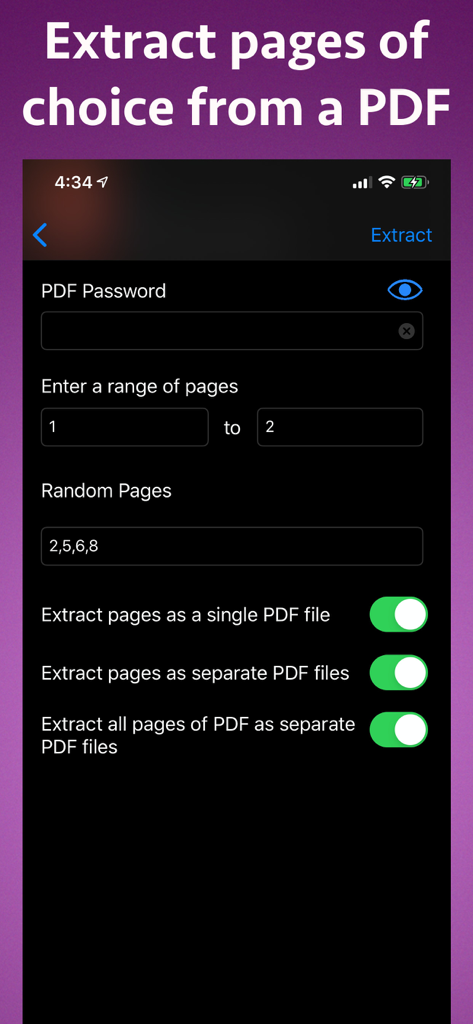
Benutzeroberfläche zum Extrahieren spezifischer Seiten aus einer PDF-Datei auf dem iPhone
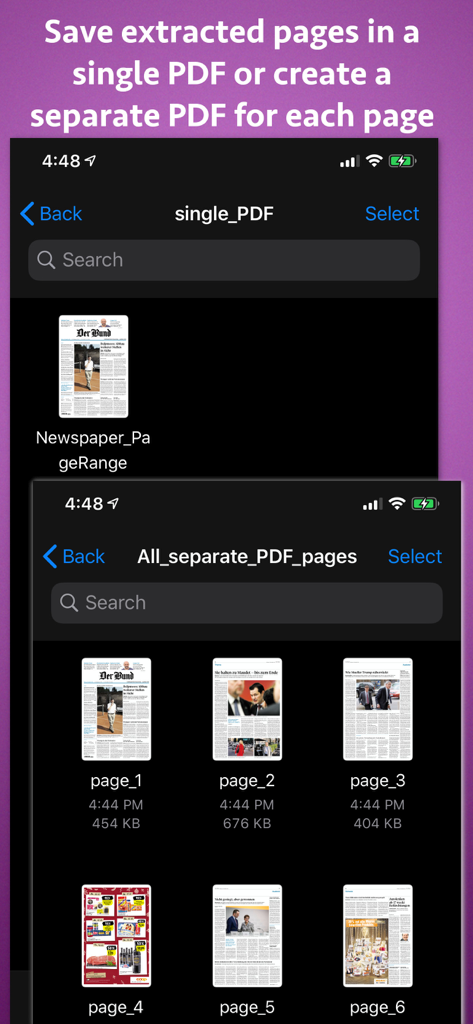
Benutzeroberfläche mit Optionen zum Speichern extrahierter PDF-Seiten als einzelnes Dokument oder als separate Dateien für jede Seite
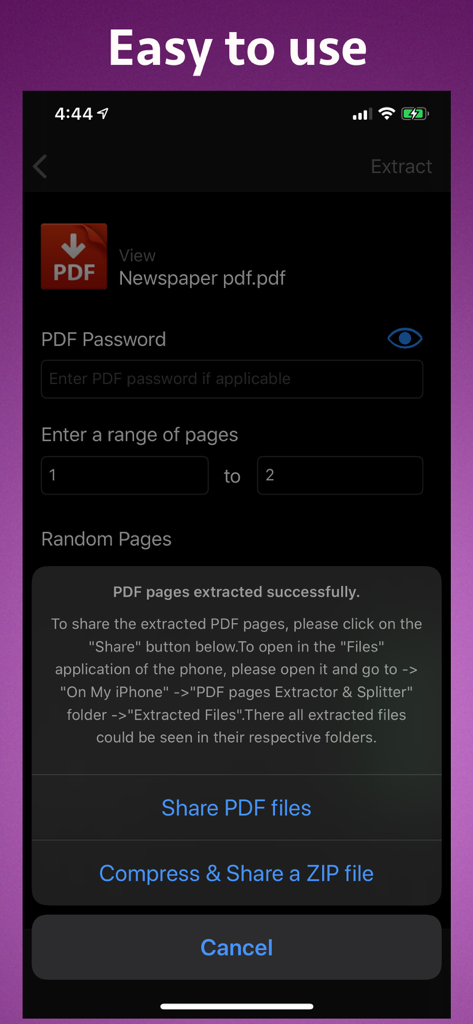
Benutzeroberfläche, die die erfolgreiche Extraktion von PDF-Seiten mit Optionen zum Teilen von Dateien oder zum Komprimieren in eine ZIP-Datei zeigt
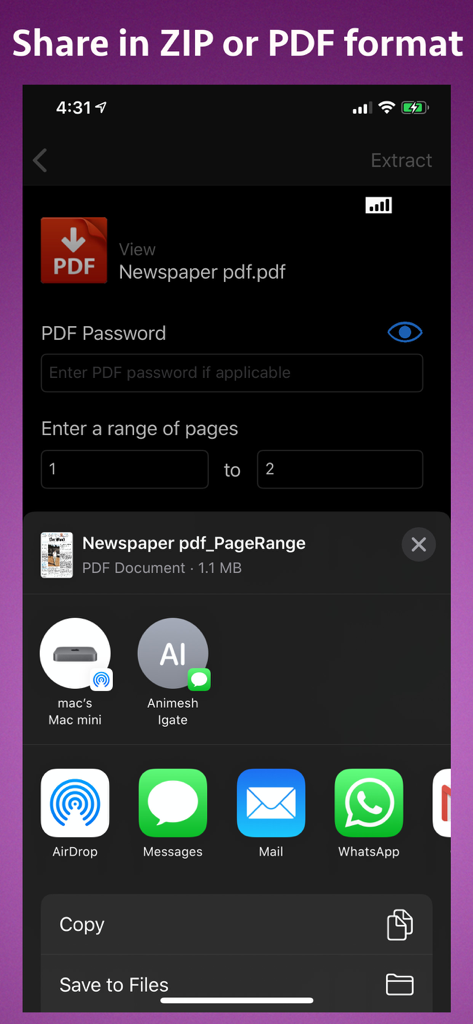
Benutzeroberfläche mit Einstellungen zur PDF-Seitenextraktion und Freigabeoptionen auf dem iPhone
Beschreibung
Download
Ähnliche Apps
Top-gerankte Apps in derselben Kategorie

ChatGPT
OpenAI OpCo, LLC

Google Gemini
Google LLC

Grok
X.AI Corporation

Gmail - Email by Google
Google LLC

千问 - 阿里最强大模型官方AI助手
Shanghai Zhixin Puhui Technology Co., Ltd.

Google Drive
Google LLC

Microsoft Authenticator
Microsoft Corporation

Google Sheets
Google LLC

Google Docs
Google LLC
Diese Seite ist keine offizielle Seite der App oder ihres Entwicklers, sondern eine unabhängige redaktionelle Veröffentlichung, die zu Informations- und Kommentarzwecken erstellt wurde. Sofern nicht ausdrücklich anders angegeben, sind weder die App noch ihr Entwickler mit MWM, Apple, Google Play, dem App-Herausgeber oder dem Entwickler der App verbunden, von ihnen unterstützt, gesponsert, autorisiert oder anderweitig offiziell verbunden, und nichts auf dieser Seite impliziert, dass die App unter Verwendung der Dienste von MWM entwickelt wurde. Alle Marken, Logos, Screenshots und andere Inhalte bleiben Eigentum ihrer jeweiligen Inhaber.