PDF Scanner App: Scan docs

PDF Scanner App: Scan docs

Herunterladen auf App Store
Logo von PDF Scanner App: Scan docs

PDF Scanner App: Dokumente scannen – Ihr professionelles All-in-One-Mobilbüro

Verwandeln Sie Ihr iPhone in ein Produktivitätskraftpaket. Scannen, signieren und organisieren Sie Dokumente mühelos mit fortschrittlicher OCR und sicheren E-Signaturen, entwickelt für den modernen Profi unterwegs.

Herunterladen auf App Store

Herausgeber

Yuliia Ganziienko

Kategorie

Business

Downloads

113K+

Bewertung

4.8/5

Bewertungen gesamt

2K+

Sprachen

4

Präzision in Ihrer Tasche

Entdecken Sie die Oberfläche, die von 113K+ Nutzern verwendet wird.
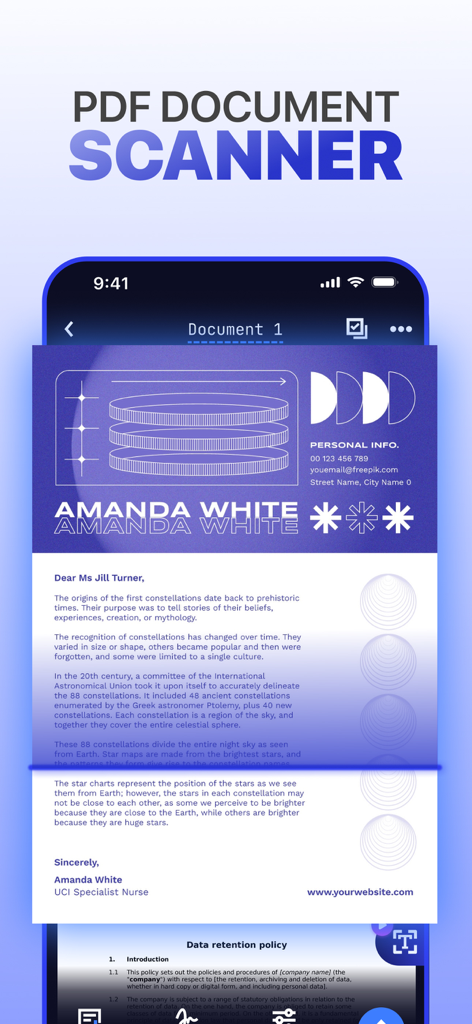
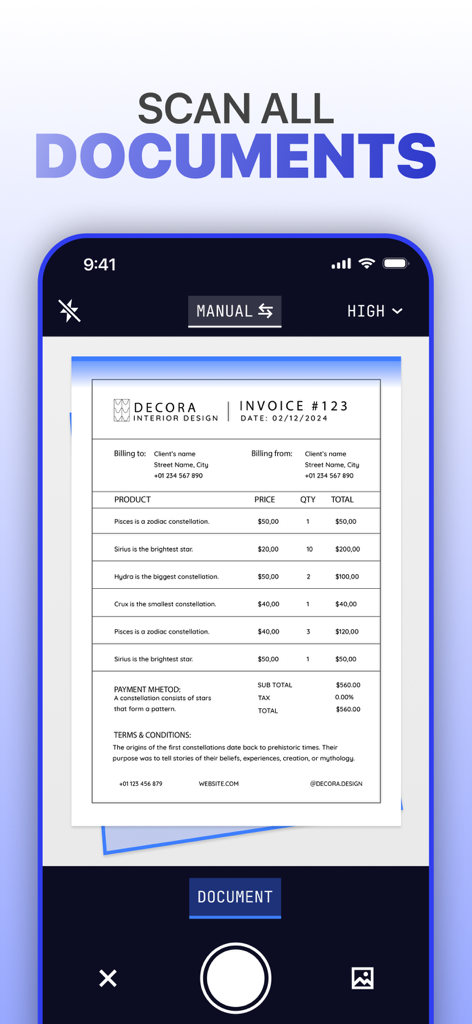
Eine Smartphone-Oberfläche, die einen von einer mobilen PDF-Scanner-App gescannten Ausdruck anzeigt.

Eine Smartphone-Oberfläche, die einen von einer mobilen PDF-Scanner-App gescannten Ausdruck anzeigt.

Ein Smartphone-Bildschirm, der die Benutzeroberfläche der PDF Scanner App zeigt, die eine Rechnung scannt.

Ein Smartphone-Bildschirm, der die Benutzeroberfläche der PDF Scanner App zeigt, die eine Rechnung scannt.

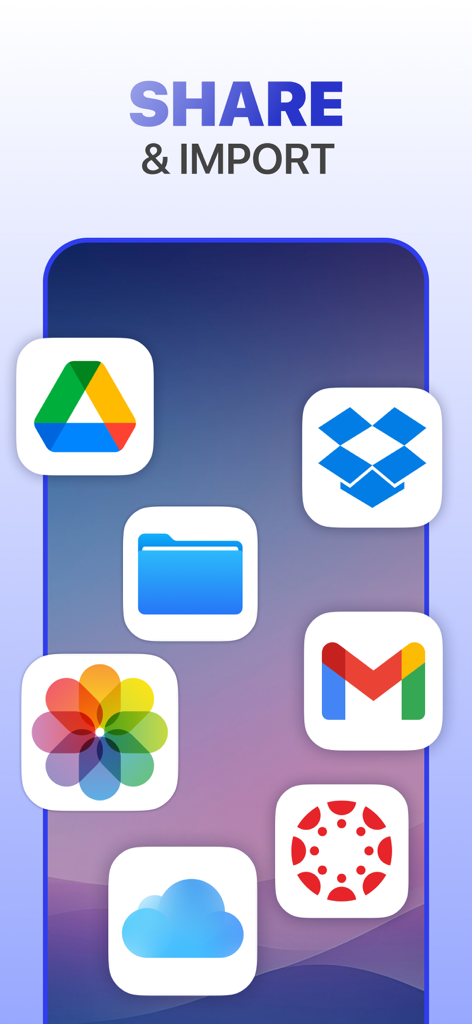
Grafik, die Cloud-Speicher- und E-Mail-App-Symbole für das Teilen und Importieren von Dokumenten zeigt.

Grafik, die Cloud-Speicher- und E-Mail-App-Symbole für das Teilen und Importieren von Dokumenten zeigt.

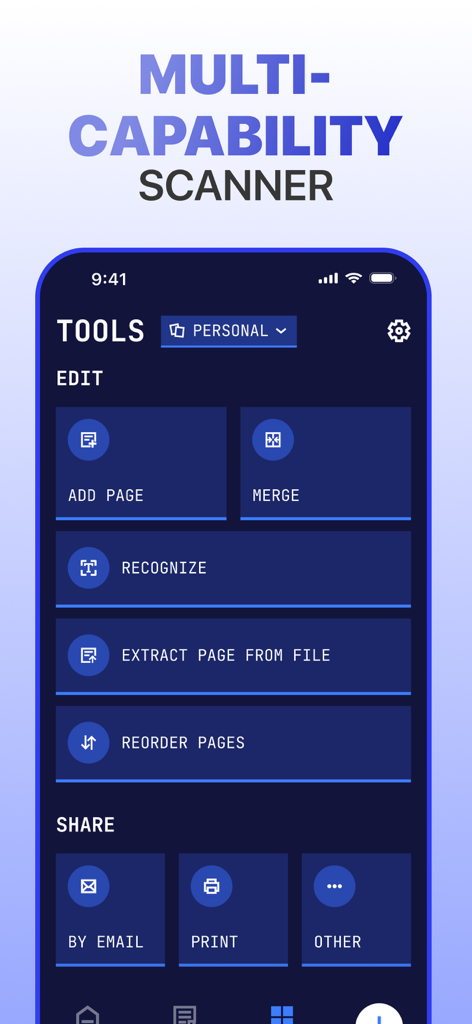
Eine mobile App-Oberfläche, die Dokumentenverwaltungstools anzeigt, einschließlich der Optionen Zusammenführen, Erkennen und Teilen.

Eine mobile App-Oberfläche, die Dokumentenverwaltungstools anzeigt, einschließlich der Optionen Zusammenführen, Erkennen und Teilen.

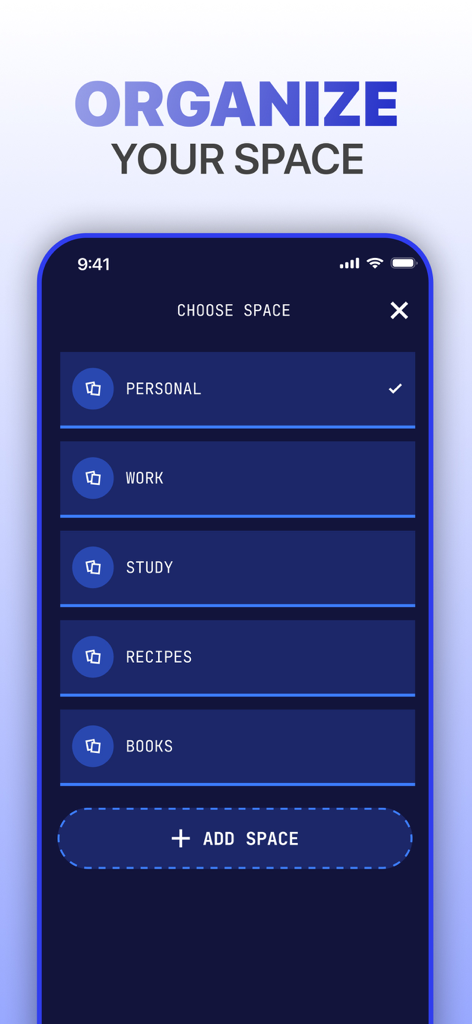
Mobile App-Oberfläche, die Ordner zur Dokumentenkategorisierung für persönliche, berufliche und Lernzwecke zeigt.

Mobile App-Oberfläche, die Ordner zur Dokumentenkategorisierung für persönliche, berufliche und Lernzwecke zeigt.

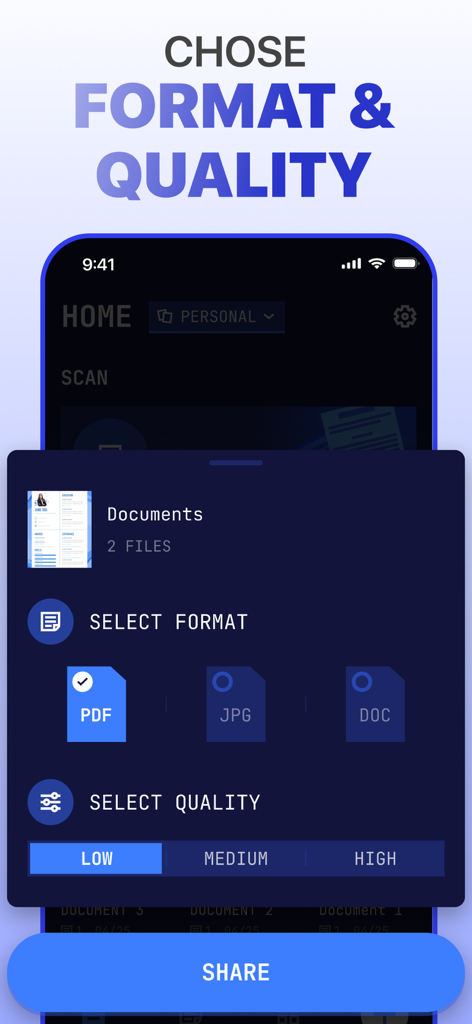
Oberfläche einer PDF-Scanner-App, die Optionen zur Auswahl des Dateiformats wie PDF, JPG oder DOC und der Dokumentenqualität von niedrig bis hoch vor der Freigabe anzeigt.

Oberfläche einer PDF-Scanner-App, die Optionen zur Auswahl des Dateiformats wie PDF, JPG oder DOC und der Dokumentenqualität von niedrig bis hoch vor der Freigabe anzeigt.

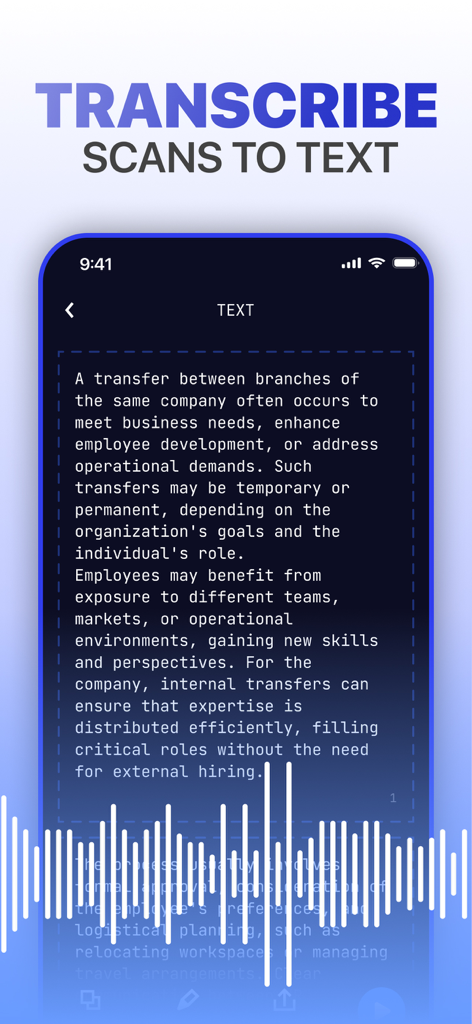
Mobile App-Oberfläche, die ein Dokument zeigt, das aus einem Scan in bearbeitbaren Text mit Audio-Visualisierung transkribiert wird.

Mobile App-Oberfläche, die ein Dokument zeigt, das aus einem Scan in bearbeitbaren Text mit Audio-Visualisierung transkribiert wird.

Das ultimative mobile Büro in Ihrer Tasche

Die Tools, die diese App auszeichnen, gewählt von 113K+ Nutzern.

Sofortige digitale Transformation

Verwandeln Sie jedes Dokument mit intelligenter Kantenerkennung und klärungsverbessernden Filtern in ein hochwertiges PDF oder JPG.

🔐

Mühelos signieren und sichern

Schließen Sie Geschäfte schneller ab mit integrierten E-Signaturen und halten Sie Ihre privaten Daten mit robustem Passwortschutz sicher.

🗣️

Intelligente Text-to-Speech-Funktion

Maximieren Sie Ihre Zeit, indem Sie gescannten Text in Audio umwandeln – perfekt für die Überprüfung von Notizen oder Verträgen während Ihres Arbeitswegs.

Über die App

Alles, was Sie über wissen müssen PDF Scanner App: Scan docs.

Beschreibung

Scanner App – Revolutionizing Document Management Scanner App adapts to your workflow like a chameleon to its surroundings, delivering precision, clarity, and unmatched efficiency. Whether you're digitizing, organizing, or sharing, Scanner App empowers you to turn piles of paperwork into neatly organized digital assets, all with a few taps. With Scanner App , your mobile device becomes a powerhouse for productivity, ready to scan, save, and transform your documents anytime, anywhere. Key Features • Advanced Scanning Capabilities: Enjoy high-quality document scans with precise border detection and unique dynamic filter technology that enhances clarity, brightness, and contrast. • Transcribe Scans to Text: Go beyond simple scanning – listen to your document’s content or convert it into editable text for multitasking and accessibility. • Create Organized Spaces: Effortlessly group documents for work, study, or personal projects, keeping everything perfectly categorized. • PDF Converter: Save and share documents in various formats, including JPG, DOC, and PDF, for ultimate flexibility. • Save in Custom Quality: Tailor document quality to your needs – choose high-resolution for detailed prints or optimized sizes for quick sharing. • Quick Import and Sharing: Seamlessly import files and share them via email, messaging apps, or cloud storage platforms like Google Drive and Dropbox. • E-signatures Made Simple: Digitally sign contracts and agreements right within the app, eliminating the need for printing and scanning. • Editing and Management: Refine your scans with advanced filters, add watermarks, crop, merge, and manage your files with ease. • Password Protection: Keep your sensitive files secure by locking them with passwords for extra peace of mind. Whether you're a student navigating coursework, a professional managing critical business documents, or someone simply striving for better personal organization, Scanmeleon is your ultimate pocket companion. Scan anything – from handwritten notes to official contracts – extract text with cutting-edge OCR, save your files in multiple formats and qualities, and organize them securely with ease. Turn chaos into order and revolutionize the way you manage your documents. Start scanning, transforming, and sharing with Scanner App – the future of document management is here! Subscriptions automatically renew unless canceled at least 24 hours before the end of the current billing period. You can manage or disable auto-renewal at any time in your Apple ID account settings. Terms of use - http://tou.scanner2pdf.com/ Privacy Notice - http://pp.scanner2pdf.com/

Neueste Version

1.1.0

Größe

46.3 MB

Erstveröffentlichung

7. Jan. 2025

Bereit, Ihren Workflow zu revolutionieren?

Schließen Sie sich über 113.000 Profis und Studenten an, die ihr iPhone in ein Hochleistungs-Digitalbüro verwandelt haben. Scannen, signieren und sichern Sie Ihre Dokumente in Sekundenschnelle.

Herunterladen auf App Store

App information, icons, screenshots, and descriptions displayed on this page are sourced from the Apple App Store and are the property of their respective developers. Download estimates and rankings are based on MWM's proprietary models and may not reflect actual figures. This page is provided for informational and analytical purposes only.

Believe this page infringes your intellectual property? File a dispute