
Diese Seite ist keine offizielle Seite der App oder ihres Entwicklers, sondern eine unabhängige redaktionelle Veröffentlichung, die zu Informations- und Kommentarzwecken erstellt wurde. Sofern nicht ausdrücklich anders angegeben, sind weder die App noch ihr Entwickler mit MWM, Apple, Google Play, dem App-Herausgeber oder dem Entwickler der App verbunden, von ihnen unterstützt, gesponsert, autorisiert oder anderweitig offiziell verbunden, und nichts auf dieser Seite impliziert, dass die App unter Verwendung der Dienste von MWM entwickelt wurde. Alle Marken, Logos, Screenshots und andere Inhalte bleiben Eigentum ihrer jeweiligen Inhaber.

PDF to JPG - Converter
Wandeln Sie PDFs in hochauflösende JPG-, PNG- oder TIFF-Dateien um, mit voller Kontrolle über Qualität und DPI. Sichere, native Konvertierung, die Ihre sensiblen Dokumente auf Ihrem Gerät belässt und nicht in die Cloud überträgt.
Downloads
264K+Bewertung
Bewertungen gesamt
400Herausgeber
Kategorie
ProductivitySprachen
1Neueste Version
6.0Größe
6.2 MBErstveröffentlichung
6. Aug. 2014Verwandeln Sie Ihre PDFs in hochwertige Bilder
Der leistungsstärkste und sicherste Weg, Dokumente auf iOS zu konvertieren. Erhalten Sie pixelgenaue Ergebnisse für professionelles Teilen und digitale Organisation.
Präzise Bildanpassung
Übernehmen Sie die volle Kontrolle mit einstellbarer Auflösung, PPI und Qualitätseinstellungen. Exportieren Sie in JPEG, PNG oder TIFF und behalten Sie dabei professionelle Klarheit für jedes Projekt.
Sichere Konvertierung auf dem Gerät
Ihre Privatsphäre hat Priorität. Alle Konvertierungen erfolgen lokal auf Ihrem iPhone oder iPad, sodass sensible Dokumente Ihr Gerät nie verlassen und nicht in die Cloud gelangen.
Die folgenden Screenshots und die Beschreibung stammen direkt aus dem offiziellen Store-Eintrag der App und sind Eigentum des Entwicklers.
App Store
Screenshots
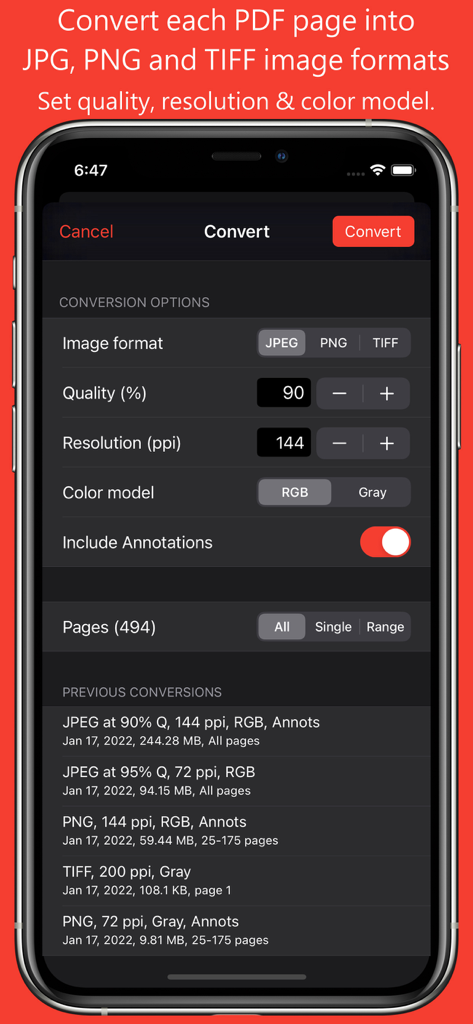
PDF to JPG App-Konfigurationseinstellungen, die Optionen für Bildformat, Qualität, Auflösung und Farbmodell anzeigen
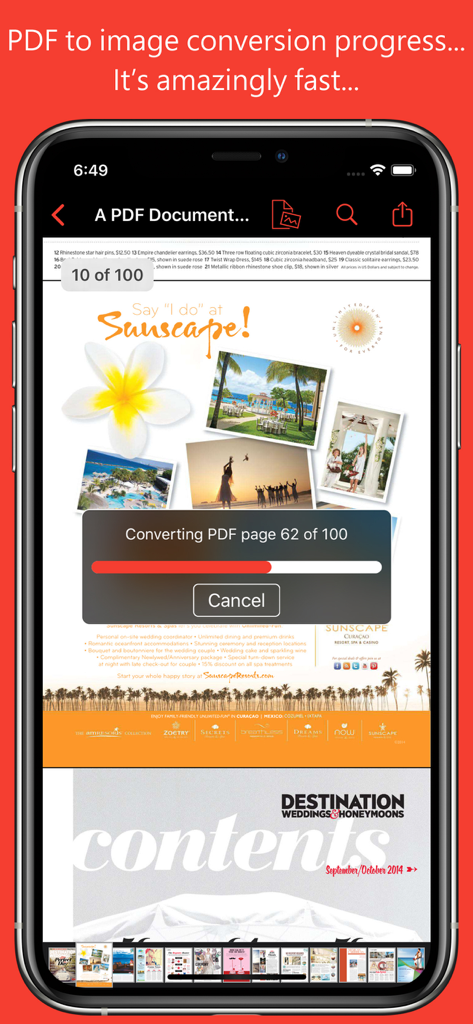
Eine mobile App-Oberfläche, die eine Fortschrittsanzeige während der Konvertierung eines mehrseitigen PDF-Dokuments in Bilder zeigt
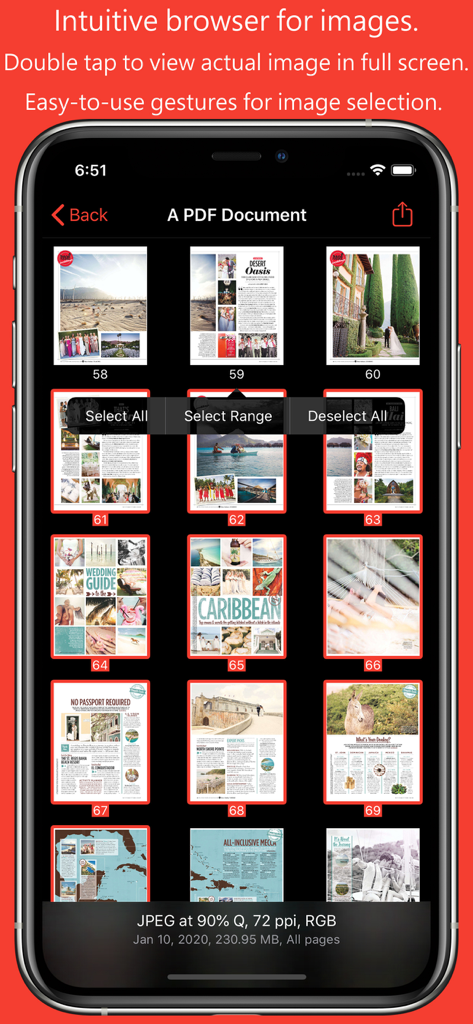
Miniaturansicht-Browser, der konvertierte Bilder aus einem PDF-Dokument auf einem mobilen Gerät anzeigt
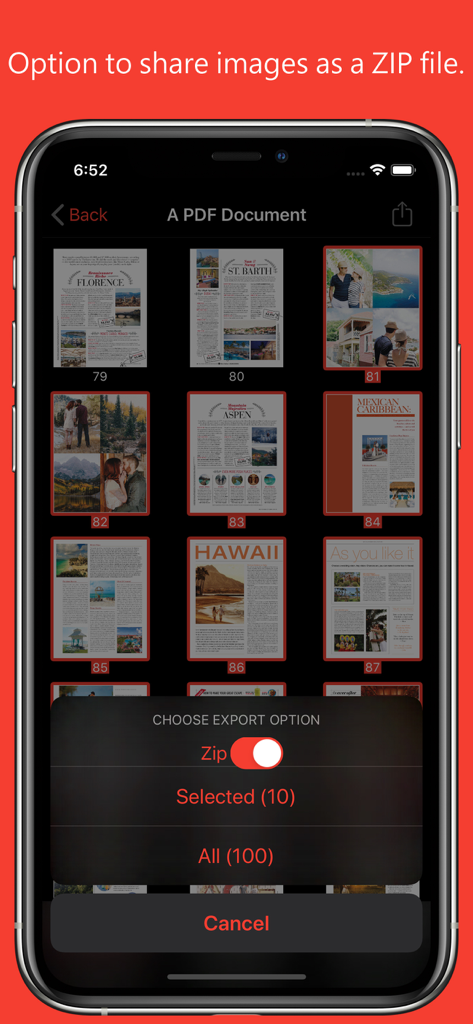
PDF to JPG App, die Exportoptionen zum Teilen konvertierter Bilder als ZIP-Datei anzeigt
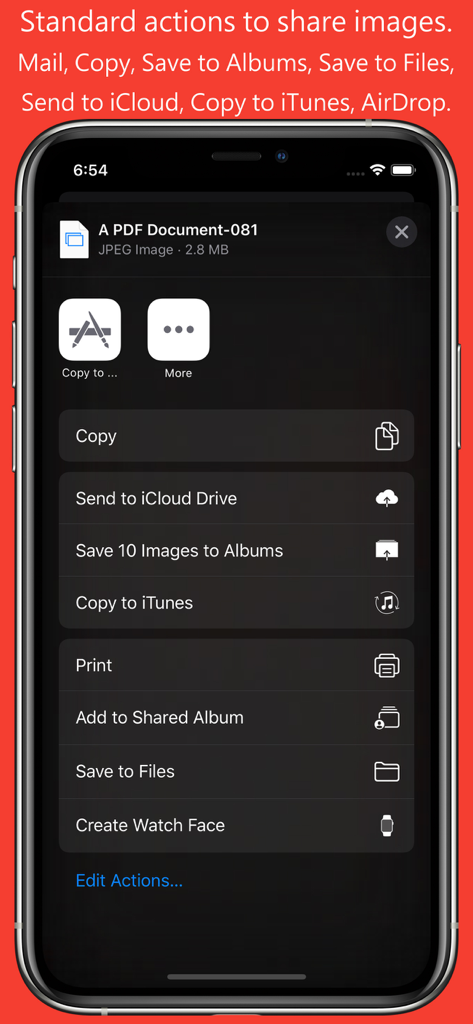
Screenshot der PDF to JPG Konverter-App, die das iOS Share Sheet mit Optionen zum Speichern und Teilen konvertierter Bilder anzeigt.
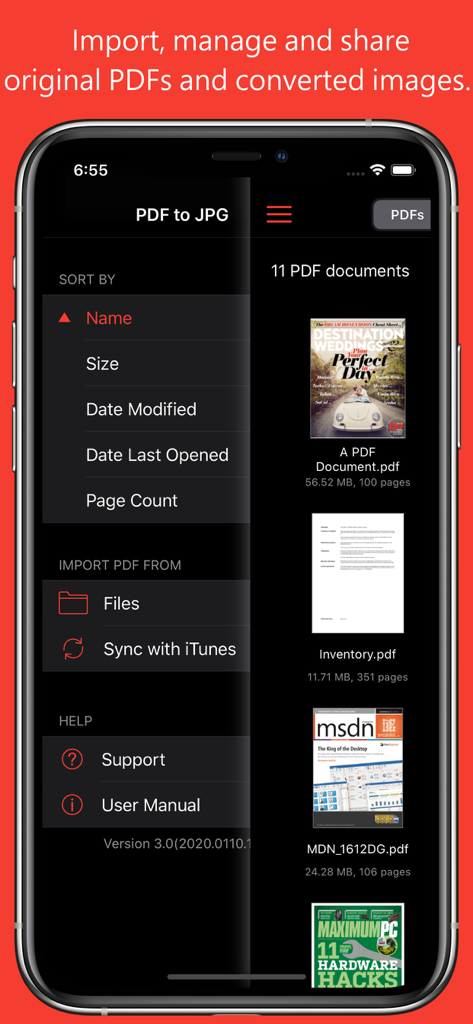
PDF to JPG App-Oberfläche, die eine Dokumentenliste und Importmenüoptionen anzeigt
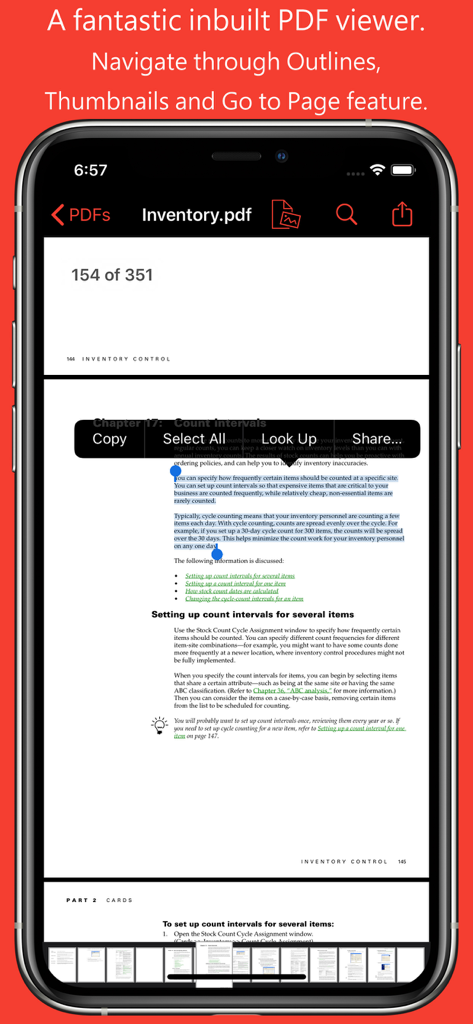
Integrierter PDF-Viewer in der PDF to JPG App, der Textauswahl und Miniaturansichten von Seiten zur Navigation anzeigt.
Beschreibung
Download
Ähnliche Apps
Top-gerankte Apps in derselben Kategorie

ChatGPT
OpenAI OpCo, LLC

Google Gemini
Google LLC

Grok
X.AI Corporation

Gmail - Email by Google
Google LLC

千问 - 阿里最强大模型官方AI助手
Shanghai Zhixin Puhui Technology Co., Ltd.

Google Drive
Google LLC

Microsoft Authenticator
Microsoft Corporation

Google Sheets
Google LLC

Google Docs
Google LLC
Diese Seite ist keine offizielle Seite der App oder ihres Entwicklers, sondern eine unabhängige redaktionelle Veröffentlichung, die zu Informations- und Kommentarzwecken erstellt wurde. Sofern nicht ausdrücklich anders angegeben, sind weder die App noch ihr Entwickler mit MWM, Apple, Google Play, dem App-Herausgeber oder dem Entwickler der App verbunden, von ihnen unterstützt, gesponsert, autorisiert oder anderweitig offiziell verbunden, und nichts auf dieser Seite impliziert, dass die App unter Verwendung der Dienste von MWM entwickelt wurde. Alle Marken, Logos, Screenshots und andere Inhalte bleiben Eigentum ihrer jeweiligen Inhaber.