PDF to PowerPoint by Flyingbee

PDF to PowerPoint by Flyingbee

Herunterladen auf App Store
Logo von PDF to PowerPoint by Flyingbee

PDF zu PowerPoint von Flyingbee: PDF in Sekunden in bearbeitbare Folien umwandeln

Professionelle, 100% lokale Konvertierung, die Ihre Layouts, Schriftarten und Grafiken perfekt bewahrt. Konvertieren Sie komplexe Dokumente sicher offline auf Ihrem iPad oder iPhone, ohne jemals Ihre Daten zu gefährden.

Herausgeber

Flyingbee Software Co., Ltd.

Kategorie

Business

Downloads

80K+

Bewertung

3.2/5

Bewertungen gesamt

0

Sprachen

12

Präzision in jeder Folie

Entdecken Sie die Oberfläche, die von 80K+ Nutzern verwendet wird.
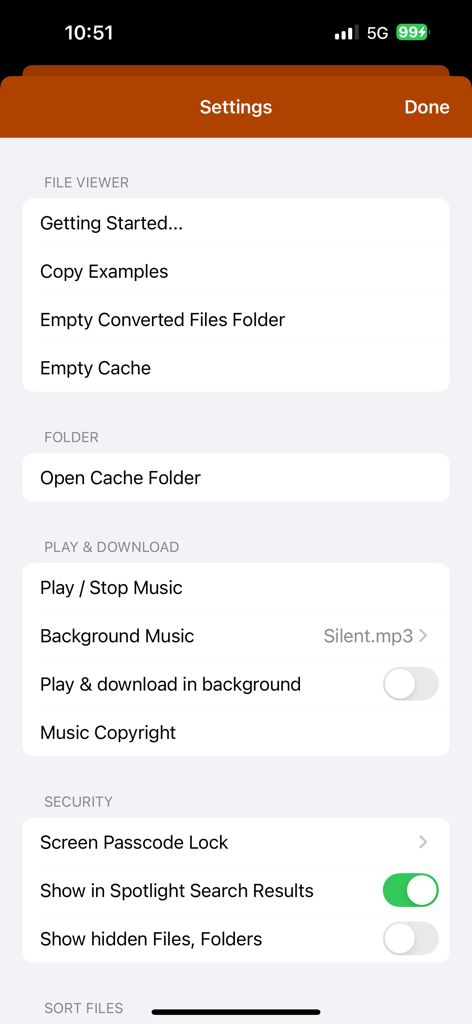
Einstellungen-Bildschirm der PDF-zu-PowerPoint-Konverter-App mit Datei-Management und Sicherheitseinstellungen

Einstellungen-Bildschirm der PDF-zu-PowerPoint-Konverter-App mit Datei-Management und Sicherheitseinstellungen

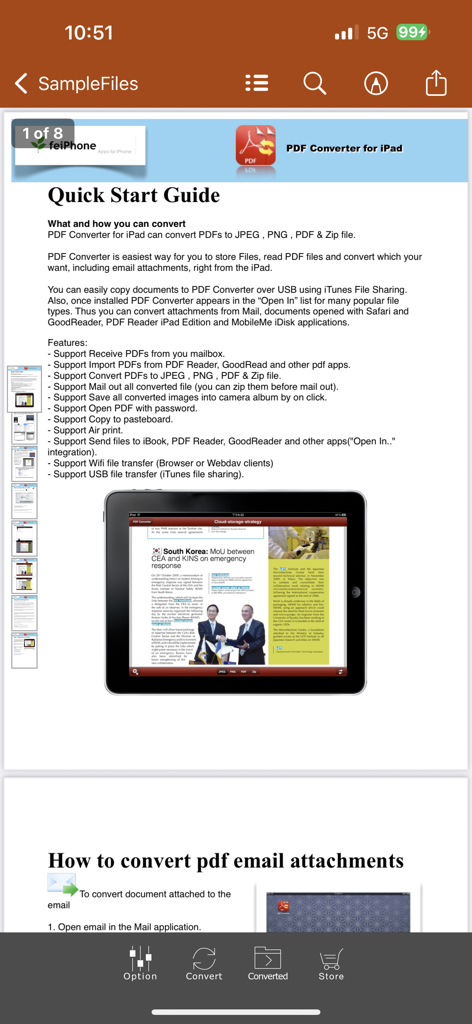
Eine Schnellstartanleitung-Seite in der PDF-zu-PowerPoint-Konverter-App, die Funktionen und Konvertierungsanweisungen auf einem iPad anzeigt

Eine Schnellstartanleitung-Seite in der PDF-zu-PowerPoint-Konverter-App, die Funktionen und Konvertierungsanweisungen auf einem iPad anzeigt

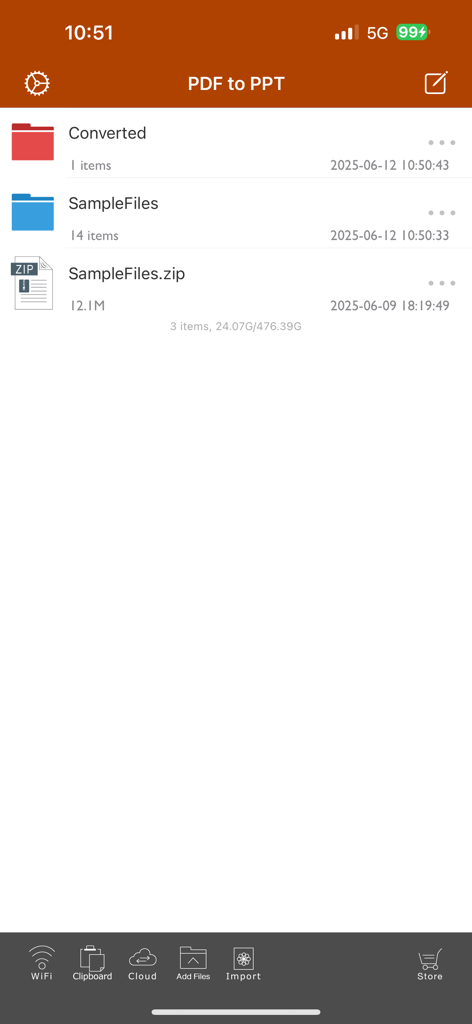
Haupt-Datei-Management-Bildschirm der PDF-zu-PowerPoint-App mit Ordnern und Beispieldateien.

Haupt-Datei-Management-Bildschirm der PDF-zu-PowerPoint-App mit Ordnern und Beispieldateien.

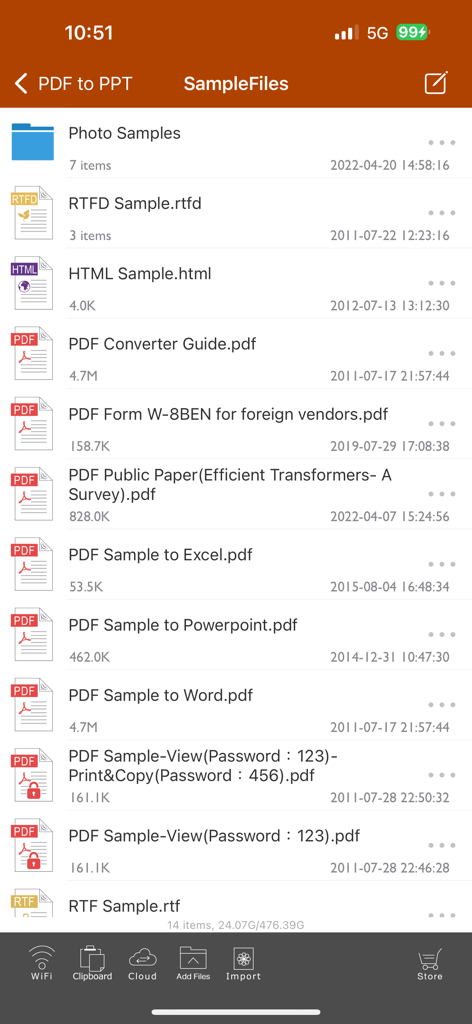
Liste der Beispieldateien in der Benutzeroberfläche des PDF-zu-PowerPoint-Konverters

Liste der Beispieldateien in der Benutzeroberfläche des PDF-zu-PowerPoint-Konverters

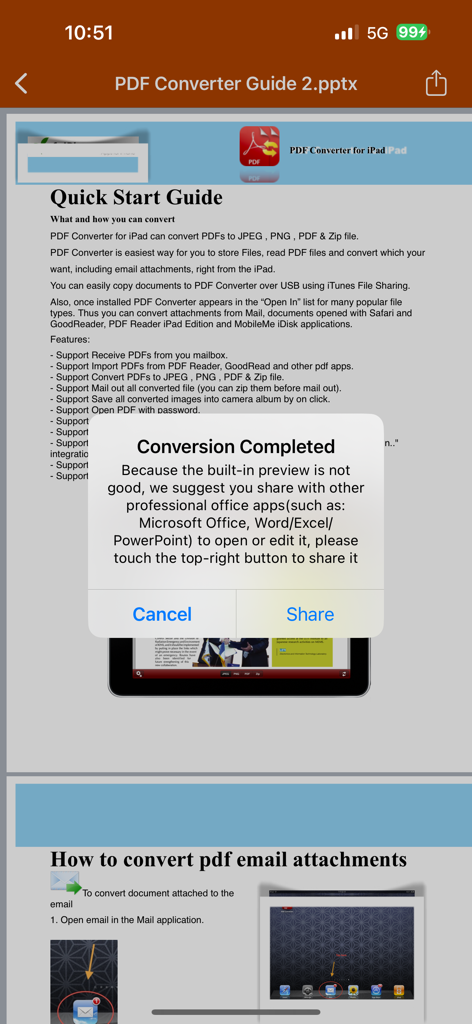
Ein Bestätigungs-Popup in der PDF-zu-PowerPoint-App, das besagt, dass die Konvertierung abgeschlossen ist, mit einer Option zum Teilen mit Microsoft Office-Apps

Ein Bestätigungs-Popup in der PDF-zu-PowerPoint-App, das besagt, dass die Konvertierung abgeschlossen ist, mit einer Option zum Teilen mit Microsoft Office-Apps

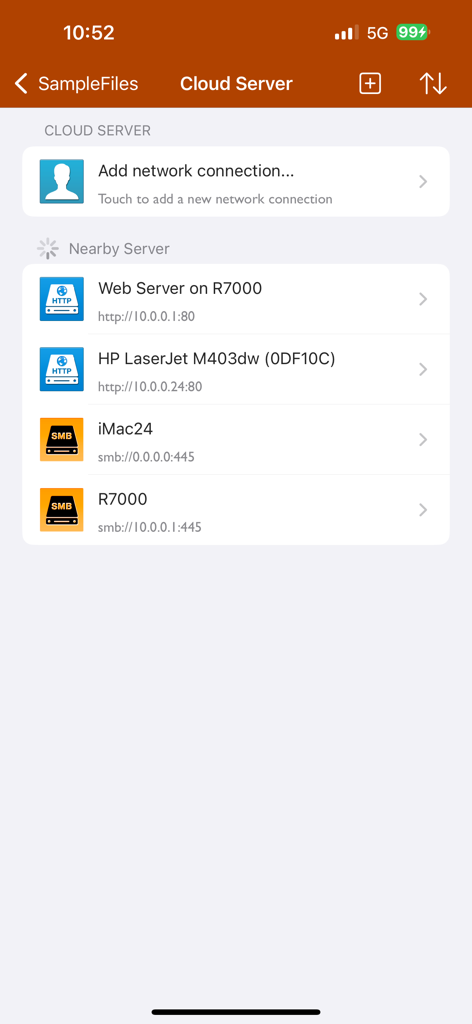
PDF-zu-PowerPoint-App Cloud-Server und Netzwerkverbindungs-Oberfläche

PDF-zu-PowerPoint-App Cloud-Server und Netzwerkverbindungs-Oberfläche

Meistern Sie Ihren Workflow unterwegs

Die Tools, die diese App auszeichnen, gewählt von 80K+ Nutzern.

Blitzschnelle Konvertierung

Konvertieren Sie ein 50-seitiges PDF in unter 20 Sekunden. Gewinnen Sie Ihre Zeit zurück mit originalgetreuer Ausgabe, die Layouts, Schriftarten und Bilder perfekt intakt hält.

🔒

100% privat & offline

Verarbeiten Sie sensible Firmendokumente lokal auf Ihrem Gerät. Kein Internet oder Hochladen in die Cloud erforderlich, sodass Ihre Daten überall sicher und zugänglich bleiben.

🎯

Genaue Seitenauswahl

Verschwenden Sie keine Zeit mit irrelevanten Inhalten. Wählen Sie bestimmte Seiten oder Bereiche aus, um genau das zu extrahieren, was Sie für Ihre nächste wichtige Präsentation benötigen.

Über die App

Alles, was Sie über wissen müssen PDF to PowerPoint by Flyingbee.

Beschreibung

Flyingbee PDF to PowerPoint Converter convert PDF to PowerPoint documents quickly and efficiently. It convert PDF file back to files to editable and modifiable Microsoft Office PowerPoint Presentation with well-preserved original texts, images, layouts, hyperlinks, tables, and bezier graphics. it support opened in popular mobile office editor app(such as: Microsoft PowerPoint iOS, Polaris Office, WPS or QuickOffice).  Key Features: • Easily import PDF, convert a 50 pages PDF to PowerPoint within 20 secs, Extremely fast!! • Conversion Process 100% on your local iOS device, No internet connection need. • Output well organized powerpoint content, preserving content layout, the color, font style and images remain the same as the original pdf document, Very convenient tool, Reusing the presentation cannot be easier. • Convert any particular pages (e.g. 1, 3-8, 26 or all pages) to save your time. • Save time on learning complicated PowerPoint editing knowledge; • Save energy on skipping ads and annoying pop-up window ask for buying; • Connect to online cloud storage support, include Cloud Me, any FTP or WebDAV Server. • Offer you 4 ways to transfer files(Open in.., iTunes USB file sharing, Wifi Sharing and Cloud Disk) • Support Microsoft Office 2007, 2008, 2011, 2025 PowerPoint Application, not completely compatible with iWork Keynote.  == Quick Start Guide == Convert pdf to powerpoint in mail app can be as easy as three steps: 1. Open Mail app, use "Open In.." to send source PDF file to PDF to PowerPoint. 2. Go to PDF to PowerPoint app, touch to open the source PDF file where text come from. 3. Click "Convert" button to extract PDF to PowerPoint files.  Notice: Currently PDF to PowerPoint version don't have OCR function, the scanned PDF files will be extracted to image in powerpoint pptx. However, we suggest you to use other professional OCR app to recognize editable text from image.  Several sample files have been included, you can test it right now!  Q&A 1. Why I get "Converting failed" error message when I extracting from a PDF file? Do you have a PDF (Adobe Acrobat) file which cannot be printed, copied, or edited? Your PDF file has had password security and other restrictions added, you need remove restrictions.  2. Why some text in PDF file can not be extracted out? The PDF file format is complex, there are cases that text in a PDF file are actually pictures. We do not grantee PDF to PowerPoint will work for every PDF file, especially ones that have picture text, we suggest you to use professional OCR app to recognize text from image. == Subscriptions Information == Duration and price of each subscription are displayed in app storefront, updated at the time of purchase. Payment will be charged to iTunes account at confirmation of purchase. Subscriptions automatically renew unless auto-renew is turned off no later than 24 hours before the end of the current period. Subscriptions and auto-renewal can be managed/turned off in the iTunes account settings. Any unused portion of a free trial period is forfeited as soon as a subscription is purchased.  Terms of use & Privacy policy: https://www.flyingbee.com/term-of-service/ https://www.flyingbee.com/privacy-policy/ 

Neueste Version

8.8.6

Größe

79.2 MB

Erstveröffentlichung

22. Jan. 2015

Bereit, mit der Neuformatierung aufzuhören und mit der Präsentation zu beginnen?

Schließen Sie sich über 80.000 Fachleuten an, die den schnellsten und sichersten Offline-Konverter für iOS nutzen. Erhalten Sie layoutperfekte PowerPoint-Präsentationen in unter 20 Sekunden.

Herunterladen auf App Store

App information, icons, screenshots, and descriptions displayed on this page are sourced from the Apple App Store and are the property of their respective developers. Download estimates and rankings are based on MWM's proprietary models and may not reflect actual figures. This page is provided for informational and analytical purposes only.

Believe this page infringes your intellectual property? File a dispute