
Diese Seite ist keine offizielle Seite der App oder ihres Entwicklers, sondern eine unabhängige redaktionelle Veröffentlichung, die zu Informations- und Kommentarzwecken erstellt wurde. Sofern nicht ausdrücklich anders angegeben, sind weder die App noch ihr Entwickler mit MWM, Apple, Google Play, dem App-Herausgeber oder dem Entwickler der App verbunden, von ihnen unterstützt, gesponsert, autorisiert oder anderweitig offiziell verbunden, und nichts auf dieser Seite impliziert, dass die App unter Verwendung der Dienste von MWM entwickelt wurde. Alle Marken, Logos, Screenshots und andere Inhalte bleiben Eigentum ihrer jeweiligen Inhaber.
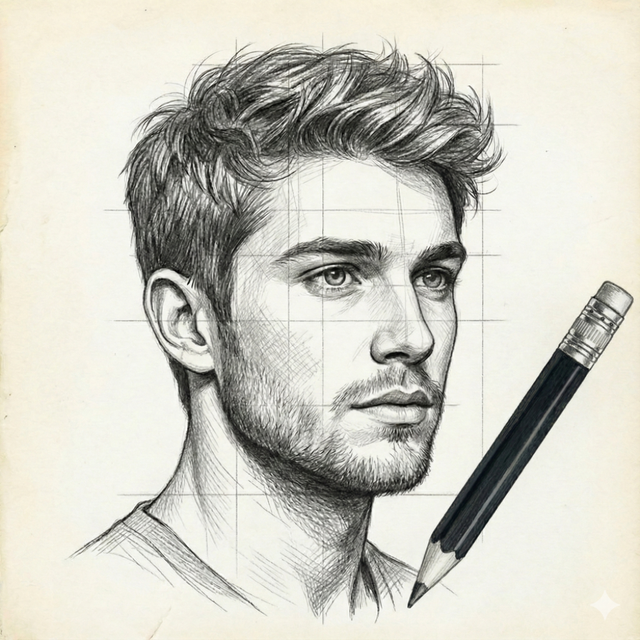

Photo to Sketch - Drawiq
Erstellen Sie sofort realistische Bleistiftskizzen und filmreife Kohlezeichnungen mit über 20 professionellen Filtern. Hochwertige Exporte, 100 % offline und für Ihre Privatsphäre konzipiert.
Downloads
0Bewertung
Bewertungen gesamt
0Herausgeber
Kategorie
Graphics & DesignSprachen
1Neueste Version
1.0.0Größe
122.1 MBErstveröffentlichung
13. Jan. 2026Meisterwerke mit einem einzigen Fingertipp
Verwandeln Sie Ihre Lieblingsfotos und -videos direkt auf Ihrem Gerät in beeindruckende Bleistiftskizzen, Kohlezeichnungen und künstlerische Animationen.
Video-Skizzen in Kinoqualität
Erwecken Sie Ihre Geschichten mit künstlerischen Filtern zum Leben, die ganze Videos in handgezeichnete Animationen verwandeln, perfekt für Reels und TikTok.
Privat & komplett offline
Ihr kreativer Prozess gehört nur Ihnen. Verarbeiten Sie hochauflösende Kunstwerke ohne Internetverbindung oder Cloud-Uploads.
Häufig gestellte Fragen
Alles, was Sie über wissen müssen Photo to Sketch - Drawiq
Was ist Photo to Sketch - Drawiq?
Photo to Sketch - Drawiq ist eine iOS-App, die Fotos und Videos mit über 20 kreativen Filtern in realistische Bleistift-, Kohle- und Cartoon-Skizzen verwandelt. Sie funktioniert komplett offline.
Kann Photo to Sketch - Drawiq Videos in Skizzen umwandeln?
Ja, Photo to Sketch - Drawiq kann jedes Video mit flüssigen künstlerischen Filtern in eine Skizze umwandeln. Dazu gehören Bleistift-, Kohle- und Cartoon-Skizzenvideos, alles offline.
Benötigt Photo to Sketch - Drawiq eine Internetverbindung, um zu funktionieren?
Nein, Photo to Sketch - Drawiq funktioniert komplett offline. Alle Funktionen zur Bearbeitung von Fotos und Videos in Skizzen sind ohne Internetverbindung verfügbar.
Welche Arten von Skizzenfiltern sind in Photo to Sketch - Drawiq verfügbar?
Photo to Sketch - Drawiq bietet über 20 künstlerische Skizzenfilter, darunter realistische Bleistift-, Kohle-, Cartoon-, Umriss- und detailgetreue handgezeichnete Stile für Fotos und Videos.
Kann ich meinen Skizzen in Photo to Sketch - Drawiq Text und Aufkleber hinzufügen?
Ja, Benutzer können ihre Kreationen personalisieren, indem sie Text mit einer Vielzahl von benutzerdefinierten Schriftarten hinzufügen und sie mit integrierten oder importierten Aufklebern verbessern.
Exportiert Photo to Sketch - Drawiq Kreationen in hoher Qualität?
Ja, Photo to Sketch - Drawiq ermöglicht es Benutzern, ihre Foto- und Videoskizzen-Ergebnisse in hoher Auflösung zu speichern und zu exportieren, um scharfe Details und professionelle Qualität zu gewährleisten.
Ist Photo to Sketch - Drawiq für Anfänger geeignet?
Photo to Sketch - Drawiq wurde für Anfänger, Kreative und Künstler entwickelt. Es verfügt über eine einfache, leistungsstarke und benutzerfreundliche Oberfläche für schnelle, qualitativ hochwertige Bearbeitungen.
Wo finde ich die Datenschutzrichtlinie für Photo to Sketch - Drawiq?
Die Datenschutzrichtlinie von Photo to Sketch - Drawiq ist über den Link in der App-Beschreibung verfügbar: https://www.termsfeed.com/live/1639ceb5-4e35-431d-accf-1a9fc48dd0e4.
Für welche kreativen Projekte kann ich Photo to Sketch - Drawiq verwenden?
Benutzer können Bleistiftskizzen-Porträts erstellen, Fotos in Kunstwerke umwandeln, Videos in Zeichnungen verwandeln und künstlerische Bearbeitungen für Social-Media-Beiträge, digitale Kunst und persönliche Projekte durchführen.
Die folgenden Screenshots und die Beschreibung stammen direkt aus dem offiziellen Store-Eintrag der App und sind Eigentum des Entwicklers.
App Store
Screenshots
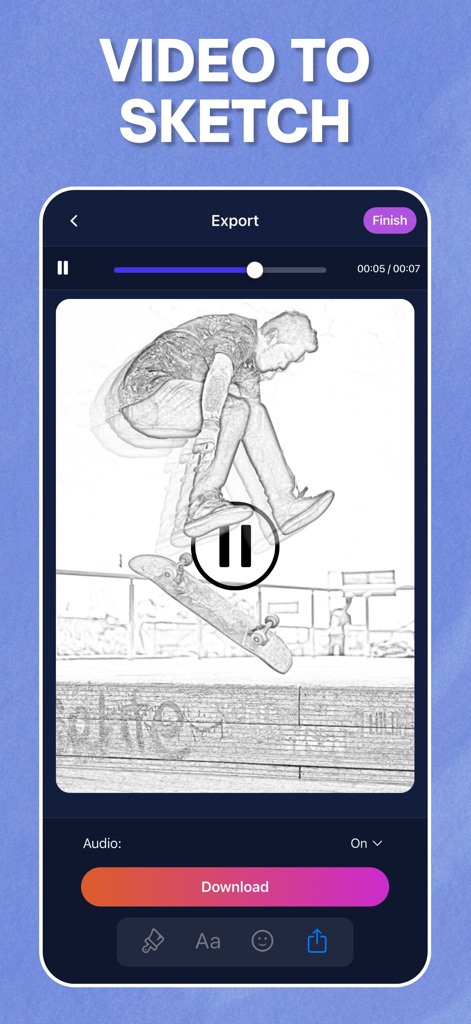
Oberfläche einer mobilen App, die ein Video eines Skateboardfahrers zeigt, das in eine Bleistiftskizze umgewandelt wurde.
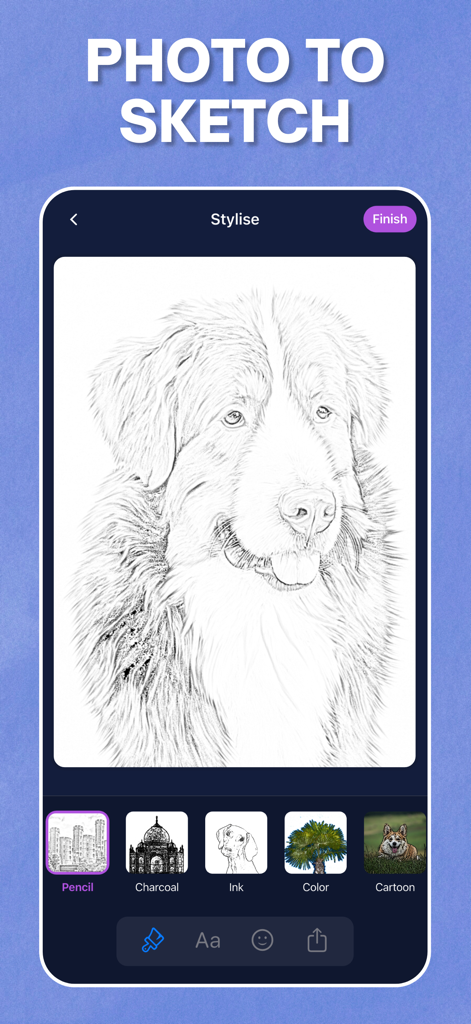
Oberfläche der Drawiq-App, die ein Hundefoto zeigt, das mit künstlerischen Filtern in eine realistische Bleistiftskizze umgewandelt wurde.
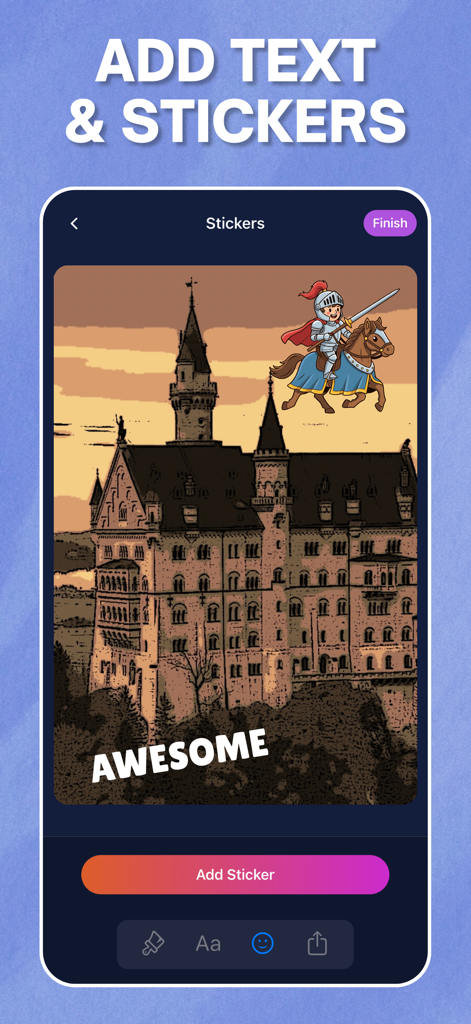
Hinzufügen von Cartoon-Stickern und Textunterschriften zu einer Bleistiftskizze einer Burg in der Drawiq-App.
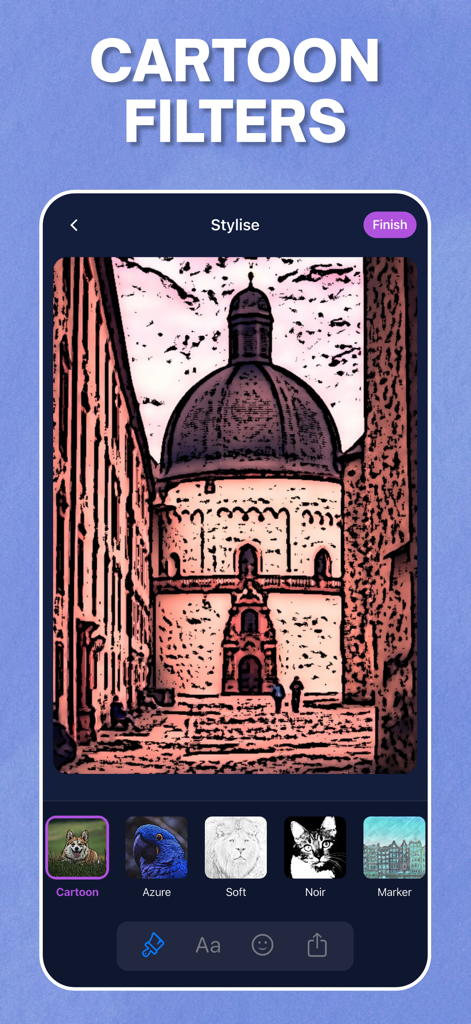
Drawiq-App-Oberfläche, die einen Cartoon-Filtereffekt zeigt, der auf ein Foto eines architektonischen Gebäudes angewendet wurde.
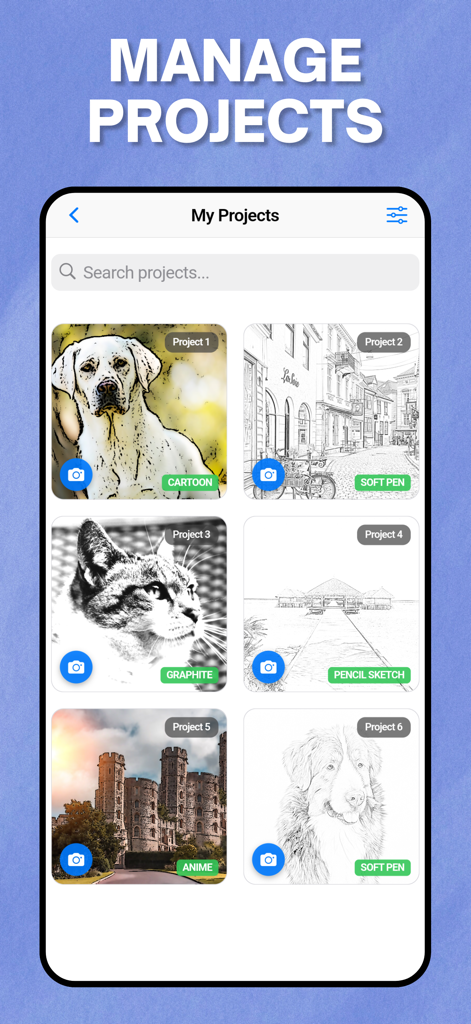
Projektverwaltungsgalerie in der Drawiq-App mit Foto-zu-Skizze-Transformationen wie Cartoon-Graphit- und Anime-Stilen.
Beschreibung
Download
Ähnliche Apps
Top-gerankte Apps in derselben Kategorie

Kling AI: AI Image&Video Maker
LOHAS GAMES PTE. LTD.

iScreen - Widgets & Wallpaper
Xiamen ShenZhuo Information Technology Co., Ltd.

Dreamina AI: Image&Video Maker
BYTEDANCE PTE. LTD.

Home AI - AI Interior Design
HUBX YAZILIM HIZMETLERI ANONIM SIRKETI

ibis Paint X
ibis inc.

ThemeKit: Widget & Icon Themes
Woohoo Tech. Ltd.

Sketchbook®
Sketchbook, Inc.

Colorful Widget- Widget&Themes
Guangzhou ZHIFENG Information Technology Co.,Ltd.

ReRoom AI: Interior Design
GM UniverseApps Limited
Diese Seite ist keine offizielle Seite der App oder ihres Entwicklers, sondern eine unabhängige redaktionelle Veröffentlichung, die zu Informations- und Kommentarzwecken erstellt wurde. Sofern nicht ausdrücklich anders angegeben, sind weder die App noch ihr Entwickler mit MWM, Apple, Google Play, dem App-Herausgeber oder dem Entwickler der App verbunden, von ihnen unterstützt, gesponsert, autorisiert oder anderweitig offiziell verbunden, und nichts auf dieser Seite impliziert, dass die App unter Verwendung der Dienste von MWM entwickelt wurde. Alle Marken, Logos, Screenshots und andere Inhalte bleiben Eigentum ihrer jeweiligen Inhaber.