
Diese Seite ist keine offizielle Seite der App oder ihres Entwicklers, sondern eine unabhängige redaktionelle Veröffentlichung, die zu Informations- und Kommentarzwecken erstellt wurde. Sofern nicht ausdrücklich anders angegeben, sind weder die App noch ihr Entwickler mit MWM, Apple, Google Play, dem App-Herausgeber oder dem Entwickler der App verbunden, von ihnen unterstützt, gesponsert, autorisiert oder anderweitig offiziell verbunden, und nichts auf dieser Seite impliziert, dass die App unter Verwendung der Dienste von MWM entwickelt wurde. Alle Marken, Logos, Screenshots und andere Inhalte bleiben Eigentum ihrer jeweiligen Inhaber.

Photomator – Photo Editor
Erleben Sie Desktop-fähige RAW-Bearbeitung auf Ihrem iPhone, iPad und Mac. Verbessern Sie Ihre Aufnahmen mit intelligenten Werkzeugen, nahtloser iCloud-Synchronisierung und leistungsstarken KI-Funktionen, die für den modernen Ersteller entwickelt wurden.
Downloads
1M+Bewertung
Bewertungen gesamt
8K+Herausgeber
Kategorie
Photo & VideoSprachen
11Neueste Version
3.4.12Größe
793.4 MBErstveröffentlichung
9. Apr. 2019Professionelle Leistung auf Knopfdruck
Erleben Sie die Zukunft der Fotobearbeitung mit KI-gesteuerten Werkzeugen und Desktop-Leistung, exklusiv für Ihre bevorzugten Apple-Geräte entwickelt.
Intelligente KI-Verbesserungen
Verbessern Sie sofort die Auflösung, entfernen Sie Rauschen und wählen Sie Motive mit maschinellem Lernen aus, das anhand von 20 Millionen professionellen Fotos trainiert wurde.
Echte RAW-Bearbeitung
Vollständige Unterstützung für über 750 RAW-Formate, einschließlich Apple ProRAW, was Ihnen die vollständige, nicht-destruktive Kontrolle über jedes Pixel gibt.
Häufig gestellte Fragen
Alles, was Sie über wissen müssen Photomator – Photo Editor
Was ist Photomator?
Photomator ist eine leistungsstarke Bildbearbeitungs-App, die für mobile Geräte entwickelt wurde. Sie bietet modernste Farbanpassungen, KI-gestützte Auswahlmöglichkeiten, Unterstützung für über 750 RAW-Bildformate sowie Werkzeuge zur Entfernung von Objekten und zur Verbesserung der Bildqualität.
Verwendet Photomator KI für Bildbearbeitungsaufgaben?
Ja, Photomator nutzt KI für automatische Motivauswahl, Himmelsauswahl und Hintergrundauswahl, Rauschunterdrückung (Denoise), Auflösungssteigerung (Super Resolution), Entfernung von Farbstreifen (Smart Deband) und intelligente automatische Zuschneidung.
Unterstützt Photomator RAW-Bildformate?
Ja, Photomator unterstützt über 750 RAW-Bildformate zum Öffnen und Bearbeiten, einschließlich Apple ProRAW und komprimierte Fujifilm RAWs, was umfassende professionelle Anpassungen ermöglicht.
Kann Photomator unerwünschte Objekte aus Fotos entfernen?
Ja, Photomator verfügt über ein magisches Reparaturwerkzeug, mit dem Benutzer unerwünschte Objekte mühelos aus ihren Fotos entfernen können, um ein sauberes und fokussiertes Endergebnis zu erzielen.
Ist Photomator auf Mac, iPhone und iPad kompatibel?
Ja, Photomator ermöglicht nahtloses Synchronisieren von Bearbeitungen über Mac, iPhone und iPad über iCloud Drive. Es wurde nativ für iOS und iPadOS 18 entwickelt und sorgt für ein konsistentes Benutzererlebnis.
Kann ich mehrere Fotos mit Photomator Stapelweise bearbeiten?
Ja, Photomator ermöglicht es Benutzern, Bearbeitungen einfach zwischen Fotos zu kopieren und einzufügen oder Hunderte von Fotos auf einmal stapelweise zu bearbeiten, was den Bearbeitungs-Workflow erheblich beschleunigt.
Wo finde ich die Datenschutzerklärung von Photomator?
Die Datenschutzerklärung für Photomator ist über den bereitgestellten Link zugänglich: https://www.apple.com/legal/privacy/en-ww/. Dieser Link beschreibt, wie Benutzerdaten behandelt werden.
Welche Arten von Farbanpassungswerkzeugen sind in Photomator verfügbar?
Photomator bietet umfangreiche Farbanpassungen, darunter Temperatur, Farbton, Belichtung, Kontrast, Helligkeit, Farbton, Sättigung, Lebendigkeit, Klarheit, Textur, selektive Farbe, Farbbalance, Tonwerte, Kurven und RGB-Kanalmischung.
Enthält Photomator Foto-Voreinstellungen?
Ja, Photomator enthält eine Vielzahl von von Fotografen gestalteten Voreinstellungen für Stile wie Landschaft und Schwarzweiß. Es bietet auch Voreinstellungen, die von der Filmfotografie inspiriert sind, um die Ästhetik des Bildes sofort zu verändern.
Bietet Photomator automatische Foto-Verbesserungsfunktionen?
Ja, Photomator kann Fotos automatisch verbessern, indem es einen Machine-Learning-Algorithmus verwendet, der auf 20 Millionen professionellen Fotos trainiert wurde. Es ermöglicht auch die Feinabstimmung einzelner Anpassungen wie Weißabgleich mit einem einzigen Fingertipp.
Die folgenden Screenshots und die Beschreibung stammen direkt aus dem offiziellen Store-Eintrag der App und sind Eigentum des Entwicklers.
App Store
Screenshots
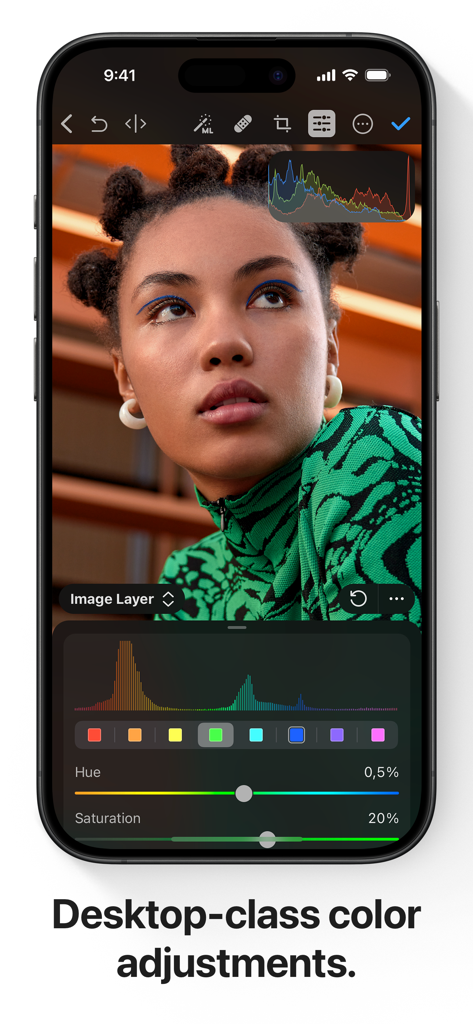
iPhone-Bildschirm mit professionellen Werkzeugen zur Farbanpassung und einem Porträt in Photomator.
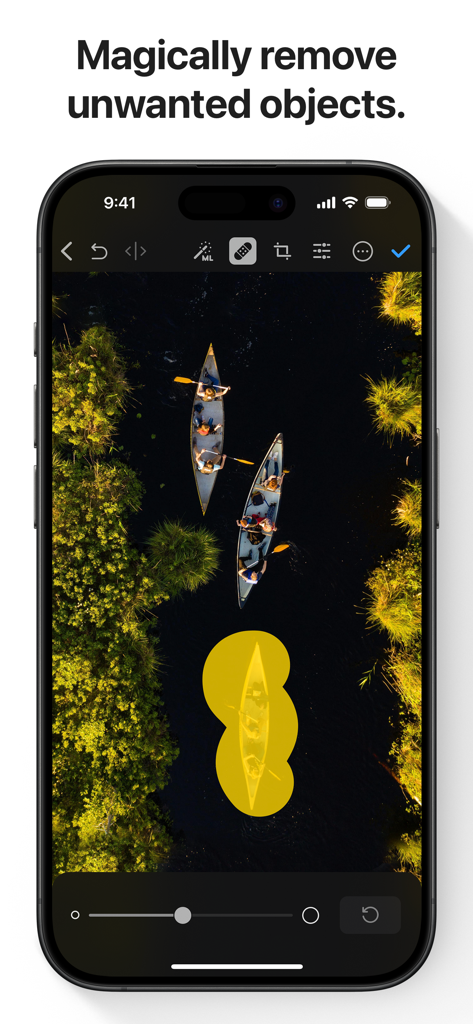
Ein Screenshot der Photomator-App, der das KI-gestützte Werkzeug zur Objektentfernung zeigt, das auf einem Luftbild von Kanus verwendet wird.
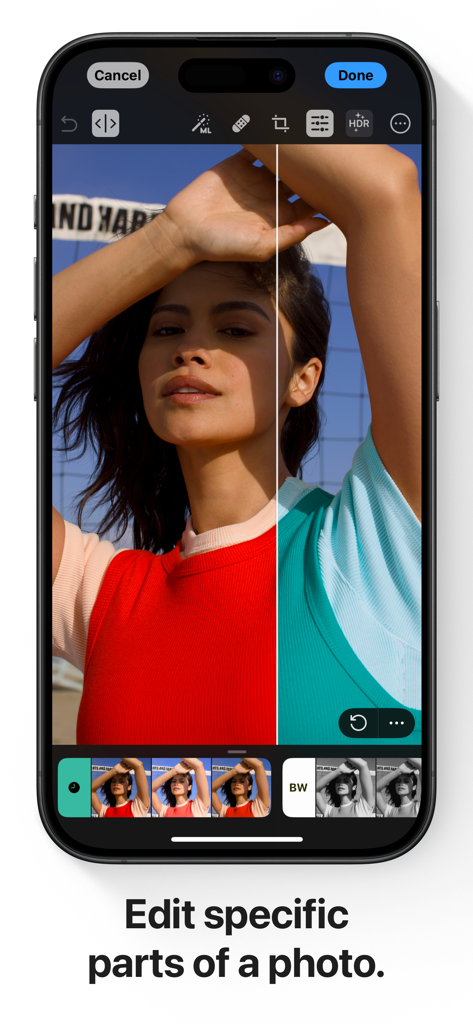
iPhone-Bildschirm mit einer geteilten Ansicht, die die selektive Farbkorrektur in der Photomator-App demonstriert.
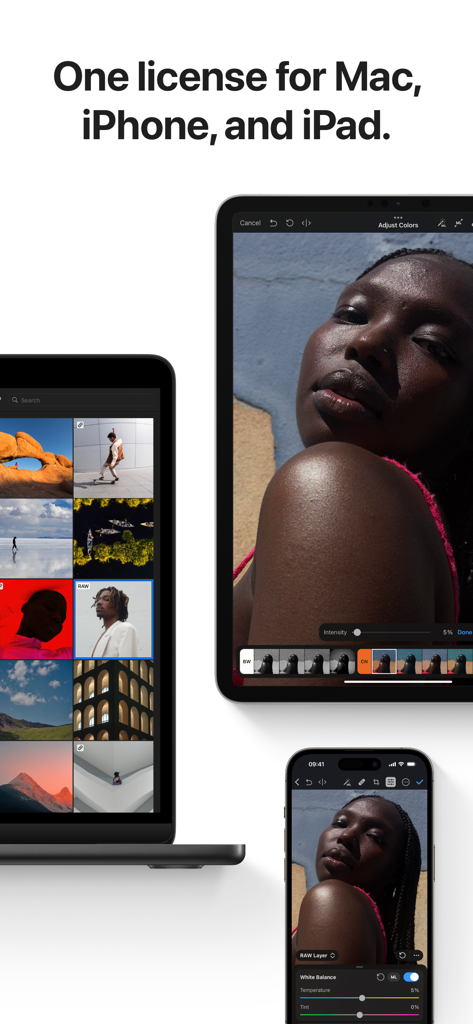
Die Benutzeroberfläche der Photomator-App auf MacBook, iPad und iPhone.
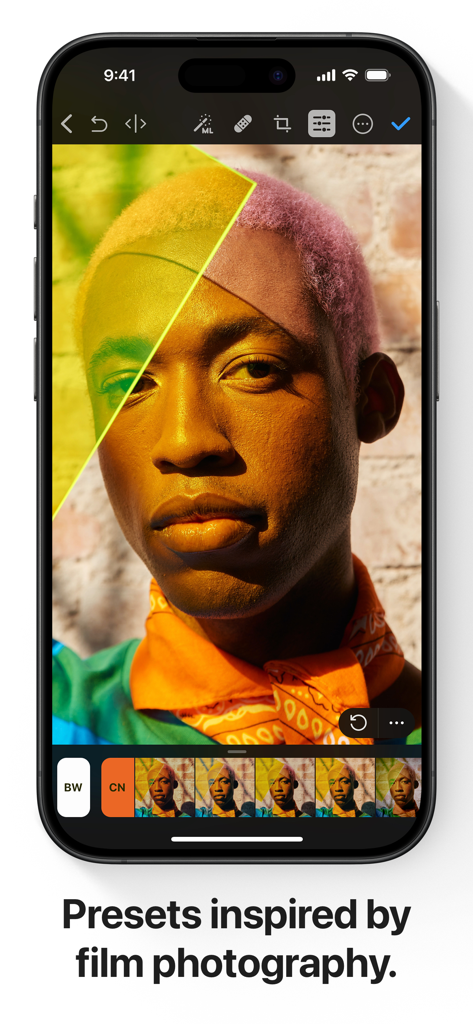
Photomator-App-Oberfläche auf dem iPhone, die professionelle, von Film inspirierte Presets für die Porträtbearbeitung anzeigt.
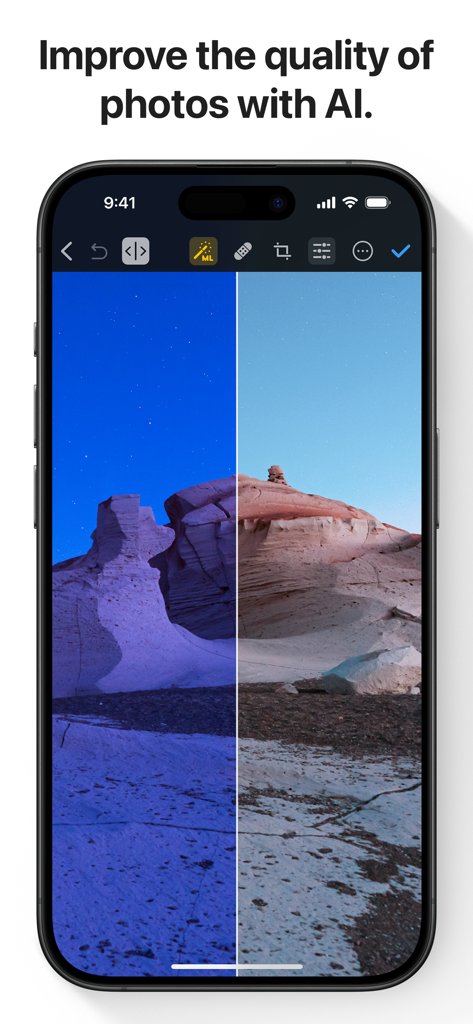
Ein Vorher-Nachher-Vergleich einer Wüstenlandschaft, die durch KI in der Photomator-App verbessert wird.
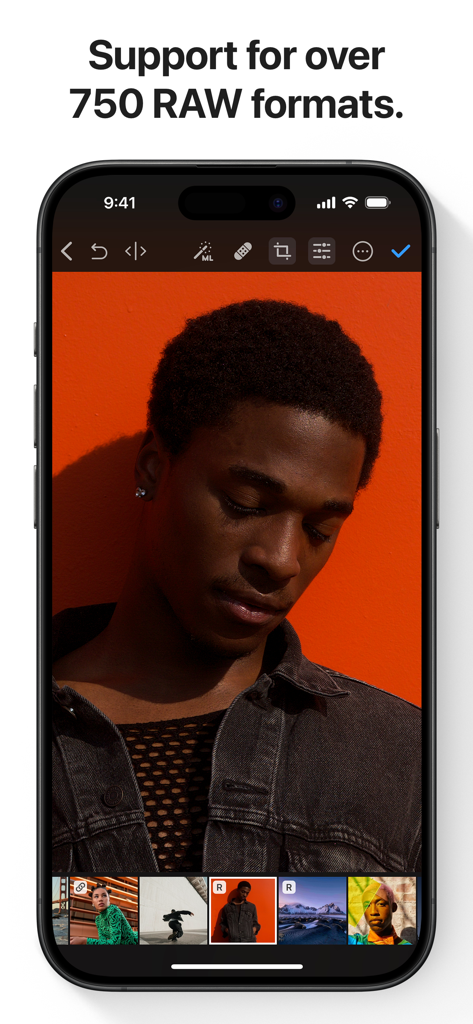
Photomator-App auf dem iPhone, die die RAW-Fotobearbeitung eines Porträts mit orangefarbenem Hintergrund anzeigt.
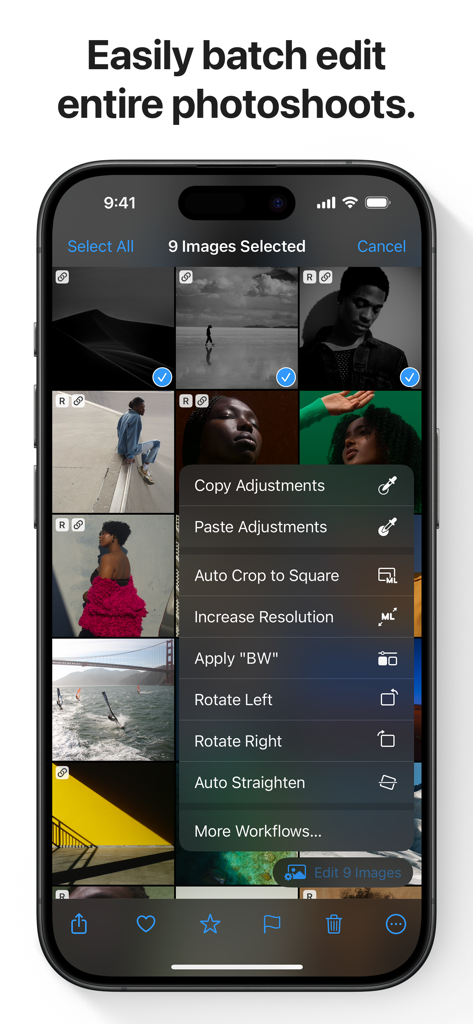
Photomator-App-Oberfläche auf dem iPhone, die Optionen zur Stapelbearbeitung von Fotos für mehrere ausgewählte Bilder anzeigt.
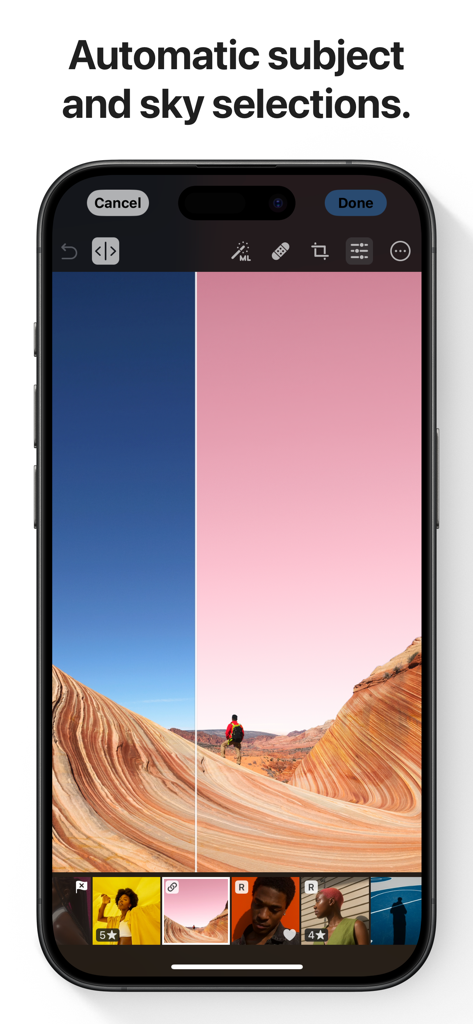
Ein Smartphone, das die Photomator-App mit automatischer KI-Himmel- und Motivauswahl für ein Landschaftsfoto anzeigt.
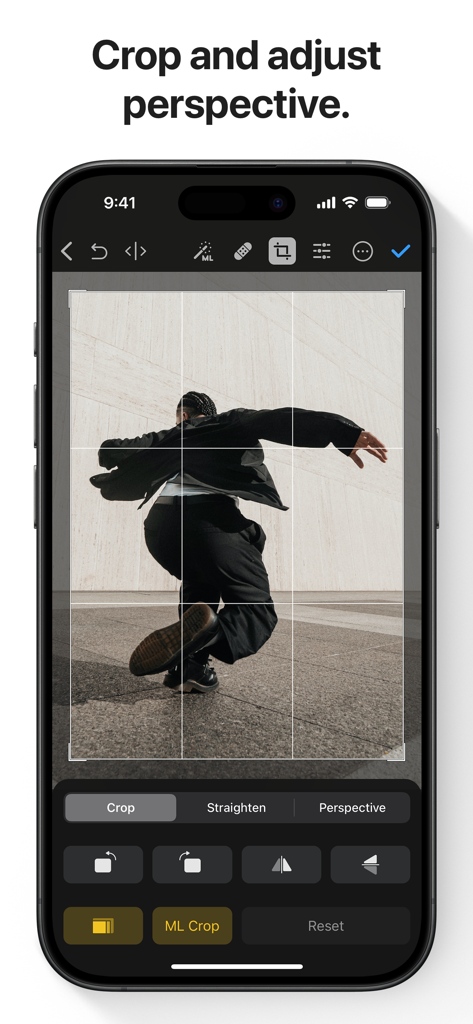
Photomator-App-Oberfläche, die Werkzeuge zur Zuschneide- und Perspektivanpassung auf einem iPhone anzeigt.
Beschreibung
Download
Ähnliche Apps
Apps mit ähnlichen Funktionen und Nutzererfahrung

Evoto-AI Photo Editor&Retouch
TRUESIGHT PTE. LTD.

Darkroom: Photo & Video Editor
Bergen Co.

LD - Photo & Video Finishing
Lens Distortions, LLC

Focos
Mosaic S.r.l.

SKRWT
Mathaeus Jagielski

Polarr Pro Photo Editor
Polarr Inc

Canon DPP Express
Canon Inc.

Snapseed: Photo Editor
Google LLC

原片
Beijing Kwai Technology Co., Ltd.
Diese Seite ist keine offizielle Seite der App oder ihres Entwicklers, sondern eine unabhängige redaktionelle Veröffentlichung, die zu Informations- und Kommentarzwecken erstellt wurde. Sofern nicht ausdrücklich anders angegeben, sind weder die App noch ihr Entwickler mit MWM, Apple, Google Play, dem App-Herausgeber oder dem Entwickler der App verbunden, von ihnen unterstützt, gesponsert, autorisiert oder anderweitig offiziell verbunden, und nichts auf dieser Seite impliziert, dass die App unter Verwendung der Dienste von MWM entwickelt wurde. Alle Marken, Logos, Screenshots und andere Inhalte bleiben Eigentum ihrer jeweiligen Inhaber.