
Diese Seite ist keine offizielle Seite der App oder ihres Entwicklers, sondern eine unabhängige redaktionelle Veröffentlichung, die zu Informations- und Kommentarzwecken erstellt wurde. Sofern nicht ausdrücklich anders angegeben, sind weder die App noch ihr Entwickler mit MWM, Apple, Google Play, dem App-Herausgeber oder dem Entwickler der App verbunden, von ihnen unterstützt, gesponsert, autorisiert oder anderweitig offiziell verbunden, und nichts auf dieser Seite impliziert, dass die App unter Verwendung der Dienste von MWM entwickelt wurde. Alle Marken, Logos, Screenshots und andere Inhalte bleiben Eigentum ihrer jeweiligen Inhaber.

PhotoSync – transfer photos
Sichern Sie nahtlos Fotos und Videos in voller Auflösung zwischen iOS, Windows, Mac und NAS. Erleben Sie totale digitale Souveränität mit automatisierten Übertragungen, RAW-Unterstützung und null Qualitätsverlust.
Downloads
1M+Bewertung
Bewertungen gesamt
19K+Herausgeber
Kategorie
Photo & VideoSprachen
8Neueste Version
4.9.7Größe
97.5 MBErstveröffentlichung
18. Feb. 2011Professionelle Medienkontrolle ohne Einschränkungen
Holen Sie sich den Besitz Ihrer digitalen Erinnerungen zurück. PhotoSync bietet schnelle, sichere und automatisierte Übertragungen, die die Lücke zwischen Ihren mobilen Geräten, professioneller Hardware und lokalem Speicher schließen.
Unbegrenzte plattformübergreifende Freiheit
Entkommen Sie dem 'geschlossenen Garten'. Verschieben Sie unbegrenzt hochauflösende Fotos und Videos zwischen iOS, Mac, Windows, Linux und NAS, ohne Cloud-Abonnements oder iTunes zu benötigen.
Professionelle Integrität
Keine Komprimierung. Vollständige Unterstützung für RAW- und HEIC-Formate sorgt dafür, dass Ihre Dateien makellos bleiben, während alle EXIF-, GPS- und IPTC-Metadaten exakt so erhalten bleiben, wie sie aufgenommen wurden.
Häufig gestellte Fragen
Alles, was Sie über wissen müssen PhotoSync – transfer photos
Was ist PhotoSync und was macht es?
PhotoSync ist eine plattformübergreifende Lösung für die drahtlose Übertragung, das Kopieren, die Sicherung und das Teilen von Fotos und Videos. Es verbindet mobile Geräte, Computer, NAS und verschiedene Cloud-Dienste, ohne dass iTunes oder das Internet für direkte Übertragungen benötigt werden.
Benötigt PhotoSync Internet oder Cloud-Dienste für Übertragungen?
Nein, PhotoSync ermöglicht direkte Übertragungen zwischen Geräten über lokales WLAN, Bluetooth oder Personal Hotspot. Für diese direkten Übertragungsmethoden sind kein Internet und keine Cloud-Dienste erforderlich.
Welche Geräte und Betriebssysteme werden von PhotoSync unterstützt?
PhotoSync bietet native Apps für mobile Geräte, Windows und Mac. Es funktioniert auch unter Linux und bietet eine breite plattformübergreifende Kompatibilität für Foto- und Videoübertragungen.
Überträgt PhotoSync Fotos und Videos in voller Auflösung und behält Metadaten bei?
Ja, PhotoSync überträgt eine unbegrenzte Anzahl von Fotos und Videos in voller Auflösung. Es unterstützt HEIC- und RAW-Formate und behält alle Metadaten, einschließlich EXIF und GPS, bei.
Was sind die Einschränkungen der kostenlosen Version von PhotoSync?
Die kostenlose Version von PhotoSync ermöglicht das Testen aller Übertragungsfunktionen. Fotos und Videos werden jedoch in geringer Qualität übertragen und RAW/HEIC-Dateien werden in JPEG konvertiert. Ein Upgrade auf PhotoSync Pro hebt diese Einschränkungen auf.
Was ist die Funktion „Automatische Übertragung“ (Autotransfer) in PhotoSync?
Autotransfer ist eine Premium-Funktion von PhotoSync, die neue Fotos und Videos automatisch im Hintergrund überträgt. Sie wird beim Erreichen vordefinierter Orte oder beim Aufladen des Geräts aktiviert und sichert auf Computern, NAS oder unterstützten Cloud-Diensten.
Bietet PhotoSync clientseitige Verschlüsselung für Foto- und Videoübertragungen an?
Ja, PhotoSync Premium beinhaltet Client-seitige Verschlüsselung. Diese Funktion verschlüsselt Fotos und Videos vor der Übertragung und gewährleistet so eine sichere Speicherung auf NAS und dateibasierten Cloud-Diensten.
Welche Cloud- und Fotodienste unterstützt PhotoSync für Backups?
PhotoSync unterstützt beliebte Dienste wie Dropbox, Google Drive, Google Photos, Flickr, OneDrive, PhotoPrism, SmugMug, Box, pCloud und Zenfolio. Premium-Benutzer erhalten auch Zugang zu Amazon S3, Backblaze und Wasabi.
Kann PhotoSync direkt mit Kameras verbunden werden, um Fotos herunterzuladen?
Ja, PhotoSync Premium bietet Kameraunterstützung für WLAN- und USB-Verbindungen. Es lädt Fotos von Canon-, Nikon-, Sony-, Fujifilm-, Olympus- und Lumix-Kameras herunter und unterstützt drahtloses Tethering sowie Fotoautomaten über AirPlay/HDMI.
Wie hilft PhotoSync bei der Organisation übertragener Fotos und Videos?
PhotoSync organisiert Dateien automatisch in Ordnern basierend auf Aufnahmedatum, Medientyp, Albumname und Metadaten auf dem Zielgerät. Benutzer können auch Dateinamen für eine flexible Organisation anpassen.
Was ist das Bezahlmodell für PhotoSync Premium-Funktionen?
Für PhotoSync Premium-Funktionen ist ein zusätzlicher Kauf erforderlich. Dies kann ein Einmalkauf oder ein Abonnement mit kostenloser Testversion sein. Die Bezahlung erfolgt über das iTunes-Konto.
Die folgenden Screenshots und die Beschreibung stammen direkt aus dem offiziellen Store-Eintrag der App und sind Eigentum des Entwicklers.
App Store
Screenshots
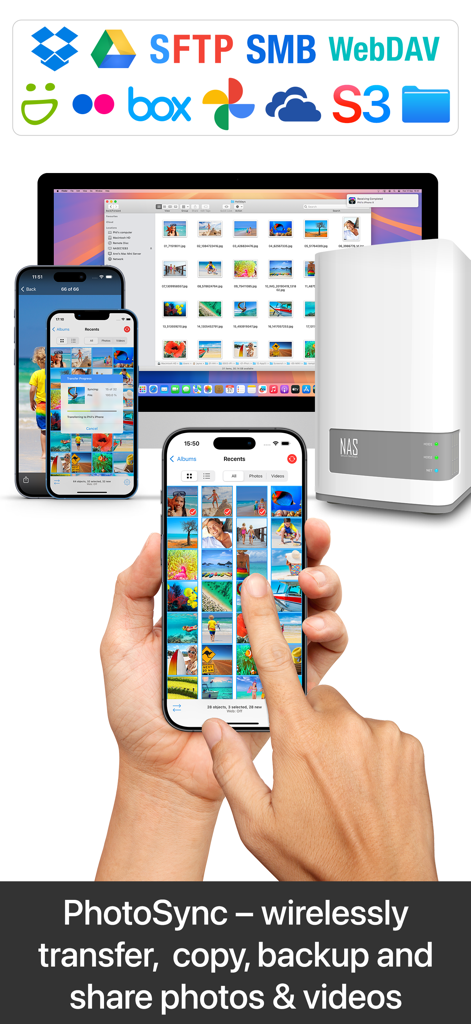
Drahtlose Fotoübertragung und Backup zwischen iPhone, Mac und NAS-Server
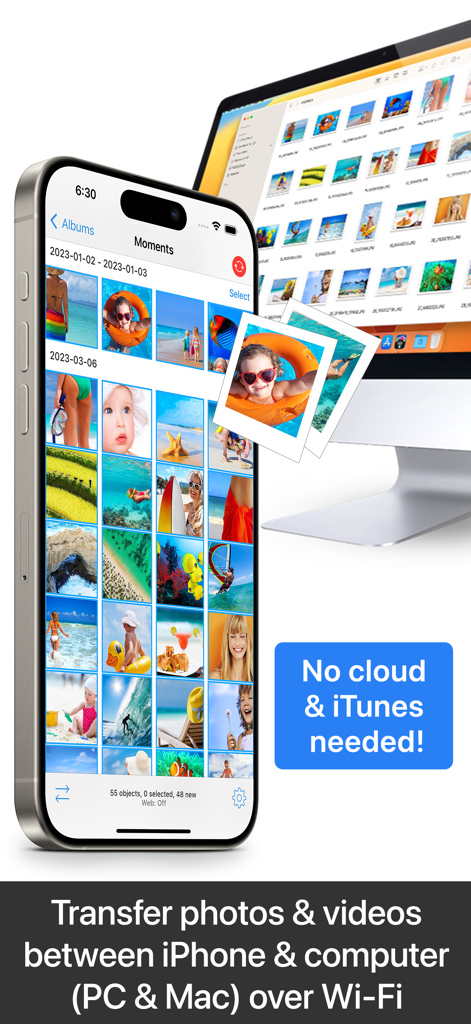
Drahtlose Übertragung von Fotos und Videos zwischen iPhone und Computer über WLAN ohne Nutzung von Cloud oder iTunes
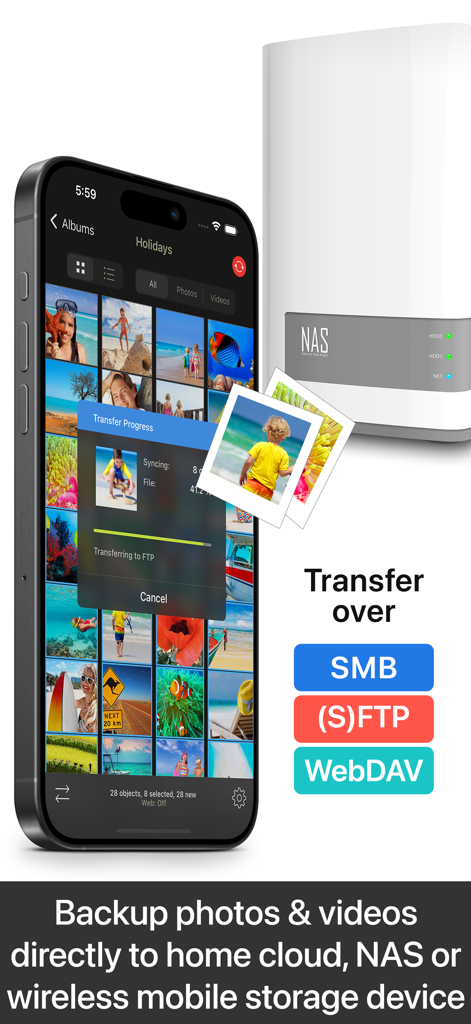
PhotoSync App überträgt Fotos von einem iPhone auf ein NAS-Speichergerät
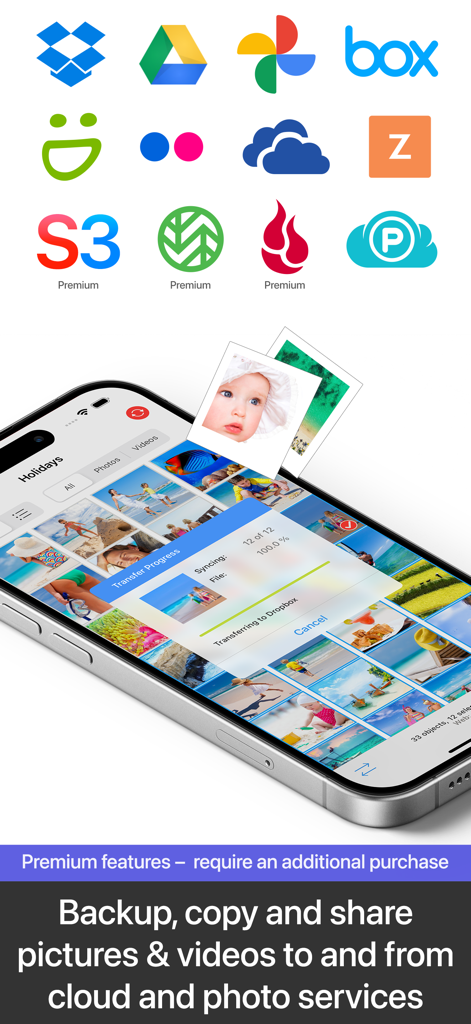
Smartphone-Bildschirm zeigt die PhotoSync App beim Übertragen von Fotos zu Dropbox mit Logos für verschiedene Cloud-Dienste wie Google Drive und OneDrive.
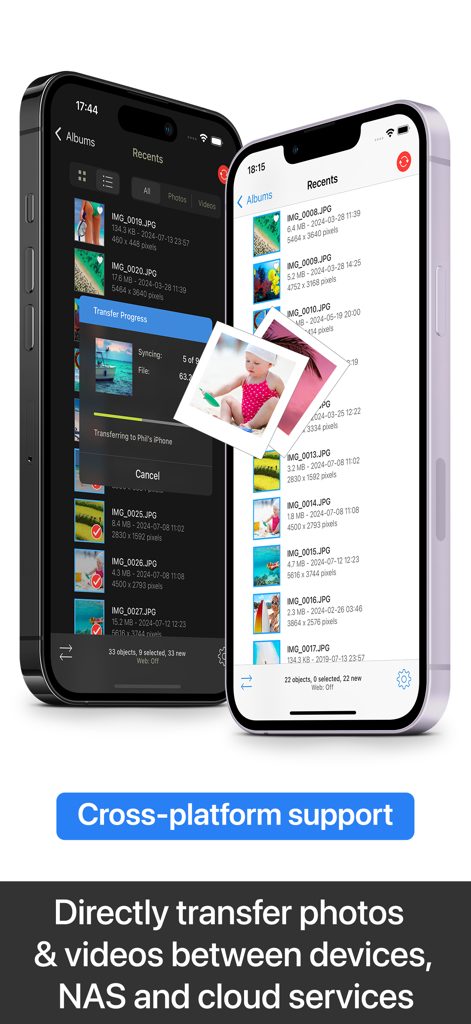
PhotoSync App-Oberfläche auf zwei iPhones, die plattformübergreifende Foto- und Videoübertragungsfunktionen zeigt
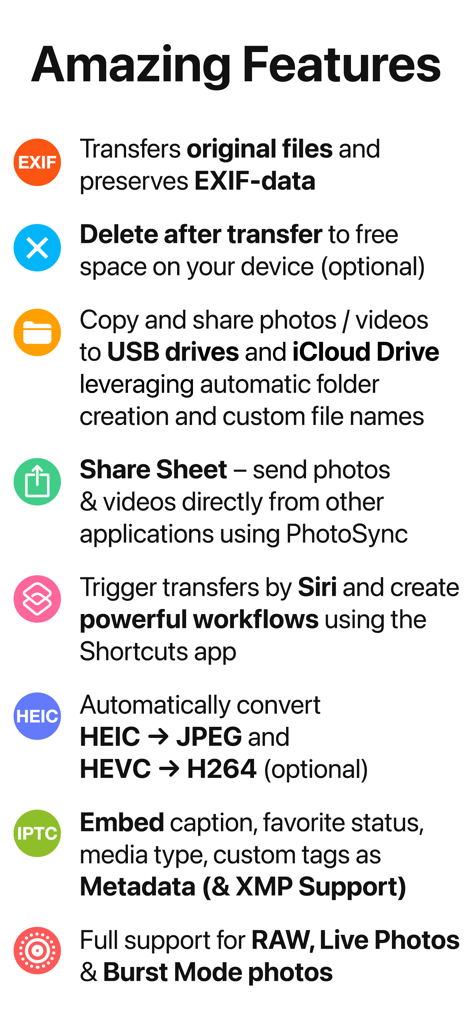
Zusammenfassung der PhotoSync App-Funktionen, einschließlich Erhaltung von EXIF-Daten, Siri-Verknüpfungen und RAW-Dateisupport
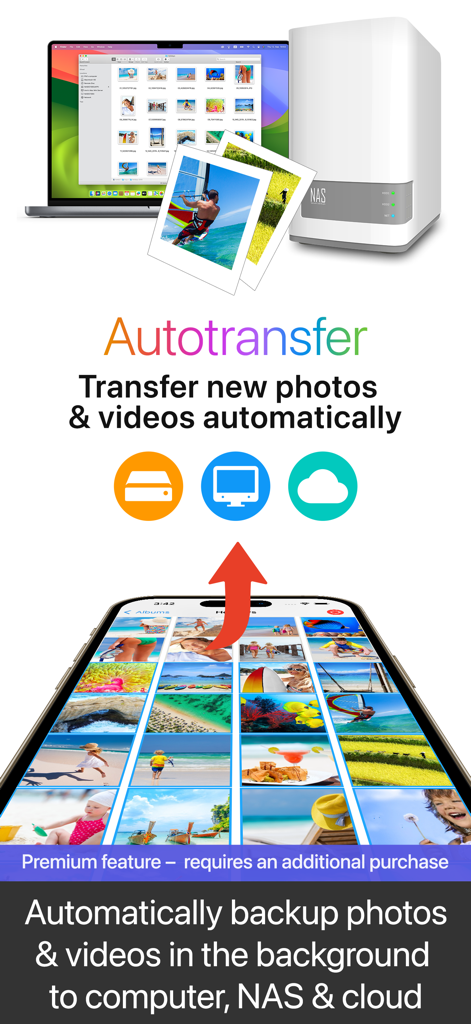
Automatisches Hintergrund-Backup von Fotos und Videos vom Smartphone auf Computer, NAS und Cloud
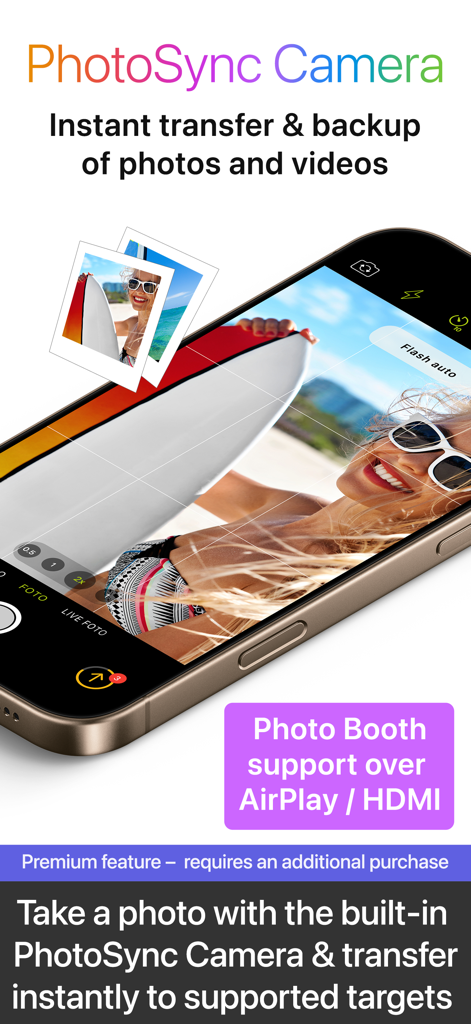
Oberfläche der PhotoSync Camera-Funktion für sofortige Fotoübertragung und Backup mit AirPlay-Unterstützung
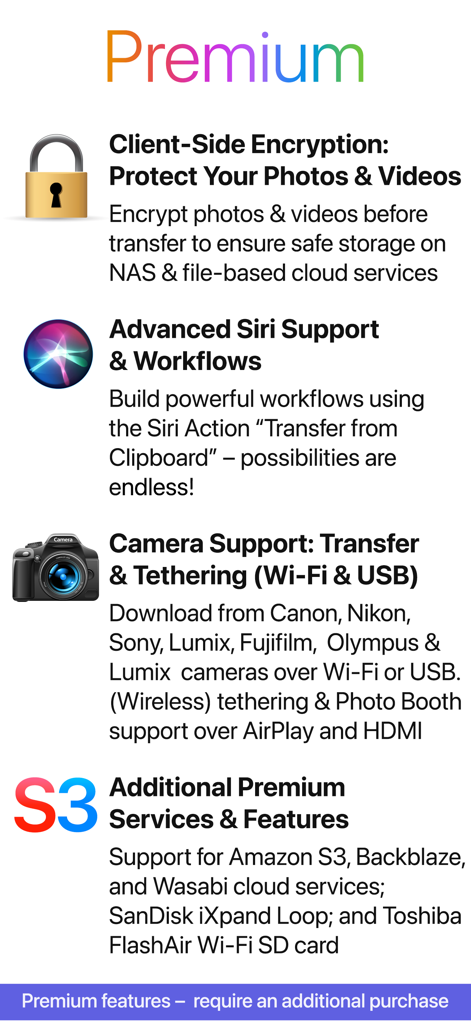
Eine Liste der PhotoSync Premium-Funktionen, einschließlich clientseitiger Verschlüsselung, Siri-Unterstützung und Camera-Tethering
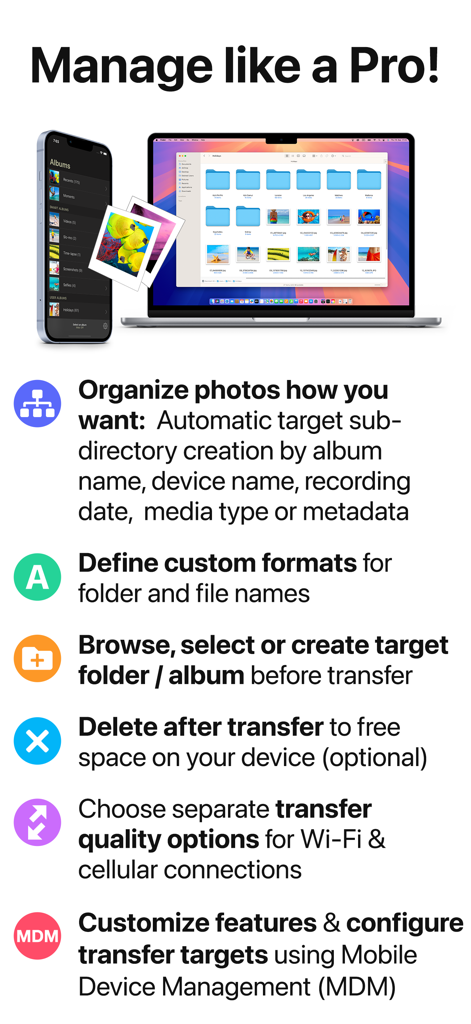
iPhone und MacBook zeigen PhotoSync App-Funktionen für professionelle Fotoverwaltung und -übertragung
Beschreibung
Download
Ähnliche Apps
Apps mit ähnlichen Funktionen und Nutzererfahrung


Diese Seite ist keine offizielle Seite der App oder ihres Entwicklers, sondern eine unabhängige redaktionelle Veröffentlichung, die zu Informations- und Kommentarzwecken erstellt wurde. Sofern nicht ausdrücklich anders angegeben, sind weder die App noch ihr Entwickler mit MWM, Apple, Google Play, dem App-Herausgeber oder dem Entwickler der App verbunden, von ihnen unterstützt, gesponsert, autorisiert oder anderweitig offiziell verbunden, und nichts auf dieser Seite impliziert, dass die App unter Verwendung der Dienste von MWM entwickelt wurde. Alle Marken, Logos, Screenshots und andere Inhalte bleiben Eigentum ihrer jeweiligen Inhaber.