Piano⁺ Vault - Hide Photos
Herunterladen auf App Store

Diese Seite ist keine offizielle Seite der App oder ihres Entwicklers, sondern eine unabhängige redaktionelle Veröffentlichung, die zu Informations- und Kommentarzwecken erstellt wurde. Sofern nicht ausdrücklich anders angegeben, sind weder die App noch ihr Entwickler mit MWM, Apple, Google Play, dem App-Herausgeber oder dem Entwickler der App verbunden, von ihnen unterstützt, gesponsert, autorisiert oder anderweitig offiziell verbunden, und nichts auf dieser Seite impliziert, dass die App unter Verwendung der Dienste von MWM entwickelt wurde. Alle Marken, Logos, Screenshots und andere Inhalte bleiben Eigentum ihrer jeweiligen Inhaber.


Logo von Piano⁺ Vault - Hide Photos
Herunterladen auf App Store

Piano⁺ Vault - Hide Photos

Tarnen Sie Ihre geheime Galerie als musikalisches Klavier. Verstecken Sie Fotos, Videos und Notizen sicher mit Tarnkappen-Privatsphäre, automatischem Cloud-Backup und einem integrierten privaten Browser.

Kennzahlen

Downloads

200

Bewertung

4.3/5

Bewertungen gesamt

0

Herausgeber

Manisha Lathiya

Kategorie

Utilities

Sprachen

9

Neueste Version

3.0

Größe

56.7 MB

Erstveröffentlichung

5. Juni 2024
Funktionen

Privatsphäre, die nicht nach Privatsphäre aussieht

Schützen Sie Ihre persönlichsten Fotos, Videos und Dokumente hinter einer funktionierenden musikalischen Benutzeroberfläche. Genießen Sie absolute Seelenruhe, wenn Sie Ihr Telefon mit Freunden oder Familie teilen.

Tarnkappen-Sicherheit

Versteckt hinter einer voll funktionsfähigen Klavier-App bleibt Ihr privater Tresor für jeden, der durch Ihren Startbildschirm scrollt, völlig unsichtbar.

Sofortige Paniksperre

Unerwartete Unterbrechung? Drehen Sie Ihr Telefon einfach mit dem Display nach unten, um Ihren Tresor sofort zu sperren und Ihre privaten Medien vor neugierigen Blicken zu schützen.

Die folgenden Screenshots und die Beschreibung stammen direkt aus dem offiziellen Store-Eintrag der App und sind Eigentum des Entwicklers.

App Store

Screenshots
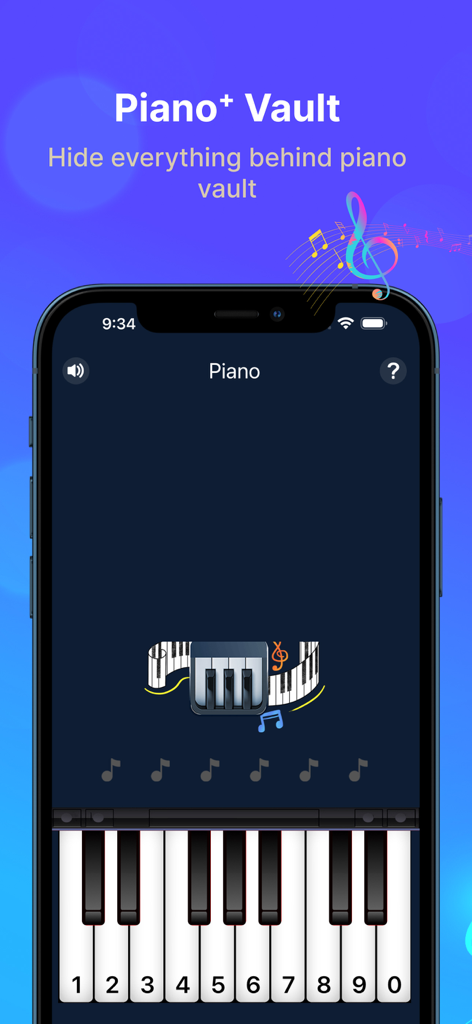
Piano⁺ Vault - Hide Photos - Piano Vault App-Oberfläche mit einer geheimen PIN-Eingabe-Tastatur, die als musikalisches Klavier getarnt ist
Piano Vault App-Oberfläche mit einer geheimen PIN-Eingabe-Tastatur, die als musikalisches Klavier getarnt ist

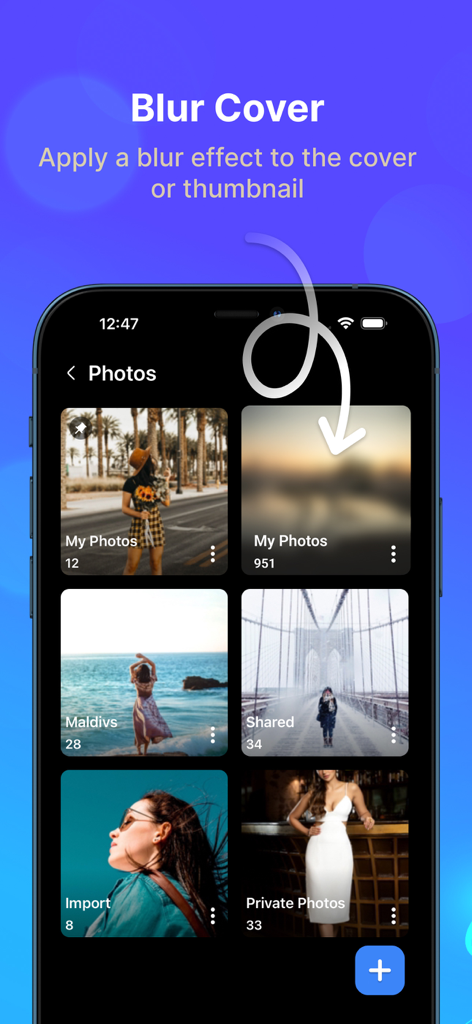
Piano⁺ Vault - Hide Photos - Piano Vault App-Oberfläche, die zeigt, wie ein Unschärfeeffekt auf Miniaturansichten von Fotoordner-Covern zur Wahrung der Privatsphäre angewendet wird
Piano Vault App-Oberfläche, die zeigt, wie ein Unschärfeeffekt auf Miniaturansichten von Fotoordner-Covern zur Wahrung der Privatsphäre angewendet wird

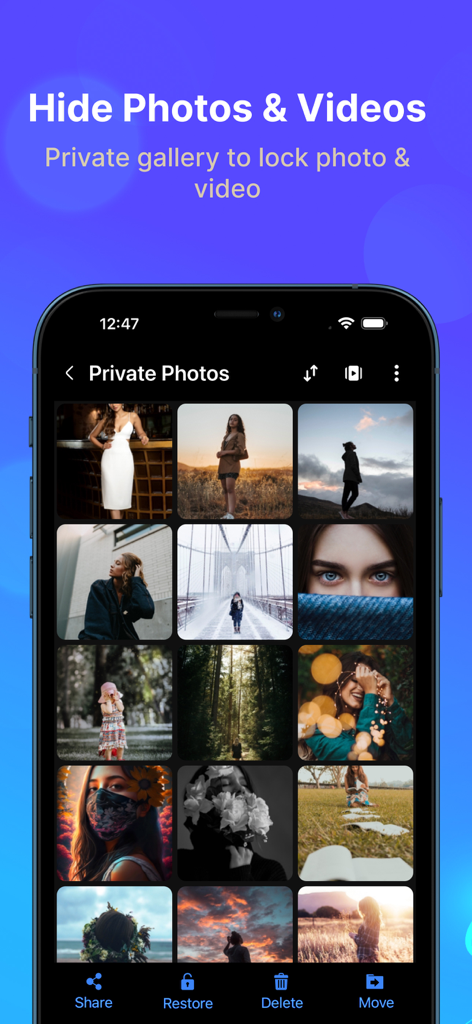
Piano⁺ Vault - Hide Photos - Oberfläche der Piano Vault App, die eine private Galerie mit versteckten Fotos und Videos zeigt
Oberfläche der Piano Vault App, die eine private Galerie mit versteckten Fotos und Videos zeigt

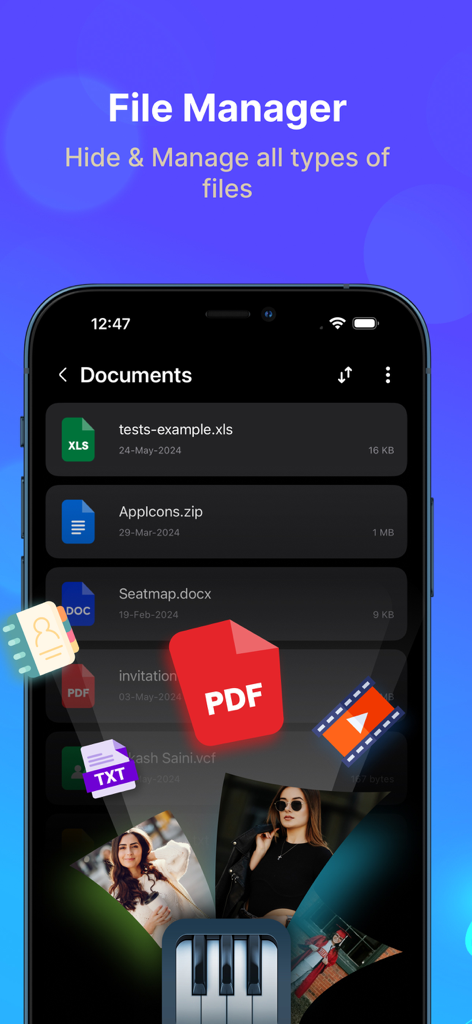
Piano⁺ Vault - Hide Photos - Dateimanager-Oberfläche zum Verstecken von Dokumenten und Medien in Piano Vault
Dateimanager-Oberfläche zum Verstecken von Dokumenten und Medien in Piano Vault

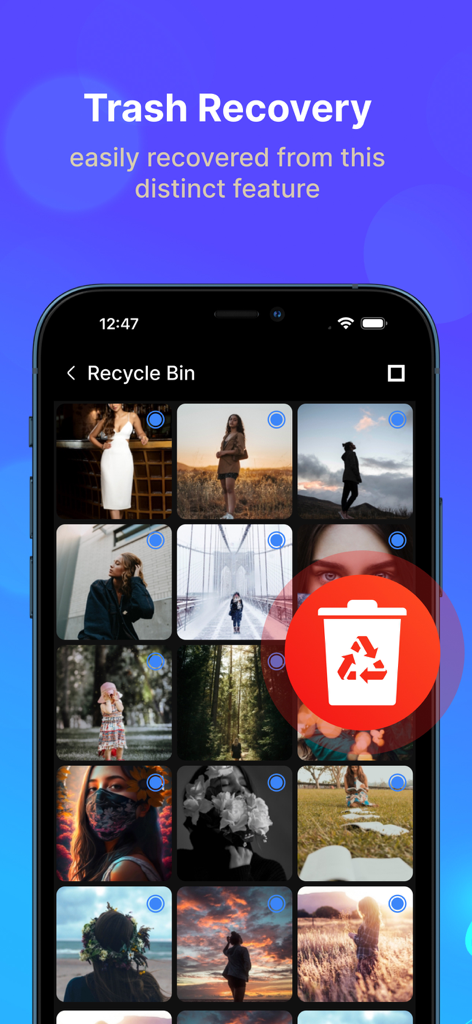
Piano⁺ Vault - Hide Photos - Screenshot der Papierkorb-Wiederherstellungsfunktion in der Piano Vault App, der einen Papierkorb für gelöschte Fotos zeigt.

Screenshot der Papierkorb-Wiederherstellungsfunktion in der Piano Vault App, der einen Papierkorb für gelöschte Fotos zeigt.

Beschreibung

Piano Vault is a private gallery photos vault app to hide photos and hide videos while making your phone's gallery lock appear to be a musical piano. Your hidden photos remain to your friends & family. Everything will be truly protected in your piano photo lock app. Hide Photos & Hide Videos Piano Photo and Video Locker app lets you hide personal images and short videos or long movies with advanced protection. Secure personal photos, videos, sensitive documents, notes & contacts with PIN protection. Photo locker is the safest place to hide pictures. You can also hide audio files & private notes in the piano vault app. Cloud Backup Automatic backup videos, photos, music, contacts and important documents using cloud drive with one click. Never lose your data again when you hide files into photo lock app. Sync your files around multiple devices with Piano hide app. Built-in Photo Viewer Through Built-in Photo Viewer, you can easily view all hidden photos inside the piano locker app. File Transfer Easily transfer files from the old phone to a new phone or a tablet by scanning QR code using the same Wi-Fi or hotspot connection. You can also transfer files from computer to private gallery & vault without using internet data. Private Browser Download photos and videos from the privacy browser and hide photos into the Piano vault directly. Leave no traces of browsing history after you exit into video locker. Themes Support Light & Dark mode. Backup & Restore Privately hide photos and backup files in your device to prevent loss of any document. You can also restore files into gallery photos vault anytime in future. More Useful Tools: File management with sort, list, grid, rename, move, lock photos & export. Face down auto lock during a panic situation. Inbuilt image viewer inside photo hide app Set the folder cover image of your choice. Recycle bin feature to restore private video files deleted by mistake. Pin the most important and frequently used folders at the top. Piano gallery locker app comes with latest user experience & much needed features like Cloud Sync and Dark Mode to keep safe important media & documents. Disclosure: we do not collect and/or share any personal or sensitive user data using the Accessibility Services API. Question: How to retrieve your forgotten password? Answer: Please enter “112233” in piano to verify your security question or recovery email and then reset the password. Premium Subscription Piano Vault app includes an optional auto-renewable subscription to access current and future premium categories: Note: Check within the app for exact pricing for your region - 1 month subscription USD 2.99 - 1 year subscription USD 9.99 - Lifetime premium subscription USD 19.99 • Payment will be charged to your iTunes account at confirmation of purchase and will automatically renew (at the duration/price selected) unless auto-renew is turned off at least 24 hours before the end of the current period. • Account will be charged for renewal within 24-hours prior to the end of the current period, and identify the cost of the renewal. • Any unused portion of a free trial period, if offered, will be forfeited when the user purchases a subscription to that publication, where applicable. • You can manage your subscription and/or turn off auto-renewal by going to your iTunes Account Settings, but refunds will not be given for any unused portion of the term. Terms of Service: https://piano-vault.web.app/terms-apple.html Privacy Policy: https://piano-vault.web.app/privacy-policy-apple.html

Download

Herunterladen auf App Store

Diese Seite ist keine offizielle Seite der App oder ihres Entwicklers, sondern eine unabhängige redaktionelle Veröffentlichung, die zu Informations- und Kommentarzwecken erstellt wurde. Sofern nicht ausdrücklich anders angegeben, sind weder die App noch ihr Entwickler mit MWM, Apple, Google Play, dem App-Herausgeber oder dem Entwickler der App verbunden, von ihnen unterstützt, gesponsert, autorisiert oder anderweitig offiziell verbunden, und nichts auf dieser Seite impliziert, dass die App unter Verwendung der Dienste von MWM entwickelt wurde. Alle Marken, Logos, Screenshots und andere Inhalte bleiben Eigentum ihrer jeweiligen Inhaber.








