
Diese Seite ist keine offizielle Seite der App oder ihres Entwicklers, sondern eine unabhängige redaktionelle Veröffentlichung, die zu Informations- und Kommentarzwecken erstellt wurde. Sofern nicht ausdrücklich anders angegeben, sind weder die App noch ihr Entwickler mit MWM, Apple, Google Play, dem App-Herausgeber oder dem Entwickler der App verbunden, von ihnen unterstützt, gesponsert, autorisiert oder anderweitig offiziell verbunden, und nichts auf dieser Seite impliziert, dass die App unter Verwendung der Dienste von MWM entwickelt wurde. Alle Marken, Logos, Screenshots und andere Inhalte bleiben Eigentum ihrer jeweiligen Inhaber.


Pixelmator Pro: Edit Images
Bilder sind tot. Lang lebe die digitale Neuschöpfung. Die App liefert die Werkzeuge, um Pixel zu beherrschen, nicht nur zu bearbeiten.
Downloads
50k+Bewertung
Bewertungen gesamt
355Herausgeber
Kategorie
Graphics & DesignSprachen
11Neueste Version
4.2Größe
679.8 MBErstveröffentlichung
28. Jan. 2026Ein detaillierter Überblick über die Stärken für kreative Profis im Apple Ökosystem.
Analyse der Kernfunktionen von Pixelmator Pro: Edit Images
KI-gestützte Bild- und Videoverbesserung
Die App integriert fortschrittliche maschinelle Lernfunktionen, um Aufgaben wie das Entfernen von Bildhintergründen, die Verbesserung von Farben und die Erhöhung der Auflösung automatisch und effizient zu erledigen. Dies ermöglicht eine schnelle und präzise Bearbeitung, die besonders bei komplexen Projekten Zeit spart.
Umfassende Pro-Grade Farbkorrektur und Effekte
Dieses Tool bietet eine leistungsstarke Sammlung professioneller Farbanpassungen, volle Unterstützung für RAW-Fotos von über 750 Kameramodellen und mehr als 40 Farbkorrektur-Presets sowie über 70 vielseitige Effekte, um hochwertige und künstlerische Ergebnisse zu erzielen.
Vollwertige Vektor- und Ebenenbearbeitung für Design
Es ermöglicht Nutzern, komplexe Designs mit vollständiger Ebenenbearbeitung, Unterstützung für Vektorformen und umfassenden Typografie-Funktionen zu erstellen, was es zu einem mächtigen Werkzeug für Grafikdesigner und Illustratoren macht.
Erweiterte Kompatibilität und nahtloser Apple-Workflow
Die App unterstützt eine breite Palette an Bild- und Videoformaten, einschließlich professioneller Standards wie PSD, SVG und AI, und ermöglicht eine reibungslose Integration in den Apple-Workflow durch einfaches Teilen mit Fotos, Mail und AirDrop.
Professionelle digitale Mal- und Zeichenwerkzeuge
Dieses Tool verfügt über eine Sammlung handgefertigter Dual-Textur-Pinsel und bietet volle Unterstützung für Apple Pencil auf dem iPad sowie Grafiktabletts auf dem Mac, was ein natürliches und reaktionsschnelles Malerlebnis mit Druck- und Neigungsempfindlichkeit gewährleistet.
Umfangreiche Design-Ressourcen
Es stellt eine Fülle von schönen Vorlagen, Premium-Mockups und anpassbaren Smart Shapes zur Verfügung, die das schnelle Erstellen ansprechender Designs und Illustrationen erleichtern und den kreativen Prozess beschleunigen.
Häufig gestellte Fragen
Alles, was Sie über wissen müssen Pixelmator Pro: Edit Images
What is Pixelmator Pro?
Pixelmator Pro is a powerful creative application designed for editing photos, drawing illustrations, painting digital art, and creating various designs. It is also part of Apple Creator Studio.
Is Pixelmator Pro available on iPad?
Yes, Pixelmator Pro is available for iPad, offering a reimagined editing experience optimized for touch and full Apple Pencil support. Users can also sync edits via iCloud between iPad and Mac versions.
Can Pixelmator Pro remove backgrounds from images?
Yes, Pixelmator Pro includes machine learning-powered tools that automatically remove image backgrounds with one click. This feature enhances photo editing workflows efficiently.
Does Pixelmator Pro support Apple Pencil?
Yes, Pixelmator Pro fully supports Apple Pencil on iPad, including hover, squeeze, double-tap, and palm rejection for precise design and painting. It also supports graphics tablets on Mac.
What file formats does Pixelmator Pro support?
Pixelmator Pro opens a wide range of popular image and video formats, including JPEG, PNG, PSD, TIFF, HEIF, SVG, AI, PDF, GIF, BMP, MP4, MOV, and HDR images.
Can I use Pixelmator Pro to design mockups?
Yes, Pixelmator Pro features a new Warp tool and two collections of premium product and apparel mockups. These enable users to quickly showcase designs on various items.
Is Pixelmator Pro suitable for video editing?
Pixelmator Pro supports adjusting colors in videos and can incorporate video layers into designs. It handles various video formats, including MP4 and MOV, with easy-to-use controls.
Can Pixelmator Pro enhance image resolution?
Yes, Pixelmator Pro includes machine learning-powered tools designed to increase the resolution of images. This feature is referred to as "Magical image upscaling."
Does Pixelmator Pro offer color adjustment presets?
Yes, Pixelmator Pro includes over 40 color adjustment presets. Users can combine these with over 70 versatile effects to achieve various artistic or special looks.
Can Pixelmator Pro be used for vector graphics?
Yes, Pixelmator Pro provides a full set of vector tools, including Pen and Freeform Pen tools, to design vector graphics. It also offers customizable Smart Shapes for quick illustration creation.
Die folgenden Screenshots und die Beschreibung stammen direkt aus dem offiziellen Store-Eintrag der App und sind Eigentum des Entwicklers.
App Store
Screenshots
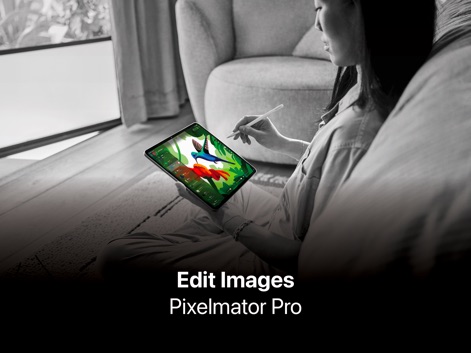
Nutzer können ihre kreativen Ideen direkt auf dem iPad umsetzen, indem sie den Apple Pencil für präzises Zeichnen und detaillierte Illustrationen verwenden.
Kreativität auf dem iPad
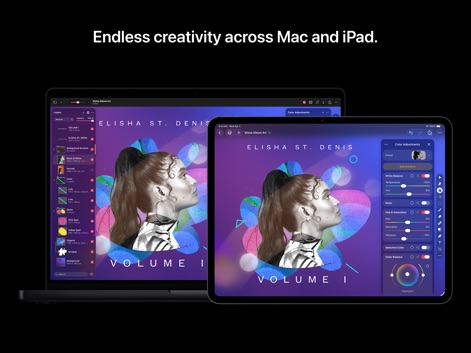
Diese App ermöglicht nahtloses Arbeiten zwischen Mac und iPad, wobei die Farbkorrektur-Einstellungen auf beiden Geräten synchronisiert werden und eine konsistente Bearbeitung gewährleisten.
Geräteübergreifende Bearbeitung
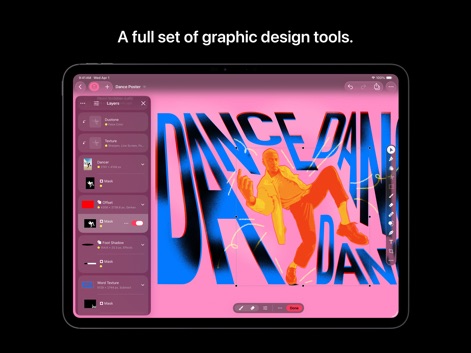
Nutzer haben Zugriff auf eine vollständige Palette von Grafikdesign-Werkzeugen, dargestellt durch die Ebenenverwaltung und die beeindruckende typografische Gestaltung.
Umfassende Design-Tools
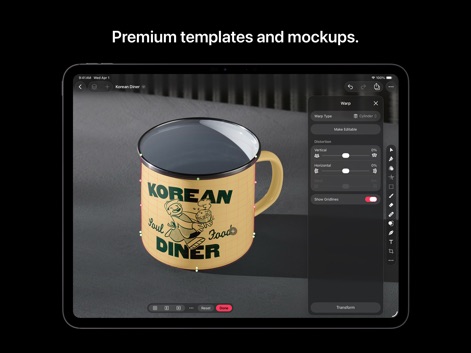
Die App bietet hochwertige Vorlagen für Produkt-Mockups, wie diesen personalisierten Kaffeebecher, die sich mit dem Verkrümmen-Werkzeug präzise anpassen lassen.
Ansprechende Produkt-Mockups
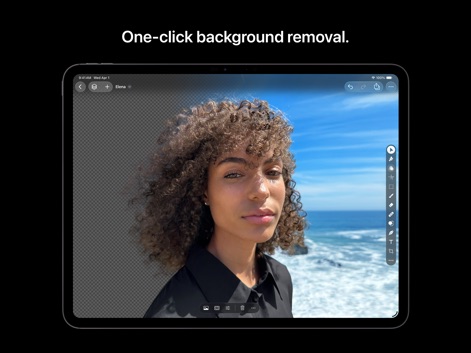
Diese Funktion ermöglicht das schnelle und präzise Entfernen von Hintergründen, was durch die Darstellung der freigestellten Person vor einem transparenten Muster demonstriert wird.
Hintergrund schnell entfernen

Nutzer profitieren von leistungsstarken Farbanpassungsoptionen, die durch detaillierte Schieberegler für Sättigung und Farbtöne präzise Steuerung ermöglichen.
Professionelle Farbanpassungen
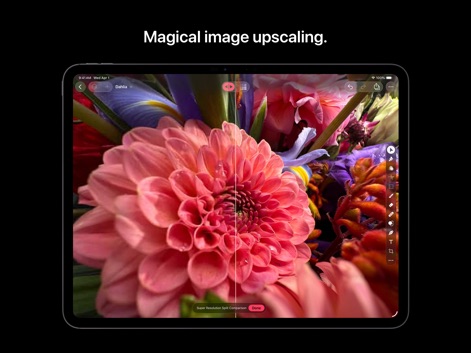
Die App bietet eine beeindruckende Bildskalierungsfunktion, die eine deutliche Verbesserung der Bildqualität zeigt, wie der Vorher-Nachher-Vergleich eindrucksvoll beweist.
Magische Bildskalierung
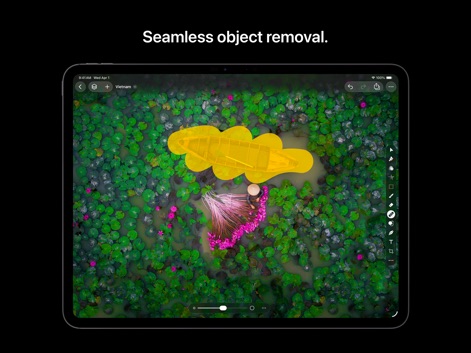
Dieses Tool erlaubt die nahtlose Entfernung unerwünschter Objekte, wie hier das gelb markierte Boot und die Person, aus komplexen Umgebungen wie einem Seerosen-Teich.
Nahtlose Objektentfernung
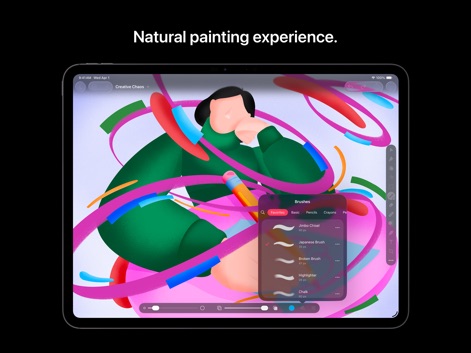
Nutzer erleben ein natürliches Zeichengefühl, unterstützt durch eine umfangreiche Auswahl an Pinseln und ein lebendiges digitales Kunstwerk mit dynamischen Formen.
Natürliches Zeichenerlebnis
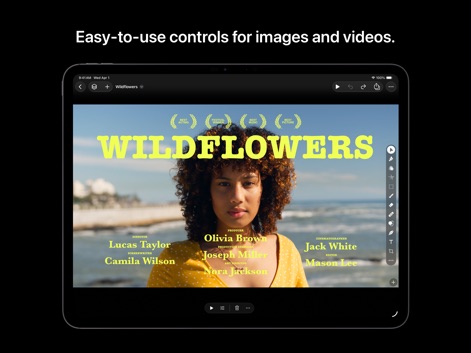
Die App bietet intuitive Steuerungsmöglichkeiten für die Bearbeitung von Videos, was sich an den Text-Overlays und den Auszeichnungssymbolen im gezeigten Filmclip erkennen lässt.
Intuitive Video-Steuerung
Beschreibung
Download
Ähnliche Apps
Top-gerankte Apps in derselben Kategorie

Kling AI: AI Image&Video Maker
LOHAS GAMES PTE. LTD.

iScreen - Widgets & Wallpaper
Xiamen ShenZhuo Information Technology Co., Ltd.

Dreamina AI: Image&Video Maker
BYTEDANCE PTE. LTD.

Home AI - AI Interior Design
HUBX YAZILIM HIZMETLERI ANONIM SIRKETI

ibis Paint X
ibis inc.

ThemeKit: Widget & Icon Themes
Woohoo Tech. Ltd.

Sketchbook®
Sketchbook, Inc.

Colorful Widget- Widget&Themes
Guangzhou ZHIFENG Information Technology Co.,Ltd.

ReRoom AI: Interior Design
GM UniverseApps Limited
Diese Seite ist keine offizielle Seite der App oder ihres Entwicklers, sondern eine unabhängige redaktionelle Veröffentlichung, die zu Informations- und Kommentarzwecken erstellt wurde. Sofern nicht ausdrücklich anders angegeben, sind weder die App noch ihr Entwickler mit MWM, Apple, Google Play, dem App-Herausgeber oder dem Entwickler der App verbunden, von ihnen unterstützt, gesponsert, autorisiert oder anderweitig offiziell verbunden, und nichts auf dieser Seite impliziert, dass die App unter Verwendung der Dienste von MWM entwickelt wurde. Alle Marken, Logos, Screenshots und andere Inhalte bleiben Eigentum ihrer jeweiligen Inhaber.