Playback
Playback
Herunterladen auf App Store

Diese Seite ist keine offizielle Seite der App oder ihres Entwicklers, sondern eine unabhängige redaktionelle Veröffentlichung, die zu Informations- und Kommentarzwecken erstellt wurde. Sofern nicht ausdrücklich anders angegeben, sind weder die App noch ihr Entwickler mit MWM, Apple, Google Play, dem App-Herausgeber oder dem Entwickler der App verbunden, von ihnen unterstützt, gesponsert, autorisiert oder anderweitig offiziell verbunden, und nichts auf dieser Seite impliziert, dass die App unter Verwendung der Dienste von MWM entwickelt wurde. Alle Marken, Logos, Screenshots und andere Inhalte bleiben Eigentum ihrer jeweiligen Inhaber.


Logo von Playback
Herunterladen auf App Store

Playback

Bereichern Sie Ihren Sonntagsgottesdienst mit Original-Masteraufnahmen, nahtloser Planning Center-Integration und professioneller Bühnenautomatisierung, die für jedes Kirchenteam entwickelt wurde.

Kennzahlen

Downloads

465K+

Bewertung

4.7/5

Bewertungen gesamt

4K+

Herausgeber

MULTITRACKS.COM, LLC

Kategorie

Music

Sprachen

6

Neueste Version

8.5.1

Größe

137.9 MB

Erstveröffentlichung

23. Nov. 2013
Funktionen

Professionelle Produktion, vereinfacht für Ihr Team

Playback ist der weltweit leistungsstärkste MultiTrack-Player, der speziell für Worship-Leiter entwickelt wurde. Integrieren Sie nahtlos Original-Masteraufnahmen, automatisieren Sie Ihre Bühne und halten Sie Ihr gesamtes Team synchron.

Original-Masteraufnahmen

Greifen Sie auf über 24.000 Tracks der weltweit führenden Worship-Künstler zu, um Ihren Live-Sound mit Studio-Qualität-Stems zu ergänzen.

Vollständige Ökosystem-Integration

Importieren Sie Planning Center Setlisten und automatisieren Sie ProPresenter-Texte oder Beleuchtung, um einen ablenkungsfreien Sonntagsgottesdienst zu gewährleisten.

Die folgenden Screenshots und die Beschreibung stammen direkt aus dem offiziellen Store-Eintrag der App und sind Eigentum des Entwicklers.

App Store

Screenshots
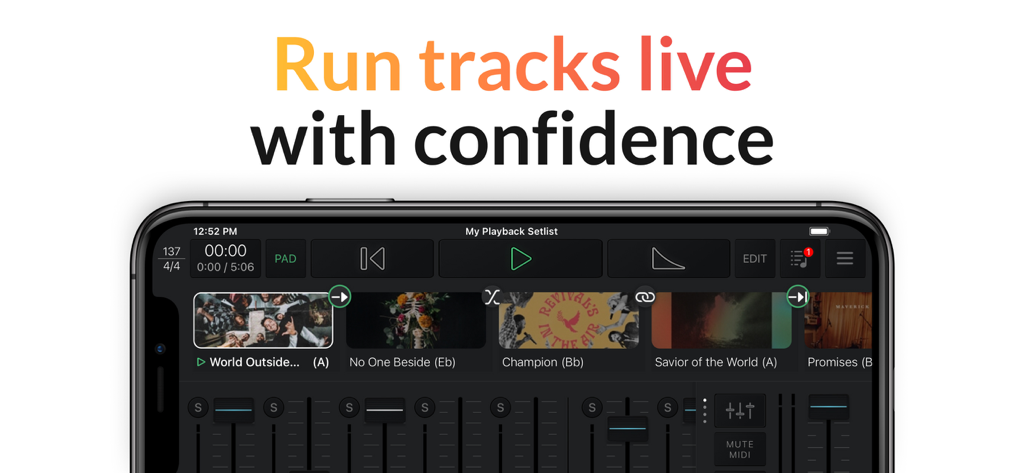
Playback - Interface der Playback-App auf einem Smartphone mit einer Live-Musik-Setlist und Audio-Mixer-Steuerelementen
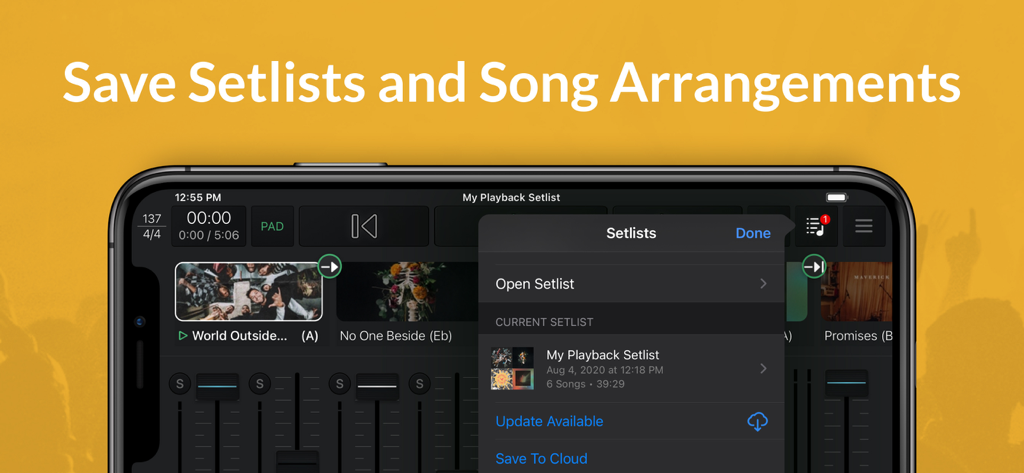
Interface der Playback-App auf einem Smartphone mit einer Live-Musik-Setlist und Audio-Mixer-Steuerelementen

Playback - Screenshot der Playback-App, der zeigt, wie Setlisten und Song-Arrangements auf einem Mobilgerät gespeichert werden.
Screenshot der Playback-App, der zeigt, wie Setlisten und Song-Arrangements auf einem Mobilgerät gespeichert werden.

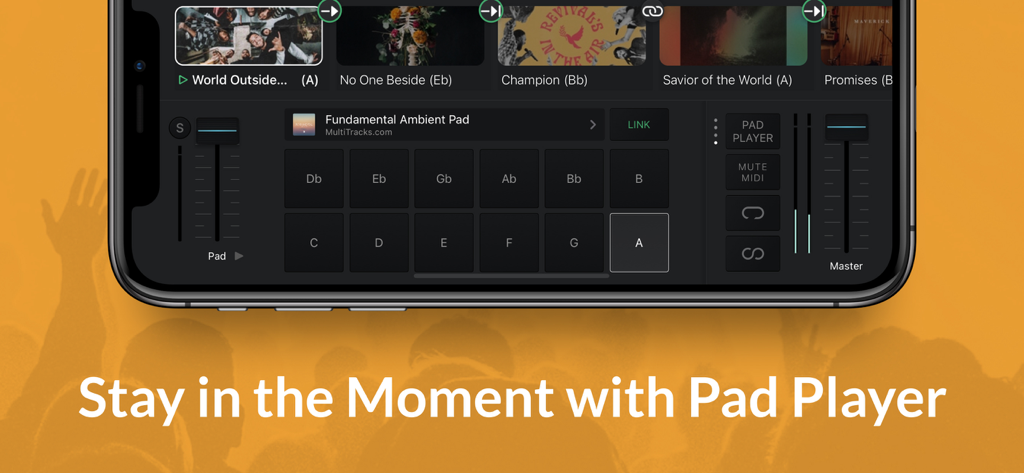
Playback - Playback App Pad Player-Interface mit Ambient-Pad-Tasten und Lautstärkeregelungen für Worship-Musik
Playback App Pad Player-Interface mit Ambient-Pad-Tasten und Lautstärkeregelungen für Worship-Musik

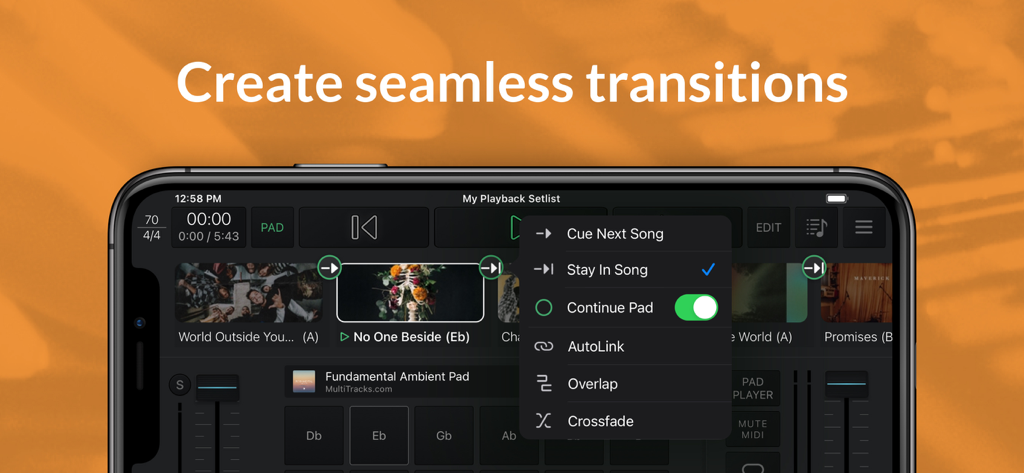
Playback - Playback App-Interface mit Optionen für nahtlose Song-Übergänge und Ambient-Pads.
Playback App-Interface mit Optionen für nahtlose Song-Übergänge und Ambient-Pads.

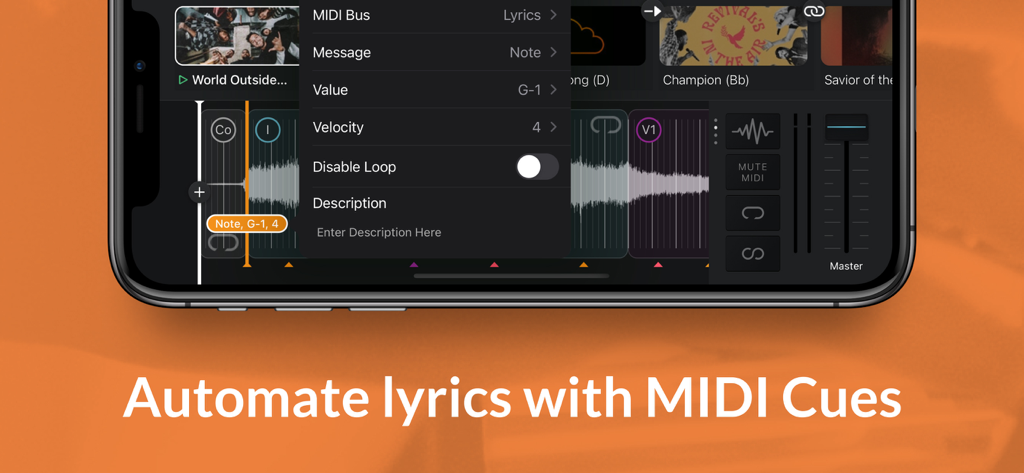
Playback - Interface der Playback-App, das das Menü zur Automatisierung von Texten mit MIDI-Befehlen zeigt
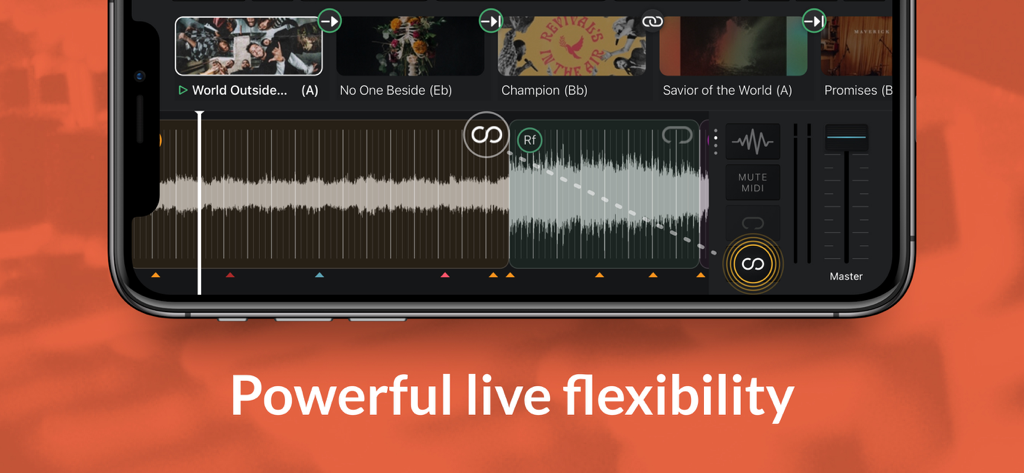
Interface der Playback-App, das das Menü zur Automatisierung von Texten mit MIDI-Befehlen zeigt

Playback - Smartphone mit der Playback App-Oberfläche, das Track-Wellenformen und eine Worship-Musik-Setlist anzeigt
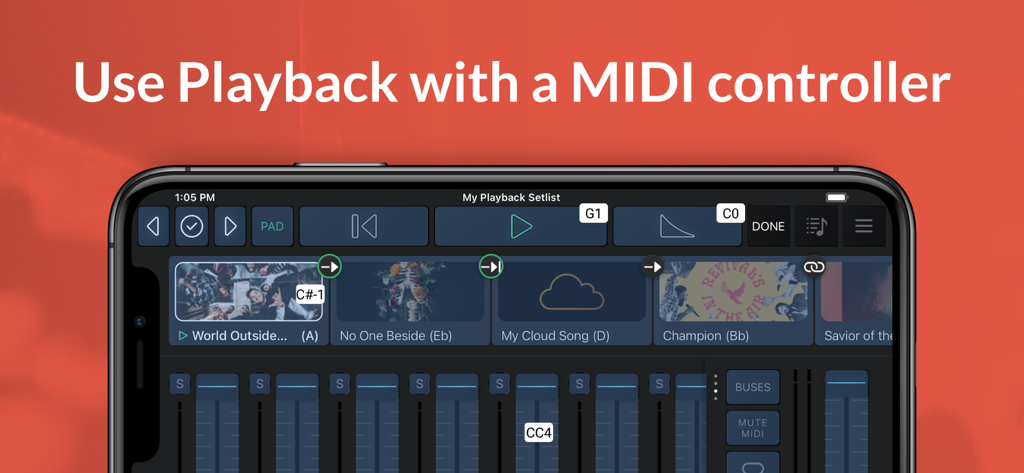
Smartphone mit der Playback App-Oberfläche, das Track-Wellenformen und eine Worship-Musik-Setlist anzeigt

Playback - MultiTracks Playback App-Interface auf einem Smartphone, das Musik-Setlisten und einen Audio-Mixer mit MIDI-Controller-Unterstützung anzeigt
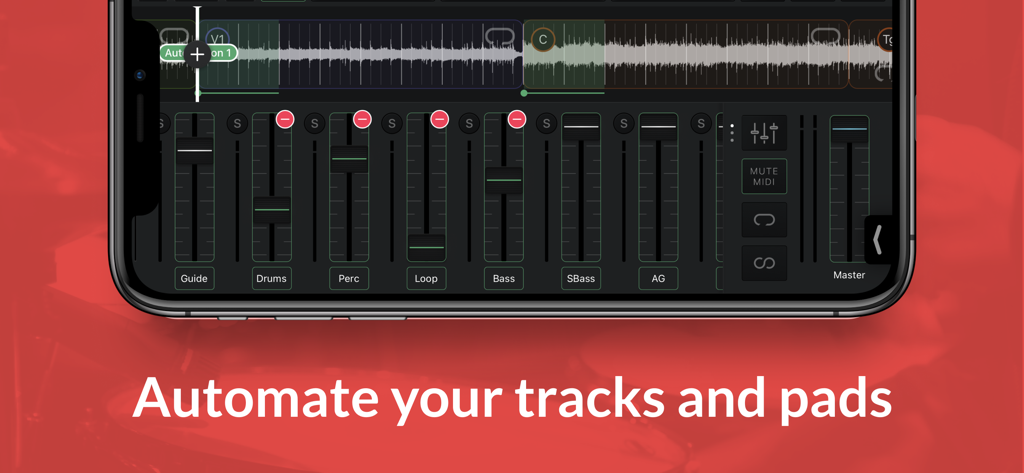
MultiTracks Playback App-Interface auf einem Smartphone, das Musik-Setlisten und einen Audio-Mixer mit MIDI-Controller-Unterstützung anzeigt

Playback - Interface der Playback-App, das Multi-Track-Audio-Mixing und Automatisierungssteuerungen auf einem Smartphone zeigt.
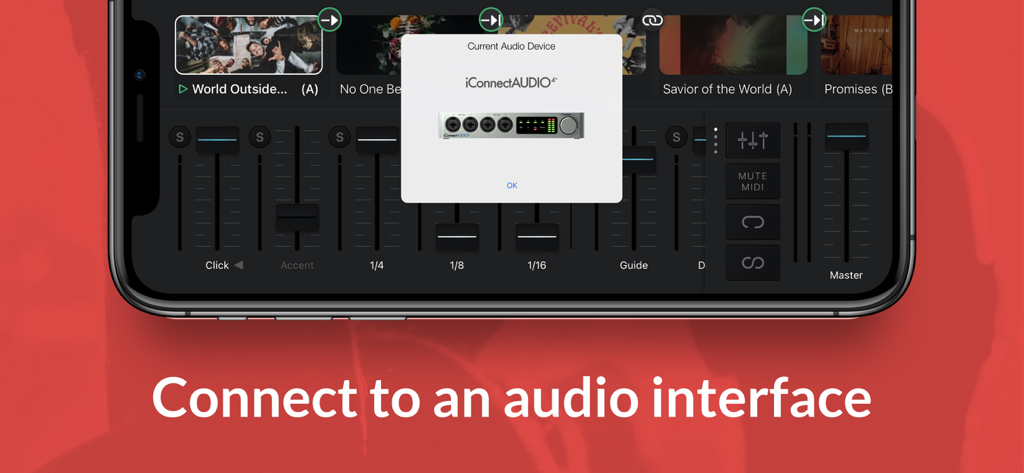
Interface der Playback-App, das Multi-Track-Audio-Mixing und Automatisierungssteuerungen auf einem Smartphone zeigt.

Playback - Playback App auf dem iPhone, die eine Verbindung zu einem iConnectAUDIO4 Audio-Interface anzeigt
Playback App auf dem iPhone, die eine Verbindung zu einem iConnectAUDIO4 Audio-Interface anzeigt

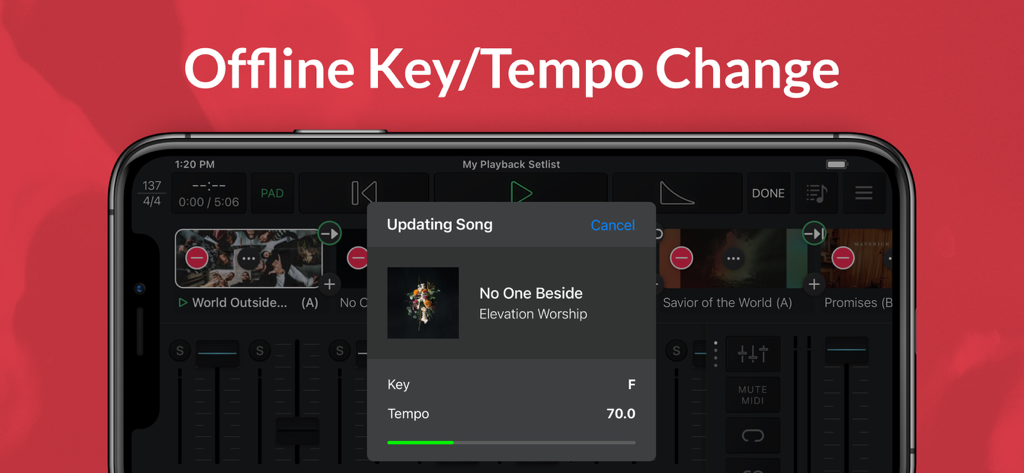
Playback - Playback App-Interface, das ein Song-Update für die Offline-Anpassung von Tonart und Tempo auf einem iPhone zeigt.

Playback App-Interface, das ein Song-Update für die Offline-Anpassung von Tonart und Tempo auf einem iPhone zeigt.

Beschreibung

Playback turns your Apple device into a simple, yet powerful MultiTrack player that works seamlessly with the rest of the MultiTracks.com ecosystem of products like ChartBuilder®, RehearsalMix®, and the Church Streaming License®. Link your Planning Center account and have setlists you create automatically appear in Playback. Pairing Playback with our ProPresenter Templates gives it access to pre-made MIDI Cues that perfectly sync lyrics to your tracks. Playback has been optimized to be the best tracks solution for a worship team. While it has powerful features like automation, custom song arrangements, MIDI in/out, and even support for SMPTE timecode, it’s easy and intuitive for new volunteers. A Playback Rentals subscription is an easy and affordable way to quickly access the MultiTracks from our ever expanding library of over 24,000 original master recordings. Any previous tracks purchases from MultiTracks.com are instantly available in your Playback library. Already have your own tracks? Upload them to your library with a Cloud Pro subscription so that they can be accessed in Playback. Playback Sync® automatically scrolls charts in the ChartBuilder app to always match where you are in a song. No extra cables needed since it’s all done over Wi-Fi. This ensures your team is literally all on the same page! Pad Player® lets you to stay in the moment with ambient pads underneath every song and transition in your setlist. INTRO (Free) - Build & save setlists - Solo, mute & adjust track volumes - Set custom start & end times - Tempo/key change to all 12 keys - Play ambient pads underneath songs - Access any song in the catalog with a Playback Rentals Subscription - Song transitions - AutoPan - Add click-and-pad-only songs to setlists - Adjust click track subdivisions - Live Crossfade between songs - Reference the original song mix PREMIUM (Starting at $9.99/mo | Visit MultiTracks.com/Pricing) - All “Intro” features - Add, remove, rearrange, rename, & TRIM song sections - MIDI Map controls to a MIDI Controller - Loop Song Sections - Infinite Loop Song Sections - Save Custom Song Arrangements w/Cloud Pro Intro or higher - Add an Infinite Click Track - Automation: Place cues anywhere in a song to trigger automations for track volumes, mute/unmute, Pad Player, & more! - Playback Remote - Send MIDI Cues to lyrics, lights & more with (Requires Live Bundle) - Live Re-Order: While audio is playing, jump to a particular Song Section - MIDI Map to a specific Song Section - Freely jump between Song Sections & Songs live using a MIDI Controller - Buses: Route your tracks out of 10 buses for better mix control - SmartRouting®: We’ve pre-assigned every track type to a bus. *Supported USB Audio Interfaces & Playback will automatically route your tracks to the available outputs - MultiOuts®: Route tracks & buses to multiple outputs with one of our *Supported USB Audio Interfaces. - Create & edit MIDI Cues directly in Playback. Save MIDI Cues to your Library with a Cloud Pro subscription - Advanced Pad Player Interface *Please Note* Because access is given to Original Artist Master MultiTracks through our free ”Demo Setlist” & "Play of the Week," account registration is required for you to verify your identity and ensure compliance with Terms of Use. Price may vary by location. Subscriptions will be charged to your credit card through your iCloud account. Subscription will automatically renew unless canceled at least 24 hours before the end of the current period. You won't be able to cancel the subscription once activated. Any unused portion of a free trial will be forfeited if you upgrade from a free subscription to a paid version. Manage your subscriptions in Account Settings after purchase. For more details on our Privacy Policy & Terms of Use for MultiTracks.com please visit: http://www.multitracks.com/privacy/ and http://www.multitracks.com/terms/

Download

Herunterladen auf App Store

Diese Seite ist keine offizielle Seite der App oder ihres Entwicklers, sondern eine unabhängige redaktionelle Veröffentlichung, die zu Informations- und Kommentarzwecken erstellt wurde. Sofern nicht ausdrücklich anders angegeben, sind weder die App noch ihr Entwickler mit MWM, Apple, Google Play, dem App-Herausgeber oder dem Entwickler der App verbunden, von ihnen unterstützt, gesponsert, autorisiert oder anderweitig offiziell verbunden, und nichts auf dieser Seite impliziert, dass die App unter Verwendung der Dienste von MWM entwickelt wurde. Alle Marken, Logos, Screenshots und andere Inhalte bleiben Eigentum ihrer jeweiligen Inhaber.