PlayOn Cloud - Streaming DVR

PlayOn Cloud - Streaming DVR

Herunterladen auf App Store
Logo von PlayOn Cloud - Streaming DVR

PlayOn Cloud: Ihr universeller Streaming-DVR & Werbe-Blocker

Nehmen Sie Filme und Serien von Netflix, Disney+ und Hulu in der Cloud auf. Überspringen Sie Werbespots, umgehen Sie Download-Limits und behalten Sie Ihre Favoriten für immer, um sie offline anzusehen – jederzeit und überall.

Herausgeber

MediaMall Technologies, Inc.

Kategorie

Entertainment

Downloads

1M+

Bewertung

4.3/5

Bewertungen gesamt

4K+

Sprachen

-

Ihr Streaming-DVR in Aktion

Entdecken Sie die Oberfläche, die von 1M+ Nutzern verwendet wird.

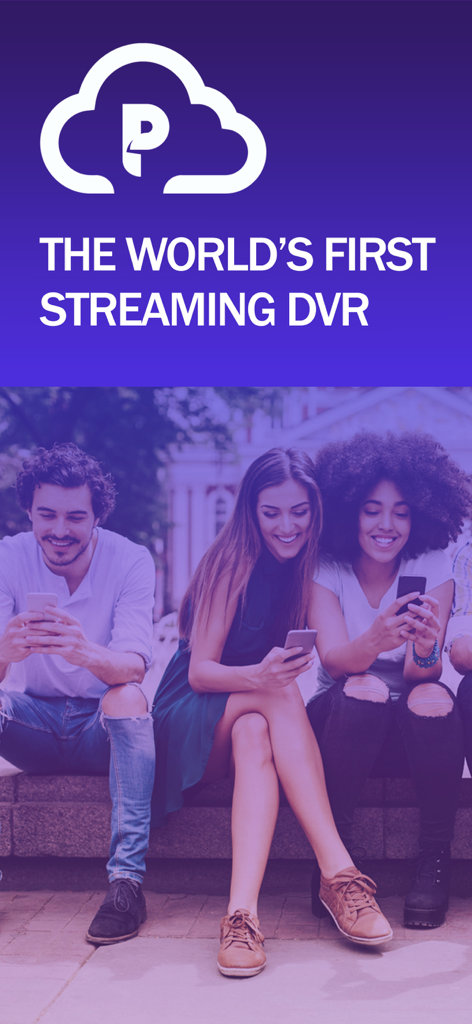
PlayOn Cloud Logo und Slogan für den weltweit ersten Streaming-DVR mit Personen, die mobile Geräte nutzen
PlayOn Cloud Logo und Slogan für den weltweit ersten Streaming-DVR mit Personen, die mobile Geräte nutzen

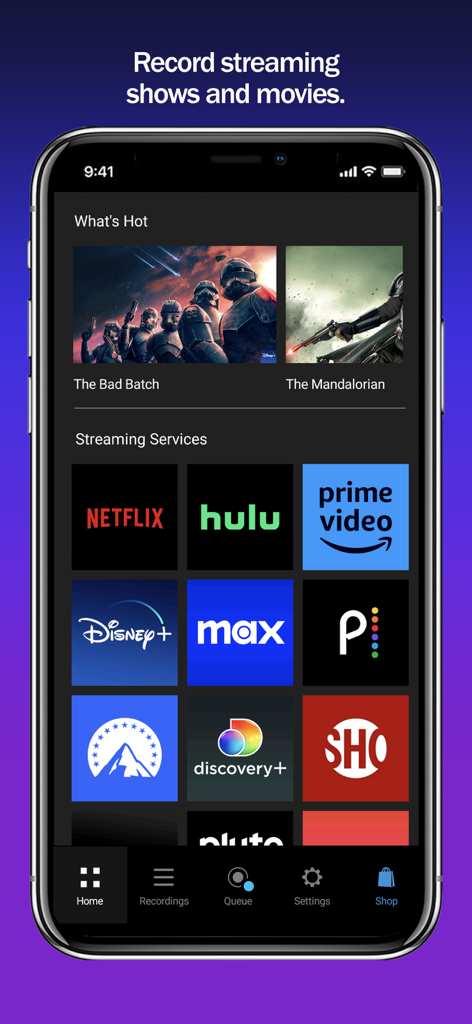
Startbildschirm der PlayOn Cloud App mit Icons für Streaming-Dienste wie Netflix, Hulu und Prime Video
Startbildschirm der PlayOn Cloud App mit Icons für Streaming-Dienste wie Netflix, Hulu und Prime Video

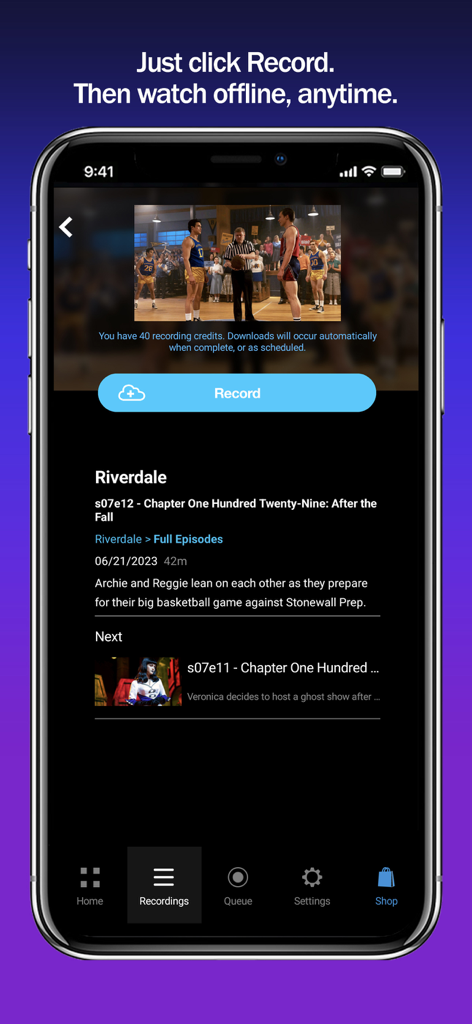
PlayOn Cloud App-Oberfläche mit der Aufnahmetaste zum Herunterladen einer TV-Folge für die Offline-Ansicht
PlayOn Cloud App-Oberfläche mit der Aufnahmetaste zum Herunterladen einer TV-Folge für die Offline-Ansicht

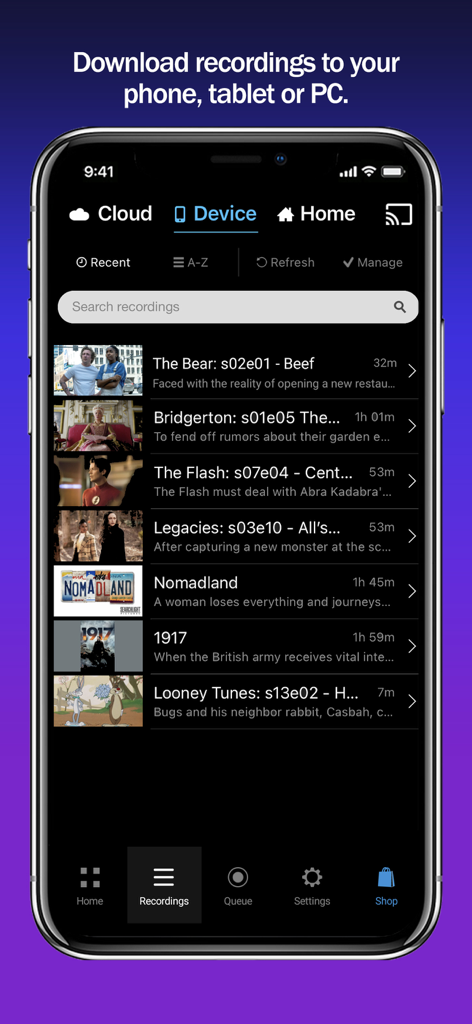
PlayOn Cloud App-Oberfläche mit einer Liste der heruntergeladenen TV-Serien und Filme für die Offline-Ansicht, einschließlich Titeln wie The Bear und Bridgerton.

PlayOn Cloud App-Oberfläche mit einer Liste der heruntergeladenen TV-Serien und Filme für die Offline-Ansicht, einschließlich Titeln wie The Bear und Bridgerton.

Ihr Streaming, ohne Einschränkungen

Die Tools, die diese App auszeichnen, gewählt von 1M+ Nutzern.

⏭️

Automatisches Überspringen von Werbung

Verschwenden Sie keine Zeit mehr. Nehmen Sie von den günstigeren werbefinanzierten Abos von Netflix, Hulu oder Disney+ auf und überspringen Sie Werbespots während der Wiedergabe automatisch.

✈️

Echte Offline-Portabilität

Der perfekte Reisebegleiter. Laden Sie Ihre Aufnahmen auf Ihr Handy, Tablet oder Ihren PC herunter, um sie auf dem Arbeitsweg oder während langer Flüge ohne Datenverbrauch anzusehen.

📦

Dauerhaftes Videoarchiv

Verlieren Sie nie wieder eine Sendung. Im Gegensatz zu herkömmlichen In-App-Downloads laufen PlayOn-Aufnahmen nie ab und bleiben in Ihrem Besitz, selbst wenn der Titel vom Streaming-Dienst entfernt wird.

Über die App

Alles, was Sie über wissen müssen PlayOn Cloud - Streaming DVR.

Beschreibung

Record and download any streaming video from Netflix, Disney+, Hulu, Amazon Prime, HBO Max, Peacock, Paramount+, The CW, Discovery+, Showtime, STARZ, Vudu, Pluto, Tubi, CBS, NBC, ABC, FOX, PBS, The Roku Channel, and BBC iPlayer, Acorn, Xfinity, and Spectrum. PlayOn Cloud downloads never expire. Download Big Bang Theory, The Bear, House of Dragon, Superman & Lois, Star Trek: Strange New Worlds, Yellowstone, Gotham Knights, Chicago Fire, Grey's Anatomy, or any of your favorite movies and shows; watch anytime, anywhere, even offline. Save hundreds of dollars a year by subscribing to the Ad-supported tiers of Netflix, Hulu, Disney+, HBO Max, Peacock, and Paramount+ and then skip over the ads when you watch with PlayOn (just like you do with your cable DVR). Record and download videos from Netflix before they go offline then watch them anywhere, anytime, even after they have been removed from Netflix. No need to select only the videos that Netflix lets you download, with PlayOn Cloud you can download ANY Netflix or Hulu video. Record and download Disney+ videos to watch offline. The simple PlayOn Cloud app gives you easy access to download all streaming videos from Netflix, Disney+, Hulu, Amazon Prime, HBO Max, Peacock, Paramount+, The CW, Discovery+, Showtime, STARZ, Vudu, Pluto, Tubi, CBS, NBC, ABC, FOX, PBS, The Roku Channel, and BBC iPlayer, Acorn, Xfinity, and Spectrum.– over 20 of the most popular streaming services. Love House of Dragon, Game of Thrones, Jack Ryan or want to watch Moon Knight when you’re offline? Simply select the show you want and hit record. Once recorded, a streaming show or movie will be available for you to download to your mobile device or PC. You can even set it to automatically download to your phone, tablet, or TV as soon as the recording is finished. You can skip right over the recordings automatically when you watch. You can even watch your recordings on your Roku, Chromecast, Fire TV, or Apple TV (and skip the recordings). The recording happens in the PlayOn Cloud so no data is used to make the recording. Once your PlayOn Cloud recording is downloaded, you can watch it anytime and anywhere. You can watch it on your big screen TV with your Roku, Chromecast, Fire TV, or Apple TV. No more worrying about a Netflix video leaving. You can even download it to your Mac, PC or other device. No more WiFi requirement to watch on your mobile device – you can download Netflix and watch when you're not on WiFi without using data. Want to watch your downloaded PlayOn Cloud recordings on your TV? You can cast to your TV with Roku, Chromecast or Fire TV or AirPlay it to your Apple TV. Have a long flight tomorrow? Queue up Game of Thrones, Jack Ryan or The Mandalorian tonight and they’ll be downloaded and waiting when you take off. Long subway ride to work? With PlayOn Cloud, you’ll be watching downloaded Netflix, The CW, or Disney+ videos the entire time. Need a selection of safe shows for your kids to watch? PlayOn Cloud makes it easy to fill up your kid's device with safe streaming shows - and watch them without using any cellular data, or watching any commercials. When you watch recordings that have commercials, you have an option to automatically skip the ads. How great is that? Want to make PlayOn Cloud even more powerful? Get an optional PlayOn Cloud Storage and Credit plan. You'll get a week to make 7 free recordings. After that you'll be billed $4.99 per month for 30 recordings and 100GB cloud storage. You’ll be charged as a recurring transaction through your iTunes account. Your subscription will automatically renew unless canceled at least 24 hours before the end of the current billing period. Your account will be charged for renewal within 24 hours prior to the end of the current period. You can manage your subscription and turn off auto-renewal by going to your iTunes Account Settings after purchase. Terms of Use: https://www.playon.tv/eula Privacy Policy: http://www.playon.tv/privacy

Neueste Version

1.2.127.37153

Größe

155.0 MB

Erstveröffentlichung

3. Okt. 2016

Übernehmen Sie noch heute die Kontrolle über Ihr Streaming

Überspringen Sie die Werbung, sparen Sie Datenvolumen und behalten Sie Ihre Lieblingssendungen für immer. Werden Sie einer von über 1 Million Nutzern und erhalten Sie Ihre ersten 7 Aufnahmen kostenlos.

Herunterladen auf App Store

App information, icons, screenshots, and descriptions displayed on this page are sourced from the Apple App Store and are the property of their respective developers. Download estimates and rankings are based on MWM's proprietary models and may not reflect actual figures. This page is provided for informational and analytical purposes only.

Believe this page infringes your intellectual property? File a dispute