PortKnock
PortKnock
Herunterladen auf App Store

Diese Seite ist keine offizielle Seite der App oder ihres Entwicklers, sondern eine unabhängige redaktionelle Veröffentlichung, die zu Informations- und Kommentarzwecken erstellt wurde. Sofern nicht ausdrücklich anders angegeben, sind weder die App noch ihr Entwickler mit MWM, Apple, Google Play, dem App-Herausgeber oder dem Entwickler der App verbunden, von ihnen unterstützt, gesponsert, autorisiert oder anderweitig offiziell verbunden, und nichts auf dieser Seite impliziert, dass die App unter Verwendung der Dienste von MWM entwickelt wurde. Alle Marken, Logos, Screenshots und andere Inhalte bleiben Eigentum ihrer jeweiligen Inhaber.


Logo von PortKnock
Herunterladen auf App Store

PortKnock

Schützen Sie Ihre Infrastruktur, indem Sie sensible Ports für das öffentliche Internet unsichtbar machen. Senden Sie benutzerdefinierte TCP/UDP-Sequenzen mit Passwortschutz und automatisieren Sie Ihren Workflow mit integriertem App-Start.

Kennzahlen

Downloads

33K+

Bewertung

4.5/5

Bewertungen gesamt

0

Herausgeber

Danny Sung

Kategorie

Utilities

Sprachen

1

Neueste Version

4.18

Größe

11.2 MB

Erstveröffentlichung

11. März 2010
Funktionen

Stealth-Zugriff und präzise Kontrolle

Das definitive werbefreie Dienstprogramm für Netzwerkadministratoren zur Sicherung der Remote-Infrastruktur mittels fortschrittlicher Port-Knocking-Protokolle.

Stealth-Server-Schutz

Eliminieren Sie Brute-Force-Risiken, indem Sie Dienstports für die Öffentlichkeit vollständig geschlossen halten, bis Sie den Zugriff mit einer geheimen Sequenz autorisieren.

Sofortige Workflow-Automatisierung

Schließen Sie die Lücke zwischen Sicherheit und Geschwindigkeit mit einem Auto App Launcher, der Ihren SSH-Client startet, sobald das Tor geöffnet ist.

Die folgenden Screenshots und die Beschreibung stammen direkt aus dem offiziellen Store-Eintrag der App und sind Eigentum des Entwicklers.

App Store

Screenshots
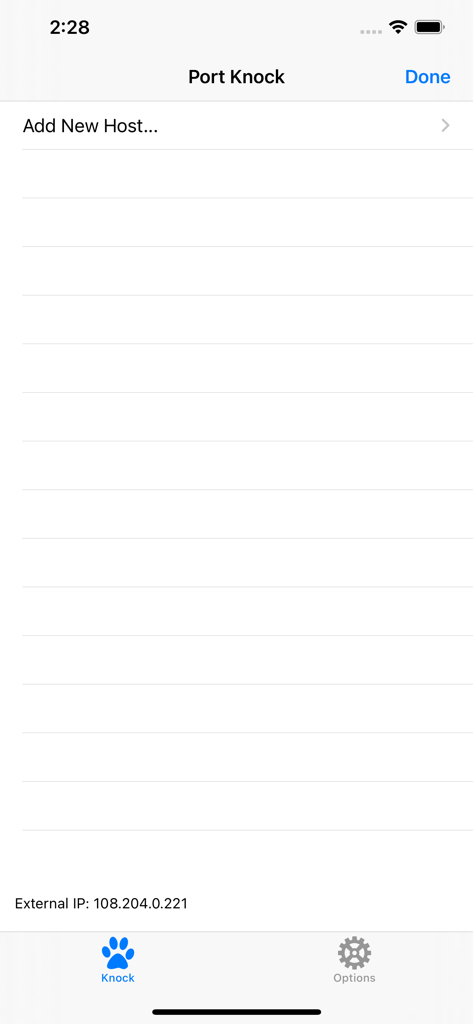
PortKnock - Hauptbildschirm der PortKnock-App, der die Option zum Hinzufügen eines neuen Hosts und die externe IP-Adresse anzeigt
Hauptbildschirm der PortKnock-App, der die Option zum Hinzufügen eines neuen Hosts und die externe IP-Adresse anzeigt

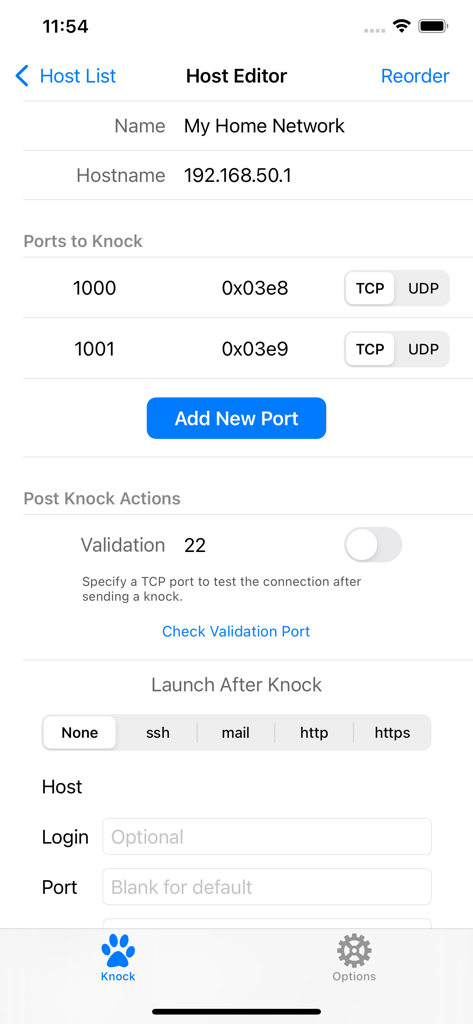
PortKnock - Host-Editor-Bildschirm in der PortKnock-App, der die Netzwerkkonfiguration und die Port-Knocking-Einstellungen anzeigt
Host-Editor-Bildschirm in der PortKnock-App, der die Netzwerkkonfiguration und die Port-Knocking-Einstellungen anzeigt

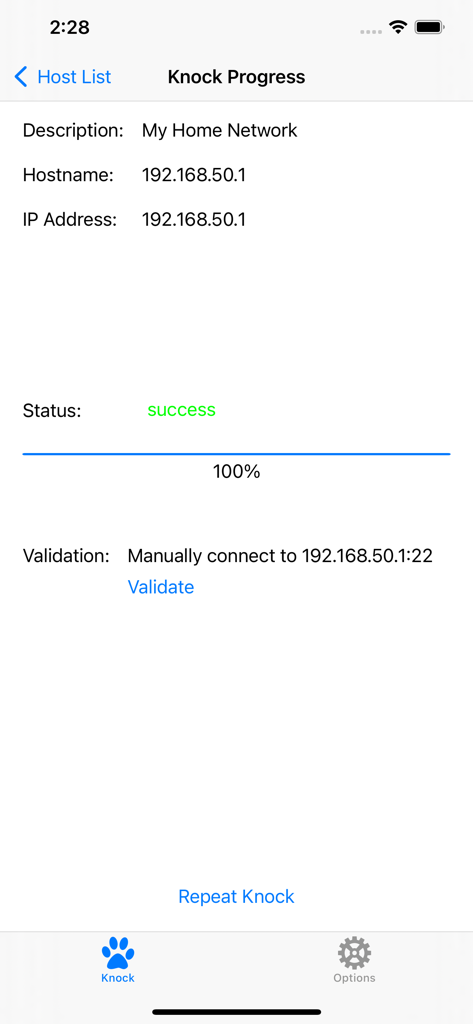
PortKnock - PortKnock-App-Bildschirm, der den erfolgreichen Abschluss der Port-Knock-Sequenz für einen Host im Netzwerk anzeigt
PortKnock-App-Bildschirm, der den erfolgreichen Abschluss der Port-Knock-Sequenz für einen Host im Netzwerk anzeigt

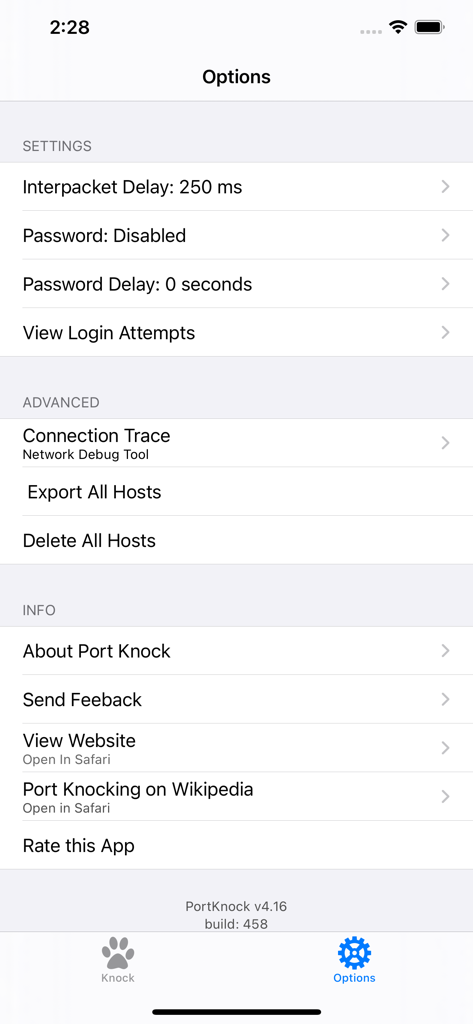
PortKnock - Der Einstellungs- und Optionenbildschirm der PortKnock-App, der die Konfiguration für Netzwerkpakete und Sicherheit anzeigt

Der Einstellungs- und Optionenbildschirm der PortKnock-App, der die Konfiguration für Netzwerkpakete und Sicherheit anzeigt

Beschreibung

-- Overview -- This application is a simple port knocker for the iPhone, generally useful only to network administrators. You *must* have a port knock daemon running on your server for this application to be useful. Features in this version of Port Knock: - Password Protection - Knock Validation - Import/Export Hosts - Auto App Launcher(+) - Knock Progress Screen - Shows your External IP Address - Arbitrary number of ports per host - An unlimited number of host definitions - TCP/UDP configuration per port - Selectively sending knocks through WiFi or Carrier/3G networks - Configurable interpacket delay - Has no advertising -- Use Cases -- This app is ideal if you're on a WiFi network but don't have a port knocker on the available computers. If you're sitting behind a NAT, the iPhone/iPod Touch will have the same IP as any of the other computers on your network. This is also great to use with TouchTerm or any other ssh or telnet software for the iPhone.Just give it the hostname and a list of ports, and whether you want it to send TCP or UDP packets. -- Brief Description of Port Knocking for the Layman -- Port Knocking is a technique to secure services behind a firewall until a specific knock sequence is given. This is not to be confused with port scanning (a network management tool for discovering open services on a system). Imagine you left your kids at home alone. You don't want them to open the door for strangers. And when a stranger comes knocking, you don't even want them to come to the door, because you don't want them to know your kids are there. But, when you or other family members come, you might want them to open the door for you. So you teach them to listen for a certain rattat-tat-tat or special knock that only you and your family know. This is the same concept you can apply to your servers. If you run a knock daemon on your server, this app then lets you send the special knock to it. A more technical description of port knocking can be found on Wikipedia: http://en.wikipedia.org/wiki/Port_knocking -- Additional Info -- If you're in need of a knock server, I personally use Judd Vinet's knock daemon for linux. It's quite easy to use: http://www.zeroflux.org/projects/knock You can find of information and a nice list of other knock clients and servers over at http://www.portknocking.org/ -- Notes -- + There are some restrictions regarding the Auto App Launcher. For SSH, you can only create temporary connections. For Mail, you will always be shown a new compose mail window first. Unfortunately, this is due to the way App integration works on iOS. There's not much I can do to address these issues at this time. -- Support -- For better support, please send bug reports and feature requests to danny@sungheroes.com, rather than simply posting it in a review. You can find more info on using PortKnock at the main website: http://www.sungheroes.com/products/portknock-iphone/ -- History -- 2022-02-28 PortKnock 4.18 released. LaunchApp automatically works again. Fixed some import bugs. 2018-01-xx PortKnock 4.12 supports IPv6 2017-09-xx PortKnock 4.0 released for iOS 10.3 2013-02-15 PortKnock 3.2 should work again on iOS5 2011-Jul-10 PortKnock 3.0.833 released. Added password protection, knock validation, import/export hosts, auto app launcher, and knock progress screen. 2010-Dec-14 PortKnock 2.02 released. Added a 'copy hosts' feature. Host/Port reordering should now work correctly. Entry fields should now work properly on iOS 4.2.1. 2010-Sep-25 PortKnock 2.01 is now available in the app store. iPhone 4's should no longer have an issue. If you are experiencing problems, please email me. 2010-Sep-09 The iPhone4 issue should be resolved. A bug fix release has been submitted. Thank you all for your patience!

Download

Herunterladen auf App Store

Diese Seite ist keine offizielle Seite der App oder ihres Entwicklers, sondern eine unabhängige redaktionelle Veröffentlichung, die zu Informations- und Kommentarzwecken erstellt wurde. Sofern nicht ausdrücklich anders angegeben, sind weder die App noch ihr Entwickler mit MWM, Apple, Google Play, dem App-Herausgeber oder dem Entwickler der App verbunden, von ihnen unterstützt, gesponsert, autorisiert oder anderweitig offiziell verbunden, und nichts auf dieser Seite impliziert, dass die App unter Verwendung der Dienste von MWM entwickelt wurde. Alle Marken, Logos, Screenshots und andere Inhalte bleiben Eigentum ihrer jeweiligen Inhaber.








