
Diese Seite ist keine offizielle Seite der App oder ihres Entwicklers, sondern eine unabhängige redaktionelle Veröffentlichung, die zu Informations- und Kommentarzwecken erstellt wurde. Sofern nicht ausdrücklich anders angegeben, sind weder die App noch ihr Entwickler mit MWM, Apple, Google Play, dem App-Herausgeber oder dem Entwickler der App verbunden, von ihnen unterstützt, gesponsert, autorisiert oder anderweitig offiziell verbunden, und nichts auf dieser Seite impliziert, dass die App unter Verwendung der Dienste von MWM entwickelt wurde. Alle Marken, Logos, Screenshots und andere Inhalte bleiben Eigentum ihrer jeweiligen Inhaber.


Previs Pro - Storyboard Fast
Hören Sie auf, Strichmännchen zu zeichnen, und beginnen Sie, Ihre Vision mit technischer Präzision zu visualisieren. Erstellen Sie 3D-Sets, experimentieren Sie mit AR vor Ort und exportieren Sie professionelle Shot Lists direkt von Ihrem iPhone oder iPad.
Downloads
111K+Bewertung
Bewertungen gesamt
2K+Herausgeber
Kategorie
Photo & VideoSprachen
11Neueste Version
3.3.0Größe
761.3 MBErstveröffentlichung
5. Feb. 2020Visualisieren Sie Ihre Vision, schneller
Hören Sie auf, Strichmännchen zu zeichnen, und fangen Sie an, Regie zu führen. Previs Pro bietet Ihnen ein 3D-Studio in Hollywood-Qualität, das in Ihre Tasche passt, entwickelt für Filmemacher, die mit der Geschwindigkeit des Denkens arbeiten müssen.
Keine Zeichenkenntnisse erforderlich
Bauen Sie komplexe 3D-Sets in Sekundenschnelle mit einfachen Gesten. Bestücken Sie Ihre Szenen mit posierbaren Charakteren und Hunderten von Requisiten, um Ihre Vision mit absoluter Klarheit zu vermitteln.
AR-Location-Scouting
Platzieren Sie virtuelle Schauspieler und Requisiten in realen Umgebungen mithilfe von Augmented Reality. Erkunden Sie Ihre Drehorte und legen Sie Ihre Einstellungen fest, bevor die Crew überhaupt am Set eintrifft.
Häufig gestellte Fragen
Alles, was Sie über wissen müssen Previs Pro - Storyboard Fast
Was ist Previs Pro - Storyboard Fast?
Previs Pro - Storyboard Fast ist eine App für iPad und iPhone, die 3D-Storyboards erstellt. Sie ermöglicht es Filmemachern und Videoschaffenden, Einstellungen und Szenen vorwegzunehmen, 3D-Sets zu bauen und Kamerawinkel in Echtzeit zu experimentieren.
Kann ich mit Previs Pro 3D-Storyboards erstellen?
Ja, Previs Pro erstellt 3D-Storyboards. Benutzer bauen 3D-Sets mit Gebäuden, Requisiten und Charakteren, positionieren dann Kameras und Lichter, um ihre Einstellungen effektiv innerhalb der App zu gestalten.
Welche Geräte unterstützen Previs Pro?
Previs Pro unterstützt iPhone-, iPad- und Mac-Geräte. Die App ermöglicht es Benutzern, 3D-Storyboards auf diesen Plattformen zu erstellen.
Bietet Previs Pro verschiedene Preisoptionen an?
Ja, Previs Pro bietet ein Jahresabonnement, das durchschnittlich unter 15 US-Dollar pro Monat kostet, und eine lebenslange Kaufoption. Benutzer können die App dauerhaft besitzen oder jährlich abonnieren.
Kann Previs Pro Skripte von Final Draft importieren?
Ja, Previs Pro importiert jede Szene und jeden Charakter direkt aus Final Draft-Skripten und unterstützt Final Draft 12. Diese Integration optimiert den Storyboarding-Prozess, indem sie Inhalte automatisch auffüllt.
Welche Exportoptionen sind in Previs Pro verfügbar?
Previs Pro exportiert Storyboards als druckbare PDFs oder als teilbare Grafikdateien. Benutzer fügen nach Bedarf umfangreiche Daten hinzu, wie z. B. Kameraansichten, Shot-Listen, Kameratypen, Objektive und Seitenverhältnisse.
Enthält Previs Pro Augmented Reality (A/R) Funktionen?
Ja, Previs Pro enthält eine A/R-Funktion. Diese ermöglicht es Benutzern, virtuelle Requisiten und Charaktere in realen Umgebungen zu platzieren, um Einstellungen direkt dort zu erstellen, wo sie drehen wollen.
Kann ich Charaktere in Previs Pro anpassen?
Ja, Previs Pro bietet posierbare und bearbeitbare Charaktere. Benutzer passen Größe, Geschlecht, Körpertyp, Haar-, Haut-, Augen- und Kleiderfarben an. Sie können auch benutzerdefinierte Gesichtsausdrücke aus über 50 Posen einstellen.
Welche Arten von Requisiten sind in Previs Pro verfügbar?
Previs Pro bietet Hunderte von Requisiten in Kategorien wie Einrichtung, Gebäude, Natur und Fahrzeuge. Benutzer importieren 3D-Requisiten aus Bibliotheken wie Sketchfab oder verwenden einfache Formen und benutzerdefinierte Bilder.
Bietet Previs Pro Dateiverwaltungs- und Sicherheitsfunktionen?
Ja, Previs Pro bietet eine sichere Dateiverwaltung. Benutzer speichern Projekte mit iCloud, Dropbox oder lokal. Sie teilen Previs Pro-Dateien auch direkt innerhalb der Anwendung mit anderen vertrauenswürdigen Benutzern.
Kann Previs Pro mit anderen Produktionsdiensten integriert werden?
Ja, Previs Pro integriert sich in Produktionsdienste. Es importiert Final Draft-Skripte und exportiert Storyboard-Bilder auf Plattformen wie Studio Binder und Celtx.
Unterstützt Previs Pro die Animation von Storyboards?
Ja, Previs Pro unterstützt die Animation von Storyboards. Die App ermöglicht es Benutzern, ihre Storyboard-Sequenzen zu animieren und Bewegungen zu visualisieren.
Verfügt Previs Pro über KI-Funktionen?
Ja, Previs Pro enthält fortschrittliche KI-Funktionen. Diese Funktionalitäten verbessern den Storyboarding-Prozess und bieten Benutzern ausgefeilte Werkzeuge innerhalb der App.
Ist Previs Pro kostenlos nutzbar?
Ja, Previs Pro ist kostenlos nutzbar mit der Option, für mehr Funktionen ein Upgrade durchzuführen. Dies ermöglicht es Benutzern, die App auszuprobieren, bevor sie erweiterte Funktionen oder vollen Zugriff erwerben.
Die folgenden Screenshots und die Beschreibung stammen direkt aus dem offiziellen Store-Eintrag der App und sind Eigentum des Entwicklers.
App Store
Screenshots
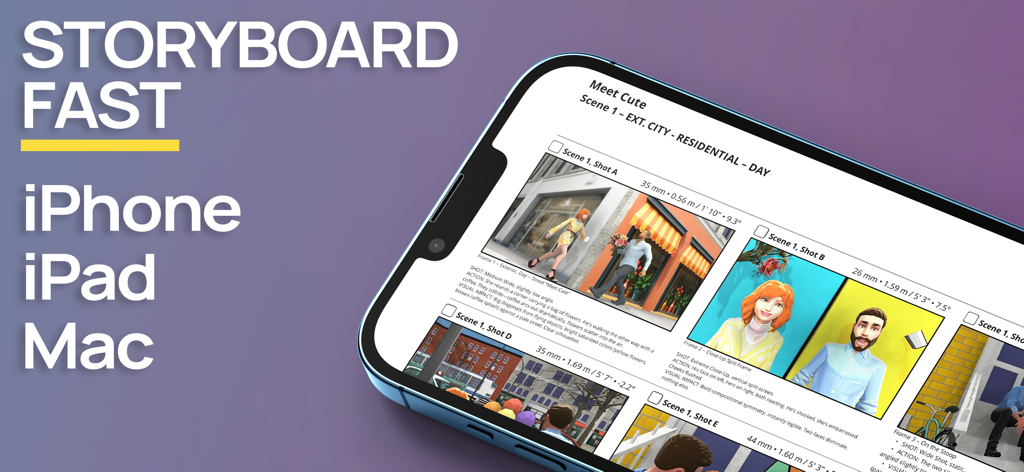
Previs Pro Storyboard-App-Oberfläche auf einem iPhone, die 3D-Filmszenen anzeigt
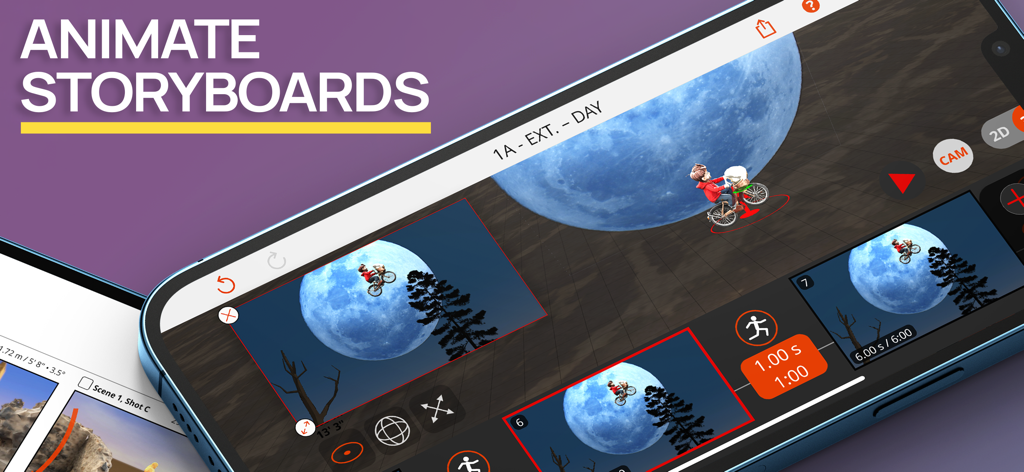
Oberfläche der Previs Pro-App, die 3D-Storyboard-Animationen mit einer filmischen Mondszene zeigt
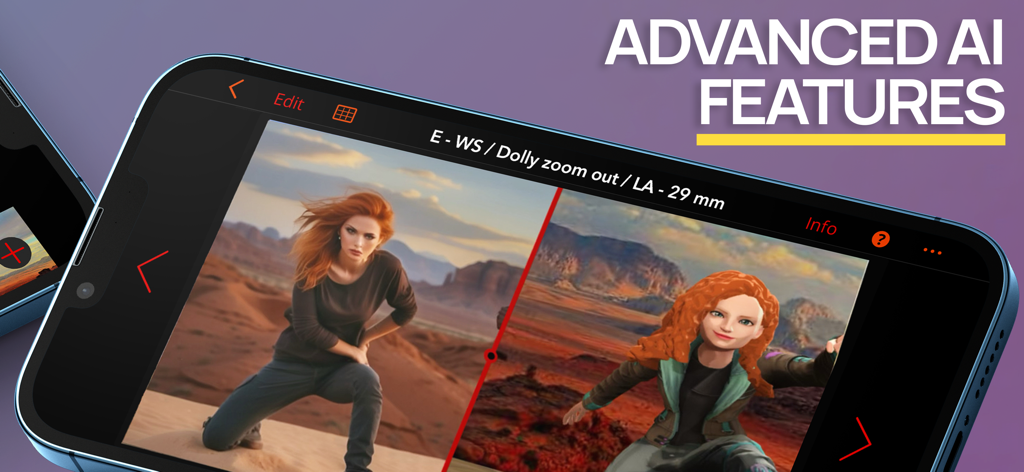
Previs Pro-App auf einem Smartphone, die einen Splitscreen-Vergleich zwischen einem realistischen Bild und einem 3D-Storyboard-Modell mit KI-Funktionen zeigt.
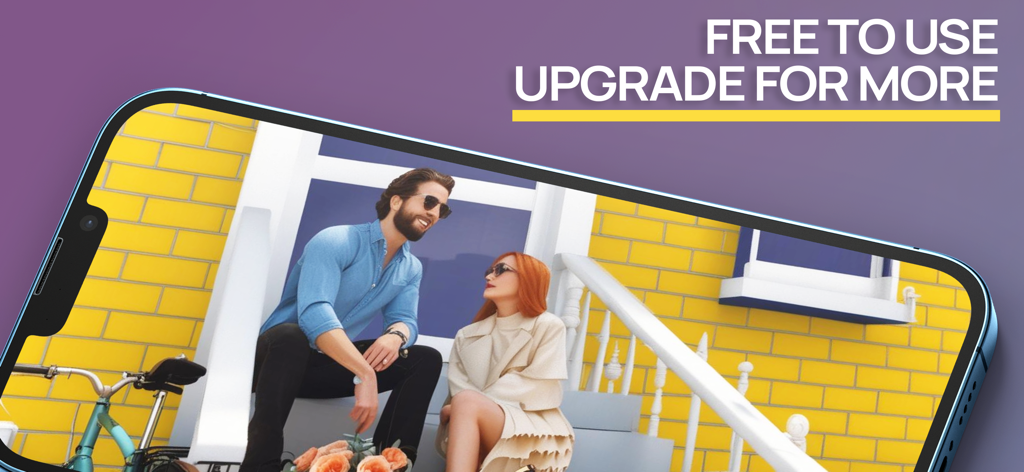
Ein Smartphone, das eine 3D-Storyboard-Szene von zwei Charakteren zeigt, die auf einer Veranda sitzen
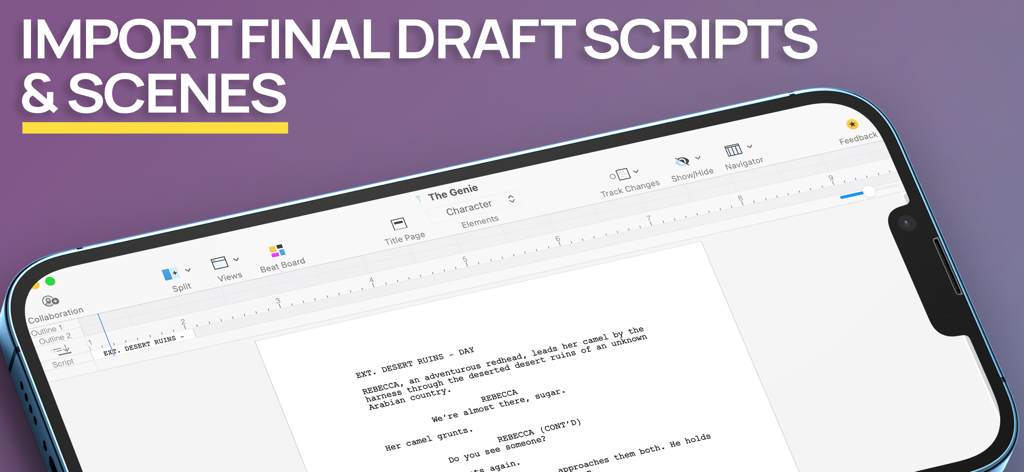
Screenshot der Previs Pro-App, der den Import von Final Draft-Drehbüchern und Szenen auf dem Bildschirm eines Mobilgeräts zeigt
Beschreibung
Download
Ähnliche Apps
Apps mit ähnlichen Funktionen und Nutzererfahrung
Handy Art Reference Tool
Scott McKie

Moblo - 3D furniture modeling
MYTIforge
Head Model Studio - Art Study
Wes Castain

Manikin
UNSH VOF

Magic Poser - Art Pose Tool
Wombat Studio, Inc.

ArtPose
shawn ogle
ArtPose Female Edition
shawn ogle

Pose Croquis
Kazuaki Matsuda

Easy Pose -Best Posing App
Park Kiyoung
Diese Seite ist keine offizielle Seite der App oder ihres Entwicklers, sondern eine unabhängige redaktionelle Veröffentlichung, die zu Informations- und Kommentarzwecken erstellt wurde. Sofern nicht ausdrücklich anders angegeben, sind weder die App noch ihr Entwickler mit MWM, Apple, Google Play, dem App-Herausgeber oder dem Entwickler der App verbunden, von ihnen unterstützt, gesponsert, autorisiert oder anderweitig offiziell verbunden, und nichts auf dieser Seite impliziert, dass die App unter Verwendung der Dienste von MWM entwickelt wurde. Alle Marken, Logos, Screenshots und andere Inhalte bleiben Eigentum ihrer jeweiligen Inhaber.