Previs Shot - Video Workflow

Previs Shot - Video Workflow


Herunterladen auf App Store
Logo von Previs Shot - Video Workflow

Previs Shot – Das All-in-One-Produktions-Kommandozentrum für Filmemacher

Optimieren Sie Ihren Workflow vom Storyboard bis zur letzten Aufnahme. Verwalten Sie Shotlists, Zeitpläne und Drehpläne mit der Leistung eines professionellen Studios direkt in Ihrer Tasche.

Herunterladen auf App Store

Herausgeber

文海 张

Kategorie

Photo & Video

Downloads

67K+

Bewertung

4.6/5

Bewertungen gesamt

100

Sprachen

10

Meistern Sie Ihr Set

Entdecken Sie die Oberfläche, die von 67K+ Nutzern verwendet wird.
Previs Shot App-Oberfläche zum Erstellen von Storyboards und Shotlists

Previs Shot App-Oberfläche zum Erstellen von Storyboards und Shotlists

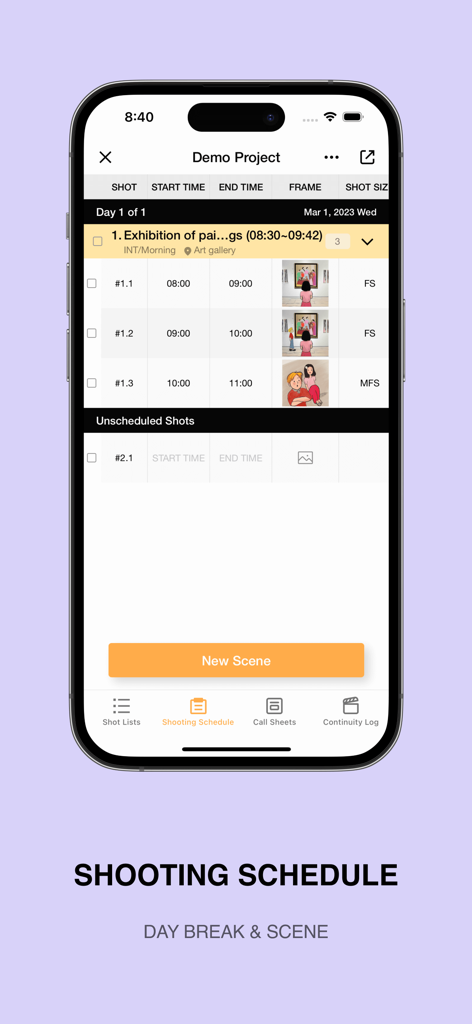
iPhone-Bildschirm, der die Drehplanfunktion der Previs Shot App mit Szenen und Drehzeiten anzeigt

iPhone-Bildschirm, der die Drehplanfunktion der Previs Shot App mit Szenen und Drehzeiten anzeigt

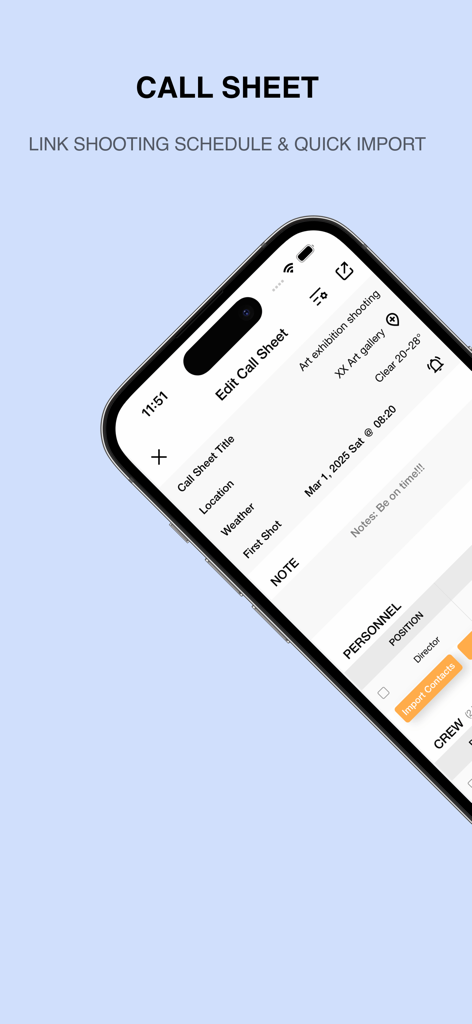
Oberfläche der Previs Shot App, die den Drehplan-Editor für das Videoproduktionsmanagement auf einem iPhone-Bildschirm zeigt.

Oberfläche der Previs Shot App, die den Drehplan-Editor für das Videoproduktionsmanagement auf einem iPhone-Bildschirm zeigt.

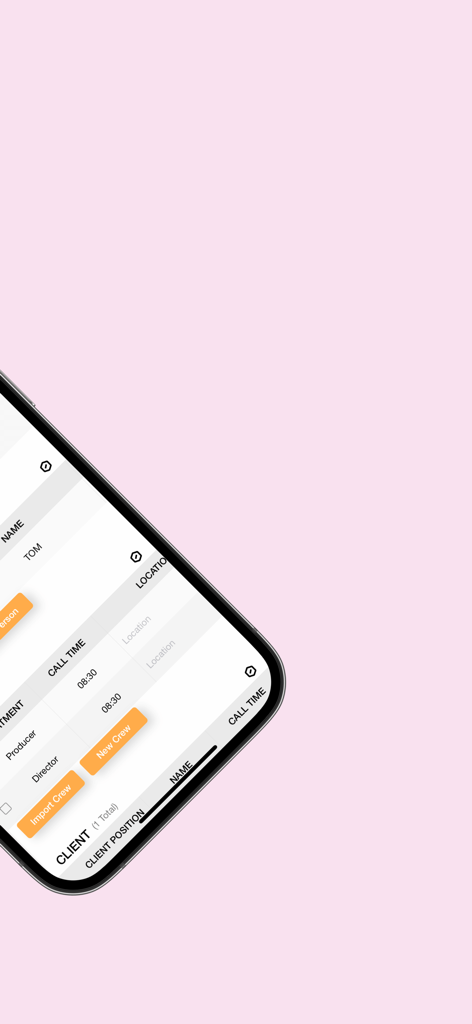
Digitaler Drehplan-Interface in Previs Shot, der Crew-Namen, Abteilungen und geplante Aufrufzeiten anzeigt

Digitaler Drehplan-Interface in Previs Shot, der Crew-Namen, Abteilungen und geplante Aufrufzeiten anzeigt

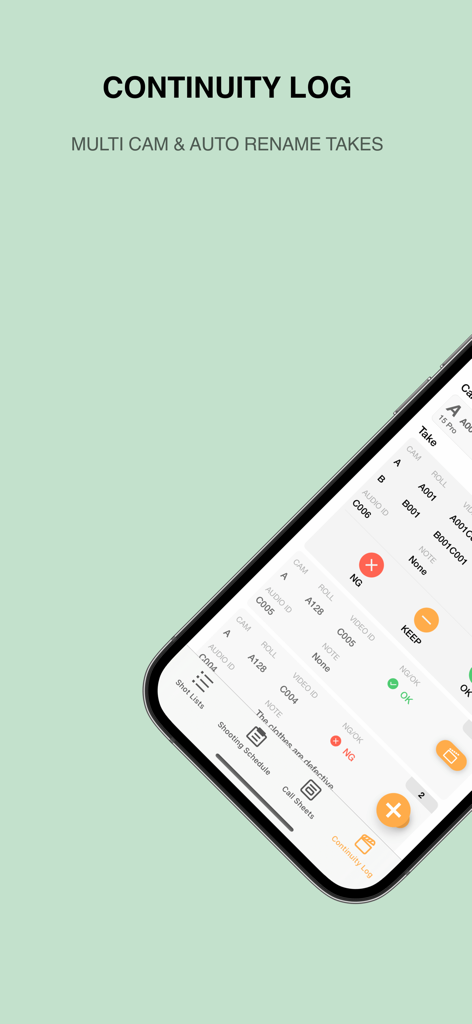
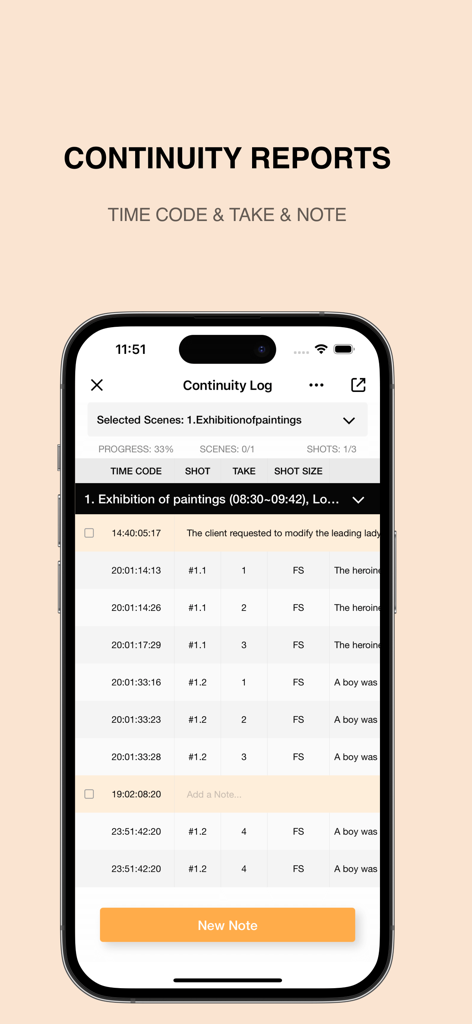
Eine mobile Oberfläche der Previs Shot App, die ein Kontinuitäts-Logbuch zur Verwaltung von Filmaufnahmen und Kameradaten zeigt.

Eine mobile Oberfläche der Previs Shot App, die ein Kontinuitäts-Logbuch zur Verwaltung von Filmaufnahmen und Kameradaten zeigt.

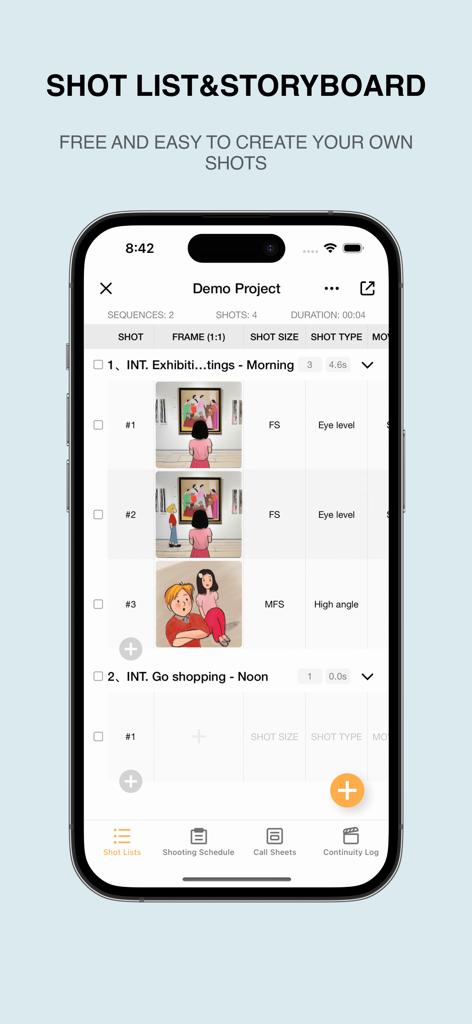
Previs Shot App-Oberfläche auf einem iPhone, die eine Shotlist für Filmproduktionen und Szenendetails anzeigt.

Previs Shot App-Oberfläche auf einem iPhone, die eine Shotlist für Filmproduktionen und Szenendetails anzeigt.

iPhone-Screenshot der Previs Shot App, der ein detailliertes Kontinuitäts-Logbuch mit Zeitcodes, Shot-Nummern und Take-Informationen für die Filmproduktion zeigt.

iPhone-Screenshot der Previs Shot App, der ein detailliertes Kontinuitäts-Logbuch mit Zeitcodes, Shot-Nummern und Take-Informationen für die Filmproduktion zeigt.

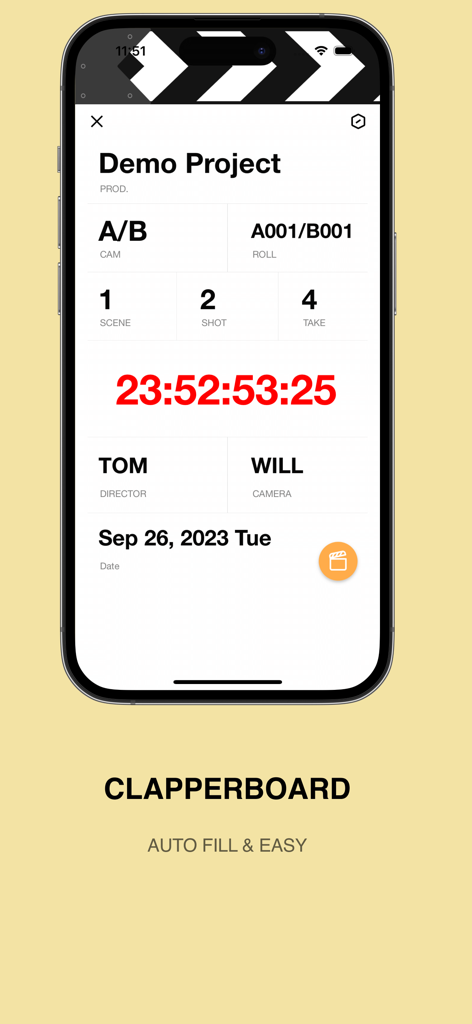
Ein Smartphone, das eine digitale Filmklappen-Oberfläche aus der Previs Shot App mit Informationen zu Szene, Shot und Take anzeigt

Ein Smartphone, das eine digitale Filmklappen-Oberfläche aus der Previs Shot App mit Informationen zu Szene, Shot und Take anzeigt

Meistern Sie jeden Frame Ihrer Produktion

Die Tools, die diese App auszeichnen, gewählt von 67K+ Nutzern.

🖼️

Visuelle Storyboards & Shotlists

Visualisieren Sie Ihre Szenen mit flexiblen Grids und automatischem Zuschneiden im Seitenverhältnis, um sicherzustellen, dass Ihre kreative Vision perfekt an Ihre Crew kommuniziert wird.

📅

Intelligente Zeitplanung & Drehpläne

Automatisieren Sie die mühsame Logistik. Erstellen Sie professionelle Drehpläne und optimierte Drehpläne in wenigen Minuten, um Ihr Projekt pünktlich und im Budget zu halten.

Nahtlose Ausführung am Set

Verabschieden Sie sich vom Papierkram mit einer integrierten digitalen Filmklappe und automatisierten Kontinuitätsberichten, die Fehler beseitigen und Ihren Postproduktions-Workflow vereinfachen.

Über die App

Alles, was Sie über wissen müssen Previs Shot - Video Workflow.

Beschreibung

Previs Shot - Streamlining workflows for creative studios; video、TV & film production management software. [Shot list & Storyboard] • Easily edit storyboard grids with various options for scene, camera movement, and input methods. • Visual display supports images, text, and storyboard modes, making it user-friendly. • Storyboard images support multiple ratios, allowing image import and automatic cropping. [Shooting Schedule] • The shooting schedule rearranges shots into scenes, supports quick filtering and sorting, and is your best assistant. • Plan shooting schedules by day, coordinate cast, locations, and work hours, saving project budgets! [Call Sheet] • Keep all information organized: schedules, clients, cast, crew, and more. • Choose a shooting schedule, automatically import scenes and shot list, making it simple and worry-free. • Supports quick importing of addresses, contacts, and crew information, so you don't have to type every time. [Takes] • Rate and mark shots after shooting, reaching 100% progress. • The clapperboard automatically fills in information, so you can say goodbye to a racing heart! • Automatically record continuity reports during the shooting, print and deliver them when done. • Supports multiple camera angles, it has everything you can think of! [Previs Shot auto-renewing subscriptions statement of service] • Payment will be charged to your Apple ID account at the confirmation of purchase. Subscription automatically renews unless it is canceled at least 24 hours before the end of the current period. Your account will be charged for renewal within 24 hours prior to the end of the current period. • If you need to unsubscribe, please open the iphone "Settings" --> "Apple ID" --> "Subscription" --> "Previs Shot" --> unsubscribe. • Terms of Use: https://zhangwenhai.notion.site/Previs-Shot-Terms-Of-Use-253694968dc84dd4a881c65ff3b02757 • Privacy Policy: https://zhangwenhai.notion.site/Previs-Shot-Privacy-Policy-5ae5f7088d1b4b82aaae95ffa9e625c7

Neueste Version

3.10.0

Größe

34.9 MB

Erstveröffentlichung

2. Jan. 2023

Bereit, Ihre nächste Produktion zu meistern?

Schließen Sie sich über 67.000 Indie-Filmemachern und Kreativstudios an, die Previs Shot nutzen, um Produktionschaos zu beseitigen. Laden Sie es jetzt herunter, um Ihre Storyboards, Zeitpläne und Drehpläne in einem professionellen Workflow zu optimieren.

Herunterladen auf App Store

App information, icons, screenshots, and descriptions displayed on this page are sourced from the Apple App Store and are the property of their respective developers. Download estimates and rankings are based on MWM's proprietary models and may not reflect actual figures. This page is provided for informational and analytical purposes only.

Believe this page infringes your intellectual property? File a dispute