
Diese Seite ist keine offizielle Seite der App oder ihres Entwicklers, sondern eine unabhängige redaktionelle Veröffentlichung, die zu Informations- und Kommentarzwecken erstellt wurde. Sofern nicht ausdrücklich anders angegeben, sind weder die App noch ihr Entwickler mit MWM, Apple, Google Play, dem App-Herausgeber oder dem Entwickler der App verbunden, von ihnen unterstützt, gesponsert, autorisiert oder anderweitig offiziell verbunden, und nichts auf dieser Seite impliziert, dass die App unter Verwendung der Dienste von MWM entwickelt wurde. Alle Marken, Logos, Screenshots und andere Inhalte bleiben Eigentum ihrer jeweiligen Inhaber.


PrinterShare
Kein Drucker in Reichweite? Egal. Diese App macht jedes Smartphone zur Druckzentrale.
Downloads
1M+Bewertung
Bewertungen gesamt
8.5KHerausgeber
Kategorie
ProductivitySprachen
26Neueste Version
4.5.1Größe
50.3 MBErstveröffentlichung
4. Juni 2010Eine Bewertung der Kernfunktionen und ihres Nutzens für mobile Nutzer und Kleinunternehmen.
Analyse der mobilen Drucklösung 'PrinterShare'
Globales entferntes Drucken
Es ermöglicht den Druck auf beliebigen Druckern weltweit über das Internet, was maximale Flexibilität und Ortsunabhängigkeit bietet und besonders für Nutzer außerhalb der direkten Druckerumgebung nützlich ist.
Breite Druckerkompatibilität
Dieses Tool unterstützt Tausende von Druckern vieler bekannter Marken und bietet für nicht explizit unterstützte Modelle sogar Treiber-Vorschläge, was die Einsatzmöglichkeiten erheblich erweitert und die Kompatibilität sicherstellt.
Vielfältige Dokumenten- und Inhaltstypen
Die App kann eine breite Palette von Inhalten wie PDFs, Fotos, Kontakte, Webseiten und über die Zwischenablage kopierte Texte direkt vom Mobilgerät drucken, wodurch diverse Anforderungen abgedeckt werden.
Drahtloses Drucken auf lokalen Druckern
Es ermöglicht den direkten Druck auf nahegelegenen WLAN-Druckern, einschließlich Wi-Fi Direct-Modellen, für schnelle und unkomplizierte Ausdrucke ohne Kabel direkt vom Smartphone oder Tablet.
Integration mit Desktop-Druckern
Die Software kann Drucker nutzen, die über die PrinterShare Desktop-Client-Anwendung auf einem PC oder Mac freigegeben sind, wodurch fast jeder an den Computer angeschlossene Drucker vom Mobilgerät aus zugänglich wird.
App-übergreifendes Teilen zum Drucken
Es ermöglicht Nutzern, Inhalte direkt aus anderen Apps über das Standard-Teilen-Menü an PrinterShare zu senden, um sie sofort auszudrucken, was die Effizienz und den Workflow verbessert.
Die folgenden Screenshots und die Beschreibung stammen direkt aus dem offiziellen Store-Eintrag der App und sind Eigentum des Entwicklers.
App Store
Screenshots
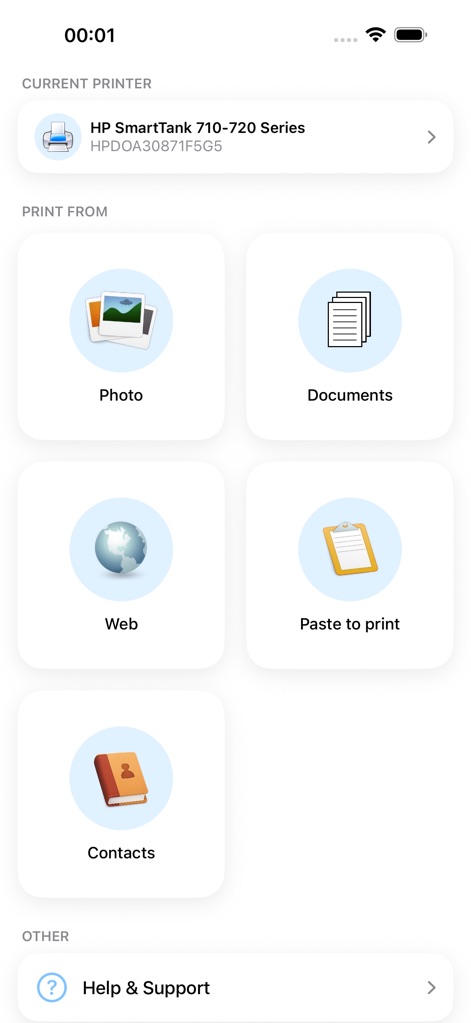
Die Startseite der App ermöglicht es Nutzern, direkt aus verschiedenen Kategorien wie Fotos und Dokumenten zu wählen und zeigt den aktuell konfigurierten Drucker an.
Inhalte einfach wählen
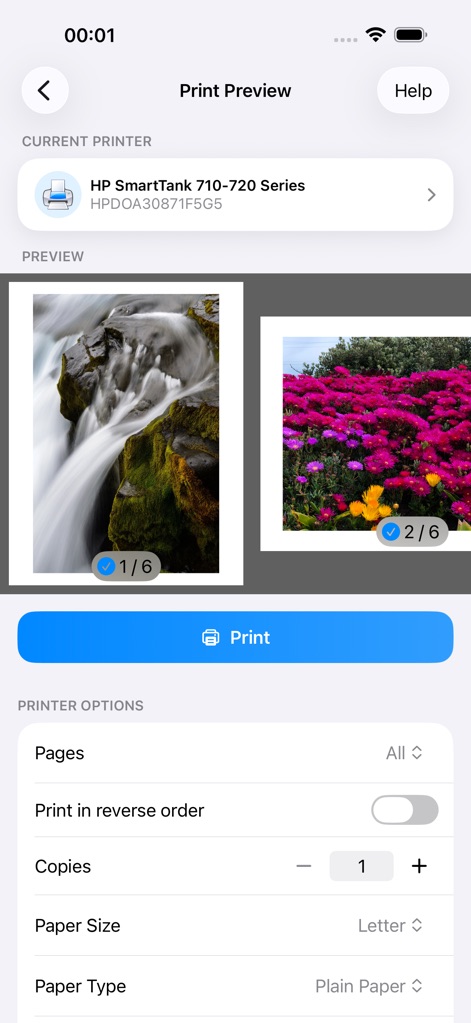
Eine übersichtliche Druckvorschau visualisiert das Ergebnis, während Nutzer detaillierte Einstellungen wie die Seitenauswahl und die Anzahl der Kopien anpassen können.
Druckoptionen konfigurieren
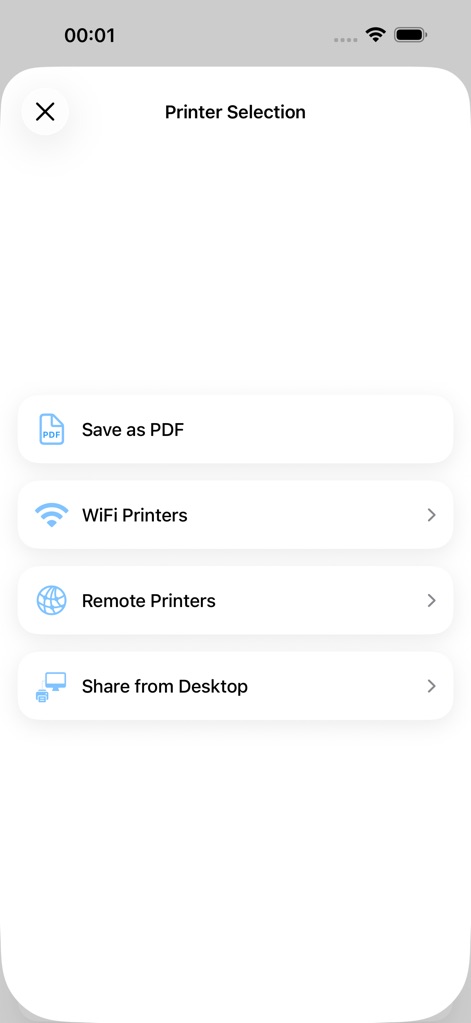
Das Auswahlmenü bietet Nutzern flexible Druckmethoden, darunter die Option, über WLAN-Drucker oder auch per "Als PDF speichern" zu drucken.
Vielfältige Druckwege
Beschreibung
Download
Ähnliche Apps
Top-gerankte Apps in derselben Kategorie

ChatGPT
OpenAI OpCo, LLC

Google Gemini
Google LLC

Grok
X.AI Corporation

Gmail - Email by Google
Google LLC

千问 - 阿里最强大模型官方AI助手
Shanghai Zhixin Puhui Technology Co., Ltd.

Google Drive
Google LLC

Microsoft Authenticator
Microsoft Corporation

Google Sheets
Google LLC

Google Docs
Google LLC
Diese Seite ist keine offizielle Seite der App oder ihres Entwicklers, sondern eine unabhängige redaktionelle Veröffentlichung, die zu Informations- und Kommentarzwecken erstellt wurde. Sofern nicht ausdrücklich anders angegeben, sind weder die App noch ihr Entwickler mit MWM, Apple, Google Play, dem App-Herausgeber oder dem Entwickler der App verbunden, von ihnen unterstützt, gesponsert, autorisiert oder anderweitig offiziell verbunden, und nichts auf dieser Seite impliziert, dass die App unter Verwendung der Dienste von MWM entwickelt wurde. Alle Marken, Logos, Screenshots und andere Inhalte bleiben Eigentum ihrer jeweiligen Inhaber.