Pro-face Remote HMI
Pro-face Remote HMI
Herunterladen auf App Store

Diese Seite ist keine offizielle Seite der App oder ihres Entwicklers, sondern eine unabhängige redaktionelle Veröffentlichung, die zu Informations- und Kommentarzwecken erstellt wurde. Sofern nicht ausdrücklich anders angegeben, sind weder die App noch ihr Entwickler mit MWM, Apple, Google Play, dem App-Herausgeber oder dem Entwickler der App verbunden, von ihnen unterstützt, gesponsert, autorisiert oder anderweitig offiziell verbunden, und nichts auf dieser Seite impliziert, dass die App unter Verwendung der Dienste von MWM entwickelt wurde. Alle Marken, Logos, Screenshots und andere Inhalte bleiben Eigentum ihrer jeweiligen Inhaber.


Logo von Pro-face Remote HMI
Herunterladen auf App Store

Pro-face Remote HMI

Maximieren Sie die Betriebszeit und eliminieren Sie unnötige Laufwege. Überwachen, beheben Sie Fehler und verwalten Sie mehrere HMI-Bildschirme von überall auf dem Werksgelände aus mit professioneller Sicherheit und Zuverlässigkeit.

Kennzahlen

Downloads

68K+

Bewertung

1.0/5

Bewertungen gesamt

0

Herausgeber

SCHNEIDER ELECTRICJAPAN HOLDINGS LTD.

Kategorie

Productivity

Sprachen

2

Neueste Version

1.70.000

Größe

4.8 MB

Erstveröffentlichung

15. Feb. 2013
Funktionen

Optimieren Sie Ihre Industrieabläufe

Pro-face Remote HMI schlägt die Brücke zwischen dem Werksgelände und Ihrem mobilen Gerät und ermöglicht so die Echtzeitverwaltung von Maschinen, reduzierte Ausfallzeiten und verbesserte Sicherheitsstandards.

Echtzeit-Fernüberwachung

Vermeiden Sie unnötige Fahrten über große Anlagen, indem Sie den Maschinenstatus und Alarme direkt von Ihrem iPhone oder iPad überall auf dem Werksgelände überwachen.

Proaktive Fehlerbehebung

Identifizieren Sie die Ursache von Gerätefehlern, bevor Sie überhaupt zur Maschine gelangen, damit Sie die richtigen Werkzeuge mitbringen und kritische Ausfallzeiten minimieren können.

Die folgenden Screenshots und die Beschreibung stammen direkt aus dem offiziellen Store-Eintrag der App und sind Eigentum des Entwicklers.

App Store

Screenshots
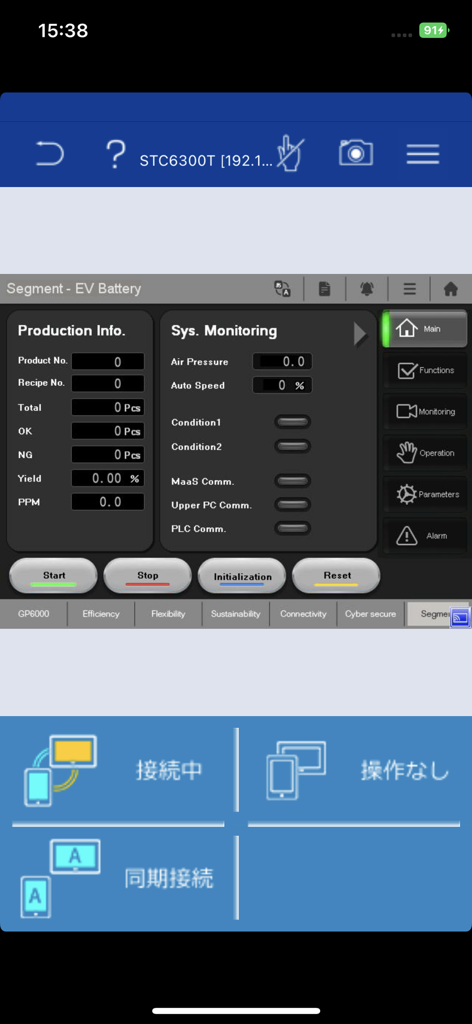
Pro-face Remote HMI - Pro-face Remote HMI App-Oberfläche, die ein Überwachungs-Dashboard für die EV-Batterieproduktion mit Systemdaten und Steuerungsschaltflächen anzeigt
Pro-face Remote HMI App-Oberfläche, die ein Überwachungs-Dashboard für die EV-Batterieproduktion mit Systemdaten und Steuerungsschaltflächen anzeigt

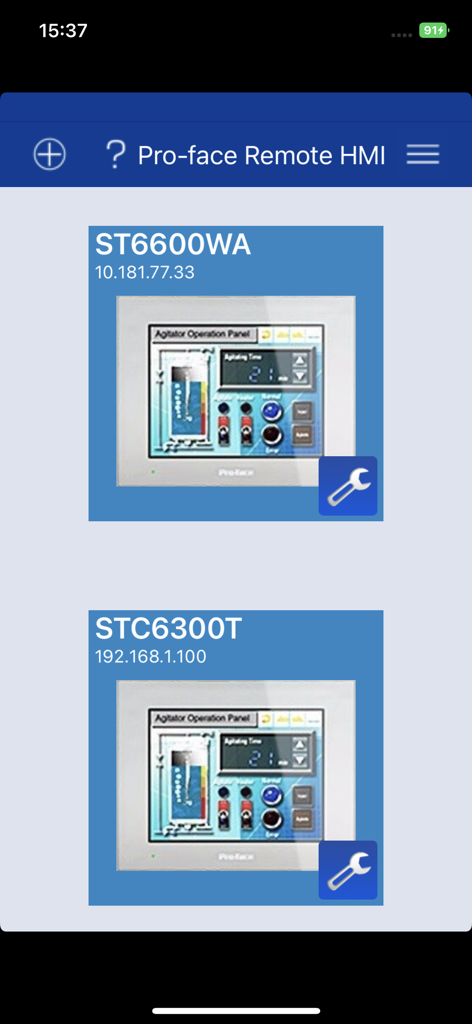
Pro-face Remote HMI - Pro-face Remote HMI Dashboard mit einer Liste verbundener industrieller Maschinen-Schnittstellen
Pro-face Remote HMI Dashboard mit einer Liste verbundener industrieller Maschinen-Schnittstellen

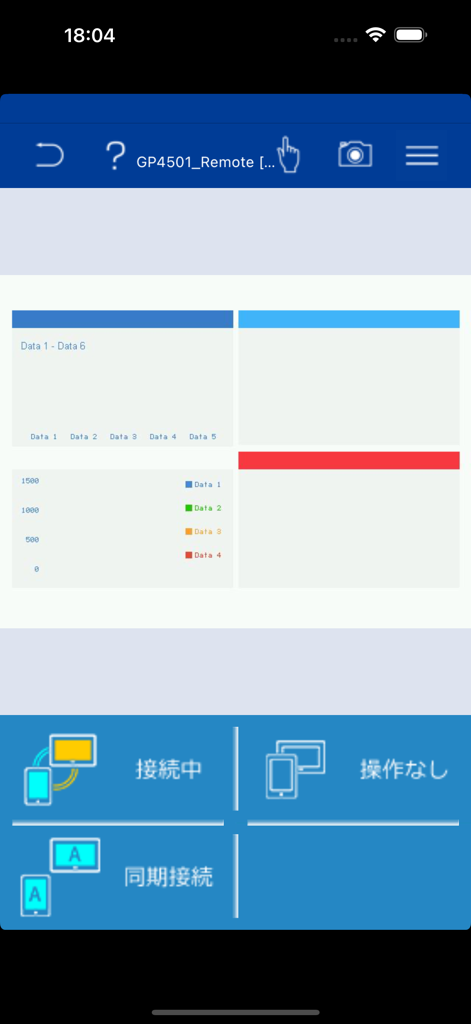
Pro-face Remote HMI - Pro-face Remote HMI App-Oberfläche mit industriellen Datendiagrammen und Fernüberwachungsstatus.
Pro-face Remote HMI App-Oberfläche mit industriellen Datendiagrammen und Fernüberwachungsstatus.

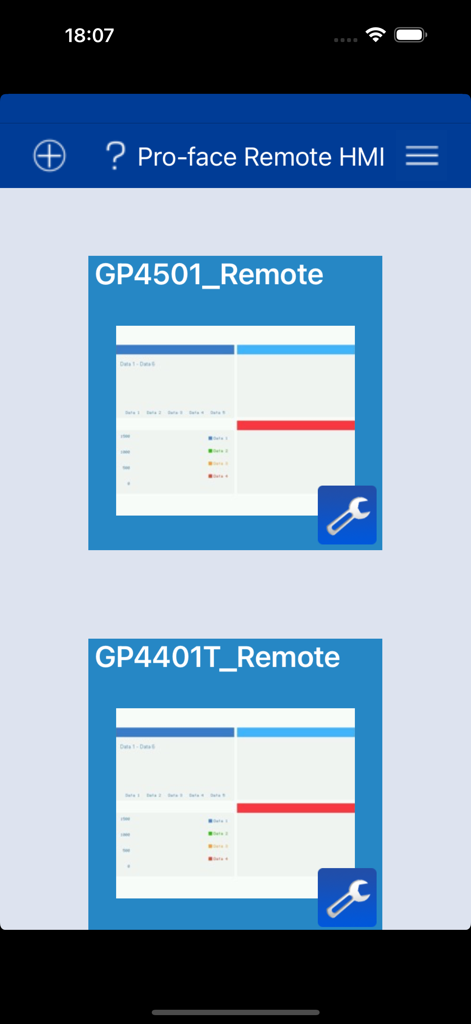
Pro-face Remote HMI - Oberfläche der Pro-face Remote HMI App mit einer Liste verbundener industrieller Steuereinheiten

Oberfläche der Pro-face Remote HMI App mit einer Liste verbundener industrieller Steuereinheiten

Beschreibung

==================================================== Pro-face Remote HMI Price Revision! ==================================================== Pro-face Remote HMI software allows operators to check status of HMI screens on multiple applications remotely, and assist HMI operation as a sub-display of HMI unit connected with iPhone, iPad and iPod touch. - Quick 3 steps to use Pro-face Remote HMI 1. Prepare Wireless Router and connect to HMI. 2. Adjust GP application in GP-Pro EX and transfer it to HMI. 3. Download and install Pro-face Remote HMI in iPhone, iPad and iPod touch. Application: - Monitoring Anywhere of Large/Long Equipment Using the remote monitoring and operation functions, actions that previously required multiple staff for a large-sized machine or long-distance application can be easily accomplished by fewer operators. - Troubleshooting before running to troubled machine You can confirm possible causes of errors to prepare for necessary actions and tools before running down to the point of the problem. - Efficiently and effectively monitor machines on the factory floor Pro-face Remote HMI allows you to check machines and equipment for alarms, operating status, and other information using iPhone, iPad and iPod touch from anywhere on the factory floor. Features: - Synchronized or Asynchronized Monitoring Pro-face Remote HMI lets you switch communication modes to monitor status. - Touch Exclusive Control Setting the monopolize touch function prevents unexpected operational misuses caused by redundant operation. Operation is re-enabled a preset time after Pro-face Remote HMI or the GP unit on the equipment has been operated. - Remote Status Icon A local operator can check the status of remote connection and touch monopoly of HMI server or remote client on a HMI screen for safer operation. - Screen Shortcut Images or texts of machines to monitor can be registered as shortcuts to easily jump from one HMI to another among multiple applications, for various working environments, such as in an office or manufacturing site. - Limitation - Supported HMI Editor for HMI Server: GP-Pro EX Ver. 3.1 or later - Refer to the GP-Pro EX manual for models (servers) that support the Pro-face Remote HMI feature. - Text and picture for which Blink is set in the server are not displayed in blinking in the client. - Reverse Display in 16 Level Monochrome color mode is not supported. - Touch operation in the Asynchronous Mode is available only for the functions that allow you to check display, such as "Screen Change", "Previous Screen", "Scroll" of [Switch/Lamp] and so on. When "Multifunction" mode is set, however, touch operation is disabled. - In Asynchronous Mode, neither a user window nor a system keypad can be displayed. - When the version is upgraded to iOS7 or later, the already saved password is reset. Enter the correct password again for connection. At the same time, the entered password is saved.

Download

Herunterladen auf App Store

Diese Seite ist keine offizielle Seite der App oder ihres Entwicklers, sondern eine unabhängige redaktionelle Veröffentlichung, die zu Informations- und Kommentarzwecken erstellt wurde. Sofern nicht ausdrücklich anders angegeben, sind weder die App noch ihr Entwickler mit MWM, Apple, Google Play, dem App-Herausgeber oder dem Entwickler der App verbunden, von ihnen unterstützt, gesponsert, autorisiert oder anderweitig offiziell verbunden, und nichts auf dieser Seite impliziert, dass die App unter Verwendung der Dienste von MWM entwickelt wurde. Alle Marken, Logos, Screenshots und andere Inhalte bleiben Eigentum ihrer jeweiligen Inhaber.








